IT Downtime Risks for Atlanta Companies: Protect Your

At 9:10 on a normal weekday, an Atlanta office can look fully operational. Staff are logged into Microsoft 365. Phones are ringing. Orders are moving. A warehouse team is waiting on inventory updates, a legal team is pulling matter files, or a clinic is opening patient schedules. Then one storage failure, one bad switch, one ransomware alert, or one failed power event takes core systems offline. Work doesn't just slow down. It fragments.
People start improvising. Someone uses a personal hotspot. Someone else writes notes on paper. Managers ask for updates no one can verify. Customers don't care whether the problem started with a firewall, a cloud sync issue, or a retired server that was never fully removed from the environment. They only see delay.
This is the business context behind IT downtime risks for Atlanta companies. This isn't only an infrastructure problem. It's an operations problem, a security problem, and in many industries, a compliance problem.
Your Atlanta Business Is More Vulnerable Than You Think
A logistics company near the Perimeter doesn't need a dramatic cyber incident to lose a day. A failed network core, an expired certificate, or a server that reboots into a bad update state can be enough. Dispatch can't confirm routes. Customer service can't see order history. Finance can't release invoices. Leadership gets partial answers from five different teams, none of them current.
That same pattern shows up in law firms, medical groups, schools, and regional headquarters across metro Atlanta. The systems are different, but the failure mode is similar. One unavailable platform forces people into manual workarounds they haven't practiced in years, if they've practiced them at all.
Many companies assume they're covered because they have cloud apps, endpoint protection, and an MSP on retainer. That helps, but it doesn't remove exposure. Downtime often begins in the gaps between tools, vendors, and responsibilities. It also increases as environments get more complex, which is part of the broader trend covered in Atlanta's growth in enterprise technology adoption.
Downtime rarely stays inside the IT department. It moves immediately into payroll, customer service, compliance, and executive decision-making.
What I see most often is overconfidence in isolated controls. A company may have backups but no restore testing. It may have redundant internet but a single authentication dependency. It may retire old equipment but leave credentials, scripts, or undocumented dependencies behind.
That's why downtime planning has to be broader than incident response. Atlanta business leaders need to treat availability as a business discipline. The companies that recover cleanly usually aren't the ones with the flashiest stack. They're the ones that know their operational choke points and manage them deliberately.
Calculating the True Cost of IT Downtime
The first mistake companies make is calculating downtime as lost sales only. That understates the risk badly. If your team can't access line-of-business systems, the cost includes idle wages, stalled approvals, missed deadlines, rework, expedited outside help, and the cleanup that follows after systems return.
What the direct loss numbers already tell you
Independent industry guidance estimates that small-business IT outages typically cost about $5,600 per hour in retail, $8,900 per hour in healthcare, and $7,200 per hour in professional services, while average hourly small-business outage costs can range from $5,600 to $22,000, depending on industry. The same guidance says many organizations underestimate the full cost by 300% to 400% because they count direct revenue loss and miss broader operational damage, as detailed in this small-business downtime cost guide and calculator.
Those numbers matter in Atlanta because the metro economy is dense with healthcare groups, legal practices, consultancies, logistics operators, and multi-location service firms. In those settings, one outage often blocks several departments at once.
The costs most teams forget to include
A practical downtime estimate should include at least four categories:
- Interrupted labor: Employees are still on payroll even when they can't access email, ERP, ticketing, file shares, or scheduling systems.
- Customer-facing delay: Orders, appointments, shipments, and responses slow down. Even if customers stay, your team spends extra time repairing the relationship.
- Emergency recovery spend: Crisis support is expensive. That includes rush hardware replacement, after-hours engineering, expedited vendor coordination, and temporary workaround tools.
- Compliance and legal exposure: In regulated environments, the outage itself may trigger reporting, documentation, audit questions, or review of data handling controls.
A lot of leaders also miss migration risk when they modernize. Moving content, workflows, and permissions into new platforms can reduce long-term fragility, but only if the move is planned and dependency-heavy systems are mapped correctly. For teams facing collaboration platform changes, Ollo's guide to successful SharePoint migrations is a useful reference because it frames migration as both an operational and risk-control exercise.
A simple board-level way to frame it
Use this kind of discussion model internally:
| Cost area | What leadership should ask |
|---|---|
| Lost work time | Which teams stop working if core systems fail for half a day? |
| Revenue disruption | Which transactions, appointments, or projects can't move forward? |
| Recovery friction | What has to be rebuilt, reconciled, or re-entered afterward? |
| Risk exposure | Would the outage create client, contract, audit, or security issues? |
Practical rule: If your downtime estimate only counts sales not processed during the outage window, it's incomplete.
What works is honest scoping. What doesn't work is using a generic hourly number from a budget meeting and assuming that captures the actual impact. The true cost usually sits in the backlog, the manual correction effort, and the reputational damage that follows.
How Downtime Impacts Atlanta's Key Sectors
Downtime doesn't hit every Atlanta organization the same way. The trigger may be technical, but the consequences are shaped by mission, regulation, and public visibility.
Healthcare and patient access
In a hospital system, specialty practice, or outpatient clinic, downtime immediately becomes a care-delivery issue. Staff may lose access to schedules, records, imaging systems, or intake workflows. That forces delays in triage, documentation, and handoff. Even when teams fall back to paper, they still have to reconcile the data later, and that introduces risk.
For healthcare organizations, the pressure isn't limited to continuity. It also includes secure handling of retired drives, backup media, and decommissioned devices that may still contain protected data. That's why secure disposition belongs in the same conversation as uptime, especially where HIPAA-compliant data destruction is required.
Data centers and multi-tenant environments
A data center operator in Alpharetta or a large enterprise with regional colocation footprints faces a different problem. When a cooling failure, power issue, storage fault, or management-plane outage occurs, the blast radius can spread quickly across customers, business units, or hosted workloads. Coordination becomes the challenge. Who owns the incident bridge. Which systems get restored first. Which clients need communication now rather than later.
At global-enterprise scale, Cisco and Splunk reported that annual downtime costs for Global 2000 companies reached $600 billion in 2026, with an average cost of $15,000 per minute and an average 3.4% stock-price drop after a downtime event, according to Cisco's downtime research announcement. Most Atlanta companies aren't operating at Global 2000 scale, but the lesson translates directly. Brief outages become much larger when they hit customer-facing or compliance-sensitive systems.
Schools and public sector operations
A school district outage during testing, registration, payroll processing, or device deployment creates a very visible failure. Administrators can't just wait for systems to return. They need alternate processes for attendance, communication, and records. The same is true for city and county agencies handling permits, service requests, procurement, or constituent communications.
In public environments, confidence erodes quickly because downtime is visible to staff, parents, citizens, vendors, and oversight bodies at the same time.
- For schools: Device fleets, identity systems, and storage sprawl create hidden dependencies that often go undocumented.
- For agencies: Legacy applications and procurement delays can keep risky infrastructure in service longer than anyone wants.
- For both: Retired equipment is often boxed, stored, or transferred without a rigorous process, which leaves security and operational loose ends.
In regulated and public-facing sectors, an outage is never only a technical event. It becomes a recordkeeping, trust, and leadership issue within minutes.
The common mistake across these sectors is assuming uptime is mainly about active production systems. It isn't. The organizations with fewer surprises usually know where old systems still matter, where backups haven't been tested, and where retired assets still carry risk.
Building a Resilient Infrastructure
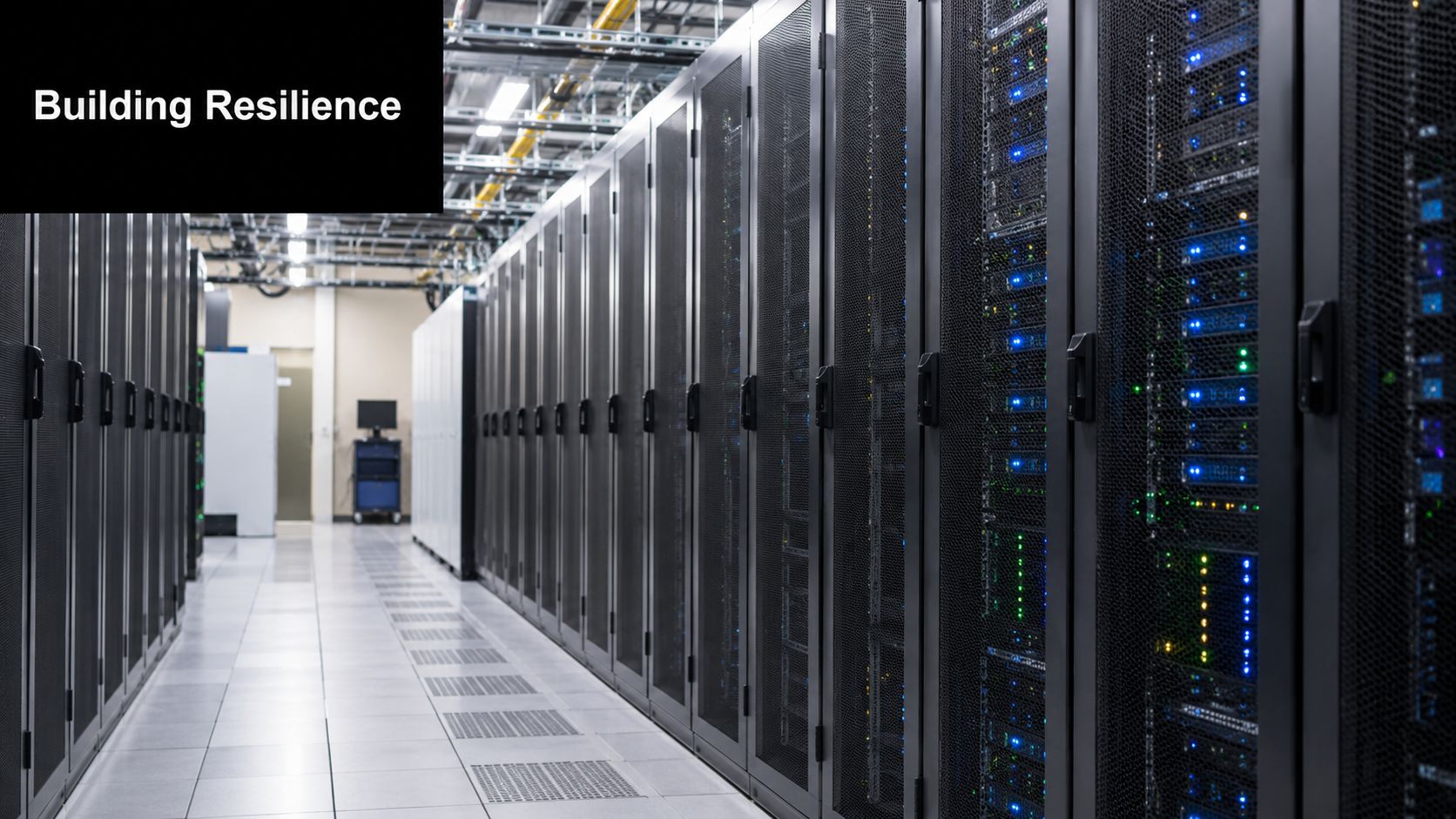
Resilience comes from layers. No single product fixes downtime risk, and no vendor can compensate for weak internal discipline. The right approach combines infrastructure design, recovery readiness, and staff behavior.
Start with the boring failure points
Power, switching, storage, and identity services still cause a lot of avoidable disruption. If one UPS failure can take out a server room, or one aging switch can isolate an entire office, the problem isn't bad luck. It's single-point-of-failure design.
Leaders don't need to become electrical engineers, but they do need to push teams to evaluate runtime, failover behavior, maintenance support, and monitoring on backup power systems. If you're reviewing options, this breakdown of how to compare business UPS systems is useful because it focuses on operational fit instead of spec-sheet noise.
Build recovery, not just backup
Backup is only one piece of protection. A file-level backup that can't restore permissions, application state, or usable recovery points won't help much during a major outage. The same goes for snapshots that exist on paper but haven't been tested under pressure.
Strong environments usually have these traits:
- Verified backups: Someone tests restores, not just backup job completion.
- Clear recovery priorities: Teams know which systems come back first and which can wait.
- Documented dependencies: Authentication, licensing, VPN access, and cloud connectors are mapped before an incident.
- Defined incident roles: Leadership, IT, vendors, and business owners know who makes which decisions.
A broader look at IT infrastructure security trends in Atlanta is helpful here because resilience depends on both security control maturity and operational design.
Don't ignore the human layer
Technical controls fail faster when people haven't practiced what to do. That applies to phishing resistance, escalation discipline, and basic outage communication. During a live incident, confusion is expensive.
What works:
- Train for reporting: Employees should know how to report suspicious behavior and system issues fast.
- Use short runbooks: Nobody wants a sixty-page PDF during an outage. Keep actions concise and role-specific.
- Run exercises: Tabletop drills expose weak assumptions before a real event does.
What doesn't work is assuming competent staff will improvise their way through a complex outage. They might keep the business limping, but improvisation creates inconsistency, missed evidence, and recovery mistakes.
Systems recover faster when the business has already decided who can shut something down, who can approve failover, and who communicates with customers.
Managing Risk at Every Stage of the IT Lifecycle
A company can spend heavily on uptime and still leave a major gap at the end of the asset lifecycle. That gap shows up when old servers remain mounted but undocumented, retired laptops sit in storage with live data, decommissioned network gear keeps stale configurations, or a disposal vendor removes equipment without a defensible chain of custody.
Retirement mistakes create new downtime risk
For Atlanta-area firms, one hour of IT downtime can cost about $8,600 in lost productivity, wages, and missed opportunities, and full operational recovery may take 3–7 days because the impact continues into backlog clearing and process restart, according to this business downtime planning benchmark. That's why retirement and disposition can't be treated as housekeeping. A bad decommissioning decision can create the next outage.
Common examples include:
- Ghost assets left connected: A retired server still answers on the network, confuses monitoring, or becomes an unmanaged security entry point.
- Untracked application dependencies: Teams remove hardware before discovering it handled licensing, scheduled jobs, print services, or a legacy integration.
- Incomplete data sanitization: Security incidents tied to retired devices can trigger containment work, legal review, and service interruption.
- Uncoordinated vendor handoffs: Facilities, infrastructure, security, compliance, and disposal partners each assume someone else owns the final checklist.
A better decommissioning checklist
Most organizations need a tighter vendor-coordination process than they currently use. At minimum:
| Control point | What to confirm before equipment leaves service |
|---|---|
| Asset inventory | The serial, owner, role, and dependency map are current |
| Data handling | Wiping or destruction method is defined and documented |
| Access cleanup | Service accounts, certificates, and remote access are removed |
| Change control | Business owners approve timing and fallback plan |
| Chain of custody | Pickup, transport, and disposition records are preserved |
A disciplined lifecycle process is a downtime control, not just an environmental or procurement function. Teams that want a stronger internal framework should review these IT lifecycle management best practices.
Where specialist ITAD fits
This is the point where a professional IT asset disposition provider can reduce operational risk. Atlanta Computer Recycling handles business-to-business electronics recycling and ITAD, including de-installation, pickup logistics, and data destruction processes for retired equipment. That kind of support is relevant when internal teams need secure removal without creating confusion around custody, scheduling, or residual data exposure.
The safest retirement process is the one that treats old equipment like active risk until custody, sanitization, and documentation are closed.
What doesn't work is waiting until an office move, storage cleanup, or data center refresh is already underway, then trying to reconstruct ownership on the fly. By then, the technical problem has become a governance problem.
Partnering for End-to-End Operational Continuity
The strongest Atlanta organizations don't treat downtime as an isolated IT event. They manage it as an end-to-end continuity issue that starts with system design and ends only when retired assets are fully removed, sanitized, documented, and reconciled.
That broader view changes how leadership evaluates risk. Instead of asking whether backups exist, they ask whether recovery has been tested. Instead of asking whether equipment has been replaced, they ask whether the old systems, credentials, media, and dependencies were removed. Instead of treating disposal as the last errand of a refresh cycle, they treat it as part of continuity and compliance.
What a complete continuity posture looks like
A practical continuity posture usually includes:
- Operational ownership: Business leaders know which systems are mission-critical and which outages become client-facing fastest.
- Technical resilience: Infrastructure teams reduce single points of failure and test recovery paths.
- Security discipline: Access, logging, decommissioning, and data destruction are treated as control requirements.
- Vendor alignment: MSPs, internal IT, facilities, cloud providers, and disposition partners work from the same checklist.
For organizations tightening their planning process, this resource on business continuity planning is worth reviewing because it frames continuity as an operational management discipline, not just an IT document.
The partner standard that matters
Not every outside provider contributes equally to uptime protection. The right partner should reduce ambiguity, not add it. That means clear scope, documented custody, reliable scheduling, and processes that fit regulated environments.
If your team is revisiting vendors involved in retirement, refresh, relocation, or decommissioning work, start with providers that understand secure disposition as part of resilience. This overview of IT asset disposition companies is a useful place to benchmark what that should look like in practice.
Operational continuity is built through decisions that seem ordinary when nothing is broken. Power design. Restore testing. Runbooks. Asset inventory. Secure retirement. Those decisions determine whether an outage becomes a contained incident or a multi-day business problem.
If your organization needs a tighter process for retiring servers, laptops, storage, or network gear without creating security and operational gaps, talk with Atlanta Computer Recycling. A structured ITAD process can help close one of the most overlooked sources of downtime risk in Atlanta businesses.