8 IT Lifecycle Management Best Practices for 2026

Monday starts with a failed server, a purchase request marked urgent, and a pallet of retired equipment still waiting for approval to leave the building. That is not a hardware problem. It is a lifecycle management problem.
In many environments, assets stay in service past support windows, replacement decisions happen under pressure, and retired devices sit untouched because no one has defined who owns the last step. The result is familiar to IT managers and data center operators. Higher support costs, avoidable security risk, weak audit trails, and too much capital tied up in equipment that should already be redeployed, remarketed, or destroyed.
IT lifecycle management fixes that by treating procurement, deployment, maintenance, refresh, and disposition as one operating process with clear controls. The payoff is practical. Better forecasting, fewer emergency purchases, cleaner compliance records, and a retirement process that stands up to security review. If you need a baseline before building those controls, these IT asset management best practices are a useful starting point.
Retirement is also where internal process quality becomes visible to an outside vendor. If your team cannot identify what is leaving the environment, what data it held, who approved release, and what chain of custody is required, no ITAD provider can fix that downstream. A firm such as Atlanta Computer Recycling can execute pickup, data destruction, recycling, and reporting, but only if your lifecycle program defines the requirements clearly enough to enforce them.
That translates into a few required outcomes: assets are tracked before they become problems, refresh timing is planned before failure drives the budget, and end-of-life handling is managed as a controlled business process instead of a cleanup task. These IT lifecycle management best practices focus on that full path, including how to choose and manage a disposition partner without creating new risk at the finish line.
1. IT Asset Inventory and Documentation Management
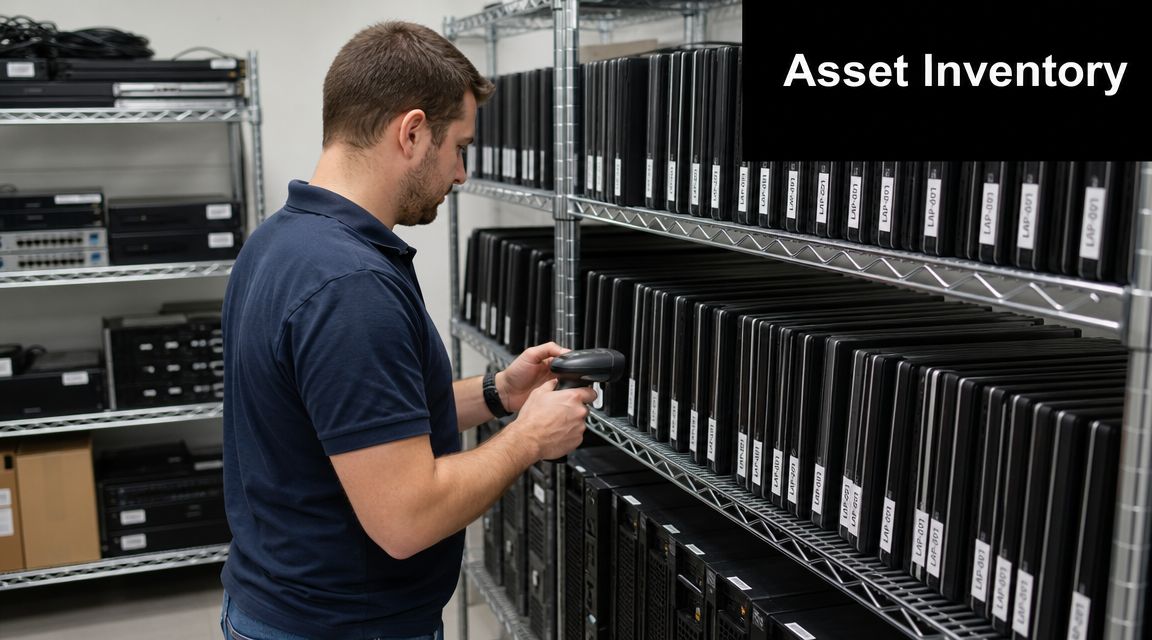
A data center team schedules a rack cleanup for Saturday. By Friday afternoon, no one agrees on which servers are still in production, which laptops were reassigned last quarter, or which storage devices require documented chain of custody before they leave the building. That is not an inventory problem alone. It is a control problem, and it shows up fast when you need an ITAD vendor to execute against your instructions.
An asset register has to support the whole lifecycle, from receipt to final disposition. That means recording asset location, hardware and software configuration, assigned owner, support status, service history, and expected retirement path. In mixed environments, that record also needs enough context to separate what can be redeployed, what must be held for legal or security review, and what is cleared for pickup by a disposition partner such as Atlanta Computer Recycling.
What the record needs to answer
A usable record answers four operational questions without delay: what the asset is, where it is, who is responsible for it, and what action is authorized next.
In healthcare, that often means keeping clinical and administrative devices distinct so retirement approvals match data sensitivity. In higher education, it means knowing which department owns a device before a broad refresh or surplus project starts. In government and regulated enterprise environments, it means maintaining documentation that holds up under procurement review, audit scrutiny, and disposition signoff.
The weak point is usually not discovery. It is reconciliation. Teams can import purchase records and scan the network, then still lose control because no one updates moves, swaps, loaners, cannibalized parts, or devices sitting in a staging room waiting for wipe approval.
Use one system as the source of truth. Everything else should feed it or read from it.
What works in practice
- Assign ownership for data quality: One team needs authority to resolve conflicts in asset records, even if service desk, infrastructure, security, and procurement all contribute updates.
- Reconcile against reality on a schedule: Physical checks matter before audits, refresh projects, lease returns, and any ITAD pickup.
- Tie asset changes to service workflows: If a ticket moves, repairs, reassigns, or retires a device, the asset record should update in the same process.
- Track disposition readiness fields: Include data classification, sanitization requirement, approval status, pickup grouping, and chain of custody requirements. Those fields determine whether your ITAD vendor can act without delay.
- Document software dependencies too: OS version, licensing status, and supportability affect redeployment and retirement decisions. For endpoint planning, OnRoute's guide to operating system upgrades is a useful reference point.
Teams that need to tighten this process should start with documented controls, not another spreadsheet. These IT asset management best practices from Atlanta Computer Recycling are a good baseline for building cleaner records and better handoffs. The goal is straightforward. Every asset should enter, move through, and exit the environment through a documented process that your operations team, auditors, and ITAD vendor can all follow.
2. Planned Equipment Refresh Cycles and Replacement Strategies
The server is still running, users are still working, and finance wants to push replacement one more quarter. Then the OEM support date hits, a failed component takes longer to replace, and a routine refresh turns into an outage, an expedited purchase, and a rushed disposition project. That pattern is common, and it is avoidable.
Planned refresh cycles work best when each asset class has a defined service window tied to business risk, not habit. A firewall, a storage array, a developer laptop, and a conference room PC should not share the same replacement rule. They fail differently, carry different support constraints, and create different operational consequences when they stay in service too long.
Refresh decisions should be based on a short set of criteria your operations team can defend:
- Supportability: Warranty status, firmware support, patch availability, and OEM end-of-life dates.
- Performance against current workload: Whether the device still meets production demand without workarounds or user disruption.
- Failure trend and repair burden: Repeat incidents, parts scarcity, and technician time spent keeping aging gear alive.
- Budget timing: Whether replacement can be staged to avoid emergency purchases and spread capital costs across quarters or fiscal years.
- Exit path: Whether storage media handling, packaging, pickup windows, and downstream disposition capacity are already planned.
That last item separates an internal refresh plan from a usable one. If the retirement stream is not coordinated early, equipment stacks up in staging rooms, chain-of-custody control gets weaker, and the project drifts. IT managers should involve the disposition vendor while the refresh schedule is still being built, not after the first pallet is full. For example, teams working with Atlanta Computer Recycling on secure data destruction services for retired IT assets need asset counts, device types, and pickup sequencing defined in advance so decommissioned equipment does not sit longer than policy allows.
Timing also affects software. Hardware that remains in service past its intended window often drags unsupported operating systems and application dependencies with it. That creates a second replacement problem inside the first one. For teams coordinating device turnover with platform changes, OnRoute's guide to operating system upgrades is a useful operational reference.
A workable refresh strategy is staggered, documented, and tied to retirement logistics. That gives IT operations room to control spend, reduce support risk, and hand off outgoing assets to an ITAD vendor under planned conditions instead of deadline pressure.
3. Data Security and Sanitization Protocols Throughout Equipment Lifecycle
A storage admin pulls a failed SSD from a production array during a late-night incident. By morning, the drive is sitting in a cart with other retired parts, no tag, no custody log, and no decision on whether it will be wiped, shredded, or returned under warranty. That is how avoidable data exposure starts.
Data security in lifecycle management is not limited to the last day an asset exists. Controls have to start at deployment and stay in place through reassignment, repair, storage, transport, and final disposition. If your internal process treats sanitization as a cleanup step at the end, your ITAD vendor inherits confusion instead of a controlled handoff.
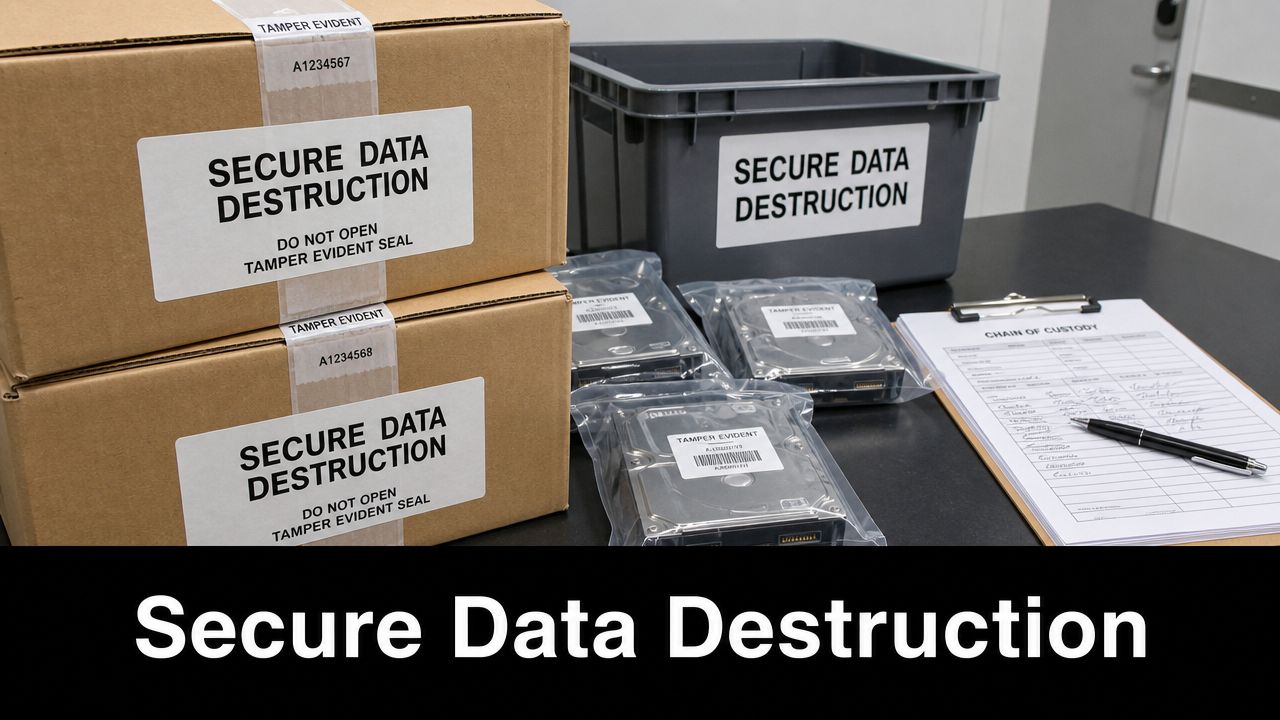
Write the sanitization decision before the asset is retired
Good teams do not decide wipe versus destroy at the loading dock. They define the rule set in advance by asset type, data sensitivity, reuse potential, and regulatory exposure.
That means your policy should answer practical questions such as these: Can laptops assigned to general office staff be sanitized and redeployed internally? Are failed data center drives automatically destroy-only because verification is limited or the risk tolerance is low? What happens to backup media, embedded flash storage, print devices, and network gear that still hold configuration data or credentials? If those decisions are not documented, technicians improvise, and audit evidence gets weaker fast.
A short list of required controls usually separates a workable process from one that breaks under pressure:
- Classify data-bearing assets early. Do not wait until retirement day to identify which devices need wiping, physical destruction, or secure storage pending review.
- Use approved sanitization methods by media type. SSDs, HDDs, tapes, and embedded storage need different handling and verification steps.
- Require proof, not status labels. “Wiped” is not useful unless the record shows the method, date, technician, and result.
- Maintain chain of custody. Record location changes, handlers, serial numbers, and exceptions from removal through final disposition.
- Control the temporary holding area. Retired assets need restricted access, not a hallway, open cage, or shared storeroom.
- Train the first people who touch the device. Help desk staff, field techs, and data center operators often start the retirement process long before the ITAD pickup happens.
Match sanitization to business risk and downstream disposition
A wipe standard that works for low-risk office endpoints may not be acceptable for regulated workloads, failed drives, or equipment leaving the building for resale or recycling. Rimage's discussion of data lifecycle best practices is useful on this point. Retention, access control, destruction, and auditability have to work together.
The operational trade-off is straightforward. Reuse and remarketing can recover value, but only if sanitization is verified and documented well enough for security and compliance teams to sign off. Physical destruction reduces residual data risk, but it also ends any chance of redeployment or resale. IT managers should make that trade-off intentionally, not by default or based on who is available in the moment.
This is also where vendor selection starts to overlap with internal process design. If you plan to remarket part of the estate and destroy the rest, your provider must support both paths with asset-level reporting and certificates that match your records. Teams comparing IT asset disposition companies for secure sanitization and downstream reporting should test whether the vendor can follow the organization's policy as written, not replace it with a generic standard operating procedure.
For organizations that need an end-of-life process tied directly to destruction services, secure data destruction services from Atlanta Computer Recycling fit into the final stage of the lifecycle. That handoff works best when the internal team has already separated redeployable assets from destroy-only devices and can transfer accurate records with the shipment.
One more point matters here. Sanitization policy and vendor execution both fail when approvals are informal. Security, infrastructure, compliance, and procurement should document who authorizes each disposition path and how exceptions are handled. Teams that need a model for implementing contract management workflows can apply the same discipline to destruction approvals, certificates, and vendor evidence review.
4. Vendor Management and Service Level Agreements for Disposition Services
A disposition project usually fails at the handoff point. The internal team has an approved retirement list, security expects documented sanitization, procurement expects the vendor to meet contract terms, and the loading dock just wants the equipment gone. If the agreement is vague, the ITAD vendor decides what “complete” means, and your team inherits the audit risk.
Vendor management for disposition services starts well before the first pickup. IT managers should define the operating model first, then make the vendor contract match it. If part of your estate will be remarketed and part will be destroyed, the provider has to support both paths with asset-level reporting, serialized reconciliation, and certificates that line up with your internal records. That is the difference between outsourcing a task and controlling an end-of-life process.
A generic MSA is not enough.
The SLA should specify how quickly assets are picked up, how chain of custody is documented, what evidence is delivered after processing, and who responds when counts do not match. For regulated organizations, those terms need to reflect the actual control environment. Teams working through HIPAA compliance requirements for IT asset handling and disposal should make sure the vendor can produce the same level of documentation that internal compliance staff would expect during an audit or incident review.
What belongs in the agreement
- Disposition scope: Define which asset classes are accepted, which are remarketed, which are destroyed, and who approves exceptions.
- Asset reconciliation: Require serial-number-level reporting from pickup through final disposition, not summary confirmations.
- Security controls: State approved sanitization or destruction methods, custody requirements, tamper handling, and evidence standards.
- Service response: Set pickup windows, project timelines, escalation contacts, and remedies for missed deadlines.
- Audit access: Reserve the right to review facilities, downstream processors, insurance coverage, and process documentation.
- Contingency coverage: Keep a secondary provider or overflow option for site closures, large refreshes, and multi-location projects.
The trade-off is straightforward. A tighter SLA gives the vendor less room to improvise, but it gives your team fewer surprises, cleaner audit evidence, and better cost control when a project scales.
This is also where internal process design overlaps with vendor selection. Teams comparing IT asset disposition companies for secure sanitization and downstream reporting should test whether the vendor can follow company policy as written, not replace it with a standard workflow built for someone else's environment. Atlanta Computer Recycling is one example of the kind of commercial ITAD partner that needs to fit into your controls, reporting model, and project timing, especially when local pickups, secure destruction, and downstream documentation all matter to the same job.
Approval discipline matters just as much as the contract language. Security, infrastructure, compliance, and procurement should document who can authorize destruction, who can approve remarketing, and how exceptions are reviewed before assets leave the site. Teams building that governance model can borrow from implementing contract management workflows to structure approvals, evidence review, and vendor oversight without turning every disposition event into a one-off decision.
5. Compliance and Regulatory Requirements Tracking
A server can be decommissioned on schedule, wiped on schedule, and picked up on schedule, then still create a compliance problem because the evidence trail is incomplete. That is the failure point IT managers need to track. Regulators, auditors, and internal risk teams do not just ask whether a control exists. They ask who performed it, when it happened, what standard applied, and where the record is stored.
Compliance tracking works best when each requirement is tied to an operational checkpoint across the asset lifecycle. Retention rules, access restrictions, chain of custody, destruction records, legal hold exceptions, and downstream recycling documentation all need an owner and a place in the process. If those items live in separate tools with no shared review path, teams end up rebuilding the story after an audit or incident.
Map obligations to the asset, not just the policy
Retention and deletion rules should be attached to the systems and media that hold the data, not left as abstract policy language. That changes how teams handle refreshes, storage moves, and final disposition. A hospital may need documented destruction evidence for retired drives tied to patient data. A school district may need tighter tracking for student device turnover and record retention. Public sector teams often need procurement records, custody logs, and disposition approval history to stay aligned with records management requirements.
This is also where internal lifecycle management connects directly to ITAD vendor selection. A vendor can collect equipment and issue certificates, but that does not solve a compliance gap if your team never defined what evidence must be collected, how long it must be retained, and how it links back to the original asset record. Teams evaluating providers such as Atlanta Computer Recycling should verify that the vendor's reporting format, pickup controls, and downstream documentation match internal retention and audit requirements, including environmentally responsible electronics recycling documentation and service practices in Atlanta.
Build a compliance matrix your operations team will actually use
Heavy policy binders do not help during a refresh project or site closure. A working compliance matrix does.
Use one that ties each obligation to:
- Control owner: Name the role responsible for execution and review
- Lifecycle stage: Procurement, deployment, maintenance, reassignment, storage, or disposition
- Required evidence: Ticket, log, approval record, destruction certificate, custody form, or audit trail
- System of record: The platform where the evidence must be stored
- Exception process: What happens if an asset, system, or vendor process falls outside policy
Keep it simple enough for infrastructure teams to follow during live work.
For healthcare-focused environments, HIPAA IT requirements and secure disposition considerations from Atlanta Computer Recycling are relevant because retirement is often where policy, physical handling, and documentation finally meet. If the asset leaves service and your team cannot produce the related approval, sanitization record, and final disposition evidence, the lifecycle record is still incomplete.
6. Environmental Sustainability and Responsible Recycling Practices
A refresh project can hit its budget target and still fail the business if retired equipment disappears into an opaque recycling chain.
Environmental sustainability in IT lifecycle management starts with disposition decisions your team can defend. Reuse, refurbishment, recycling, and destruction each have a place. The job is to route assets into the right path based on condition, supportability, data risk, and documented policy. Teams that send everything straight to scrap usually give up recoverable value, miss internal reuse opportunities, and make sustainability reporting harder than it needs to be.

Treat sustainability as a controlled disposition process
Sustainability only holds up under audit when operations can prove what happened to each asset class. That means sorting equipment before pickup, not after it leaves your dock. Usable laptops may fit redeployment or refurbishment. Older switches, servers, or storage gear may still support lab, training, or parts harvesting programs. Equipment that is damaged, unsupported, or economically impractical to repair should go to certified recycling or destruction with clear downstream handling.
This is also where internal IT lifecycle management connects directly to ITAD vendor selection. If your process cannot identify which assets are eligible for reuse, your vendor will make that decision for you. That may protect speed, but it often hurts recovery value, environmental reporting, and policy control.
One practical rule helps. Decide disposition status before release, then require the vendor to process to that instruction unless an approved exception is documented.
Field note: Reuse programs break down fast when asset records, sanitization status, and custody documentation live in separate systems. In that situation, operators often choose destruction because it is easier to approve and easier to prove.
Ask your ITAD vendor about downstream control, not just pickup logistics
Collection is the easy part. The harder question is what happens next.
Ask for answers you can map back to internal lifecycle controls:
- How are assets triaged after receipt? The vendor should define how equipment moves into reuse, refurbishment, parts recovery, recycling, or destruction.
- Which downstream partners receive material? You need visibility into where scrap, batteries, circuit boards, and residual components go.
- What evidence comes back to your team? Pickup receipts are not enough. Ask for serialized reporting, weight summaries where appropriate, and disposition documentation that fits your recordkeeping model.
- How do they handle low-value mixed loads? Mixed pallets often create the biggest reporting gaps.
- How are hazardous components managed? Batteries and damaged electronics need specific handling controls, not generic warehouse processing.
For organizations evaluating local support, environmentally responsible electronics recycling services in Atlanta show what this should look like in practice: disposition options tied to documented handling, reuse where appropriate, and recycling processes that fit security and compliance requirements instead of sitting outside them.
Environmental performance is not separate from cost control or risk reduction. It is part of the same lifecycle discipline. If your team can classify assets accurately, preserve chain of custody, and hold the ITAD vendor to documented downstream standards, sustainability becomes measurable instead of aspirational.
7. Secure Data Center Decommissioning and Large-Scale Project Management
The shutdown date is set. The migration is behind schedule. Facilities wants racks cleared, security wants documented custody, and the ITAD vendor is asking for the final pickup list while your team is still finding gear that never made it into the inventory.
That is what a decommission looks like in practice.
A data center closure, consolidation, or large-scale refresh is not a larger version of routine asset retirement. It is a controlled risk event with technical, operational, and audit consequences. If ownership is vague or the asset record is weak, the project slips fast. Equipment gets pulled before dependencies are cleared. Media handling exceptions surface late. Finance, compliance, and operations end up working from different versions of the truth.
The hard part is proving complete retirement across systems, storage, and physical equipment while multiple groups are changing the environment at the same time. During a facility shutdown, that problem gets harder because timing pressure pushes teams to move hardware before documentation catches up.
Run the project with the same discipline used for a planned outage. Assign one accountable lead. Use one approved asset list. Keep one decision log that records whether each asset is redeployed, held for migration support, sanitized for internal reuse, or released to the ITAD vendor for final disposition.
Three workstreams usually need to stay separate from day one:
- Assets staying in service: Equipment moving to another site needs migration validation, updated ownership, and transport controls.
- Assets being redeployed: Systems approved for internal reuse need sanitization status, testing results, and reassignment records before they leave staging.
- Assets leaving the environment: Equipment going to resale, recycling, or destruction needs serialized tracking, chain of custody, and final disposition evidence.
Blending those streams creates avoidable mistakes. A pallet packed for resale can end up holding storage media that should have been retained. A server approved for redeployment can get mixed into scrap because the business decision was never documented clearly.
Physical staging matters more than many teams expect. Temporary holding areas should have restricted access, labeled zones, and a check-in/check-out process tied back to the master asset list. If gear sits in an uncontrolled room for two weeks, you no longer have a clean custody record. You have a reconciliation problem.
Vendor coordination also changes at this scale. Your ITAD provider is no longer just a pickup service. They are part of the project plan. That means pickup sequencing, trailer capacity, onsite packing requirements, after-hours access, certificate timing, exception handling, and escalation paths should be settled before the first rack is touched. For IT managers in the Southeast, Atlanta Computer Recycling is a useful example of the type of commercial ITAD partner this work requires: a provider that can align onsite logistics, serialized reporting, and downstream disposition with your internal decommission plan instead of treating the job as bulk removal.
The closeout standard is simple. Reconcile every asset against the approved plan, resolve exceptions while the project team is still active, and make sure the final record supports audit, financial write-off, and compliance review. Speed helps. Proof closes the project.
8. Continuous Monitoring, Reporting, and Process Improvement for Lifecycle Management
A refresh plan can look disciplined on paper and still fail in practice. The warning signs show up fast. Assets sit in the wrong status for months, pickups slip, certificates arrive late, and unsupported hardware stays in production because nobody is reviewing the gap between policy and execution.
Continuous monitoring closes that gap. For IT managers and data center operators, the point is simple: track the few indicators that change decisions, assign ownership, and fix the process before the next cycle repeats the same failure.
Measure the controls that affect decisions
Use metrics your team can act on without debate. Inventory accuracy is one. Percentage of assets with a defined lifecycle phase is another. Retirement backlog, time from decommission approval to vendor pickup, certificate return completion, and exception counts also deserve a place on the dashboard.
That list is short by design.
Teams that track everything usually stop using the report. Teams that track almost nothing end up managing by anecdote. The practical middle ground is to measure control points tied to cost, compliance, and operational risk. If a metric does not trigger an owner, a deadline, or a corrective action, it is clutter.
Vendor reporting belongs in the same view as internal process reporting. That is where IT lifecycle management and ITAD oversight meet in a way that matters. If your internal record shows 200 assets approved for disposition and your vendor report shows 184 serialized receipts, the issue is not reporting quality. It is a custody exception that needs investigation. A commercial ITAD partner such as Atlanta Computer Recycling should be able to support that level of reconciliation with serialized intake data, certificate tracking, and exception handling that matches your internal asset records.
Use reporting to correct process
A useful monthly report answers operational questions quickly. Which unsupported assets are still active? Which business units are slow to approve retirement? How long are devices sitting between decommission and pickup? Are reusable systems being redeployed, or written off because classification happened too late?
The best report drives action this month.
Review misses with the same discipline you apply to completed work. Late pickups usually point to forecasting or vendor capacity problems. Missing certificates point to weak follow-up or unclear SLA terms. Assets that remain online past support dates point to governance gaps between infrastructure, security, and finance.
Process improvement in IT lifecycle management is not a separate initiative. It is the routine of reviewing exceptions, correcting the workflow, updating the standard, and checking whether the fix held during the next cycle. That is how teams reduce audit friction, tighten cost control, and choose ITAD vendors based on evidence instead of assumptions.
8-Point IT Lifecycle Best Practices Comparison
| Item | Implementation Complexity 🔄 | Resource Requirements ⚡ | Expected Outcomes 📊 | Ideal Use Cases | Key Advantages ⭐ |
|---|---|---|---|---|---|
| IT Asset Inventory and Documentation Management | Medium–High: initial cataloging and system integrations | Moderate: asset database, tagging (barcode/RFID), dedicated staff | Accurate TCO, audit-ready records, improved forecasting | Large fleets, healthcare, universities, data centers | Centralized visibility; compliance support; audit trail |
| Planned Equipment Refresh Cycles and Replacement Strategies | Medium: multi-year planning and coordination | Moderate–High: budgeting, procurement, vendor coordination | Predictable procurement, reduced emergency replacements, higher uptime | Enterprises, schools, hospitals, agencies with device fleets | Cost control; bulk discounts; orderly decommissioning |
| Data Security and Sanitization Protocols Throughout Equipment Lifecycle | High: standards-based processes and chain-of-custody | High: sanitization tools, trained personnel, certification costs | Minimized breach risk; certified destruction; regulatory proof | Healthcare, finance, government, regulated environments | Strong risk reduction; legal/audit evidence; client trust |
| Vendor Management and Service Level Agreements (SLAs) for Disposition Services | Medium–High: contracting, audits, SLA enforcement | Moderate: procurement expertise, monitoring tools, audit resources | Predictable service levels, documented compliance, cost control | Organizations outsourcing ITAD, hospitals, large enterprises | Enforceable standards; measurable vendor accountability |
| Compliance and Regulatory Requirements Tracking | High: evolving, multi-jurisdictional requirements to map and maintain | High: legal/compliance staff, audit processes, documentation systems | Reduced fines, audit readiness, demonstrable due diligence | Regulated industries (healthcare, finance), multinational orgs | Risk reduction; simplified audits; regulatory alignment |
| Environmental Sustainability and Responsible Recycling Practices | Medium: supply-chain coordination and recycler verification | Moderate: certified recyclers, tracking/reporting, possible higher fees | High e‑waste diversion, CSR alignment, material recovery potential | Organizations with sustainability goals, high-volume disposals | Environmental impact reduction; brand value; certified recycling |
| Secure Data Center Decommissioning and Large-Scale Project Management | Very High: phased plans, cross-team and vendor coordination | Very High: PMO, security-cleared vendors, logistics, contingency budgets | Minimized disruption, full accountability, optimized recovery value | Data center exits, mergers, large office consolidations | Scale efficiency; comprehensive reporting; strict security controls |
| Continuous Monitoring, Reporting, and Process Improvement for Lifecycle Management | Medium: KPI definition, data collection, and review cycles | Moderate: monitoring/BI tools, analysts, dashboards | Ongoing efficiency gains, proactive compliance, cost optimization | Organizations pursuing operational maturity and cost control | Data-driven improvements; trend visibility; faster issue resolution |
Implementing Your ITLM Strategy with the Right Partner
Implementing these practices takes more than policy language. It takes operational discipline across procurement, deployment, maintenance, retirement, and vendor oversight. That's why strong IT lifecycle management programs treat assets as a managed portfolio, connect hardware retirement to data governance, and require documentation that stands up to audits and internal review.
For most organizations, the hardest part isn't writing the policy. It's closing the loop at end of life. That's where internal processes and commercial ITAD capabilities have to match. If your inventory is weak, your disposition reports won't reconcile. If your sanitization policy is vague, your destruction evidence won't mean much. If your vendor agreement doesn't define custody, reporting, and escalation, the retirement process will become a trust exercise instead of a controlled handoff.
That's also why vendor selection should be tied directly to your lifecycle design. A qualified ITAD partner should fit your refresh cadence, your documentation requirements, your pickup realities, and your regulatory obligations. For organizations with distributed offices, healthcare data, school system equipment, or data center decommissioning work, that means asking practical questions about chain of custody, certificates, reuse paths, and project logistics before the first truck is scheduled.
For businesses in the Atlanta metro area, Atlanta Computer Recycling is one relevant option because its business focus aligns with the operational end of the lifecycle: commercial electronics recycling, IT asset disposition, secure data destruction, and project support for offices, schools, hospitals, government facilities, and data center environments. The value in that kind of relationship isn't branding. It's execution. Your internal lifecycle controls need a vendor that can carry them through the final stage without introducing new risk.
If your organization is also preparing for a facility move while handling retired assets, Boston office IT relocation planning guidance is a useful reminder that relocation and decommissioning often overlap operationally. The same is true in Atlanta. Moves, consolidations, refreshes, and shutdowns all stress the lifecycle process at once.
The best ITLM strategy is the one your team can run consistently. Build the inventory. Set refresh triggers. Control the data. Tighten the vendor contract. Track compliance. Report what matters. Then make sure your disposition partner can finish the job to the same standard.
If you need a commercial partner to support secure retirement, recycling, or decommissioning work, Atlanta Computer Recycling offers business-focused ITAD and electronics recycling services across the Atlanta metro area.