Georgia Universal Waste: Your Compliance Guide

The room looks harmless at first. A few retired laptops on a shelf. A box of dead UPS batteries under a workbench. Old monitors waiting for “later.” Burned-out fluorescent tubes leaning in the corner because nobody wants to be the one who breaks them.
That is not a housekeeping problem. It is a universal waste problem, and for an IT manager in Georgia, it can become a compliance problem.
Federal rules treat certain common hazardous items differently from full hazardous waste, but “simpler” does not mean optional. If your business stores old batteries, lamps, mercury devices, or related electronics components, you need a controlled process for identification, labeling, storage, staff handling, and final disposition. The challenge gets bigger when your retired IT assets also carry data security obligations.
Navigating Your Business's Mountain of Old Electronics
The familiar scenario is an office move, a hardware refresh, or a server room cleanup. Equipment leaves production faster than anyone can decide what to do with it. Facilities stacks lamps separately. IT sets aside laptops for data review. Operations adds a bucket of spent batteries. A year later, nobody is sure what is in the room or how long it has been there.
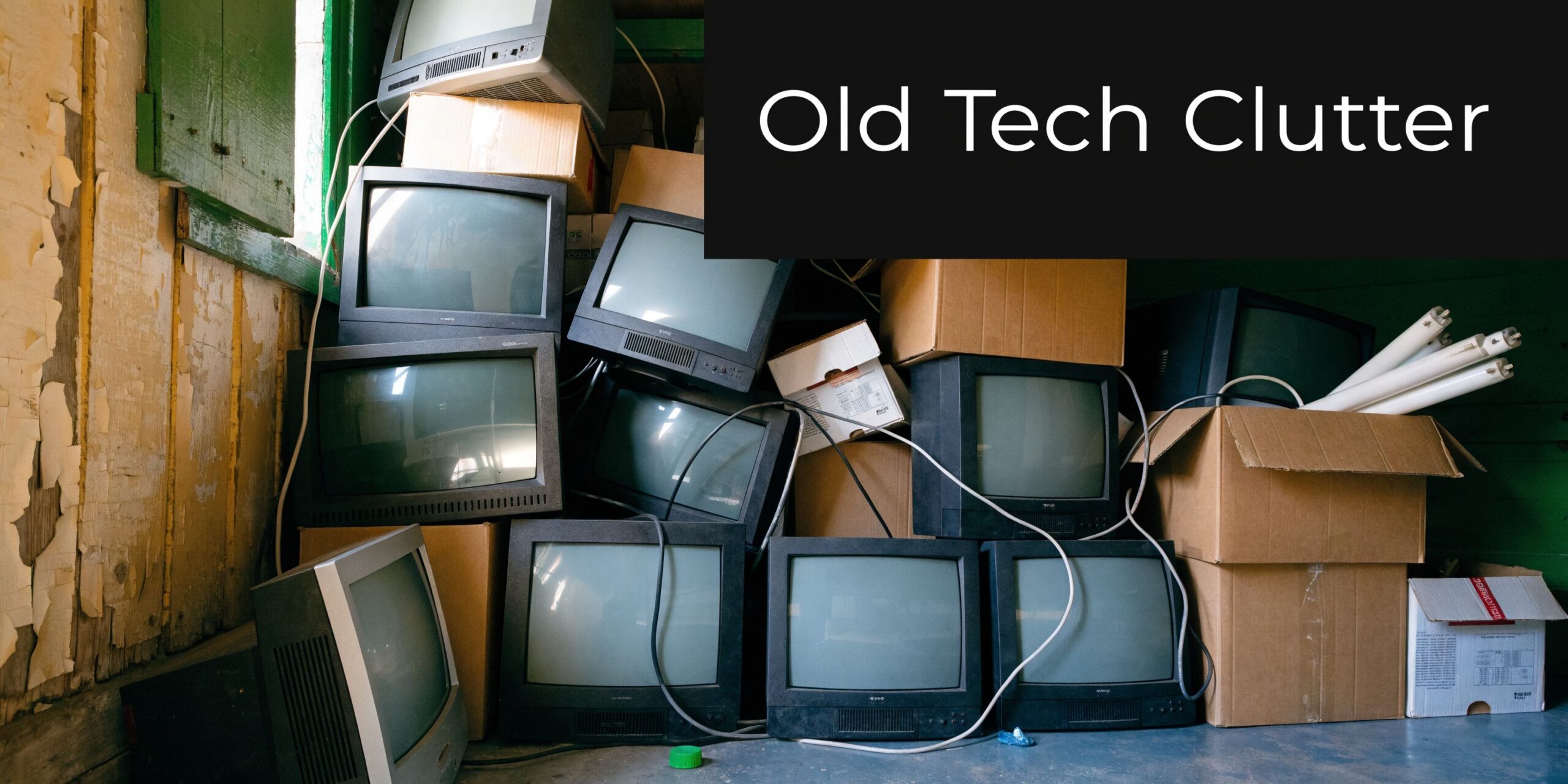
That buildup matters because e-waste is a major universal waste stream. In the U.S., a significant amount of e-waste was discarded in 2019, with only a small portion recycled. Globally, e-waste reached 53.6 million metric tons in 2019, making it the fastest-growing waste stream, according to the World Economic Forum summary of recycling and waste data.
For a business, the issue is not just volume. It is mixed risk.
What tends to pile up in offices
- Retired endpoints that still contain drives, user data, asset tags, and internal records.
- Server room batteries and peripheral power components that nobody wants in regular trash.
- Fluorescent lamps from maintenance projects, tenant improvements, or phased lighting upgrades.
- Legacy devices such as thermostats or switches that may include mercury-containing components.
The hidden costs are broader than floor space. Delayed disposal can drag out asset tracking, security review, and refresh planning. Teams already wrestling with the hidden costs of outdated technology often find that storage-room backlog is one more sign the disposal process needs structure.
Some organizations can recover value from certain retired devices rather than letting them sit indefinitely. If your inventory includes usable hardware, review options for old electronics for cash before those assets age into pure liability.
Practical takeaway: If equipment has been “temporarily stored” long enough that nobody knows the start date, responsible owner, or final destination, your process is already failing.
Defining Universal Waste and Its Categories
Universal waste is a regulated shortcut for a narrow set of common hazardous items that show up in ordinary business operations. For an Atlanta office, that usually means the things sitting in a server room, maintenance closet, storage cage, or relocation pile right now. The category matters because it changes how your team should collect, label, store, and ship those items.
Federal rules group universal waste into five categories: batteries, pesticides, mercury-containing equipment, lamps, and aerosol cans.
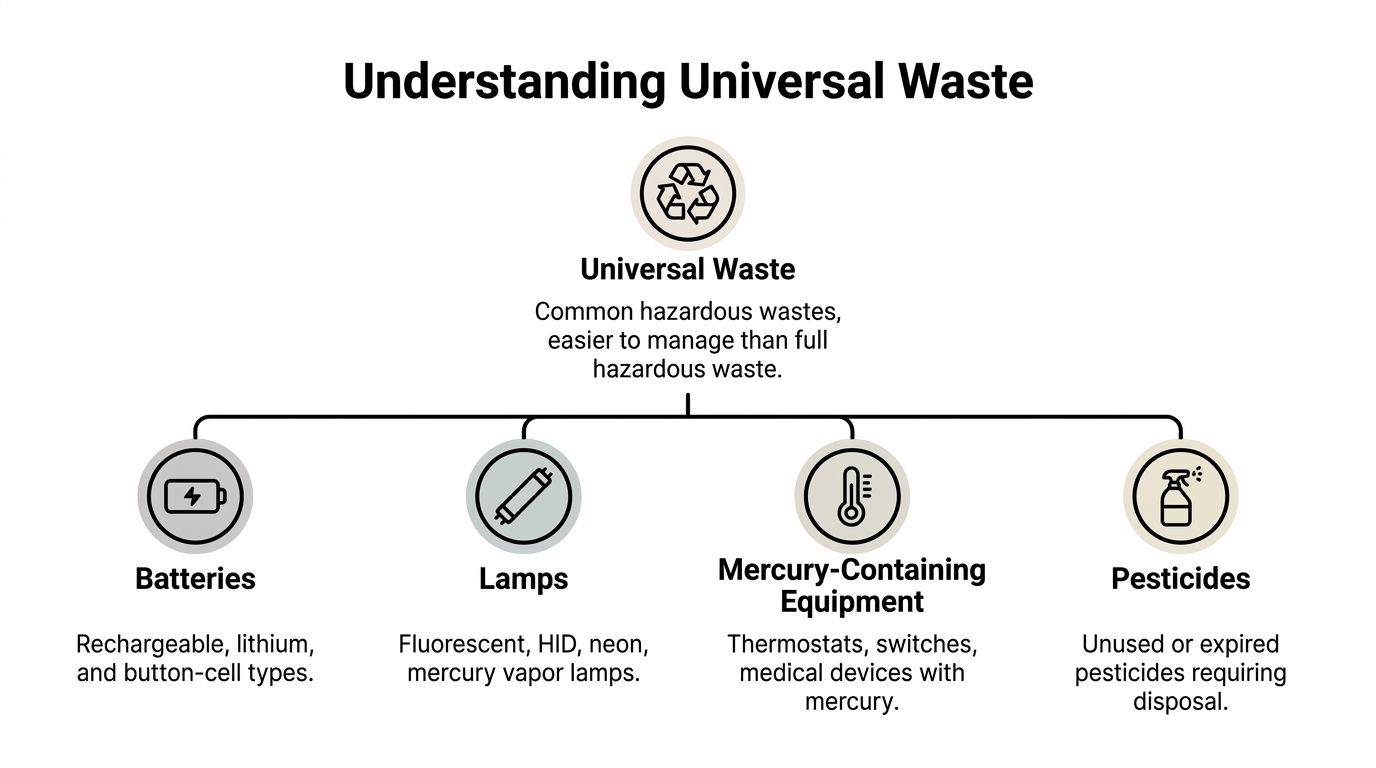
Batteries
Batteries create one of the most common compliance failures in IT environments.
Laptop packs, UPS batteries, handheld scanner batteries, backup power modules, and batteries embedded in small devices often end up mixed together after a refresh or office move. That creates problems fast. Chemistries differ. Damaged units need more attention. Open containers increase the chance of short circuits, leaks, or staff handling the wrong item the wrong way.
A practical process is straightforward. Keep batteries contained, separate damaged units from intact ones, and avoid tossing everything into one unlabeled box. If the team knows the chemistry, sort by chemistry. If not, use a recycler that can identify and manage the stream correctly.
Lamps
Lamps usually come from facilities work, but IT managers get pulled in during office consolidations, data center changes, and full-floor cleanouts.
Fluorescent tubes, HID lamps, and other mercury-bearing lamps need controlled storage because breakage changes the risk and complicates cleanup. The usual mistake is temporary storage that stays temporary for months. Boxes get moved. Tubes crack. Nobody knows when accumulation started or who owns the inventory.
Mercury-containing equipment
This category catches businesses off guard because the item often looks like ordinary hardware.
Older thermostats, switches, relays, and some specialty control devices may contain elemental mercury as part of normal operation. In Atlanta buildings with older infrastructure, these items often surface during renovation, HVAC upgrades, or site shutdowns. Staff should not assume that a small device can go out with scrap metal or general electronics just because it came off a wall panel.
Pesticides
Pesticides are less common in IT-managed spaces, but they still matter for schools, healthcare facilities, campuses, warehouses, and multi-building corporate properties.
Unused or recalled pesticides can fall under universal waste handling rules. The compliance risk usually comes from informal storage. A few old containers in a maintenance area can sit untouched until an inspection, relocation project, or property transfer forces the issue.
Aerosol cans
Aerosol cans appear in more business settings than many managers expect.
Cleaning products, lubricants, paint markers, compressed products, and maintenance chemicals often come in aerosol form. Housekeeping teams, facilities staff, print operations, and repair benches may all generate them. The category is simpler to manage than full hazardous waste, but only if containers are kept closed, stored properly, and sent through the right downstream process.
Where electronics fit
A desktop computer is not automatically universal waste. Its components may be.
That distinction matters in actual office cleanouts. A batch of retired monitors may involve display components that require special handling. A server room decommissioning may include batteries, lamps, and other regulated items in the same project. If your team is sorting display inventory during a refresh, this guide on what to do with old computer monitors helps match the device in front of you to the right disposition path.
For busy IT managers, the rule of thumb is simple. Do not classify by guesswork. Classify by the item, its components, its condition, and the disposal channel. That is where Atlanta Computer Recycling saves time and lowers risk. We help businesses identify what belongs in a universal waste stream, what belongs in electronics recycling, and what needs a different level of handling before it becomes a citation or cleanup problem.
Understanding Federal and Georgia Universal Waste Rules
A Georgia IT manager usually sees the rule problem during a project, not during routine operations. A server refresh clears out UPS batteries. A lighting retrofit adds boxes of spent lamps. A floor-by-floor office cleanout turns up old thermostats and mixed electronics in storage rooms. Federal rules set the baseline for handling those items, but Georgia is the program your business will answer to during an inspection.
The federal universal waste framework exists to make common hazardous items easier to collect, store, and ship for proper recycling or disposal. It gives businesses a simpler path than full hazardous waste management, but only if the waste is identified correctly and managed on schedule. For Atlanta offices, that usually means keeping batteries, lamps, and similar regulated items out of the general e-waste pile and out of the dumpster.
Federal rules set the floor
For day-to-day operations, the main federal question is not whether universal waste is regulated. It is how much you have on site at one time.
Federal rules separate handlers into two groups:
- Small quantity handlers
- Large quantity handlers
The line is 5,000 kg of total universal waste accumulated at one time. Cross that threshold and the requirements increase. That matters more than many IT teams expect because volume builds fast during refreshes, consolidations, and decommissions. A single project can combine battery backups from network closets, lamps from facilities, and regulated components pulled from retired equipment.
Georgia administration changes the practical answer
Georgia businesses should start with the federal rule, then verify how the state applies it in practice. That is the part generic national articles often miss.
In actual operations, Georgia-specific oversight affects how your team should classify mixed loads, document accumulation, and separate universal waste from standard electronics recycling. An Atlanta office may be dealing with computers, monitors, servers, lamps, and batteries in the same pickup window, but they do not all belong in the same regulatory bucket. If staff treats everything as "old electronics," the company creates avoidable risk.
For local context, review Atlanta e-waste laws and what businesses need to know.
The management mistake that creates citations
The biggest compliance failures usually come from split ownership.
IT manages device retirement. Facilities manages lamps and maintenance materials. Operations controls storage space. Then a loading dock or back room becomes the unofficial holding area for everything. At that point, labeling gets missed, dates are unclear, containers are left open, and no one can say with confidence what has been sitting there for months.
A better approach is simple. Put one function in charge of universal waste decisions, even if several departments generate the material. In many Atlanta businesses, that owner is EH&S, facilities, or IT asset disposition, supported by a recycler that can sort streams correctly and document the handoff.
What this means for an Atlanta office
Federal rules give you the structure. Georgia enforcement gives that structure consequences.
For an IT manager, the practical standard is clear:
- Know which items in your office may qualify as universal waste.
- Keep those items separate from ordinary scrap and general e-waste.
- Watch project volume so a cleanout does not push you into a different handler category without anyone noticing.
- Use a documented downstream partner that can manage electronics recycling and universal waste under one process.
Atlanta Computer Recycling helps businesses do exactly that. We sort mixed office recovery projects, identify regulated streams before they become storage problems, and keep batteries, lamps, computers, and servers moving through the correct channel.
Your Business Compliance Playbook for Universal Waste
Most compliance failures are boring. The business knew the materials were regulated. It did not label them, date them, train staff, or move them out on time.

The federal rules give you a usable framework. For large quantity handlers accumulating over 5,000 kg, employees must be trained on proper handling and emergency procedures. Containers must be labeled “Universal Waste – [Waste Type]” and marked with the date accumulation began, and waste cannot be stored for more than one year, according to the EPA universal waste requirements.
Start with a simple intake rule
Every item entering your holding area needs three decisions immediately:
- What is it
- Who owns it
- When did accumulation begin
If you cannot answer those three questions, do not let the item enter long-term storage.
For IT teams, this is easiest when disposition starts at ticket closure or refresh scheduling, not after equipment has already been stacked in a back room.
Build one controlled storage area
Do not scatter universal waste across closets, labs, telecom rooms, and loading docks. Create one defined area, even if your facility is large.
That area should be orderly, limited-access, and suitable for the materials stored there. Keep containers closed when appropriate, protect lamps from breakage, and avoid the “temporary overflow” culture that turns a compliant area into a dumping zone.
Label like an auditor will read it
Labeling is where many organizations lose easy points here.
Use labels that clearly identify the waste type. The federal format is direct: Universal Waste – Batteries, Universal Waste – Lamps, or the applicable category. Add the accumulation start date in a way staff can maintain.
A handwritten label that falls off a dusty box is not a system. Use durable labels, a standard template, and one person responsible for checking them.
Train the people who touch the waste
Training should match the individuals who handle waste, not just management.
That usually includes:
- IT technicians moving laptops, docking stations, monitors, and battery backups
- Facilities staff changing lamps or clearing old thermostats and switches
- Receiving or warehouse staff staging outbound material
- Supervisors who authorize storage and pickups
Do not overcomplicate the training. Staff need to know what belongs in the area, how to package it, what to do if something breaks or leaks, and when to escalate.
Keep a working inventory
A spreadsheet is fine if someone maintains it. Asset disposition software is better if your volume justifies it. The method matters less than accuracy.
Track the item type, storage location, accumulation start date, condition, and shipment status. If data-bearing devices are included in the same project, add the chain-of-custody and destruction documentation to the same record set. For clients that need formal proof of media handling, this overview of a certificate of destruction form is worth reviewing.
Plan for breakage and exceptions
Not every item stays intact. Fluorescent lamps break. Batteries swell. Containers get overfilled.
Your procedure should tell staff exactly what to do when a standard universal waste item no longer looks standard. That includes isolating the item, notifying the responsible manager, and determining whether the material now requires a different handling route.
A written exception process is one of the fastest ways to prevent small handling mistakes from becoming reportable problems.
Universal Waste Handler Requirements at a Glance
| Requirement | Small Quantity Handler (<5,000 kg) | Large Quantity Handler (≥5,000 kg) |
|---|---|---|
| Accumulation amount | Below the federal large quantity threshold | At or above the federal large quantity threshold |
| Basic management | Must manage universal waste properly | Must manage universal waste properly with added controls |
| Labeling | Label containers with the waste type | Label containers with the waste type |
| Date marking | Mark accumulation start date | Mark accumulation start date |
| Storage time | No more than one year | No more than one year |
| Employee training | Practical instruction is still necessary | Federal rules mandate employee training on proper handling and emergency procedures |
| Compliance risk | Often tied to inconsistent day-to-day practices | Often tied to project-scale volume and formal oversight gaps |
A short operating checklist
Daily controls
- Check labels: Make sure each container or package still shows the correct universal waste description and date.
- Watch container condition: Replace damaged boxes, tubes, or drums before they fail.
- Keep streams separated: Do not let batteries, lamps, and general electronic scrap mix casually.
Weekly controls
- Review dates: Catch aging inventory before it approaches the one-year limit.
- Inspect access: Confirm only trained staff are using the area.
- Clean the perimeter: Storage compliance fails when overflow spreads outside the designated zone.
Project controls
- Estimate volume early: Large refreshes can change your handler status.
- Assign one coordinator: One person should reconcile pickups, certificates, and internal records.
- Close the file: Do not consider the job finished until shipment and destruction records are complete.
The businesses that stay out of trouble are not always the ones with the biggest compliance teams. They are the ones with a repeatable routine.
The High Cost of Non-Compliance and Mismanagement
The direct risk is regulatory exposure. The broader risk is that poor universal waste handling reveals deeper operational weakness.

When businesses mismanage universal waste, they usually fail in one of four ways. They store material too long, mislabel it, mix it with other waste, or hand it off without adequate documentation. None of those failures stays neatly confined to “waste.”
Compliance risk spreads into other departments
A pallet of retired laptops is not just waste. It may also contain protected health information, employee data, financial records, or regulated internal files.
That is why universal waste decisions often intersect with information security. If your disposal process treats hardware retirement as a facilities problem only, you can satisfy one obligation poorly while creating another.
The business consequences are operational
Investigations, internal reviews, and corrective actions consume staff time immediately. Then come the secondary costs:
- Interrupted projects when decommissions or office closures pause for waste review
- Executive attention diverted to a preventable compliance issue
- Vendor scrutiny if chain-of-custody records are incomplete
- Reputational damage when environmental or data handling practices look careless
Healthcare, education, and government organizations feel this especially hard because the public expects disciplined disposal practices from them.
Mismanagement also creates environmental liability
Universal waste rules exist because common business materials can release harmful substances when handled badly. Lamps can break. Batteries can leak. Mercury devices require care. Electronics left in unmanaged channels create a long tail of avoidable environmental risk.
If you need a plain-language explanation of why e-waste disposal is not just a cleanup issue, this page on the environmental impact of electronic waste is a useful primer for internal stakeholders.
What a penalty usually looks like in practice
For most businesses, the first penalty is not the formal one. The true problem emerges when nobody can produce a clean record of what was stored, for how long, in what condition, and under whose authority.
That is the moment compliance stops being a legal concept and becomes an executive problem.
The cheapest universal waste program is almost never the one with the lowest disposal cost. It is the one that prevents rework, lost records, and cross-functional cleanup after a bad audit or incident.
How Atlanta Computer Recycling Simplifies Compliance
Most businesses do not need another policy memo. They need a disposal process that works on a busy week, during a site move, and under actual staffing constraints.
That is where a specialized commercial recycler and IT asset disposition partner becomes useful. Atlanta Computer Recycling is built for business-to-business projects in the Atlanta metro area, which matters because universal waste issues rarely arrive one item at a time. They arrive as office cleanouts, equipment refreshes, school upgrades, hospital replacements, and data center decommissions.
One pickup instead of five disconnected workflows
A common failure point inside medium and large organizations is fragmentation.
IT wants drives wiped. Facilities wants lamps gone. Operations wants space back. Compliance wants records. Security wants a chain of custody. Procurement wants to know whether any residual value can be recovered.
A coordinated partner collapses those competing tasks into one controlled project flow that includes pickup, packing, logistics, device handling, and final disposition.
Data security stays attached to the disposal process
That is especially important for healthcare, government, and any business managing confidential records.
Atlanta Computer Recycling provides hard drive wiping using the DoD 5220.22-M 3-pass standard and physical shredding for obsolete or non-functional media. That combination helps organizations align device retirement with HIPAA-sensitive workflows and internal information security expectations.
In practical terms, that means your server disposal process does not have to split into “environmental handling over here” and “data destruction over there.” The more those are unified, the fewer custody gaps your team has to explain later.
Project logistics matter as much as compliance knowledge
A policy can tell you to remove old servers. It cannot de-install a rack, pack loose assets, coordinate a loading dock, and clear a staging area without disrupting business operations.
Atlanta Computer Recycling’s service model is useful because it includes the field reality many organizations underestimate:
- on-site de-installation
- packing and pickup
- handling of bulk business electronics
- support for larger coordinated decommissioning work
That is what makes compliance executable, not just documented.
Reuse and recycling decisions become more defensible
Not every retired asset should be destroyed immediately. Some equipment can be reused or responsibly recycled depending on condition, age, and business policy.
A professional ITAD and electronics recycling process helps separate recoverable equipment from end-of-life material while keeping the chain of custody intact. That is better for internal reporting, better for storage control, and better for sustainability goals.
The primary value is risk transfer
The most practical reason businesses use a specialized partner is simple. Internal teams are already stretched. They do not want to become experts in every detail of universal waste handling, e-waste logistics, data destruction documentation, and decommissioning coordination.
They want a repeatable process, clear records, and confidence that old equipment is no longer sitting in a locked room waiting to become somebody else’s problem.
Universal Waste FAQs for Atlanta Businesses
The questions usually start after an office cleanup is already underway. IT has a stack of retired laptops, facilities has boxed lamps from a relamp project, and someone asks whether the old batteries can all go in one drum. That is the point where small handling mistakes turn into avoidable compliance problems.
Can I mix different types of universal waste batteries in one container
Use a process your team can identify and follow every time.
If batteries have different chemistries, different physical condition, or visible damage, separate them. Swollen, leaking, or damaged batteries should never be tossed in with intact units from desktop accessories, laptops, or UPS equipment. In an Atlanta office, that often means one stream for routine battery collection and another for exceptions that need tighter handling and faster removal.
What should we do with a broken fluorescent bulb
Treat broken lamps as an incident, not standard universal waste storage.
Clear the area, follow your spill or cleanup procedure, and notify the employee responsible for environmental compliance or facilities oversight. A box of intact lamps waiting for pickup is one thing. A broken fluorescent bulb introduces exposure concerns and requires documented handling, especially if staff are tempted to sweep it up and move on.
Do electronics used by remote employees count as business waste
Yes, if the company owns the device or controls its disposition process.
The asset does not stop being company property because it was used in a home office in Decatur, Alpharetta, or Midtown. Build returns for remote laptops, monitors, docking stations, and accessories into your offboarding and refresh process. If the device holds company data, the return path also needs chain-of-custody controls and documented data destruction.
Are old monitors universal waste
Do not assume every monitor fits neatly into a federal universal waste category.
For practical purposes, old monitors should go through the same controlled review as other retired electronics. Screen type, age, condition, and whether the load includes other equipment all matter. A pallet with flat panels, legacy displays, and miscellaneous cables needs better review than a handwritten label that says "recycling."
How long can we keep universal waste onsite
Set your process up for routine outbound movement, not long-term storage.
Federal universal waste rules limit accumulation time, and businesses often create problems by waiting until the storage room is packed with old IT gear, spent batteries, and lamp boxes. A scheduled pickup cadence tied to refresh cycles, office moves, and maintenance work is easier to defend than a once-a-year purge.
Do we need to train only environmental staff
No. Train every employee who touches the material.
That usually includes IT, facilities, maintenance, warehouse staff, office managers, and supervisors who approve cleanouts or surplus moves. A written policy does not help if the help desk stacks batteries in an unlabeled box or a facilities technician moves lamp waste into the same area as retired servers.
Can our team puncture aerosol cans onsite
This is one of the easiest places to make a bad decision because the rule summary sounds simpler than the actual work.
Federal rules allow puncturing and draining aerosol cans under defined conditions, but the procedure has to be set up correctly. The puncturing device, residue collection, waste determination for drained contents, worker safety steps, and documentation all have to match the rule you are operating under. If your team cannot explain each step clearly, do not treat onsite puncturing as a convenience project.
For Atlanta businesses, the safest approach is straightforward:
- Use equipment designed for closed, controlled puncturing and collection.
- Evaluate drained contents correctly before deciding how to manage them.
- Keep aerosol can handling separate from IT asset staging and electronics recycling areas.
- Train staff before they perform the work, not after a problem.
Healthcare, education, property management, and government sites run into this issue often because aerosol cans accumulate outside the IT department, but the same lesson applies. If the downstream handling process is unclear, outsource it or stop the puncturing plan until the procedure is fully documented.
What is the simplest way to stay compliant
Assign one owner. Label containers. Mark accumulation dates. Train handlers. Schedule pickups before storage areas overflow.
That is the practical baseline for staying out of trouble.
Atlanta businesses that want one local outlet for retired computers, servers, network gear, data-bearing devices, and related collection support can use Atlanta Computer Recycling. The advantage is operational, not theoretical. Your team gets pickup coordination, secure data destruction, and a cleaner process for getting universal-waste-related materials and retired electronics out of the office before they become a storage and compliance problem.