8 IT Asset Disposal Best Practices for 2026


Retiring old servers, laptops, and networking gear usually starts the same way. A closet fills up. A branch office closes. A hospital wing refreshes workstations. Someone asks facilities to move the old equipment out of the way, and actual risk begins.
For Atlanta businesses, end-of-life hardware isn't just clutter. It's regulated data sitting on storage media, audit obligations attached to serial numbers, and environmental responsibility that doesn't end when a pallet leaves the dock. The hard part isn't finding someone to haul equipment away. The hard part is proving what happened to every asset, every drive, and every handoff.
That's why strong it asset disposal best practices matter. The best programs don't treat disposal as a pickup event. They treat it as a controlled business process tied to security, compliance, value recovery, and documentation. That matters whether you're managing a Midtown office refresh, a university lab turnover, a hospital equipment swap, or a data center decommission in the Atlanta metro.
The eight practices below are the ones that hold up in practice. They reduce avoidable risk, make audits easier, and help you work more effectively with a local provider such as Atlanta Computer Recycling.
1. Implement a Comprehensive IT Asset Inventory and Lifecycle Management System
Most disposal mistakes start long before disposal. They start when nobody can answer basic questions like which server is still in the rack, which laptops were assigned to a remote office, or whether the retired firewall in storage was ever removed from the inventory.
A strong inventory system fixes that. It tracks each asset from procurement through deployment, support, decommissioning, and final disposition. Device42 describes IT asset disposition as a process that includes planning, retrieval, media sanitization, disposal, and records update and reporting, with governance that requires keeping records for audit and compliance and storing vendor chain-of-custody documentation and certificates of destruction, as noted in this managed IT asset disposal workflow guidance.
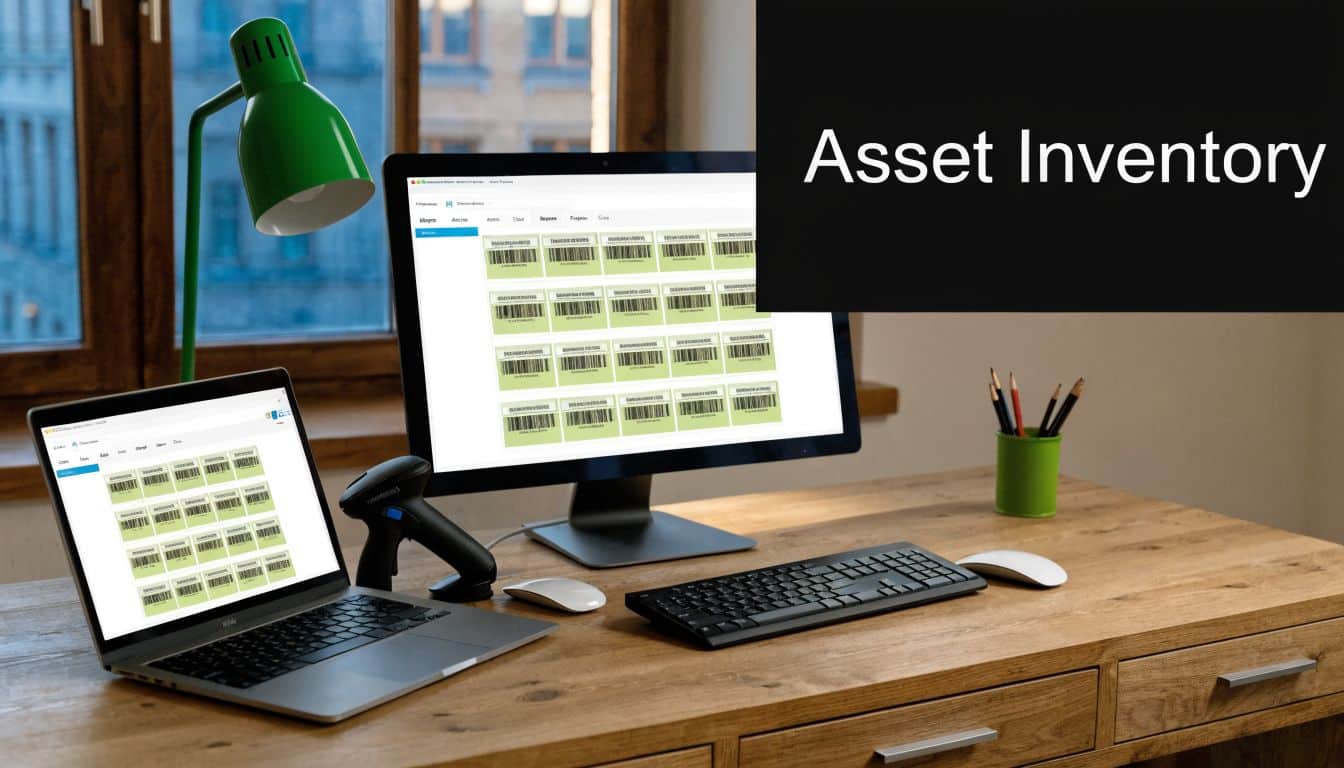
In practice, that means your CMDB or asset register can't stop at "in service" and "retired." It needs fields for location, custodian, serial number, device type, storage media, data sensitivity, and disposition status. For Atlanta organizations with multiple campuses, clinics, schools, or field offices, that detail is what keeps retired assets from becoming untracked assets.
What good lifecycle control looks like
Large environments often use platforms like ServiceNow or Lansweeper to track workstations, servers, and network gear. Smaller teams may use a structured spreadsheet at first, but the same rule applies. Every asset needs one record, one owner, and one clear end state.
If you're tightening up inventory discipline, start with the systems that create the most risk and the most disposal complexity:
- Track high-risk assets first: Begin with servers, storage arrays, backup appliances, laptops, and network gear.
- Add location and custody fields: Record building, room, rack, closet, or remote site, plus the responsible department or employee.
- Reconcile regularly: Compare physical inventory to the database on a set schedule instead of waiting for refresh projects.
- Share data before pickup: Export your inventory to your provider before a collection so mismatches are caught early.
Practical rule: If an asset can't be matched to a record, don't release it for disposal until someone resolves the gap.
For local teams, this is also where provider coordination matters. If you're planning bulk pickups or phased decommissions, tools like IT asset tracking software help align your internal records with your disposal workflow. It also supports stronger IT asset lifecycle management instead of treating retirement as a disconnected final step.
2. Establish Data Sanitization Standards and Verification Protocols
Deletion isn't disposal. Reformatting isn't proof. A "we wiped everything" email from a vendor isn't enough if your compliance team later asks which drives were wiped, how they were wiped, and where the verification records are.
Current best practice is standards-based sanitization with documented validation. Lansweeper explicitly recommends NIST 800-88-compliant sanitization methods such as cryptographic erasure and degaussing, followed by wipe verification tools, in its IT asset disposal best practices and data security compliance guidance. That standard matters because different media types require different controls.
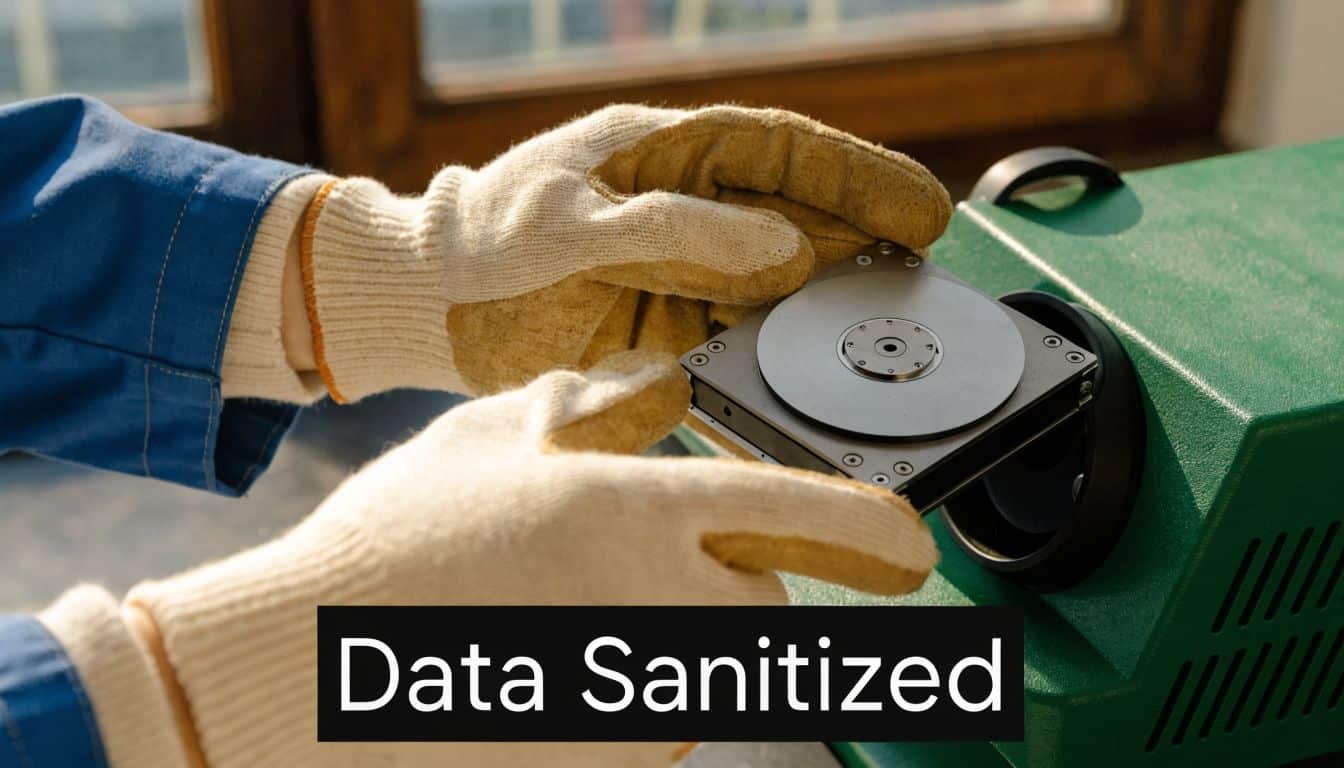
A reusable laptop might be a candidate for software wiping and verification. A failed SSD holding regulated data usually isn't. High-sensitivity media often belongs in a shred stream, not a resale stream. That's the trade-off companies get wrong when they're trying to recover value from everything.
Match the method to the media and the risk
Healthcare groups, law firms, financial teams, and public agencies in Atlanta should classify storage devices before pickup. Magnetic drives, SSDs, encrypted devices, backup media, and embedded storage in printers or appliances don't all behave the same way.
Use a simple decision model:
- Wipe when reuse is realistic: Functional devices with manageable risk can be sanitized and verified for redeployment or remarketing.
- Destroy when sensitivity is high: Drives from systems holding regulated, legal, or mission-critical data often warrant physical destruction.
- Verify every completed action: Logs, serial-level records, and destruction certificates matter more than broad assurances.
- Check SSD handling carefully: Methods that work for traditional hard drives may not be appropriate for flash storage.
Sanitization isn't complete when the device leaves your office. It's complete when you can prove the method, the result, and the asset identity.
Documented output becomes vital at this stage. If your provider offers erasure or shredding, ask what record you receive at the end. A useful deliverable ties the asset serial number to the sanitization method and final status. For teams that need formal evidence, data destruction certification should be part of the standard workflow, not an extra request made after the fact.
3. Develop a Documented IT Asset Disposition Policy and Procedure
If each department disposes of equipment differently, you don't have a process. You have a series of exceptions waiting to become an audit finding.
A written policy brings consistency to decisions that otherwise get made ad hoc. It defines who can approve disposition, how assets are classified, which vendors are allowed, what documentation must be collected, and when reuse is appropriate versus when destruction is required. Without that framework, IT, facilities, procurement, finance, and compliance all end up making partial decisions with incomplete information.
For Atlanta organizations with multiple locations, a policy is also what keeps one campus, clinic, or office from improvising. A university department shouldn't be free to donate lab machines on its own if central IT requires serial tracking and verified data destruction first. A hospital satellite office shouldn't be sending retired devices to a general recycler if the main system requires documented controls.
What the policy should settle in writing
The strongest policies answer operational questions before a project starts. They don't just say "dispose securely." They say who signs off, which evidence is retained, and what happens when an asset falls outside the normal workflow.
Useful policy elements include:
- Approval rules: Define who authorizes standard pickups, emergency removals, and high-risk media destruction.
- Asset categories: Separate standard user devices from servers, storage, networking, medical technology, and specialty equipment.
- Disposition hierarchy: Prioritize reuse and recycling where appropriate, but set clear triggers for mandatory destruction.
- Documentation standards: Require inventory exports, chain-of-custody records, certificates, and final disposition reports.
- Escalation steps: Spell out what happens if an asset is missing, mislabeled, damaged, or found to contain unexpected data.
A policy also helps during vendor conversations. Teams that understand what IT asset disposition means in practice ask better questions, write better contract language, and avoid vague commitments that sound good but don't hold up under review.
A good disposal policy removes improvisation from the riskiest part of the hardware lifecycle.
4. Conduct Pre-Disposal Security and Environmental Assessments
Before anything gets boxed, assess it. That one step prevents a surprising number of expensive mistakes.
Pre-disposal assessment means identifying what data may still be on the device, whether the equipment still works, whether it contains components that need special handling, and whether there's realistic reuse or resale value left. It sounds basic, but many organizations skip it and rely on assumptions. That's how a storage appliance with archived records gets mixed into a low-risk lot, or a pallet of still-usable laptops goes straight to shred because nobody tested them.
This matters even more as the hardware mix changes. Reconext notes that AI-era refresh cycles are changing what organizations retire, including GPUs, NVMe storage, and specialized networking gear, driven in part by projected AI infrastructure spending of about $202 billion in 2024, with 63.9% going to AI-optimized servers, according to the recent ITAD best practices discussion. Those systems don't fit the old "treat everything like office PCs" approach.
Questions to answer before release
A practical assessment doesn't need to become a month-long project. It just needs enough discipline to steer assets into the right path.
For each batch, verify:
- Data exposure level: What kind of information likely resides on the device or embedded media?
- Physical condition: Is the hardware intact, damaged, failed, or partially disassembled?
- Reuse potential: Can the equipment be redeployed, remarked, harvested for parts, or only recycled?
- Handling requirements: Are there batteries, specialty components, or mixed media that change transport or processing?
Hospitals often discover that a retired imaging workstation should be destroyed, not remarked. Universities may find that classroom devices are suitable for controlled donation after sanitization. Data center operators may identify servers where parts recovery makes more sense than whole-unit resale.
Assess first, then choose the disposition path. Reversing that order creates avoidable risk.
For Atlanta businesses managing office closures, branch refreshes, or server room cleanouts, this assessment phase also helps your provider stage labor, packaging, and pickup correctly. It cuts down on surprises at the dock and gives your internal teams time to resolve exceptions before equipment leaves the building.
5. Partner with Certified and Audited IT Asset Disposition Providers
A disposal vendor shouldn't just be available. They should be able to show you how they work, what controls they follow, and what evidence they produce after the job is done.
Certification and audit discipline matter at this stage. Industry guidance points to operational standards such as R2 and e-Stewards, along with requirements for vendors that can document wipe verification, serialized inventory tracking, and final disposition evidence for every asset, as summarized in this IT asset disposition market overview. In real terms, that means your provider should do more than issue a bulk certificate after the fact.

For Atlanta organizations, local coverage adds a practical advantage. A nearby provider can usually handle site walks, packing coordination, staged pickups, and issue resolution with less friction than a distant national vendor routing everything through layers of subcontractors. That's especially useful for healthcare campuses, schools, and office parks where access, timing, and staff coordination can complicate simple pickup plans.
What to ask before you sign
Procurement and IT should push beyond marketing claims. Ask for process detail and current documentation.
Focus on these points:
- Certification status: Verify current certifications and ask how they apply to your asset types and disposal flow.
- Audit posture: Ask whether the provider undergoes regular external review and what records they can share.
- Serial-level reporting: Confirm you'll receive asset-specific reporting, not just a generic project summary.
- Logistics capability: Make sure they can handle de-installation, packing, and site-specific constraints in your environment.
- Downstream transparency: Ask what happens after collection, including recycling, resale, and destruction channels.
A qualified local option should be able to explain those controls clearly. If you're evaluating providers in the metro area, a certified electronics recycler with business-focused ITAD services is often a better fit than a general junk removal or scrap operation.
6. Implement Chain of Custody Documentation and Asset Tracking
A disposal project usually feels under control until someone asks a simple question: Where was that laptop between pickup and processing, and who signed for it?
If your team cannot answer that from the record, the process has a gap. In practice, chain of custody is what turns a pickup event into a defensible ITAD process. It should show the asset leaving service, moving into staging, transferring to the recycler, arriving at the processing facility, and reaching a documented end state.
That record matters in Atlanta businesses that operate across multiple offices, clinics, campuses, or warehouse sites. Assets often move through building security desks, internal storage rooms, loading docks, and third-party trucks before final processing. Each handoff creates risk. The issue is rarely dramatic theft. More often, it is a missing serial number, an unlabeled pallet, or a disputed count that slows an audit and forces staff to reconstruct events after the fact.
Make custody visible from the floor to the final report
The strongest programs do not treat chain of custody as a single form signed at pickup. They build it into the job from the moment equipment is tagged for retirement.
Use a process that includes:
- Asset-level identification: Match serial numbers, barcodes, or internal tags to your inventory before anything leaves the room.
- Documented custody changes: Capture signatures or digital acknowledgments each time responsibility shifts between employees, movers, drivers, and processors.
- Container and shipment records: Log pallet counts, sealed containers, pickup times, vehicle details, and receiving confirmation.
- Exception tracking: Record damaged labels, unreadable serials, missing accessories, and any count mismatch while the project is still active.
- Final disposition evidence: Tie each asset or batch to reuse, resale, recycling, or destruction records so the file is complete.
For larger Atlanta decommissions, a local provider can make a real difference. A firm such as Atlanta Computer Recycling can coordinate pickups in phases, confirm counts at each stop, and resolve discrepancies quickly because the team handling the job is nearby and familiar with the site conditions. That matters when equipment is coming out of a downtown office tower, a hospital campus with restricted access, or a school system clearing several buildings on a tight schedule.
I recommend one simple control that pays off often. Photograph racks, carts, or wrapped pallets before release, then compare those images to the receiving report and serial-level results. It takes little effort and helps settle count disputes fast.
The standard to aim for is straightforward. Your chain-of-custody record should still make sense six months later, after staff turnover, a compliance review, or a finance question about missing assets. If the answer depends on old emails or someone's memory, tighten the process before the next pickup.
7. Prioritize Equipment Reuse and Refurbishment Over Destruction
A Midtown office closes a floor, and 180 laptops hit the project list at once. If every unit goes straight to destruction, the company pays to process equipment that still has resale or redeployment value, and it gets little in return besides closure. A better approach is to sort for reuse first, then reserve destruction for assets that require it because of condition, age, or risk.
That order protects three things at the same time. It reduces waste, recovers budget from viable equipment, and gives security teams a defensible process as long as sanitization and documentation stay intact.
The practical hierarchy is straightforward. Redeploy devices internally if they still fit a business need after verified data erasure. Refurbish or remarket equipment with remaining market value. Recycle what has no realistic second life. Physically destroy storage media or whole devices only when policy, damage, or data sensitivity leaves no acceptable alternative.
For Atlanta organizations, this is often a site-by-site decision, not a blanket policy. A Buckhead law firm may retire laptops on a shorter cycle and move some units into training use. A healthcare group on the Perimeter may allow reuse for certain equipment classes but require tighter handling for systems tied to protected health information. In those cases, your asset disposition plan should line up with your HIPAA IT compliance requirements for retired equipment, especially before anything is refurbished, donated, or resold.
Reuse works only if screening is disciplined
Reuse is not the soft option. It requires stricter sorting and clearer decision rules than blanket destruction.
Good candidates usually share a few traits:
- Clean ownership status: No lease hold, legal hold, or internal dispute over the asset.
- Verified data sanitization: Erasure is completed, checked, and recorded before the asset changes hands.
- Acceptable physical condition: The device can be refurbished without excessive labor or parts cost.
- Realistic market or internal use: There is a buyer, a redeployment need, or parts value that justifies handling it.
I advise clients to decide these thresholds before pickup day. If the team starts debating value after pallets are wrapped, reuse rates usually drop and scrap volumes rise.
A local partner such as Atlanta Computer Recycling can help by triaging assets close to the source, separating remarketable equipment from low-value scrap, and documenting the downstream path by batch or serial number. That local execution matters for Atlanta-area businesses clearing multiple branches, schools, clinics, or offices on a tight timeline. The closer the provider is to the project, the easier it is to resolve condition questions, confirm what should be redeployed, and keep usable equipment out of the shred stream.
8. Maintain Compliance With Regulatory Requirements and Conduct Regular Audits
A common failure point shows up after a clean office move or hardware refresh. The pickup went fine, devices left the building, and months later an auditor asks for proof of what happened to a specific laptop, drive, or batch. If the records are inconsistent across IT, facilities, and the disposal vendor, the problem becomes a compliance issue fast.
Compliance in IT asset disposition depends on repeatable review. Policies change, staff changes, and branch locations often improvise under deadline pressure. Atlanta-area businesses feel this most when multiple offices, clinics, schools, or warehouses retire equipment on different schedules. A process that works at headquarters can break down unnoticed at a satellite site if nobody checks it.
Regular audits should test whether your documented process still matches daily practice. Review vendor records, confirm that asset status changes were completed internally, and verify that destruction, resale, donation, or recycling outcomes can be traced back to the original asset list. Strong programs also keep evidence that satisfies legal, security, finance, and sustainability teams, not just procurement.
Audit the process under real operating conditions
A useful audit does more than confirm that forms exist. It checks whether the records are complete, whether exceptions were handled correctly, and whether the vendor's documentation would hold up if regulators, outside counsel, or cyber insurance reviewers asked for it.
Focus review on these areas:
- Policy adherence: Compare what each department and location performed against the approved disposal workflow.
- Vendor record quality: Confirm certificates, settlement reports, chain of custody logs, and downstream documentation are complete and readable.
- Asset closure: Make sure retired devices were removed or updated in the CMDB, fixed asset register, and any lease records.
- Exception handling: Review how the team handled missing assets, damaged media, unlisted equipment, and last-minute scope changes.
- Regulatory fit: Recheck whether the current process still aligns with the privacy, retention, and industry rules that apply to your business.
A local operating model is vital for these situations. For Atlanta companies, a nearby provider such as Atlanta Computer Recycling can help resolve discrepancies faster because the chain of custody, pickup details, and downstream records are easier to confirm while the project is still fresh, not weeks later after equipment has changed hands.
Healthcare organizations need tighter review around devices and media tied to protected information. If your team is refining controls for regulated assets, these HIPAA compliance IT requirements are a practical reference point for disposal oversight, recordkeeping, and audit preparation.
Audits should expose weak spots early, while they are still cheap to fix.
8-Point IT Asset Disposal Best Practices Comparison
| Item | 🔄 Implementation Complexity | ⚡ Resource Requirements | 📊 Expected Outcomes (⭐ Effectiveness) | Ideal Use Cases | 💡 Key Advantages / Tips |
|---|---|---|---|---|---|
| Implement a Comprehensive IT Asset Inventory and Lifecycle Management System | High, multi-system integrations, process design | High, tooling, staff training, ongoing maintenance | Accurate asset visibility; improved planning & compliance (⭐⭐⭐⭐) | Large enterprises, hospitals, universities, government agencies | Centralize inventory, start with critical assets, schedule regular reconciliations |
| Establish Data Sanitization Standards and Verification Protocols | Medium–High, procedural and technical standards to define | Moderate, certified wiping/shredding tools & trained personnel | Strong data risk mitigation; legal proof of destruction (⭐⭐⭐⭐⭐) | Healthcare, finance, legal, classified systems | Obtain certificates of destruction; verify SSD-specific methods and third‑party audits |
| Develop a Documented IT Asset Disposition Policy and Procedure | Medium, cross-functional policy development and approvals | Low–Moderate, stakeholder time, legal/compliance input | Consistent governance and audit evidence (⭐⭐⭐⭐) | Multi-department organizations, regulated entities | Involve IT/Finance/Legal/Compliance; define thresholds and vendor criteria |
| Conduct Pre-Disposal Security and Environmental Assessments | Medium, assessment workflows and risk triage | Moderate, trained assessors, testing tools, storage | Identifies reuse value and hazards; reduces liability (⭐⭐⭐⭐) | Data centers, healthcare, large bulk disposals | Schedule assessments 2–3 weeks ahead; document findings and photograph conditions |
| Partner with Certified and Audited ITAD Providers | Low–Medium, vendor selection and contracting | Low internal / Moderate external cost, vendor fees, SLAs | Transfer liability; auditable disposal and environmental compliance (⭐⭐⭐⭐⭐) | Organizations lacking in-house capability or with nationwide needs | Verify certifications, audit reports, insurance and start with a pilot |
| Implement Chain of Custody Documentation and Asset Tracking | Medium, processes and unique‑ID tracking required | Moderate, tracking systems, disciplined handoffs | Legally defensible records and simplified audits (⭐⭐⭐⭐) | Regulated industries, high‑value asset programs | Use barcodes/RFID, require signatures/photos, retain records 7+ years |
| Prioritize Equipment Reuse and Refurbishment Over Destruction | Low–Medium, reuse workflows and partner coordination | Moderate, testing/refurb resources and logistics | Environmental gains and cost recovery; extended lifecycles (⭐⭐⭐⭐) | Organizations pursuing sustainability or community programs | Define redeployment criteria, partner with nonprofits, implement “first‑look” policy |
| Maintain Compliance with Regulatory Requirements and Conduct Regular Audits | High, ongoing regulatory monitoring and audit programs | High, audit teams, external auditors, documentation systems | Reduced regulatory risk; demonstrable due diligence (⭐⭐⭐⭐⭐) | Highly regulated sectors (healthcare, finance, government) | Create a compliance calendar, assign responsibilities, perform internal + periodic external audits |
Build a Bulletproof ITAD Strategy With a Trusted Partner
The best ITAD programs aren't built on one tactic. They come from a set of connected controls that reinforce each other. Inventory tells you what exists. Policy tells teams what to do. Assessment routes assets correctly. Sanitization protects data. Chain of custody proves control. Reuse and recycling reduce waste. Audits show whether the whole system still holds together.
That's why it asset disposal best practices need to be operational, not theoretical. A lot of organizations already know they should wipe drives and recycle responsibly. The harder part is making that repeatable across office refreshes, hospital expansions, academic turnover, branch relocations, and data center shutdowns. The difference between a weak program and a durable one is documentation, discipline, and a provider that understands business risk.
For Atlanta-area businesses, local execution matters. Pickup timing, secure packing, on-site de-installation, loading dock coordination, and serial-level reporting all affect the outcome. A vendor may sound strong on paper and still struggle with the practical realities of multi-floor office cleanouts, medical environments, campus logistics, or phased infrastructure retirement. That's why many organizations prefer to work with a nearby ITAD partner that can coordinate directly with IT, facilities, compliance, and procurement.
Atlanta Computer Recycling is one relevant option for commercial organizations that need secure business electronics recycling and IT asset disposition in the metro area. The company provides services tied to secure handling, data destruction, reuse and recycling workflows, and business pickup coordination. For many teams, that kind of local support helps turn disposal from a disruption into a controlled project with clear documentation at the end.
If you're tightening your ITAD process for the coming year, start with the basics that prevent most failures. Know what you have. Decide in advance how each asset class should be handled. Require proof for every sanitization and handoff. Favor reuse where it makes sense, but don't let value recovery override security. Then audit the process often enough that small gaps don't grow into major ones.
That's how disposal becomes safer, easier to defend, and less expensive to manage over time.
If your organization needs a practical ITAD process for offices, schools, healthcare facilities, or data center equipment in the metro area, contact Atlanta Computer Recycling to discuss pickup logistics, data destruction documentation, and a disposal workflow that fits your compliance and operational needs.