How to Wipe a Computer’s Hard Drive Securely

Before your business recycles, resells, or retires a computer, there's a non-negotiable step: securely wiping the hard drive. This isn't about deleting files or a standard disk format. Those methods only remove the pointers to your data, leaving the actual information intact and easily recoverable with basic forensic tools.
To truly protect your sensitive corporate information, proprietary data, and customer records, you must use specialized methods that overwrite the entire drive, making the original files permanently irrecoverable.
The High Stakes of Data Disposal
Casually disposing of old hardware is a massive business risk. In an economy where data is a core asset, simply hitting 'delete' or performing a standard format on a hard drive leaves your company vulnerable to data breaches, crushing regulatory fines, and a damaged reputation that can take years to rebuild.
This isn't a hypothetical threat; it's a documented business liability.
Imagine a mid-sized healthcare provider refreshing its office laptops. The IT team performs a quick format on the old devices and sends them to a recycler, assuming they're clean. Months later, a nightmare scenario unfolds: sensitive patient records from one of those laptops surface on the dark web. The aftermath is catastrophic—a multi-million dollar HIPAA fine, a flood of lawsuits, and a complete loss of patient trust.
The Financial and Reputational Fallout
Improperly wiping a drive is a direct threat to your bottom line and your brand's integrity. The damage extends far beyond a single data leak. For any business, the risks are substantial and multifaceted:
- Crippling Regulatory Penalties: Strict regulations like GDPR, CCPA, and HIPAA carry severe fines for data mismanagement. A breach from a single improperly wiped drive can trigger penalties in the millions, diverting capital from growth and operations.
- Loss of Competitive Advantage: Your hard drives contain more than just customer lists. They house intellectual property, trade secrets, financial records, and strategic business plans. If that information falls into a competitor's hands, the damage could be irreversible.
- Permanent Damage to Client Trust: Trust is the foundation of business. Once customer data is compromised, rebuilding that confidence is an immense challenge. The long-term impact on your customer base can be far more costly than any initial fine.
Think of a decommissioned hard drive as a locked safe holding your company's crown jewels. Handing it over without making sure the contents are permanently destroyed is like giving a stranger the keys and the combination. Secure data wiping isn't just an IT task; it's a core risk management strategy.
To grasp the full scope of the danger, it's worth understanding the critical importance of preventing security breaches. Every device your business retires without a certified data destruction process is a potential liability.
Closing the Security Gap in Asset Disposition
The gap between assuming data is secure and knowing it's secure is dangerously wide. Despite the availability of powerful erasure tools, a shocking number of used corporate devices still contain recoverable data. One industry report found that 25% of laptops and 19% of data center drives are not properly wiped before being resold or discarded.
This is a ticking time bomb for businesses. Forensic software can easily recover this "deleted" information, leading to data breaches that cost companies an average of $4.45 million per incident.
This is precisely why securely wiping a computer's hard drive is the bedrock of a resilient enterprise security posture. It’s a fundamental component of any IT Asset Disposition (ITAD) strategy. Learning what IT asset disposition is and implementing a formal policy is the first and most critical move to protect your organization.
Choosing Your Erasure Method: Software Solutions
When your strategy involves reusing, reselling, or redeploying a hard drive within the company, software-based wiping is the only viable option. This goes far beyond deleting files or formatting the drive—that's the digital equivalent of hiding a document in a drawer. Secure wiping utilizes specialized software to methodically overwrite every sector of the drive with random data, making the original information completely irrecoverable.
This decision is not merely an IT checklist item; it’s a critical security and compliance decision. As the infographic shows, the path you take with end-of-life hardware has major consequences. One wrong turn leads directly to a data breach, while the right one guarantees security and compliance.
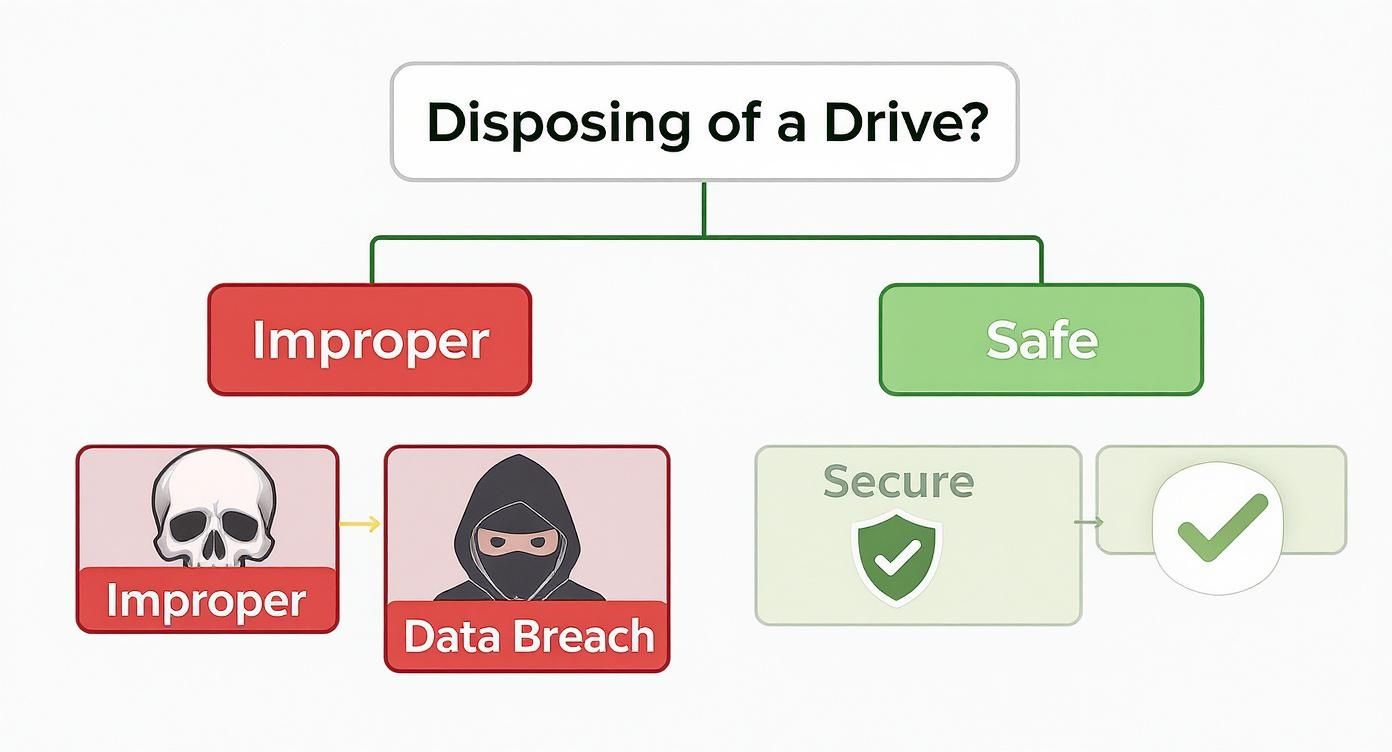
This process highlights a simple truth: your IT asset disposal strategy is a direct reflection of your company's commitment to data security.
Free Tools vs. Commercial Platforms
Your first major decision is selecting the right tool for the job. You have two primary options: free utilities or commercial, enterprise-grade platforms. Each serves a different purpose.
For a small office with non-sensitive data or a one-off project without strict compliance mandates, a free tool like Darik's Boot and Nuke (DBAN) can be a functional choice. DBAN is an open-source utility loaded onto a bootable USB drive. You simply boot the computer from the USB, and DBAN erases everything, including the operating system.
However, for most businesses, particularly those in regulated industries like finance or healthcare, DBAN is insufficient. Its critical flaw? It does not provide a certified, auditable report to prove data was properly sanitized. This is a non-starter in any formal audit.
This is where commercial software from companies like Blancco, KillDisk, or Certus becomes essential.
These aren't just tools; they're enterprise-grade platforms. They allow your IT team to manage and wipe dozens of drives simultaneously, verify successful erasure, and support modern hardware, including SSDs. Most importantly, they issue a tamper-proof Certificate of Erasure—your critical documentation for proving compliance.
The market for data erasure software is exploding. Valued at $1.4 billion, it's projected to hit $3.2 billion as regulations like GDPR and CCPA become more stringent. Companies are realizing it's far cheaper to invest in certified wiping than to pay multi-million dollar fines for a data breach.
Demystifying Data Sanitization Standards
When you deploy a professional wiping tool, you'll encounter a list of "sanitization standards." These are not arbitrary settings; they are specific, government-approved protocols that dictate how data is overwritten. The standard you select must align with your company's security policies and regulatory obligations.
To make an informed decision, it's crucial to understand the most common standards.
Comparing Data Wiping Software Standards
This table breaks down the key data sanitization standards, helping you align the right method with your organization's security and compliance needs.
| Standard Name | Method Overview | Typical Use Case | Compliance Suitability |
|---|---|---|---|
| DoD 5220.22-M | A 3-pass overwrite method (zeros, ones, then random data) with verification. | A well-regarded baseline for corporate data, often used for hardware being resold or donated. | Strong for general security, though often superseded by NIST standards in federal contexts. |
| NIST 800-88 Clear | A single-pass overwrite using standard drive read/write commands. | Best for drives staying within the organization, such as moving a laptop to a new employee. | Meets basic compliance needs for low-risk internal data reuse. |
| NIST 800-88 Purge | Uses drive-specific commands (like ATA Secure Erase) to make data recovery infeasible even with lab tools. | The gold standard for drives containing sensitive PII, financial, or health data before leaving the organization. | Recommended for HIPAA, PCI-DSS, and GDPR compliance to ensure data is truly gone. |
For most businesses sending hardware for resale or donation, either the DoD 5220.22-M 3-pass or NIST 800-88 Purge standard offers an excellent balance of security and efficiency.
Of course, wiping the drive is just one part of a comprehensive ITAD plan. The next step is determining the proper disposition of the physical hardware. We've created a guide that explains how to dispose of old computers safely and maintain corporate compliance.
Putting Software Wiping into Practice
So, what does this process look like in a business setting? It begins with creating a bootable USB drive. Your IT team will download the chosen software—whether DBAN or a commercial package—and use a utility to write it to a flash drive.
With the bootable drive prepared, plug it into the target computer and restart it. You'll need to enter the computer’s BIOS or boot menu (typically by pressing F2, F12, or Del during startup) and set it to boot from the USB drive instead of the internal hard drive.
Once loaded, the wiping software's interface will appear. From there, select the target drive and the appropriate sanitization standard based on your company policy. It is crucial to double-check the selection, as the process is irreversible.
The wipe itself can take anywhere from a few hours to a full day, depending on the drive's size and the chosen standard. Upon completion, the software performs a final verification. If you're using a commercial tool, this is when it generates the crucial Certificate of Erasure for your compliance records.
When Data Must Be Physically Destroyed
Software-based wiping is the ideal solution for drives intended for reuse or resale, but it is not the final word in data security. For some hardware, especially drives at the absolute end of their lifecycle or those that have stored highly classified information, software erasure is not sufficient to meet compliance or risk management standards.
This is where physical destruction becomes the only acceptable option.
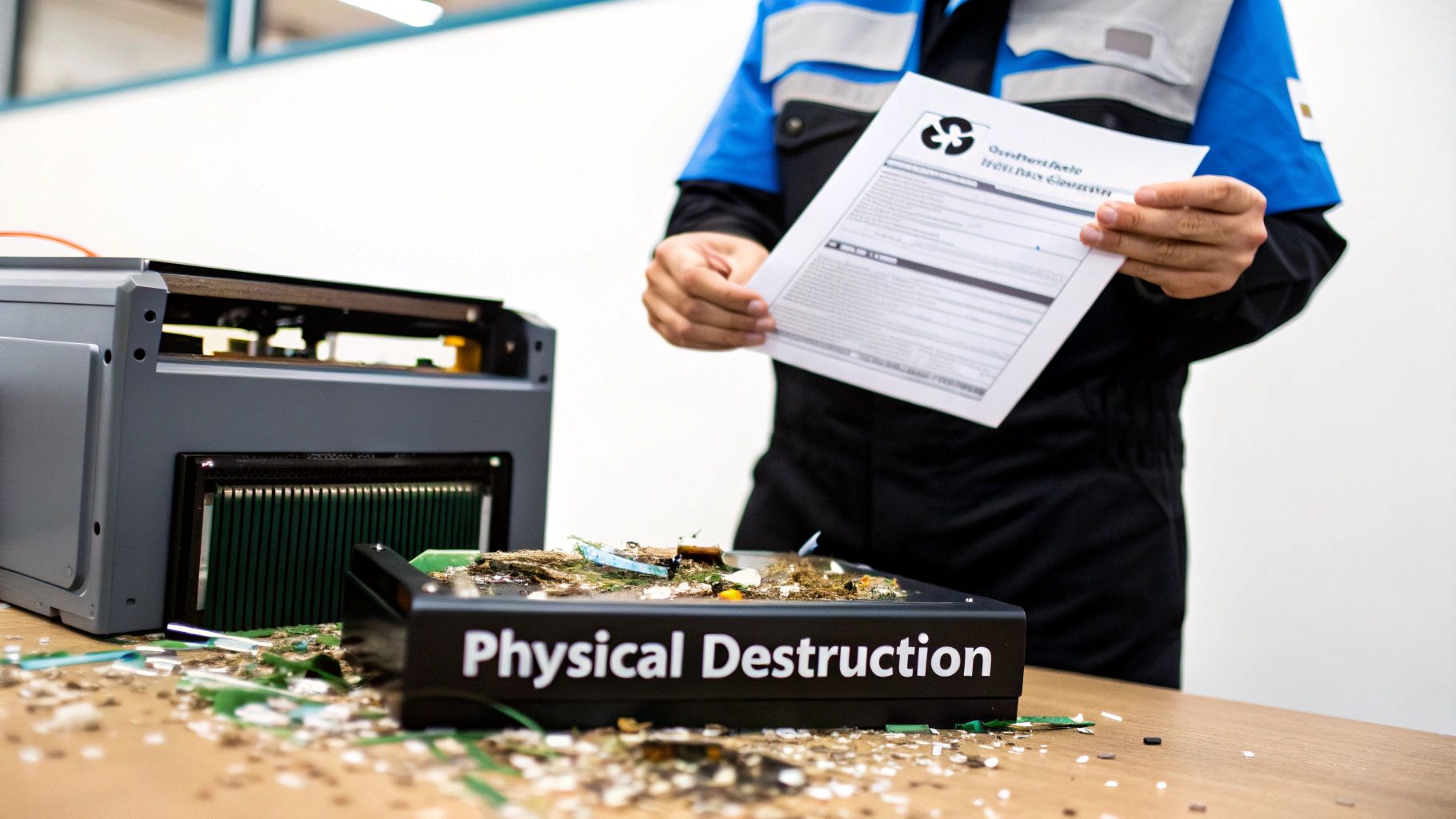
When a drive is physically destroyed, there is no ambiguity. The data isn't just overwritten; the physical platters or chips it was stored on are rendered completely and permanently unreadable. It’s the ultimate guarantee that your sensitive information will never be recovered.
Degaussing: The Magnetic Reset Button
One of the most powerful methods of data destruction is degaussing. This process exposes a hard drive to an incredibly powerful magnetic field, which scrambles the magnetic domains on the drive's platters where data is stored.
This doesn't just erase files; it also wipes out the low-level formatting the drive requires to function. The result is a drive that is not only sanitized but also rendered completely inoperable.
A degaussed hard drive is permanently useless. The process is so definitive that it's a required method for destroying classified government data. Just remember, this method only works for magnetic media like traditional HDDs—it has no effect on Solid-State Drives (SSDs).
Shredding: Pulverizing Data into Oblivion
When you require an absolute, verifiable end for a drive, shredding is the industry gold standard. Similar to a paper shredder, industrial hard drive shredders use powerful rotating blades to grind drives—both HDDs and SSDs—into small, mangled fragments of metal and plastic.
There is no possibility of reassembling these fragments or recovering any data from them. The process is visually definitive and provides irrefutable proof that the data has been destroyed beyond recovery.
When Is Physical Destruction Mandatory?
For many businesses, the decision to physically destroy a hard drive is not a choice—it's a legal or regulatory requirement. Certain industries handle data so sensitive that even the slightest risk of survival is unacceptable.
Common scenarios requiring physical destruction include:
- Government and Defense: Any drive that has held classified or top-secret information must be physically destroyed according to strict protocols.
- Healthcare (HIPAA): To protect patient health information (PHI), healthcare providers often shred drives from legacy medical equipment or servers to eliminate any chance of a data breach.
- Finance (PCI-DSS & GLBA): Financial institutions handling sensitive customer data under regulations like PCI-DSS frequently require physical destruction to guard against fraud.
Furthermore, if a drive is non-functional or has failed in a way that prevents software access, physical destruction becomes your only secure path forward.
Vetting a Professional Destruction Service
Physical destruction is not a DIY task. It demands specialized, expensive equipment and a secure, documented process. This is why businesses partner with professional data destruction vendors—but choosing the right partner is critical.
The hard drive destruction market is projected to grow from $1.65 billion to $5.05 billion over the next decade, fueled by the explosion of e-waste and tougher data privacy laws. With a growing number of vendors, you must know what to look for. Check out the analysis of the hard drive destruction market on SphericalInsights.com for more context.
Use this checklist to select a trustworthy partner:
- NAID AAA Certification: This is the most important credential. The National Association for Information Destruction (NAID) sets the industry standard for secure destruction, and a certified vendor undergoes rigorous, unannounced audits of their entire process.
- Secure Chain of Custody: The vendor must provide a documented, unbroken chain of custody from the moment they take possession of your assets until they are destroyed. This includes secure, GPS-tracked transport and locked containers.
- Certificate of Destruction: Upon completion, you must receive a formal Certificate of Destruction. This legal document serves as your audit trail, listing the serial numbers of destroyed drives and confirming the date and method.
- On-Site vs. Off-Site Options: Reputable vendors offer both on-site shredding (where a mobile destruction vehicle comes to your facility) and secure off-site services. On-site service provides maximum peace of mind, as you can witness the destruction firsthand.
For businesses seeking a reliable partner, exploring certified hard drive destruction services is the essential next step to ensure your data is disposed of responsibly and securely.
Crafting Your Company's Data Disposal Policy
Knowing the technical steps to wipe a hard drive is one thing. Building a bulletproof, repeatable process that everyone in your organization follows is a core business strategy. The objective is to move from ad-hoc tasks to a formal IT Asset Disposition (ITAD) policy. This is how you shield your company from costly compliance fines, damaging data breaches, and legal liabilities.
A robust policy acts as a clear roadmap for every piece of hardware leaving your control. It eliminates guesswork, assigns clear ownership, and guarantees every device is handled with the same rigorous security standards. Without one, you’re simply hoping individual employees make the right decision—a gamble no business can afford.

Defining Data Sensitivity Levels
The first step is to classify your data. Not all information is created equal, and your disposal methods must reflect that. A laptop used for public-facing marketing does not demand the same extreme security as a server holding proprietary financial models.
Create a simple classification system that is easy to understand and implement:
- Level 1 Public Data: Information already in the public domain, like marketing materials or press releases.
- Level 2 Internal Data: General business information not intended for public disclosure, such as internal memos or operational spreadsheets.
- Level 3 Confidential Data: Sensitive information like employee PII, financial reports, or strategic plans that would cause significant harm if leaked.
- Level 4 Regulated Data: The most critical data, protected by laws like HIPAA or PCI-DSS. This includes patient records, credit card numbers, and other personally identifiable information (PII).
This framework dictates the required action. For instance, a drive with Level 1 data may only require a secure wipe using the NIST 800-88 Clear standard. However, a drive holding Level 4 data must be physically shredded, without exception.
Assigning Clear Roles and Responsibilities
A policy is ineffective without clear ownership. You must define exactly who is responsible for each stage of the ITAD process. Ambiguity is a direct path to security gaps.
Key roles to assign include:
- Asset Owner: The department head ultimately accountable for the data on the device.
- IT Department: The team responsible for executing data sanitization according to the established policy.
- Compliance Officer: The individual responsible for auditing the process and ensuring documentation is complete and accurate.
- Third-Party Vendor Manager: The point person for managing and coordinating with certified ITAD partners.
Defining these roles creates a transparent chain of command. When an old server is slated for decommissioning, everyone knows their exact responsibilities.
A well-documented policy isn't just an internal guideline; it's your primary defense in an audit. It demonstrates due diligence and shows that your organization has a systematic, thoughtful approach to protecting sensitive data from creation to final disposition.
Mandating Rigorous Documentation
In the world of data security and compliance, if you can't prove it was wiped, it wasn't. Meticulous documentation is the cornerstone of a defensible data disposal policy. For every asset being retired, your team must maintain a detailed log.
This record must include:
- Asset serial number and type (e.g., Dell Latitude 7420, SN: XYZ123).
- The data sensitivity level assigned to that asset.
- The exact date of sanitization or destruction.
- The method used (e.g., NIST 800-88 Purge, on-site shredding).
- The name of the technician or vendor who performed the service.
- A securely stored Certificate of Erasure or Destruction.
This level of detailed record-keeping creates an unshakeable audit trail, proving compliance with both internal policies and external regulations. It’s also vital for managing your vendors. When you work with professional electronic waste recycling companies, this documentation ensures their work aligns with your policy and provides the verifiable proof you need.
Common Hard Drive Wiping Mistakes to Avoid
Knowing how to wipe a hard drive is only half the battle. Even with a solid policy, simple mistakes can completely undermine your data security, creating the very breaches you’re working to prevent.
Avoiding these common pitfalls isn't just best practice—it's essential for a secure data disposal program.
Mistake 1: Relying on a "Quick Format"
One of the most frequent and dangerous errors is assuming a quick format is equivalent to a secure wipe. It is not.
Formatting a drive doesn't actually erase the data. It only removes the file system's index, making the files invisible to the operating system. The data itself remains on the drive, easily recoverable with widely available software. For any business, this method is never acceptable.
Mistake 2: Forgetting to Verify the Wipe
Another critical oversight is failing to verify the wipe. Once the software completes its process, you must confirm it was 100% successful. Professional tools often automate this step, but without that final verification, you're operating on assumption.
When it comes to sensitive business data, assumption is not a strategy.
Mistake 3: Treating All Drives the Same
A major pitfall for modern IT departments is using the same wiping technique for both traditional Hard Disk Drives (HDDs) and modern Solid-State Drives (SSDs). This approach is not only ineffective but can also damage the hardware.
HDDs store data magnetically on spinning platters, making multi-pass overwrite methods effective. SSDs, however, use flash memory and complex wear-leveling algorithms that distribute data across memory cells to prolong the drive's lifespan.
A standard overwrite pass on an SSD will likely miss entire blocks of data, leaving sensitive information behind while causing unnecessary wear.
To ensure security, you must use the correct technology-specific method.
This table breaks down the fundamental differences and the correct approach for each drive type.
Wiping Methods for HDDs vs. SSDs
Here's a breakdown of the key differences and recommended actions for securely erasing data from traditional hard drives and modern solid-state drives.
| Consideration | Hard Disk Drive (HDD) | Solid-State Drive (SSD) |
|---|---|---|
| Technology | Magnetic platters with read/write heads. | Flash memory chips with no moving parts. |
| Effective Method | Multi-pass overwriting (e.g., DoD 5220.22-M, NIST 800-88 Purge). | Use the drive's built-in ATA Secure Erase command or physical destruction. |
| Ineffective Method | Simple formatting. | Standard multi-pass overwriting. |
As you can see, a one-size-fits-all approach is a recipe for a data breach.
Mistake 4: Overlooking Hidden Data and Lacking Proof
Finally, two huge mistakes often go hand-in-hand: forgetting about data stored elsewhere and failing to document the destruction process.
Decommissioning a server isn’t complete until you’ve also dealt with its backup tapes or network shares. These forgotten data repositories can hold years of sensitive information just waiting to be exposed.
But perhaps the biggest business mistake is failing to get proper documentation. Without it, you have no defense in an audit and no proof of compliance.
That's why obtaining a formal certificate of destruction for hard drives isn't just a best practice—it's a critical component of your risk management strategy. This document is your verifiable proof that you handled the data responsibly from start to finish.
Common Questions About Wiping Hard Drives
Even with a solid plan, the details of data disposal can challenge experienced IT teams. Getting clear answers is essential for maintaining data security and business compliance. Here are answers to common questions from corporate IT and compliance managers.
Isn't Formatting a Drive the Same as Wiping It?
No, and this is one of the most dangerous misconceptions in IT.
Formatting a hard drive is like tearing the table of contents out of a book—the data is all still there, just harder to find. It simply removes the pointers that tell the operating system where your files are located. With basic recovery software, that "deleted" data can be restored in minutes.
A secure wipe, on the other hand, is like running every single page of that book through a shredder. It overwrites the entire drive, sector by sector, with random data. This process permanently destroys the original information, making it impossible to recover. For any business that takes security seriously, formatting is never an acceptable substitute for a secure wipe.
How Can I Prove a Hard Drive Was Wiped for an Audit?
This is where process meets proof. In the world of compliance, if you can’t document it, it didn’t happen.
When you use a professional data wiping tool, it generates a tamper-proof Certificate of Erasure for every drive it processes. This document is your proof of compliance, detailing the drive’s serial number, the specific wiping standard used (like DoD 5220.22-M), and a clear confirmation of success.
If you opt for physical destruction, your vendor must provide a Certificate of Destruction. These certificates form your official audit trail, demonstrating due diligence.
Without a certificate, you have zero verifiable proof of data destruction. In an audit, that’s a massive red flag that invites fines and a deep dive into your data handling practices.
Can I Still Use a Hard Drive After Degaussing It?
Absolutely not. Degaussing is a terminal process for a hard drive.
The powerful magnetic pulse doesn't just scramble your data; it also obliterates the drive's firmware and the servo tracks that the read/write heads rely on to navigate. The drive is rendered completely inoperable—a paperweight.
Think of degaussing as the nuclear option. It’s effective, but it’s final. If your business plans to reuse, resell, or donate the hardware, a software wipe is your only option.
What's the Right Way to Wipe a Solid-State Drive (SSD)?
SSDs require a different approach. The overwriting methods that work for traditional spinning hard drives (HDDs) are unreliable on SSDs due to internal processes like wear-leveling and over-provisioning.
The gold standard for wiping an SSD is to trigger its built-in Secure Erase command.
This is usually done with specialized software that tells the drive’s own controller to flush all its storage blocks, effectively resetting it to a clean, factory state. It’s the most thorough and reliable method. For SSDs that are failing or at their end-of-life, the only 100% certain method is physical shredding.
Protecting your company’s data is non-negotiable, but managing the logistics of IT asset disposition can be a major headache. Atlanta Computer Recycling offers secure, compliant, and cost-effective solutions for businesses across the Atlanta metro area. We provide free DoD-standard hard drive wiping and certified physical destruction to ensure your data is gone for good.
Ready to secure your retired IT assets? Visit us at https://atlantacomputerrecycling.com to learn how we can help.