Secure Free E Waste Pickup in Atlanta for Your Business

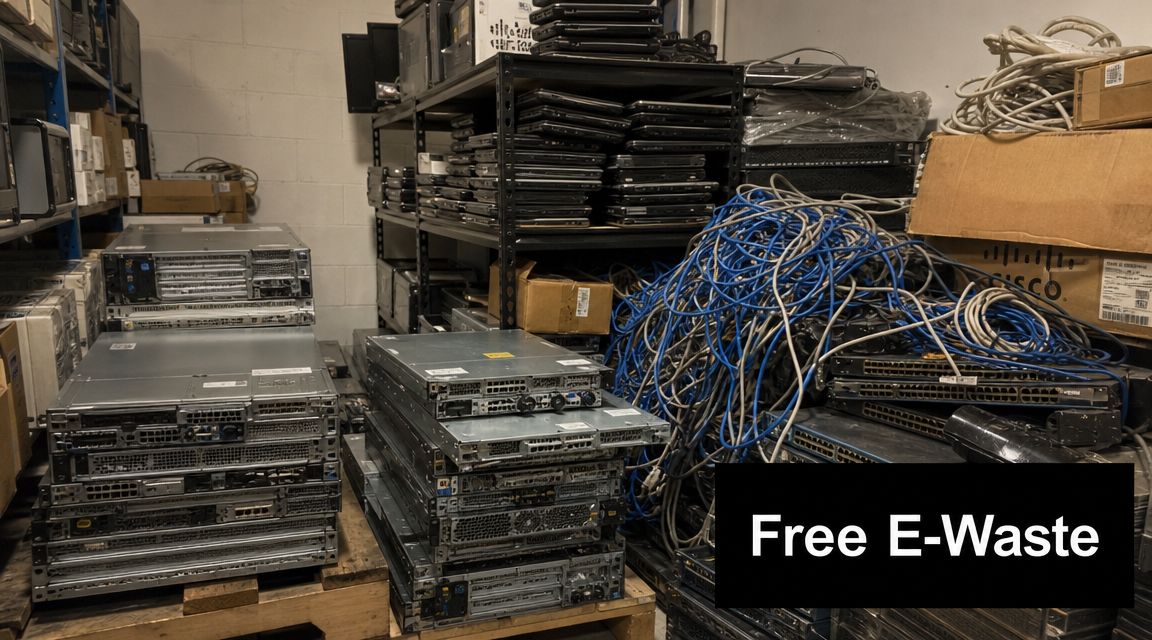
Old servers are still in the rack because nobody wants to touch them. The spare laptops from the last refresh are stacked in a closet. A few network switches are sitting on a shelf with no labels, and everyone assumes the drives were wiped at some point.
That's usually when e-waste turns from a housekeeping issue into a risk issue.
For an Atlanta facilities manager or IT manager, free e waste pickup sounds simple until you look at the actual requirements. You need the gear gone without tying up your staff. You need data-bearing assets handled correctly. If you're in healthcare, education, or government, you also need records that will hold up when someone asks what happened to those devices after they left the building.
Your Guide to E-Waste Pickup in Atlanta
Most commercial cleanouts start the same way. A storage room fills up slowly, then all at once. One office closure, one hardware refresh, or one server migration is enough to leave you with pallets of retired equipment that nobody has time to sort.
That backlog matters for more than space. The UN Global E-waste Monitor 2024 reported that 62 million tonnes of e-waste were generated worldwide in 2022, while documented collection and recycling stood at 22.3%, with the rate projected to fall to 20% by 2030 if current trends continue. For a business, that's the bigger context behind what looks like a local cleanup job.
What Atlanta businesses usually need
In practice, most organizations in metro Atlanta aren't looking for a public drop-off event. They need a business pickup model that works around loading docks, office hours, security controls, and chain-of-custody requirements.
That usually means a service that can do three things well:
- Remove equipment in bulk so staff doesn't spend days hauling devices across campus or between suites
- Separate data-bearing devices from general scrap before anything leaves the site
- Create documentation that proves the equipment was received and processed appropriately
Practical rule: If your retired electronics include laptops, desktops, servers, storage arrays, or loose drives, treat the project as an ITAD job first and a recycling job second.
A free pickup can solve the logistics side, but only if the provider handles the equipment like business assets instead of junk. If you're comparing options for Atlanta electronics recycling pickup, ask how they qualify loads, how they handle drives, and what paperwork you'll receive after the truck leaves.
Qualifying for Free E-Waste Pickup as a Business
“Free pickup” usually applies when the load makes sense operationally. That's the part many vendors leave vague.
A useful benchmark is that many commercial recyclers offer complimentary pickup for organizations with 25 or more electronics. That reflects how this market works. Route efficiency and asset volume are what make no-cost service possible on the commercial side.
What usually qualifies
If you're managing a business, school, hospital, or agency in Atlanta, the strongest candidates for free e waste pickup usually have a concentrated load of standard IT equipment in one location. Think desktops, laptops, servers, network hardware, docking stations, and similar office technology retired as part of a refresh or closure.
The easiest pickups to qualify are typically:
- Bulk computer loads with enough equipment to justify a truck roll
- Server and network gear from a server room cleanup, office move, or decommissioning project
- Multi-department collections where one pickup can clear equipment from several floors or buildings
- School and healthcare refreshes where devices have been accumulated centrally
The harder projects to place into a free model are mixed low-value loads with only a handful of core IT assets and a lot of peripheral material.
Asset mix matters as much as volume
Not all electronics subsidize pickup equally. A pallet of business laptops and desktops is different from a pallet made mostly of obsolete accessories, broken printers, and low-value displays. A provider will usually look at the item mix, not just the rough count.
Here's the simplest way to explain it:
| Load type | Likelihood of qualifying for free pickup |
|---|---|
| Mostly laptops, desktops, servers, and network gear | Higher |
| Mixed office electronics with some IT assets | Depends on volume and route |
| Mostly low-value or difficult-to-process items | Lower |
That's why two companies with the same number of items can get different answers.
Free pickup is a business logistics model. It isn't a blanket promise for every load.
Location still affects eligibility
Inside Atlanta, route density helps. Once you get farther from a recycler's normal service path, the economics can change fast. That doesn't always mean there will be a fee, but it does mean your site should be evaluated based on the number of assets, the type of equipment, and how easily the pickup can be combined with existing route work.
If you're helping coordinate a school district collection, a hospital network cleanup, or a multi-office refresh, combine assets when you can. One larger, cleaner pickup request is usually easier to place than several small ones.
For organizations trying to time a cleanup around office moves or public collection opportunities, it also helps to compare dedicated business service with local event-style options such as this free e-waste recycling event information. The right choice depends on whether you need fleet pickup, compliance handling, or just a simple outlet for surplus devices.
Understanding the "Free" in Free E-Waste Pickup
The catch usually isn't hidden. It's just poorly explained.
A lot of free e waste pickup offers are accurate, but only within certain boundaries. The problem starts when a business hears “free” and assumes every item, every site condition, and every location in the metro area fits the same model.
Where fees usually appear
The fine print on many free pickup offers includes minimum item counts, geography limits, fuel surcharges, or fees for certain low-value items. For IT managers, the key question is what asset mix and volume are required to avoid charges at their specific site.
That's normal. It's not a red flag by itself.
Common friction points include:
- Small loads that don't justify dispatching a truck
- Outlying locations that fall outside a normal route
- Low-value inventory where processing costs exceed recoverable value
- Difficult access conditions such as stairs, narrow elevators, or equipment spread across multiple buildings
- Special handling work like rack removal, de-installation, or labor-intensive consolidation
Ask these questions before you schedule
You'll get a clearer answer if you stop asking “Is it free?” and start asking operational questions.
Use a checklist like this:
What counts as a qualifying item at my site?
A vendor may count laptops and servers toward free pickup but exclude some peripherals or specialty devices.Is my address inside the standard service area?
Metro Atlanta coverage can still vary by route and timing.Will any item types trigger processing charges?
Some categories are more expensive to handle and may not fit a no-cost model.Is loading dock access required?
If your assets are on upper floors or in a secure room, labor can affect pricing.Are there separate charges for data destruction documentation or on-site services?
Pickup may be free while ITAD handling is billed separately.
The cheapest pickup is the one you scope correctly the first time.
How to get to a real zero-cost pickup
If you want the best shot at no-cost service, prepare a clean inventory summary before calling. List the core asset types, approximate counts, whether drives are present, and where the equipment is staged. Mention any obstacles up front.
That does two things. First, it helps the recycler decide whether the load qualifies. Second, it prevents the frustrating situation where a truck arrives expecting palletized office IT and finds scattered equipment, difficult access, or a large percentage of non-qualifying material.
If you're vetting providers, make sure they also explain their downstream standards and certifications. A certified electronics recycler should be able to tell you what happens to reusable equipment, scrap material, and data-bearing devices without falling back on vague language.
Preparing Equipment for Secure and Compliant Disposal
The most common mistake in commercial e-waste projects is treating all retired electronics the same. They're not the same, and they shouldn't move through the same workflow.
A keyboard, a dead UPS, a laptop with patient records, and a rack server full of business data all require different handling. That's where many “free pickup” offers stop being enough on their own.
Separate data-bearing devices first
Before pickup day, divide the load into two buckets:
- Data-bearing assets such as desktops, laptops, servers, storage arrays, loose hard drives, and other media
- Non-data equipment such as cables, keyboards, mice, some telecom gear, and general electronic scrap
This one step reduces confusion on site and helps prevent a chain-of-custody problem. It also keeps your internal team from sending the wrong material down the wrong path.
For healthcare organizations, this matters even more. If a device may contain protected health information, your disposal process has to produce defensible records. You don't want to explain later that the equipment was “picked up with the rest of the recycling.”
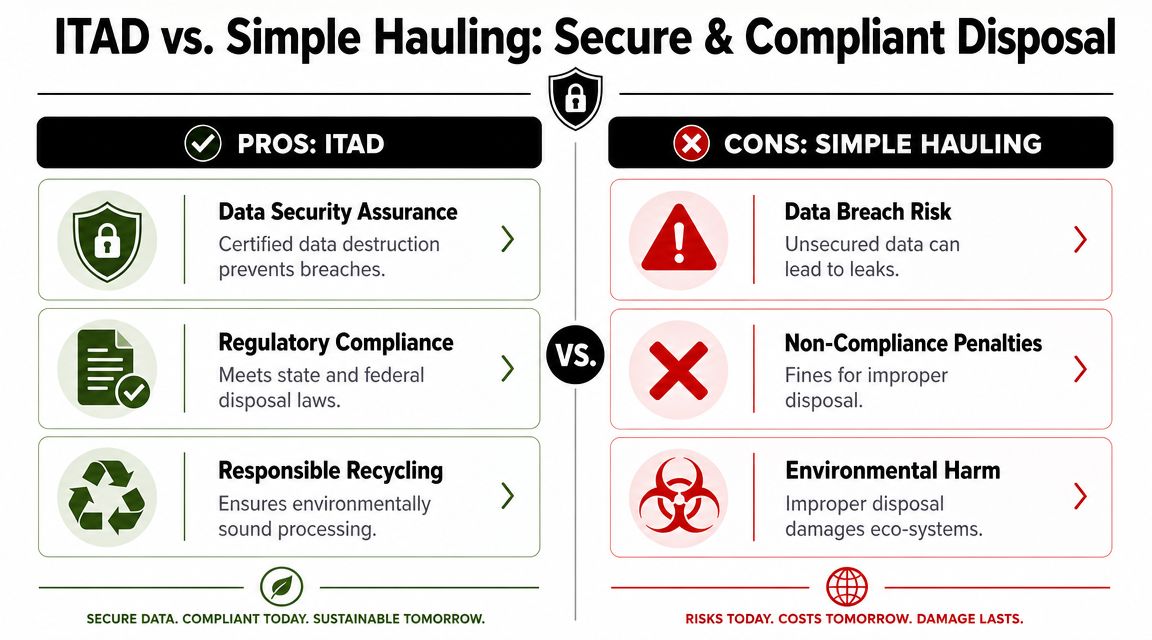
Wiping and shredding are not interchangeable
The CalRecycle electronics guidance highlights a recurring problem in this industry. Many free-pickup pages focus on hauling equipment but don't clearly state whether the service includes NIST- or DoD-aligned wiping, physical shredding, or audit-ready documentation like a Certificate of Destruction. For businesses, especially in healthcare, free pickup is a logistics promise. Compliance is a separate service layer.
That distinction is where IT managers should slow down.
A practical disposal plan usually looks like this:
- Use software wiping for reusable drives when the media is functional and your policy allows sanitization for reuse or resale.
- Use physical shredding for failed, obsolete, or policy-restricted media when you need destruction rather than reuse.
- Document whichever method is used so you can prove the disposition later.
Atlanta Computer Recycling is one local provider that states it offers free hard drive wiping using the DoD 5220.22-M 3-pass standard, with physical shredding for obsolete or non-functional media as part of its business ITAD services. That's the kind of operational detail worth confirming with any vendor before you approve pickup.
If the provider can't tell you how failed drives are handled, you don't have a disposal plan. You have a hauling plan.
What to do before the truck arrives
You don't need a massive prep project, but you do need structure. The cleanest commercial pickups usually follow a short internal checklist:
- Tag sensitive assets so your staff and the pickup team can identify them quickly
- Export or record serials for assets that must be reconciled later
- Remove equipment from user areas and stage it in a secure room, dock area, or designated floor
- Flag anything unusual such as damaged batteries, locked server cages, or loose drives stored separately
- Confirm your internal sign-off from IT, facilities, compliance, or security before release
HIPAA concerns are usually about proof
HIPAA conversations often focus on destruction methods, but in practice the weak point is usually documentation. If your organization can't show what was collected, how it was controlled, and what happened to the data-bearing media, you're relying on assumptions.
That's why a secure pickup should produce more than a cleared room. It should produce a record trail your compliance team can keep.
Scheduling Your Pickup and Managing On-Site Logistics
A professional pickup shouldn't feel improvised. If it does, something is off.
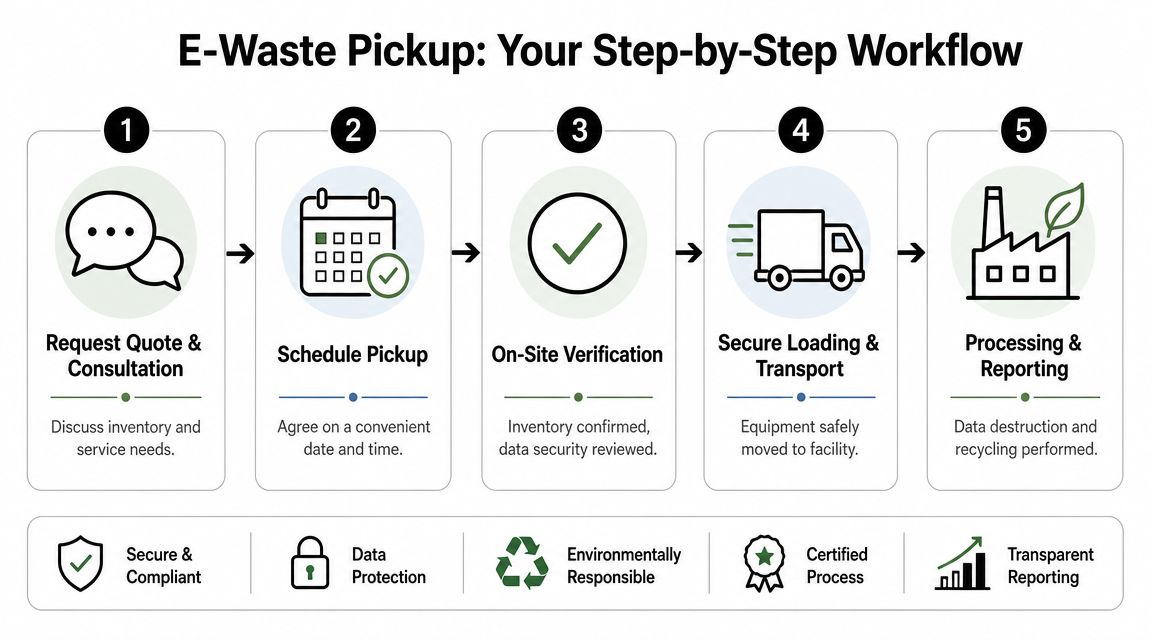
The standard commercial workflow is straightforward when both sides prepare correctly. The B2B operating model described here involves pre-qualifying the load, scheduling a pickup window, and capturing a receiving receipt and chain-of-custody documentation. For ITAD workflows, it should also include serial capture and downstream proof like a Certificate of Destruction.
What happens before pickup day
Most business pickups start with an inventory conversation, not a dispatch. The recycler needs enough information to assign the right truck, labor, and service level.
A solid intake usually covers:
| Question | Why it matters |
|---|---|
| What types of equipment are included | Determines whether the load fits recycling, ITAD, or both |
| Are there hard drives or other media present | Triggers data-security handling requirements |
| How much equipment is there | Affects truck space, crew planning, and qualification |
| Where is it staged | Helps the team plan loading time and access |
| Are there site restrictions | Security, dock access, elevators, and badging all affect timing |
If your inventory is rough, that's fine. “Approximate” is still useful. “We have some old stuff” is not.
What a smooth on-site pickup looks like
On pickup day, the process should be boring in the best way. The team arrives within the agreed window, verifies the scope, confirms any data-bearing assets, and loads according to the documented plan.
For facilities teams, the goal is minimal disruption. For IT, the goal is controlled transfer.
Look for these basics:
- Arrival confirmation so security and dock staff know who's on site
- Scope verification in case anything staged differs from the original request
- Segregated handling for data-bearing equipment versus general scrap
- Loading discipline so assets aren't mixed carelessly during removal
- Signed paperwork at transfer before the equipment leaves the premises
On-site reality: The chain-of-custody starts at your door, not at the recycler's warehouse.
Multi-floor and secure-site pickups need extra planning
Atlanta businesses often have awkward layouts. Equipment may be split between offices, IDF closets, storage cages, labs, and server rooms. Hospitals and government sites add security controls. Campuses add distance. None of that is a problem if it's disclosed early.
What doesn't work is waiting until pickup day to mention freight elevator schedules, restricted loading windows, or that the servers are still mounted in racks.
If you need a business-focused service path for that kind of project, Atlanta IT equipment pickup typically refers to a workflow built for bulk removals, de-installation needs, and chain-of-custody handling instead of simple curbside collection.
The handoff should produce immediate records
Before the truck leaves, your team should have confirmation that the materials were received. Depending on the job, that may be a pickup receipt, an item acknowledgment, or a formal chain-of-custody record.
That first document matters because it closes the gap between “stored on site” and “transferred for processing.” Without it, you have no clean handoff point for audit purposes.
Your Post-Pickup Compliance and Documentation Checklist
A cleared loading dock isn't the finish line. The paperwork is.
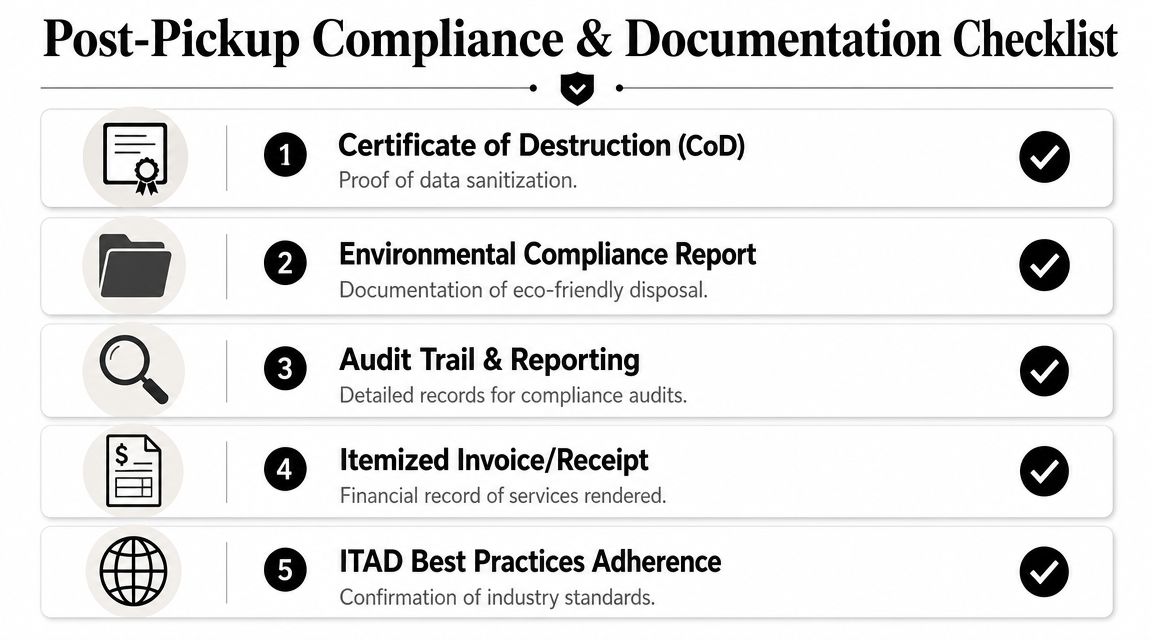
Professional ITAD's services diverge from simple hauling due to essential post-pickup requirements. Once the equipment is gone, your organization still needs records for internal asset reconciliation, data destruction validation, and environmental accountability.
The documents you should expect
The exact package varies by project, but commercial clients should expect some combination of the following:
Receiving receipt
This confirms the load was transferred from your site to the recycler or ITAD provider.Chain-of-custody record
This matters most for data-bearing assets and secure environments.Certificate of Destruction
If drives or media were wiped or shredded under a documented process, this is the proof your compliance team will want on file.Recycling or processing documentation
This supports environmental reporting and vendor accountability.Asset-level reporting when applicable
If serial reconciliation was part of the job, the final report should reflect that scope.
What to review internally
Don't just save the files and move on. Match them to your internal records.
A practical review looks like this:
Confirm the pickup date and site location
Make sure the documents clearly identify the correct facility.Check that the service description matches the work performed
If the project included data destruction, the paperwork should say so.Verify whether serial-tracked assets are listed
If your team provided an inventory list, compare it to the final report.Store records where compliance staff can retrieve them
Audit-ready documents lose value if they sit in one person's inbox.Close the loop with asset management
Retired equipment should be removed from active inventory and reflected correctly in internal systems.
Good vendors remove equipment. Better vendors leave you with records that make sense six months later.
What businesses often miss
The most common miss isn't the pickup. It's failing to request the right proof in advance.
If your organization has HIPAA obligations, internal security policies, or procurement rules, ask for the post-pickup deliverables before you approve the job. That way there's no disagreement later about whether the scope included destruction records, serial reporting, or environmental documentation.
For teams that need formal proof of sanitization, a Certificate of Data Destruction is usually one of the key documents to request and retain. It gives legal, operational, and compliance stakeholders something concrete to review instead of relying on verbal assurances.
The best way to judge a free e waste pickup program isn't whether the truck showed up at no charge. It's whether the entire chain, from removal through final reporting, holds together under scrutiny.
If you're planning a business cleanout, office move, server refresh, or healthcare equipment retirement in metro Atlanta, Atlanta Computer Recycling offers commercial electronics pickup and ITAD services built around secure removal, data destruction workflows, and post-pickup documentation.