Disposal of Old Televisions: An Atlanta Business Guide


You're probably dealing with a pile of screens that no one wants to own.
It happens after an office refresh, a conference room upgrade, a hospital waiting area renovation, or a move that leaves old displays stacked in storage. Some are flat panels. A few are older, heavier units nobody wants to touch. Several are smart TVs still signed into apps and connected to corporate WiFi. Facilities thinks IT should handle it. IT assumes operations already has a vendor. Meanwhile, the equipment sits.
For a business, the disposal of old televisions isn't a housekeeping task. It's a mix of environmental compliance, asset control, data security, and project logistics. If you treat it like junk removal, you increase the odds of avoidable problems later.
Why Your Television Disposal Strategy Matters
A bulk TV disposal project usually starts with a simple request. “Can someone get these old screens out by Friday?” That framing causes most of the mistakes.
Business television disposal has a different risk profile than residential drop-off. A retired smart TV may still hold WiFi credentials, app logins, and usage history. Older CRT units introduce hazardous material handling concerns. Large batches create chain-of-custody issues that matter during audits, internal reviews, and vendor management checks.
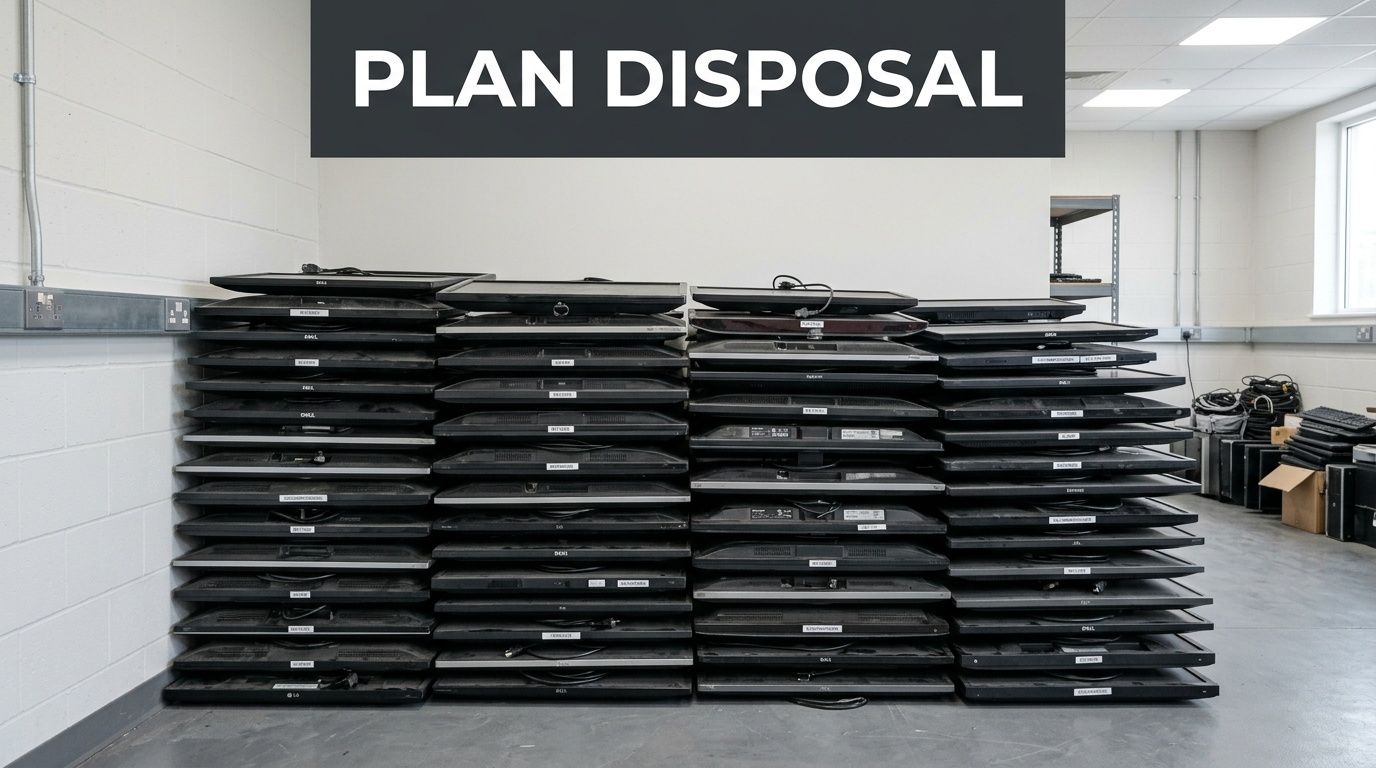
The scale of the problem is already here
This isn't a niche issue. The Global E-waste Monitor 2024 reports that 62 million tonnes of e-waste were generated worldwide in 2022, and that figure is projected to reach 82 million tonnes by 2030. Documented collection and recycling covered less than a quarter of that waste, according to this summary of Global E-waste Monitor findings.
For Atlanta businesses, that matters because retired electronics now attract more scrutiny from procurement teams, compliance staff, sustainability leaders, and customers. When equipment leaves your building, your responsibility doesn't end at the loading dock.
Practical rule: If your organization tracks laptops and servers carefully but treats TVs like office furniture, your disposal policy has a blind spot.
Residential advice doesn't solve commercial risk
Most online advice about televisions assumes one household, one vehicle, and one screen. That guidance falls apart when you're managing conference room displays across multiple floors, signage in a clinic network, or a school district replacing classroom TVs during a short break window.
What works for businesses is a policy built around these questions:
- Who owns the project: IT, facilities, procurement, or compliance.
- What data may be stored: especially on Samsung Smart TVs, LG webOS units, or connected signage displays.
- What documentation is required: internal asset logs, destruction records, recycling confirmation, or downstream handling records.
- How removal affects operations: wall-mounted screens, elevators, loading access, and after-hours pickup.
A smart disposal plan also supports broader sustainability goals. If your company is already reviewing the environmental impact of electronic waste, televisions belong in that conversation. They're not an exception. They're part of the same governance problem.
Evaluating Your TV Disposal Options in Atlanta
Atlanta businesses usually consider three paths. Reuse or donation. Certified electronics recycling. Or an informal route that looks convenient in the moment, such as using a general hauler that treats screens like mixed office cleanout material.
The right choice depends less on “getting rid of stuff” and more on what liability stays with your organization after pickup.
What each path really means
Donation sounds attractive because it appears low-cost and environmentally responsible. Sometimes it is. But it only works when the equipment is functional, still useful, and fully decommissioned from a data and asset management standpoint. If a smart TV still contains saved credentials, donation becomes a risky shortcut.
Certified recycling is the strongest option when screens are obsolete, damaged, too old for useful redeployment, or mixed across many models. It gives you a structured process, better documentation, and a clearer answer to the question every compliance team eventually asks: where did these assets go?
The weakest option is informal disposal through an unvetted hauler or cleanout vendor. That route often creates the most expensive downstream problems because you lose visibility once the equipment leaves the site.
Commercial TV Disposal Options Compared
| Method | Liability Risk | Documentation | Data Security | Best For |
|---|---|---|---|---|
| Donation or reuse | Medium to high if devices aren't fully reset and tracked | Usually basic transfer records or donation receipts | Often inconsistent unless your team performs and verifies sanitization first | Newer functional displays with no unresolved account or asset issues |
| Certified e-waste recycling | Lower when chain of custody and final disposition are documented | Stronger audit trail, including pickup records and destruction or recycling confirmation | Better fit for smart TVs and mixed device batches | Obsolete, damaged, aged, or bulk business inventory |
| Informal hauling or dumpster disposal | High | Weak or nonexistent | Poor | Almost never appropriate for business electronics |
A tax receipt isn't the same thing as disposition proof.
The trade-offs most teams miss
Donation transfers possession. It doesn't automatically transfer every risk. If your internal team can't confirm factory reset status, account removal, and asset reconciliation, donation can create more follow-up work than it saves.
General junk removal can also look efficient because one vendor handles everything in a fast building cleanout. The problem is that electronics require a different standard than chairs, cubicles, or scrap metal. If the vendor can't explain downstream recycling, data handling, and documentation in business terms, you're outsourcing responsibility without outsourcing risk.
A more reliable way to decide is to score each option against your actual operating requirements:
- Compliance needs: healthcare, education, government, and regulated industries need a stronger record trail.
- Device mix: old flat panels, CRTs, digital signage, and smart TVs don't belong in the same decision bucket.
- Internal labor: if your team would spend days unmounting, sorting, and transporting screens, “cheaper” options stop being cheaper.
- Accountability: if leadership asks for proof of handling six months later, can you produce it quickly?
For most business environments, the answer isn't to find the nearest drop-off point. It's to choose a disposal method that can stand up to audit, security review, and operational scrutiny.
Navigating Certified E-Waste Recycling
“Certified recycling” gets used loosely. For a business, it should mean a controlled process with traceability, trained handling, and records that show what happened to the equipment after pickup. If a vendor can't explain process, not just price, keep looking.
That matters most when older televisions are involved. CRT units are not bulky trash. They require specialized processing because of the materials inside and the physical hazards involved in dismantling them.
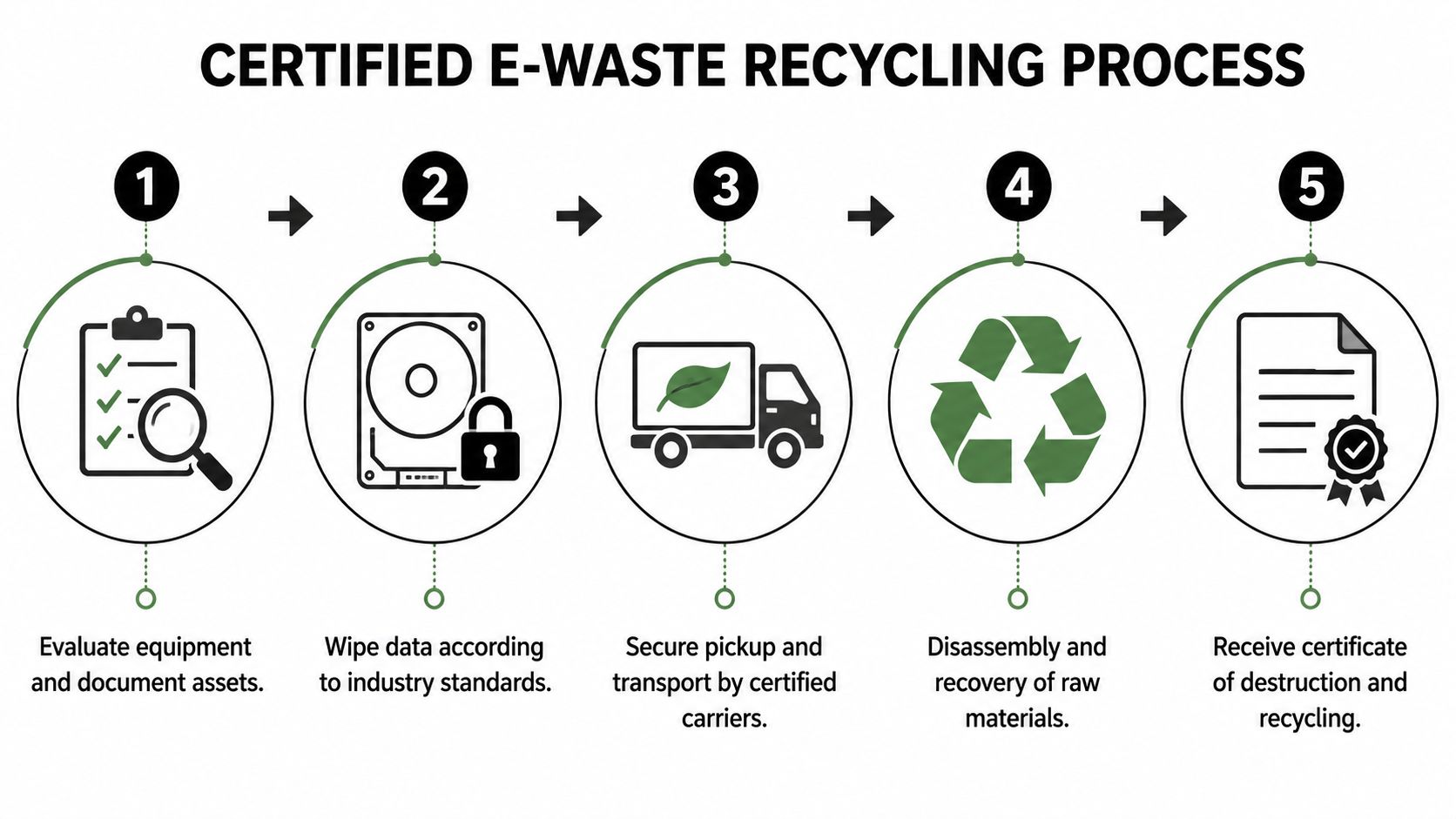
What proper CRT handling looks like
Certified recycling of a single CRT TV is a multi-step industrial process involving controlled vacuum release to prevent implosion, crushing within a negative-pressure chamber to neutralize hazardous phosphors, and thermal processing to safely vitrify the 4 to 8 pounds of leaded glass. Certified facilities achieve over 98% material recovery, while an estimated 70% of U.S. CRTs were historically landfilled or improperly handled, according to this CRT TV recycling guide.
That should immediately rule out casual handling, internal dismantling, and pickup by a vendor whose background is general waste removal. A CRT is one of the clearest examples of why television disposal belongs with electronics specialists.
What to ask a recycler before pickup
Don't stop at “Are you certified?” Ask how the process works in practice.
Use questions like these:
How do you document chain of custody?
You want asset counts, pickup confirmation, and clear downstream handling.What happens to mixed loads?
Many projects include smart TVs, non-smart displays, broken panels, and a few legacy units. The vendor should sort them without losing tracking.Do you issue destruction and recycling documentation?
For internal controls, that record matters more than a verbal assurance.Can you handle on-site logistics?
If your TVs are wall-mounted, spread across floors, or located in patient and public areas, removal planning matters.
A strong provider should also understand that television projects often sit inside a larger asset program. If your organization is also retiring other electronics, it helps to work with a team that already handles business e-waste recycling services in Atlanta.
The best recyclers reduce risk before pickup day. They don't just show up with a truck.
Audit readiness matters more than promises
The practical value of certified recycling is simple. It gives your team a defensible record.
That record should answer four questions without ambiguity:
- What was picked up
- When it left your site
- Who handled it
- How final disposition was completed
If a vendor can't provide that level of clarity, the service may still remove the equipment, but it won't remove the management risk.
Managing Data Security Risks in Smart TV Disposal
Most TV disposal advice still treats televisions as passive screens. That assumption is outdated.
Many business televisions now function like lightweight endpoints. A conference room Samsung Smart TV may be connected to WiFi, signed into YouTube or Netflix for testing, paired with casting tools, or used with browser-based portals. An LG webOS display in a waiting room might retain application settings, network details, and login traces. In schools and clinics, those details can become a real liability.

The blind spot in most disposal plans
Unlike computers, smart TVs lack a standardized data destruction protocol, yet they store sensitive information like WiFi credentials and app logins. For businesses like hospitals or schools, disposing of these devices without certified data wiping creates an unaddressed liability risk, as noted in this discussion of television disposal and stored account data.
That gap creates a dangerous habit inside organizations. Teams wipe laptops carefully but send retired TVs out with little more than a power cord removed.
What security-focused disposal should include
A defensible smart TV disposal process usually includes several checks before the devices leave the building:
- Factory reset verification: Don't assume a menu reset completed successfully. Confirm it.
- Account removal: Streaming services, vendor cloud accounts, and casting profiles need to be signed out.
- Network credential review: Remove saved WiFi connections and device pairings.
- Asset record updates: Mark serial numbers, room locations, and disposition status.
- Exception handling: Broken or inaccessible units need a documented alternate path.
If a device can join your network and store credentials, it belongs in your data disposition workflow.
Many organizations benefit from using a partner that already handles certified data destruction services for other equipment. Even though TVs don't fit cleanly into the same standards used for hard drives, the operating mindset should be similar. Treat them as potential data-bearing assets, not just as display hardware.
Where this matters most
Healthcare environments have the least margin for error. Waiting room TVs, digital patient communication screens, and breakroom displays often move between departments, and ownership gets fuzzy over time. Schools face a similar problem when classroom technology is refreshed in bulk and nobody can say with confidence which accounts were ever used on which display.
The safest policy is straightforward. If the TV was connected, authenticated, or managed in any way, retire it through a process that combines physical recycling with documented data handling.
Planning Logistics for Bulk TV Disposal
Bulk disposal projects fail on logistics more often than on strategy. The plan may be sound, but pickup day turns messy because no one accounted for mounts, loading access, storage bottlenecks, or that televisions are spread across multiple rooms and floors.
Residential programs don't solve that. Retail recycling programs and county drop-off sites are designed for consumers, often with limits such as up to three items per household or fees per device. Those models are unworkable for businesses that need coordinated logistics, on-site service, and volume-based pricing, as explained by this overview of electronics disposal limits and consumer-oriented programs.

What a workable project plan includes
For an Atlanta IT manager or facilities lead, bulk TV disposal should be run like a small decommissioning project.
Focus on these operational details:
- Site survey first: Identify quantity, screen sizes, mount types, floor access, and any damaged units.
- Pickup scope: Decide whether the vendor is collecting staged equipment or performing de-installation.
- Packing and handling: TVs shouldn't be dragged loose through hallways or stacked carelessly in trucks.
- Scheduling: Coordinate after-hours or low-traffic windows for lobbies, clinics, classrooms, and conference spaces.
- Documentation flow: Know who signs off on asset counts before and after pickup.
Common failure points
One common mistake is assuming wall-mounted displays are a minor detail. They aren't. Removal may require tools, ladders, lift considerations, patch coordination, and careful handling to avoid damage to walls or frames.
Another problem is partial staging. A team gathers half the TVs in one room, then realizes the rest are still active in executive spaces or public areas that weren't approved for downtime. That turns one pickup into several, which increases labor and creates tracking gaps.
Good disposal projects are boring on pickup day. Everything difficult gets solved in advance.
Why commercial pricing works differently
Businesses should also ignore consumer pricing logic. Per-item retail fees rarely map well to a building-wide disposal job. Neither do household item limits.
Commercial work is different because the service may include:
- On-site de-installation
- Consolidation from many rooms
- Secure transport
- Coordinated scheduling with building management
- Final reporting for multiple asset types
That's why a business should look for bulk electronics recycling in Atlanta instead of trying to patch together a retail workaround. Even when a consumer option looks cheaper on paper, the internal labor, lost time, and incomplete documentation usually erase the savings.
Your Next Steps with Atlanta Computer Recycling
If you're responsible for a bulk television disposal project, the safest move is to treat it like any other controlled asset disposition event. Inventory the screens. Separate smart TVs from older units. Decide which devices are candidates for reuse and which should go straight to certified recycling. Then assign the work to a provider that can handle security, logistics, and documentation together.
That's where Atlanta Computer Recycling fits. The company is built for business-to-business electronics recycling and IT asset disposition across the Atlanta metro, not household drop-offs or one-off consumer transactions. For organizations managing office closures, conference room upgrades, school refreshes, healthcare renovations, or mixed electronics cleanouts, that matters.
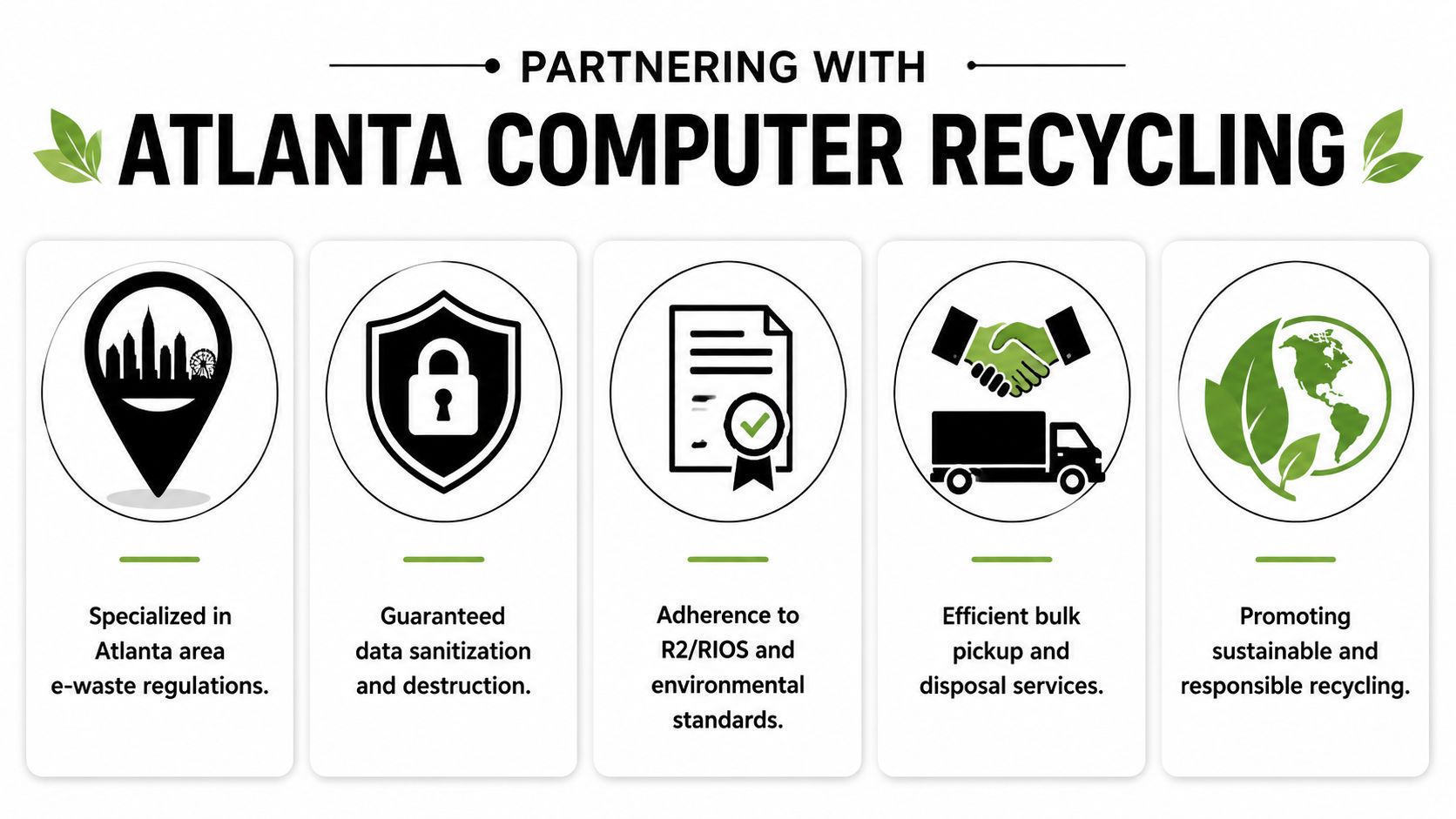
What a business-focused partner should deliver
Atlanta Computer Recycling can support the parts of the project that usually create delays or exposure:
- On-site de-installation and packing: useful when TVs are mounted, distributed across departments, or mixed with other retired electronics.
- Secure pickup and transport: important when your team needs a clear handoff process.
- Certified recycling workflows: especially for obsolete or damaged displays that shouldn't enter informal channels.
- Data-conscious disposition: critical for smart TVs and any connected display equipment.
- Audit-ready records: so procurement, compliance, and IT can close the project cleanly.
Why this matters for Atlanta organizations
Local execution matters because building access, scheduling windows, loading conditions, and internal coordination often drive the success of the project more than the recycling itself. A provider that works with offices, hospitals, schools, government sites, and data-driven environments understands those constraints better than a generic hauler.
Atlanta Computer Recycling also keeps a clear B2B focus. Residential customers are referred to partner options, while commercial clients get a service model built around business requirements. That's the right fit when you need more than a pickup. You need controlled disposition.
If you're at the point where old televisions are taking up storage space, delaying a renovation, or creating uncertainty around compliance, don't let the project drift. Start with a site review, asset count, and pickup plan. Then book it with a team that can take the equipment from wall to final disposition without leaving documentation gaps. You can schedule a commercial electronics pickup with Atlanta Computer Recycling.
Atlanta businesses don't need another generic TV recycling list. They need a practical partner that can handle bulk pickups, smart TV data concerns, certified recycling, and audit-ready documentation from start to finish. If you're planning the disposal of old televisions, contact Atlanta Computer Recycling for a consultation and project quote.