Certified Data Destruction: A Guide for Atlanta Businesses

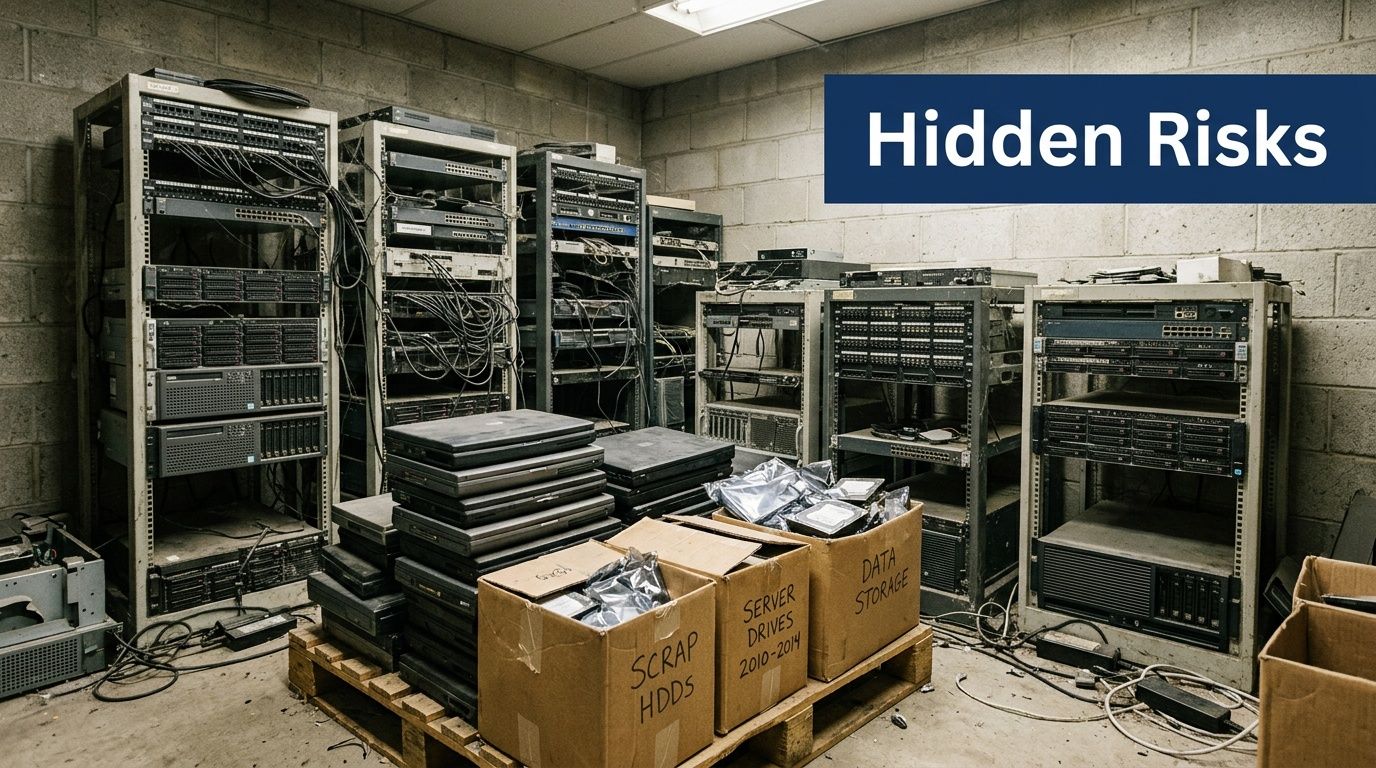
Retired laptops in a locked closet still hold live risk. So do the servers stacked in a back room after a refresh, the failed SSDs sitting in a drawer, and the network gear waiting for someone to “deal with it later.” For an IT manager, that pile isn’t just surplus hardware. It’s dormant liability.
Most disposal mistakes don’t start with bad intent. They start with delay, incomplete inventories, vague vendor promises, and assumptions that a reset, a quick reimage, or a legacy wipe process is enough. It often isn’t. The right question isn’t “How do we get rid of this equipment?” It’s “How do we prove the data is gone, the assets were controlled, and our organization is covered if someone asks later?”
Why Data Destruction is a Critical Business Decision
Aging devices tend to collect in the same places. Storage cages. Branch offices. Data closets. Temporary project rooms after a migration. Every one of those devices can still contain user data, credentials, logs, customer records, or regulated information.
That’s why disposal belongs in your risk program, not just your facilities checklist. According to IBM's 2025 Cost of a Data Breach Report, the global average cost of a data breach is $4.44 million per incident (reference). When retired equipment leaves your control without proper handling, you’re exposing the business to the same downstream consequences as any other data security failure.
Atlanta businesses feel this in practical ways. A hospital system can’t afford uncertainty around retired drives containing PHI. A financial firm can’t rely on informal pickup and verbal confirmation. A university can’t decommission labs, storage arrays, and staff laptops without a documented process that procurement, compliance, and legal can all defend.
For teams evaluating broader AI and information controls, DocsBot platform security is a useful example of how security has to be documented and operationalized, not assumed. End-of-life hardware deserves that same discipline.
Old hardware creates new exposure
What usually goes wrong is simple:
- Assets leave without verification: Someone loads pallets for pickup before serials are reconciled.
- Methods don’t match the media: A process designed for spinning disks gets applied to SSDs.
- Proof is missing: Months later, audit asks for documentation and nobody can produce it.
- Responsibility gets blurred: Facilities, IT, procurement, and the vendor each assume someone else handled the sensitive part.
Practical rule: If your disposal process would be hard to explain to an auditor, it’s too weak for regulated data.
Certified data destruction closes those gaps. It turns disposal into a controlled process with a defensible outcome. That matters whether you’re retiring a few executive laptops or planning a full IT asset disposal program across multiple Atlanta locations.
What Certified Data Destruction Really Means
“Certified” doesn’t mean someone says the drives were destroyed. It means the process was performed in a way that can be verified later.
It's comparable to the difference between tearing up a personal note and having a legal document notarized and filed. Both involve an action. Only one creates evidence that stands up when someone challenges it.
It starts with the method
The first pillar is a recognized sanitization or destruction method. That means the vendor uses an established standard and applies it to the actual media type in front of them, not a one-size-fits-all script. A hard drive, an SSD, and a failed storage device don’t all require the same treatment.
Many internal programs often fall short. Teams may have a wipe tool, but no formal decision tree for when wiping is acceptable, when physical destruction is required, and when a failed or inaccessible drive needs a different handling path.
Then comes custody
The second pillar is an unbroken chain of custody. That starts before the truck arrives. Someone identifies what’s being picked up, where it came from, and who released it. The handoff is documented, transport is controlled, and the assets remain traceable until final disposition.
Without custody controls, even a technically sound destruction method loses value. If you can’t show who had the devices and when, you can’t prove there wasn’t a gap between collection and destruction.
Proof is the whole point
The third pillar is formal documentation. That’s what turns process into evidence. It should identify the assets, the method used, the date, and the responsible parties. For modern compliance programs, this isn’t optional paperwork. It’s the artifact your organization relies on during internal review, customer due diligence, or an external audit.
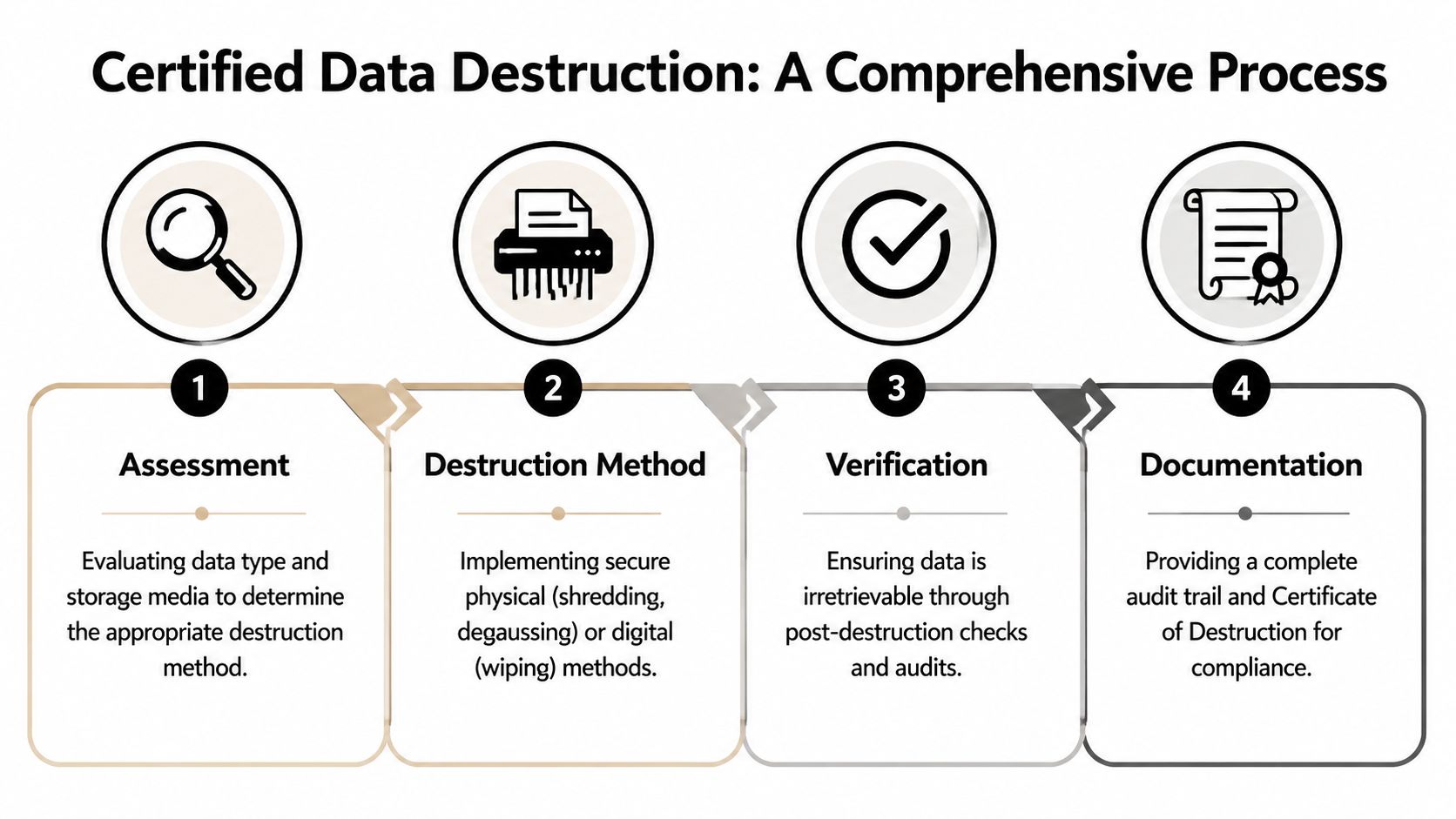
A credible vendor should be able to explain the sequence clearly:
- Assess the devices: What kind of media is it, and is it functional?
- Apply the correct method: Erasure, degaussing, shredding, or another standards-based approach.
- Verify the outcome: Confirm the process completed as intended.
- Issue records: Provide audit-ready reporting and a certificate.
A strong data destruction certification process gives IT managers something they rarely get from ad hoc disposal. Confidence backed by records.
Data Destruction Methods and Governing Standards
Most confusion in this area comes from mixing old assumptions with modern hardware. The standard that matters for day-to-day decision making is NIST SP 800-88 Rev. 1, which defines three sanitization levels: Clear, Purge, and Destroy. For sensitive data, choosing Clear over Purge or Destroy can create compliance problems because forensic tools can still recover data from media treated only with Clear (reference).
What the NIST levels mean in practice
Clear is logical wiping. It can be appropriate for lower-risk scenarios, but it doesn’t give enough assurance for sensitive or regulated data.
Purge is stronger. It’s intended to make recovery practically impossible, even with advanced laboratory techniques, while preserving the device for reuse when the media supports that approach.
Destroy is physical disintegration. Shredding, pulverizing, incineration, or melting fall into this category. For media that is damaged, obsolete, or too sensitive to re-enter service, destroy is often the cleanest answer.
When the data is sensitive and the device won’t be reused, physical destruction usually removes the most debate.
Why legacy wipe language causes problems
A lot of IT teams still ask vendors whether they use DoD 5220.22-M. That language persists because older hard drive workflows were built around it. The problem is that modern storage doesn’t behave like older spinning disks.
SSDs and NVMe drives store data differently. Blocks are distributed across dense semiconductor memory, and conventional overwrite assumptions don’t map neatly to that architecture. That’s why modern environments need current standards, current tooling, and operators who understand when software sanitization is valid and when physical destruction is the safer path.
IEEE 2883 matters for SSDs and enterprise storage
IEEE 2883-2022 specifically addresses modern high-density storage devices such as NVMe SSDs and requires documented proof of sanitization. It also reflects a core reality that many buyers miss: traditional methods optimized for mechanical drives don’t reliably address all modern flash storage conditions. The standard requires documentation such as asset identification, erasure method verification, operator credentials, software specifications, and applicable standard references.
That matters in data center decommissioning, healthcare environments, and enterprise refreshes where mixed media types are common.
Comparison of Data Destruction Methods
| Method | Best For | NIST Level | Pros | Cons |
|---|---|---|---|---|
| Software wiping | Functional drives intended for reuse or resale | Clear or Purge, depending on method and standard used | Preserves asset value, supports redeployment, creates digital verification when done correctly | Not suitable for every device, weaker option if applied to sensitive data under the wrong conditions |
| Degaussing | Certain magnetic media where reuse is not required | Typically used in destruction workflows for magnetic media | Fast for compatible media, useful when logical access isn’t practical | Not appropriate for all media types, especially flash-based storage |
| Physical shredding | Failed drives, obsolete media, high-sensitivity assets, mixed-condition inventories | Destroy | Strong physical assurance, effective for non-functional devices, simplifies disposition decisions | Eliminates reuse, requires controlled handling and documented processing |
For teams dealing with magnetic media, understanding how a degausser works helps clarify where it fits and where it does not. It’s a useful tool in the right context, but it’s not a universal answer.
The Power of Proof The Role of Documentation
A vendor can tell you the drives were destroyed. That statement has almost no value on its own. If there’s no record tying specific assets to a specific process on a specific date, you don’t have proof. You have a claim.
Modern standards reflect that reality. IEEE 2883-2022 requires detailed proof of sanitization documentation, including asset IDs, erasure methods, and operator credentials, creating an auditable record that supports frameworks such as SOC 2, ISO 27001, and R2v3 (reference).
What a strong certificate should show
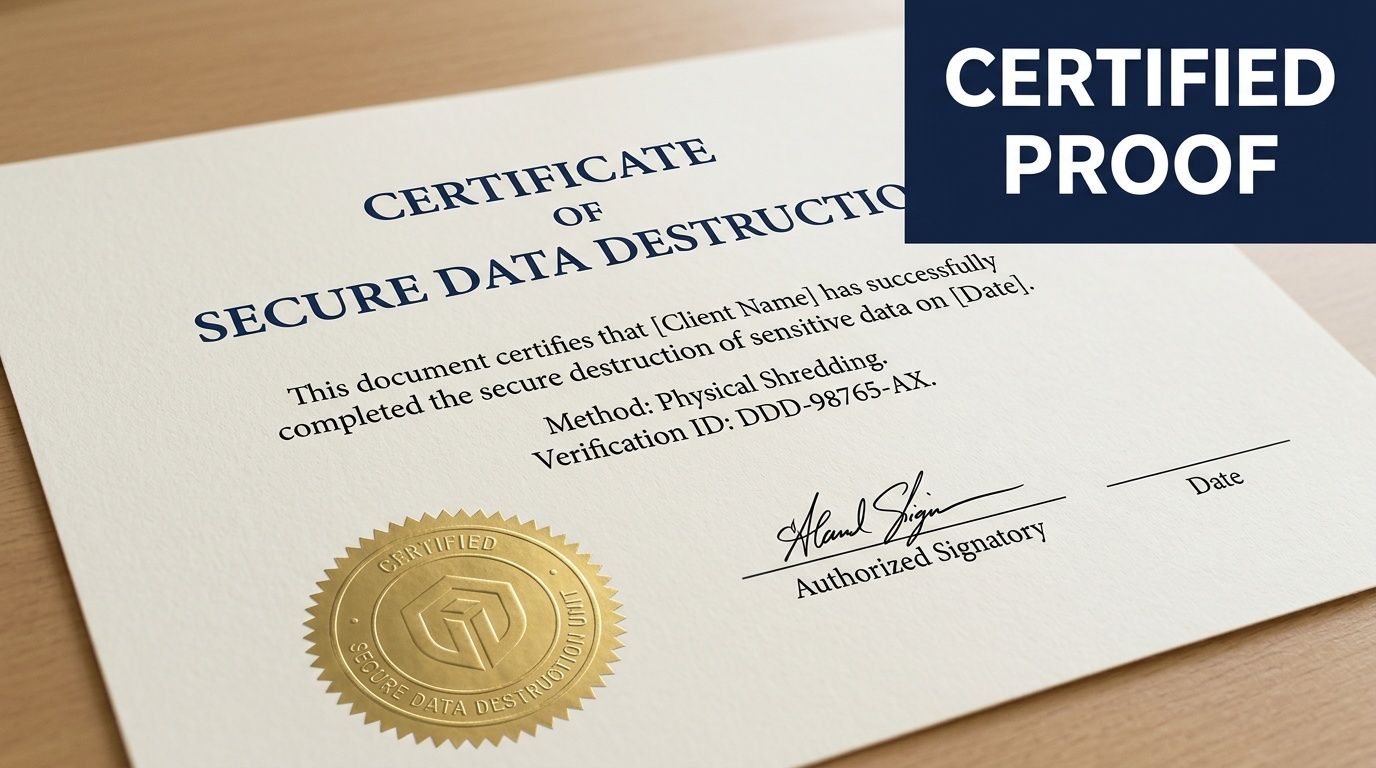
A usable Certificate of Destruction should answer the basic audit questions without forcing your team to reconstruct the event later.
Look for these elements:
- Asset identification: Serial numbers, tags, or other unique identifiers tied to each device or media item.
- Method used: Whether the asset was erased, degaussed, shredded, or otherwise processed under a recognized standard.
- Date and location: When and where the destruction or sanitization took place.
- Authorized personnel: Who performed or verified the work.
- Reference to standards: Documentation should identify the standard or protocol used where applicable.
Chain of custody is your legal timeline
The certificate is the endpoint. The chain of custody is the story that gets you there.
That record should show who released the assets, who transported them, who received them, and when they moved through each control point. In regulated environments, this matters as much as the destruction method itself. If there’s a gap, legal and compliance teams will focus on the gap.
Audit mindset: Assume you’ll need to explain every handoff months after the project is finished.
For healthcare, finance, education, and public sector teams, documentation is what proves due diligence. It’s often the first thing requested when a compliance question surfaces. A well-structured certificate of destruction form should support that need, not create extra cleanup work for your staff.
On-Site vs Off-Site Destruction What to Choose
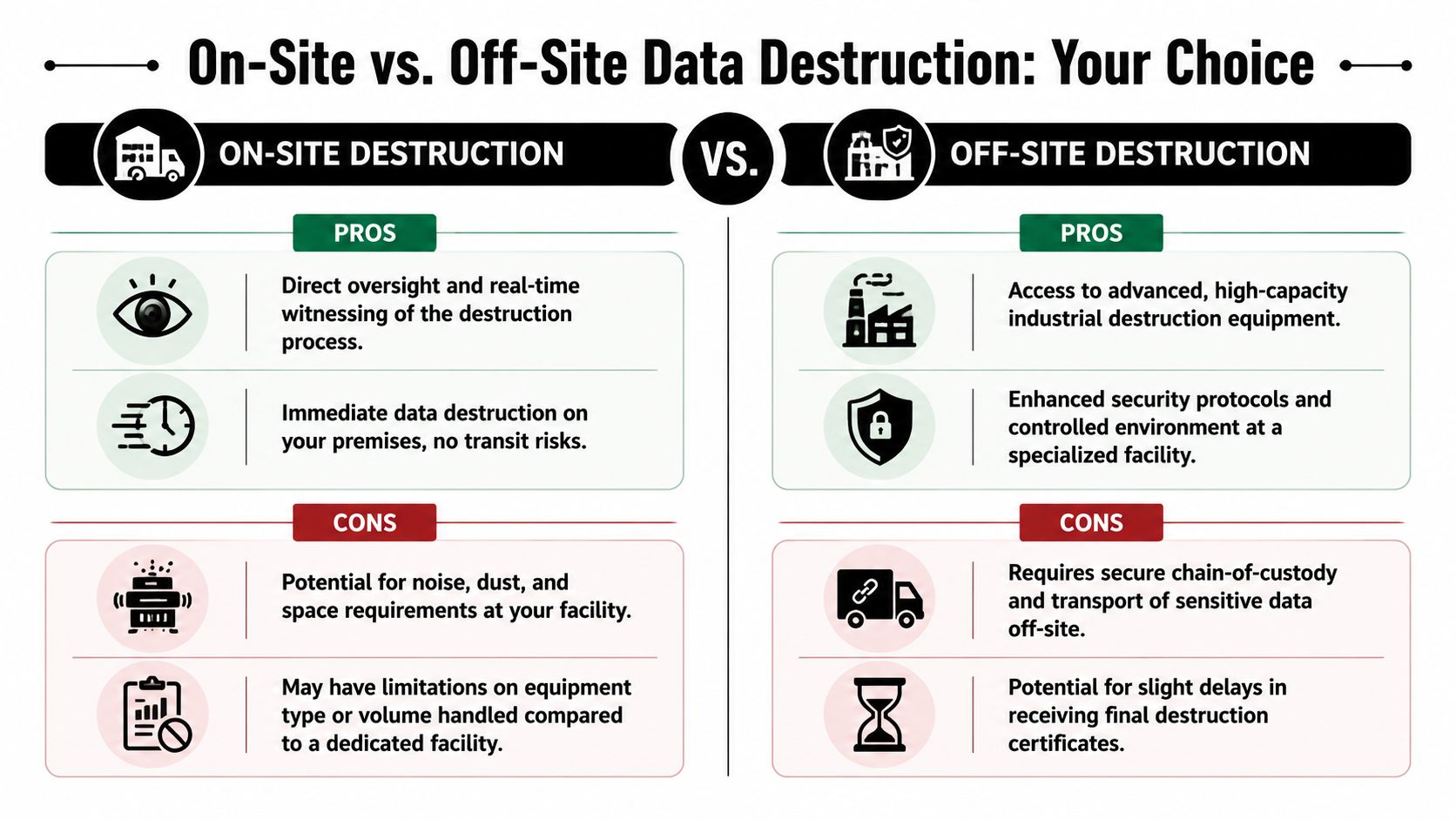
This decision usually comes down to one question. Where do you want the final destruction step to happen?
Both models can work. The right answer depends on your data sensitivity, your operational constraints, and how much direct oversight your organization requires.
When on-site is the better choice
On-site destruction makes sense when your organization wants immediate finality and direct observation. Many security-conscious teams prefer this for executive devices, high-risk storage, or projects where internal policy requires witnessing.
It also reduces one category of concern. The media doesn’t travel elsewhere before destruction. For some healthcare and government environments, that alone settles the decision.
On-site works well when you need:
- Direct witnessing: Your staff can observe the process in real time.
- Immediate control: Assets are destroyed before leaving your premises.
- Policy alignment: Internal requirements favor visible, same-location processing.
The trade-off is practical. On-site service can be less efficient for large mixed loads, and your facility has to accommodate the workflow.
When off-site is the smarter fit
Off-site destruction is often the better operational model for bulk projects. A secure plant can process higher volumes, handle a wider range of equipment conditions, and integrate destruction with downstream recycling and reporting.
This is often the cleaner choice for office closures, school refreshes, warehouse cleanouts, and data center projects where logistics, staging, and serialized intake matter as much as the final destruction step.
Off-site is usually stronger when you need:
- Volume handling: Large numbers of devices or mixed asset types.
- Integrated processing: Pickup, inventory control, destruction, and recycling under one workflow.
- Facility-based controls: Monitored environments and specialized equipment.
If the vendor’s chain of custody is weak, off-site isn’t acceptable. If the chain of custody is strong, off-site can be efficient and defensible.
For organizations that need witnessable destruction at the point of collection, on-site hard drive shredding in Atlanta can fit the requirement. For others, secure transport to a controlled facility is the more practical model.
How to Select Your Atlanta Data Destruction Partner
A rushed vendor choice usually looks fine until legal, compliance, or internal audit asks for proof. That is the point where weak process, vague language, and missing records turn into your problem.
In Atlanta, the right partner depends on the risk you carry. A hospital system dealing with HIPAA exposure has a different threshold than a regional accounting firm retiring office PCs, and both differ from a colocation client decommissioning racks of failed storage. The selection process should reflect that. Start with your data types, media mix, and reporting requirements, then test whether the vendor can support them without hand-waving.
Five questions that expose risk fast
What standards and certifications govern your process?
Ask for the actual framework used for sanitization, destruction, handling, and documentation. A qualified vendor should explain how those standards affect method selection, not just recite acronyms.How do you handle different media types and failure conditions?
Ask about hard drives, SSDs, NVMe devices, phones, and embedded storage. Then ask what happens when a device is damaged, locked, unreadable, or missing a label.What does chain of custody look like in practice?
You want the operational sequence: pickup release, packaging, transport controls, intake, serialized tracking, destruction, and final reconciliation. If the answer stays at a marketing level, keep pressing.What documentation do we receive, and at what level of detail?
Device-level reporting matters. A single summary certificate may not satisfy an audit, an internal investigation, or a compliance review after a breach concern.Can you support our actual project type?
Office closures, hospital refreshes, branch consolidations, and data center decommissions create different handling problems. The vendor should be able to describe similar work without sounding generic.
What strong answers sound like
Good vendors answer with specifics. They explain which media can be wiped for reuse, which must be physically destroyed, how exceptions are handled, and what records your team receives at the end. They can also explain trade-offs. For example, a vendor should be able to tell an Atlanta healthcare client why witnessable destruction may make sense for certain assets, while a financial firm with large volume and strict inventory controls may be better served by serialized off-site processing in a controlled facility.
Atlanta Computer Recycling is one example of a local provider offering business ITAD services, hard drive wiping for eligible drives, physical shredding for obsolete or non-functional media, pickup logistics, and Certificates of Data Destruction for commercial clients. The fit depends on your asset profile, compliance obligations, and whether your internal policy requires on-site visibility or allows secure facility processing.
Red flags procurement should catch
- No device-level reporting
- No clear answer on SSD or failed-drive handling
- No defined custody process from pickup through final disposition
- No distinction between sanitization for reuse and physical destruction
- No sample certificate or reporting package during review
- No experience supporting regulated Atlanta organizations such as healthcare or financial offices
The right partner reduces your workload. IT gets a clear operational process, procurement gets a definable scope, and compliance gets records that hold up later. If a vendor creates uncertainty during the sales process, that uncertainty usually gets worse after pickup, not better.
Frequently Asked Questions for IT and Procurement
Is a simple DoD wipe sufficient for old equipment
Sometimes, but not as a blanket policy. It depends on the media type, device condition, sensitivity of the data, and whether the asset is intended for reuse. For modern SSDs and NVMe devices, older assumptions about overwrite-based sanitization can break down. If the drive is failed, inaccessible, or tied to sensitive data, physical destruction is often the cleaner choice.
What should I look for in a quote to avoid surprises
Focus on scope and documentation. Make sure the quote spells out pickup, packing, on-site versus off-site processing, serialization, certificate delivery, and how failed drives or non-standard devices are handled. Hidden cost issues usually come from unstated logistics and exceptions, not from the headline service itself.
Do certificates matter if we trust the vendor
Yes. Trust doesn’t replace records. Staff changes, audits happen later, and legal reviews rarely accept memory as evidence. If a vendor performs certified data destruction, they should be able to prove it without relying on verbal assurances.
Are SSDs harder to sanitize than hard drives
Yes, in operational terms. Their architecture changes what methods are reliable and when verification is possible. That’s why current standards and device-aware processes matter more now than they did in older desktop refresh cycles.
What about IoT, appliances, phones, and embedded storage
This is one of the biggest blind spots in real-world disposal programs. Standard laptop and server workflows don’t automatically cover network appliances, smart devices, or equipment with embedded flash storage. Ask vendors how they identify and handle non-traditional data-bearing assets before the project begins.
Should we choose on-site or off-site service
Choose based on policy, not instinct. If direct witnessing is required, on-site may be necessary. If the project is large, mixed, or logistically complex, off-site may be more efficient if the vendor can support strong chain-of-custody controls and facility security.
If your team is planning a refresh, office move, storage cleanup, or data center decommissioning, Atlanta Computer Recycling can help you evaluate the right disposal path for your equipment, document the chain of custody, and align the destruction method with your compliance and operational needs.