Expert Atlanta Data Center Decommissioning Services

Your team has finally approved the cloud migration. The lease end date is on the calendar. Finance wants to know what value can be recovered from retired hardware. Security wants proof that every drive will be sanitized correctly. Facilities wants the room empty without damage to the space. IT is stuck in the middle.
That’s why data center decommissioning services shouldn’t be treated like a disposal job. They’re a business project with technical, legal, operational, and financial consequences. If the work is planned well, you reduce risk, protect data, recover value from usable assets, and leave behind an audit trail your compliance team can defend. If it’s handled casually, problems show up fast. Missing assets, undocumented systems, broken chain of custody, rushed labor, and weak reporting can all turn a routine shutdown into an expensive mess.
The Strategic Imperative of Decommissioning
The trigger is usually simple. A consolidation, a cloud migration, a hardware refresh, a colocation exit, or a building move. What makes it difficult is that every retired rack contains more than equipment. It contains business records, regulated data, lease obligations, environmental liabilities, and potential residual asset value.

This work has become a larger discipline for a reason. The global data center decommissioning service market was valued at approximately $12.12 billion in 2025 and is projected to reach $19.94 billion by 2032, driven by hardware obsolescence and cloud migration, according to 360iResearch’s data center decommissioning service analysis.
What turns a shutdown into a strategic project
Three priorities decide whether a decommissioning effort succeeds:
- Security first: Every data-bearing device has to be identified, controlled, sanitized, and documented.
- Compliance throughout: Audit evidence matters as much as physical removal.
- Value recovery where appropriate: Functional equipment, components, and materials shouldn’t be handled the same way as scrap.
That sounds obvious, but many first-time projects still start with the wrong question. Teams ask, “Who can remove this equipment quickly?” The better question is, “Who can remove it under controlled conditions and prove what happened to every asset?”
Practical rule: If a vendor talks mostly about trucks and labor, ask harder questions about chain of custody, sanitization standards, downstream reporting, and asset reconciliation.
Why Atlanta teams feel this pressure quickly
In Atlanta, decommissioning work often happens inside busy office towers, healthcare environments, education campuses, government facilities, and dense commercial corridors. Access windows are tighter. Security expectations are higher. Sustainability scrutiny is real, especially for organizations tracking the environmental impact of electronic waste.
For business leaders, that means the project can’t live only inside infrastructure operations. Finance, legal, security, facilities, and procurement all need a stake in the plan. The strongest projects treat decommissioning as the final controlled phase of the asset lifecycle, not the cleanup step at the end.
Building Your Decommissioning Blueprint
The worst time to make decommissioning decisions is after the migration is already behind schedule. Once teams start pulling hardware without a clear blueprint, small misses become expensive problems.
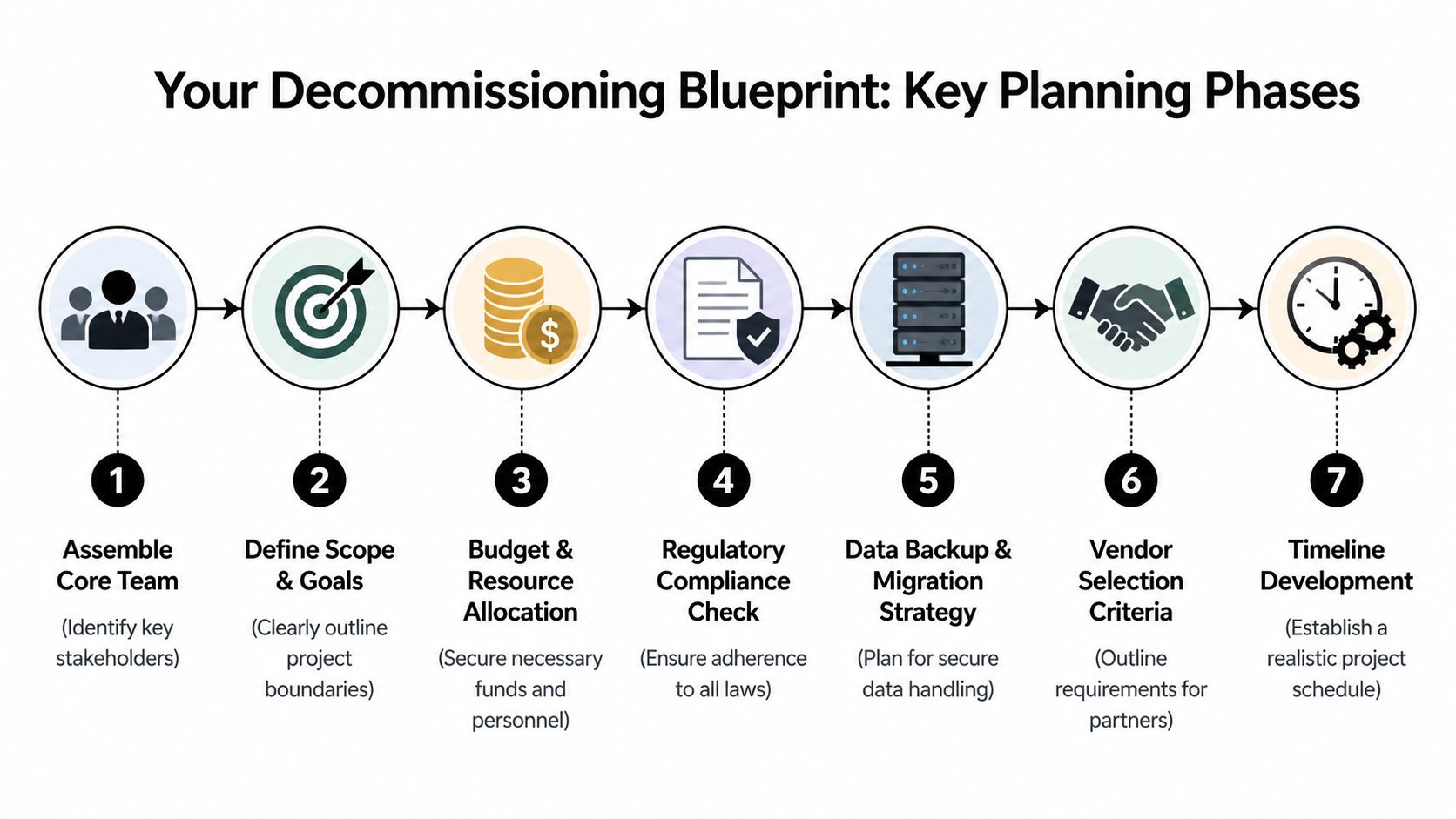
A workable plan starts with ownership. Someone needs authority to make decisions across IT, security, facilities, procurement, and finance. Without that, every handoff slows down and the project drifts into reactive mode.
Start with a project charter
A good charter is short, but it has to answer the questions that usually cause scope creep:
What is leaving service
Define the facility, cage, suite, room, or rack set included in the project.What stays live
Call out systems, circuits, cross-connects, and dependencies that must remain untouched until written sign-off.What success looks like
Include site handback requirements, data destruction evidence, final reporting expectations, and asset disposition goals.Who signs each stage
Don’t leave approvals vague. Name the owner for migration completion, sanitization authorization, physical release, and final reconciliation.
Set a realistic schedule early
Compressed projects cost more. According to Synetic Technologies’ decommissioning benchmark summary, rush projects squeezed into a 30 to 60 day window can carry 30 to 50 percent cost premiums compared with a standard 90 to 120 day timeline because of overtime labor and reduced asset recovery value.
That has two practical implications.
- Rushing limits resale options: Equipment moved in haste is more likely to be handled roughly, documented poorly, or processed without enough time to maximize recovery.
- Rushing raises labor and logistics costs: Crews, transport, security coordination, and after-hours access all get harder when the window is compressed.
A decommissioning plan should protect margin, not just meet a deadline.
Build the blueprint around dependencies
Some systems are retired cleanly. Others aren’t. Legacy applications, forgotten appliances, and old reporting servers tend to surface late. If your environment includes systems that have been kept alive “just in case,” it helps to think in parallel with a broader legacy software retirement strategy so infrastructure removal doesn’t outrun application reality.
Use planning sessions to map these dependency classes:
- Business-critical systems: Require documented migration completion and owner approval before removal.
- Compliance-sensitive workloads: Need extra review for retention, legal hold, or regulated data handling.
- Unknown or inherited assets: Should be quarantined for validation, not assumed safe to retire.
- Shared facility components: Power, cooling, network paths, and physical security devices often affect more than one tenant or team.
What works and what fails
What works is disciplined sequencing. Migration sign-off, asset validation, sanitization path, physical removal plan, and final reporting should all connect.
What fails is a checklist built only around unplugging hardware. Decommissioning services add value when they control the timeline, document every decision, and keep security and finance aligned from the beginning.
Creating a Definitive Asset Manifest
A decommissioning project usually stays on budget or drifts off course based on one document. The asset manifest sets the chain of custody, the sanitization path, the resale path, and the audit trail. If the manifest is incomplete, every downstream decision carries more cost and more risk.
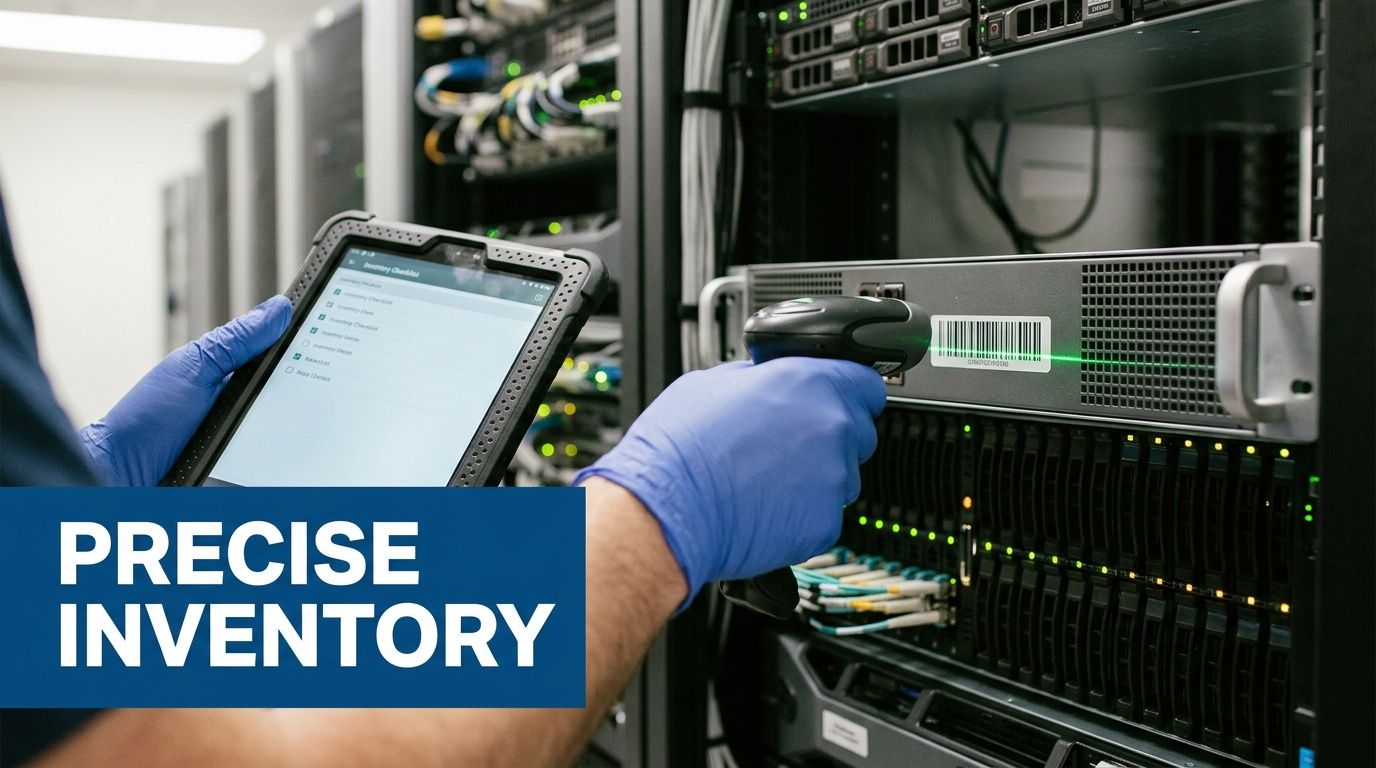
A useful manifest does more than list hardware. It connects each asset to the business function it supports, the data exposure it may carry, and the approved end state. That is what turns inventory into a financial and compliance control.
What needs to be captured
Each asset record should answer five practical questions before anything is moved:
What is it
Record manufacturer, model, asset tag, serial number, and asset class.Where is it
Identify room, row, rack, and unit position. If the device has already been staged or removed from production, record the current location too.Who owns it
Name the technical owner, business owner, and cost center if applicable. Ownership gaps slow approvals and create write-off disputes later.What data risk does it carry
Note whether the asset may contain regulated data, internal business data, logs, backups, credentials, or unknown storage media.What happens next
Assign the disposition path up front: wipe, shred, remarket, parts harvest, return to lessor, or recycle.
Teams that want cleaner reconciliation usually benefit from consistent scan-based intake and movement tracking. For organizations tightening that process, this guide to IT asset tracking software outlines the controls that matter once devices start leaving the rack.
Where manifest quality usually breaks down
Incomplete discovery is the common failure point. The issue is rarely the missing server alone. The problem is the missing dependency, backup set, management interface, or storage shelf tied to that server.
I see this in first-time decommissioning projects all the time. A team pulls inventory from the CMDB, compares it to procurement records, and assumes the list is close enough. Then the floor walk starts and you find unlabeled appliances, test hosts in production racks, old KVM gear, tape media in cabinets, or leased hardware that never made it into the internal system of record.
That is where project economics change. Schedules slip, removal crews wait, finance loses confidence in recovery estimates, and legal or security teams ask for more review because the chain of custody no longer looks clean.
If an owner says a system is probably retired, keep it in scope as active until validation proves otherwise.
How experienced teams close the gaps
Strong manifest work combines system evidence with direct owner confirmation.
Technical validation
Use network discovery, virtualization inventories, storage mapping, backup catalog review, and authentication logs to identify devices that are still active or still referenced by a live process. A decommissioning manifest should also flag assets with failed drives, encrypted media, or unknown storage because those conditions affect both data destruction method and resale value.
Human validation
Interview application owners, infrastructure teams, security, and reporting stakeholders. A surprising number of systems remain online for one monthly report, one vendor feed, or one legacy export that nobody documented. The operating risk is obvious, but the cost risk matters too. Assets held in limbo consume rack space, power, and project labor while producing no business value.
Physical validation
Walk the room and verify what is installed. Compare rack reality against the CMDB, lease schedules, ticket history, and migration records. Labels drift, assets get swapped, and temporary gear becomes permanent faster than anyone admits.
This is also the right stage to identify media and endpoint controls that support data protection obligations. The operational discipline behind Finchum Fixes IT data loss prevention applies here too. Know where data can reside, who had access to it, and what control will verify its removal.
Build the manifest for audit and value recovery
A manifest should support three audiences at once. Operations needs it to sequence work. Security and compliance need it to prove defensible handling. Finance needs it to validate expected recovery, residual value, and write-offs.
That means each record should stay intact from discovery through final disposition, with updates logged as custody changes. If an asset moves from rack to cage, from cage to truck, or from wipe queue to shred queue, the record should show who changed its status and why.
A complete asset manifest is one of the few decommissioning controls that reduces risk and protects value at the same time. It prevents accidental destruction of remarketable equipment, catches hidden data-bearing assets before they leave the site, and gives auditors a record they can follow.
Executing Compliant Data Destruction
A decommissioning project can look orderly on paper and still fail at the point that matters most. One pallet of drives leaves the site without verified sanitization, or a failed storage appliance gets treated like scrap instead of regulated media, and the financial logic of the whole project changes. Residual value, insurance posture, audit readiness, and breach exposure are all tied to how data-bearing assets are handled.
Use recognized sanitization standards and match the method to the risk. NIST 800-88 remains the common benchmark for media sanitization. Some organizations still reference DoD 5220.22-M in policy language, especially for legacy workflows, but ultimately, the decision is operational. Can the media be sanitized reliably, verified at the asset level, and kept in a documented chain of custody? If yes, wiping may preserve value. If not, destroy it.
Wiping versus shredding
The right choice depends on four variables: media condition, data sensitivity, reuse potential, and proof requirements after the work is done.
| Factor | Data Wiping (e.g., DoD 5220.22-M) | Physical Shredding |
|---|---|---|
| Primary purpose | Sanitizes media for controlled reuse or resale | Permanently destroys media |
| Best fit | Functional drives and devices where value recovery matters | High-risk media, failed media, or media not suitable for reuse |
| Evidence produced | Sanitization records tied to asset identity | Destruction records and certificate documentation |
| Asset value outcome | Preserves potential remarketing value | Eliminates resale potential for the destroyed media |
| Operational trade-off | Requires verification and disciplined process control | Faster finality for sensitive media, but no recovery on that media |
| Typical business case | Standard server refresh, consolidation, or redeployment | Regulated data, damaged drives, unknown contents, or strict internal policy |
I advise clients to avoid blanket policies unless regulation or internal governance clearly requires one. A working SSD from a known production server is not the same risk case as an unlogged backup tape, a failed RAID member, or loose media found at the back of a cabinet. Treating all media the same usually creates one of two problems. You either destroy recoverable value unnecessarily, or you keep assets in the wipe stream that cannot be defended later.
Choose wiping when reuse matters
Wiping fits assets that are functional, identified in the manifest, and suitable for resale or redeployment after sanitization. That usually includes server drives, some endpoint media, and storage devices with a clear ownership history and no signs of failure.
The control point is verification. A wipe job only protects the organization if the result is tied back to a specific asset, logged correctly, and reviewed before that item moves to remarketing or redeployment.
Choose shredding when risk outweighs recovery
Shredding is the cleaner choice for failed media, encrypted assets with uncertain key control, highly sensitive data sets, or anything discovered outside normal custody controls. It also makes sense when the organization has a strict destruction policy for certain business units or regulated records.
That decision gives up resale value on the media itself. In many projects, that is still the better financial outcome because it reduces the chance of an exception review, a customer notification issue, or an internal dispute over whether sanitization was defensible.
Documentation is what makes the process defensible
Auditors and legal teams do not sign off on intent. They review records. For wiped media, that means asset-level sanitization logs, technician attribution, dates, and status changes that reconcile to the original manifest. For shredded media, it means custody records, reconciliation before destruction, and final certificates that match the assets processed.
For teams refining their controls, these data destruction certification requirements are a practical reference for the records security and compliance stakeholders usually expect to see.
One practical option in the Atlanta market is Atlanta Computer Recycling, which provides DoD 5220.22-M 3-pass wiping and physical shredding for obsolete or non-functional media as part of broader ITAD and decommissioning work.
Data destruction should follow your standing security controls
Decommissioning should not create a side process that bypasses normal data handling rules. The same discipline used in daily operations applies here. Access control, media accountability, exception handling, and documented approvals matter more during retirement because systems are changing hands, leaving production, and often moving faster than usual. Teams that need a broader operational checklist can review Finchum Fixes IT data loss prevention, which aligns well with the control mindset required during asset disposition.
Data destruction is not a cleanup step at the end of decommissioning. It is the control that protects project value and keeps a hardware retirement from becoming a security incident.
Managing On-Site De-Installation and Logistics
The physical work starts before the first cabinet is opened. Good crews arrive with a run sheet, access approvals, labeling supplies, anti-static packing materials, lift equipment if needed, and a clear understanding of what has already been authorized for removal.
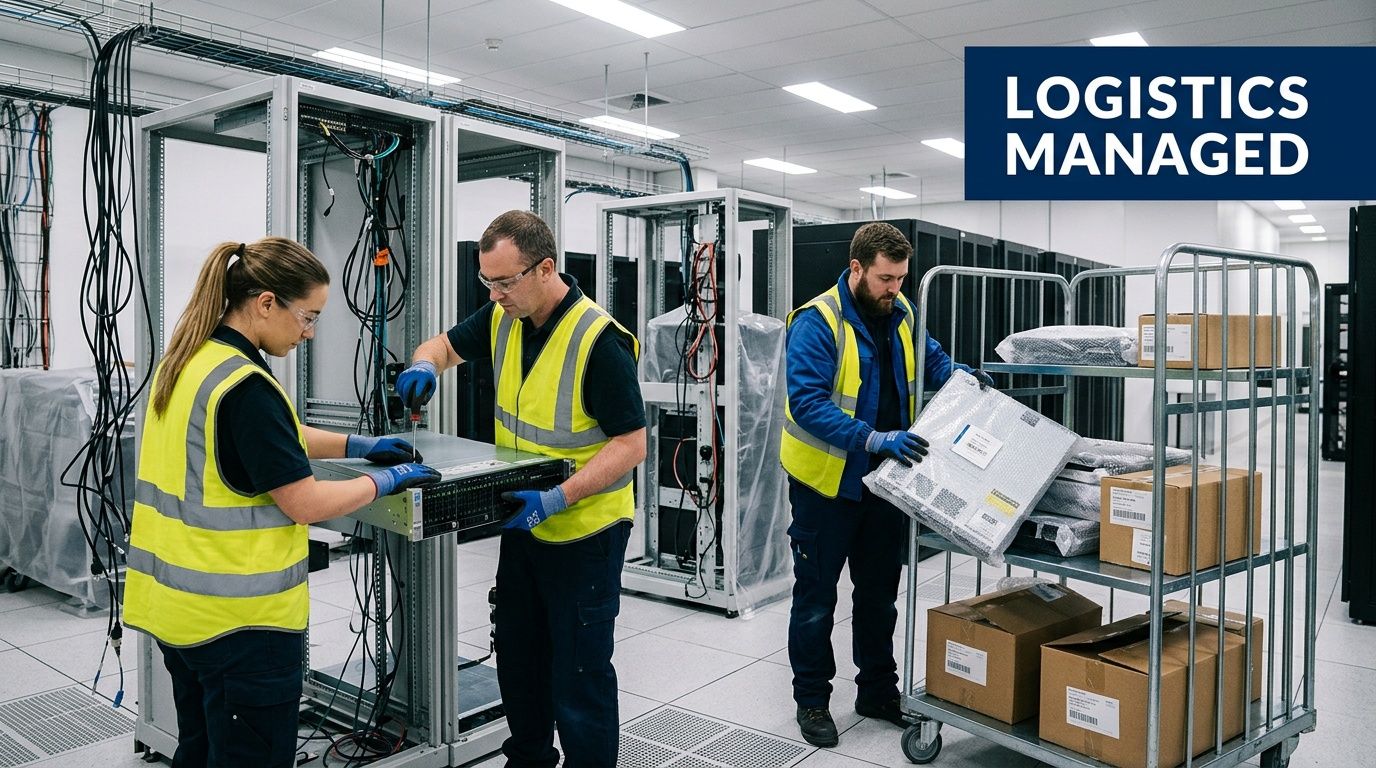
In practice, de-installation is a coordination exercise as much as a technical one. Facilities may control loading docks and freight elevators. Security may require escorts. Building management may limit after-hours access or mandate floor protection. In a dense Atlanta property, those details can decide whether the day goes smoothly or turns into delay after delay.
How professional crews keep control on-site
The strongest teams work in sequence, not in a rush:
- Power-down confirmation: Removal begins only after the owner confirms the system is ready.
- Cable discipline: Teams label, trace, and separate cabling instead of cutting first and asking questions later.
- Rack-by-rack reconciliation: Each removed unit is matched back to the asset manifest before it leaves the room.
- Protected movement paths: Elevators, hallways, and loading areas are staged to reduce damage risk to both equipment and property.
One lesson that repeats across projects is that mixed crews create mixed results. General movers may know how to handle weight, but not chain of custody. Internal IT may know the gear, but not safe high-volume removal. Data center decommissioning services work best when the same operating plan governs technical handling, physical safety, and transport security.
Atlanta logistics are not a side issue
A suburban warehouse exit is one thing. A downtown high-rise with controlled access, shared docks, and narrow service windows is another. Healthcare and public sector sites add another layer with stricter security and sign-in requirements.
That’s why local transport planning matters. Teams often need scheduled pickups, secure packing, and direct movement into a controlled downstream process. For organizations planning that handoff, IT equipment pickup in Atlanta is part of the execution plan, not a separate errand after the job is done.
Clean de-installation looks quiet from the outside. That’s usually the sign that the planning, labeling, access coordination, and transport controls were handled correctly.
Maximizing Value and Ensuring Final Compliance
Once the hardware leaves the site, the project is not finished. At this point, many organizations lose visibility. They receive a certificate, see the room emptied, and assume the compliance story is complete. It isn’t.
The industry has a real transparency gap here. IT managers need proof of where hardware goes after disposition because a certificate of destruction does not document the full downstream chain, a point highlighted in Iron Mountain’s overview of data center decommissioning concerns.
What to demand after site removal
Your vendor should be able to show more than broad statements like “recycled responsibly” or “maximized reuse.” Ask for reporting that closes the loop on each category of asset:
- Reconciled final disposition records: Which assets were wiped, destroyed, remarketed, harvested for parts, or recycled.
- Chain-of-custody continuity: Evidence of handoffs from on-site removal through downstream processing.
- Certification support: Current certifications and the downstream partners operating under them.
- Exception reporting: A clear process for damaged, unidentified, or nonconforming assets.
If you work in healthcare, government, education, or any regulated environment, this is especially important. Audit questions often arrive after the physical work is long finished.
Value recovery is real, but only with discipline
Value recovery isn’t about pretending every old server has a strong resale market. It’s about sorting assets correctly and preserving condition where recovery is still possible. Functional equipment may be remarketed. Components may be harvested. Commodities may be recycled. Each path has different documentation requirements and different financial implications.
That’s also why vendor selection should include a deeper review of compliance governance, not just removal capability. If your procurement team is building a due diligence framework, this guide on choosing regulatory compliance partners is a useful companion because it frames the questions that expose weak controls before you sign a contract.
The final deliverable that matters most
The closeout package should let you answer a simple audit question: what happened to every asset?
If the vendor can produce that answer cleanly, the decommissioning process did its job. If they can’t, then the project ended with uncertainty, and uncertainty is exactly what these services are supposed to remove.
Choosing Your Decommissioning Partner in Atlanta
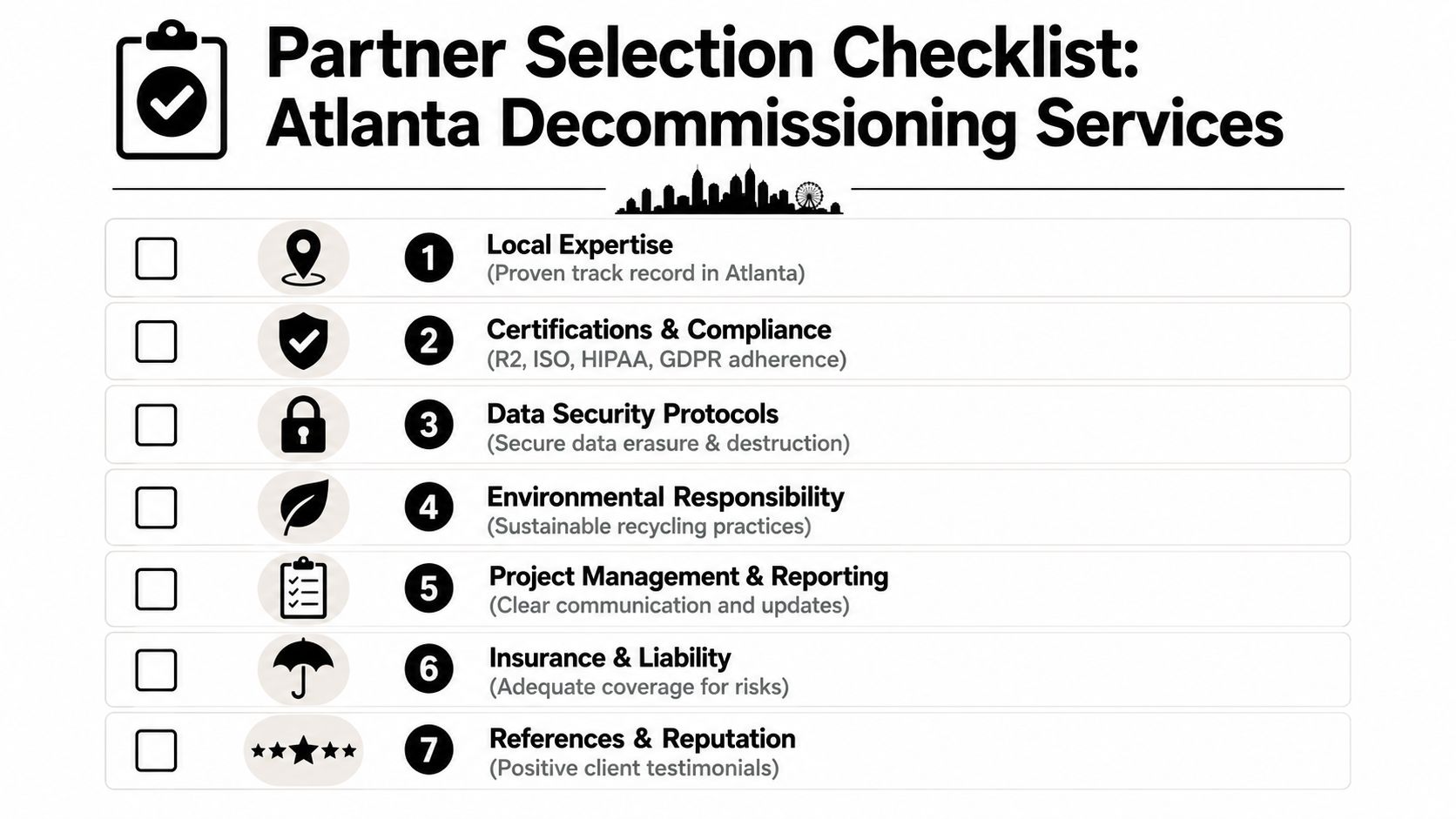
A buyer’s checklist should be tougher than most vendor sales material. Many providers still don’t quantify the business case clearly. As Reconext’s data center decommissioning page highlights indirectly through the market gap, IT managers should push for ROI transparency because the true cost includes avoided fines, recovered asset value, and reduced operational burden.
The questions worth asking before you sign
Use a short, direct checklist during vendor review:
Security controls
Ask which sanitization standards they use, when shredding is required, and how they maintain chain of custody.Project governance
Ask who owns scheduling, stakeholder coordination, issue escalation, and final reporting.Asset reconciliation
Ask how they handle discovered-but-undocumented assets and what final manifest you’ll receive.Downstream visibility
Ask for proof of downstream partners and disposition reporting beyond a basic certificate.Financial transparency
Ask how they separate labor, logistics, destruction, recycling, and value recovery in their proposal.Local execution capability
Ask who performs de-installation, packing, transport, and site coordination in Atlanta.
For organizations evaluating local support, Atlanta ITAD services should be reviewed through that lens. The right partner isn’t just removing hardware. They’re reducing risk, preserving value where appropriate, and giving your team evidence you can use later.
If your organization is planning a closure, consolidation, hardware refresh, or lease exit, Atlanta Computer Recycling can help you scope the project, secure data-bearing assets, coordinate de-installation, and document final disposition in a way that supports compliance and operational control.