CHaRM Recycling Atlanta: ITAD & E-Waste Services

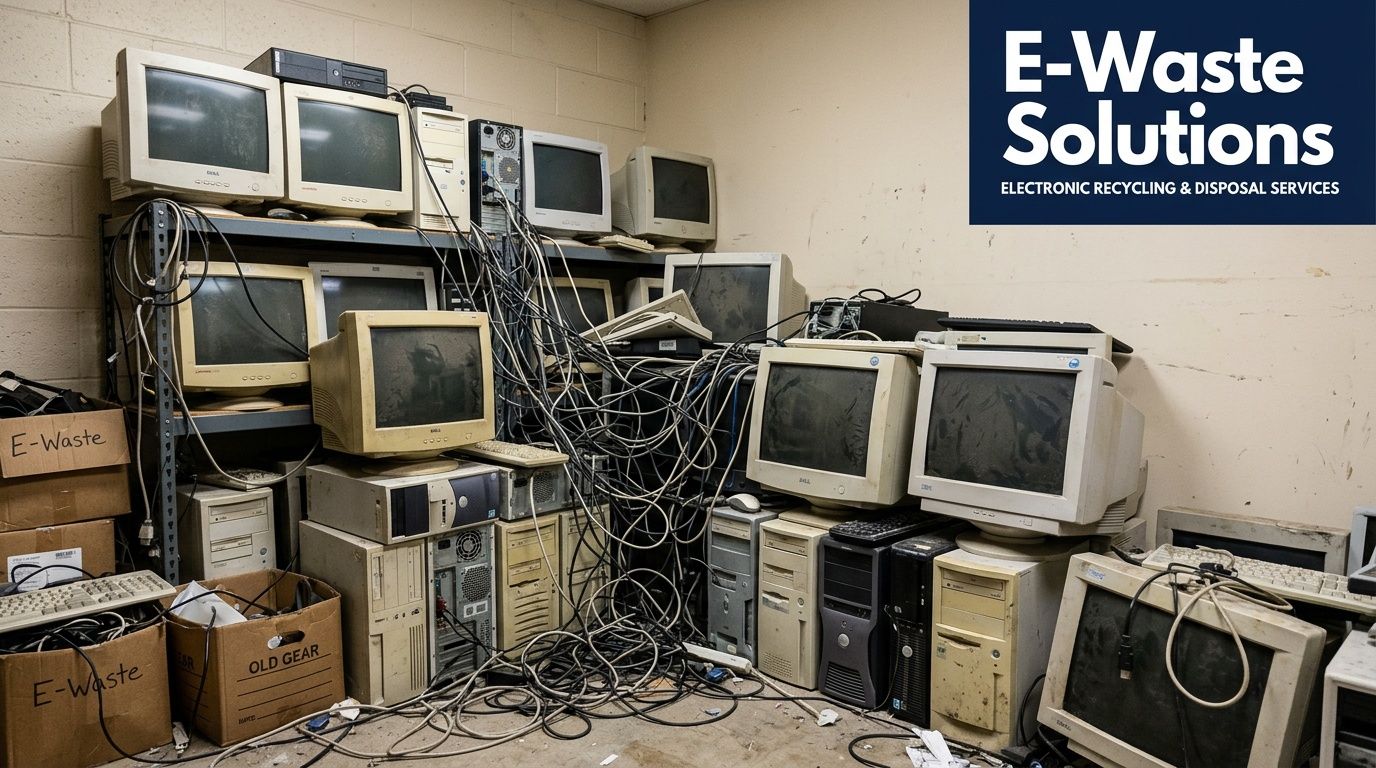
That search usually starts the same way. An IT manager opens a closet, a back office, or an old server room and sees retired laptops, dead monitors, loose hard drives, network switches, docking stations, and a box of mystery cables nobody wants to claim. Someone says, “Can’t we just take it to CHaRM?” On the surface, that sounds reasonable.
For a business, it often isn’t the right question.
The issue isn’t whether the equipment can be recycled. The issue is whether the equipment can be retired without exposing data, creating compliance problems, or turning your staff into a moving crew. That’s the line between general e-waste recycling and IT asset disposition, or ITAD.
If you searched for charm recycling atlanta, you’re probably trying to solve a practical problem fast. You need equipment out of the building. You need a documented process. You need confidence that a forgotten SSD in an old desktop won’t become your next security incident. And if your organization operates in healthcare, education, finance, government, or any environment with regulated data, you also need proof.
Your Guide to Business E-Waste Disposal in Atlanta
A lot of business disposal projects begin as a housekeeping task and end up as a risk-management project.
One example is an office refresh that leaves old desktops stacked in a conference room for weeks. Another is a clinic replacing workstations while legacy machines still hold patient scheduling files, scanned IDs, or cached credentials. A third is a warehouse cleanup where nobody can tell you whether the box labeled “old drives” contains blank hardware or live data. In each case, the hardware looks like trash. The liability does not.
For households, a community recycler can be a strong fit. For businesses, the standard is different. The moment an asset may contain company records, employee information, customer data, protected health information, or internal access credentials, disposal becomes a controlled process. That process needs scope, chain of custody, and final reporting.
Practical rule: If your team would hesitate to leave a device unlocked in a lobby, don’t treat its retirement like ordinary trash removal.
The better way to think about this is simple. You’re not buying removal. You’re buying risk reduction. That includes secure handling, data destruction, transport, documentation, and a workflow that doesn’t pull your internal team away from production work.
Businesses that start with a general recycling search usually end up needing a more specific service than they expected. If your main concern is commercial hardware retirement, a business-focused electronics recycling service in Atlanta is closer to the operational problem you’re trying to solve.
Understanding CHaRM and Its Role in Atlanta
A search for charm recycling atlanta often starts in the wrong place for business IT. CHaRM is a respected public recycling resource, but its role is different from a commercial disposition workflow.
What CHaRM is built to do
CHaRM Atlanta is operated by the nonprofit Live Thrive. It is known across metro Atlanta for giving residents a place to bring materials that do not belong in curbside recycling, including electronics and other hard-to-process household items. Its mission is broader than device collection. It also supports reuse, diversion, and community education.
That public role matters. Atlanta benefits from having a well-known outlet for consumer drop-offs, especially for items that are awkward, messy, or restricted in standard recycling programs.
Why residents use it
For households, CHaRM solves a practical problem. People need a local option for items like paint, chemicals, Styrofoam, appliances, and small electronics that cannot go in a normal bin.
CHaRM is also easy to recognize because it serves residents, uses an appointment-based model, and has become part of the city’s broader recycling conversation. That visibility is one reason business users find it first when they start researching where old computers should go.
The key distinction is operational. CHaRM is a consumer-focused hard-to-recycle materials hub. Business IT disposition has a different standard because the job is not just to remove equipment. The job is to retire assets in a way that controls data exposure, documents custody, and fits the realities of an office, clinic, school, or warehouse.
| Good fit for CHaRM | Usually needs a business ITAD workflow |
|---|---|
| Household drop-offs | Office technology refreshes |
| Mixed consumer recyclables | Bulk laptop and desktop retirement |
| Home electronics | Rack equipment and server removals |
| Hard-to-recycle household items | Devices requiring auditable data destruction |
For an Atlanta IT manager, that distinction saves time. If the project involves company-owned assets, multiple locations, user devices, or anything that may still hold regulated or confidential data, compare your options against providers built for Atlanta commercial e-waste and IT asset disposition projects.
Why Businesses Need More Than Just Recycling
A business shouldn’t evaluate retired IT hardware the way a household evaluates old electronics. The stakes are different, and the workflow has to reflect that.
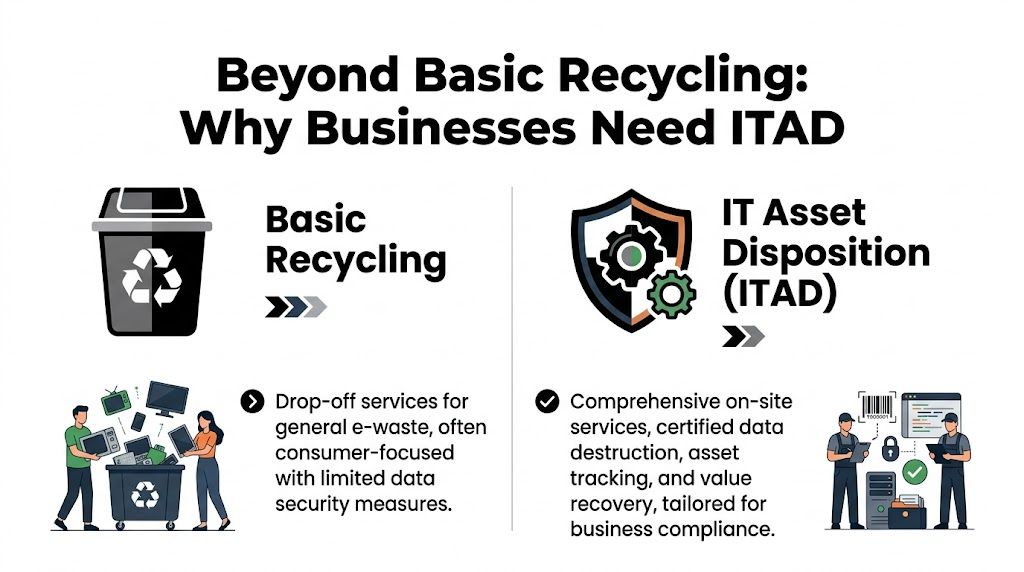
Basic recycling and ITAD may look similar from a distance because both end with equipment leaving the building. That’s where the similarity ends. A public drop-off model is like using a street mailbox. It works for ordinary delivery. IT asset disposition is closer to a documented secure courier process where every transfer matters and the contents can’t be treated casually.
Recycling removes hardware
General recycling answers a narrow question. Can this material be diverted from landfill and processed responsibly?
That’s an important service. It is not the whole business problem. In a commercial setting, retired devices may still contain email archives, browser-stored credentials, medical records, HR files, tax documents, legal discovery material, internal screenshots, endpoint tokens, VPN profiles, or line-of-business exports sitting on a local drive.
If your process stops at “we dropped it off,” you haven’t addressed the main source of exposure.
ITAD manages risk
ITAD answers a broader set of questions:
- What assets left the building
- Who handled them
- How the data was destroyed
- Whether the process is documented
- Which items were recycled, destroyed, or remarketed
That difference is why business disposal decisions belong with IT, compliance, legal, operations, and facilities, not just office management.
A retired computer is still a data container until someone documents that it isn’t.
One fact is especially important for anyone comparing CHaRM with business-grade disposition. Live Thrive states that CHaRM accepts electronics powered by electricity or batteries, but there is no documentation of DoD 5220.22-M certified data wiping or HIPAA-compliant destruction protocols in the materials available on its electronics guidance page. That points to a practical conclusion. CHaRM functions as a multi-category recycling hub, not a specialized ITAD partner built around corporate or healthcare compliance needs.
What breaks when businesses choose the wrong model
The failure points are predictable.
- Drive uncertainty: Staff members often can’t confirm whether old desktops or laptops were fully sanitized before storage.
- Mixed inventory: Departments combine harmless peripherals with sensitive devices, so the entire batch needs controlled handling.
- Missing records: Months later, nobody can prove which serial numbers were destroyed, recycled, or transferred.
- Internal labor drain: Your own team spends hours unplugging, carrying, sorting, staging, and transporting equipment that should have been handled under a vendor workflow.
A general recycler can still be useful for the right type of material. But business hardware retirement usually requires a chain of decisions that general recycling workflows don’t document in enough detail.
The real buying criteria
When businesses say they need “recycling,” they often mean one of four things:
- Secure data destruction
- Compliance support
- Pickup and decommissioning
- Final reporting for audit or internal control
If that’s what you need, evaluate vendors against those requirements first. Environmental recycling still matters, but it comes after the security and operational questions are answered.
Meeting HIPAA and DoD Standards for Data Destruction
The most expensive mistake in hardware retirement is assuming disposal equals sanitization. It doesn’t.
Deleting files, reformatting a drive, or sending a computer to a recycler without a documented destruction workflow leaves too much to chance. For organizations that handle regulated information, that gap is where legal exposure starts.
What HIPAA changes
Healthcare teams already know the issue. A retired device may hold protected health information in more places than users expect. It’s not just documents in a folder. Data can persist in local caches, temporary files, exported reports, application logs, remote desktop histories, browser downloads, and attached storage.
That’s why disposal in a clinic, hospital, specialty practice, billing office, or healthcare-adjacent vendor has to be treated as a compliance event. The organization needs a process that is repeatable, supervised, and documented.
A useful screening question is simple: if an auditor asked how a specific drive was retired, could your team show the record without guessing?
What DoD wiping means in practice
Software wiping is one path to sanitization when media is functional and appropriate for reuse or resale. In business environments, teams often look for wiping performed to a DoD 5220.22-M 3-pass standard because it gives a defined procedure instead of an informal “trust us” answer.
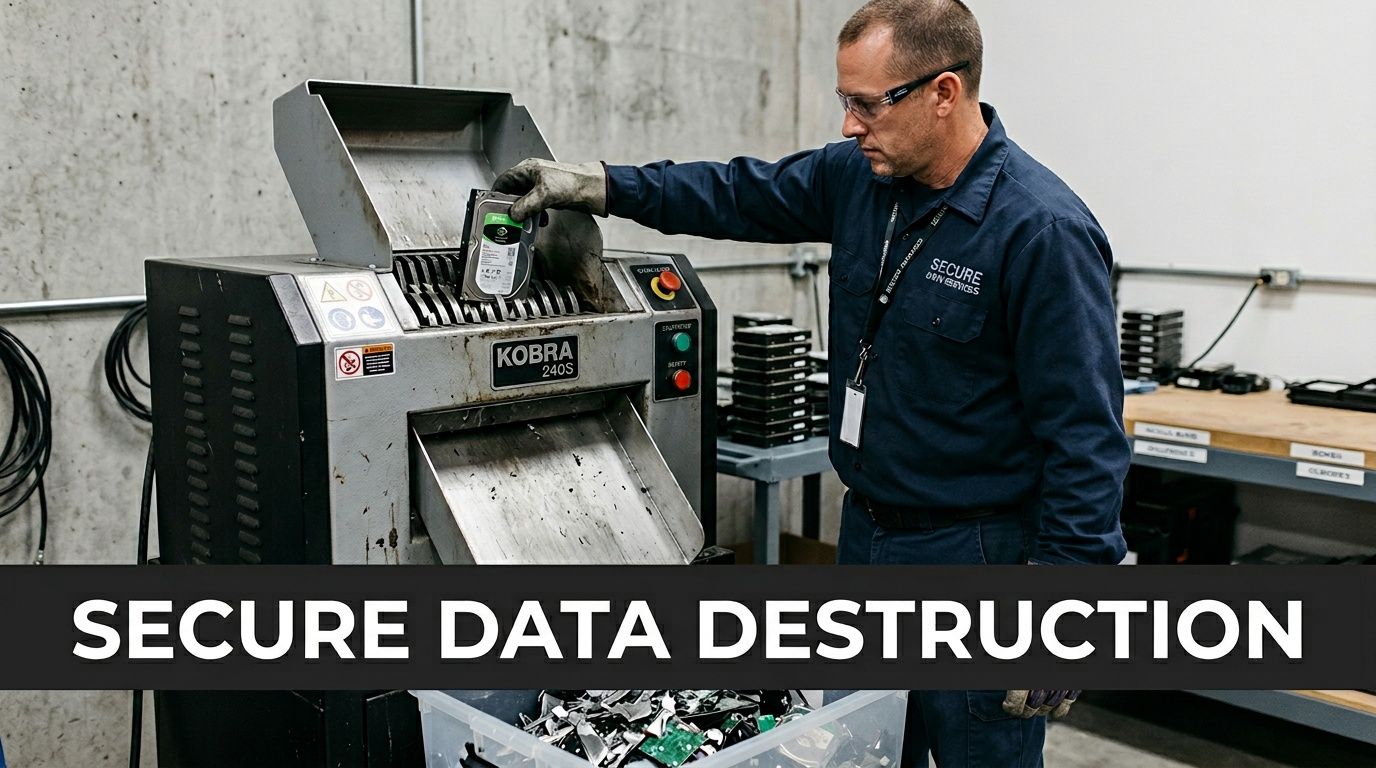
Physical destruction is the other path. Shredding is often used for obsolete, damaged, or non-functional media, or whenever policy requires destruction over reuse. The right choice depends on the media condition, the asset’s future disposition, and the organization’s internal controls.
The important point is not which method sounds more aggressive. The important point is whether the method is appropriate, documented, and tied to identifiable assets.
Ask this early: “Will you provide a certificate tied to the devices or media you destroyed or sanitized?”
Why the certificate matters
A Certificate of Destruction is not paperwork for its own sake. It closes the loop between your inventory and the vendor’s actions. Without it, your organization may know equipment left the building but still lack the proof needed for internal policy, cyber insurance review, legal hold management, or regulatory response.
That document matters most when something goes wrong elsewhere. If your security team investigates a possible exposure, they need evidence, not assumptions.
Use this short checklist when evaluating a vendor for data destruction:
- Method clarity: Can the vendor explain when it uses software wiping versus physical shredding?
- Asset traceability: Are serial numbers or other identifiers tracked through the process?
- Chain of custody: Is there a documented handoff from pickup through final disposition?
- Final proof: Will the vendor issue a certificate or equivalent destruction record?
- Policy fit: Can the process support healthcare, public sector, or other regulated environments?
Organizations with sensitive records should also make sure the disposal provider’s process aligns with internal security policy, not just the vendor’s standard operating procedure. If your compliance team expects documented destruction, then “they recycle electronics” isn’t enough.
Teams that need a healthcare-specific disposal workflow usually start by comparing vendors against HIPAA-compliant electronics recycling practices in Atlanta. That narrows the field quickly because it shifts the conversation from generic recycling to auditable data handling.
Solving the Challenge of On-Site Decommissioning
A common Atlanta scenario looks like this. IT approves a refresh, the old devices are still spread across three floors, a few switches are live in IDF closets, several retired laptops are sitting in storage without clear labels, and facilities wants the space cleared by Friday. At that point, the problem is no longer recycling. The problem is controlled removal.
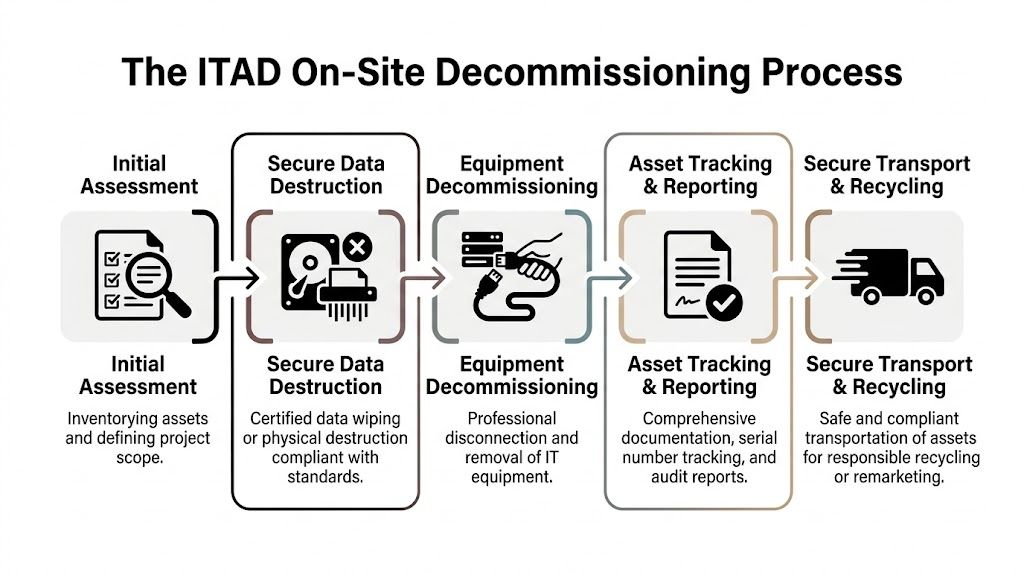
A consumer drop-off option can serve residents well. It does not solve the labor, scheduling, and chain-of-custody demands of a business decommissioning project. As noted earlier, CHaRM operates as a drop-off model. For an IT manager handling an office closure, clinic refresh, or server room shutdown, that leaves the hard part inside the building.
Why self-transport breaks down
Business assets are rarely staged and ready to go. They are under desks, bolted into racks, mounted behind displays, stacked in back rooms, or mixed with equipment that should stay in production. Some devices have asset tags that match the CMDB. Others do not. Some systems are dead and easy to pull. Others need coordinated shutdowns, after-hours access, or approval from multiple teams before anyone touches a cable.
Internal staff can handle part of that work, but the trade-off is predictable. Your help desk becomes a moving crew, facilities inherits IT inventory problems, and nobody wants responsibility for the last missing laptop or unidentified drive.
What an on-site workflow should include
A business ITAD project needs field execution, not just a place to unload electronics. A sound process usually includes:
Pre-project scoping
Identify user devices, infrastructure gear, loose media, and anything that needs special handling before pickup day.Site access planning
Account for docks, elevators, security checkpoints, patient areas, classrooms, and cutover windows.Deinstallation labor
Remove desktops, monitors, servers, storage, and network hardware without pulling internal IT away from production support.Asset tracking at removal
Record serial numbers, quantities, or other identifiers so the organization can reconcile what left each room or rack.Controlled transportation
Move equipment under documented custody to sanitization, destruction, resale, or downstream recycling.
Those steps sound operational because they are. The failure point in many projects is not policy. It is execution under time pressure.
Where projects usually stall
The friction shows up fast once the work starts:
- Rack removals: Dense cabling, rails, and power dependencies slow down server and storage extraction.
- Occupied buildings: Multi-floor pickups create traffic, noise, and scheduling conflicts.
- Mixed asset conditions: Working laptops, dead desktops, loose drives, and legacy media do not move through one identical process.
- Tight project windows: Closures, relocations, and refreshes often happen after hours or around active business operations.
- Recordkeeping: Facilities can move boxes, but IT still needs auditable records tied to sensitive hardware.
If a project needs carts, staging, room-by-room pickups, and device-level reconciliation, a drop-off plan usually shifts cost from the vendor to your internal team.
Data center and server room work need tighter control
Server decommissioning adds another layer of risk. Equipment may still be mapped to business services, mounted in shared racks, or connected to power and network paths that are poorly documented. One careless pull can create confusion about what was retired, what was relocated, and what was taken offline by mistake.
Use a documented process before any shutdown or extraction begins. This server decommissioning checklist for Atlanta organizations helps define scope, ownership, and handling requirements before hardware starts moving.
What Can Be Recycled and How Pricing Works
Once security and logistics are clear, most IT managers ask the practical questions. What equipment qualifies, and what drives the quote?
The answer varies by provider, but a business-focused ITAD company typically centers on commercial technology assets, not general household recycling categories.
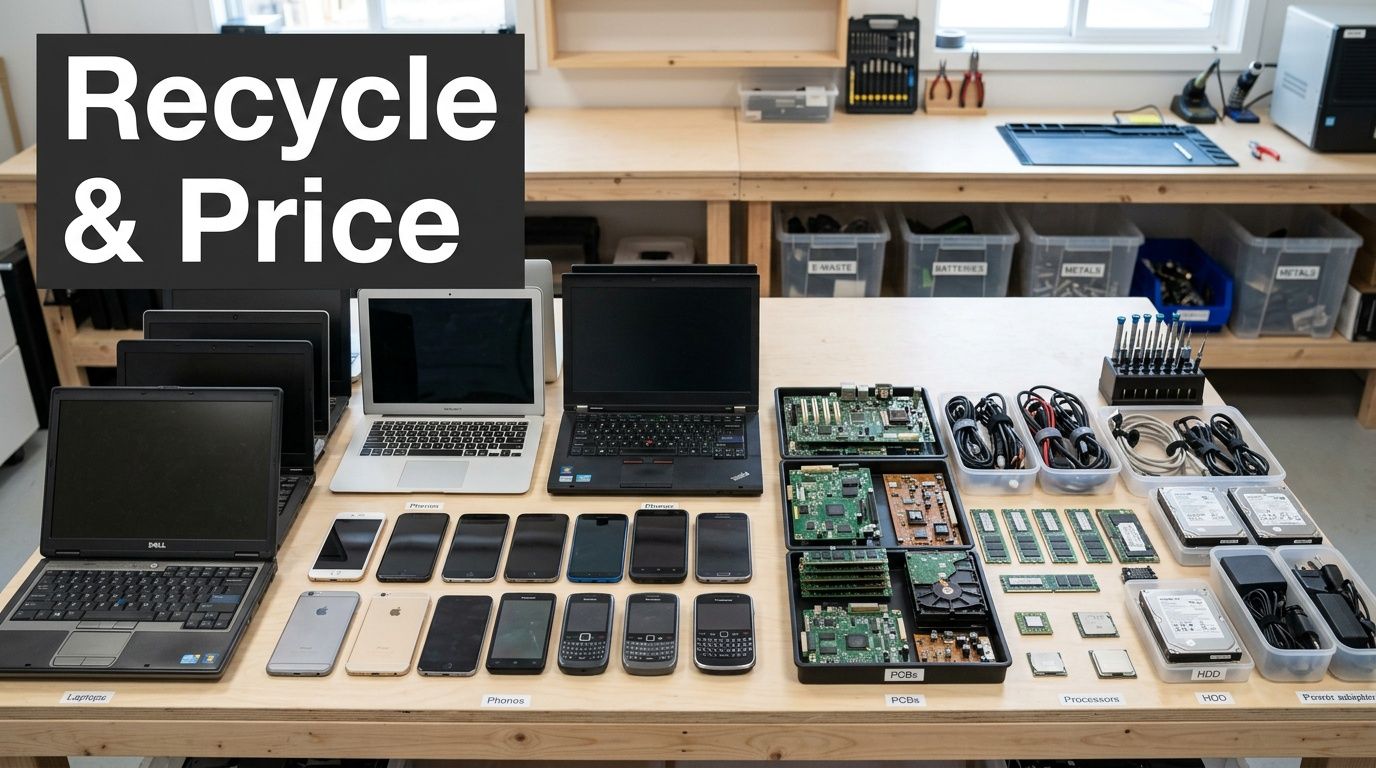
What usually fits a commercial ITAD stream
Most business programs are built around equipment such as:
- User devices: desktops, laptops, thin clients, tablets, and mobile hardware used for business operations
- Infrastructure gear: servers, switches, routers, firewalls, wireless equipment, and rack hardware
- Storage media: hard drives, SSDs, backup devices, and other media that require sanitization or destruction
- Peripheral business equipment: monitors, docks, keyboards, printers, and related office electronics, depending on the provider’s scope
That’s different from a broad community recycler that may also accept appliances, bikes, compost items, chemicals, and other non-IT materials. For a commercial project, narrower specialization is often a benefit because it keeps the workflow centered on data-bearing assets and business documentation.
What usually affects price
Pricing in ITAD isn’t one flat number because the work changes with the project. A single pallet of office PCs is not the same as a hospital floor refresh or a multi-room server pull.
The main cost drivers are usually these:
| Pricing factor | Why it changes the job |
|---|---|
| Asset type | Servers, storage arrays, and mixed media often require more labor than loose peripherals |
| Volume and distribution | One pickup point is easier than collecting across multiple floors or sites |
| Data destruction method | Software wiping and physical shredding involve different handling steps |
| De-installation complexity | In-place equipment takes more labor than boxed, staged inventory |
| Reporting needs | Detailed reconciliation and certificates add administrative work |
Where costs can come down
The best pricing conversations include value recovery, sometimes called IT asset value recovery or ITAV. If equipment is newer, functional, and suitable for remarketing, the resale value can offset part of the service cost. That’s one reason businesses shouldn’t assume every retirement project is pure disposal expense.
Older or failed equipment usually trends toward recycling and destruction. Better-condition hardware may support reuse or resale after proper processing. A serious provider should be able to explain which category your assets are likely to fall into and why.
Budgeting the right way
Don’t budget these projects like junk hauling. Budget them like controlled asset retirement.
Ask for a quote that separates the major components:
- Pickup and on-site labor
- Data destruction
- Recycling or downstream processing
- Reporting and certificates
- Potential value recovery credits
That breakdown helps procurement, finance, and IT stay aligned. It also exposes false comparisons. A cheap quote that omits de-installation, tracking, or destruction records isn’t cheaper if your staff has to fill the gaps later.
Choosing Your Atlanta E-Waste Partner
The right vendor choice comes down to fit. CHaRM is a valuable Atlanta resource for hard-to-recycle materials and consumer drop-off needs. A business ITAD provider solves a different problem.
If you’re retiring company technology, use a short decision filter before you sign anything.
Questions worth asking any vendor
- Data handling: How are hard drives, SSDs, and other media sanitized or destroyed?
- Documentation: Will you receive a Certificate of Destruction or equivalent final record?
- Compliance support: Can the process support healthcare, government, or other regulated environments?
- On-site work: Does the vendor handle pickup, de-installation, packing, and transport?
- Asset reporting: Will you get itemized tracking or reconciliation for what left your site?
- Disposition path: What gets reused, what gets shredded, and what gets recycled?
The best vendor is not the one that says “yes” to recycling. It’s the one that can prove what happened to each sensitive asset after pickup.
For Atlanta businesses, the search term charm recycling atlanta is often the starting point, not the endpoint. If your project involves business hardware, regulated data, office closure logistics, or data center equipment, choose a partner built for those realities. A commercial-focused electronic waste recycling company in Atlanta should be able to answer every question above without hesitation.
Atlanta businesses that need secure pickup, compliant data destruction, and end-to-end IT asset disposition can talk with Atlanta Computer Recycling for a commercial assessment. If your team is dealing with bulk laptops, storage media, servers, network gear, or a full site decommissioning, they can help you build a process that protects data, reduces internal workload, and documents final disposition properly.