Smyrna E-Waste Recycling: Secure Data & Compliance

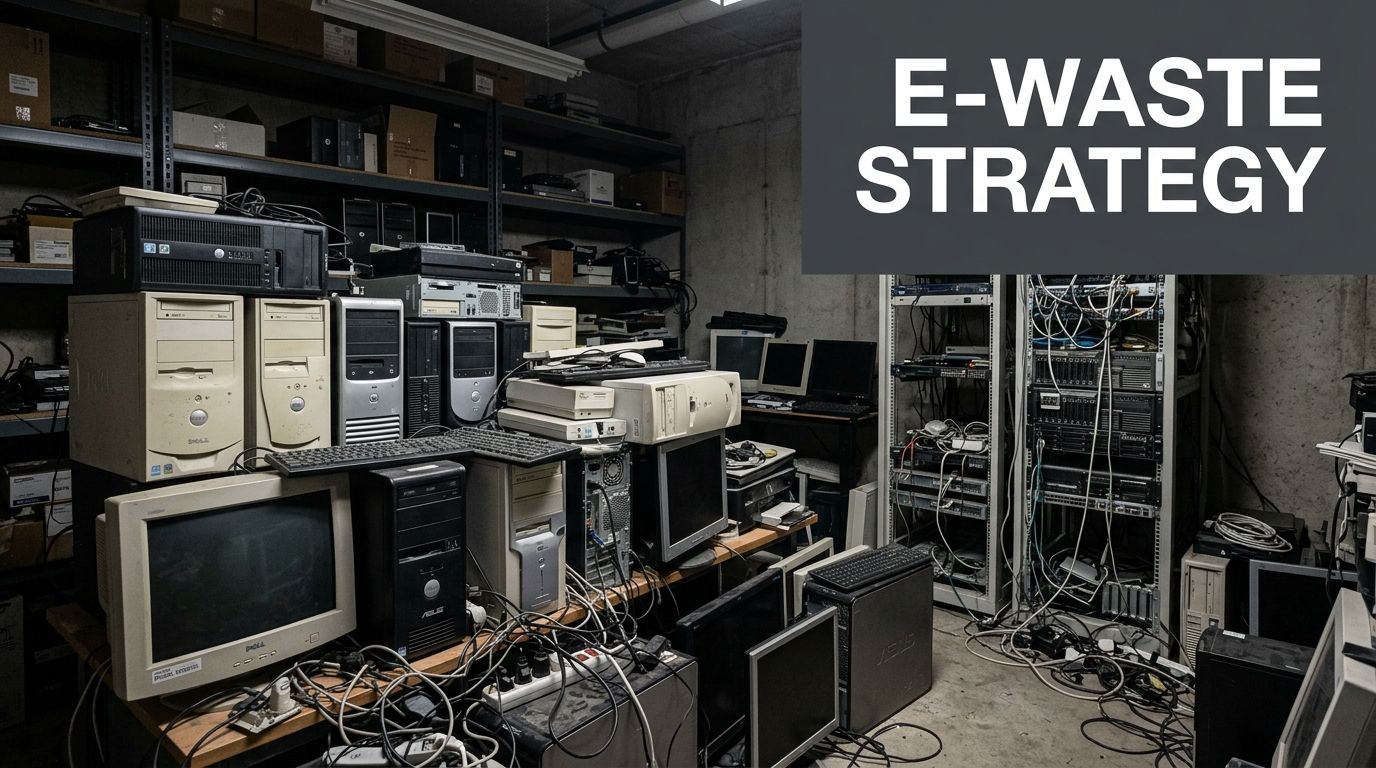
Your storage room usually tells the story before your asset spreadsheet does. Stacked desktops from the last refresh. A few retired laptops in a cabinet. Rack gear that nobody wants to power back on. Monitors waiting for “someday.” If you’re responsible for IT in Smyrna, that pile isn’t just clutter. It’s a security, compliance, and logistics problem that keeps getting more expensive to ignore.
For a business, Smyrna e-waste recycling isn’t the same as cleaning out a garage. You’re not just trying to get rid of hardware. You’re trying to protect data, document disposition, keep staff out of a time-consuming hauling project, and make sure retired equipment moves through a defensible process.
Beyond the Drop-Off Bin Your Business E-Waste Strategy
The City of Smyrna’s recycling resources are useful for the community, but they’re not built around commercial IT asset disposition. The city information focuses on drop-off hours and accepted items, while lacking detailed guidance on secure data destruction standards such as DoD 5220.22-M wiping or physical shredding, which leaves a real gap for businesses, schools, and healthcare providers managing bulk disposals and compliance risk, as noted on the Smyrna Recycling Center page.
That gap matters more than is often realized by teams. A municipal drop-off model can help a resident recycle a monitor. It doesn’t answer the questions your legal, compliance, and IT teams have to answer. Who touched the drives? Was anything serialized? Was chain of custody documented? Were reusable assets wiped and tested? What happened to failed media?
What works for households doesn’t work for corporate risk
Business e-waste has different failure points than household recycling.
- Data-bearing assets need a destruction decision: A laptop, desktop, server, SAN shelf, or copier drive can’t be treated like mixed scrap.
- Bulk volume changes everything: Ten devices can be boxed. Two hundred devices need staging, labeling, and controlled removal.
- Compliance lives in documentation: If your industry is regulated, “we dropped it off” isn’t an auditable disposal record.
- Operations still have to run: Your staff shouldn’t lose half a day carrying towers down elevators and sorting cables in a parking lot.
Practical rule: If an asset ever stored credentials, patient information, student records, financial data, or internal files, treat it as an ITAD project, not a recycling errand.
There’s also a safety angle that gets overlooked during office cleanouts. Swollen laptop batteries, loose UPS batteries, and mixed battery storage create avoidable risk during staging. If your team is holding equipment before pickup, this guide to lithium battery storage safety is worth reviewing with facilities and IT together.
A business process needs custody, not convenience alone
The right strategy starts by separating community recycling from commercial disposition. For a business, the job is to move retired assets through a controlled process that covers identification, pickup, data handling, reuse evaluation, recycling, and final records. Convenience matters, but it can’t be the only standard.
If you’re evaluating business options, the benchmark should be a structured corporate program like commercial e-waste recycling for organizations, where pickup, asset handling, and downstream processing are designed around business requirements instead of self-service drop-off.
Most Smyrna companies don’t need a complicated policy document to get started. They need a practical operating rule. Separate retired equipment from active inventory, stop informal employee dumping, and route all end-of-life electronics through one approved process. That single change prevents a lot of downstream mistakes.
Scoping Your Smyrna E-Waste Project
The fastest projects start before the first pickup call. When your inventory is loose, your quote is loose. When your inventory is organized, the plan gets sharper fast.
For Smyrna e-waste recycling on the business side, scoping means building a usable picture of what you have, where it sits, and which assets carry data. You don’t need a perfect CMDB export. You do need enough detail for removal, handling, and disposition decisions.
Build an inventory your recycler can actually use
Start with a working list by room, closet, or rack row. Don’t wait for a master spreadsheet from every department. A simple staged inventory is better than a delayed perfect one.
Capture these details:
- Asset type: desktop, laptop, server, switch, firewall, monitor, printer, dock, phone, tablet, UPS, external drive, or loose hard drive.
- Estimated quantity: exact counts help, but grouped estimates are still useful if you’re early in the process.
- Manufacturer and model when easy to read: this matters most for newer servers, laptops, and network gear that may have reuse value.
- Condition: working, powers on, unknown, damaged, incomplete, or locked in rack.
- Data-bearing status: yes, no, or unknown.
- Location inside the building: suite number, floor, MDF/IDF, storage room, classroom cart, clinic wing, or warehouse cage.
- Access constraints: elevator reservation, loading dock rules, badge access, after-hours requirement, or narrow stairwell.
A lot of teams skip the last two lines. That’s where pickup day gets delayed. The equipment list matters, but building access often determines how smooth the job feels to your staff.
Sort for reuse, recycling, or special review
Not every retired item belongs in the same pile. Some should go straight to recycling. Some deserve evaluation. Some need special handling before anyone touches them.
| Category | Accepted IT & Office Electronics | Items Requiring Special Assessment or Exclusion |
|---|---|---|
| End-user devices | Desktops, laptops, thin clients, monitors, docks, keyboards, mice | Units with missing batteries, physical damage, or unknown ownership tags |
| Infrastructure | Servers, switches, routers, firewalls, rack accessories, storage devices | Rack-mounted gear still connected in production, leased assets, gear with unknown drive count |
| Print and office tech | Printers, copiers, scanners, phones, conferencing equipment | Devices with internal storage that hasn’t been identified, oversized floor units needing access review |
| Data media | Hard drives, SSDs, backup devices, removable media collected for destruction | Failed media mixed with general scrap, unboxed loose drives spread across departments |
| Power equipment | UPS units and related electronics | Damaged batteries, swollen batteries, mixed battery containers |
That sorting exercise does two useful things. It prevents accidental disposal of something that still has remarketing potential, and it flags the equipment that needs an on-site labor plan.
If you have to ask whether an asset stores data, assume that it might until someone verifies otherwise.
Use a pre-quote checklist
Before you request service, gather the items below into one document or email. That gives you a much more accurate conversation than “we’ve got a bunch of old stuff.”
- The asset list with counts or reasonable estimates
- Photos of storage rooms, rack rows, pallets, or closets
- Pickup address and access notes for the Smyrna site
- Your preferred service window, including after-hours if needed
- A list of data-bearing equipment needing wiping or shredding
- Any equipment that’s still installed, especially servers or network gear
- Whether you need compliance documentation for internal audit, legal, or client requirements
For companies handling regular refresh cycles, it also helps to assign one internal owner for all retired electronics. That person doesn’t have to do all the work. They just need to control the list, the approvals, and the pickup coordination.
If your team wants a framework for planning bulk retirement and chain-of-custody work, a dedicated IT asset disposal process gives you the right lens. Think in terms of asset classes, data risk, and removal requirements, not just “junk to haul.”
Arranging Secure Pickup and On-Site Services
Once the inventory is scoped, the next concern is usually operational. Not “Can this be recycled?” but “How disruptive is this going to be?”
That’s the right question. Good ITAD logistics should feel controlled and boring. No scrambling for boxes. No asking your sysadmin to become a mover. No hallway pileup while staff try to guess what goes where.
Businesses in Georgia need that kind of process. With the state’s e-waste stream reaching 115,000 tons in 2023 and an estimated 85% being landfilled without proper handling, professional pickup services are a practical way to move business electronics into a compliant channel, according to Smyrna e-waste service information from Atlanta eWaste Solutions.
What a smooth pickup day looks like
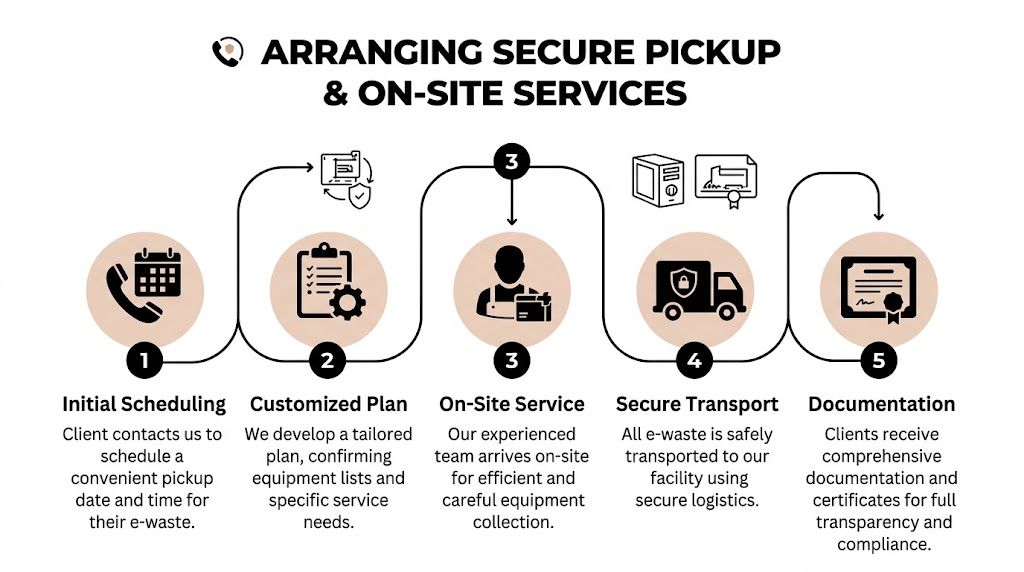
A typical corporate pickup starts long before a truck arrives. The service team confirms the site contact, access instructions, equipment categories, and any on-site requirements such as rack de-installation or secure collection of loose drives.
On the day itself, your role should be simple. Provide building access, identify the approved material, and let the removal team work the plan. The team should handle the physical collection methodically, whether that means clearing a back-office storage room, removing equipment from an IDF closet, or staging hardware from multiple departments into one outbound load.
For a standard office environment, the sequence usually looks like this:
- Check-in and walkthrough: confirm the pickup scope against the staged assets
- Segregation of data-bearing items: keep drives, laptops, servers, and storage hardware on the right path
- Packing and consolidation: box loose items, palletize bulk gear, and prevent mix-ups
- Removal by area: clear one room or department at a time to reduce confusion
- Final sweep: verify that approved areas are empty and nothing intended for retention was loaded
Different sites need different labor plans
A law office in Smyrna has one set of pickup needs. A clinic, school, or warehouse has another. A data center room is its own category entirely.
In office cleanouts, the main challenge is usually sprawl. Devices are spread between desks, closets, and file rooms. In data closets and server rooms, the issue is controlled de-installation. Someone has to remove rails, label what’s coming out, and separate production hardware from retired hardware without creating downtime.
That’s why generic hauling crews often struggle with IT projects. They know how to move weight. They don’t always know how to handle rack equipment, drives, or partially disconnected infrastructure.
The best pickup is the one your employees barely notice. The equipment disappears on schedule, and your internal team stays focused on operations.
What you should confirm before scheduling
Before pickup is finalized, make sure these points are clear:
- Scope boundaries: which rooms, floors, and asset types are included
- Labor expectations: whether anyone is de-racking servers or disconnecting devices
- Security handling: how data-bearing devices are identified during collection
- Site logistics: loading dock access, freight elevator use, security check-in, and parking
- Documentation path: who receives the service records after the load leaves
If your project includes multiple sites or a large building with phased removal, don’t force everything into one event. Phased pickups often create less disruption and better control, especially when one department is still validating what can be retired.
For organizations that want managed collection rather than self-hauling, this kind of IT equipment pickup service in Atlanta is the standard you should compare against. The goal is simple. Your team identifies assets. The service team handles the lift, packing, and transport.
Ensuring Compliant Data Destruction
For most companies, data destruction is the main reason this process can’t be casual. Hardware has resale value, scrap value, and recycling value. The data on that hardware has liability attached to it.
That’s why the first question after pickup shouldn’t be “Where does it go?” It should be “How is the data destroyed, and what proof do we receive?”
Nationally, only about 20% of e-waste is formally collected and recycled, according to the Keep Smyrna Beautiful spotlight on the Smyrna Recycling Center. For businesses, that makes controlled recycling with guaranteed data destruction the only practical way to reduce breach risk from the remaining flow that doesn’t move through formal channels.

Software wiping versus physical shredding
These two methods serve different purposes. A disciplined ITAD program uses each where it fits.
| Method | Best fit | Main advantage | Main limitation |
|---|---|---|---|
| DoD 5220.22-M software wiping | Functional drives and devices that may be reused or remarketed | Preserves hardware for reuse while clearing data through a recognized process | Requires the media to be readable and operable |
| Physical shredding | Failed, obsolete, damaged, or non-functional media | Destroys the media itself and removes any question about future use | The asset can’t be reused after destruction |
If a drive is healthy and the device still has practical value, wiping is usually the better route. It supports reuse, keeps material in circulation longer, and still addresses data security when done under a documented process.
If a drive has failed, can’t be verified, or shouldn’t leave any possibility of reuse, shredding is the right answer. That’s common with damaged hard drives, failed SSDs, and media from stricter environments.
How to choose the right destruction path
Use the asset’s condition and your compliance profile to make the call.
- Choose wiping when the drive is functional, the device may be remarketed, and you need secure logical erasure with documentation.
- Choose shredding when the media is dead, suspect, obsolete, or your policy requires physical destruction.
- Use mixed methods when a project contains both reusable systems and failed loose drives.
Many organizations already use encryption in production, which is good practice, but encryption doesn’t replace disposition controls. If your team wants a plain-language refresher on endpoint protection before retirement planning, this overview of understanding Bitlocker and other data encryption tools is a useful companion read.
Compliance point: HIPAA, internal security policies, and client contract obligations all depend on proof. If you can’t show what happened to the media, you’re left defending a process from memory.
What chain of custody should include
Chain of custody is where many informal recycling efforts fail. Someone boxes equipment. Someone else moves it. Nobody records the handoff. Later, audit questions arrive.
A defensible chain-of-custody process should identify what was collected, who transferred it, and how it moved into destruction or downstream processing. For some projects, that includes serialized assets. For others, it’s a documented bulk transfer with a clear service record. The exact level of detail depends on your environment, but the principle doesn’t change. Every handoff should be accountable.
Why the Certificate of Destruction matters
A Certificate of Destruction is the paper trail your compliance and legal teams can point to later. It confirms that destruction took place under the documented service process.
For healthcare, education, finance, and government clients, that record does more than close a project. It supports internal audit, vendor management, and incident-response defensibility. If someone asks how retired drives were handled, you don’t want a verbal answer. You want a file.
A proper secure data destruction program should give you both the operational service and the documentation that survives staff turnover. People leave. Audit records stay.
Common mistakes that create avoidable risk
The biggest errors usually come from convenience:
- Holding loose drives in desk drawers until “the next cleanup”
- Letting departments self-dispose equipment without IT oversight
- Sending everything to scrap without separating reusable wiped assets from destruction-only media
- Assuming deleted files equal destroyed data
Deleting, reimaging, or factory resetting equipment is not the same as certified destruction. It may be fine for redeploying a device internally under your own controls. It isn’t enough for final disposition.
Understanding Pricing and Project Timelines
Pricing gets easier to understand once you stop thinking of Smyrna e-waste recycling as junk removal. Commercial ITAD pricing usually turns on three things: what the equipment is, how much labor the site needs, and whether any assets retain reuse value.
That’s why two projects with the same number of items can price differently. Fifty current-generation laptops staged in a ground-floor room are one kind of job. A smaller batch of older mixed equipment spread across three floors with de-racking, boxing, and strict access windows is another.

What usually affects the quote
You can expect pricing discussions to center on these variables:
- Asset mix: newer laptops, servers, and network gear may have remarketing potential, while obsolete or damaged equipment is more likely to be pure recycling.
- Volume and density: a well-staged bulk load is simpler than the same equipment scattered through active offices.
- On-site labor: de-installation, cable removal, drive collection, and special packing all add work.
- Access conditions: loading dock restrictions, stairs, bad parking access, or after-hours windows affect planning.
- Data services required: wiping, shredding, and documentation requirements shape the service path.
The practical takeaway is straightforward. Good inventory detail makes pricing more predictable. Photos help too, especially for storage rooms and rack environments.
A realistic project rhythm
For a typical office refresh, the timeline often follows a short sequence rather than one long project.
- Initial review: you send the inventory, site notes, and photos.
- Scope confirmation: the service team clarifies labor, access, and data-destruction needs.
- Pickup scheduling: a date is set that fits your operations.
- On-site removal: assets are collected, packed, and transported.
- Final paperwork: documentation is issued after processing is complete.
For a common mid-size office scenario, this can move quickly when the equipment is already identified and access is clear. Delays usually come from internal approvals, uncertainty over leased assets, or last-minute changes about what should stay versus go.
Where liquidation can offset cost
Some organizations assume every retirement project is a pure expense. That isn’t always true. If your environment includes newer business laptops, enterprise servers, or usable network equipment, asset recovery may offset part of the service.
That’s why it helps to evaluate retirement through an IT asset liquidation lens instead of treating every item as scrap. The difference isn’t academic. Reuse-capable assets deserve a separate decision from obsolete gear.
If you want the fastest quote, send counts, photos, data-destruction needs, and building access notes in one message. Most delays start when those details arrive in pieces.
Next Steps and Frequently Asked Questions
If you’re ready to move forward, keep the next step simple. Gather your inventory, note which devices store data, add a few photos of the staging areas, and confirm any building access constraints. That gives you enough to request a practical quote and a pickup plan without over-preparing.
For business clients, a significant benefit of professional ITAD is control. You reduce internal handling, remove guesswork around data-bearing devices, and avoid the rejection and sorting problems that come with general drop-off models. The EPA-linked guidance notes that at municipal recycling centers, failure to properly presort materials can lead to rejection rates of 20% to 30%, while professional ITAD services remove that burden for businesses and provide full acceptance of designated electronics under the agreed scope, as summarized in the EPA recycling infrastructure assessment reference.
What to have ready before you ask for service
A concise request usually includes:
- Your site address in Smyrna
- A rough or exact item count
- Whether servers or network gear are still installed
- Which assets contain data
- Photos of closets, racks, or storage rooms
- Any deadlines tied to a move, closure, or refresh
- Whether you need destruction records for audit purposes
That’s enough to get a real conversation started.
Frequently asked questions
What if we only have a small number of items
Small loads can still be handled, but the best fit depends on the item mix and whether data destruction is required. For a business, the deciding factor usually isn’t just volume. It’s whether the equipment contains sensitive data and whether you need documented chain of custody.
If the batch is small but includes laptops, desktops, servers, or loose drives, treat it like a security matter first and a recycling matter second.
What happens to the material after pickup
A proper ITAD flow separates assets by condition and disposition path. Reusable equipment goes through evaluation and data handling before any remarketing path is considered. End-of-life electronics are dismantled for responsible recycling. Data-bearing media follows the destruction path you approved.
That separation is what keeps “recycling” from becoming a vague answer. Different materials and devices should not all move through the same downstream channel.
How is this different from the city recycling center
The city model is built around public drop-off. Your team transports items, sorts them, follows the site rules, and works within residential-style acceptance parameters.
Commercial ITAD is different. Pickup is arranged for your site, business electronics are handled under a defined scope, and the process includes data-destruction controls and documentation that a municipal drop-off model doesn’t provide in the same business-focused way.
Do you handle more than computers
Most business electronics projects include more than desktops and laptops. Common loads include monitors, servers, switches, phones, printers, docks, storage devices, and loose media. The exact acceptance list should always be confirmed in advance, especially for batteries, damaged items, and anything outside standard IT equipment.
When in doubt, send photos and ask for a scope review instead of guessing.
What document should we request at the end
If your project includes data-bearing assets, request formal destruction records. If your internal team needs a simple starting point, use a Certificate of Destruction request form as the baseline record you expect after processing.
That one document won’t replace every internal control, but it gives your compliance file something concrete and auditable.
If your Smyrna business is sitting on retired laptops, servers, monitors, or loose drives, Atlanta Computer Recycling can help you turn that backlog into a controlled ITAD project. Send your asset list, a few site photos, and your data-destruction requirements, and their team can map out pickup, secure handling, and the documentation your organization needs.