Recycling Electronics Best Buy for Your Business ITAD?

A lot of IT managers end up in the same spot. There’s a storage room with retired laptops, a stack of LCD monitors from the last office refresh, a few old switches, maybe a printer nobody wants to touch, and at least one box of hard drives that should have been dealt with months ago. Someone in operations asks a reasonable question: why not just take it all to Best Buy?
On the surface, that sounds efficient. Best Buy is familiar, accessible, and well known for consumer electronics recycling. For household clutter, that convenience matters.
For a business, though, recycling electronics Best Buy is not just a recycling choice. It’s a risk decision. The moment those devices held employee records, customer files, patient data, financial documents, or saved credentials, the job stopped being “getting rid of old tech” and became IT asset disposition.
The issue isn’t whether Best Buy recycles electronics. It does. The issue is whether a retail drop-off model gives your business what it needs when legal exposure, auditability, and data destruction are on the line. In most commercial environments, it doesn’t.
Your Old Office Tech Is a Liability Not a Nuisance
A pile of obsolete equipment looks harmless until you list what’s inside it. Old desktops may still contain payroll exports. Laptops often hold cached email, browser sessions, and local downloads. Copiers and multifunction printers can store scanned documents. Even failed drives and broken machines can still carry recoverable data.
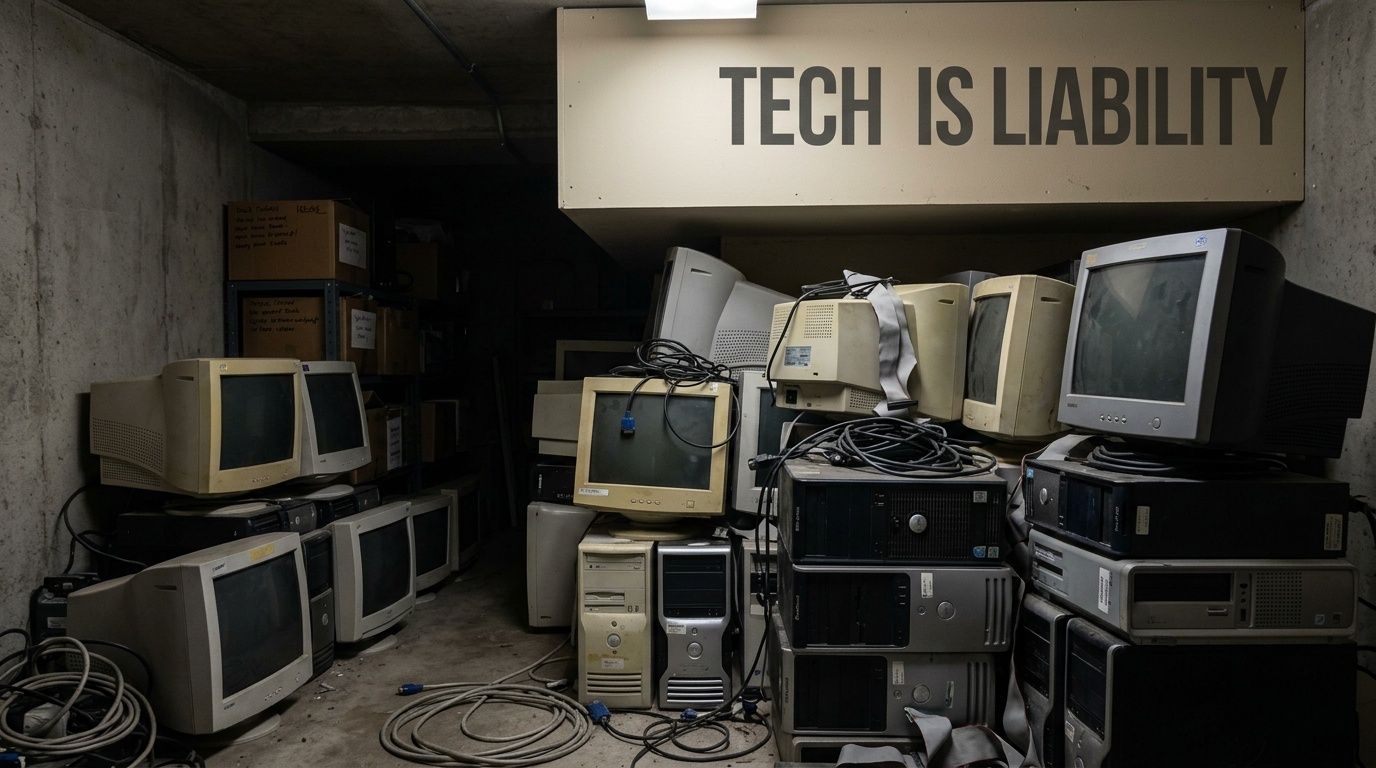
That’s why I never treat retired office electronics as junk. They’re dormant assets with two possible outcomes. You either dispose of them under a controlled process, or you create blind spots that become someone else’s emergency later.
What businesses often underestimate
Most organizations don’t get into trouble because they chose a clearly reckless option. They get into trouble because they used a process designed for a different audience. A retail drop-off program is built for households clearing out a few devices. A business decommissioning workstations, network gear, or storage media has a completely different standard to meet.
A short list of what changes in a commercial setting:
- Data-bearing devices matter more than appearance. A dead laptop is still a data risk.
- Volume changes the process. Ten devices handled casually is already enough to lose track of serials, drives, or custody.
- Audits require documentation. “We dropped it off” is not the same as documented destruction.
- Compliance obligations survive disposal. Retiring the device doesn’t retire your responsibility.
Practical rule: If your organization would care about the contents of a device while it was in use, it should care just as much when that device leaves service.
That’s the fork in the road. You can use a consumer recycling channel built for convenience, or you can use a professional ITAD process built for evidence, control, and repeatability.
Understanding the Best Buy Recycling Program for Consumers
Best Buy deserves credit for building a large, visible recycling program. Since launching the program in 2009, it has diverted over 2.5 billion pounds of electronics and appliances from landfills by the end of FY22, making it America’s largest retail collector of e-waste, according to Best Buy’s FY22 ESG report.
That scale matters for consumers because access is often the hardest part. A reported 61% of people cite lack of knowledge about where to recycle as a key barrier, which helps explain why a recognizable retail option changes behavior, as covered by Waste Dive’s reporting on Best Buy’s recycling program.
What the program is designed to do
Best Buy’s recycling model is built around household drop-off. The service is intended to give consumers a practical way to bring in personal electronics and small appliances without needing to schedule a commercial pickup or contract with an ITAD vendor.
At a high level, the consumer workflow is simple:
- Check whether the item is accepted
- Bring the item to a participating store
- Drop it off within the stated limits
- Pay a fee if the item falls into a charged category
That simplicity is the point. For households, it works well because the typical user is disposing of a small number of devices, not managing retired assets under policy controls.
Why businesses get confused
The confusion starts when people see the words “electronics recycling” and assume the service solves the same problem for everyone. It doesn’t. A consumer program answers the question, “Where can I take this old device?” A business ITAD process answers a different question: “How do I retire this asset with secure handling, documented data destruction, and a defensible audit trail?”
If you’re evaluating retail drop-off options, this overview of Best Buy recycling services for electronics is a useful starting point. The key is understanding the service on its own terms before trying to use it for commercial disposal.
Where Best Buy fits well
Best Buy is a reasonable option when the need is narrow and low risk.
- Personal use devices: A household laptop, small accessory, or aging monitor.
- Very small one-off disposals: A single item from a home office with no formal compliance requirement.
- Convenience-first situations: When proximity matters more than business documentation.
Best Buy built a strong consumer recycling channel. The mistake is expecting a consumer channel to function like a business control process.
That distinction is what drives the rest of the decision.
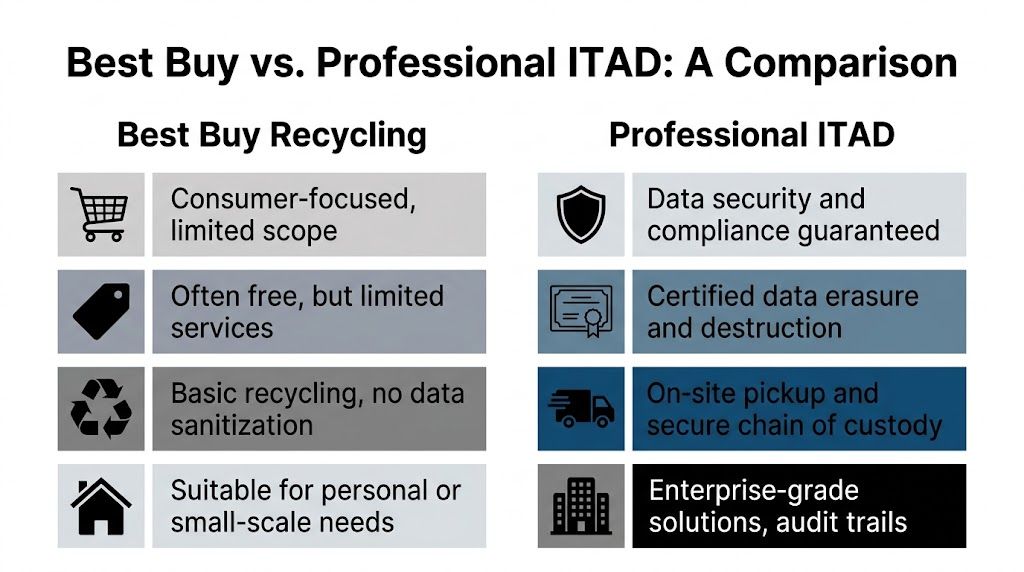
Best Buy Recycling vs Professional ITAD A Detailed Comparison
For a business, the question isn’t which option sounds greener or cheaper at first glance. The question is which option closes risk. Retail recycling and professional ITAD serve different jobs.
Here’s the clearest side-by-side view.
| Feature | Best Buy Consumer Recycling | Professional ITAD Service (e.g., Atlanta Computer Recycling) |
|---|---|---|
| Primary audience | Households and individual consumers | Businesses, schools, healthcare, government, data centers |
| Data handling | Customer is expected to manage data preparation | Provider handles secure sanitization and destruction workflows |
| Proof of destruction | No business-grade destruction record built into retail drop-off | Certificate-based documentation and audit trail |
| Chain of custody | Limited from the business perspective | Managed custody from pickup through final disposition |
| Pickup and logistics | Store drop-off model | On-site pickup, packing, de-installation, and transport |
| Volume suitability | Small loads | Bulk and project-based retirements |
| Compliance support | Not designed for HIPAA or formal audit needs | Designed for documented business compliance workflows |
| Equipment scope | Consumer-oriented categories | Business IT assets including servers, network gear, storage, and office refresh volumes |
Data security
This is the dividing line. Best Buy’s recycling standards state that hard drives and storage are processed to an “unrecoverable” status through downstream handling, but the model advises customers to wipe data themselves rather than providing direct, business-grade verification of destruction for every commercial asset. Best Buy’s recycling guidelines are discussed in this overview of what IT asset disposition means for organizations.
By contrast, professional ITAD providers are built around documented sanitization. In business environments, that usually means serial-number tracking, wipe logs where applicable, and physical destruction for failed or obsolete media when logical erasure isn’t appropriate.
Consumer retail: “Prepare your device before drop-off.”
Professional ITAD: “We control the media handling process and give you records.”
That’s a major operational difference. One model assumes the user can complete the security step alone. The other treats security as the service itself.
Compliance and auditability
A business doesn’t need disposal that “probably” worked. It needs disposal that can be proved.
For organizations dealing with patient records, employee files, financial information, legal data, or regulated records, an unsupported disposal story creates obvious problems:
- No formal evidence that a drive was wiped or destroyed
- No itemized tracking tied to business inventory
- No clear audit package if a regulator, client, or internal security team asks questions
- No disposal workflow built around policy enforcement
Professional ITAD exists because those gaps matter. It converts disposal from an errand into a controlled records event.
Logistics and scale
Best Buy’s model is designed for households and typically accepts up to 3 items per household per day for free, with exceptions such as 5 laptops/netbooks per day, and charges fees such as $29.99 per monitor or TV up to 50 inches under its consumer recycling program, according to Best Buy’s recycling service terms.
That limitation alone tells you the service is not built for office refreshes, school lab retirements, or data center decommissions.
A professional ITAD workflow changes the logistics completely:
- Pickup instead of employee drop-off
- Palletized handling for bulk loads
- De-installation for racks and enterprise hardware
- Segregation of data-bearing media
- Scheduled removal that matches project timelines
If your disposal plan requires multiple car trips, employee time, and handwritten lists, it isn’t an ITAD process. It’s an improvised workaround.
Chain of custody
Chain of custody sounds formal until something goes wrong. Then it becomes the first question everyone asks.
When a company retires equipment, it needs to know:
- Who touched it first
- Who transported it
- Where it went
- How media was handled
- What final disposition occurred
Retail drop-off doesn’t usually answer those questions in a way a business can rely on later. A professional ITAD provider is expected to answer them as part of normal operations.
Accepted equipment and practical fit
Consumer recycling programs are broad in one sense. They take a range of household electronics. But breadth is not the same as enterprise fit.
Business environments often need disposition for:
- Rack servers
- SAN or NAS units
- Managed switches and firewalls
- Access points
- Large batches of desktops and laptops
- Docking stations, VoIP phones, and peripherals
- Storage media removed from failed systems
A retail program may accept some overlapping items. That doesn’t mean it’s prepared for a structured commercial turnover with asset tagging, serialized reporting, secure staging, and timing requirements around office closures or hardware refresh cycles.
Cost versus value
The word “free” can distort the decision.
Retail drop-off may look cheaper because the disposal fee is low or nonexistent for certain items. But business cost isn’t just the posted fee. It includes employee time, transport, lack of documentation, internal handling risk, and the possibility that the organization cannot prove what happened to a retired device.
Professional ITAD may involve a service process, but it removes uncertainty. In commercial disposal, value is evidence. It’s custody, sanitization, reporting, and reduced exposure.
The simplest way to decide
Use retail recycling when the problem is convenience for a household item. Use professional ITAD when the problem is business risk.
That’s the cleanest distinction I know.
Data Breaches Compliance Fines and Other Hidden Risks
The most expensive mistake in electronics disposal is treating it like a trash problem. It’s a data problem first.
A retired laptop doesn’t stop being sensitive because it no longer powers on. A failed drive doesn’t become harmless because the user can’t access it. If the device ever stored regulated, confidential, or operationally sensitive information, disposal has to be handled like a security event with environmental benefits, not like a recycling errand.
Where the exposure starts
Professional ITAD providers adhere to standards such as DoD 5220.22-M for data wiping and provide auditable proof of destruction, while Best Buy’s model relies on downstream partners and advises customers to wipe data themselves rather than offering direct business verification, as described in Best Buy’s recycling guidelines for data handling.
That difference creates several business risks at once.
- Human error: Someone assumes a reset was enough when it wasn’t.
- Process drift: Devices are gathered over time, mixed together, and moved without formal logs.
- Unverifiable outcomes: The business can’t show exactly what happened to specific drives or systems.
- Policy conflict: Internal security rules may require records the retail process never produces.
A realistic failure chain
Here’s how these problems usually unfold in real life.
An office closes a branch or refreshes a floor of equipment. Staff members box up systems. A few machines are obviously dead, so nobody prioritizes them. Someone removes some labels, but not all. A few laptops are wiped. A few are only reset. A printer with internal storage goes out with the rest. The team makes several drop-off runs over a week because that’s what fits around normal work.
Nothing feels dramatic in the moment. That’s why it’s dangerous.
Months later, legal, compliance, or security asks for documentation on final destruction for a subset of devices. The company has disposal receipts, maybe. It doesn’t have the full record trail. At that point, the organization isn’t proving good disposal. It’s trying to reconstruct it.
The hidden cost of weak disposal controls isn’t the trip to the store. It’s the day someone asks you to prove what happened, and you can’t.
Recovery risk is real
Businesses also forget that “deleted” is not the same as destroyed. If a device leaves your control without verified sanitization, recovery may still be possible depending on the media state and what was done to it.
That’s why it helps to understand what specialists can recover from damaged or mishandled drives. These professional data recovery services give a useful sense of how much information can still exist on storage media after a device is considered dead, inaccessible, or casually wiped.
Documentation is part of the security control
A disposal process without paperwork is only half a process.
For business use, one of the most important records is a certificate of destruction for retired electronics and storage media. That document matters because it turns disposal into something your compliance team, legal team, insurer, or auditor can file and reference.
Without that record, you’re left with assumptions:
- the right assets were included
- the drives were handled correctly
- the final disposition matched policy
- no device was missed in transit
Assumptions don’t survive audits well. They also don’t help much after an incident.
Choosing Your Path A Decision Checklist for Atlanta Businesses
Most disposal decisions get easier when you stop asking, “Where can I take this?” and start asking, “What do I need to prove after it’s gone?”
For Atlanta businesses, that shift usually points to the right answer fast.
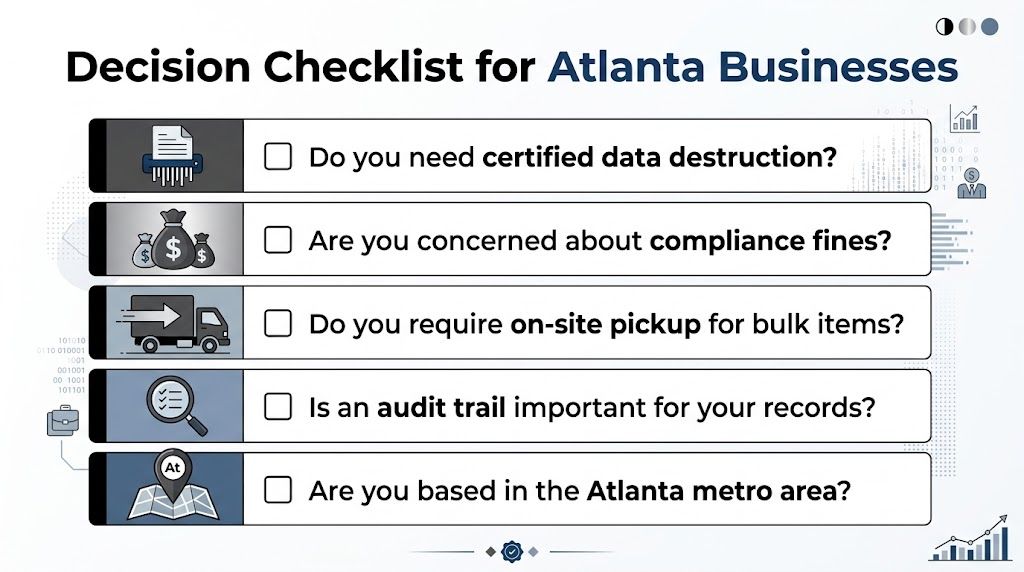
Use this checklist before choosing a disposal route
Answer these questions truthfully.
- Do the devices contain business data? If the answer is yes, even indirectly, you need a controlled disposition process. Local files, synced cloud folders, saved credentials, scans, and email caches all count.
- Are you disposing of more than a handful of items? Once volume increases, tracking breaks down fast without a formal pickup and inventory workflow.
- Do you need records for an audit, client questionnaire, or internal policy file? If yes, casual drop-off is usually the wrong fit.
- Are there servers, switches, firewalls, storage arrays, or failed drives involved? Enterprise equipment changes both handling and reporting needs.
- Would your legal or compliance team be comfortable defending the process later? That question cuts through a lot of wishful thinking.
When retail recycling may be enough
There are limited cases where retail drop-off can make sense for a business-adjacent situation.
- One low-risk item from a sole proprietor
- No regulated data
- No audit requirement
- No need for serial-level tracking
- No bulk logistics issue
If that’s your exact scenario, a consumer option may be acceptable.
When professional service is the safer call
Most established organizations don’t fit that narrow profile. If you’re dealing with recurring device retirement, staff turnover, office moves, school refreshes, or healthcare records, the safer move is a business-grade recycler with secure collection and destruction records.
A practical next step is reviewing your options for commercial e-waste recycling in Atlanta and matching the service model to the type of assets you retire, not the convenience level of the nearest store.
If the disposal decision would need to be explained to leadership after a security review, choose the process you can document, not the one that feels easiest on a Friday afternoon.
Taking Action Secure Electronics Recycling in Atlanta
Once you’ve decided that business assets need a controlled process, the next part is straightforward. Good ITAD projects don’t start with a truck. They start with a short internal plan.
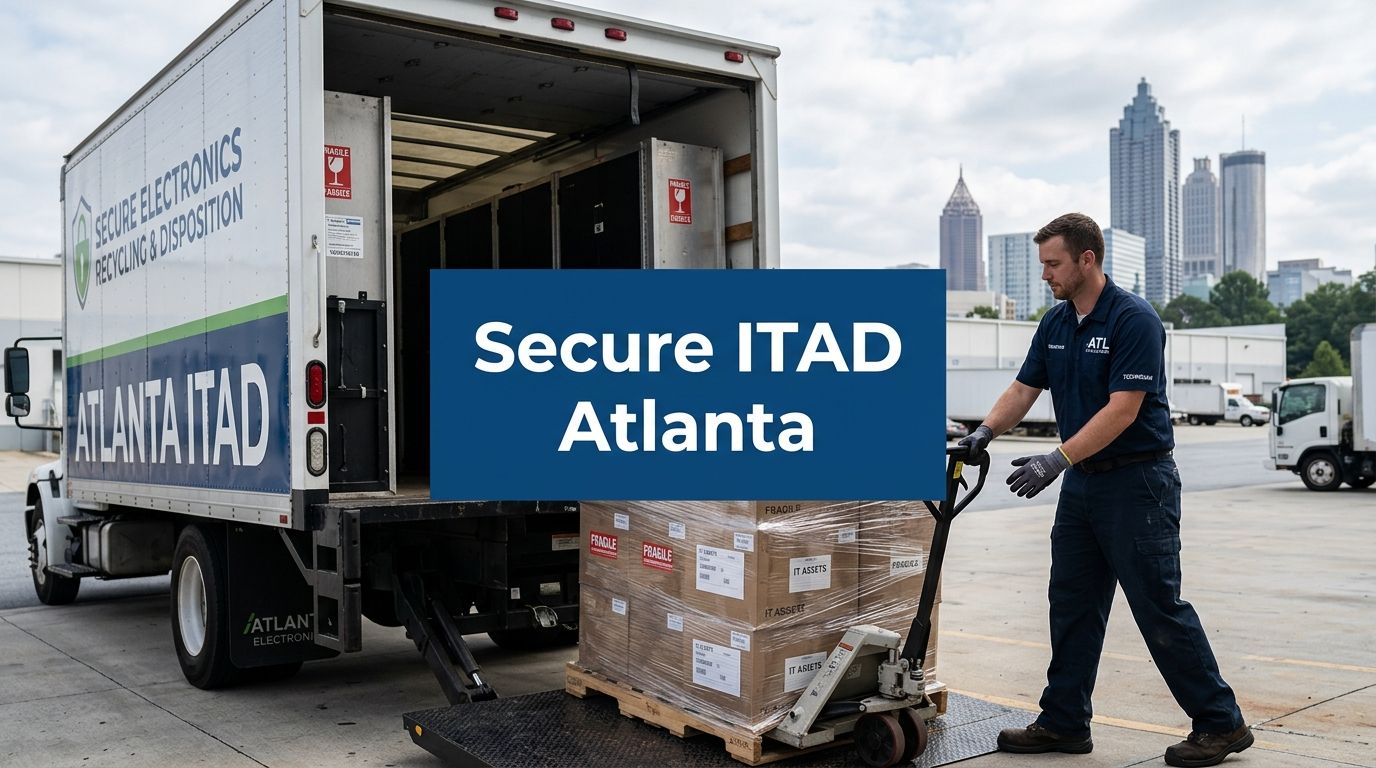
Step one, inventory what’s leaving service
Build a basic asset list before anything moves. You don’t need a perfect spreadsheet to start, but you do need enough structure to separate laptops from monitors, servers from peripherals, and especially data-bearing items from non-storage equipment.
At minimum, note:
- Device type
- Whether it stores data
- Location
- Approximate quantity
- Any item that needs special handling
Step two, isolate storage media
Hard drives, SSDs, backup devices, and embedded storage should be identified early. Don’t let them stay mixed in with generic scrap. When these aren't handled correctly, rushed projects often go sideways.
If a system is broken, treat it as more sensitive, not less sensitive. Failed hardware often needs physical destruction rather than simple software-based erasure.
Step three, arrange secure pickup and handling
The right provider should be able to coordinate business collection without turning your staff into part-time movers. For Atlanta-area organizations, that usually means scheduled pickups, loading support, and a disposition process that matches office, school, healthcare, or data center conditions. Such a service, built for IT equipment pickup in Atlanta, changes the workload for your team.
Step four, close the loop with records
Don’t consider the project finished when the equipment leaves your building. It’s finished when your organization has the documentation tied to the final outcome. That record is what lets IT, compliance, and leadership move on confidently.
A sound process should leave you with:
- Clear confirmation of what was collected
- Documentation of data destruction activity
- Final disposition records for retention
- A repeatable workflow for the next refresh cycle
That’s the difference between one successful cleanup and a sustainable retirement process.
Common Questions About Business Electronics Recycling
Can a small business ever use Best Buy for electronics recycling
Yes, in limited cases.
A retail drop-off can work if the volume is small, the devices do not contain sensitive data, and your company does not need destruction records, serialized reporting, or pickup coordination. That usually means a few low-risk peripherals, not a workstation refresh, office closure, or server cleanup.
The problem for businesses is rarely access. The main question is whether the disposal method stands up to an audit, a security review, or a customer questionnaire later.
What’s the main difference between retail recycling and business ITAD
Retail recycling is built for consumer convenience. Business ITAD is built for control.
That difference affects the entire process. A consumer program may help divert devices from landfill, but it usually is not designed to document asset custody, verify data destruction by device, or produce records your legal, compliance, or security teams can retain. For a business, those gaps matter more than the drop-off location.
Why does a certificate of destruction matter so much
Because disputes happen after the equipment is gone.
An IT manager may be asked six months later which drives were destroyed, which assets were remarketed, and who handled them at each step. If the answer depends on a store receipt, an email thread, or someone’s memory, the company has a documentation problem. A certificate of destruction gives you a formal record tied to the event, and that changes your position if questions come from auditors, insurers, regulators, or clients.
What kinds of devices need secure disposition
Any device with storage should go through a controlled process. That includes laptops, desktops, servers, external drives, backup media, mobile devices, and many copiers and multifunction printers.
Some businesses stop there. I would not. Firewalls, switches, VoIP systems, and other infrastructure gear can hold configs, credentials, IP data, and user information. Even if the resale value is low, the exposure can be high.
Can businesses recover value from retired equipment
Sometimes, and it is worth checking before everything is shredded for scrap.
A professional ITAD provider can sort equipment by risk and resale potential, then send eligible assets through testing, data destruction, and refurbishment. Older or damaged devices may still go straight to recycling. The trade-off is simple. Value recovery only makes sense if the handling process stays documented and the data destruction standard does not slip.
Is recycling electronics Best Buy ever appropriate for a company
It can be, but only in narrow, low-risk situations.
If you are disposing of a few accessories with no storage and no internal policy requirement for tracking, a retail program may be sufficient. If the project involves data-bearing assets, multiple departments, tenant move-outs, regulated records, or a need for chain of custody, it is the wrong tool for the job. At that point, the decision is less about recycling convenience and more about risk control.
If your organization needs a business-grade process instead of a consumer drop-off workaround, Atlanta Computer Recycling provides commercial electronics recycling and IT asset disposition across the Atlanta metro area, including secure pickup, data destruction, and documentation that supports compliance and audit needs.