CHaRM Atlanta Recycling: A Commercial ITAD Guide for 2026


A lot of Atlanta IT managers start in the same place. There’s a locked room, a row of retired switches, a pile of laptops from the last refresh, and at least a few drives nobody wants to touch because they may still hold regulated data.
Then someone searches charm atlanta recycling.
That search makes sense. CHaRM is well known in Atlanta, and for the right use case it does important work. But if you're handling business equipment, healthcare devices, university surplus, or a data center teardown, the primary question isn't whether electronics can be recycled. The question is whether the disposal path fits commercial risk, documentation, and logistics requirements.
Your Search for CHaRM Atlanta Recycling and What It Means for Your Business
If you're looking up charm atlanta recycling, you're probably trying to solve two problems at once. You need equipment out of the building, and you need confidence that the process won't create a security or compliance issue later.
Why CHaRM matters in Atlanta
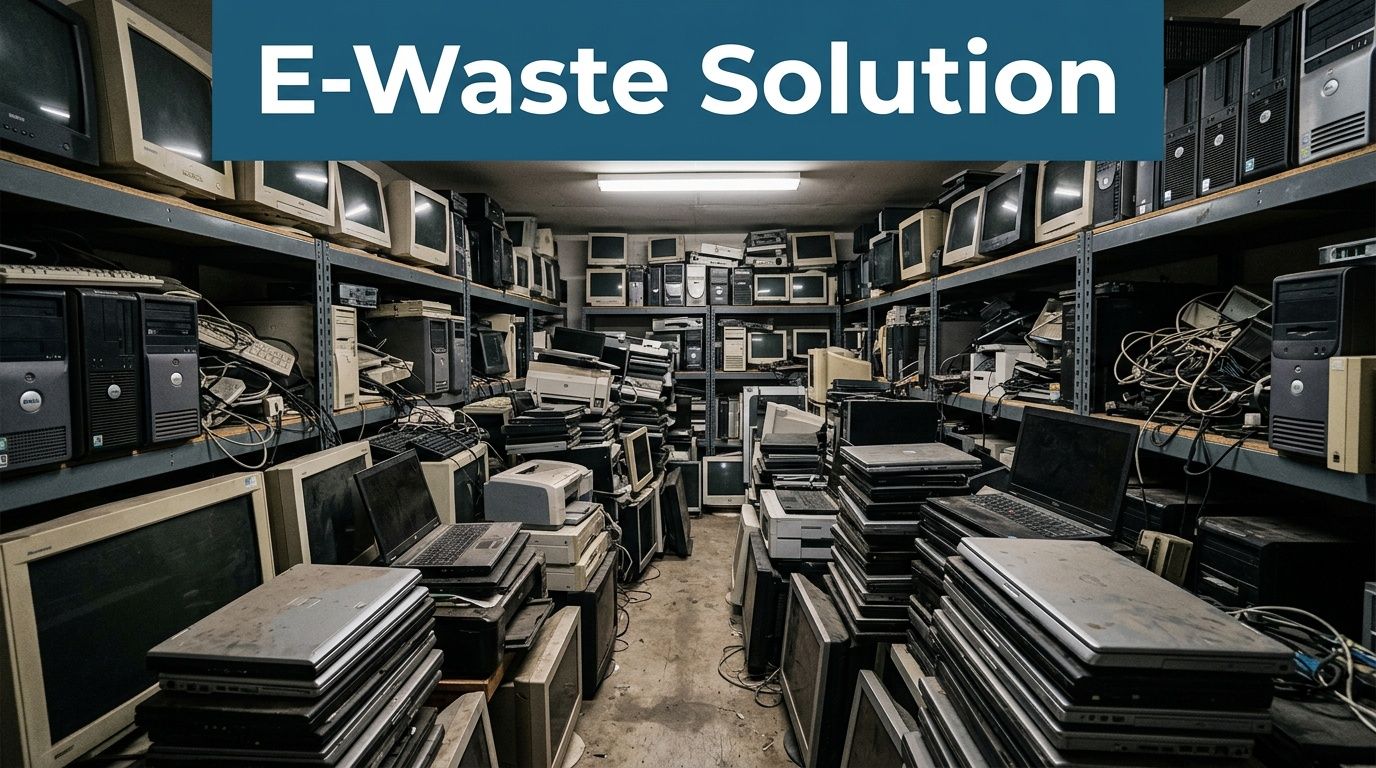
CHaRM Atlanta plays a legitimate and valuable role in the city’s recycling ecosystem. Operated by the nonprofit Live Thrive, it has become a major outlet for hard-to-recycle materials, and in 2021 it welcomed approximately 62,680 visitors and processed 4.8 million pounds of materials according to Saporta Report’s profile of CHaRM Atlanta. It also partners with certified recyclers such as Novus Solutions for electronics.
That matters for residents and for small quantities of mixed material that curbside programs won’t handle well. CHaRM also has broad public recognition because it sits at the intersection of sustainability, convenience, and community education.
For businesses comparing options, it helps to start with a plain distinction. A residential drop-off solution and a commercial IT asset disposition process are not the same thing.
Where the search intent changes
A facilities manager cleaning out a few employee devices may think in terms of recycling. An IT manager overseeing laptops, servers, storage, access points, and backup media has to think in terms of chain of custody, data destruction, asset tracking, and removal labor.
That’s where many searches for charm atlanta recycling shift from simple recycling to a more specific commercial question. The issue isn’t whether CHaRM is useful. It is. The issue is whether it matches the operational reality of your project.
CHaRM is a strong community recycling resource. Commercial IT disposition is a different category of work.
If your equipment list includes data-bearing devices, enterprise hardware, or large volumes, you need to evaluate the disposal path the same way you would evaluate any other risk-sensitive vendor process. For a business-focused breakdown, this commercial guide to CHaRM Atlanta alternatives is a useful starting point.
The Commercial ITAD Challenge Why A Drop-Off Model Creates Risk
A business doesn't retire equipment the way a resident drops off old electronics. The stakes are different from the first asset onward.
The real issue is control
When a company disposes of retired IT assets, the project has to answer a set of questions that public drop-off programs usually aren't built around:
- Who handled each device: You need a documented custody trail for laptops, desktops, drives, servers, and removable media.
- What happened to the data: You need a clear destruction method for functioning drives, failed drives, and devices that can't be powered on.
- How was the inventory verified: Asset records need to line up with what left the building.
- What proof exists after pickup: If an auditor, legal team, or compliance officer asks six months later, your team needs records.
Those aren't edge cases. They are the normal requirements for commercial ITAD.
Why appointment-based drop-off creates friction
CHaRM’s public-facing model creates an obvious operational problem for companies. As noted in Live Thrive’s electronics recycling information, CHaRM Atlanta uses an appointment-only model with limited windows for the Atlanta location, and public guidance doesn't clearly address high-volume commercial submissions or enterprise-grade equipment such as server racks.
That gap matters in practice. A medium-sized office closure or infrastructure refresh rarely produces a neat stack of consumer devices. It produces pallets, tangled peripherals, rack gear, bad drives, loose batteries, asset tags, and equipment spread across floors, closets, and MDF or IDF spaces.
Practical rule: If your disposal plan depends on your own staff loading, transporting, and explaining enterprise equipment at a public drop-off point, you're already shifting risk in the wrong direction.
What businesses actually need
Commercial ITAD projects usually require a service model closer to field operations than retail recycling. The work often includes de-installation, on-site sorting, secure staging, packing, loading, transport, and post-project reporting.
A drop-off center can still be useful for certain non-sensitive items in small quantities. It just shouldn't be mistaken for a full commercial disposition workflow.
Here’s the comparison that matters most.
Commercial ITAD Needs CHaRM vs. Atlanta Computer Recycling
| Feature | CHaRM (Residential Focus) | Atlanta Computer Recycling (Commercial Focus) |
|---|---|---|
| Primary use case | Public drop-off for hard-to-recycle materials | Business-to-business IT asset disposition |
| Access model | Appointment-only public drop-off during limited windows | Scheduled service aligned to commercial operations |
| Bulk office cleanouts | Public information doesn't clearly define process for large submissions | Designed for bulk pickups and coordinated removals |
| Data-bearing assets | General electronics acceptance is publicized, but enterprise process clarity is limited | Data destruction workflow is part of the service model |
| Enterprise hardware | Public guidance doesn't clearly define scope for server racks and similar equipment | Built for servers, network gear, storage, and office IT |
| On-site labor | Self-managed by the customer | De-installation, packing, pickup, and transport support |
| Documentation | Residential-style recycling access | Serialized reporting and destruction documentation for business records |
| Operational burden on client IT staff | High | Lower |
What works and what doesn't
What works well with a public facility is straightforward consumer or small-office material when the organization can safely control transport and doesn't need specialized handling.
What doesn't work well is any project where the risk sits in the details:
- Server room decommissioning
- Healthcare devices with regulated data
- School or university refreshes with large device counts
- Office closures across multiple floors
- Mixed loads of reusable equipment and failed media
If your team is still evaluating whether a self-delivery option can work, this electronics disposal drop-off overview for business equipment helps clarify where public drop-off ends and commercial ITAD begins.
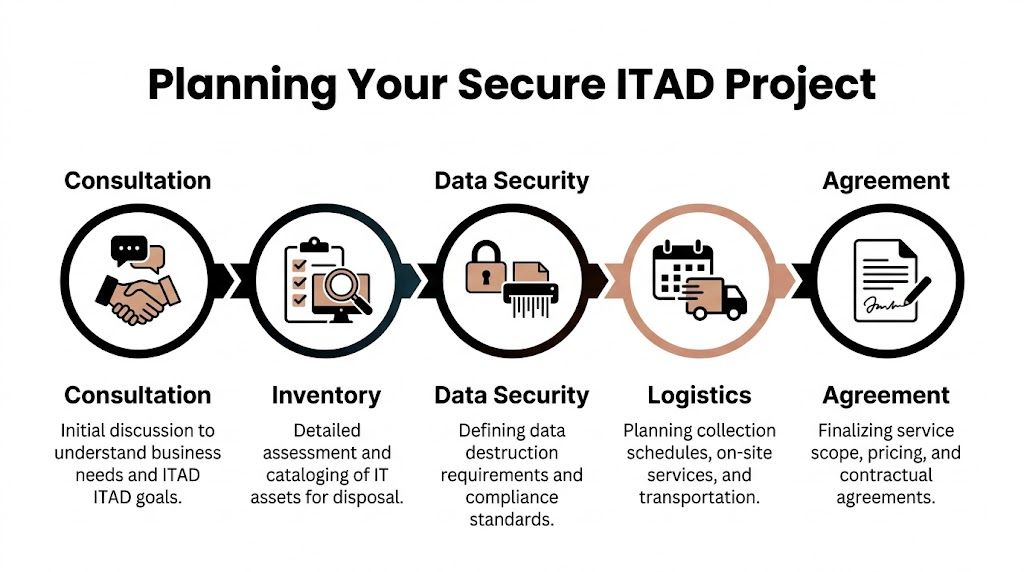
Phase 1 Planning Your Secure IT Asset Disposition Project
A clean ITAD project starts before a single device moves. Most problems show up in planning, not in transport.
Start with an asset inventory that means something
A useful inventory is more than a count. “Forty laptops and some monitors” is not enough if your legal team, compliance team, or security lead later asks what happened to specific assets.
Break the inventory into operational categories:
Data-bearing equipment
Laptops, desktops, servers, SAN or NAS units, loose hard drives, SSDs, backup devices, and multifunction systems with storage.Non-data equipment
Monitors, docks, keyboards, cables, printers without retained storage requirements, phones, and miscellaneous peripherals.Equipment by condition
Working, non-working, physically damaged, incomplete, and obsolete. Reuse and destruction decisions often depend on these conditions.Equipment by location
One corporate office is one thing. Multiple suites, clinics, schools, or server rooms create a logistics project, not just a recycling event.
Flag the exceptions early
The exceptions drive scope. They also drive delays if nobody identifies them in advance.
Use a short internal checklist:
- Devices that can't boot: These may need a different destruction path than healthy drives.
- Racked equipment: Removal takes more time than collecting desktops from a storage room.
- Loose media: Drives in boxes, drawers, or evidence cabinets need separate reconciliation.
- Access restrictions: Badge access, loading dock windows, elevator rules, and after-hours requirements affect scheduling.
- Department-owned assets: Finance, HR, legal, radiology, labs, and security teams often hold devices outside central IT control.
Asset disposition gets messy when organizations know the building contains retired equipment but don't know exactly where it sits or who still owns it internally.
Build a basic scope of work
A strong scope of work removes ambiguity before pickup day. It tells both sides what is being removed, how the data will be handled, and what records must be produced afterward.
A practical SOW should include:
- Project locations: Address, floor, room, dock access, and any site restrictions.
- Asset summary: Device types, estimated quantities, and whether the count is exact or approximate.
- Data handling instructions: Which assets are to be wiped, which are to be physically destroyed, and which need special treatment.
- On-site services: De-installation, palletizing, boxing, cable removal, rack removal, or simple dock pickup.
- Scheduling requirements: Business hours, blackout periods, after-hours windows, and contact names.
- Documentation required: Serialized inventory, certificate of destruction, recycling records, and pickup confirmation.
- Compliance notes: Any internal policy requirements tied to healthcare, education, finance, or public-sector obligations.
A sample SOW framework
Below is the format I recommend teams use before requesting service:
| SOW element | What to include |
|---|---|
| Locations | Each pickup site and access constraints |
| Assets | Device categories and estimated counts |
| Security | Wipe, shred, or segregate by asset type |
| Labor | Whether on-site de-installation is required |
| Timing | Preferred pickup dates and restricted windows |
| Records | Serialized reporting and destruction proof |
This preparation does two things. It prevents scope drift, and it keeps your own team from becoming the bottleneck.
For organizations looking at broader responsible recycling programs while planning disposition, this e-recycling resource for business equipment is a practical reference.
Phase 2 Executing Data Destruction and Ensuring Compliance
Data destruction is the point where a recycling project becomes a security project. If you get this wrong, the rest of the workflow doesn't matter much.
Software wiping versus physical destruction
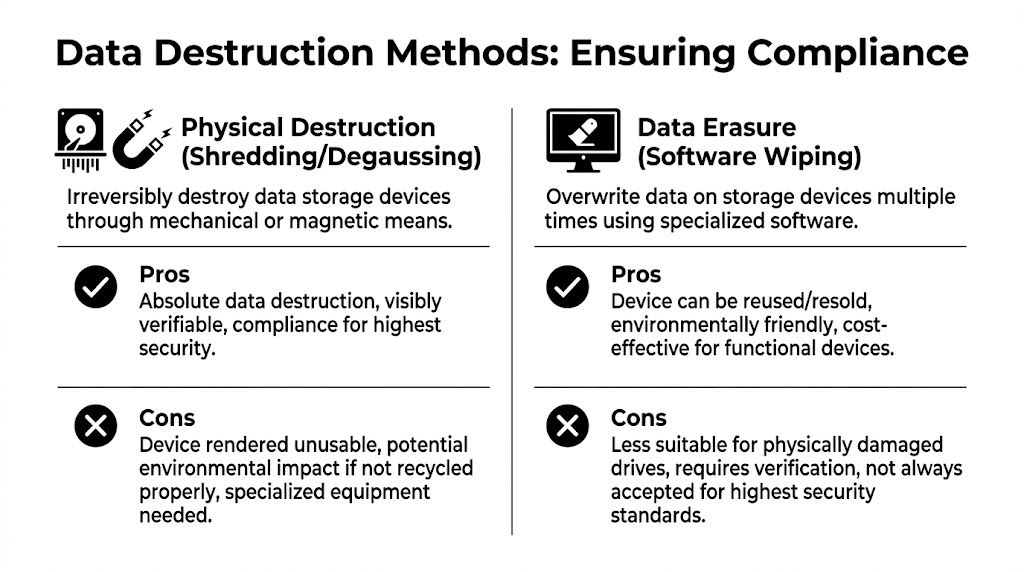
The two main approaches are software data erasure and physical destruction. They are not interchangeable in every situation.
Software wiping makes sense when a drive is functional and suitable for reuse or remarketing. The process overwrites the media and produces verification that the sanitization completed successfully. In a commercial setting, that verification matters as much as the wipe itself.
Physical destruction is the right choice when the drive is failed, damaged, obsolete, or subject to a stricter internal standard that requires irreversible destruction. Shredding removes the question of whether the media can ever be reused.
Choose the method by asset condition and policy
A simple decision framework works well:
- Use wiping for functional drives when the organization wants reuse potential and the media can be successfully verified.
- Use shredding for failed media because you can't reliably sanitize a drive that won't complete the process.
- Use shredding for highly sensitive categories when your internal policy or customer contracts require final physical destruction.
- Separate loose drives from whole systems so nothing gets missed inside a larger pickup.
If an asset inventory says “laptops,” but there’s also a banker box full of removed SSDs in a closet, the box is the real risk.
Why certificates matter
The certificate of data destruction isn't just administrative cleanup. It's the document your organization relies on when someone asks for evidence.
A useful documentation package should tie destruction records back to the assets collected. For serialized devices, that means reporting by identifiable asset. For loose media, it means a documented intake and destruction record that matches the project scope.
The practical value shows up later:
- Audit support: Your compliance team can produce evidence instead of narratives.
- Legal defensibility: Counsel can show due diligence if questions arise after a site closure or equipment retirement.
- Internal accountability: IT, security, procurement, and facilities can all reconcile the same project against the same record.
What to ask before release
Before equipment leaves your building, ask these questions plainly:
| Question | Why it matters |
|---|---|
| Will media be wiped or shredded by asset type? | Prevents assumptions after pickup |
| What happens to failed drives? | Failed media needs a defined path |
| Will I receive serialized reporting? | Audit trails depend on traceable records |
| What documentation closes the job? | You need final proof, not verbal confirmation |
A lot of confusion around commercial electronics recycling comes from teams treating data destruction as a side task. It isn't. It's the core control.
For a practical explanation of sanitization standards and when wiping is appropriate, this hard drive wiping guide lays out the basics in plain terms.
Phase 3 Managing On-Site Logistics and Project Execution
The physical side of IT disposition is where internal teams lose time. Equipment has to come out of offices, closets, labs, and racks without turning the project into a week-long disruption.
What a controlled on-site process looks like
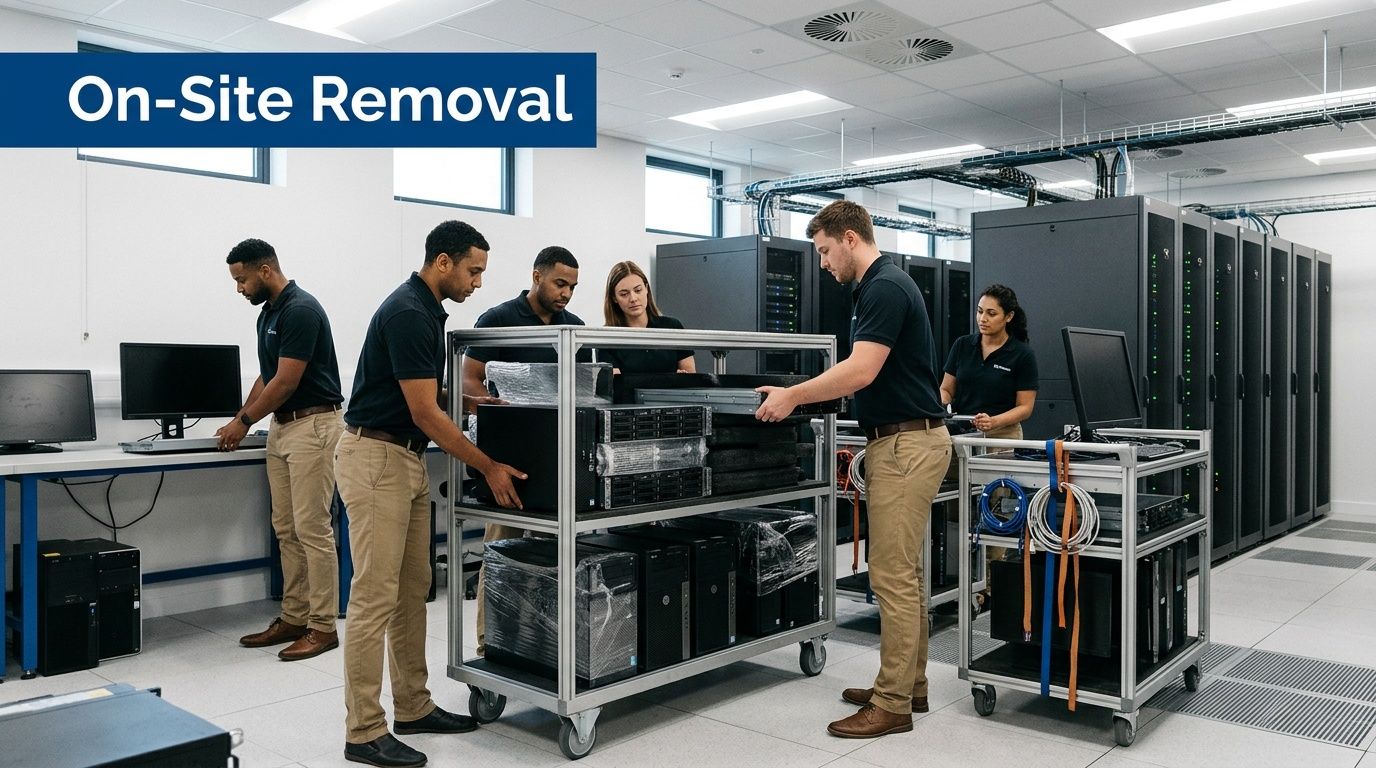
For business projects, execution should feel like a coordinated move, not a recycling errand. The basic sequence is straightforward:
- Pre-arrival confirmation: Final site contacts, access instructions, dock details, and the exact pickup scope are confirmed.
- On-site segregation: Teams separate data-bearing devices, reusable systems, loose media, peripherals, and equipment that needs special handling.
- De-installation where required: Rack gear, mounted equipment, and hard-to-reach assets are removed safely.
- Packing and staging: Assets are boxed, palletized, labeled, or shrink-wrapped for secure transport.
- Load-out and reconciliation: The removal aligns with the agreed inventory and custody process.
That model matters because your IT staff already has a day job. They shouldn't have to become movers, warehouse staff, and chain-of-custody coordinators just to clear retired equipment.
Why self-transport becomes expensive in labor
A lot of organizations underestimate the hidden cost of trying to move retired hardware themselves. The issue isn't only vehicle space. It's staff time, internal coordination, building access, and the confusion that appears when assets from different departments get mixed together.
CHaRM’s Corporate Challenge shows that organized collection can divert serious volume, but it is built around a two-week high-intensity collection methodology and diverted 140,000 pounds in 2023, according to Rough Draft Atlanta’s report on the challenge. That's a strong community model. It also illustrates the difference between a campaign and a routine commercial service model.
A business usually doesn't want “high intensity.” It wants predictable removal tied to its own operating schedule.
How to keep the project from disrupting operations
A few execution habits make a major difference:
- Stage by room or department: This prevents downstream reporting problems.
- Separate reusable devices from scrap early: Mixed loads slow decisions and create handling errors.
- Schedule around user impact: Clinics, classrooms, and production environments often need narrow pickup windows.
- Assign one internal owner: One point of contact reduces contradictory instructions on pickup day.
The best pickup day is boring. Equipment leaves. Staff keep working. Documentation follows the project plan.
For offices, schools, hospitals, and data centers, that boring outcome is the sign of a well-run operation.
Phase 4 Understanding Pricing and Final Documentation
Commercial ITAD pricing is usually driven by the shape of the project, not by a flat public drop-off logic. Teams budget better when they understand what changes the quote.
What affects project cost
The first driver is asset mix. A pallet of standard desktops and monitors is simpler to handle than a room of mixed servers, storage units, UPS units, loose drives, and untracked peripherals.
The second driver is service level. Dock pickup is one scope. De-installation from racks, removal from multiple floors, after-hours access, and complex on-site sorting are a different scope entirely.
A third factor is whether there are remarketable assets in the load. Functional business-grade equipment can offset disposal costs in some projects, while obsolete or damaged equipment usually increases the labor and processing burden.
The documentation package closes the risk loop
The job isn't finished when the truck leaves. It is finished when your organization receives the records needed to prove what happened.
The final package should typically include:
- Serialized asset reporting: So you can reconcile what was removed.
- Certificate of data destruction: So security and compliance teams have evidence tied to the project.
- Recycling documentation: So sustainability and facilities teams can document responsible disposition.
- Pickup or service confirmation: So procurement and internal stakeholders can close the engagement.
What good paperwork prevents
Without final documentation, organizations tend to recreate the same project from email fragments later. Someone asks whether a server was destroyed, whether a batch of laptops was wiped, or whether a site closure included a particular closet of devices. Then IT has to piece together the answer from memory.
Good records stop that cycle. They let you answer questions quickly and with confidence.
For teams evaluating what final proof should look like, this certificate of destruction overview shows the kind of documentation commercial projects should require.
The Right Partner for Atlanta's Commercial Recycling Needs
CHaRM is valuable for Atlanta residents and for the city’s broader recycling infrastructure. But commercial IT disposition has different requirements. Businesses need secure handling, documented data destruction, controlled logistics, and records that stand up under audit.
If you're managing retired laptops, servers, storage, network gear, or a full office or data center cleanout, use a provider built for commercial ITAD. That's the safer path for your data, your staff time, and your compliance posture.
Atlanta organizations that need a business-ready disposal process can talk with Atlanta Computer Recycling about secure pickups, data destruction, de-installation, and final documentation for office closures, healthcare environments, schools, and data center projects.