Your Guide to a Certificate of Destruction Template

A professionally crafted certificate of destruction template is far more than a formality. It’s your legally defensible proof that sensitive business data has been permanently and verifiably wiped out. Think of this document as the final, critical checkpoint in your company's IT asset disposition (ITAD) process. It creates an auditable paper trail that insulates your organization from nasty compliance risks and potential data breaches. For any IT manager, this is your first line of defense against legal headaches and steep financial penalties.
Why a Certificate of Destruction Is Non-Negotiable
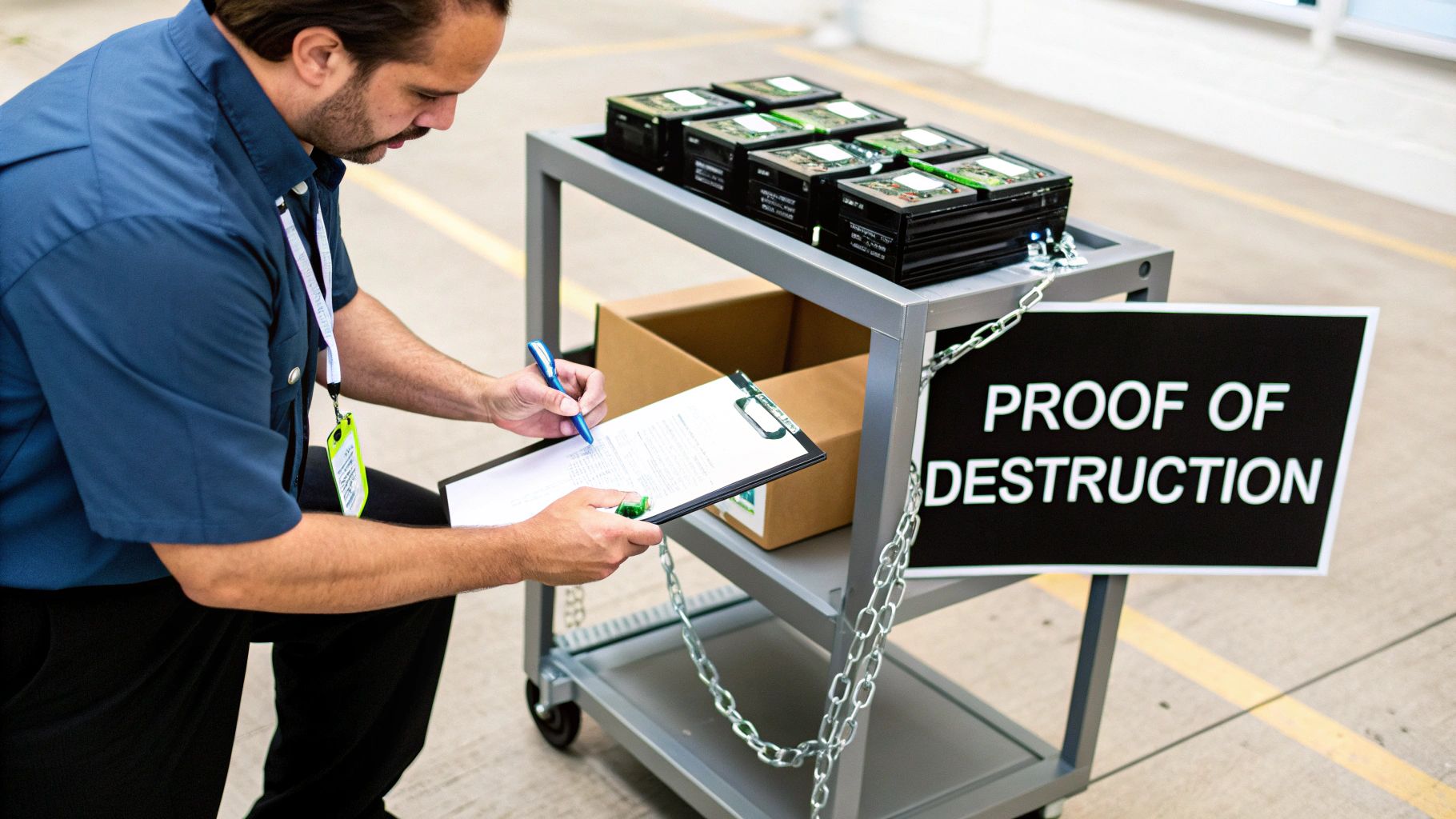
When your business retires old IT equipment, the stakes couldn't be higher. A Certificate of Destruction (CoD) isn’t just a simple receipt; it’s one of the most essential risk management tools a modern enterprise can have. Without this verifiable proof, your organization has no official way to confirm that sensitive information was handled correctly, leaving you wide open to significant liability.
Imagine a healthcare provider facing a HIPAA audit. They'll need to prove they securely handled patient data from every decommissioned server. A properly executed CoD is that exact legal, auditable proof of data sanitization, shielding the organization from crippling fines and the kind of reputational damage that’s hard to come back from. It’s all about creating an unbroken chain of custody from your facility to the final disposition.
The Growing Demand for Formal Proof
The shift toward mandatory documentation isn't just a passing trend; it's a direct response to a much tougher regulatory environment. A comprehensive 2023 report revealed that over 78% of organizations in North America and Western Europe now mandate formal destruction certificates for asset disposal. That’s a massive jump from just 42% back in 2015.
This surge is almost entirely fueled by stringent data protection regulations like GDPR and HIPAA, which require businesses to provide irrefutable proof that sensitive data has been securely and permanently eradicated. The data tells a clear story: simply disposing of old assets is no longer enough. Your business must be ready to prove it was done right.
A Certificate of Destruction transforms a potential liability into a documented asset. It is the definitive proof that you’ve met your legal and ethical obligations to protect sensitive data, closing the loop on your security protocols.
Shielding Your Business from Real-World Risks
The consequences of improper IT equipment disposal are tangible and severe. A single hard drive from an office cleanout that ends up in the wrong hands can become a goldmine for criminals, potentially costing a company millions in damages, legal fees, and lost customer trust. This is where a CoD becomes your most valuable piece of evidence.
A robust certificate proves you performed due diligence by documenting the critical details of the disposal process:
- What was destroyed: Unique identifiers like serial numbers for each and every asset.
- How it was destroyed: The specific method used, such as DoD 5220.22-M wiping or physical shredding.
- Who destroyed it: Authorized signatures from both your company and the certified vendor who performed the work.
- When and where: The precise date, time, and location of the destruction.
This is exactly the level of detail that auditors and legal teams look for. It demonstrates a solid commitment to a secure and accountable process—something we've perfected for countless partners through our professional IT asset destruction services. Ultimately, the certificate isn't just an administrative chore. It's a core component of your risk management strategy that makes audits smoother and helps build a culture of security from the ground up.
Breaking Down the Certificate of Destruction Template

A solid certificate of destruction template is more than just a piece of paper; it’s your definitive proof of compliance. But its real power lies in the details. Think of it less like a form to fill out and more like the final, detailed chapter in an asset's lifecycle.
Every field on that document serves a purpose, working together to create an airtight audit trail that will stand up to any scrutiny. From identifying the client to detailing the exact shred size, getting it right is everything. Let's walk through the key components so your team can create flawless, defensible records every time.
A well-crafted Certificate of Destruction is your legal safeguard, proving you’ve taken all necessary steps to protect sensitive data. The table below breaks down the essential fields, explaining why each one is critical for a complete and compliant record.
Key Fields on a Certificate of Destruction Explained
| Field Name | Purpose and Importance | Example Data |
|---|---|---|
| Client Information | Clearly identifies the owner of the assets, establishing the origin of the data-bearing devices. This is the first link in the chain of custody. | Your Company, Inc. 123 Main Street, Atlanta, GA 30303 |
| Service Provider Details | Names the certified ITAD partner responsible for performing the destruction, ensuring accountability and traceability for the entire process. | Atlanta Computer Recycling 456 Tech Drive, Atlanta, GA 30318 |
| Unique Certificate ID | Provides a specific reference number for each destruction event, making it easy to locate and verify records during an internal or external audit. | ACR-2024-08-12345 |
| Asset List (Serial #) | The most critical component. It lists every individual device by its unique serial number, proving exactly what was destroyed. | Dell Latitude 5420, S/N: 7ABCD12 |
| Method of Destruction | Specifies the exact process used (e.g., physical shredding, data wiping standard), validating compliance with regulations like HIPAA or NIST. | Physically shredded to 5/8" particle size |
| Date & Location | Documents when and where the destruction occurred (on-site or off-site), confirming the timeline and security protocols of the event. | August 15, 2024 – Off-site at ACR facility |
| Transfer of Custody | A legal statement affirming that your organization formally handed over the assets to the vendor for the express purpose of destruction. | "Custody of the listed assets was transferred…" |
| Authorized Signatures | Finalizes the document with signatures from both parties, creating personal and corporate accountability for the accuracy of the record. | [Signature] John Doe, IT Director |
This level of detail is non-negotiable for creating a document that will satisfy auditors and provide true peace of mind.
Identifying the Key Players
First, the certificate must establish who's involved. This might seem obvious, but it’s the foundation of accountability and the starting point for any audit.
This part of the document needs to lock down:
- Your Company Details (The Client): Your official business name, address, and a key contact. This confirms you as the legal owner of the assets.
- The Service Provider's Details: The full name, address, and contact info for the certified ITAD partner who performed the work. This pinpoints who is responsible for the destruction.
Getting these basics right immediately connects the physical hardware to the organizations accountable for it, forging the first crucial link in the chain of custody.
Detailing the Assets for Destruction
This is where the real work is, and frankly, where most compliance efforts fall apart. A vague line item like "50 hard drives" is an auditor's dream and a business's nightmare because it proves nothing. You need unmistakable clarity for every single data-bearing device.
A complete asset list, often attached as a separate schedule for larger projects, must break down:
- Asset Type: Get specific. "Dell Latitude 5420 Laptop" or "Seagate Exos Server HDD" is what you're aiming for.
- Manufacturer and Model: This adds another valuable layer of identification.
- Unique Serial Number: This is the absolute linchpin. It's the one identifier that is 100% unique to that device.
- Internal Asset Tag (If Used): Including your company's own asset tag is excellent for cross-referencing with your internal inventory records.
Without individual serial numbers, you can't prove that a specific device was destroyed. This single piece of information is what transforms a simple receipt into a legally defensible document.
If you want to see how this looks in practice, check out a sample Certificate of Destruction to get a feel for how a professional asset list is structured. Zero ambiguity is the goal.
Documenting the Destruction Process
The final section is all about the event itself—how, when, and where the data was permanently erased. This is the proof an auditor needs to verify that your methods meet regulatory standards like HIPAA, FACTA, or GDPR.
Here are the key fields you'll find:
- Method of Destruction: Be precise. Instead of just "Wiped," state "Sanitized via DoD 5220.22-M 3-Pass Overwrite." Instead of "Shredded," specify "Physically Shredded to 1/4 inch particle size."
- Date and Location of Destruction: Note the exact date the job was finished and whether it happened at your facility (on-site) or the vendor’s secure plant (off-site).
- Transfer of Custody Statement: This is a short legal sentence confirming you handed the assets over to the service provider for the specific purpose of destruction.
- Authorized Signatures: The certificate isn't complete until it’s signed and dated by authorized personnel from both your company and the vendor. Including their printed name and title adds a layer of personal accountability.
How to Accurately Complete Your Certificate
Turning a blank certificate of destruction template into an audit-proof document is all about getting the details right. Every single field you fill out strengthens your chain of custody, creating an ironclad record that proves your IT assets were disposed of securely.
If you’re vague or miss a few key details, the whole document could be rendered useless during an audit, and that’s a risk no business should take.
Let’s walk through a real-world scenario to make this tangible. Picture a mid-sized financial firm decommissioning a small data closet. Inside are two servers, a network switch, and ten loose hard drives. Their top priority is proving compliance and ensuring no sensitive client data ever sees the light of day.
Capturing Asset Details with Precision
The number one mistake we see on Certificates of Destruction is a weak, generic asset list. An entry like "2 Servers" is a huge red flag for any auditor because it doesn't prove anything specific was destroyed. You must capture the unique identity of every single data-bearing device.
For our financial firm, this means getting meticulous.
- Asset Type and Model: Be specific. Not just "server," but "Dell PowerEdge R740 Server." Not "HDD," but "Seagate Exos X16 12TB HDD."
- Manufacturer's Serial Number: This is the absolute non-negotiable identifier for each device. For a server, you need the chassis serial number, but you also must list the serial number of every individual hard drive inside it.
- Internal Asset Tag: If your company uses its own asset tags, include them. This creates a perfect cross-reference back to your internal inventory system.
Manually logging hundreds of serial numbers is not only tedious but a recipe for typos and errors. A simple barcode scanner hooked up to a spreadsheet is a far more accurate and efficient way to capture this data. You can then just attach that digital list to the final certificate.
For larger jobs, investing in dedicated tools can make a world of difference. You can learn more about how to manage your hardware with IT asset tracking software to streamline this critical first step.
Differentiating Destruction Methods with Clear Language
Your certificate needs to state exactly how each asset was sanitized. This language has to be specific enough to satisfy regulators, whether you’re dealing with HIPAA or strict financial industry rules. Any ambiguity here completely undermines your compliance claim.
Let’s say our financial firm decided to physically shred the older hard drives but wanted to wipe the newer server drives for potential reuse. The certificate has to show that clearly.
Here are a few sample descriptions you can use:
- For Physical Shredding: "Assets were physically destroyed via industrial shredding, reducing all media to a particle size of 5/8 inches or less, rendering all data completely irrecoverable."
- For Data Wiping: "Data on assets was sanitized using the DoD 5220.22-M 3-pass overwrite standard, which erases all information by writing random characters over the existing data multiple times, ensuring it cannot be reconstructed."
A clear distinction between wiping and shredding is vital. Wiping allows for asset reuse, while shredding is the definitive end-of-life solution. Your certificate must accurately document the chosen path for each and every asset.
Using Compliance-Specific Wording
If your business is in a regulated industry, adding language that directly references the relevant compliance framework is a very smart move. It immediately signals to auditors that you understand your obligations and have taken the right steps to meet them.
If our example company was a healthcare clinic instead of a financial firm, the certificate would need to speak directly to HIPAA.
- HIPAA-Specific Language: "The destruction methods employed meet or exceed the standards for rendering Protected Health Information (PHI) unreadable, undecipherable, and otherwise incapable of being reconstructed, in accordance with the HIPAA Security Rule (45 C.F.R. § 164.310(d)(2)(i))."
Adding a statement like this provides clear, documented proof of your intent to follow specific data protection laws. By following these steps—capturing detailed asset information, using precise destruction language, and including compliance-specific wording—you transform a simple form into a robust legal document that truly protects your business.
Documenting Different Data Destruction Scenarios
In IT asset disposition, a one-size-fits-all approach to documentation simply won't cut it. The details on your certificate of destruction template must match the reality of each project, whether you're wiping devices for reuse or physically shredding them for good. Each path has its own compliance hurdles and needs a slightly different documentation strategy to keep your audit trail airtight.
This is what elevates a basic receipt into a powerful legal document. Your certificate needs to tell the complete, accurate story of what happened to every single asset.
While the specifics change, the core process for generating a certificate is always the same: you gather the assets, record the details, and then sign off for final verification.
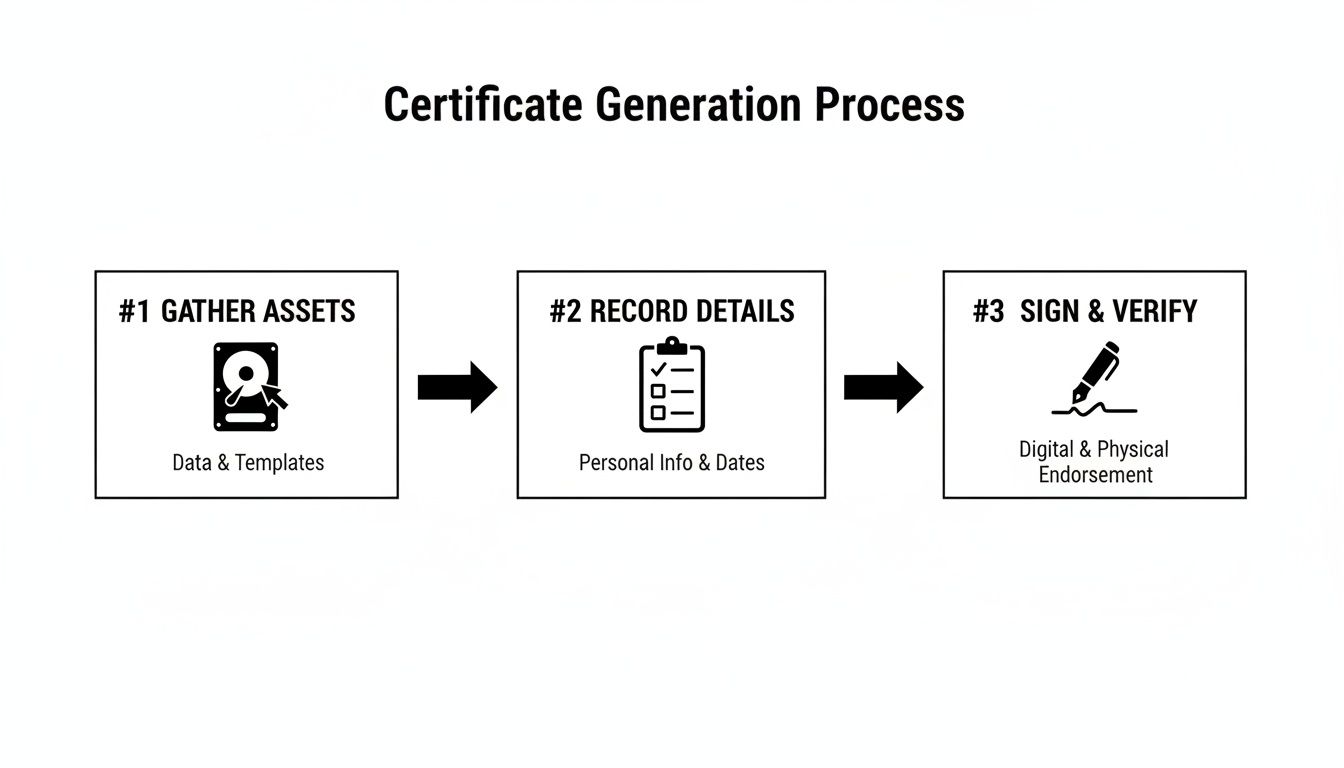
This workflow shows how meticulous recording is the critical bridge between possessing an asset and proving you destroyed its data securely.
On-Site Data Wiping vs. Off-Site Shredding
One of the most common distinctions your certificate needs to make is between wiping data and physically destroying the media. Each method serves a different purpose and impacts your asset inventory and compliance records differently. Your documentation must reflect this with absolute clarity.
With on-site data wiping, the goal is usually to sanitize devices so they can be safely redeployed, donated, or resold. Here, the certificate is your proof that the data was forensically removed according to a specific standard, like DoD 5220.22-M.
The certificate should include details like:
- Wiping Standard Used: State the exact method, such as "NIST 800-88 Purge."
- Verification Status: A field confirming the wipe was successful and verified.
- New Asset Status: A note that the physical device is still intact for redeployment.
On the other hand, off-site physical shredding is for assets at their absolute end of life. In this case, the certificate is proof of total annihilation. For example, fulfilling data sharing opt-out requests demands meticulous documentation to prove data was purged from all systems, often through physical destruction.
The documentation needs to specify:
- Shred Size: A key detail like "Shredded to 5/8-inch particle size."
- Chain of Custody: Confirmation of secure transport from your facility to the shredder.
- Final Disposition: A statement confirming the shredded material was recycled.
Scenario A: Data Center Decommissioning
Let's say your company is decommissioning a data center with thousands of drives. The sheer volume makes this a high-stakes project where chain of custody is everything. A single drive going missing could mean a massive data breach.
For a project like this, the Certificate of Destruction must be backed by a detailed asset list—often an appendix running hundreds of pages. Each line item has to list the serial number of every single drive. The certificate itself will summarize the project and reference the attached manifest. It needs to confirm the secure handling of all assets, from the moment they're pulled from the racks until their final shredding.
When you're managing large-scale projects, the Certificate of Destruction acts as the master document validating the entire process. The attached, serialized inventory provides the granular, device-level proof that auditors demand.
Scenario B: Law Firm Laptop Retirement
Now, picture a law firm retiring 50 laptops packed with sensitive client-attorney privileged information. The risk here isn't volume—it's the extreme sensitivity of the data. The firm has to prove, beyond any doubt, that this privileged data was completely destroyed.
For this situation, the certificate needs more than just serial numbers. It should include specific language confirming that the destruction process protects client confidentiality. A statement like, "All media was destroyed in a manner that protects client-attorney privilege and ensures no data is recoverable," adds a critical layer of legal assurance. This focus shows you understand the unique risks involved.
For more on this, you might find our guide on the certificate of destruction for hard drives helpful, as it dives deeper into these nuances.
Making the Certificate Part of Your ITAD Workflow

A Certificate of Destruction shouldn't be a reactive task you scramble to complete after the fact. It needs to be a proactive, fully integrated piece of your IT Asset Disposition (ITAD) workflow. Treating it like a simple checkbox is a missed opportunity to reinforce your entire data security posture.
When the CoD process is built directly into your standard operating procedures, it stops being just a piece of paper and becomes a powerful compliance engine. This ensures every retired asset is tracked and accounted for, from the moment it’s unplugged to its final, documented destruction.
Establishing Robust Record-Keeping Policies
The first move is to define crystal-clear policies for how these certificates are managed. Just receiving the document isn't enough; your team needs to know precisely what to do with it. That means establishing a formal record retention policy.
So, how long should you retain these certificates? While it varies, a solid rule of thumb is to retain them for a minimum of three to five years. But for organizations operating under stricter regulations, that timeline gets much longer.
- HIPAA Compliance: Healthcare organizations must keep CoDs for at least six years to align with HIPAA’s rules for Protected Health Information (PHI).
- Financial & Government Contracts: Some financial regulations or government contracts can demand retention periods of seven years—or even indefinitely.
It’s always smart to consult with your legal or compliance team to craft a policy that covers all your organization’s specific obligations. Storing these documents digitally in a secure, searchable archive is the modern standard. It lets you pull them up instantly during an audit, proving organized and responsible data governance.
Partnering with a Certified ITAD Vendor
One of the most effective ways to embed this process into your workflow is to partner with a certified ITAD vendor. Handling the entire destruction and documentation process in-house can be a massive drain on resources and introduce unnecessary risks. A professional partner handles the logistics, performs the destruction to industry standards, and automatically provides the required paperwork.
This partnership lifts the burden from your IT team, freeing them up to focus on core business functions. When you work with a provider like Atlanta Computer Recycling, the certificate isn’t something you have to chase. Our system is built to deliver all necessary documentation right after the service is completed.
A certified ITAD partner doesn’t just destroy your old equipment; they integrate seamlessly into your workflow, delivering the proof of compliance you need, precisely when you need it. This transforms the CoD from a manual task into an automated safeguard.
Automating Documentation for Efficiency
The goal is to make generating and filing a Certificate of Destruction as frictionless as possible. Your workflow should have clear triggers and responsibilities. For example, the process could kick off the moment an asset is officially flagged for retirement in your inventory system.
Here’s what that looks like in practice:
- Asset Retirement: An IT technician flags a server for decommissioning in your asset management software.
- Service Request: This action automatically generates a pickup request with your certified ITAD partner.
- Secure Pickup: The vendor collects the asset, and the chain of custody is officially transferred and documented.
- Destruction & Certification: After destruction, the vendor’s system automatically generates the CoD, complete with all serial numbers and process details.
- Digital Delivery: The finalized, signed certificate is sent electronically to a designated contact and archived in a shared compliance folder.
This kind of system ensures no steps are ever missed and that a complete, auditable record is created for every single retired asset. By making the certificate an integral part of your secure IT lifecycle management program, you build a stronger, more defensible compliance strategy from the ground up.
Common Questions About Destruction Certificates
Even with a solid ITAD plan, a few practical questions always pop up. When you're dealing with something as important as a certificate of destruction template, getting clear answers is the best way to keep your team aligned and your process compliant.
Let's walk through the most common questions we hear from IT managers and business owners. The goal here is to provide straightforward answers so you can manage your ITAD workflow with confidence.
Certificate of Destruction vs. Disposal Receipt
This is a critical distinction, and the difference is massive. A disposal receipt is really just proof of pickup—it confirms a vendor collected items from your facility. It might say something generic like "10 pallets of electronics," but it offers zero guarantees about what happens to that equipment next.
A Certificate of Destruction, on the other hand, is a formal, legally binding document. It’s auditable proof that specific assets, identified by unique serial numbers, were destroyed using a precise method on a specific date. This is what creates a verifiable chain of custody, which is absolutely essential for proving you’ve met compliance standards like HIPAA, FACTA, and GDPR. Ultimately, it’s what protects your business from liability.
Think of it this way: a disposal receipt is like a shipping confirmation. A Certificate of Destruction is the signed, notarized affidavit confirming the package and its contents were permanently and verifiably eliminated.
How Long to Keep Destruction Certificates
While your internal policies might differ, the industry best practice is to hang onto Certificates of Destruction for at least three to five years. But treat that as a baseline. For many organizations, the real answer depends on the specific regulations you operate under.
Here are a few industry-specific examples:
- Healthcare (HIPAA): The standard here is a minimum of six years for any documentation touching Protected Health Information (PHI).
- Finance (FACTA/GLBA): Financial institutions should typically keep these records for at least five years, sometimes longer depending on the data.
- Government Contracts: These frequently stipulate retention periods of seven years or even more.
The most practical approach is storing these documents digitally in a secure, organized archive. That way, you can pull them up instantly during an audit and demonstrate a well-managed, compliant program.
Can We Create Our Own Certificates Internally?
Technically, yes, you can document your own internal destruction. However, a self-generated certificate doesn't carry the same legal and compliance weight as one from a certified, third-party ITAD vendor. The real value of an independent certificate comes from its unbiased, verifiable proof that a qualified specialist followed industry-standard procedures.
That third-party validation is what auditors look for. It demonstrates due diligence and removes any hint of a conflict of interest, proving you went the extra mile to have your process verified by an impartial expert. Understanding this is key, especially when it comes to Mastering SOC 2 documentation that requires a clear, auditable trail.
Do Certificates Cover Both Wiping and Shredding?
Absolutely. In fact, a good Certificate of Destruction must specify the exact method used for each asset. It's not enough to just say an asset was "handled"—the document has to be precise to be valid.
Our process, and the template we provide, makes a clear distinction between sanitization methods.
- Data Wiping: The certificate will state that an asset's data was sanitized using a method like multi-pass wiping (e.g., DoD 5220.22-M). This allows the hardware itself to be safely reused or resold.
- Physical Shredding: For this method, the certificate confirms the media was physically destroyed by shredding it down to a specific particle size, making data 100% irrecoverable.
Sometimes, you might even see both methods on one certificate. For instance, if a hard drive fails its data wipe verification test, our standard protocol is to then physically shred it. The certificate will accurately document this two-step process, ensuring you have a complete and honest record of what happened. You can see how we approach this by reviewing our own Certificate of Destruction information.
At Atlanta Computer Recycling, we provide more than just a service—we deliver peace of mind. Our certified ITAD processes ensure your data is destroyed securely, and our meticulous documentation gives you the audit-proof records you need to stay compliant. Ready to build a secure and seamless ITAD workflow for your business? Contact us today at https://atlantacomputerrecycling.com.