A Business Guide to Commercial Computer Pickup in Atlanta


A professional commercial computer pickup is the only truly secure way for a business to handle outdated IT assets. It's the difference between a compliant, straightforward process and a major logistical burden—one that turns retired equipment from a liability into a closed loop. This isn't just about cleaning house; it's a strategic move that shields your company from the very real risks of improper electronics disposal.
Why Smart Businesses Use a Commercial Computer Pickup Service
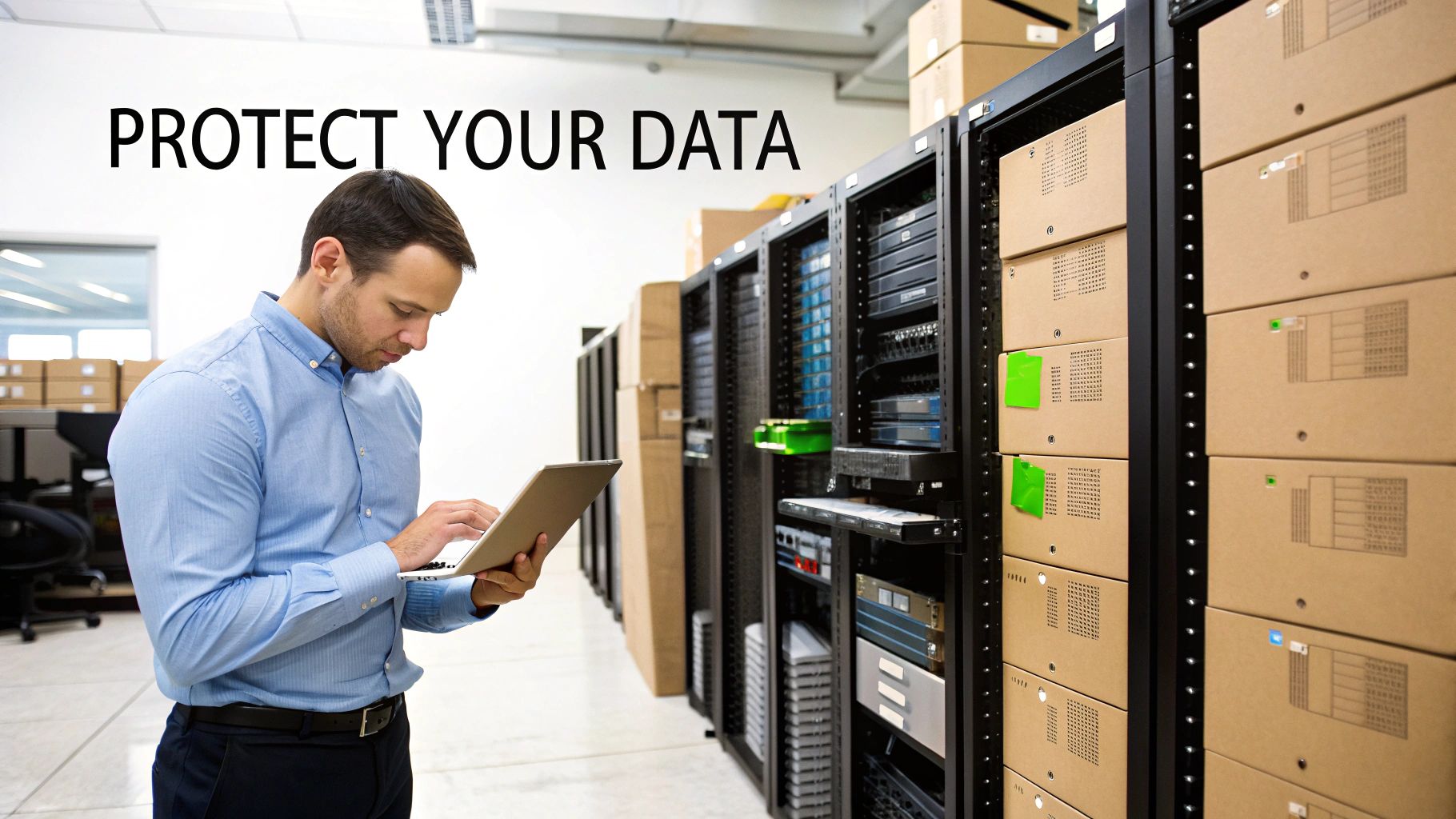
That storage room packed with old servers, monitors, and PCs isn't just taking up space. It's a ticking clock of security and compliance risks. For any IT manager or facilities administrator in Atlanta, managing the lifecycle of outdated technology is a constant challenge. Letting old gear pile up doesn't just create clutter; it creates tangible vulnerabilities that can have serious business consequences.
This is about much more than a simple clean-out. It's about proactive risk management. Every retired hard drive or server left in a closet is a potential data breach waiting to happen. Overlooking just one device that still holds sensitive customer or corporate data can trigger a costly security incident, undoing years of hard-earned trust and damaging your brand's reputation.
Beyond Logistics to Strategic Asset Management
When you partner with a professional service for a commercial computer pickup, you're turning a logistical headache into a strategic win. Instead of pulling your own team off critical projects to handle a complex and high-stakes task, you hand the entire process over to experts who manage this every day.
This approach delivers immediate business value:
- Eliminates Data Breach Risks: Professionals use certified data destruction methods, from DoD-standard wiping to physical hard drive shredding, making it impossible for data to be recovered.
- Guarantees Regulatory Compliance: Specialists are experts in regulations like HIPAA, SOX, and FACTA. They provide the documentation you need to prove compliance and avoid substantial fines.
- Drives Environmental Responsibility: Proper e-waste recycling keeps hazardous materials out of landfills, directly supporting your company's corporate social responsibility (CSR) initiatives.
The environmental impact is greater than most businesses realize. In 2022, the world generated an unbelievable 62 million tonnes of electronic waste, an 82% increase from 2010. Projections show it hitting 82 million tonnes by 2030, while recycling efforts struggle to keep up. You can explore the data at the Global E-waste Monitor 2024.
Bringing in a certified partner means you're not just getting rid of old equipment; you're implementing a formal IT Asset Disposition (ITAD) strategy. This is a non-negotiable part of modern IT governance, protecting your business from the second a device is unplugged until you have the final certificate of destruction in hand.
Ultimately, a professional pickup service delivers peace of mind. You gain the confidence that comes from knowing your retired assets are handled securely, sustainably, and in full compliance from start to finish. To see how it works, learn more about our professional IT asset disposal services and how we help Atlanta businesses manage their technology lifecycle.
Preparing for a Smooth and Efficient Pickup
Preparing your business for a commercial computer pickup shouldn't be a major project. With a clear plan, you can turn a daunting task into an organized, efficient operation with minimal disruption to your team. The first step is to understand the scope of what we can take—which is almost always more than facility managers expect.
A professional service can handle far more than just desktops and laptops. We regularly clear out entire server racks, networking gear like switches and routers, stacks of monitors, and all associated peripherals, including keyboards, mice, and boxes of cables. This comprehensive approach guarantees no outdated equipment gets left behind to consume valuable office or storage space.
Before scheduling a pickup, it's beneficial to get a clear picture of what you have. This quick reference table outlines the kinds of IT assets we typically accept, so you can easily identify what’s eligible for removal.
Commonly Accepted Items for Commercial Pickup
| Asset Category | Examples of Accepted Items | Special Notes |
|---|---|---|
| Computers & Laptops | Desktops, Laptops, Workstations, All-in-Ones, Thin Clients | All brands and models accepted, with or without hard drives. |
| Servers & Racks | Rackmount Servers, Tower Servers, Server Cabinets, Blade Servers | We can provide on-site de-installation and removal services. |
| Networking Gear | Switches, Routers, Firewalls, Modems, Access Points, Patch Panels | Ensure all proprietary configurations are cleared if possible. |
| Storage Devices | Hard Drives (HDD/SSD), SAN/NAS Units, Tape Drives, External Drives | Certified data destruction is standard for all data-bearing devices. |
| Peripherals | Monitors, Keyboards, Mice, Docking Stations, Projectors, Printers | Please bundle cables with their corresponding devices when possible. |
| Mobile Devices | Smartphones, Tablets, Business Cell Phones | These items require secure data wiping and factory resets. |
| Miscellaneous | UPS Batteries, Power Cords, Adapters, Circuit Boards | We handle responsible battery recycling according to regulations. |
This isn't an exhaustive list, but it covers the vast majority of equipment we handle. If you have unique items, just ask—chances are, we can take them.
Create a Simple Inventory
Imagine a healthcare clinic in Atlanta upgrading its computer fleet. The IT manager must account for 50 workstations, 15 laptops, two legacy servers from a back closet, and a box of miscellaneous networking gear. Instead of a complex spreadsheet, a simple, effective inventory is all that's required.
A basic asset list doesn't have to be complicated. You only need:
- Item Type: (e.g., Dell OptiPlex Desktop, HP Laptop, Server Rack)
- Quantity: A quick count of each item type.
- Location: (e.g., Main Office, Storage Closet B, Reception)
- Data Status: A note indicating if the device holds sensitive data requiring certified destruction.
This simple inventory acts as the roadmap for the pickup, ensuring both your team and ours are aligned from the start. It is the first step in establishing a clear chain of custody.
A well-organized inventory and staging process can cut the on-site pickup time by as much as 50%. By consolidating all assets in one accessible area—like a vacant office or a section of the warehouse—you prevent our team from having to search for equipment and disrupt your daily workflow.
Staging and Securing Your Assets
Once inventoried, the next step is to gather everything in a designated staging area. This could be an empty conference room, a cleared-out office, or a corner of your storage room. Centralizing the equipment makes the physical removal process incredibly fast and efficient when our truck arrives.
This is also the ideal time to prep loose items. We recommend using sturdy boxes for smaller peripherals and anti-static bubble wrap for sensitive electronics. You can also segregate devices based on their data destruction needs—creating one pallet for assets that need DoD-standard wiping and another for those requiring physical shredding.
You can learn more about our process and what to expect with our free electronic recycling pickup service for Atlanta businesses.
Choosing Your Data Destruction Method
When coordinating a commercial computer pickup, data security is non-negotiable. After inventorying your assets, your next critical decision is how to permanently sanitize the sensitive information on every device. This isn't just about protecting your company—it’s about safeguarding your clients and your reputation long after the equipment has left your building.
You have two industry-standard choices: software-based data wiping or physical hardware destruction. Each has its place, and the right call depends on the asset's age, its condition, and your internal security protocols.
This decision tree provides a quick visual of the process, from the initial inventory to staging everything for pickup.
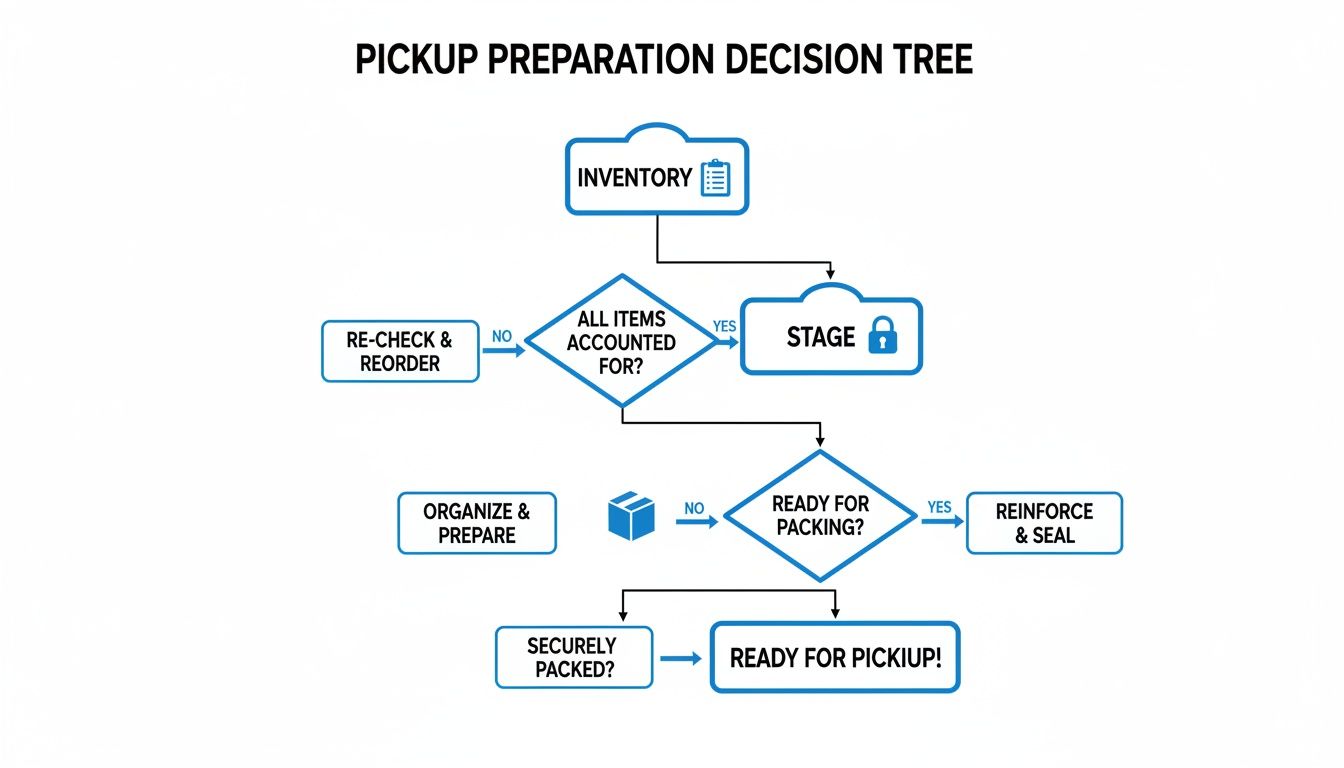
As you can see, a clear inventory is the first step. It directly influences how you will stage the equipment and, most importantly, how you will secure the data it contains.
Software-Based Wiping for Asset Reuse
Data wiping, which typically follows the DoD 5220.22-M standard, uses specialized software to overwrite a hard drive’s data multiple times with random characters. This process digitally sanitizes the drive until no trace of the original information remains.
This approach is ideal for functional equipment that still has operational life.
- Best For: Newer laptops, desktops, and servers that are in good working order and retain some resale value.
- Key Benefit: It preserves the hard drive, allowing the entire machine to be remarketed. This can often help offset your disposal costs.
Consider a marketing agency upgrading its fleet of powerful MacBooks. Those machines are still valuable. Secure data wiping guarantees all sensitive client campaign data is permanently removed, but the laptops themselves can be resold.
Physical Shredding for Absolute Destruction
When a hard drive is at the end of its life, non-functional, or your compliance policies demand irrefutable proof of destruction, physical shredding is the only option. It is exactly what it sounds like: an industrial-grade shredder turns hard drives, SSDs, and backup tapes into a pile of tiny, useless metal fragments.
Physical destruction is the ultimate guarantee. You aren’t just trusting software; you are seeing the proof. There is zero chance of data recovery from shredded metal, providing undeniable evidence that your data is gone for good.
This is the required method for many situations. Imagine a financial firm decommissioning a server that processed confidential transactions for a decade. The server itself has no value, and the data is far too sensitive to take any chances. Shredding is the only option that will satisfy their strict regulatory auditors.
- Best For: End-of-life hard drives, damaged SSDs, and any scenario demanding absolute, verifiable proof of destruction.
- Key Benefit: It is the fastest, most surefire way to handle obsolete media and provides a clean, auditable end to the data lifecycle.
Determining whether to wipe or shred is a fundamental part of a secure ITAD plan. To learn more about how the shredding process works, check out our guide to professional hard drive shredding services in Atlanta.
What to Expect on Pickup Day
Knowing the process for a commercial computer pickup removes stress and uncertainty.
You can expect a professional, uniformed team to arrive on schedule, ready to work efficiently and minimize disruption to your business operations. The first step is a quick check-in with your designated point of contact, whether that's an IT director, facility manager, or office administrator.
This initial meeting confirms the scope of work based on the inventory list you provided. Our team lead will conduct a brief walkthrough of the staging area with you, verifying asset counts and identifying any equipment requiring special handling, such as heavy server racks. This ensures everyone is aligned before a single item is moved.
On-Site Logistics and Professional Handling
Once the plan is confirmed, our team begins work. This is a careful, logistical operation, not just a hauling job. For many Atlanta businesses, this includes on-site de-installation as part of the service.
Our technicians are equipped to manage tasks like:
- Safely disconnecting workstations and peripherals at individual desks.
- Methodically de-racking servers and other hardware from your data center.
- Carefully palletizing and shrink-wrapping all assets for secure transport.
This hands-on approach frees your IT staff from the labor-intensive task of unplugging and moving heavy, awkward equipment. We bring all necessary dollies, tools, and packing materials to complete the job safely, protecting your facility from damage. To see a full breakdown of the steps, you can explore how our pickup process works from beginning to end.
The single most critical document you will receive before our team leaves is the official Chain of Custody form. This is not just a receipt; it is a legally binding record that transfers liability for every inventoried asset from your company to ours.
The All-Important Chain of Custody
This document initiates a transparent, auditable trail for every computer, hard drive, and server we collect. It clearly lists the quantities and types of assets being removed and is signed by both your representative and our team lead.
Understanding the importance of this document is as critical as getting a courier service receipt for any other high-value shipment. This paperwork provides immediate proof that your assets are in secure hands, building confidence from the moment they leave your premises.
Receiving Your Proof of Compliance and Recycling
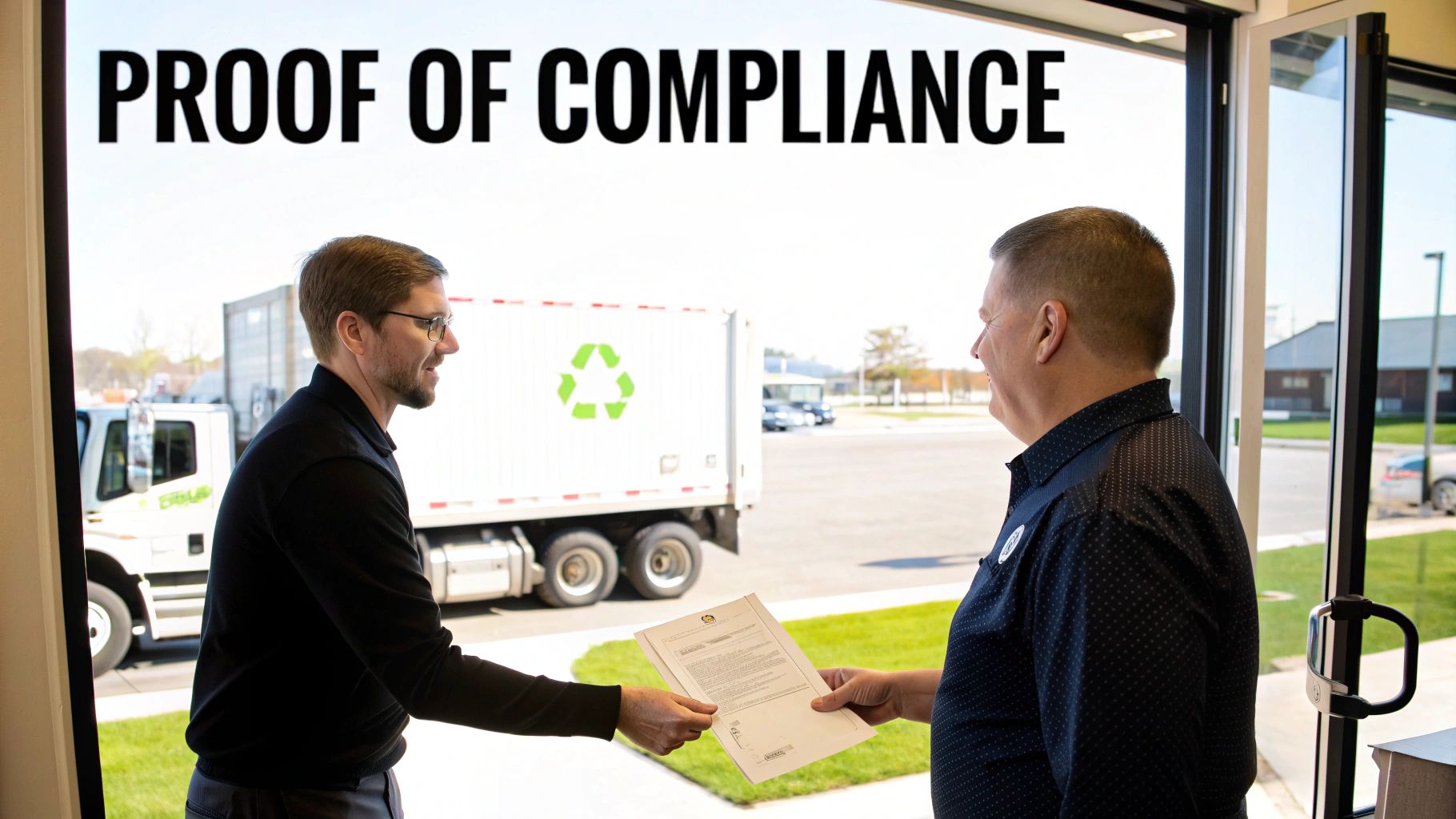
The process is not complete when our truck leaves. The final steps are arguably the most important, as this is when you receive the official documentation that closes the loop on your IT asset disposition process. This paperwork is your concrete proof of security and compliance.
Once your equipment arrives and is processed at our secure facility, we will issue two critical documents. These certificates are your ironclad defense for internal and external audits. They formally release your company from any future liability tied to the disposed assets and prove you have met your obligations under regulations like HIPAA or SOX.
Understanding Your Certificates
The documents you receive are detailed, legally binding records of the services performed. Here is what you can expect:
- Certificate of Data Destruction: This document meticulously itemizes every single hard drive or data-bearing device by its serial number. It confirms the exact method used for sanitization—whether it was a DoD 5220.22-M wipe or physical shredding.
- Certificate of Recycling: This certifies that all non-reusable materials from your assets were processed and recycled in an environmentally responsible manner, strictly adhering to all local and federal regulations.
These certificates form the foundation of a defensible audit trail. You can learn more about what makes a valid certificate of destruction and why it is vital for your records.
Partnering with a certified service not only protects your data but also powerfully reinforces your company's commitment to corporate social responsibility. It demonstrates a proactive approach to both information security and environmental stewardship.
Reinforcing Your Commitment to Sustainability
Beyond documentation, choosing a professional ITAD service ensures your old equipment is completely diverted from landfills. This is more critical than ever. The global e-waste recycling market is expanding, with North America holding a 37% share, a trend driven by growing data privacy concerns and awareness of e-waste hazards. This shift reinforces why certified recycling is no longer optional for serious businesses.
By prioritizing reuse and responsible recycling, you make a tangible contribution to sustainability. It’s the final step that completes the lifecycle of your IT assets, confirming your commercial computer pickup was secure, compliant, and environmentally sound from start to finish.
Your Go-To Checklist for a Flawless IT Asset Pickup
To ensure your commercial computer pickup is seamless, here is a quick-reference guide. We’ve distilled the entire process into simple, actionable steps for IT and operations managers to execute before, during, and after our team arrives.
Use this as a final walkthrough to ensure nothing is missed.
Before Pickup Day
Pre-pickup organization is the key to a smooth process. A little preparation prevents last-minute scrambling and helps our team work efficiently with minimal disruption to your business.
- Finalize Your Inventory: Compile a definitive list of all assets for pickup. Note item types (server, laptop, etc.), total counts, and—most importantly—which devices contain sensitive data.
- Set Up a Staging Area: Consolidate all equipment in one easily accessible location. An empty office, a conference room, or a cleared-out corner of the warehouse works perfectly and saves a significant amount of time.
- Confirm Your Data Destruction Plan: Segregate assets requiring DoD-standard wiping (for potential reuse) from those designated for the shredder. Simple labels on each pallet or pile make a significant difference.
- Designate a Point of Contact: Assign one person on your team to be the main contact for our crew on pickup day. This individual should have the authority to sign off on the initial chain of custody paperwork.
During the Pickup
When our truck arrives, your primary role is to oversee the handoff and verify the initial paperwork. Our crew will handle all heavy lifting and technical work.
- Meet and Greet: Greet our team lead and conduct a quick walkthrough of the staged equipment. We will confirm that the assets match the inventory list you created.
- Oversee De-installation (If Needed): If the service includes de-racking servers or unplugging workstations, ensure our team has clear and safe access to perform the work.
- Sign the Chain of Custody: This is the most critical step on pickup day. Before we depart, you will review and sign the Chain of Custody form. This is the official document that transfers liability for all assets from your company to ours.
After the Pickup
Your responsibilities do not end when the truck leaves. The final step is to secure and file the compliance documents you receive. This paperwork is your official proof of secure and responsible IT asset disposition.
- Watch for Your Certificates: Monitor your email for the Certificate of Data Destruction and the Certificate of Recycling, which we will send once the assets are fully processed at our facility.
- File Everything Away: Store these certificates in a secure location. They are essential for any future compliance audits and serve as your permanent record of proper, documented disposal.
Your Commercial Pickup Questions, Answered
Over the years, we have assisted hundreds of Atlanta businesses with their IT asset disposition needs. Here are straightforward answers to the most common questions we receive.
What is the minimum for a free pickup?
This is the most frequent inquiry. For a free commercial pickup within the Atlanta metro area, we generally require a minimum of 10-15 qualifying items, such as desktops, laptops, or servers.
However, this is not a rigid rule. Each business's needs are unique. A smaller batch of high-value equipment—such as enterprise-grade servers or a stack of Cisco switches—often qualifies. The best course of action is to call us with your equipment list, and we can provide immediate confirmation.
Do we have to box everything up?
No. Our crew arrives fully equipped to handle all logistics and heavy lifting.
While it is extremely helpful if you can consolidate all equipment in one area—like a spare office or warehouse corner—your team does not need to spend time boxing up monitors or palletizing servers.
Our service is designed to be convenient for you. We bring our own pallets, shrink wrap, and all necessary tools to remove your equipment safely and without disrupting your business day.
How long until we get our certificates?
Once the pickup is complete, your assets are transported to our secure facility to begin the official inventory and data destruction process.
You can expect to receive your Certificate of Data Destruction and Certificate of Recycling via email within 5-10 business days. This timeframe allows us to properly document every serial number, ensuring your compliance records are accurate and complete.
Ready to clear out that old IT equipment securely and remove it from your asset list? The team at Atlanta Computer Recycling is prepared to manage the entire process, from initial pickup to final compliance documentation. Contact us today to schedule your commercial computer pickup.