Universal Waste Management Your Atlanta Business Guide

Your storage room usually tells the story before your paperwork does.
There’s a row of retired laptops from the last refresh. A stack of monitors no one wants to touch because some are broken. A rolling bin with UPS batteries, old docking stations, loose cables, and a few mystery devices from a closed office. Someone asks whether it all counts as e-waste. Someone else asks whether any of it is hazardous. The answer is often, “Some of it, under certain conditions.”
That uncertainty is where universal waste management becomes useful. For Atlanta businesses, especially hospitals, schools, government departments, and data-sensitive offices, the issue isn’t just disposal. It’s classification, storage, labeling, timing, and chain of custody. If your team gets those pieces right, you reduce regulatory risk and make IT disposition much easier to run. If you get them wrong, a routine cleanout can turn into a compliance problem.
What Is Universal Waste and Why It Matters
Universal waste is best understood as a simplified regulatory category for certain commonly generated hazardous wastes. It isn’t regular trash, and it isn’t the same as fully regulated hazardous waste either. It sits in the middle.
For businesses, that middle category matters because the government created it to encourage collection and recycling of high-volume items that show up in everyday operations. Think of it as hazardous waste with a more practical operating framework, as long as you handle it correctly.
What typically falls into universal waste
Under federal rules, the common categories include:
- Batteries such as many rechargeable batteries used in laptops, backup units, tools, and facility equipment
- Lamps including fluorescent lamps and other lighting that may contain hazardous components
- Mercury-containing equipment such as older devices and controls
- Certain pesticides
- Aerosol cans under the federal universal waste framework referenced by EPA materials
For an IT manager, the confusion usually comes from electronics that contain one of those regulated components. A server itself isn’t automatically “universal waste” in the same way a battery or lamp is. But the batteries, screens, or other embedded components may trigger universal waste handling issues during storage, removal, or processing.
Why businesses should care
The national waste picture is large enough that these rules aren’t academic. In 2018, the United States generated 292.4 million tons of municipal solid waste, with durable goods like electronics forming a significant part of that stream, according to the EPA’s national overview of materials, waste, and recycling.
That matters in Atlanta because business cleanouts, office moves, hardware refresh cycles, and data center upgrades all create concentrated waste streams fast. Universal waste programs exist to keep recyclable and potentially hazardous materials out of ordinary disposal channels.
Practical rule: If an item may contain a regulated battery, mercury component, or lamp, don’t let staff treat it like ordinary trash while someone “figures it out later.”
The mistake that causes trouble
The most common operational mistake isn’t malicious disposal. It’s casual accumulation.
A business sets aside old equipment in a back room, mixes intact items with damaged ones, forgets when they were first discarded, and only starts asking questions when pickup is overdue. At that point, universal waste management stops being easy.
If you need a more operations-focused overview of the system itself, this universal waste system guide is a useful reference point. The key idea is simple. Simplified rules still require disciplined handling.
Understanding Universal Waste Handler Categories
The most important line in universal waste management is the handler threshold. Your obligations change based on how much universal waste your business accumulates on site at one time.
If you’re below the threshold, the rules are lighter. If you cross it, your compliance work expands quickly.
The two categories that matter
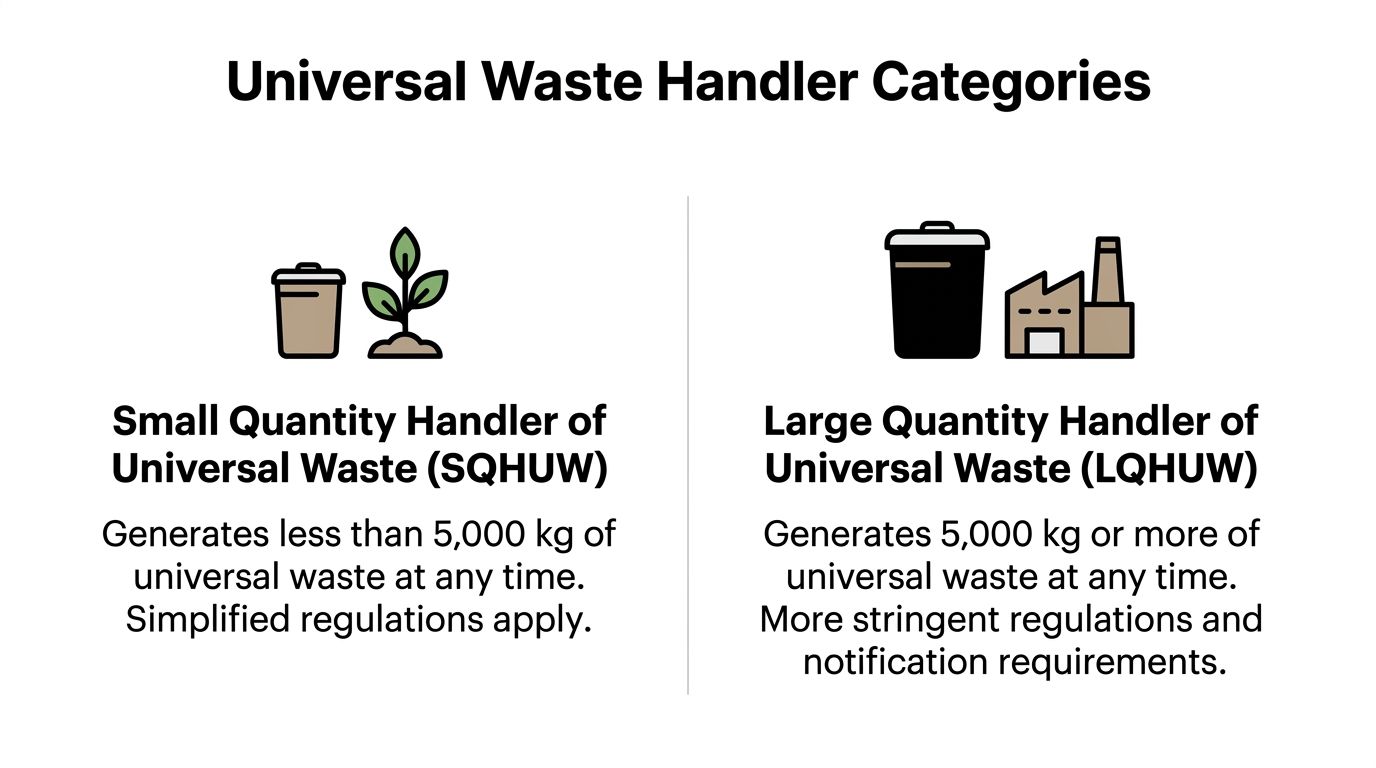
Under EPA regulations, a business accumulating less than 5,000 kg (11,000 lbs) of total universal waste at any time is a Small Quantity Handler of Universal Waste, or SQHUW. Businesses at or above that threshold are Large Quantity Handlers of Universal Waste, or LQHUW. EPA materials also note that the lighter SQHUW framework can reduce compliance overhead by up to 70% compared with large quantity handling requirements, as described on the EPA universal waste page.
That threshold applies to the total amount of universal waste accumulated on site. It’s not one category at a time if your site is managing multiple universal waste streams together.
What changes when you cross the threshold
Here’s the practical difference.
| Handler category | On-site amount | Operational effect |
|---|---|---|
| SQHUW | Less than 5,000 kg (11,000 lbs) | Simpler management structure and less administrative burden |
| LQHUW | 5,000 kg or more | More stringent notification and tracking responsibilities |
For a midsize office, staying in SQHUW status is often realistic if the team moves material out regularly and doesn’t let accumulation drift. For a hospital campus, school district warehouse, or data center consolidation project, the threshold can sneak up faster than people expect.
Effective Strategies
Businesses usually stay compliant by controlling three things:
Accumulation timing
Don’t let obsolete material sit indefinitely waiting for a “better time” to process it.Inventory visibility
Track what’s in storage, including batteries, lamps, and peripheral devices removed from IT assets.Project staging
Schedule decommissioning work so waste doesn’t pile up in one location longer than necessary.
Large quantity status isn’t automatically a problem. Unplanned large quantity status is.
Where IT managers get tripped up
The threshold issue often gets missed because IT teams think in terms of assets, not waste categories. They count laptops, monitors, UPS units, and network gear. Regulators look at what those materials are, how they’re stored, and how much regulated waste is physically on site.
A room full of retired electronics can also contain a meaningful amount of batteries and lamps. If facilities, procurement, and IT are all setting aside items separately, no one person may see the full picture.
A better decision framework
Use this quick screen:
- Low-volume office refreshes usually fit the small quantity model if pickups are scheduled and storage is controlled.
- Campus-wide replacement projects need closer review because several buildings may be feeding one accumulation area.
- Data center decommissions deserve a handler-threshold check before the project starts, not after pallets begin stacking up.
- Healthcare environments should coordinate EHS, IT, and compliance staff early because universal waste handling and data-security handling often happen at the same time.
The key trade-off is straightforward. Small quantity handling gives you more flexibility. Large quantity handling demands more process discipline. Smart businesses don’t guess which side they’re on. They track it.
Navigating Federal and Georgia Waste Regulations
Federal rules set the baseline. Georgia enforcement determines how that baseline hits your operation.
That distinction matters because most Atlanta businesses don’t fail on legal theory. They fail on execution. A rule exists at the federal level, the state adopts and enforces it, and the business discovers too late that nobody translated the requirement into storage practices, staff instructions, or vendor controls.

Start with the federal framework
For most businesses, the governing starting point is 40 CFR Part 273, the federal universal waste rule. It gives handlers an efficient route for managing specific waste categories, but that efficiency depends on discipline.
The operational themes are consistent:
- Keep containers closed and structurally sound
- Prevent releases
- Manage damaged items carefully
- Label waste clearly
- Move it out within the allowed accumulation window
- Train staff enough to handle waste properly
Those aren’t legal niceties. They define whether your materials remain under the easier universal waste framework or slide into a more burdensome hazardous waste scenario.
What Georgia businesses should do with that information
Georgia businesses should assume that universal waste management needs to be embedded into site procedures, not handled as an occasional cleanup issue.
That means your Atlanta office, school, clinic, or warehouse should answer these questions clearly:
| Compliance area | What your team needs in practice |
|---|---|
| Storage | A designated area that prevents breakage, leakage, and casual access |
| Responsibility | Named staff in IT, facilities, or EHS who own intake and removal decisions |
| Training | Employees who know what not to toss, open, dismantle, or mix |
| Vendor handoff | A documented process for pickup, transfer, and final disposition |
Georgia-specific nuance without legal clutter
The state-level issue for Atlanta organizations isn’t usually a special local loophole. It’s that Georgia regulators and inspectors will care whether your site follows the universal waste conditions that justify the simplified treatment.
A hospital in Decatur, a county department in Cobb, and a university lab in Midtown all face the same practical question. Can they show that regulated items were identified, contained, labeled, timed, and transferred correctly?
That’s why generic national guidance often falls short. It tells you what universal waste is, but it doesn’t tell you how to run it across loading docks, IT closets, maintenance rooms, and secured data areas.
If staff have to improvise when a battery swells, a lamp breaks, or a retired server still contains drives, your process isn’t finished yet.
Where federal rules meet local operations
The strongest programs treat universal waste management as a cross-functional workflow:
- IT identifies retired assets that may contain regulated components or sensitive data.
- Facilities controls the physical accumulation area and keeps incompatible materials separate.
- Compliance or EHS maintains the documentation standard and escalation process.
- Approved downstream vendors handle transport and final recycling or destruction under documented procedures.
That model works because each team handles the part it controls.
By contrast, what doesn’t work is assigning the whole issue to one department without authority over the others. IT can’t control loading dock practices alone. Facilities can’t certify data destruction. Procurement can’t spot a mislabeled accumulation area during a refresh project.
For Atlanta businesses trying to align internal procedures with external requirements, a focused universal waste compliance resource can help translate those rules into site-level action. The objective is simple. Make compliance visible in the way your operation runs every day.
Best Practices for Managing Business E-Waste
E-waste is where universal waste management becomes operationally messy.
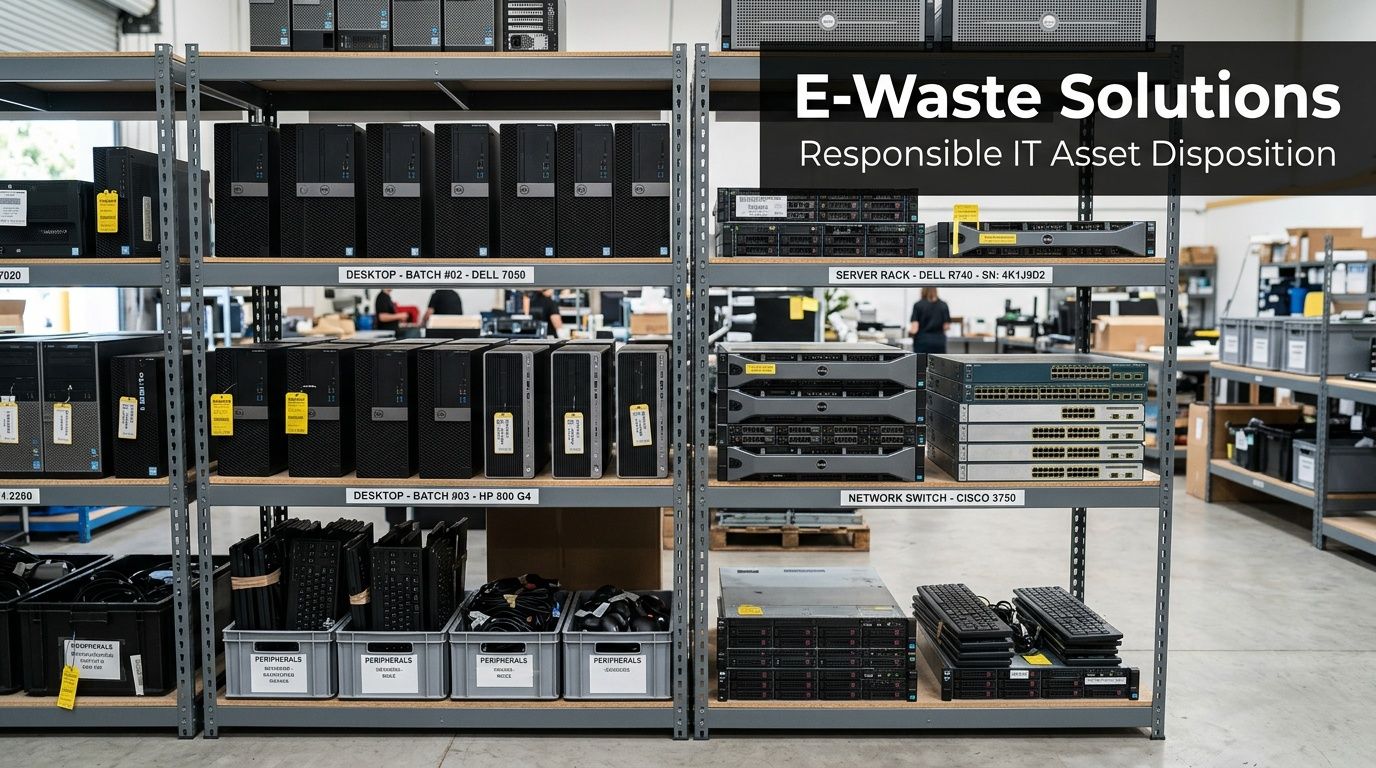
A retired desktop might look harmless. A pallet of old laptops might look recyclable. A room full of monitors might look like a logistics problem. In practice, those same assets can raise environmental handling issues, data-security issues, and chain-of-custody issues at the same time.
Why e-waste needs tighter control
The scale of discarded electronics is not small. In 2022, global e-waste generation reached 62 million tonnes, and only 22.3% was formally documented as collected and recycled, according to the World Bank’s What a Waste publication.
For an Atlanta IT manager, that global number shows why informal handling is such a bad bet. Too much electronic equipment falls out of controlled channels. Once that happens, visibility drops fast.
Set up one secure accumulation process
The strongest e-waste programs use a designated area with controlled access. Not a hallway. Not an open warehouse corner. Not a room where staff stack equipment until someone complains.
A workable accumulation area should include:
- Physical separation between intact equipment, damaged devices, loose batteries, and lamps
- Restricted access so drives and devices aren’t handled casually
- Basic intake discipline that records what arrived and when
- Protection from breakage especially for screens, battery-containing devices, and boxed peripherals
If a monitor arrives cracked or a battery looks compromised, don’t let it get buried in a mixed pile. That’s where manageable waste starts turning into an exception case.
Treat data security and environmental handling as one workflow
This is the mistake many organizations make. They separate “recycling” from “data destruction” as if they happen on different tracks.
For business electronics, they don’t. The same retired asset may require secure drive handling, documented custody, and proper downstream recycling. If those pieces are split between too many ad hoc decisions, accountability disappears.
Use a simple internal sequence:
Identify the asset type
Laptop, server, network switch, mobile device, external media, monitor, UPS unit.Determine data risk
Drives present, storage media installed, device still accessible, encryption status known or unknown.Determine handling risk
Battery present, screen damaged, lamp component present, signs of leakage or breakage.Route the asset correctly
Reuse evaluation, certified wiping, physical shredding for obsolete media, or component segregation before recycling.
E-waste isn’t one pile. It’s a mix of assets with different downstream requirements.
Don’t blur reused equipment with unmanaged used gear
Disposition planning improves when your team distinguishes reusable equipment from scrap.
That distinction affects resale value, internal redeployment, data handling urgency, and documentation expectations. If your staff needs a plain-language primer, this explanation of the critical differences between refurbished and used electronics is useful because it clarifies why tested, processed equipment should never be treated the same as unverified used devices.
That matters operationally. A reusable laptop should enter a controlled refurbishment or resale path only after proper data sanitization and asset review. A damaged unit with a failed battery belongs on a very different track.
Practical controls that work
Build a device intake standard
Every asset entering your retirement stream should be logged with at least:
- asset type
- source department
- date received into the accumulation area
- storage media status if known
- visible damage notes
Keep batteries out of mixed gaylords
Loose batteries and battery-containing devices create avoidable confusion. Segregate them early.
Prevent unofficial scavenging
When staff remove parts, swap drives, or pick through decommissioned equipment without controls, chain of custody breaks. That creates both audit and security problems.
Use a business recycler with commercial pickup capability
Consumer drop-off habits don’t scale for office refreshes, schools, or healthcare systems. Business e-waste should move through a controlled commercial process such as this electronics recycling service in Atlanta, where pickup, sorting, and data-related handling can be managed together.
The trade-off is clear. Informal handling feels faster in the moment. Structured handling avoids the bigger problem later.
Implementing Your Compliance and Documentation Plan
A universal waste program becomes defensible when someone can review your records and see a consistent story. What was accumulated, when it arrived, how it was labeled, who handled it, and where it went next.
That doesn’t require fancy software. It does require discipline.

Labeling is not optional
Universal waste rules require clear labeling. Examples include labels such as “Universal Waste – Lamp(s)”. The same rule set also imposes a one-year accumulation limit, and failure to follow those requirements can cause the waste to be managed as fully hazardous waste instead, increasing disposal costs by 3 to 5 times, as summarized by the New York State universal waste guidance.
That’s the practical reason labels matter. They prove control.
A simple documentation stack
Most businesses can run a solid program with four core records.
| Document | Why it matters |
|---|---|
| Container or area labels | Shows waste type clearly at the point of storage |
| Accumulation date record | Shows when the storage clock started |
| Internal inventory log | Shows what is physically on site |
| Vendor disposition records | Shows where the material went and what happened to it |
What to put on site labels
Use direct wording tied to the waste category. For example:
- Universal Waste – Battery(ies)
- Universal Waste – Lamp(s)
- Universal Waste – Mercury-Containing Equipment
The exact category matters less than clarity and consistency. If a staff member or inspector walks into the area, they shouldn’t have to guess what’s in a container.
How to track the one-year limit
There are a few workable methods. Choose one and enforce it.
Date each container when accumulation begins
This is the simplest option for many facilities.Use a centralized log
Good for sites with multiple containers or rolling pickups.Use a digital inventory system
Best when IT assets and environmental records are already being tracked together.
What doesn’t work is relying on memory, unlabeled shelving, or “we know that pallet is recent.”
Field note: The best documentation system is the one your receiving staff will use every time an item enters storage.
Chain of custody for electronics
For retired IT assets, your paperwork should extend beyond environmental handling.
Expect documentation that addresses:
- receipt or pickup confirmation
- itemized or batch-level transfer records
- recycling confirmation where applicable
- data destruction documentation for storage media
For many organizations, especially healthcare and public sector entities, a certificate documenting destruction is part of the minimum file. This certificate of destruction form reference shows the kind of record businesses should expect to maintain as part of a complete disposition trail.
Train for exceptions, not just routine items
Routine handling is easy. Exceptions are where programs fail.
Staff should know what to do when:
- a battery is leaking or swollen
- a lamp breaks during storage or packing
- a device arrives damaged
- a server still contains drives that weren’t removed
- labels are missing on an older container
A good compliance plan gives staff a stop-and-escalate rule. If an item is damaged, leaking, broken, or unclear, it shouldn’t be repacked casually into the normal stream.
That one instruction prevents a surprising amount of trouble.
How to Select the Right Atlanta ITAD Partner
Once materials leave your site, your risk doesn’t disappear. It changes hands, and your choice of vendor determines whether that handoff is clean or messy.
A strong ITAD partner helps you maintain control. A weak one creates blind spots you won’t see until you need records, explanations, or remediation.
Questions worth asking any vendor
Skip the generic sales language and ask direct operational questions.
How do you handle chain of custody?
You want a clear answer about pickup control, documentation, and downstream transfer.What happens to storage media?
Ask whether they provide wiping, shredding, or both, and when each method is used.Can they manage mixed loads?
Many business projects include servers, laptops, peripherals, batteries, and damaged equipment in the same pickup cycle.How do they support site logistics?
De-installation, packing, and coordinated pickup matter for data centers, hospitals, and school systems.What documentation do they return?
If they’re vague about certificates, destruction records, or recycling records, keep looking.
What good answers sound like
A reliable vendor should explain its process in plain terms.
They should be able to tell you:
- how material is secured at pickup
- how drives are sanitized or destroyed
- how reusable assets are separated from scrap
- how they handle non-functional or damaged equipment
- what records you’ll receive after the job
If those answers are fuzzy, the operation probably is too.
Don’t ignore service-area equity
Vendor selection now goes beyond compliance and price. Leading businesses also ask how service models affect communities.
The better question is whether a recycler’s coverage model supports equitable access across the region, especially for public agencies, schools, and institutions that serve mixed-income areas. That equity lens is often missing from universal waste conversations, but it belongs in your vendor review, as noted in this overview discussing equitable access in waste programs.
The local fit matters
Atlanta-area projects have their own constraints. Loading dock access may be tight. Hospital pickups may need controlled timing. Campuses may have multiple buildings feeding one job. Office closures may require fast de-installation with minimal business disruption.
A vendor that mainly serves consumer drop-off traffic may not be built for that. Commercial ITAD work requires scheduling discipline, secure handling, and the ability to work inside active business environments.
A practical vetting checklist
Use this short pass-fail screen before you sign anything:
| Vendor question | Why it matters |
|---|---|
| Do they focus on commercial clients? | Business pickups and records are different from residential recycling |
| Can they handle data-bearing assets securely? | This affects HIPAA, internal policy, and breach risk |
| Do they support on-site pickup and project logistics? | Important for scale, staffing, and business continuity |
| Will they provide clear disposition documentation? | You need defensible records after the material leaves |
| Can they manage both reuse and end-of-life recycling? | Mixed asset streams are normal in business environments |
Choose the vendor that makes your process more visible, not the one that promises to “take everything.”
For Atlanta organizations that need a provider built around business electronics, secure disposition, and pickup logistics, this electronic waste recycling company overview reflects the kind of commercial service model worth looking for. The right partner should reduce operational friction while strengthening control.
Universal Waste Management FAQ
Does all old IT equipment count as universal waste
No. Universal waste applies to specific categories and components, not automatically to every retired electronic device. The issue is often the battery, lamp, mercury-containing component, or similar regulated element within the broader equipment stream.
What happens if a universal waste item breaks
Treat that as an escalation point.
A broken lamp, leaking battery, or damaged regulated item may no longer fit the simplified handling path your team was using. Staff should stop routine handling, isolate the item, and follow your hazardous-waste or EHS escalation process rather than tossing it back into the normal recycling area.
Can we store universal waste with general e-waste
You can store related materials in a coordinated program, but don’t mix everything loosely together.
Keep regulated components and damaged items segregated. Intact laptops, loose batteries, cracked screens, and lamps should not be piled into one undifferentiated stream. Segregation protects both compliance and downstream processing.
Is recycling the same thing as universal waste management
Not exactly.
Universal waste management is the regulatory handling framework for certain wastes before and during collection, storage, and transfer. Recycling is one downstream outcome. A compliant process usually leads toward recycling or proper disposal, but the terms are not interchangeable.
Do we need documentation even if pickups are routine
Yes.
Routine pickups are where teams become casual. You still need labels, accumulation tracking, and disposition records. If your process only works when one experienced employee is present, it isn’t stable enough.
Should IT own this process or should facilities
Both usually need a role.
IT often knows what the equipment is and whether it contains data. Facilities or EHS often controls storage, safety practices, and waste movement. The cleanest programs assign ownership by task rather than pushing the whole responsibility onto one department.
Is this mainly a residential recycling issue
No. The bigger operational challenge is usually commercial.
Businesses, hospitals, schools, and government agencies generate larger and more complex streams of retired equipment. They also face stricter expectations around records, data security, and project coordination.
Atlanta businesses don’t need more confusion around retired electronics, batteries, or secure disposition. They need a process that works under real operating conditions. Atlanta Computer Recycling helps commercial organizations across the metro area handle business e-waste, data-bearing devices, and IT asset disposition with secure pickup, documented destruction, and responsible recycling built for offices, healthcare, education, government, and data center projects.