Secure IT Asset Disposal Atlanta GA: A Guide for Businesses

For any Atlanta business, secure IT asset disposal (ITAD) is far more than clearing out a storage room of old tech. It’s a critical component of your risk management strategy, involving a documented, compliant process for retiring hardware to prevent data breaches and meet strict regulatory standards.
This guide outlines how Atlanta businesses can turn this potential liability into a secure, streamlined operation.
Why Smart IT Asset Disposal Is Critical for Atlanta Businesses
In a city like Atlanta, with booming tech, finance, and healthcare sectors, the risk from one mishandled server or laptop is immense. Proper secure IT asset disposal isn't just an IT task; it’s a core business function that protects your company’s finances, reputation, and legal standing.
Consider the damage a single retired hard drive could cause. It could contain years of proprietary research, customer financial data, or sensitive employee records. If that data falls into the wrong hands, the fallout can be catastrophic.
The Real-World Risks of Negligence
Failing to properly dispose of IT assets opens your business to significant threats. For Atlanta companies in regulated fields like healthcare or finance, the stakes are even higher.
A data breach from improper IT asset disposal doesn’t just harm your brand—it can trigger regulatory investigations and severe financial penalties that can cripple a business. This is a preventable risk that demands a proactive strategy.
Non-compliance with data protection laws like HIPAA, GLBA, and Georgia's own privacy statutes can lead to fines reaching into the millions. These regulations mandate that sensitive information be rendered completely unreadable and unrecoverable before an asset is discarded. You can learn more about this process by reviewing our complete guide on IT asset disposal.
To put it plainly, the threats are immediate and significant. Here's what’s at stake for your business.
| Risk Category | Potential Impact on Your Atlanta Business |
|---|---|
| Data Breach | Unauthorized access to client lists, financial records, or intellectual property. |
| Financial Loss | Regulatory fines (e.g., HIPAA), legal fees, and costs for credit monitoring. |
| Reputation Damage | Loss of customer trust and negative press that can take years to repair. |
| Legal Action | Lawsuits from clients, employees, or partners whose data was exposed. |
Ignoring secure disposal protocols is a gamble no Atlanta business can afford to take. The consequences are simply too high.
Understanding the Growing E-Waste Challenge
The need for professional ITAD services is growing at an incredible pace. In 2025, the US IT asset disposition market is projected to hit USD 5.3 billion, a clear indicator of how seriously businesses are taking this issue. This surge is a direct response to the massive amounts of electronic waste being generated—a staggering 62 million metric tons worldwide in 2022 alone.
This isn't just a national trend; it's a local reality. With Atlanta's economy thriving, the cycle of technology refreshes is accelerating. Every upgrade cycle produces a new wave of e-waste, and each device represents a potential data security vulnerability. Without a formal plan, companies are left completely exposed.
Partnering with a certified ITAD provider turns this challenge into a secure, documented, and compliant process, safeguarding your business from these avoidable risks.
Building Your Internal ITAD Playbook
Good intentions don't protect you from a data breach. To turn risk into a managed process, you need a formal IT Asset Disposition (ITAD) plan—an internal playbook that dictates exactly how your company handles every retired device, every single time.
This isn't just about ticking a box. Without a clear, documented policy, you're leaving security to chance. One employee might wipe a drive correctly, but another could toss an old laptop into a storage closet, creating a ticking time bomb of unmanaged data. A playbook standardizes your approach to secure IT asset disposal in Atlanta GA, making the entire process consistent, auditable, and defensible.
When there's no process, the path from old tech to a major business disaster is frighteningly direct.
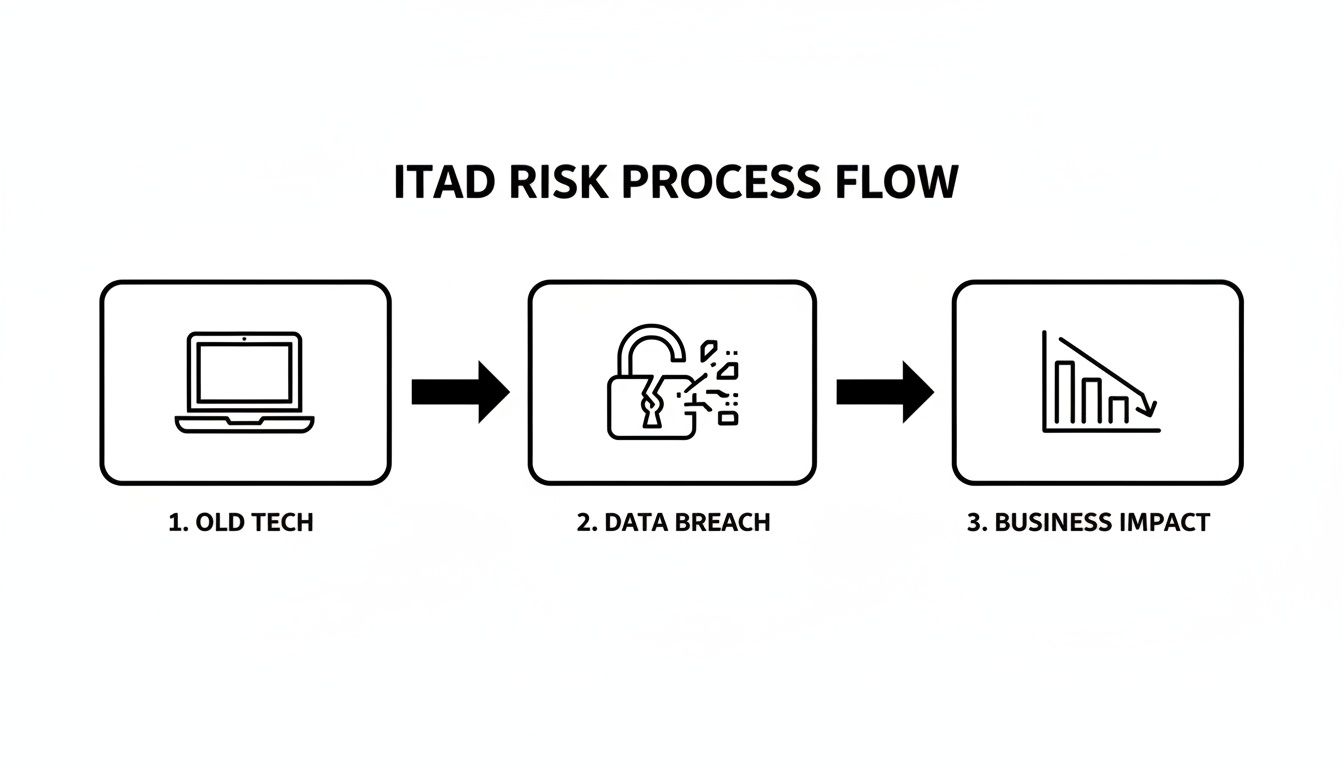
As this illustrates, that journey is short. A proactive, documented strategy is your best defense.
Drafting Your ITAD Policy
First, formalize your process in writing. Your ITAD policy doesn't need to be a hundred-page document, but it must be crystal clear. Its primary function is to answer one simple question for any employee: "What am I supposed to do with this old device?"
Start by defining roles. Who owns this process? Is it the IT Manager, a specific department head, or a compliance officer? Designating a single point of contact prevents confusion and ensures accountability.
Next, outline the official, mandatory process. The policy should state that all company electronics must be handed over to the designated ITAD coordinator. It’s crucial to explicitly forbid employees from disposing of equipment themselves, donating it without approval, or taking it home.
The best ITAD policies are the ones that are easy to follow. Keep it simple and direct. The goal is to create a non-negotiable path for every retired asset that ends with secure, professional disposal.
For instance, your policy might state: "All electronic assets slated for retirement must be logged by the department manager and transferred to the IT department. The IT Manager is solely responsible for coordinating pickup and destruction with our certified ITAD partner."
Conducting a Comprehensive Asset Inventory
Once your policy is in place, you need to know what you're protecting. A thorough asset inventory is the foundation of any secure disposal program. After all, you can't secure what you don't know you have.
Start by identifying every IT asset across your organization. This goes far beyond just laptops and desktops. Your inventory list should include:
- Core Computing Devices: Laptops, desktops, and servers.
- Networking Gear: Switches, routers, firewalls, and access points.
- Mobile Devices: Company-owned smartphones and tablets.
- Storage Media: External hard drives, USB drives, and backup tapes.
- Peripherals: Monitors, printers, and scanners that may store data.
Asset tagging is a game-changer for efficiency. By assigning a unique barcode or RFID tag to each device at procurement, you create a seamless tracking history—from an employee's desk all the way to its final certificate of destruction. Modern IT asset tracking software makes this incredibly efficient, giving you a real-time view of your entire hardware fleet.
A Real-World Atlanta Scenario
Let's put this into practice. Imagine an Atlanta-area school district is preparing for a summer tech refresh. They have hundreds of teacher laptops and student Chromebooks that need to be retired.
With an ITAD playbook, the process is smooth and organized.
- Categorization: The IT team sorts the devices. Newer laptops that may have resale value are set aside for data wiping. The older, broken Chromebooks are marked for immediate physical shredding.
- Inventory & Tagging: They scan each device's serial number into a master spreadsheet, noting whether it's destined for "wipe" or "shred."
- Scheduling: With a complete list in hand, the IT director contacts their secure IT asset disposal Atlanta GA partner. They share the inventory count and schedule a consolidated pickup for the first week of summer break.
This kind of proactive planning makes all the difference. When the vendor arrives, they verify the list, securely load the equipment, and provide chain-of-custody paperwork on the spot. The school district gets a clean, auditable record and a storage room that's ready for the new technology to arrive.
Choosing the Right Data Destruction Method
You’ve got your plan and your inventory is sorted. Now for the most critical part of secure IT asset disposal in Atlanta GA: ensuring the data on those old devices is permanently destroyed.
This isn’t a one-size-fits-all decision. The right choice is a strategic balance between absolute, bulletproof security and financial common sense. It all boils down to two industry-standard methods: software-based data wiping and physical hardware shredding. Knowing when to use each is the key to a smart, secure ITAD program.
When to Use Data Wiping
Data wiping, or data sanitization, uses specialized software to methodically overwrite every sector of a hard drive with random data. This is far more robust than a simple "delete." A proper wipe, like the widely recognized DoD 5220.22-M 3-pass method, overwrites the drive multiple times, making the original data unrecoverable by any software-based tool.
So, when does wiping make sense for your Atlanta business?
- For High-Value Assets: If you’re retiring newer laptops, servers, or workstations that still have resale value, wiping is ideal. It sanitizes the drive while keeping the hardware intact, allowing it to be refurbished and sold. This often turns a disposal cost into a revenue stream.
- For Internal Redeployment: When an employee transitions, their laptop might be perfect for a new hire. A certified wipe ensures all prior data is gone, providing a clean, safe machine to pass along internally.
- For Leased Equipment: Most leasing agreements require equipment to be returned in working condition. Wiping lets you meet your data security obligations while satisfying the terms of your lease, so you can avoid penalties for damaged hardware.
Data wiping is the heart of value recovery. It allows you to securely retire assets while capturing their remaining financial value, turning a cost center into a smart financial move.
When Physical Shredding Is Non-Negotiable
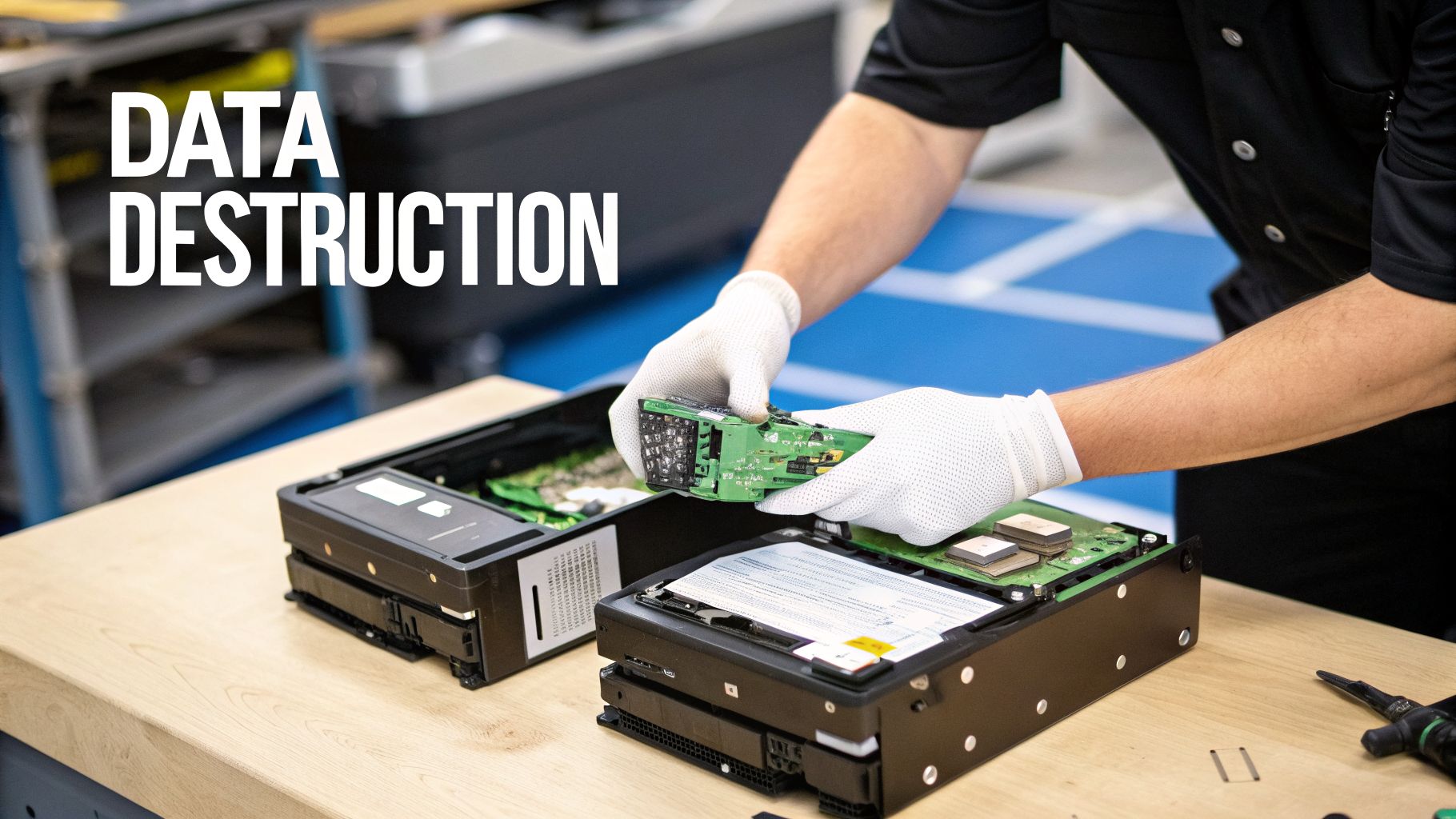
While wiping is perfect for functional hardware, some situations call for a more final, destructive approach. Physical shredding does exactly what it sounds like—it feeds hard drives and other media into a powerful industrial shredder that grinds them into tiny, unrecognizable pieces of metal and plastic. There is no coming back from this.
Shredding is the only answer in these scenarios:
- For Obsolete or Damaged Hardware: You can't run software on a drive that won’t power on. If a hard drive is dead, damaged, or too old to have any resale value, shredding is the only way to guarantee its data is destroyed.
- For Ultra-Sensitive Data: For organizations handling the most sensitive information—think financial institutions, healthcare providers bound by HIPAA, or government contractors—physical destruction is often mandated by internal policy. It provides an undeniable, physical end to the data's lifecycle.
- For Solid-State Drives (SSDs): The architecture of SSDs makes complete, verified wiping more complex than with traditional spinning drives. Because of this, many security experts recommend physical shredding as the default, fail-safe method for all SSDs.
- For Backup Tapes and Other Media: You can't "wipe" legacy backup tapes or optical disks. Shredding is the only practical and secure disposal method for this kind of media.
A qualified partner in secure IT asset disposal Atlanta GA will help you make these calls. You can also read our guide on degaussing, a related process that uses powerful magnets to wipe magnetic media clean right before it's shredded.
Data Wiping vs Physical Shredding: Which to Choose?
Making the call between wiping and shredding is a strategic decision that directly impacts your security and your budget. To help Atlanta IT managers decide, we've broken down the key differences.
| Consideration | Data Wiping (e.g., DoD 3-Pass) | Physical Shredding |
|---|---|---|
| Best Use Case | Newer, functional, high-value assets for resale or redeployment. | Obsolete, damaged, or non-functional hardware; SSDs; ultra-sensitive data. |
| Asset Outcome | Hardware remains intact and functional, allowing for value recovery. | Hardware is physically destroyed and cannot be reused; materials are recycled. |
| Security Level | High; makes data unrecoverable through software methods. | Absolute; data and media are physically obliterated, making recovery impossible. |
| Compliance | Meets standards like HIPAA and GLBA for functional magnetic drives. | The most defensible method for all media types, especially for compliance. |
| Cost Impact | Can generate revenue or offset costs through asset remarketing. | A direct cost for the destruction service, as no value is recovered from the drive. |
By using a smart hybrid approach—wiping what you can to recover value and shredding what you must for absolute security—your Atlanta business can build a data destruction program that is both maximally secure and financially efficient.
Managing Logistics and Compliance in the Atlanta Metro
Disposing of old IT assets in Atlanta is about more than just data destruction. It involves managing complex logistics and a web of compliance regulations. For any IT manager, the details can be overwhelming. How do you remove hundreds of devices from a Midtown high-rise without disrupting business operations? How do you prove a secure chain of custody from your loading dock to the final shredder?
This is where a professional ITAD partner provides immense value. A seasoned vendor understands the unique challenges of the Atlanta area—from booking freight elevators with building management to ensuring every asset is securely packed and transported. They can turn a logistical headache into a smooth, predictable process.

On-Site Logistics and Secure Transport
Let's say your office is on the 30th floor of a downtown Atlanta skyscraper. You have 150 laptops, 50 desktops, and a server rack full of switches to retire. This isn't just a carry-out job; it's a planned operation.
A professional ITAD team handles these logistics. They can schedule the pickup after business hours, bring the right equipment to protect your facility, and securely palletize everything on-site. Every device is inventoried before it ever leaves your building, establishing the crucial first step in your chain of custody.
The process is straightforward and secure:
- Pre-Pickup Coordination: We work with your facility manager to reserve loading docks and freight elevators ahead of time.
- On-Site De-installation: Our team can safely unplug and remove equipment from desks and server racks.
- Secure Packing: We use locked, sealed bins or shrink-wrapped pallets to prevent tampering or loss during transit.
- Documented Hand-Off: You receive and sign chain-of-custody paperwork, officially transferring the assets into our care.
The moment your assets leave your facility, the chain of custody begins. This documented trail is your proof that every device was handled securely from start to finish—a critical element for any compliance audit.
How Compliance Connects to Your Industry
For many Atlanta organizations, secure IT asset disposal is a strict compliance requirement. The rules vary by industry, but the goal is always the same: prove you destroyed all sensitive data permanently. For businesses handling patient information, for example, it's essential to meet all HIPAA compliance requirements during asset disposal.
- Healthcare (HIPAA): A hospital retiring workstations must prove all Protected Health Information (PHI) was destroyed according to NIST standards.
- Education (FERPA): A school district disposing of student laptops needs to document the destruction of all educational records.
- Finance (GLBA): A financial firm must show that all nonpublic personal information (NPI) on old servers was permanently erased to prevent fraud.
A generic receipt won't suffice. You need specific, detailed, and legally defensible documentation.
The Certificate of Destruction: Your Legal Proof
This brings us to the single most important document in the entire process: the Certificate of Destruction (CoD). This isn't just a piece of paper. It’s your legally defensible proof that you met your compliance obligations.
A proper CoD provides auditors and stakeholders with undeniable evidence of secure disposal. It must include:
- Unique Serial Numbers: A complete list of every destroyed device's serial number or asset tag.
- Destruction Method: A clear statement confirming if data was wiped (e.g., DoD 3-pass) or if the device was physically shredded.
- Date of Destruction: The exact date the data destruction was completed.
- Transfer of Custody: A statement that formally transfers liability from your company to the ITAD vendor.
This certificate is the final link in your chain of custody, providing a permanent record that protects your business from future liability. It makes the abstract concept of "secure disposal" a concrete, documented fact. To learn more about how we manage these logistics, review our guide on e-waste pickup in Atlanta GA for more details.
How to Vet Your Atlanta ITAD Partner
Choosing the right partner for secure IT asset disposal in Atlanta GA is one of the most critical security decisions your business will make. This is about more than just hauling away old hardware. The wrong vendor can expose you to data breaches, compliance failures, and reputational damage—the very risks you’re trying to prevent.
A true partner doesn't just show up with a truck. They should operate as a seamless extension of your own compliance and security team, with processes that are just as rigorous and well-documented as yours. You need total transparency backed by industry-leading credentials, not vague promises.
Start with Non-Negotiable Certifications
Certifications are your first and most important filter. They are independent, third-party proof that a vendor adheres to strict standards for data security and environmental responsibility. If a potential partner cannot provide these credentials, they are not a viable option.
Here are the two certifications you must ask to see:
- NAID AAA Certification: This is the gold standard for data destruction. A NAID AAA certified company is subject to rigorous, unannounced audits covering their hiring practices, facility security, and the entire destruction process. It’s the best assurance you have that your data is handled and destroyed properly.
- R2v3 (Responsible Recycling) Certification: This certification focuses on environmental stewardship and safety. An R2v3 certified recycler has proven they follow a strict "reuse, refurbish, recycle" hierarchy, ensuring your e-waste is handled responsibly and never harms the environment.
A vendor’s certifications are a direct reflection of their commitment to security and compliance. Asking for proof of NAID AAA and R2v3 is the first and most important step in vetting any potential Atlanta ITAD partner.
Key Questions to Ask Every Potential Vendor
Once you've confirmed their certifications, it's time to dig into the details of their service. The answers you get will quickly separate professional ITAD partners from simple scrap haulers.
Ensure you get clear, detailed answers to these questions:
- Can you provide serialized reporting and a Certificate of Destruction? A generic receipt is useless in an audit. You need a legally defensible document that lists the serial number of every single asset and confirms the exact date and method of destruction.
- What does your chain of custody process look like? They must be able to describe a clear, documented trail from the moment their team touches your equipment at your Atlanta office to its final destruction at their facility.
- Are your employees background-checked and properly trained? The personnel physically handling your sensitive data must be vetted and trustworthy. Reputable firms have strict hiring protocols and conduct ongoing training.
- What kind of insurance do you carry? A professional ITAD provider will have robust insurance. When managing the logistics and compliance for IT asset disposal in Atlanta, it’s crucial to know what commercial insurance coverages your service providers have. You can learn more about standard business policies by reviewing resources on Georgia Commercial Insurance.
For a more comprehensive look, our detailed guide on how to evaluate different electronic waste disposal companies is a great resource.
Red Flags to Watch For
Knowing what to look for is only half the battle; you also need to know what to avoid. Certain behaviors are immediate red flags that a vendor may not meet professional standards.
Be wary of any company that:
- Charges extra for the basics: A Certificate of Destruction and detailed reporting are standard deliverables. If they try to charge extra for these essentials, they view you as a transaction, not a partner.
- Provides vague documentation: If their sample reports are missing serial numbers or their process descriptions are fuzzy, it's a sign their internal controls are equally weak.
- Cannot offer client references: A confident, established provider will have no problem connecting you with other Atlanta businesses they've served.
- Will not allow a facility tour: While security is tight, a transparent partner should be willing to arrange a tour of their secure facility. Hesitation may indicate they have something to hide.
Finding the right partner for secure IT asset disposal in Atlanta GA is about securing peace of mind. It’s the final step in protecting your company's data, meeting compliance obligations, and safeguarding your brand.
Common Questions About IT Disposal in Atlanta
When it's time to retire old IT assets, several key questions always arise for Atlanta's IT managers and business leaders. Getting straight answers on cost, compliance, and logistics is essential for making informed decisions. Here are the practical insights you need.
How Much Does Secure IT Asset Disposal Cost for an Atlanta Business?
This is often the first question, and the answer can be a pleasant surprise. For most of our commercial clients across the Atlanta metro, our secure IT asset disposal services are either very low-cost or provided at no charge.
The cost is determined by the assets you're retiring. If your business has a sufficient quantity of desirable equipment—such as newer-model laptops, servers, or networking gear—we can often provide complimentary pickup and processing.
The value we recover from refurbishing and reselling modern IT hardware frequently covers the entire cost of logistics and secure data destruction for your project.
Our standard DoD 5220.22-M 3-pass data wipe is always included at no extra charge. Costs typically only apply to projects involving significant on-site de-installation, physical hard drive shredding, or a large volume of older, low-value electronics. The best way to know for sure is to request a custom quote based on your specific inventory.
What Types of Equipment Does Your Commercial Pickup Service Accept?
Our commercial pickup service is designed for business electronics. We focus on the bulk retirement of the core equipment that keeps your organization running.
We are equipped to handle:
- Computers and Laptops: Desktops, workstations, and notebooks from any manufacturer.
- Servers and Data Center Gear: Rackmount and blade servers, storage arrays (SANs), and related infrastructure.
- Networking Equipment: Routers, switches, firewalls, and wireless access points.
- Monitors: All LCD and LED flat-panel displays.
- Mobile Devices: Company-owned smartphones and tablets.
- Peripherals: Keyboards, mice, docking stations, and all associated cables.
We help Atlanta businesses manage their primary IT assets from start to finish. For items we don't typically handle, such as old CRT monitors, office copiers, or consumer appliances (microwaves, TVs), we can direct you to trusted local partners who specialize in those waste streams.
Is a DoD 3-Pass Wipe Sufficient for HIPAA Compliance?
Yes, for the correct media type, a multi-pass data wipe is a recognized and compliant data sanitization method under HIPAA. When properly performed on functional magnetic hard drives, a software-based wipe that follows the DoD 5220.22-M or NIST 800-88 Purge standard renders the original data forensically unrecoverable.
The key is matching the method to the media. This is where professional expertise is critical.
For some devices, physical destruction is the only way to be 100% certain. We always recommend physical shredding for:
- Solid-State Drives (SSDs): The way SSDs store data makes it nearly impossible to verify that a software wipe has overwritten every single data block.
- Damaged or Non-Functional Drives: You can't run software on a drive that won't power on. Shredding is the only foolproof solution.
- Extremely Sensitive Data: For maximum assurance or to comply with strict internal governance, many healthcare and financial firms make shredding their default policy.
Regardless of the method, we provide a Certificate of Destruction that clearly documents what was done to each asset, giving you the concrete proof needed for your HIPAA audit trail.
What Is a Certificate of Destruction and Why Is It So Important?
A Certificate of Destruction (CoD) is not just a receipt. It is your official, legally defensible record proving your company’s sensitive data has been permanently and securely destroyed.
This document is the cornerstone of any responsible secure IT asset disposal Atlanta GA program. It formally transfers liability for the disposed assets from your organization to your vendor. If you ever face an audit or legal inquiry, the CoD serves as your proof of due diligence.
A legitimate certificate must be specific. It will always include:
- A detailed list of the disposed assets, typically identified by serial number.
- The exact method of destruction used (e.g., DoD 3-pass wipe, physical shredding).
- The date the destruction was completed.
- A clear statement affirming the transfer of custody and liability.
This documentation is absolutely vital for demonstrating compliance with regulations like HIPAA, SOX, and GLBA, protecting your Atlanta business from the risk of steep fines and legal headaches.
Navigating IT asset disposal can feel complex, but you don't have to manage it alone. The experts at Atlanta Computer Recycling are here to provide clear guidance and secure, compliant services for your business. To get a free quote for your project, visit us at https://atlantacomputerrecycling.com.