A Business Guide to Office Computer Recycling


That storage closet packed with old office computers isn’t just a space problem—it’s a major business liability. For Atlanta businesses, those stockpiled servers, laptops, and networking gear are ticking time bombs, waiting to trigger costly data breaches or compliance violations. A professional office computer recycling plan isn't about tidying up; it's a fundamental part of modern corporate risk management.
The Real Risks of Unmanaged IT Assets
When your company lets IT asset disposition (ITAD) fall by the wayside, it opens the door to preventable risks that can hit your bottom line, reputation, and legal standing. Once outdated hardware is shoved into a corner and forgotten, it stops being a depreciated asset and starts being an active threat. These devices are often still loaded with sensitive corporate data, customer details, or proprietary intellectual property.
Think about it: a single discarded laptop or server can be the unlocked back door for a devastating data breach. Even if it's off your network, the data is still there, waiting for unauthorized access. Without certified data destruction, that information is a goldmine for malicious actors.
Data Security and Compliance Failures
The most immediate danger is exposing sensitive data. This isn’t a hypothetical—a study found that a shocking 40% of used hard drives sold online still had personally identifiable information on them. An oversight like that can have severe consequences, especially if your business is governed by strict data privacy laws.
For organizations in healthcare, finance, or government contracting, there’s zero room for error. Regulations like HIPAA have ironclad rules for protecting patient information. Failing to securely wipe data from retired medical equipment can lead to fines that stretch into the millions.
A proactive office computer recycling strategy is your best defense. It ensures every data-bearing device is tracked, sanitized according to federal and industry standards, and provides your business with an auditable trail of destruction for compliance purposes.
The Financial and Environmental Cost
Beyond the data security nightmare, there are real financial and environmental costs to hoarding old tech. Your company is missing out on recovering value from newer, reusable assets. Functional laptops, servers, and networking gear can often be refurbished and resold, which can help offset the cost of recycling truly obsolete equipment.
And the environmental impact is huge. In 2022, the world generated an incredible 62 million tons of electronic waste, but only 22.3% of it was properly collected and recycled. That means millions of tons of hazardous materials like lead and mercury are ending up in landfills, posing serious health risks. For companies here in Atlanta, being part of that problem can damage your Environmental, Social, and Governance (ESG) profile—a metric that matters more and more to investors and customers. You can learn more by exploring the environmental impact of electronic waste in our detailed guide.
Letting old IT assets pile up feels like a passive decision, but it has very active consequences. It creates needless risks, costs your business money, and undermines corporate responsibility efforts. The alternative—a structured, secure office computer recycling program—turns this liability into a strategic advantage, protecting your company while demonstrating environmental stewardship. This isn’t just a "nice-to-have" anymore; it's a core part of running a responsible business today.
Building Your IT Asset Disposition Plan
A successful office computer recycling project doesn’t start with a last-minute scramble to find a pickup service. It begins with a clear, deliberate strategy. A solid IT Asset Disposition (ITAD) plan acts as your corporate roadmap, turning a potential logistical nightmare into a managed, secure business process.
The first step is a comprehensive asset audit. This means creating a detailed inventory of every asset slated for retirement—from desktops and laptops to the servers in the back closet, networking switches, old monitors, printers, and company mobile phones. Each item needs to be logged with its make, model, serial number, and original location.
This audit is the foundation for everything that follows. It allows you to classify each device based on its age, condition, and, most importantly, the sensitivity of the data it holds. That classification dictates the right path forward—whether a machine is a good candidate for refurbishment and resale or if it requires physical destruction.
Without a formal plan, the risks pile up quickly. A single forgotten hard drive can spiral into a major data breach, leading to serious financial and reputational damage for your company.
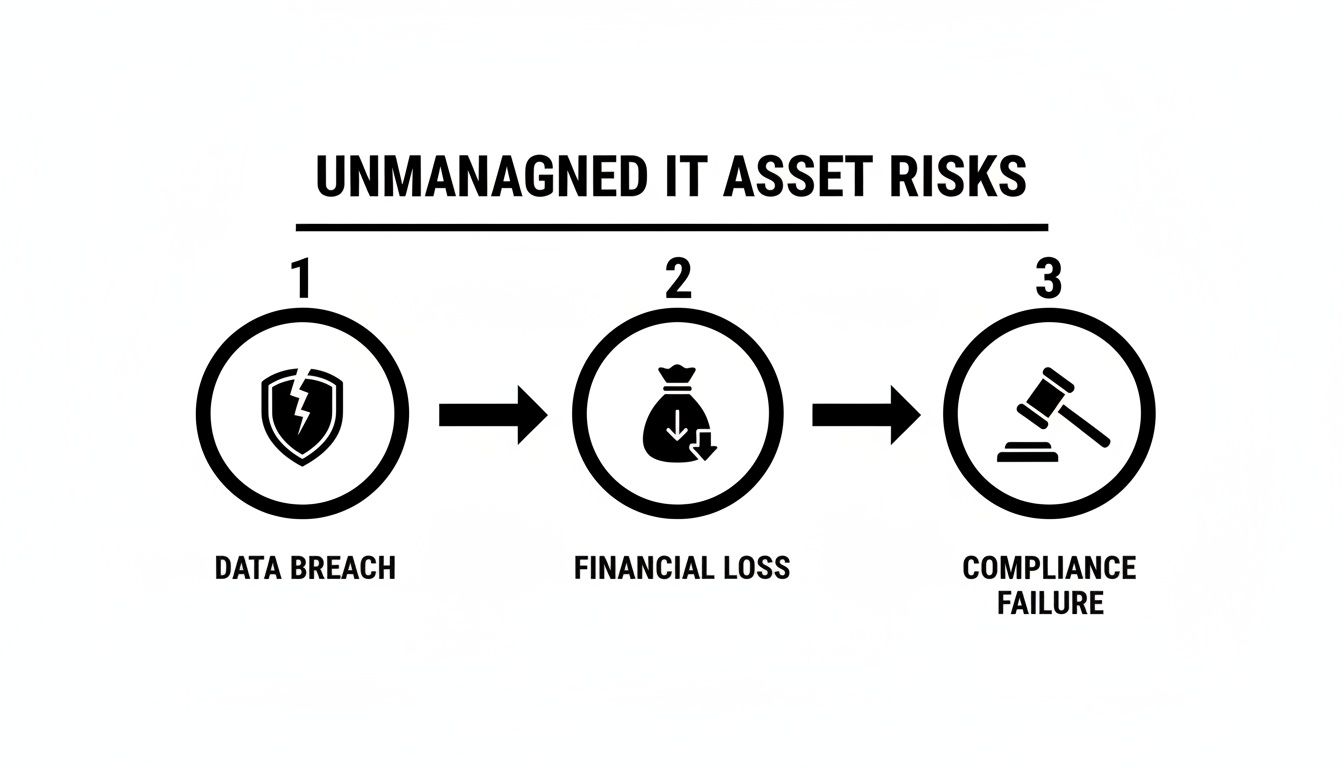
As you can see, a structured approach is your best defense against this cascade of negative consequences.
Defining Your Project Goals
Once you have a handle on your inventory, you can set clear, measurable goals for the project. These goals will guide your decisions and provide a benchmark for success. While every Atlanta business has unique needs, most corporate ITAD plans are built on a few core objectives.
- Data Security: This is non-negotiable. Your top priority must be the 100% guaranteed destruction of all sensitive data. This means deciding on the right methodology—secure data wiping for reusable devices or physical shredding for everything else.
- Environmental Compliance: Your business needs a guarantee that its e-waste is handled responsibly. A key goal is ensuring every component is processed ethically, keeping hazardous materials out of landfills and your company in line with all environmental regulations.
- Value Recovery: If your asset list includes newer equipment, a smart goal is to maximize the financial return through refurbishment and resale. That recovered capital can go a long way toward offsetting the cost of recycling older, obsolete gear.
- Operational Efficiency: The entire process shouldn't bring your business to a halt. A good plan aims to minimize disruption by mapping out pickup schedules, coordinating with building management, and ensuring a smooth, efficient removal day.
A strong ITAD strategy goes hand-in-hand with good IT Asset Management (ITAM), where every device is tracked from procurement to retirement. To see how this bigger picture works, check out these 10 IT asset management best practices and see how a full lifecycle view makes disposal so much easier.
Mapping Out a Project Timeline
A realistic timeline keeps the project on track and prevents the last-minute chaos where mistakes and security gaps happen. Breaking the project down into phases makes the entire process more manageable for your team.
Here’s a sample timeline for a mid-sized Atlanta company looking to refresh 200 workstations:
- Weeks 1-2: Inventory & Assessment. The IT team dedicates time to audit, tag, and log every targeted asset. This is also when they'll classify each machine for either resale or recycling.
- Week 3: Vendor Vetting. Research and contact certified ITAD partners in the Atlanta area. Obtain quotes, and more importantly, verify certifications (like R2v3 or e-Stewards) and ask for references from other local businesses.
- Week 4: Logistics & Scheduling. With a partner selected, finalize the details. Lock in the on-site pickup date, notify your facility manager, and designate a staging area for the equipment.
- Week 5: Execution & Removal. This is pickup day. Your ITAD partner arrives to securely pack and transport the assets. This is the crucial point where chain-of-custody documentation begins.
- Weeks 6-7: Processing & Documentation. Back at their secure facility, the vendor begins wiping drives, dismantling hardware, and sorting materials. Within this window, your company should receive official Certificates of Data Destruction and Recycling.
To help your team stay organized, we've put together a simple checklist that breaks down these phases and highlights key considerations for local businesses.
IT Asset Disposition Project Planning Checklist
This checklist provides a structured framework to guide your team through each stage of your office computer recycling project, ensuring no critical step is missed.
| Phase | Key Actions | Considerations for Atlanta Businesses |
|---|---|---|
| 1. Scoping & Inventory | Create a detailed list of all assets for disposal. Classify each item (reuse, recycle, destroy). | Note any equipment located in satellite offices across the Metro Area. Factor in building access or elevator restrictions in downtown high-rises. |
| 2. Goal Setting | Define primary objectives: data security, value recovery, compliance, sustainability. | If your business is in a regulated industry like healthcare (HIPAA) or finance, compliance goals will be your top priority. |
| 3. Vendor Selection | Research certified ITAD vendors. Verify R2v3 or e-Stewards certifications. Request quotes and check references. | Look for a partner with a local processing facility to minimize transport risks and ensure quick turnaround times. |
| 4. Logistics Planning | Schedule pickup date and time. Designate a secure staging area. Coordinate with building management. | Plan pickups outside of peak traffic hours to avoid delays on I-285 or the Downtown Connector. |
| 5. Execution & Transport | Oversee on-site asset packing and loading. Sign off on chain-of-custody paperwork. | Ensure the vendor’s team is professional, insured, and respects your office environment during the removal process. |
| 6. Final Documentation | Receive and file Certificates of Data Destruction and Recycling. Confirm final asset reconciliation report. | Store these documents securely. They are your proof of due diligence in the event of an audit. |
This systematic approach ensures that from the first inventory count to the final certificate, your project is secure, compliant, and completely under control.
Achieving Bulletproof Data Security and Compliance
When recycling old office computers, getting the hardware out of your building is the easy part. The critical, non-negotiable task is ensuring every last bit of sensitive corporate data on those devices is permanently destroyed. For any business in Atlanta, especially those in healthcare, finance, or law, a data breach from improperly disposed IT gear can be a company-ending event.
This isn't just about protecting corporate secrets; it's about your legal and ethical obligations. Cutting corners on data sanitization is a fast track to massive fines, litigation, and reputational damage that may be impossible to repair.
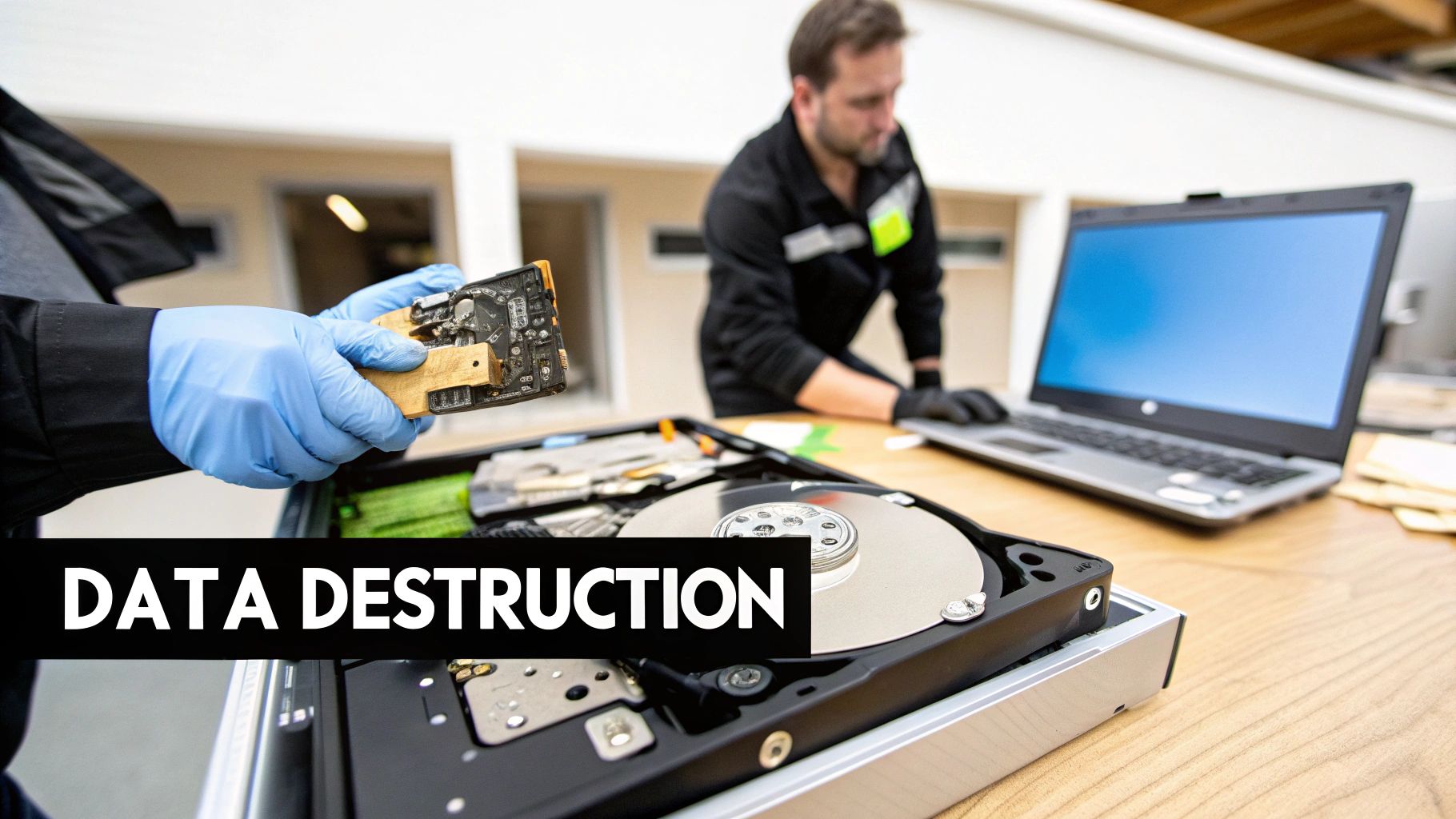
Data Wiping Versus Physical Destruction
A key strategic decision is how to destroy your data. The two industry-standard methods are software-based wiping and physical shredding. They aren’t interchangeable—the right choice depends on the asset's age, condition, and its potential for reuse.
Software-Based Data Wiping
This process uses specialized software to overwrite every sector of a hard drive with random data, often multiple times. The gold standard is DoD 5220.22-M, a three-pass method that makes the original information forensically unrecoverable.
- When to use it: This is the ideal solution for newer, functional laptops and desktops with resale value. If your goal is to refurbish and resell hardware, wiping is the required first step.
- Why it's smart: It preserves the value of your IT assets, allowing you to recoup some of your initial investment while guaranteeing data security.
Physical Hard Drive Shredding
For hardware that’s old, non-functional, or held highly classified information, there's no substitute for physical destruction. Industrial shredders grind drives into small pieces of metal, rendering them completely inoperable.
- When to use it: This is the only acceptable option for obsolete servers, damaged hard drives, or any device where absolute, undeniable proof of destruction is required.
- Why it's smart: It offers a 0% chance of data recovery. It is the final word in data security. You can see how we handle this with our certified secure data destruction services.
Ensuring Regulatory Compliance
For most Atlanta businesses, proper data destruction isn't just good practice—it's the law. Regulations like the Health Insurance Portability and Accountability Act (HIPAA) are incredibly strict about how electronic Protected Health Information (ePHI) is handled at end-of-life. A healthcare provider can't just recycle an old PC; they must prove the data was destroyed according to HIPAA rules.
Consider this: a single workstation from a medical clinic could hold thousands of patient records. If that device isn't sanitized correctly, the organization could face fines up to $1.5 million per violation category, per year.
Your ITAD partner is your first line of defense in maintaining compliance. Their processes must meet or exceed federal and state mandates. While data security starts long before disposal with measures like encryption, as outlined in this piece on Meeting HIPAA Compliance with a Managed IT Plan Pt 4: Encrypting Data and Backups, certified destruction is the final, critical step that closes the loop.
The Power of Documentation
How do you prove your company did everything right? The answer is documentation. A professional IT recycler will provide an ironclad audit trail that protects your business long after the equipment is gone.
If a vendor cannot provide the following, they are not a viable partner.
- Chain-of-Custody Forms: This document tracks your assets from your door to their final disposition, showing who handled them and when.
- Serialized Inventory Report: A detailed list of every asset processed, identified by make, model, and serial number, which should match your initial audit.
- Certificate of Data Destruction: This is the most important document. It formally certifies that the data on specific hard drives (listed by serial number) was destroyed using a specific method, such as a DoD 5220.22-M wipe or physical shred.
- Certificate of Recycling: This confirms that all non-data-bearing materials—plastics, metals, and glass—were recycled responsibly and in accordance with environmental regulations.
These documents aren't just receipts; they are your legal proof of due diligence. In the event of an audit or a data breach investigation, this paperwork is what stands between your company and serious liability.
Executing Smooth On-Site Logistics and Removal

After all the planning, inventorying, and data security strategizing, pickup day arrives. This is where the plan becomes action, and the logistics of moving potentially hundreds of devices can seem daunting. A smooth removal is the difference between a seamless project and a day of chaos that disrupts your entire operation.
Managing the physical pickup requires careful coordination, professional handling, and an unwavering focus on security from the moment equipment leaves your office until it reaches the processing facility. The right partner will make this process feel effortless.
The Value of On-Site Services
Choosing an ITAD partner that provides comprehensive on-site services is a strategic business decision. Instead of tying up your own IT team for days unplugging machines and decommissioning server racks, a professional crew can handle all the heavy lifting—efficiently and safely.
This becomes absolutely critical for larger projects, like a full office tech refresh or a complex data center decommissioning. Professional de-installation ensures that server racks, networking gear, and other embedded infrastructure are dismantled correctly without damaging your facility. Once disconnected, every asset is systematically packed, inventoried, and loaded for secure transport, often using GPS-tracked vehicles to maintain a verifiable chain of custody.
A partner that manages the entire on-site process—from unplugging the first PC to loading the last pallet—transforms your office computer recycling project from a resource-draining chore into a turnkey solution. This frees up your team to focus on their core responsibilities, not logistics.
Prepping Your Office for a Seamless Pickup
A little preparation on your end can make a huge difference, ensuring removal day goes off without a hitch. The goal is to minimize business disruption and make it as easy as possible for the logistics team to do their job quickly and securely.
Here are a few practical steps for your facilities or IT manager to take:
- Designate a Staging Area: Clear a specific space, like an unused conference room or a secure corner of the office, where all equipment can be consolidated before pickup. This prevents the crew from disrupting active work areas and speeds up the process significantly.
- Coordinate with Building Management: Notify your property manager of the pickup date and time. You may need to reserve a loading dock or a service elevator, and they will appreciate the advance notice.
- Schedule for Minimal Disruption: If possible, schedule the pickup for after business hours or on a weekend. This is the best way to avoid interrupting your employees and keep hallways clear for safety.
- Confirm Your Inventory: Perform a final check to ensure the equipment in the staging area matches your inventory list. This verification is crucial before signing off on any chain-of-custody paperwork.
This proactive approach doesn't just guarantee a smooth removal; it reinforces the security and integrity of the entire asset disposition process. For businesses in the Atlanta metro area, understanding a provider's process is key. You can get more details on how we handle everything by reviewing our guide to commercial computer pickup services.
This level of detailed planning is becoming more important than ever. The global electronic waste recycling market is projected to hit USD 80.4 billion in 2025, with North America holding a dominant 37% share. This growth is driven by stricter regulations and rising corporate demand for responsible ITAD. For Atlanta-based organizations, this highlights the necessity of working with proven partners who can manage on-site logistics and certified data destruction to ensure full compliance.
Choosing the Right ITAD Partner for Your Business
Selecting your e-waste vendor is the most critical decision in this entire process. A top-tier IT Asset Disposition (ITAD) partner acts as a shield for your business, protecting you from data breaches, steep legal fines, and environmental compliance failures. The wrong one can expose you to all three.
This isn't about hiring a hauling service. You are entrusting a third party with your company's sensitive data and reputation. An uncertified operator might illegally export your assets, creating a PR disaster for your brand and leaving your data completely exposed. A professional, certified partner, on the other hand, delivers a rock-solid, auditable process that guarantees security and compliance every step of the way.
The scale of the global e-waste problem makes this choice even more serious. In 2022, a staggering 77.7% of the world's 62 million metric tons of e-waste was never properly managed. Only 22.3% was formally recycled. With businesses refreshing computers every 3-4 years, that contribution is massive, highlighting why you need certified professionals on your side. You can get a deeper look at the data from the Global E-waste Monitor 2024.
Non-Negotiable Vendor Credentials
When vetting potential partners, a few credentials should be absolute deal-breakers. These certifications are your proof that a vendor adheres to the highest standards for security, environmental stewardship, and safety.
- R2v3 or e-Stewards Certification: These are the gold standards in responsible electronics recycling. An R2v3 certification means the vendor has been audited for their data security, environmental practices, and worker safety. The e-Stewards standard is even stricter, particularly known for its tough rules against exporting hazardous e-waste.
- NAID AAA Certification: This certification focuses entirely on data security. Issued by the National Association for Information Destruction, NAID AAA certification means the partner has passed rigorous, unannounced audits of their data destruction processes, employee screening, and physical security.
- Proof of Insurance: Do not engage a vendor who cannot provide certificates for general liability, errors and omissions, and pollution liability insurance. This coverage is your financial safety net if an incident occurs during transport or processing.
Your vendor's certifications aren't just logos for their website; they are your evidence of due diligence. If your company ever faces an audit or data breach, showing you chose a certified partner is a powerful part of your defense.
Evaluating Their Process and Transparency
Beyond certifications, you need to evaluate how they operate. Transparency is paramount. A reputable partner should be an open book, happy to explain their entire process and provide clear, upfront pricing without hidden fees.
Watch for these red flags during your evaluation:
- A Vague Chain-of-Custody: If they cannot clearly articulate—and document—how they track your assets from your office to final disposition, it's a major security risk.
- Fuzzy Downstream Reporting: Ask where all materials go after processing. A trustworthy recycler has a vetted network of downstream partners and can provide reports detailing the final disposition of every component.
- Hesitation to Share References: A vendor with a solid track record should be eager to connect you with other Atlanta businesses they serve. Reluctance is a major warning sign.
Choosing the right partner turns office computer recycling from a business risk into a smoothly managed operation. A seasoned electronic waste recycling company delivers a seamless experience that protects your corporate interests from start to finish.
Ultimately, your choice of an ITAD vendor reflects your company’s commitment to data security and corporate responsibility. Take the time to conduct thorough due diligence—your business depends on it.
Got Questions About Office Computer Recycling? We Have Answers.
When it's time to manage an IT asset disposition project, a few key questions always come up for IT managers and business leaders. Getting clear answers is essential for making smart decisions that protect your company's data and ensure compliance. Here are some of the most common questions we hear from businesses across Atlanta about the office computer recycling process.
Our goal is to provide direct, actionable information that helps your organization navigate this process with confidence.
What's the Real Difference Between Data Wiping and Shredding?
This is the most critical technical distinction to understand. Data wiping is a software-based process where a program overwrites the entire hard drive with random data, making the original information unrecoverable. The industry benchmark is the DoD 5220.22-M standard, which uses a three-pass overwrite to guarantee complete data sanitization. This is the ideal method for newer, functional hard drives in computers designated for refurbishment and resale.
Physical shredding is the complete physical destruction of the hard drive. The drive is fed into an industrial shredder that grinds it into small, coin-sized metal fragments. This is the mandatory choice for older or failed drives, or for any storage media that contained highly sensitive data where absolute certainty of destruction is required.
Can We Actually Get Money Back from Our Old Computers?
Yes, absolutely. Many companies are surprised to learn their retired IT equipment still holds significant value. This process, known as value recovery or asset remarketing, can turn a disposal project from a cost center into a revenue stream.
Here’s the breakdown for our commercial clients:
- Assessment: We start by evaluating the age and condition of your equipment—typically laptops, servers, and networking gear less than five years old.
- Refurbishment: After data is securely wiped, our technicians test, clean, and prepare the devices for the secondary IT market.
- Resale: We leverage our established sales channels to sell the refurbished equipment.
- Revenue Share: Your company receives a portion of the sales proceeds, which helps offset—or even cover—the recycling costs for your truly obsolete hardware.
This transforms what was once a disposal expense into a smart financial strategy.
What Kind of Paperwork Should I Expect from a Recycling Partner?
Proper documentation is your legal proof that the job was done correctly. It creates an unbreakable audit trail, demonstrating your company's due diligence in protecting data and responsibly managing e-waste. Any professional ITAD partner must provide a complete documentation package.
Without a full set of certificates, you have zero verifiable proof of compliance. This paperwork is not optional—it is your defense in the event of a data security audit or regulatory inquiry.
Your final documentation package must include these four key items:
- Certificate of Recycling: Confirms all non-data-bearing equipment was processed according to environmental laws.
- Certificate of Data Destruction: This critical document lists the destruction method (wiping or shredding) and the individual serial numbers of every sanitized hard drive.
- Serialized Inventory Report: A detailed report matching the assets picked up from your office to what was processed, ensuring a closed-loop chain of custody.
- Chain-of-Custody Forms: The paper trail that documents every handoff, tracking your assets from the moment they leave your control to their final disposition.
When your Atlanta business needs a trusted partner for secure and compliant office computer recycling, Atlanta Computer Recycling is here to help. We provide end-to-end ITAD services, from on-site pickup to certified data destruction, ensuring your assets are handled responsibly every step of the way. Contact us today to schedule your free consultation.