Atlanta IT recycling: Secure Data Destruction and ITAD Guidance for Businesses


Proper IT recycling in Atlanta is more than just getting rid of old gear. It's a planned, secure process for retiring your commercial technology, making absolutely sure your business data is destroyed and the equipment is handled in an environmentally compliant way. For any Atlanta business, this means shifting from simple disposal to a formal IT asset disposition (ITAD) strategy that protects sensitive information and aligns with corporate sustainability goals.
Building Your Atlanta IT Recycling Strategy
Before you unplug a single server or start stacking old laptops in a storage closet, stop. A successful corporate IT recycling project kicks off with a clear, strategic plan. For Atlanta businesses, this initial groundwork is the most critical part of ensuring a smooth, secure, and cost-effective process.
Rushing into disposal without a framework is a recipe for logistical headaches, security risks, and missed opportunities to recover value. When you define a clear strategy, you transform a cleanup task into a controlled business function.
This foundational stage is all about asking the right questions to set your objectives. Are you driven by data security mandates, like HIPAA compliance for a medical facility? Is the main goal to hit corporate sustainability targets by keeping e-waste out of landfills? Maybe it's more practical—you just need to reclaim valuable office or data center space. Defining these business goals upfront will shape every decision that follows.
Conducting a Practical Asset Inventory
The first operational step is to determine exactly what hardware you're dealing with. A pre-project inventory doesn't need to be overly complex, but it does need to be thorough. Walk through your facility—from the server rooms to individual workstations—and document every piece of end-of-life equipment.
Your inventory should capture a few key details for each asset:
- Asset Type: (e.g., Dell PowerEdge server, Lenovo ThinkPad laptop, Cisco switch)
- Serial Number or Asset Tag: This is essential for tracking and chain-of-custody documentation.
- Condition: Make a quick note if the item is functional, needs a minor repair, or is completely non-working.
- Data-Bearing Status: This is critical. Identify every single device that has a hard drive or solid-state drive inside.
This simple inventory gives you the raw data you need for the next crucial step: categorization.
Categorizing Assets for Maximum Value and Compliance
Once your list is complete, sort the equipment into three main business categories. How you classify everything directly impacts your project's potential costs and returns.
- Reuse/Resale: Newer, functional equipment like recent-generation servers, laptops, and networking gear often has residual value. A qualified ITAD partner can frequently refurbish and resell these items, generating a financial return for your business or offsetting recycling costs.
- Recycling: This category is for the older, obsolete, or non-functional equipment that has no resale value. These items will be broken down, and their raw materials—like steel, aluminum, and precious metals—will be responsibly recovered.
- Data Destruction Only: Sometimes you'll have devices, like loose hard drives or servers that are too damaged to resell, where the only service needed is secure data destruction before the physical materials are recycled.
A well-organized inventory and categorization process is the absolute backbone of a successful corporate ITAD project. It ensures every asset is accounted for, data security is locked down, and you extract every bit of potential financial return from your retired equipment.
This kind of planning is especially vital in a tech hub like Atlanta. Georgia's explosive data center growth is fueling a massive surge in IT equipment retirement, making secure recycling a critical part of the local tech ecosystem.
In the past year alone, the state secured the second-largest data center investments nationwide, a boom that translates directly to huge volumes of decommissioned hardware needing a responsible home. This influx of retired corporate assets makes a structured approach not just a best practice, but a flat-out necessity for modern businesses. For a deeper dive, our guide on IT equipment recycling in Atlanta provides more hands-on details.
Ensuring Compliant Data Destruction
For any Atlanta business, the most critical part of an IT recycling plan isn't the hardware—it's the corporate data living on it. A single hard drive disposed of improperly can lead to a devastating data breach, resulting in huge fines, reputational damage, and serious legal trouble. This is why compliant data destruction is the non-negotiable heart of any responsible ITAD strategy.
Simply dragging files to the trash or reformatting a drive is insufficient for business assets. Data can often be pulled from "wiped" devices with surprising ease, leaving your company's sensitive information, customer data, or patient records exposed. A defensible data destruction process ensures all that information is permanently and irretrievably gone, protecting your organization from liability. The goal here is to make data sanitization a documented, auditable step, not an afterthought.
This flowchart maps out the basic decision-making process for each piece of retired IT equipment.
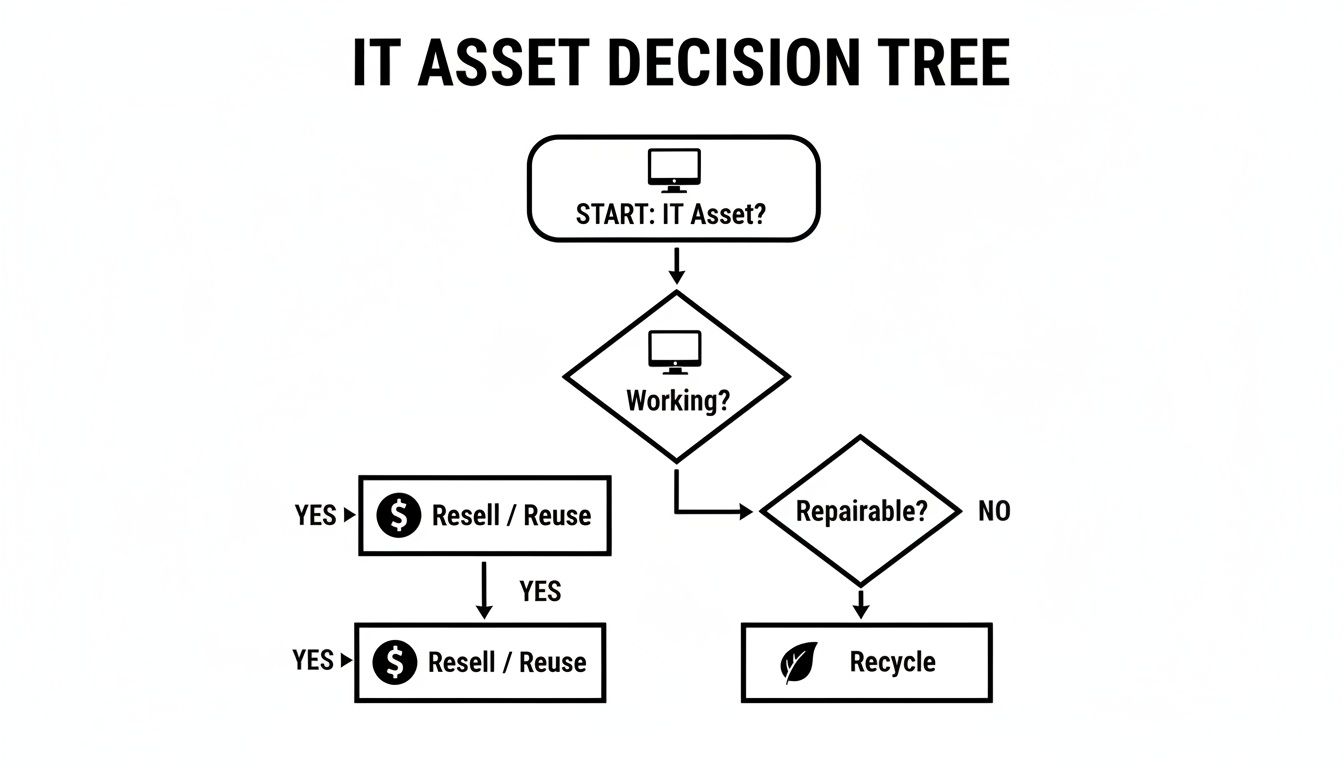
The key takeaway is that an asset's condition directly dictates its path. This simple evaluation determines whether you can recover value through reuse or if the equipment should head straight to secure recycling.
Software-Based Wiping for Reusable Assets
When a hard drive or solid-state drive is still functional and sits inside a newer machine with resale value, software-based wiping is the standard. This approach uses specialized software to overwrite the entire drive with random data, making the original information impossible to recover.
The industry benchmark for this process is the DoD 5220.22-M 3-pass standard. It’s a thorough, multi-step process:
- Pass 1: Overwrites the drive with a specific character.
- Pass 2: Overwrites it again with the complement of that character.
- Pass 3: Finishes with a final overwrite of random characters and verifies the entire process was successful.
This technique is incredibly effective and allows the hard drive to be safely reused—a choice that’s both environmentally responsible and beneficial to your bottom line. For most Atlanta IT recycling projects involving functional laptops, desktops, and servers, this is standard procedure. It provides rock-solid sanitization while preserving the hardware's value.
For IT managers, the main benefit of DoD wiping is achieving verified data security without destroying a perfectly good asset. This is the ideal approach for equipment refreshes where you want to maximize the financial return on retired but still valuable hardware.
When Physical Shredding Is the Only Answer
While wiping is perfect for reusable drives, it’s not always an option. In certain situations, physical destruction is the only way to guarantee complete data elimination. This process is exactly what it sounds like: we feed the hard drive into an industrial shredder that grinds it into small, irrecoverable metal fragments.
Physical shredding becomes a necessity in a few key business scenarios:
- Failed or Damaged Drives: If a hard drive won't spin up or has mechanical failures, wiping software can't run. Shredding is the only way to destroy the data locked on its platters.
- Outdated Media: Think old tape backups, floppy disks, or CDs. These formats can't be wiped and must be physically destroyed.
- Strict Security Policies: Some organizations, especially in government or finance, have internal policies that mandate physical destruction of all data-bearing media, no matter its condition.
- HIPAA Compliance: For healthcare providers, shredding is often the preferred method for devices containing patient health information (PHI). It provides the highest level of assurance and mitigates any risk of a data breach.
Choosing the right method requires a clear-eyed look at your assets, your industry, and your corporate security policies. The table below breaks down the key differences to help guide your decision.
Data Wiping vs. Physical Shredding: A Comparison for IT Managers
| Attribute | DoD 5220.22-M Data Wiping | Physical Hard Drive Shredding |
|---|---|---|
| Asset Preservation | Preserves the hard drive for reuse and resale. | Completely destroys the drive, making it unusable. |
| Best For | Functional laptops, desktops, servers, and loose drives with resale value. | Failed/damaged drives, outdated media (tapes, CDs), and high-security needs. |
| Verification | A software-generated report confirms a successful wipe for each serial number. | A Certificate of Destruction lists all shredded serial numbers. |
| Compliance | Meets requirements for NIST 800-88, HIPAA, SOX, and more. | Considered the most secure method; exceeds most compliance standards. |
| Cost-Effectiveness | Can generate revenue through asset remarketing, offsetting service costs. | A direct cost, as the asset's value is eliminated. |
| Environmental Impact | Promotes reuse, aligning with circular economy principles. | Materials are recycled, but the potential for reuse is lost. |
Ultimately, your Atlanta IT recycling partner should provide a Certificate of Data Destruction that meticulously details every single serial number sanitized or shredded. This gives you an auditable record for your compliance files and total peace of mind.
To dive deeper into how these methods fit into a compliant framework, you can explore our complete guide to secure data destruction services.
Getting It Out the Door: Logistics and On-Site De-Installation
You've got your strategy and your data destruction plan sorted. Now comes the physical challenge: getting all that retired IT equipment out of your building without bringing your daily operations to a screeching halt.
This is where the rubber meets the road. A chaotic pickup day can easily disrupt productivity, create security gaps, and become a massive headache for your team. A smooth process isn't luck; it's about good preparation and coordinating the removal of dozens—or even hundreds—of assets. From hulking servers in a cramped data center to pallets of laptops from an office-wide refresh, this is the on-the-ground execution that makes your Atlanta IT recycling project a success.
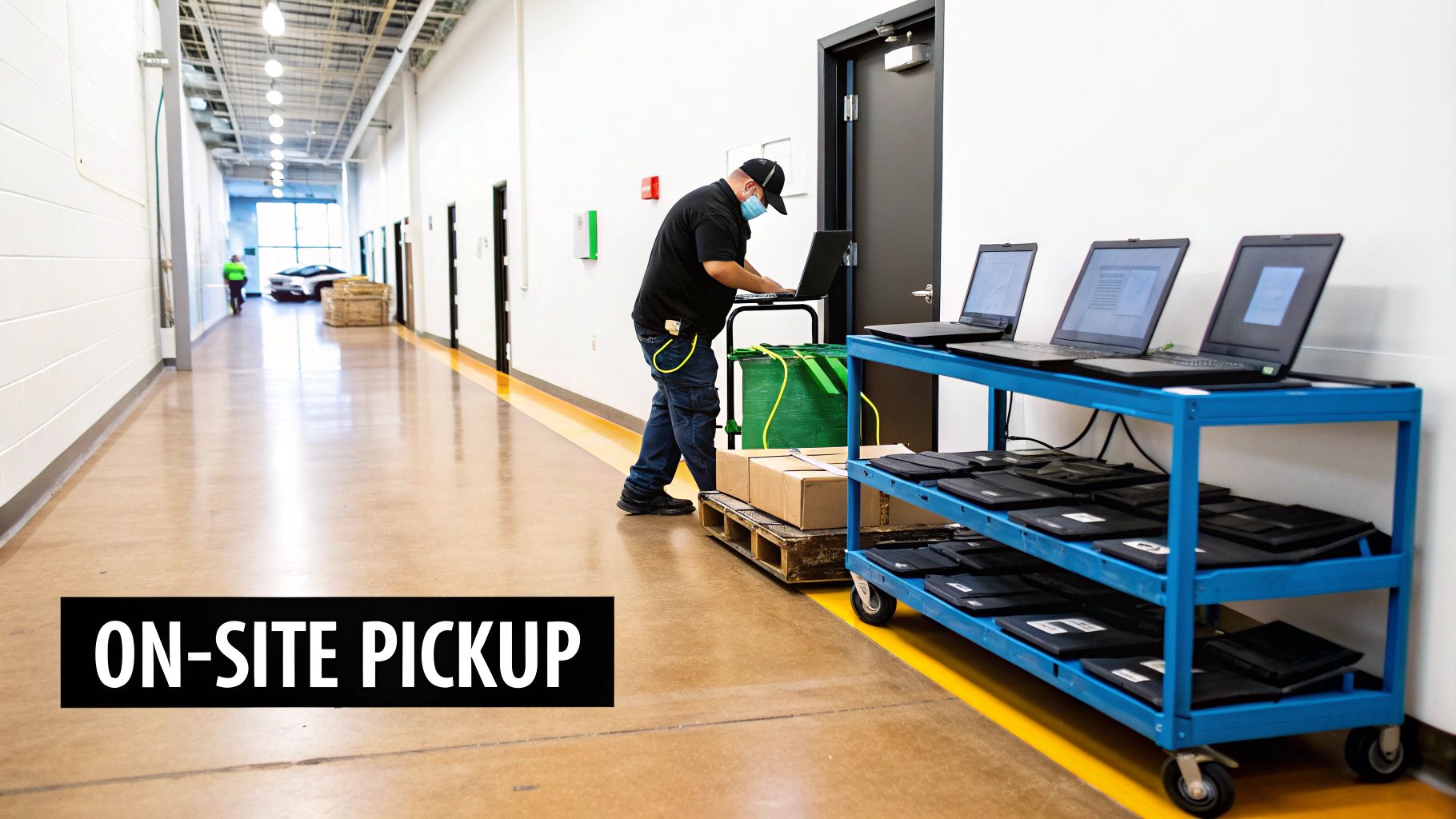
The main goal here is simple: move the assets from your facility to the recycling vendor's truck with a clear, unbroken chain of custody. Everything hinges on careful coordination between your team and your chosen partner.
Prepping Your Site for a Smooth Pickup
Long before the truck even backs up to your loading dock, a little prep work can make a world of difference. Think of it as staging the equipment for a seamless handoff. This simple step dramatically cuts down on the time the vendor’s crew is on-site and minimizes disruption to your employees.
Here are a few practical tips to get everything ready:
- Create a Staging Area: Designate one spot—an unused conference room, a corner of the warehouse, or a section of your IT closet—and consolidate all equipment there. It needs to be near a loading dock or main exit.
- Clear the Path: Ensure there is a straight, unobstructed route from the staging area to the exit. Move desks, clear hallways, and prop open doors. This is especially critical if you're moving large server racks.
- Do Some Pre-Work: If possible, have your own IT team disconnect peripherals, unplug machines, and pull devices from workstations beforehand. This speeds up the process immensely.
When the recycling team arrives, they can get right to work, loading everything up efficiently and getting out of your way.
The Final Count: Asset Tagging and Reconciliation
As your team moves equipment to the staging area, it’s the perfect opportunity for one last inventory check. This is non-negotiable for maintaining a secure chain of custody. You must reconcile the physical gear being removed against the initial inventory list you built.
This is your last chance to confirm every single device is accounted for before it leaves your control.
The second your assets are loaded onto that truck, your direct oversight ends. A final, meticulous inventory check is your definitive proof of what was handed over, and it’s the foundation for the auditable report you’ll receive later.
If your inventory says 75 laptops, you need to physically count and confirm that 75 laptops are on the pallet ready to go. Check off each asset by its serial number or your internal asset tag. This simple diligence prevents valuable equipment from "walking away" and guarantees every data-bearing device is tracked all the way to destruction.
What De-Installation Actually Looks Like
The de-installation process itself can look very different depending on the environment. Pulling a few hundred desktops from an office is one thing; decommissioning hardware from a live data center is another entirely.
In a typical office setting, it’s a game of volume and organization. A professional crew will arrive with pallets, bins, and shrink wrap to quickly pack up everything from monitors and PCs to those inevitable tangled nests of cables.
In a data center, the work is far more precise. Technicians have to carefully un-rack servers, switches, and storage arrays, often while navigating around active, mission-critical equipment. You need people who know what they're doing to avoid unplugging the wrong machine or disrupting vital airflow. It is a surgical operation.
For businesses facing these more complex projects, it helps to understand what to expect from a professional commercial computer pickup service. A skilled team can handle the entire process without impacting your live environment.
Securing Your Audit Trail with Proper Documentation
Once the truck drives away, the physical work is done, but your corporate responsibility isn't over. For any Atlanta organization—especially in sensitive fields like healthcare, finance, or government—the paperwork that follows is what really matters. This is what transforms a simple equipment clear-out into a compliant, auditable, and legally defensible business process.
Think of this documentation as your official record. It’s the undeniable proof that you handled every single end-of-life asset securely and by the book.
Without that paper trail, you’re leaving your organization exposed. If you face an internal audit or a regulatory inquiry from bodies like HIPAA or SOX, a verbal confirmation that data was destroyed is completely worthless. You need tangible, detailed records that close the loop on every device that left your building.
The Certificate of Data Destruction: Your Legal Proof
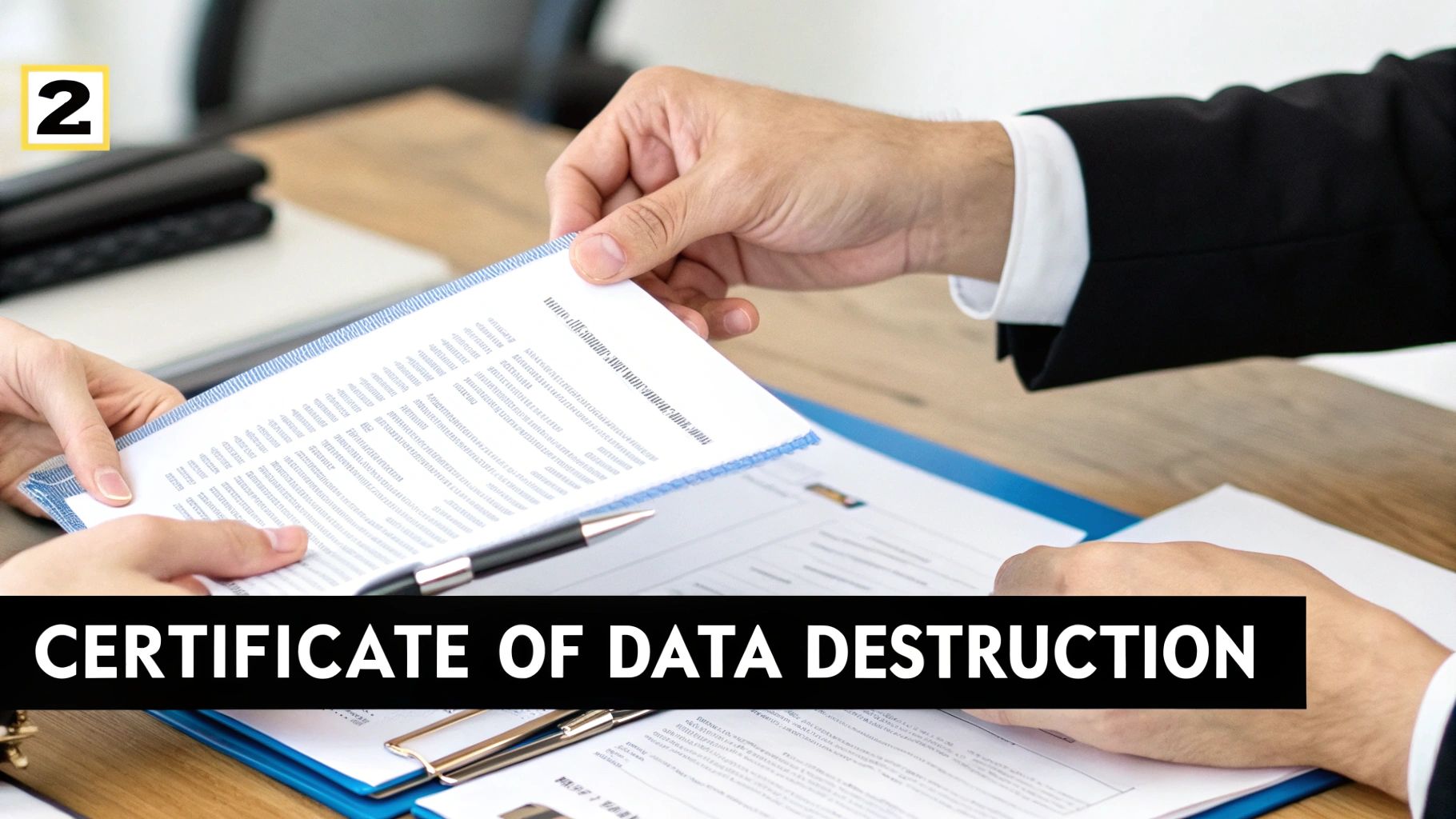
The single most important document you’ll receive is the Certificate of Data Destruction. This isn't just a simple receipt; it’s a legally binding document that officially transfers liability for the data from your organization to your IT recycling partner. It stands as your concrete evidence that all information on your hard drives has been permanently eliminated.
A legitimate certificate is all about the details. It should clearly list:
- The exact date the destruction was completed.
- The specific method used (e.g., DoD 5220.22-M wiping, physical shredding).
- The individual serial numbers of every single hard drive that was sanitized.
This level of detail is non-negotiable. A generic certificate that just says "100 hard drives wiped" won't hold up under scrutiny. To see what a proper document includes, you can learn more about our Certificate of Destruction process.
Serialized Asset Reports: Building a Chain of Custody
While the Certificate of Data Destruction handles the data, a serialized asset report or Certificate of Recycling takes care of the physical hardware. This report needs to match the inventory you took before the pickup, creating a seamless and unbroken chain of custody from your facility to its final disposition. It reconciles every laptop, server, and switch by its unique serial number.
This report also confirms that your equipment was processed according to environmental regulations, preventing it from ending up in a landfill. It's the document that proves your commitment to corporate sustainability goals. For mission-critical IT assets, maintaining a solid audit trail often requires using durable industrial labels for asset tracking and identification.
Your project documentation isn't just about checking a compliance box; it's about mitigating risk. A detailed audit trail with serialized reports and a Certificate of Data Destruction is your best defense against potential legal challenges or data breach accusations down the road.
This documentation is becoming even more critical as e-waste volumes grow. The U.S. electronic goods recycling industry is booming, with the market expected to hit $27.7 billion by 2026 as tech upgrades accelerate. Here in Atlanta, the constant cycle of replacing corporate laptops and servers generates a massive amount of retired assets. Without structured documentation, proving you disposed of it all correctly becomes impossible.
Choosing the Right Atlanta IT Recycling Partner
Picking a vendor for your IT recycling is easily the most critical decision you'll make in the entire asset disposition process. This isn't just about hauling away old gear. Your choice directly impacts your data security, environmental compliance, and frankly, your peace of mind.
A great partner acts as an extension of your IT department. A bad one can expose your business to serious risks.
For any organization here in the Atlanta metro area, vetting a local partner needs to be a methodical process—not just a quick Google search for the cheapest quote. The goal is to find a provider who can build a secure, transparent, and auditable trail for every single asset that leaves your building.
Start with Certifications and Security Protocols
The very first filter for any potential Atlanta IT recycling vendor should be their certifications. This isn't just about being "green"; it's about proving they have a documented, audited system for handling your corporate equipment. The big one to look for is R2v3 (Responsible Recycling).
An R2v3 certified recycler has proven they adhere to the highest industry standards for:
- Environmental Protection: Guaranteeing that toxic e-waste is managed properly and never illegally dumped or exported.
- Data Security: Following strict protocols for data sanitization and maintaining a secure, locked-down facility.
- Worker Health and Safety: Protecting their own team from the hazards that come with processing electronics.
But don't stop at the certification. You need to dig into their actual data security methods. Ask them point-blank how they handle data-bearing devices. Do they offer DoD 5220.22-M wiping as a standard, free service? What's their process for physical shredding, and can they give you a detailed, serialized report to prove it? A trustworthy partner will have clear, confident answers ready.
Evaluate Logistics and On-Site Capabilities
A vendor’s real-world logistical capabilities are just as important as their paperwork. You need a partner who can physically handle the scope of your project without disrupting your business operations. This is especially true for large projects, like data center de-installations or large-scale office cleanouts.
Get practical and ask about their operations:
- Do they own and operate their own fleet of trucks, or do they use third-party movers?
- Are their drivers and technicians background-checked and trained in handling sensitive IT assets?
- Can they manage the entire on-site project—de-installation, packing, and palletizing—themselves?
The right partner has the resources to make the pickup process feel effortless. Their team shows up ready to handle everything from un-racking servers in a data center to carefully wrapping pallets of laptops, ensuring a secure chain of custody from the moment they walk through your door. For a deeper dive into what this service looks like, you can explore what to expect from an electronic waste recycling company.
A vendor’s ability to manage the on-site logistics with their own trained personnel is a major indicator of their professionalism. It shows they control the entire process, minimizing the risk of security gaps that can pop up when subcontractors get involved.
Understanding Cost Structures and Hidden Fees
Finally, you have to get a clear picture of the cost. The good news is that many reputable Atlanta IT recycling vendors offer their services at no charge, especially for projects with a good amount of reusable equipment. Core services like data wiping should almost always be included for free.
Be wary of vague pricing or the potential for hidden fees down the line. Costs might apply for specific, intensive services like certified hard drive shredding (often priced per drive) or for projects that are heavy on low-value items like old CRT monitors. A transparent partner will give you a detailed, upfront quote that clearly outlines any potential charges. Your goal is to find a provider that delivers maximum security and compliance, not just the lowest price tag.
Atlanta's city-wide recycling efforts have made incredible progress, with the rate expected to climb to 25% by 2025—just shy of the EPA's national benchmark. This push for sustainability highlights why businesses need to go beyond basic recycling. Specialized ITAD services ensure high-volume e-waste from data centers and hospitals is diverted from landfills, and you can learn more about Atlanta's recycling improvements on resource-recycling.com.
Answering Your Questions About Business IT Recycling in Atlanta
When it’s time to retire old office or data center hardware, a lot of questions come up. IT managers and business leaders across Atlanta need straightforward answers to make the right call—one that protects company data, ensures compliance, and handles e-waste responsibly.
We get these questions all the time from our clients. Here are the practical, no-nonsense answers you need to plan your Atlanta IT recycling project with confidence.
What Kind of IT Equipment Can You Take?
Our focus is on commercial-grade IT assets, not consumer electronics. We're equipped to handle the entire technology stack you’d find in a modern business.
This means we’re ready for the heavy-duty hardware from your data center or server room:
- Servers of all kinds (rackmount, tower, and blade)
- Enterprise storage arrays and SANs
- Network gear like switches, routers, and firewalls
- UPS (Uninterruptible Power Supply) units and telecom equipment
And of course, we manage all the standard office tech as well:
- Business-grade laptops and desktops
- Monitors, keyboards, mice, and other peripherals
Bottom line: if it was part of your organization's IT infrastructure, we can manage its secure and compliant retirement.
What Does IT Recycling in Atlanta Typically Cost?
This is the big question for any IT department working with a budget. For most of our commercial clients in the Atlanta metro area, our core services come at no cost.
That’s especially true for projects with a decent amount of reusable equipment, like newer-generation servers, laptops, or networking hardware. Our standard package—which includes pickup for qualifying bulk quantities and DoD-compliant data wiping—is often completely free of charge.
There are, however, a few situations where a fee might apply. Costs can come into play for projects involving a large volume of low-value or hazardous items (like old CRT monitors), significant on-site de-installation work, or for certified hard drive shredding, which carries a per-drive cost. We’re all about transparency and will always give you a clear, itemized quote upfront so there are no surprises.
How Can We Be Sure Our Data is Secure?
Data security is the absolute cornerstone of our entire process. We know that the moment that equipment leaves your office, you're placing a massive amount of trust in us. We honor that with an unbreakable chain of custody right from the start.
Our own trained and background-checked technicians handle the entire pickup and transport in our own secure vehicles—no third-party movers, ever. Once the assets are back at our secure facility, we use one of two proven data destruction methods.
- Standard DoD 5220.22-M 3-Pass Data Wiping: This is our default service, provided free for every functional hard drive. It overwrites the drive multiple times, making the original data impossible to recover.
- Physical Shredding: For drives that have failed, are too old, or when you simply require the highest level of security, we offer physical destruction. The drive is literally ground into small metal fragments, guaranteeing data is 100% gone.
Once the job is complete, we issue a formal Certificate of Data Destruction. This isn't just a piece of paper—it's your auditable proof, itemizing every single drive by serial number and confirming how its data was destroyed. It's a critical document for your compliance records.
Can You Help Us with HIPAA Compliance?
Absolutely. We work with healthcare providers, clinics, and hospitals all across Atlanta, and we’re experts in HIPAA-compliant ITAD. We understand the weight of responsibility that comes with protecting patient health information (PHI) and have built our services to meet the healthcare industry's tough privacy and security rules.
Our entire process, from secure on-site logistics to meticulous data destruction and detailed reporting, is designed to stand up to a HIPAA audit. The Certificate of Data Destruction we provide is the key—it’s the official record you need to prove you took every necessary step to safeguard PHI on retired electronic media.
At Atlanta Computer Recycling, we provide secure, compliant, and responsible ITAD services for businesses, healthcare organizations, and educational institutions throughout the Atlanta metro area. We make the process simple, secure, and often free.
To plan your next IT asset disposition project, visit us at https://atlantacomputerrecycling.com.