Secure IT Disposal for Lawrenceville Businesses


A lot of Lawrenceville organizations are sitting on the same problem right now. There’s a back room with retired laptops, a shelf of old switches, a few desktop towers nobody wants to touch, and maybe a stack of drives from a server refresh that never got documented.
That pile looks harmless until you consider its contents. Employee records. Patient information. Student data. Financial files. Admin credentials saved in browsers. Network configs sitting on old firewalls. Once equipment leaves active use, it doesn’t become low risk. It becomes higher risk, because nobody owns it clearly anymore.
In a city that keeps expanding, that problem shows up everywhere. Lawrenceville’s schools, healthcare practices, local offices, and public sector departments are modernizing fast. If you’re replacing equipment, consolidating offices, renovating a floor, or moving hardware out of a server room, your disposal process needs to be treated like a security project, not a cleanup task.
Your Lawrenceville Business is Growing Are Your Old IT Assets Holding You Back
A familiar scene in lawrenceville looks like this. The business has grown, the office added staff, the network got upgraded, and now the old equipment is stranded in storage because nobody wants to make the wrong call on disposal.
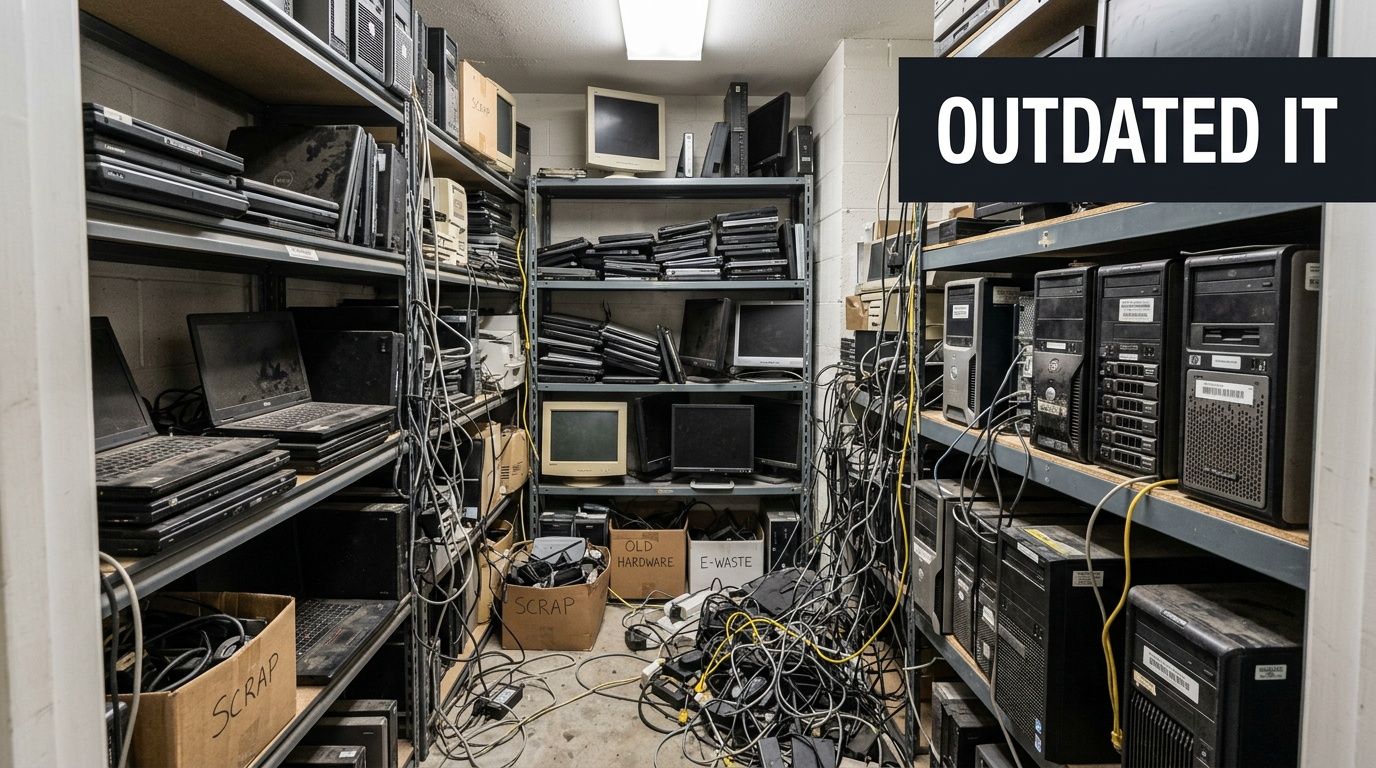
That storage room holds more than junk. It holds unresolved risk. I’ve seen organizations separate “active IT” from “old IT” in their minds, and that’s where mistakes start. A powered-off laptop with an SSD is still a data-bearing asset. A retired copier can still hold sensitive records. An old file server in the corner can still create legal exposure.
Growth creates disposal pressure
Lawrenceville isn’t static. As the second oldest city in Metro Atlanta, Lawrenceville’s population nearly doubled from 8,928 in 1980 to 17,250 in 1990, reaching 30,629 by 2020, according to the City of Lawrenceville history page. That kind of growth changes how businesses operate. More offices open. More departments expand. More systems get replaced.
For local business managers, that means retired hardware doesn’t appear once a decade. It appears constantly. A batch of laptops from onboarding turnover. Network gear after a fiber upgrade. End-of-life desktops after a software refresh. Old rack servers after a virtualization project.
If you don’t have a repeatable IT asset disposition process, the backlog keeps growing.
What doesn’t work
Several approaches fail over and over:
- Closet storage as a long-term strategy: It delays the decision, but it doesn’t reduce security or compliance exposure.
- Ad hoc employee handling: If individual departments decide what to keep, move, or toss, your inventory trail breaks.
- General junk removal: A truck can remove weight from the building. It can’t provide verified data destruction or disposition records.
- Assuming “we already wiped it”: If nobody documented the method, device identity, and final disposition, that assumption won’t help in an audit.
Old equipment becomes dangerous when it falls between departments. IT thinks finance signed off. Finance thinks facilities handled it. Facilities thinks the recycler took everything. Nobody has the serial-level record.
Why this matters now
Lawrenceville’s commercial and institutional footprint keeps evolving from the historic downtown square outward. As organizations upgrade, they need a way to clear space, protect data, and keep equipment moving into the right downstream path, whether that’s reuse, resale, or recycling.
That’s particularly true when the retired hardware still has potential value. If you’ve got newer business-class laptops, late-model servers, or usable network gear, there may be a recovery opportunity instead of disposal. If you want to assess that before recycling, it helps to review options for old electronics for cash.
A key point is simple. Your old IT assets aren’t a side issue. In a growing lawrenceville organization, they affect security, operations, space, and compliance all at once.
The Pre-Decommissioning Checklist for Lawrenceville Organizations
Most disposal problems start before pickup day. They start with poor preparation. If your team can’t say what’s leaving, what data may still be on it, and who approved the release, the project is already harder than it needs to be.
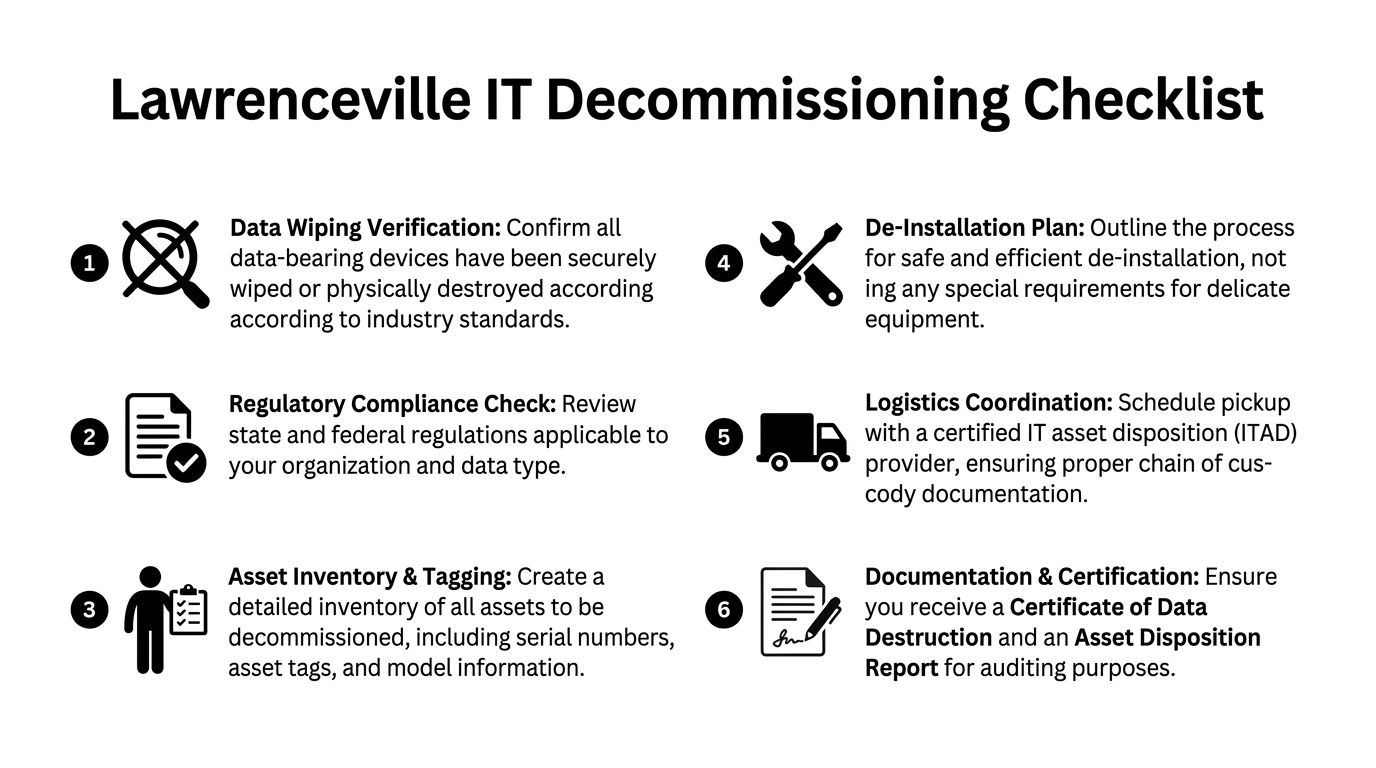
Lawrenceville’s education market is a good example. With major educational institutions like Georgia Gwinnett College and Georgia Technical College, Lawrenceville’s education sector faces unique challenges in managing legacy IT equipment during campus modernizations, creating a need for compliant e-waste disposal strategies, as noted in this local Lawrenceville growth overview. The same issue shows up in private business, clinics, and city-adjacent offices. Equipment turnover happens in waves, and those waves need structure.
Build the inventory before anyone unplugs anything
Your first job is to create a disposal inventory that can survive scrutiny later.
That means collecting:
- Asset identity: Serial number, asset tag, manufacturer, and model.
- Asset type: Laptop, desktop, server, switch, firewall, printer, copier, storage array, phone system component, or peripheral.
- Data-bearing status: HDD, SSD, server, backup appliance, copier drive, NAS unit, USB media, or anything else that stores data.
- Location: Floor, closet, room, rack, or department.
- Business owner: The department or manager responsible for approving release.
If you’re handling servers or a larger room cleanout, a formal server decommissioning checklist becomes useful. The point isn’t paperwork for its own sake. The point is avoiding guesswork later when someone asks whether a specific device was removed, wiped, shredded, resold, or recycled.
Separate by disposition path
Don’t create one giant pile.
A better staging approach is to sort assets into practical groups:
- Reuse candidates: Newer equipment still suitable for internal redeployment.
- Resale candidates: Functional business hardware with residual value.
- Recycle only: Broken, obsolete, incomplete, or non-economical devices.
- Destroy media: Drives and storage devices that require verified destruction based on your policy.
This prevents the most common operational mistake. Teams mix high-value reusable assets with scrap, then lose recovery options because nobody sorted on the front end.
Confirm internal signoff
Disposal shouldn’t start with IT alone. It needs internal coordination.
Get written signoff from the groups that matter:
- Department leaders confirm the equipment is no longer needed.
- IT verifies whether any devices still contain production data or credentials.
- Finance or asset management confirms the retirement status in internal records.
- Compliance or legal, when relevant, reviews any special handling requirements.
This step matters most when equipment has lived through several ownership changes. The laptop that looked abandoned may still be assigned in a system. The old NAS in a branch office may still hold archived files somebody expects to retrieve.
Common oversight: Teams remember desktops and servers, then forget backup tapes, copier drives, NAS units, retired wireless controllers, or spare drives sitting in drawers. Those are the assets that create the worst surprises later.
Prepare the room, not just the list
Even a simple pickup goes faster when the site is ready.
Use this short prep list:
- Clear access paths: Elevators, loading doors, server room aisles, and hallways need to be usable.
- Flag fragile removals: Wall-mounted screens, rack-mounted gear, and tightly packed cabling need special handling.
- Identify live equipment nearby: Nobody wants a technician touching the wrong switch stack.
- Set a chain-of-custody handoff point: Decide where assets are verified and released.
A clean pre-decommissioning process saves time, but, significantly, it prevents the two failures that matter most. Lost assets and undocumented data exposure.
Choosing Your Data Destruction Method DoD Wiping vs Physical Shredding
A Lawrenceville office closes out a refresh, and the old equipment stacks up fast. Laptops from a growing admin team, storage pulled from a clinic expansion, lab systems retired after an upgrade near Georgia Gwinnett College. At that point, the disposal decision is not abstract. You need to decide which assets can be sanitized for reuse and which ones should be destroyed without debate.
That choice should follow risk, device condition, and downstream handling. Cost matters, but it should not drive the entire decision. A working SSD in a recent laptop has a different disposition path than a failed server drive from a healthcare or finance environment.
Industry guidance still centers on media sanitization standards such as NIST SP 800-88 Rev. 1, published by the National Institute of Standards and Technology. In practice, many Lawrenceville organizations still ask for DoD 5220.22-M style multi-pass wiping because it is familiar internally, though current programs should align their policy language with NIST-based sanitization and verification.
When wiping makes sense
Wiping works when the media is functional, identifiable, and still has reuse value.
That usually applies to newer desktops, laptops, and some servers where the drive can be accessed, the erasure process can be verified, and your policy allows the asset to be refurbished or remarketed. For businesses expanding along the Lawrenceville corridor, or schools replacing usable systems in phases, wiping can protect data while preserving budget value.
Use wiping when:
- The drive is fully functional
- The asset may be reused internally or resold
- Your policy permits sanitized media to re-enter service
- You need erasure records tied to a specific serial number or asset tag
For a plain-language explanation of the workflow, this guide on how to wipe a computer hard drive is a useful reference.
When shredding is the better call
Physical shredding is the cleaner option when the media is failed, questionable, or too sensitive to justify a reuse discussion.
That covers dead drives, damaged SSDs, legacy backup media, and storage removed from systems that handled regulated records. Lawrenceville healthcare providers, schools, municipal offices, and companies supporting larger regional projects often choose shredding for exactly that reason. It removes ambiguity. It also shortens decision time when nobody wants to argue about whether a troubled device can still pass a verified wipe.
Shredding is the right decision when:
- The media is failed, unreadable, or unstable
- The hardware has no practical resale value
- Your policy requires irreversible destruction
- The data sensitivity outweighs any recovery value
If a drive’s condition is uncertain, or its prior use is unclear, destroy it.
Data Destruction Method Comparison
| Feature | DoD 5220.22-M Wiping | Physical Shredding |
|---|---|---|
| Best for | Functional drives intended for reuse or resale | Damaged, obsolete, or highly sensitive media |
| Asset value recovery | Preserves potential downstream value | Ends any reuse or resale path |
| Security outcome | Secure sanitization when completed and documented | Irreversible physical destruction |
| Operational trade-off | Requires the drive to be functional and processed | Faster decision path for non-functional or restricted media |
| Policy fit | Good where reuse is allowed | Good where destruction is mandatory |
| Sustainability impact | Supports reuse before recycling | Sends media directly into destruction and material recovery |
The trade-off managers usually feel later
Wiping takes more handling. The asset has to be inventoried correctly, the drive has to respond, the erase job has to complete, and the result has to be documented against the right device. If any of those steps fail, you have lost time and still may end up shredding the media.
Shredding gives up residual value, but it reduces operational drag. For older storage pulled from server rooms, branch offices, or mixed-use campus environments, that can be the better business decision. I usually recommend clients stop treating every drive the same. Segment by condition and data class first, then process each group accordingly.
This also matters if your organization relies on outside platforms or vendors for regulated workflows, including managing subprocessors. Once third-party handling, customer data, or regulated records enter the picture, your destruction method needs to match your documented risk controls, not just your recycling goals.
A practical policy split for Lawrenceville organizations
A simple policy usually works best:
- Working end-user devices: Wipe if they pass testing and are approved for reuse or resale.
- Failed, unknown, or unverified media: Shred.
- Server and storage equipment from sensitive departments: Require a stricter approval review before choosing reuse.
- Anything with unclear ownership or history: Treat it as high risk until proven otherwise.
That approach fits how many Lawrenceville organizations operate. Fast-growing offices want efficiency. Schools and healthcare groups need defensible records. Municipal and professional services teams need a process staff can follow without guessing. The method should be decided before pickup, not in the parking lot.
Navigating Compliance and Ensuring a Secure Chain of Custody
Compliance failures in IT disposal don’t come from dramatic events. They come from ordinary sloppiness. An undocumented pickup. A missing serial number. Drives transferred without signatures. Equipment staged in an unsecured hallway. A vendor who can haul hardware but can’t prove what happened to it.
For lawrenceville organizations in healthcare, education, finance, and government, that’s not a minor administrative issue. It’s a control failure.

Chain of custody starts on site
A secure chain of custody begins the moment assets are identified for release. From there, each transfer needs to be controlled and documented.
That includes:
- Serialized tracking: Devices are matched to serial numbers or asset tags.
- Controlled handoff: Someone on your side releases equipment deliberately, not casually.
- Secure transport: Assets move in a documented process rather than as loose, untracked cargo.
- Access-controlled processing: Only authorized personnel handle the material after pickup.
- Final records: You receive documentation showing what was destroyed, wiped, recycled, or otherwise processed.
That’s the difference between “we think the equipment was handled” and “we can prove what happened.”
Documentation is part of the security model
Organizations sometimes treat documents as paperwork after the primary work is done. That’s backward. In regulated environments, documentation is part of the control set.
A Certificate of Destruction matters because it gives you formal proof that specified media or devices were destroyed under a defined process. If you’ve never reviewed one, this example of a certificate of destruction form shows the kind of record you should expect to receive and retain.
The same principle applies to inventory reports, pickup confirmations, and downstream disposition records. If a vendor can’t provide them consistently, that’s a warning sign.
A secure process isn’t secure because someone says it is. It’s secure because every handoff, action, and final outcome can be traced after the fact.
HIPAA-sensitive environments need more than truck-and-go service
Healthcare-adjacent organizations in lawrenceville should pay attention to de-installation practices, not just destruction methods. Best practices for ITAD, particularly in HIPAA-sensitive environments, require documented procedures, such as using HEPA-filtered vacuums during de-installation and maintaining cleaning logs to ensure environmental integrity and prevent contamination, which is essential for audit trails, as described in this ITAD environmental compliance discussion.
That matters in server rooms, imaging spaces, clinic back offices, and any environment where clean handling and documented procedures intersect with compliance expectations.
Ask better vendor questions
Most vendor evaluations are vague. Ask direct operational questions instead.
- How do you track assets from pickup through final disposition?
- What records do you provide for destroyed media and processed equipment?
- Who handles de-installation, and how is that work controlled on site?
- How do you separate reusable equipment from destruction-only media?
- What happens if a serial number on site doesn’t match the client inventory?
If your organization also works with cloud tools, service providers, or external data handlers, your broader vendor governance should be as deliberate. A useful companion resource is this guide to managing subprocessors, which helps frame how third-party handling should be documented and controlled across sensitive workflows.
What weak chain of custody looks like
You don’t need a forensic investigator to spot trouble. Weak ITAD handling shows itself quickly.
Common red flags include:
- No serial-level intake process
- No distinction between wipe and shred workflows
- No clear release records at pickup
- No formal destruction certificate
- Vague answers about where assets are processed
Compliance gets easier when the process is boring, disciplined, and consistent. That’s what you want. Not improvisation. Not verbal assurances. Not “we’ve done this for years” without records to back it up.
Streamlining Logistics De-Installation and Pickup in Lawrenceville
A Lawrenceville office manager usually notices the logistics problem late. The new equipment is arriving next week, the old gear is still in cubicles or racks, facilities has elevator limits, and nobody wants retired devices sitting near active staff or patient traffic. At that point, secure IT disposal becomes an operations job as much as a security job.
The risk is rarely the truck itself. The risk is poor coordination on site. Bad de-installation slows employees down, leaves storage media behind, creates confusion about what is still in production, and increases the chance of damaged infrastructure during removal.
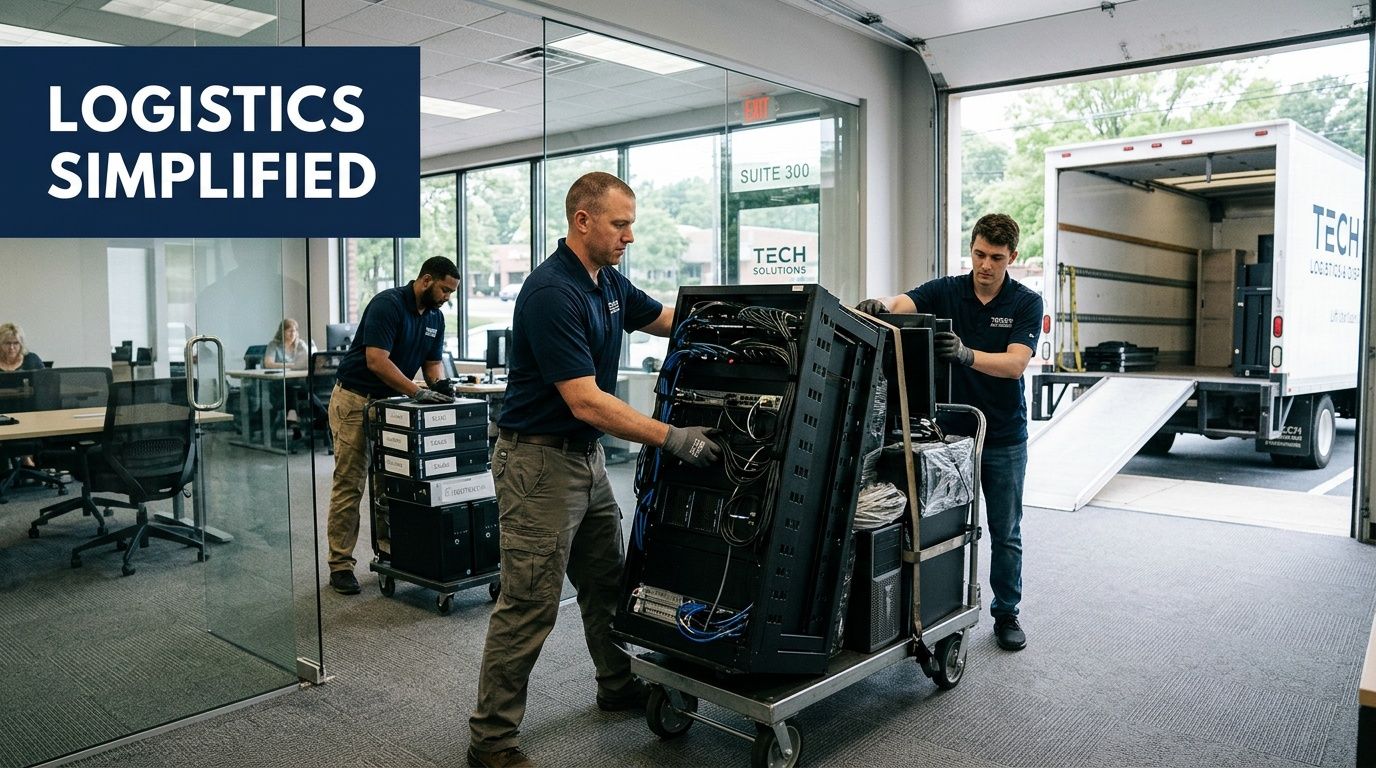
Define the job before anyone touches equipment
Lawrenceville organizations tend to underestimate this step, especially during growth periods. A school adding labs near Georgia Gwinnett College, a clinic expanding exam space, or a professional office renovating downtown all produce different removal conditions.
Start by identifying the project type:
- Office refresh: Laptops, desktops, monitors, phones, docks, and printers.
- Server room cleanout: Rack servers, switches, UPS units, rails, PDUs, and storage devices.
- Department consolidation: Retired equipment spread across suites, closets, and multiple floors.
- Renovation or relocation: Assets must be cleared on a contractor or landlord schedule.
Scope drives the labor plan. A few carts of end-user devices can be staged quickly. A server room requires controlled de-installation, clear labeling, and timing that avoids disruption to systems that still support daily operations.
Larger projects need a defined sequence
On bigger jobs, the work usually follows the same operational stages. Plan the removal, confirm what is on site, separate data-bearing devices from standard electronics, then execute the physical loadout in a controlled order. The exact details change by facility, but the sequence should not.
That matters in Lawrenceville because many sites are not built for easy removal. Older office buildings have tighter corridors. Medical and education facilities often have occupancy constraints. Mixed-use development around the city core adds more scheduling pressure, especially when several vendors are working in the same building at once.
A good crew does not figure this out in the hallway. The route, staging area, access restrictions, and exception process should already be set.
What efficient on-site work looks like
A disciplined de-installation team usually works in this order:
Confirm access and staging
Verify dock access, elevator use, security procedures, and the approved staging area.Match assets to the release list
Check tagged equipment before movement starts. Stop and escalate anything unlisted.De-install equipment safely
Remove servers, rails, cabling, and peripherals without affecting adjacent live hardware.Separate by disposition path
Keep data-bearing devices, remarketing candidates, and recycle-only material in distinct streams.Pack and load under control
Palletize or containerize equipment for safe movement and documented pickup.
If your team wants a practical reference for commercial loadout planning, this overview of IT equipment pickup services for Atlanta-area businesses shows how organized pickup workflows are typically structured.
The strongest pickup plans remove uncertainty before the crew arrives. Everyone on site should know what is leaving, what is staying, who can approve exceptions, and which areas require restricted handling.
A realistic Lawrenceville example
Consider a healthcare practice near Lawrenceville Highway that is replacing front-desk systems, exam room PCs, a small server rack, and aging network hardware during a renovation.
The clinical team still needs access to rooms. The landlord may limit freight movement. Some devices may qualify for remarketing, while failed drives or obsolete media may need direct destruction. Those trade-offs affect timing and packaging.
A workable plan would include:
- Pre-staging small devices in labeled carts by department
- Scheduling rack and network removal outside patient-heavy hours
- Tagging data-bearing assets before they leave controlled space
- Using a dedicated staging area away from staff and visitor traffic
- Logging exceptions immediately if an extra drive, laptop, or switch is found
That process is not complicated. It is disciplined.
Public-sector, education, and office move projects need tighter scheduling
Lawrenceville's growth creates a steady flow of relocation and upgrade work. City projects, campus changes tied to Georgia Gwinnett College, and private redevelopment all put pressure on IT teams to clear retired equipment on fixed dates.
That changes the disposal plan. The ITAD provider has to work around building access windows, elevator reservations, security desk procedures, facilities rules, and the schedules of movers or general contractors. If disposal gets treated as an afterthought, retired assets end up stranded in telecom closets, left in empty suites, or mixed with equipment that was never approved for release.
Common causes of pickup delays
The same failures show up repeatedly:
- No single on-site owner
- Unsorted piles of mixed equipment
- Blocked hallways, docks, or freight paths
- Active devices mixed with retired devices
- Late decisions about wipe versus shred
- No reserved staging area
None of these problems require better technology. They require better preparation. In Lawrenceville, where many organizations are upgrading quickly to keep pace with local growth, that preparation is what keeps de-installation secure, efficient, and predictable.
Partnering for Secure IT Disposal Your Next Steps
If your lawrenceville organization needs to clear retired technology, the safest approach is simple. Prepare the assets, choose the right destruction method, insist on documented chain of custody, and make the pickup plan as disciplined as the security plan.
That matters even more as the city continues to modernize. Lawrenceville’s infrastructure investments, including the new SouthLawn City Hall and the 2.2-mile Linear Park corridor connecting to Georgia Gwinnett College, are driving significant IT upgrades across government and education, generating large quantities of retired equipment requiring secure decommissioning, according to this Business View profile on Lawrenceville’s development. Private businesses feel the same pressure. Upgrades create retired assets, and retired assets need a controlled exit path.
What to have ready before requesting a quote
A provider can give you a better estimate when you bring the right information from the start.
Have these details ready:
- Your location in lawrenceville: Office building, campus, clinic, warehouse, or public facility.
- Equipment types: Laptops, desktops, servers, switches, firewalls, monitors, phones, copiers, storage arrays, or mixed electronics.
- Approximate volume: A room count, rack count, pallet estimate, or asset list.
- Data destruction needs: Wiping, shredding, or a mix by asset type.
- Site conditions: Stairs, elevators, loading dock access, narrow hallways, security check-in requirements.
- Timing: Whether the job is flexible, after-hours, or tied to a move, renovation, or closure.
If you don’t know every detail yet, that’s fine. What matters is identifying the scope enough that the removal plan fits the actual conditions on site.
What accepted commercial items include
Most business ITAD programs can handle a broad range of equipment. Typical accepted items include:
- End-user devices: Laptops, desktops, thin clients, tablets, and docking stations
- Infrastructure gear: Servers, storage devices, switches, routers, firewalls, and rack equipment
- Office electronics: Monitors, printers, scanners, office phones, and related peripherals
- Power and support equipment: UPS units, cables, accessories, rails, and support hardware
- Specialized business electronics: Copiers, telecom gear, and decommissioned room technology
A key caveat is that not all items follow the same downstream path. Some are reusable. Some are recyclable only. Some require media destruction before anything else happens.
What good service should feel like
A strong commercial IT disposal engagement is organized from the first conversation.
You should expect:
- Clear scope confirmation
- Direct questions about data-bearing devices
- Real discussion about access and logistics
- Documentation of what will happen to the equipment
- Defined deliverables after the job, especially destruction and disposition records
You should not expect vague promises, casual pickup language, or pressure to skip the inventory stage because it’s “just old equipment.” That’s the thinking that causes exposure.
If a provider talks more about hauling than about tracking, destruction records, and controlled handling, keep looking.
The practical standard for lawrenceville managers
The right benchmark isn’t perfection. It’s control.
Can you identify the assets?
Can you separate media by risk level?
Can you document who released them, how they were handled, and what happened at the end?
If the answer is yes, your disposal program is doing its job. If the answer is no, you don’t have a disposal program yet. You have a backlog with liability attached.
If your business, school, healthcare practice, or public-sector office in lawrenceville needs a secure way to remove retired computers, servers, storage, and network hardware, Atlanta Computer Recycling provides commercial IT asset disposition, data destruction, de-installation, pickup, and responsible electronics recycling across the Atlanta metro area. Reach out with your asset list, location, and data destruction requirements to start the process with a quote and a documented plan.