How to Erase Hard Drives Securely for Your Business

When you hear "erasing a hard drive," you might think of dragging files to the trash can. But for any business serious about data security, that's not even close to enough. Securely erasing a drive involves using specialized software to methodically overwrite every single sector with random data, making the original information completely unrecoverable.
For businesses, this isn't just a best practice—it's a critical security step during any tech refresh or decommissioning project. Simply formatting a drive leaves your most sensitive company and customer data exposed and easily retrievable.
Why Secure Data Erasure Is a Business Imperative
As your business upgrades its technology, moves offices, or decommissions a data center, what happens to the old hard drives? Too often, they become an afterthought. Treating data erasure as a low-priority IT task is a massive, unnecessary risk. In reality, secure data erasure is a fundamental pillar of corporate governance and risk management, not just another line item on an IT budget.
Many people mistakenly believe that deleting files or doing a quick format is enough. This common misconception leaves huge amounts of sensitive information just sitting there, ripe for the picking. A standard deletion only removes the pointers to the data, leaving the actual files intact and recoverable with basic, widely available software tools.
This lingering data is known as data remanence, and it's a ticking time bomb for your organization. Just think about the kind of confidential information stored on your company's drives:
- Employee records and detailed payroll information
- Customer lists and personally identifiable information (PII)
- Proprietary financial data and priceless intellectual property
- Client contracts and strategic business plans
The Real Costs of Improper Disposal
The fallout from a data breach traced back to an improperly discarded hard drive can be devastating. Financially, the penalties are severe, especially for organizations governed by regulations like the Health Insurance Portability and Accountability Act (HIPAA). A single breach can easily lead to millions in fines, legal fees, and the costs of notifying every affected customer.
Beyond the immediate financial hit, the damage to your reputation can be even more costly. Trust is the cornerstone of any business relationship, and a public data breach shatters that trust in an instant. It can take years—and far more resources than a secure disposal plan would have cost—to rebuild a company's reputation.
A data breach isn't just a technical failure; it's a profound business failure. It tells your clients, partners, and the public that you couldn't protect their most sensitive information, undermining the very foundation of your credibility.
The Growing Demand for Secure Erasure
The market reflects this growing urgency. The global hard drive destruction service market, valued at USD 1.65 billion, is projected to explode to USD 5.05 billion by 2035. This growth is being fueled by a sharp increase in cyber threats and tightening regulatory pressures.
In just one year, data breaches in the U.S. soared to 3,158 cases, impacting 1.35 billion people worldwide—a fourfold increase from previous years. It's clear that securing data at the end of its lifecycle is no longer optional.
Understanding the importance of secure data erasure is a key part of building a comprehensive cybersecurity strategy. It’s a proactive measure that closes a common but often overlooked vulnerability in your company's security posture.
This is why it's essential to view professional IT Asset Disposition (ITAD) as a strategic investment rather than an expense. A good ITAD partner doesn’t just get rid of old hardware; they provide a certified, auditable process that guarantees your data is permanently destroyed. This process protects your bottom line, secures your reputation, and ensures you stay compliant in an increasingly regulated world.
Comparing Data Sanitization Methods for HDDs and SSDs
Picking the right way to wipe a hard drive isn’t a one-size-fits-all deal. The best approach really depends on the type of drive you’re dealing with, your company's security policies, and whether that hardware will be reused or simply recycled. Understanding the difference between a software wipe and a hardware command is absolutely essential for any IT manager handling asset disposition.
For decades, the standard for traditional spinning hard drives (HDDs) has been software-based wiping. This is where specialized programs write patterns of junk data over every single sector of the drive, burying the original information for good.
One of the most recognized methods is the DoD 5220.22-M 3-pass wipe. It’s a workhorse. The software overwrites the drive three separate times, which makes data recovery with conventional tools practically impossible. It’s a thorough and trusted way to prep HDDs for reuse, resale, or donation.
Software Wiping for HDDs
Let’s say you’re managing an office-wide tech refresh and have 50 laptops with perfectly good HDDs that you want to sell. A software wipe is your best friend here. It sanitizes the drives completely but leaves them physically intact, which is key to getting the best resale value.
The process is methodical, but it’s not fast. A 3-pass wipe on a multi-terabyte HDD can easily take hours to finish. That’s a huge factor for any business trying to process a large number of drives on a tight schedule.
For companies that need to prove they did their due diligence, the real value of a professional software wipe comes from the verification report. This certificate of sanitization is your auditable proof, confirming each drive was completely erased to a specific standard.
Hardware-Level Erasure for Modern Drives
While software wiping is great for old-school HDDs, modern Solid-State Drives (SSDs) play by a different set of rules. SSDs use flash memory and wear-leveling algorithms that spread data around, so a simple overwrite might miss some data blocks. This is where hardware-level commands, built right into the drive's firmware, are the only way to go.
There are two main commands you need to know:
- ATA Secure Erase: This command tells the drive’s internal controller to zap all its storage cells back to a "zero" state. It’s incredibly fast—often done in a minute or two—and works great on both HDDs and SSDs that support the command.
- Cryptographic Erase (CE): Most modern SSDs are self-encrypting drives (SEDs). They automatically encrypt everything written to them with a unique key. Cryptographic Erase is genius in its simplicity: it just deletes that encryption key. Without the key, the data on the drive is permanently unreadable—just a useless jumble of characters.
CE is the fastest and most efficient way to sanitize a supported SSD, making it the top choice for data centers decommissioning servers packed with dozens of drives. If you want to dive deeper into these methods, check out our guide on how to properly delete hard drive data.
Matching the Method to the Media
So, how do you decide what to use? It all comes down to your inventory and what you’re trying to achieve. Choosing correctly ensures you meet your security goals without wasting time or money.
To make things clearer, here’s a quick comparison of the most common methods.
Comparison of Data Sanitization Methods
| Method | Security Level | Best For | Key Consideration |
|---|---|---|---|
| DoD 3-Pass Wipe | High | Reusable HDDs, meeting legacy compliance standards | Can be very slow for large drives. Less effective on SSDs. |
| ATA Secure Erase | Very High | Most modern HDDs and SSDs needing quick sanitization | Requires the drive's firmware to support the command. |
| Cryptographic Erase | Highest | Self-Encrypting Drives (SEDs), especially in data centers | The drive must have self-encrypting capabilities enabled. |
In most real-world scenarios, a hybrid approach is the most practical way forward. For a mixed batch of assets, your team might use a DoD-compliant software wipe for older HDDs while taking advantage of the speed of ATA Secure Erase or Cryptographic Erase for newer SSDs. This ensures every piece of hardware is handled correctly, balancing tight security with operational efficiency.
A Practical Guide to In-House Data Wiping
For many businesses, handling at least some data wiping in-house feels like a practical first step. It can be, but only if you have a structured, repeatable workflow. Without one, you’re just inviting costly mistakes and making it impossible to prove every drive was handled correctly.
This guide gives your IT team an actionable framework to follow, from the initial inventory all the way to final verification. As you’ll see, while this process is manageable on a small scale, it quickly becomes complex and time-consuming. It’s a big reason why so many growing businesses eventually partner with a professional service for a more scalable and certified solution.
This visual flow breaks down the core decisions you’ll make, whether you’re wiping drives for reuse or sending them to their final destination.
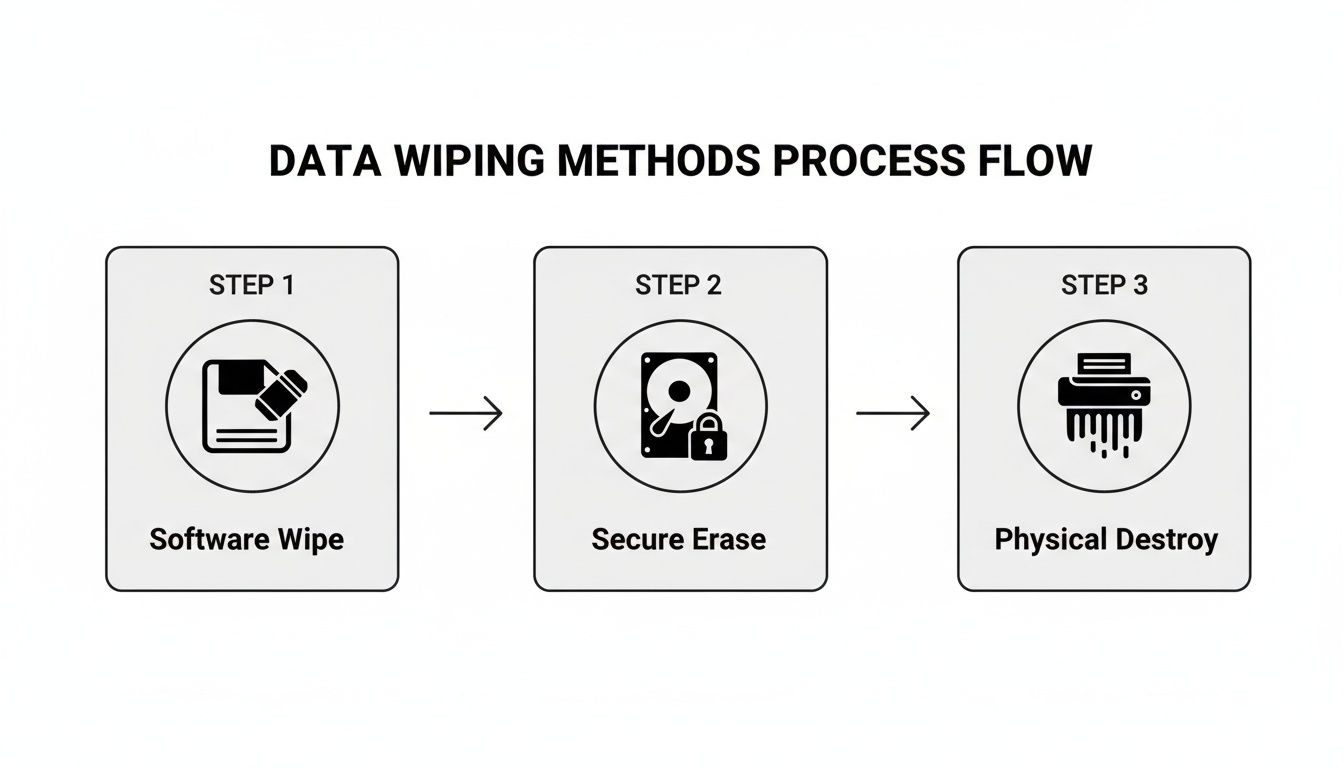
The key takeaway? Match the method to the asset's future. Software-based wiping preserves the drive's value for reuse, while physical destruction offers absolute finality for non-functional or high-risk media.
Asset Inventory and Tagging
Before you even think about wiping a single byte, you need a meticulous inventory. This is the absolute bedrock of a defensible data destruction process. Get started by creating a detailed log for every single asset slated for sanitization.
Your inventory spreadsheet should track these essential details:
- Asset Tag: Your company's unique internal ID for the device.
- Serial Number: The manufacturer's unique ID for the hard drive itself.
- Device Type: Is it a laptop, server, or desktop?
- Drive Model and Capacity: For example, a Seagate Barracuda 2TB.
- Status: Keep this updated (e.g., Pending Wipe, Wipe Complete, Failed).
Don't skip this next part: physically tag each machine or drive with its asset number. This simple step is what prevents mix-ups, ensuring that a perfectly good drive intended for reuse isn't accidentally tossed in the shred pile. Accountability starts right here.
Creating Bootable Wiping Media
You can't erase a drive while its operating system is running—it’s like trying to saw off the tree branch you’re sitting on. To get around this, you need to create bootable media, usually a USB flash drive, that contains your data erasure tool.
Think of it as a special key. The bootable USB "starts" the wiping software instead of Windows or macOS. You can load tools like Darik's Boot and Nuke (DBAN) or other commercial alternatives onto a USB stick pretty easily.
Once that’s done, you'll need to restart the target computer and jump into its BIOS or UEFI settings. From there, you just change the boot order to prioritize the USB drive. This forces the machine to load your wiping software directly, giving it full access to the internal hard drive.
Executing the Wipe and Troubleshooting
With your software loaded, it's time to start the wipe. Most tools will automatically detect all connected drives, letting you select the specific ones you logged in your inventory. For most business needs, a 3-pass wipe provides a robust level of security that makes data recovery practically impossible.
But things don't always go smoothly. A common headache is when the software simply fails to detect a drive. This could be due to a bad cable, a weird BIOS setting that’s hiding the drive, or just straight-up hardware failure. Your team needs to be ready to troubleshoot these curveballs, which can add a surprising amount of time to the whole process.
For a deeper dive, check out our in-depth article about how to completely wipe a computer hard drive.
Real-World Scenario: An IT team at a mid-sized marketing firm was decommissioning 30 workstations. One drive repeatedly failed to show up in their wiping software. After burning two hours troubleshooting, they found the drive's controller had failed, making a software wipe impossible. That single failed drive became a security risk, forcing them to pivot and arrange for physical destruction.
Verification and Reporting
The job isn't over when the progress bar hits 100%. For compliance, the most critical step is verification. Any professional-grade data sanitization software will automatically run a verification pass to confirm the overwrite was successful across every single sector of the drive.
After a successful verification, the software generates a sanitization report. This document is your official proof of erasure. It must include:
- The serial number of the wiped drive.
- The sanitization method used (e.g., DoD 5220.22-M).
- The exact date and time of the wipe.
- Clear confirmation of successful verification.
Store these reports somewhere safe and accessible. They create an auditable trail that proves your company followed a secure protocol—something that's invaluable during any compliance audit.
And remember, while these steps are great for computers, mobile devices are a different beast. For practical guidance on that front, this complete iPhone factory reset guide is a great resource.
Deciding Between Wiping and Shredding
Every IT asset disposition strategy eventually hits a fork in the road. For each and every hard drive, you have to answer a crucial question: should it be securely wiped or physically shredded?
Making the right call isn't just a technical choice; it's a risk management decision that directly impacts your company's security and bottom line. The best approach is to build a clear, risk-based framework that gives you a flexible and compliant data destruction policy.
The whole decision really boils down to balancing two key factors: the potential for recovering asset value versus the absolute certainty of data destruction. Some situations leave no room for debate and demand that a drive be turned into tiny pieces, while others make secure wiping the smarter, more economical option.
When Physical Shredding Is Non-Negotiable
For certain scenarios, physical destruction is the only acceptable path forward. I've seen teams waste hours trying to wipe a compromised or inaccessible drive—it's not just a waste of time, it's an unnecessary security risk.
You should always opt for shredding in these cases:
- Failed or Damaged Drives: If a hard drive won't spin up or simply can't be recognized by your wiping software, you have zero ability to verify a successful erasure. Shredding is the only way to guarantee the data is gone for good.
- Highly Sensitive Data: For drives containing top-tier intellectual property, patient data governed by HIPAA, or critical financial records, the risk of any potential recovery is just too high. Physical destruction provides absolute peace of mind.
- End-of-Life Assets: When hardware is so old or obsolete that it has no resale or redeployment value, there’s no financial incentive to keep the drive intact. Shredding becomes the most direct and secure final step.
This is exactly why organizations with the strictest compliance needs, from hospitals to government agencies, lean on professional services. To get a better sense of how this works in the real world, check out our overview of Atlanta's top hard drive shredding services for a look into certified destruction.
The core principle is simple: if you cannot definitively verify a complete and successful data wipe, the drive must be physically destroyed. There are no exceptions to this rule in a secure ITAD program.
Choosing Secure Wiping for Value Recovery
On the flip side, secure software wiping is the ideal choice when assets are still functional and hold potential value. Wiping allows you to completely sanitize a drive while preserving the hardware for whatever comes next.
Think about using secure wiping in these common situations:
- Internal Redeployment: A department gets a big laptop upgrade, but the old ones are perfect for a different team or a new batch of interns. A certified wipe ensures the devices are clean and ready for secure internal reuse.
- IT Asset Remarketing: If you're planning to sell retired equipment to recoup some of your initial investment, wiping is essential. It maximizes the hardware's resale value by keeping it functional—shredding just turns it into scrap metal.
- Lease Returns: Leased equipment has to be returned with all company data scrubbed. A verified software wipe meets this requirement perfectly without damaging the lessor's property.
The commercial segment of the hard disk destruction equipment market is valued at over $450 million, a figure that easily dwarfs industrial and personal uses. This highlights why system administrators at colleges, K-12 districts, and large enterprises turn to professionals for bulk IT disposal.
Globally, the secure data destruction market is projected to hit $3.72 billion, driven by the e-waste surge and big data. This just underscores how important both wiping and shredding are in a comprehensive strategy.
Ultimately, a robust data destruction policy uses both methods strategically. It allows your organization to safely recover value from usable assets while ensuring that high-risk or non-functional drives are destroyed without compromise.
Partnering with a Professional ITAD Service
For most businesses, trying to manage data wiping in-house just doesn't scale. What seems manageable for a few drives quickly becomes a logistical nightmare of tracking, verification, and reporting. This is where a professional IT Asset Disposition (ITAD) service stops being a vendor and starts being a strategic partner in your security and compliance framework.
Outsourcing this critical function shifts the burden of risk and compliance from your team to certified experts. Instead of pulling your IT staff away from their core duties to wrestle with a pile of old hard drives, you can trust a partner to handle the entire end-of-life process securely and efficiently.
What a Professional Partnership Looks Like
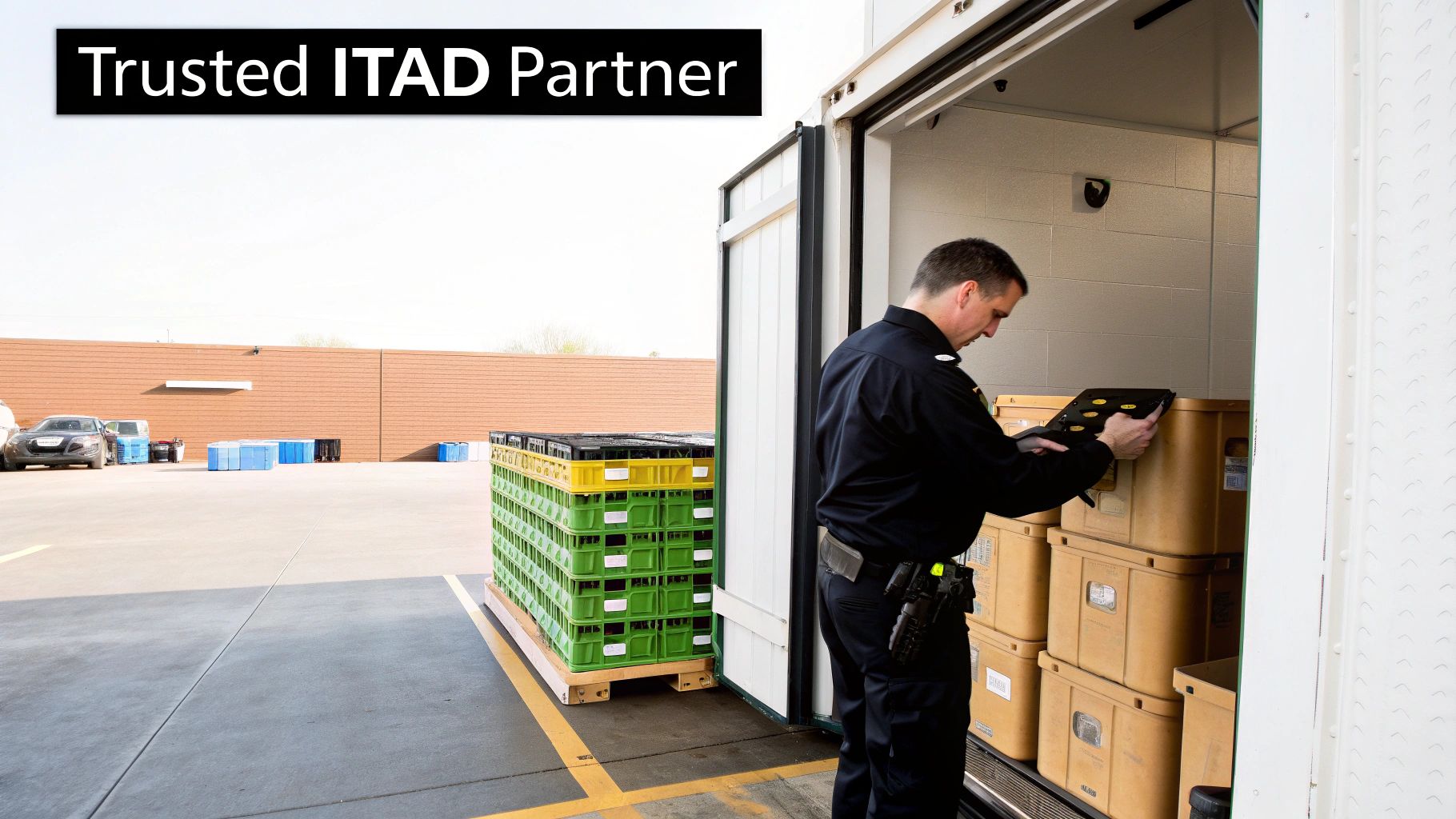
Working with an ITAD provider is a structured process designed for maximum security and accountability. It all starts with a consultation to map out your project, security requirements, and any specific compliance needs, like HIPAA. From there, the provider can manage everything on-site, from de-installation and asset inventory to secure packing.
A secure chain of custody is immediately established. Every single asset is tagged, tracked, and transported in secure vehicles to a certified facility. This meticulous process ensures no gaps where a drive could go missing, giving you a documented trail from your door to its final disposition. You can see the full lifecycle in our guide on what IT asset disposition entails.
The Key Benefits of Outsourcing Data Destruction
The biggest win here is guaranteed compliance and risk mitigation. Certified ITAD providers live and breathe the nuances of regulations like HIPAA, SOX, and GDPR. They use validated, repeatable processes to meet those stringent standards.
After the work is done, you receive a Certificate of Destruction. This is more than a receipt—it's a legally defensible document proving each hard drive (by serial number) was properly sanitized or destroyed. It’s the key piece of evidence you'll need for any audit.
Outsourcing also comes with some major operational perks:
- Access to Specialized Equipment: Professionals use industrial-grade shredders and data wiping hardware that can process hundreds of drives at once—a capability far beyond most in-house IT teams.
- Cost-Effectiveness: When you add up the labor hours, software licenses, and potential for a single costly mistake, professional services are often more economical, especially for bulk disposals.
- Environmentally Responsible Recycling: A certified partner ensures that any non-reusable materials are recycled according to R2 or e-Stewards standards, keeping toxic e-waste out of landfills.
Why Professional Services Are More Important Than Ever
The need for professional data destruction is exploding. The global market hit USD 12 billion and is on track to reach a staggering USD 39.3 billion by 2035. This growth is fueled by tougher compliance rules and the sheer volume of e-waste from constant tech upgrades.
For sectors like healthcare, education, and data centers, these services are becoming non-negotiable. With hard drives failing at an average rate of 1.42% annually—and some models failing as high as 9.47%—relying on a DIY wipe for every single drive is a huge risk. A professional partner can seamlessly handle these failed drives with certified shredding, closing a common security gap.
Ultimately, a professional ITAD provider acts as an extension of your security team. They bring the expertise, tools, and certified processes to ensure that when you decide how to erase hard drives, it’s done right every time.
Frequently Asked Questions About Hard Drive Erasure
When you’re dealing with company data and compliance, navigating the world of data sanitization can feel overwhelming. We get a lot of questions from IT managers and business leaders, so we’ve put together some straightforward answers to the most common ones.
Our goal is to give you the confidence to make the right call when it's time to securely erase your hard drives.
What Is the Difference Between Wiping and Formatting?
Think of formatting a drive like ripping the table of contents out of a book—the pages are still there, but they're just harder to find. It's a quick process that deletes file pointers to prepare a drive for a new OS, but the actual data is still sitting on the disk, easily retrievable with basic software.
Secure wiping, on the other hand, is like putting every single one of those pages through a shredder. It systematically overwrites the entire drive with random data, often multiple times, to completely demolish the original information. For any business that takes security seriously, wiping isn't just an option; it's the only one.
Can Erased Data Ever Be Recovered?
When it’s done right—using professional-grade software and a validated process—the data on a securely wiped drive is gone for good. Methods like a DoD 5220.22-M 3-pass wipe or an ATA Secure Erase are specifically designed to make data recovery physically impossible with any current technology.
This is exactly why verification is a non-negotiable part of our process. Every successful wipe is immediately followed by a verification pass to confirm every last sector was overwritten. That result is then logged in a sanitization report.
How Long Does It Take to Erase a Hard Drive?
The time it takes to securely erase a hard drive really boils down to the method you choose and the drive's size. The differences can be pretty dramatic.
- Software Wiping (e.g., 3-Pass): This is by far the most time-intensive approach. A single 1TB HDD can take anywhere from 3 to 8 hours or even longer to complete a multi-pass wipe.
- ATA Secure Erase: Because this command is built into the drive's firmware, it’s incredibly fast. It can typically sanitize a drive in just 1 to 2 minutes, no matter how big it is.
- Cryptographic Erase: For self-encrypting drives (SEDs), this is nearly instant. The process just involves deleting the encryption key, which takes only a few seconds.
When you're processing dozens or even hundreds of drives, these time differences become a huge factor in your operational planning.
The biggest mistake we see companies make is assuming a quick format is "good enough" for retired equipment. That simple oversight leaves a massive hole in your data security, as the underlying files are often fully intact and can be pulled back in minutes by anyone who knows what they're doing.
Do I Need a Certificate of Destruction?
Absolutely. If your business is at all concerned with compliance, a Certificate of Destruction is non-negotiable. It's the formal, auditable document that serves as your legally defensible proof that your data was properly destroyed according to industry standards.
Whether a drive was wiped or physically shredded, the certificate lists the unique serial number of each asset and confirms its final disposition. You can learn more about why this auditable proof is so critical in our guide on obtaining a certificate of destruction for hard drives. It's the one piece of paper that will protect your organization during a compliance audit.
When your business needs guaranteed data security and a fully documented process, professional ITAD services are the most reliable solution. Atlanta Computer Recycling offers certified on-site wiping and shredding to ensure your sensitive data is handled correctly, keeping you compliant and secure. https://atlantacomputerrecycling.com