Atlanta Electronics Recycling: A Practical Guide for Businesses

For any Atlanta business, retiring old IT equipment is more than just a cleanup project—it's a critical moment for your data security, environmental compliance, and brand reputation. A smart approach to atlanta electronics recycling can turn this challenge into a secure, streamlined process. It's the difference between risking a data breach and ensuring your company's sensitive information is verifiably destroyed for good.
Why Your Business Needs a Strategic Recycling Plan

Let's be direct: managing end-of-life IT assets is a completely different ballgame for a business than it is for a residential drop-off. A single office refresh can mean dealing with dozens, or even hundreds, of devices. Each one of those devices is a potential liability if you don't handle it correctly.
Without a formal plan, companies often find themselves in a disorganized, costly, and insecure mess that leaves them wide open to risk. A haphazard approach can have serious consequences. Simply wiping a hard drive with standard software doesn’t guarantee the data is unrecoverable, and improper disposal can lead to steep fines for not following environmental regulations. This is exactly where a dedicated IT Asset Disposition (ITAD) partner becomes invaluable.
The Hidden Risks of Improper Disposal
Ignoring a proper electronics recycling strategy is a gamble with high stakes. The dangers go way beyond simple office clutter and can directly impact your bottom line and reputation.
Here’s what your business is up against:
- Data Breaches: Retired hard drives, servers, and even old network switches can still hold sensitive data. If these devices fall into the wrong hands, your business could face a catastrophic data breach, leading to huge financial losses and shattering customer trust.
- Regulatory Non-Compliance: Regulations like HIPAA for healthcare and Gramm-Leach-Bliley for finance have strict rules about data protection. If you can't provide a documented chain of custody and a Certificate of Destruction, you could be facing severe legal penalties.
- Environmental Liability: E-waste is full of hazardous materials like lead and mercury. Illegally dumping these items can lead to fines from the Environmental Protection Agency (EPA) and tarnish your company's image as an environmentally irresponsible organization.
To get a full picture of the financial side, you need to consider the total cost of ownership (TCO) of your IT assets, which absolutely includes disposal costs. Good planning helps keep those end-of-life expenses in check.
Atlanta's Growing Recycling Landscape
The city of Atlanta has been making real progress in residential recycling, with rates climbing from just 11% in 2017 to an estimated 23% by early 2025. While that's a positive trend, it also shines a light on a bigger challenge. E-waste is a specialized stream that municipal services just aren't set up to handle.
Globally, documented e-waste collection rates are hovering around a meager 22%. That gap is where a professional ITAD strategy becomes critical for businesses.
A formal ITAD program isn't just another expense; it's an investment in risk management. It protects your data, ensures you're compliant, and upholds your company’s commitment to corporate responsibility.
Taking a proactive approach gives your organization control over the entire lifecycle of its electronic assets. For a deeper dive, check out our guide on essential IT asset management best practices that can help you get started. It will walk you through the specifics of commercial electronics recycling, from prepping your gear to vetting a certified partner.
How To Prepare Your IT Assets for Secure Disposal
Before any equipment ever leaves your facility, a successful IT asset disposition project starts with one crucial step: knowing exactly what you have. This isn't just about a quick headcount of old desktops. A detailed, accurate inventory is the absolute cornerstone of a secure, compliant, and cost-effective atlanta electronics recycling process.
Think of it as the manifest for your retiring technology. It’s your best tool for getting a precise quote, establishing an unbreakable chain of custody, and most importantly, preventing a device loaded with sensitive data from slipping through the cracks. A vague request like "5 pallets of computers" will only get you a ballpark estimate. A specific list gives an ITAD partner the real information they need to provide a clear, itemized quote—and maybe even identify equipment with resale value.
This initial prep work is where you take control of the entire process, setting the stage for a smooth operation from start to finish.
Building Your Asset Inventory
Your first real task is to create a comprehensive list of every single item you plan to dispose of. Don't overlook anything. Peripherals like monitors, keyboards, networking gear, and mobile devices should all be on the list. For most businesses, a simple spreadsheet is the perfect tool for the job.
For each asset, make sure you capture these key details:
- Asset Type: What is it? (e.g., Laptop, Desktop, Server, Monitor, Switch).
- Manufacturer and Model: Be specific (e.g., Dell Latitude 7420, HP EliteDesk 800 G5).
- Serial Number or Asset Tag: This is critical for tracking each device individually.
- Condition: A quick note is fine. Is it functional, damaged, or missing parts?
- Data-Bearing Status: Does it contain a hard drive or other storage? A simple yes/no will do.
This level of detail doesn't just ensure accountability. It also helps your recycling partner quickly spot any assets that might have resale value, potentially turning a disposal cost into a check coming back to your business.
Categorizing Assets by Risk and Value
Once your inventory is complete, the next move is to categorize everything. This helps prioritize how things are handled and clarifies the scope of work, especially for data destruction. Group your equipment into logical categories based on data sensitivity and potential for remarketing.
For instance, you might have a high-risk category for servers and executive laptops that held financial or client data. A lower-risk group could be monitors and keyboards, which hold no data at all. Understanding what to do with data-bearing devices is paramount. If you need a deeper dive, you can explore our in-depth guide on how to erase a computer hard drive before it even leaves your building.
Sorting your assets creates a clear roadmap for the disposal process. This proactive step ensures that devices needing certified data destruction get the highest level of attention, while non-sensitive items are handled efficiently.
This simple act of organization will save a ton of time and prevent confusion when the pickup team arrives on-site.
Physical Preparation and Consolidation
With your inventory and categories sorted, the final step is physical prep. To make the pickup as smooth and secure as possible, consolidate all the retired assets into a single, secure location. A locked storage room, a cleared-out conference room, or a designated spot in your warehouse works perfectly.
Before you move anything, make absolutely sure all devices are disconnected from your live network. It sounds obvious, but it’s a critical step that’s surprisingly easy to miss. A stray server still plugged into the network can cause some serious, unexpected headaches for your IT team.
Getting all your equipment in one place makes the pickup process faster and more efficient, minimizing the time our team needs to be in your workspace. It also dramatically reduces the risk of an asset being misplaced, ensuring everything on your inventory list is accounted for when the truck pulls away.
Choosing Between Data Wiping and Physical Shredding
When your business retires an IT asset, the device itself is just a shell. The real value—and the biggest risk—is the data it holds. Making sure that information is gone for good isn’t just a good idea; it's a non-negotiable part of responsible IT management.
For any company in Atlanta handling sensitive data, the choice between software-based wiping and physical shredding is a critical one. It directly impacts your security, compliance, and even your budget. Let's break down the two certified methods to help you build a bulletproof IT asset disposition (ITAD) plan.
This decision tree gives you a quick visual guide to the asset preparation process, helping you confirm everything is staged and secured before it ever leaves your facility.
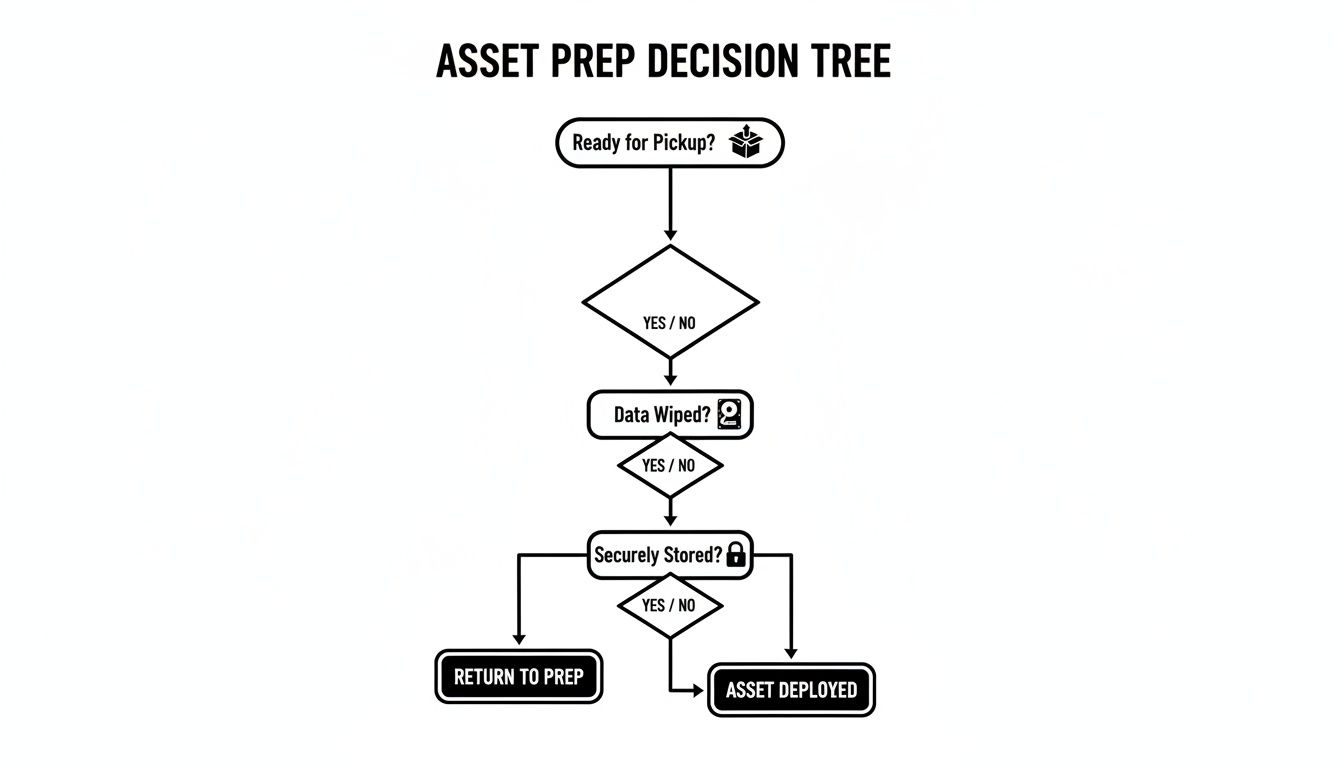
As the flowchart shows, verifying data status is the crucial first step. Overlooking this can lead to a device with sensitive information slipping through the cracks.
Understanding Software-Based Data Wiping
Think of software-based data wiping like painting over a canvas multiple times with different colors. It's a methodical process where we overwrite the entire surface of a hard drive with random data, making the original information completely unrecoverable. No matter how hard someone tries to scrape away the top layer, the original image is gone forever.
Here at Atlanta Computer Recycling, we use the DoD 5220.22-M 3-pass standard, a trusted benchmark developed by the Department of Defense. It works like this:
- Pass 1: Overwrites the drive with a specific character.
- Pass 2: Overwrites it again with the character's complement.
- Pass 3: Overwrites it a final time with random characters and verifies the entire process was successful.
The biggest advantage here? Wiping preserves the physical hard drive. This is a huge win for newer or high-value equipment that can be refurbished and resold, allowing you to recover value from retired assets. It turns a potential cost into a real revenue stream.
The Definitive Finality of Physical Shredding
While data wiping is incredibly effective, some situations call for a more absolute approach. Physical hard drive shredding is exactly what it sounds like: a powerful industrial shredder grinds the hard drive and its platters into small, mangled pieces of metal.
There's no software, no recovery tool, and no forensic technique on earth that can put that data back together. It's gone. Period.
This method is the gold standard for:
- Damaged or Non-Functional Drives: If a drive won't even power on, software wiping is off the table. Shredding is the only way to guarantee destruction.
- Strict Corporate Policies: Many companies, especially in finance and healthcare, have internal rules requiring the physical destruction of all data-bearing media. No exceptions.
- End-of-Life Media: For old, obsolete drives with zero resale value, shredding is the most direct and secure path to disposal.
Physical destruction offers unparalleled peace of mind. When you're handling highly sensitive information, knowing a drive has been physically annihilated provides an absolute end to its data-bearing life.
Data Destruction Methods Comparison for Businesses
Choosing between wiping and shredding depends entirely on your specific needs. This table breaks down the key differences to help you decide which method aligns with your security policies, budget, and compliance requirements.
| Feature | DoD 5220.22-M Wiping | Physical Shredding |
|---|---|---|
| Asset Condition | Requires a functional, working hard drive. | Works on any drive, including failed, damaged, or non-functional ones. |
| Data Recovery | Data is unrecoverable by any known software or hardware methods. | Physically impossible. The drive and its platters are destroyed. |
| Resale Value | High. Preserves the hardware for refurbishment and resale. | None. The asset is destroyed and its components are recycled as scrap. |
| Best For | Newer equipment, technology refreshes, and maximizing asset value. | End-of-life hardware, failed drives, and maximum-security compliance. |
| Proof of Erasure | Detailed software-generated reports and a Certificate of Erasure. | Certificate of Destruction with serialized inventory of shredded items. |
| Environmental Impact | Promotes reuse, extending the life of electronics (circular economy). | Materials are recycled, but the opportunity for reuse is eliminated. |
Ultimately, the best choice ensures your data is secure while fitting into your overall asset management strategy. Wiping is smart for recovering value, while shredding is the ultimate guarantee for high-risk data or non-functional drives.
Compliance and the Certificate of Destruction
No matter which method you pick, the job isn't done until the paperwork is filed. For regulations like HIPAA, proving you took the right steps to protect data is just as important as the act itself. This is where the Certificate of Destruction (CoD) comes in.
A Certificate of Destruction is more than a receipt. It's your official, auditable record that your data has been verifiably destroyed according to industry standards. Think of it as your legal safeguard in a compliance audit or security inquiry.
A proper CoD lists the serial numbers of every destroyed drive and specifies the method used, creating an unbroken chain of custody from your door to final disposition. We provide a detailed CoD for all our services, giving Atlanta businesses the concrete proof they need. To see how it works, learn more about our hard drive shredding services near you and how we ensure total data security.
Handling the Heavy Lifting: Logistics and On-Site Services
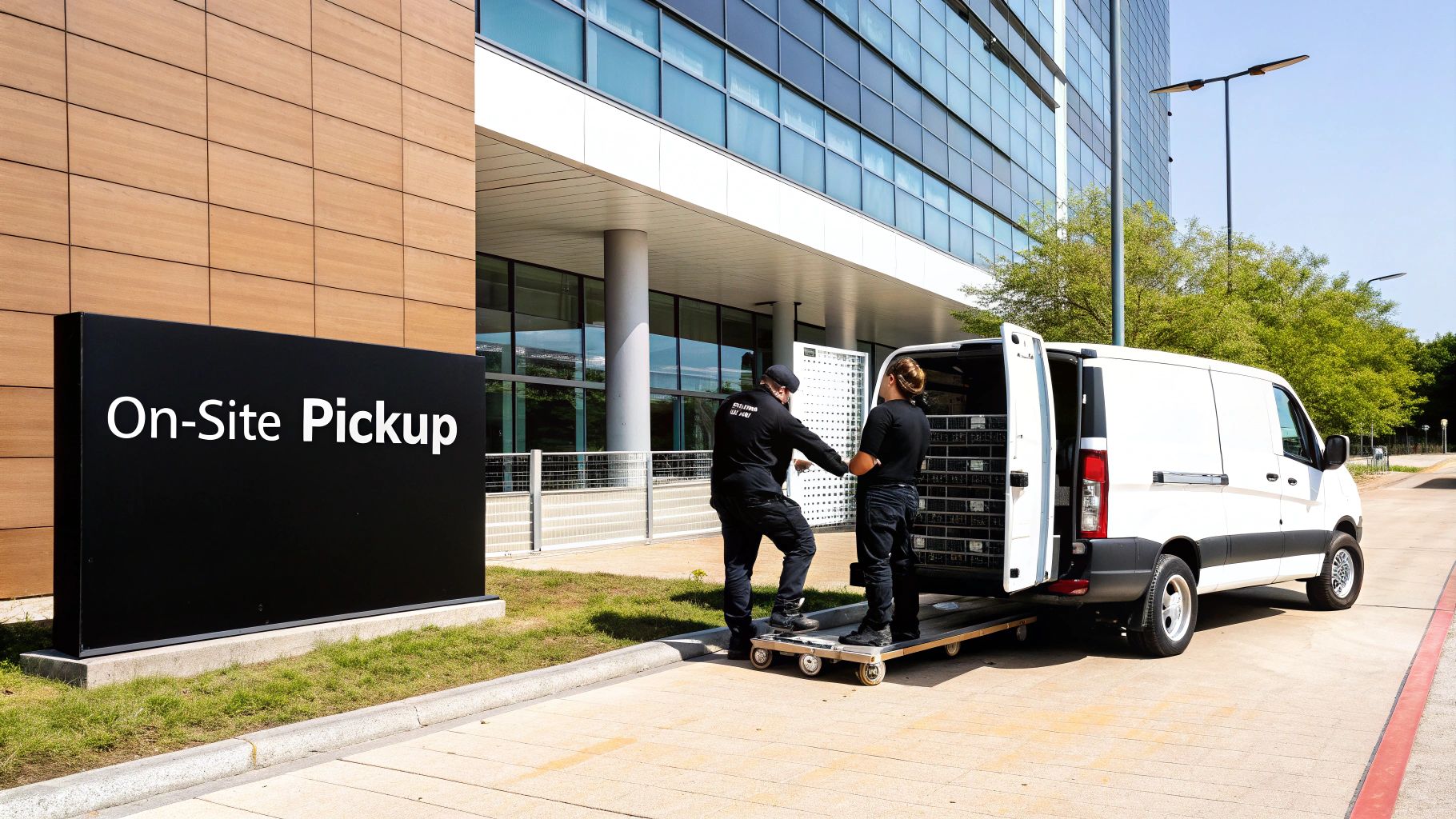
So you've inventoried your assets and made a data destruction plan. Now for the next hurdle: getting all that equipment out of your building and into the right hands. For many Atlanta businesses, the thought of moving heavy, bulky, and sensitive gear feels like the most painful part of the whole process.
This is where professional on-site services and secure transportation make all the difference. A real ITAD partner doesn't just show up with a truck. They arrive with a plan, the right tools, and a trained team to handle everything safely and without getting in your way. It turns a potential logistical mess into a smooth, controlled operation.
Why On-Site De-installation is a Game-Changer
Picture your own IT team spending days—or even weeks—dismantling server racks, unplugging a spiderweb of cables, and hauling heavy equipment out of a cramped data center. It's not just a drain on their time; it pulls them away from the critical work that actually drives your business. Worse, it’s a recipe for strained backs or accidental damage to your office.
On-site de-installation services take that entire burden off your shoulders. Our technicians come straight to your facility to:
- Safely break down server racks and networking cabinets.
- Systematically disconnect all cabling and peripherals.
- Carefully palletize and wrap all gear for secure transit.
This isn't just manual labor. It's an expert-level service that protects your property and lets your IT staff focus on their real jobs.
Setting the Stage for a Smooth Pickup
A little prep work on your end can make the pickup process incredibly efficient. Taking a few simple steps before our team arrives helps us get in and out quickly, preventing any last-minute hiccups.
Here’s a practical checklist to get your facility ready:
- Clear a Path: Make sure there’s an unobstructed route from where the gear is to the loading dock or exit.
- Reserve an Elevator: If you're in a multi-story building, book the service elevator for the scheduled pickup time.
- Notify Building Management: Give your property manager a heads-up so they know to expect our truck and crew.
- Confirm the Inventory: Have your asset list handy to cross-reference with our team, ensuring everything matches up.
This simple prep work means we can hit the ground running the moment we arrive.
Secure Transport and an Unbroken Chain of Custody
Once your equipment is loaded, our security focus doesn't stop. We use secure, GPS-tracked vehicles to transport your electronics, creating a clear, verifiable trail from your Atlanta office straight to our processing facility. This is a critical link in the chain of custody.
The electronics recycling industry is booming—projected to hit $27.7 billion in the U.S. by 2025—because businesses demand these secure, professional services. With global e-waste topping 74 million metric tons each year, specialized collection and processing in markets like Atlanta is more critical than ever.
The journey from your door to our facility is fully documented. Secure transport isn't a luxury; it's a fundamental requirement for protecting your assets and maintaining an unbroken chain of custody.
This meticulous handling during transit is the hallmark of a professional atlanta electronics recycling partner. It gives you complete confidence that your gear is managed correctly at every step. To learn more about how we coordinate our logistics, see the details on our electronic recycling free pick-up service.
How To Vet and Select an ITAD Partner in Atlanta
Choosing the right vendor is the single most important decision you'll make in this entire process. A true IT Asset Disposition (ITAD) partner does more than just haul away old gear; they become a critical extension of your risk management and compliance team. For any business serious about Atlanta electronics recycling, vetting potential partners is a step that demands careful attention.
This isn't like picking a standard office supplier. The wrong choice could expose your company to data breaches, environmental fines, and serious brand damage. The right partner, on the other hand, provides peace of mind, bulletproof documentation, and can even turn your retired assets into a new revenue stream.
Look for Industry-Leading Certifications
Certifications are your first and best filter. Think of them as independent, third-party verifications that a recycler actually does what they say they do. They prove a vendor adheres to the highest industry standards for environmental responsibility, data security, and worker safety—and they’ve passed rigorous audits to prove it.
Two certifications stand out as the gold standard in the ITAD industry:
- R2v3 (Responsible Recycling): This is the leading standard, focusing on the entire lifecycle of an electronic device. An R2v3-certified company must track every single component downstream, ensuring nothing is illegally exported or dumped in a landfill.
- e-Stewards: Developed by the Basel Action Network, e-Stewards is known for its extremely strict rules against exporting hazardous e-waste to developing nations. It represents the highest level of commitment to global environmental justice.
If a potential vendor holds one or both of these, they’ve already passed a major test. It shows they have the systems in place to protect both your data and your company's reputation.
Ask the Right Questions About Security and Insurance
Once you've shortlisted certified vendors, it’s time to dig deeper into their security protocols. Don't be shy about asking direct and detailed questions. Their answers will reveal the true strength of their operations.
Your vetting checklist should include these non-negotiables:
- Chain-of-Custody Protocol: Ask them to walk you through their entire process. How do they document assets at pickup? Are their vehicles GPS-tracked? Can you get serialized reporting for every single asset?
- Data Destruction Methods: Do they offer both DoD-compliant wiping and physical shredding? A versatile partner can help you choose the right method to maximize value while ensuring security.
- Insurance Coverage: This is crucial. Ask for proof of their General Liability insurance, but more importantly, ask about data breach and cyber liability insurance. This specific coverage protects you if something goes wrong during the data destruction process.
A vendor’s hesitation to provide detailed answers on their security measures or insurance is a major red flag. A transparent, professional partner will have these answers ready and will welcome your diligence.
Understanding the difference between service providers is key. You can explore a detailed comparison of top electronic waste disposal companies to see how a certified ITAD specialist stacks up against general waste haulers.
Understanding the Regulatory Landscape
The need for certified partners is amplified by a complex regulatory environment. As of 2025, roughly half of U.S. states still lack comprehensive e-waste laws, which creates a patchwork of rules that can be difficult for businesses to navigate.
This inconsistency makes it even more important to partner with a vendor who understands federal EPA guidelines and Georgia EPD rules for handling hazardous materials like lead and mercury. A recent 2025 city audit in Atlanta highlighted that while recycling rates are improving, there are still significant gaps, especially in multi-family housing, which often leads to the improper disposal of smaller electronics. By choosing a certified recycler, you ensure compliance regardless of these regulatory gaps, as they are held to a higher, nationally recognized standard. Discover more insights about Atlanta's latest recycling audit on Waste360.
Evaluate Pricing Models and Value Recovery
Finally, let's talk about cost. While you should never choose a vendor based on price alone, it’s important to understand how they structure their fees. A reputable ITAD partner will offer clear, transparent pricing based on the detailed inventory you provide.
Look for a partner who discusses value recovery. Many of your retired IT assets—especially newer laptops, servers, and networking gear—still have significant value on the secondary market. A top-tier vendor will have a robust remarketing program designed to capture that value for you. This often comes in the form of a revenue share or a rebate that can offset—or even exceed—your recycling costs.
This simple shift in approach can turn a line-item expense into a potential source of income for your IT department.
Answering Your Top Questions About Commercial E-Waste
When Atlanta businesses look into IT asset disposition, a few key questions always come up. Let's break down the practical concerns we hear most often about managing end-of-life electronics.
What Does Commercial Electronics Recycling in Atlanta Typically Cost?
There's no one-size-fits-all price tag for atlanta electronics recycling, as it really depends on what your project involves. We might price a job by weight or by the pallet, and there can be fees for specific services like certified data destruction, on-site labor to de-install equipment, or handling tricky items like old CRT monitors.
But here's the most important part: value recovery. If you have newer, functional equipment, a good partner can refurbish and resell those assets for you.
This often means you get a rebate that can seriously offset—or even completely cover—your recycling costs. The only way to know for sure is to get a detailed inventory of your assets to a vendor for a transparent, accurate quote.
How Long Does The Entire Asset Disposition Process Take?
The timeline is built around your needs. A quick office cleanout with maybe 20-30 computers can often be scheduled and wrapped up within a few business days.
On the other hand, a full-scale data center decommissioning is a much bigger project. That could easily take a week or more just for the detailed planning, on-site work, and logistics of getting everything out the door.
After the physical pickup, the real work of data destruction and asset processing usually takes about two weeks. You should always get your official Certificate of Destruction within 30 days. It’s your final proof that every bit of data was handled securely and properly.
That certificate is the document you'll want to keep for your compliance records.
What Kind of Documentation Will I Receive From My Vendor?
A certified ITAD partner will give you a complete paper trail for your records and any compliance audits you might face. The whole point is to create an unbroken, auditable history for every single asset that leaves your facility.
You should always expect to receive:
- Chain-of-Custody Form: This is the starting point, created right at pickup. It lists all the serialized assets we're taking off your hands.
- Certificate of Destruction: This is the big one. It's your legal proof that all data-bearing devices were wiped or destroyed according to certified industry standards.
- Asset Reports: If your project includes value recovery, you’ll also get detailed reports on the assets that were remarketed and what they sold for.
- Environmental Impact Summaries: Some partners, including us, can provide reports showing the total weight of materials you successfully kept out of landfills.
Are There Any Electronics You Do Not Accept?
We handle almost every type of business IT equipment you can think of, but some items fall outside the scope of a typical atlanta electronics recycling service. These usually have hazardous materials that require a specialist.
We generally can't take:
- Smoke detectors (they can have tiny radioactive elements)
- Light bulbs, particularly fluorescent tubes that contain mercury
- Loose alkaline batteries (like your standard AA or AAA)
That said, we do accept the heavy lead-acid UPS batteries you find in server rooms and data centers. It’s always smart to double-check any weird or non-standard items with your vendor beforehand. It just makes for a much smoother pickup day.
Ready to create a secure and compliant plan for your company's retired IT assets? The team at Atlanta Computer Recycling is here to help. Contact us today to schedule a free consultation and see how we can manage your electronics disposal securely and efficiently.