Hartsfield-jackson atlanta international airport: IT Disposa


You’re replacing point-of-sale systems in a concession space, retiring office laptops from an airline support team, or clearing old network gear from a logistics office near hartsfield-jackson atlanta international airport. The hardware itself isn’t the hard part. The hard part is getting it out securely, on schedule, and with documentation that stands up to audit scrutiny.
At a normal office park, you can often box equipment, call a pickup team, and work through a loading dock issue on the fly. At ATL, that approach breaks down fast. Access rules are tighter, timing matters more, and a sloppy chain of custody creates risk you don’t need.
The Unique Challenge of IT Disposal at the World's Busiest Airport
A server refresh at an airport site rarely feels like a routine refresh. Equipment often sits in cramped telecom rooms, shared back-of-house spaces, or operational areas where public traffic, staff movement, and badge access all overlap.
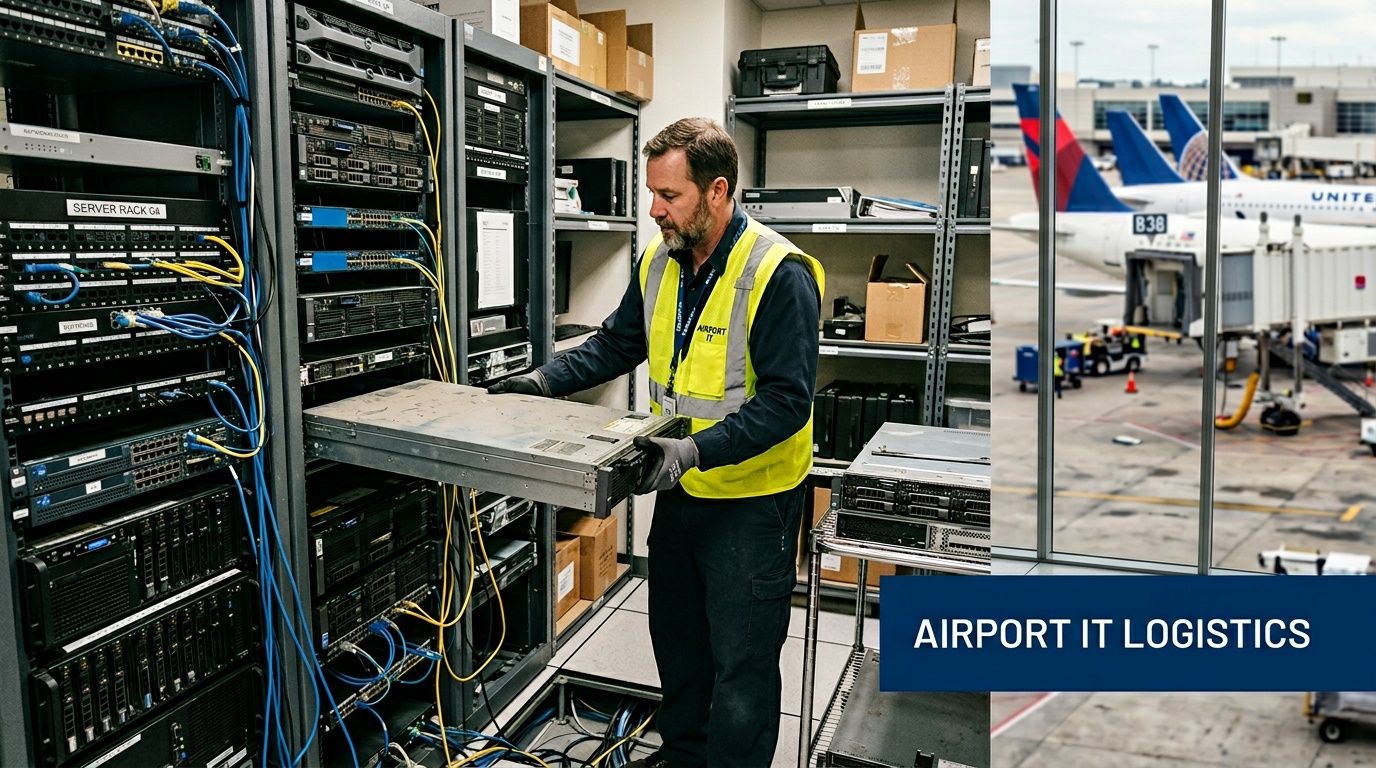
That matters because ATL isn’t just another large property. Hartsfield-Jackson Atlanta International Airport generated a $34.8 billion direct economic impact on metro Atlanta and handled 108.1 million passengers in 2024, which makes any on-site decommissioning project part of a much larger operational machine, as reported by the Airport Area Chamber on ATL's 2024 passenger record and economic impact.
Why airport ITAD is a different discipline
Inside an airport ecosystem, retired IT assets usually fall into one of three risk categories:
- Devices with regulated data. Think laptops, endpoint systems, tablets, and drives that may contain customer records, payment data, or operational credentials.
- Infrastructure gear tied to continuity. Switches, firewalls, storage units, and rack hardware can’t disappear before dependencies are mapped.
- Physical assets in constrained spaces. Back rooms, closets, kiosks, and shared tenant areas create handling and staging problems before pickup even starts.
A lot of IT teams already understand the basics of IT Asset Management. The gap is turning that discipline into a disposal workflow that works under airport operating constraints.
Practical rule: At ATL, treat disposal like a controlled operational project, not a junk removal task.
What usually goes wrong
The failures are predictable. Teams wait too long to inventory assets. They assume building access will be simple. They schedule pickup before confirming who can escort technicians or where packed material can sit. Then old hardware lingers longer than planned, often still holding drives.
That’s why airport-adjacent organizations need a local process, not just a vendor list. If you’re mapping options around the metro and airport corridor, this Atlanta-area service footprint is a useful starting point: https://atlantacomputerrecycling.com/atlanta/
The practical objective is simple. Remove retired equipment without disrupting operations, losing chain of custody, or creating an avoidable compliance problem. Everything else in this guide supports that outcome.
Navigating Airport Logistics and Security Permissions
Most airport disposal delays happen before the first box is moved. The issue isn’t technical skill. It’s access.
With an average of 2,100 daily flights and 286,000 passengers, on-site service at ATL has to be scheduled carefully to avoid congestion and delay, according to OAG's 2025 ATL capacity and traffic data.
Start with site authority and access ownership
Before you schedule labor, identify who controls the space. That sounds obvious, but airport properties often involve layered control between tenant operations, building management, airport administration, and security.
Confirm these points first:
- Who authorizes technician entry
- Who approves vehicle access
- Whether an escort is required
- Which doors, corridors, elevators, or docks can be used
- What hours are acceptable for work
If you skip this step, the project can stall even when everyone is on-site and ready.
Build the permission chain before pickup day
A clean process usually looks like this:
- Submit personnel details early so badges, visitor permissions, or escorted-entry arrangements are handled before the work window.
- List every vehicle expected on-site, especially if you need anything larger than a standard service van.
- Match the pickup plan to the facility path. Some routes work for office boxes but not for palletized gear, carts, or rack components.
- Document contact names for both your internal team and the property side. Pickup crews lose time when no one answers a call at the handoff point.
Airport pickups fail when the technical plan is solid but the access plan exists only in email fragments.
Treat timing as a control, not a convenience
At airport locations, timing isn’t just about making life easier for your team. It’s part of risk control.
A poorly timed removal creates three problems at once:
| Risk area | What happens |
|---|---|
| Operational disruption | Staff and carts compete with routine traffic in active spaces |
| Security exposure | Packed devices sit longer than planned in semi-accessible areas |
| Chain of custody drift | Equipment moves in partial batches and accountability weakens |
For airport-facing locations, off-peak scheduling usually works best. So does limiting the number of handoffs. The more often assets change rooms, carts, or custodians, the more room there is for confusion.
Use a location-specific checklist
If your team operates inside or around airport property, don’t rely on your standard office move checklist. Use a site-specific workflow built around access restrictions and approved entry points. This page is useful when you need a location-focused reference for airport pickup planning: https://atlantacomputerrecycling.com/hartsfield-jackson-atlanta-international-airport-location/
The practical standard is simple. No technician should arrive without confirmed access, no vehicle should arrive without an approved route, and no asset should be waiting in a public or loosely controlled area because the schedule slipped.
Your Blueprint for On-Site Staging and Packing
Once access is approved, the project shifts from permissions to execution. At this stage, airport teams can save the most time. Good staging shortens the pickup window, reduces handling errors, and keeps retired equipment from spreading across active work areas.
ATL’s own expansion work used off-site modular construction and night transport to reduce disruption, as detailed by Gresham Smith's project profile on the Maynard H. Jackson International Terminal. That same mindset works for ITAD. Pre-stage, consolidate, and move during your least disruptive window.
Build the staging area before you touch production gear
Don’t start unplugging anything until you’ve chosen a controlled staging zone. The space doesn’t need to be large. It does need to be deliberate.
A workable staging area should be:
- Restricted from public traffic
- Close to the removal path
- Large enough for sorting
- Separate from active user equipment
- Visible to designated staff during the project window
If your only available area is shared back-of-house space, assign one person to watch the zone. Unattended piles of laptops and small network hardware create unnecessary risk.
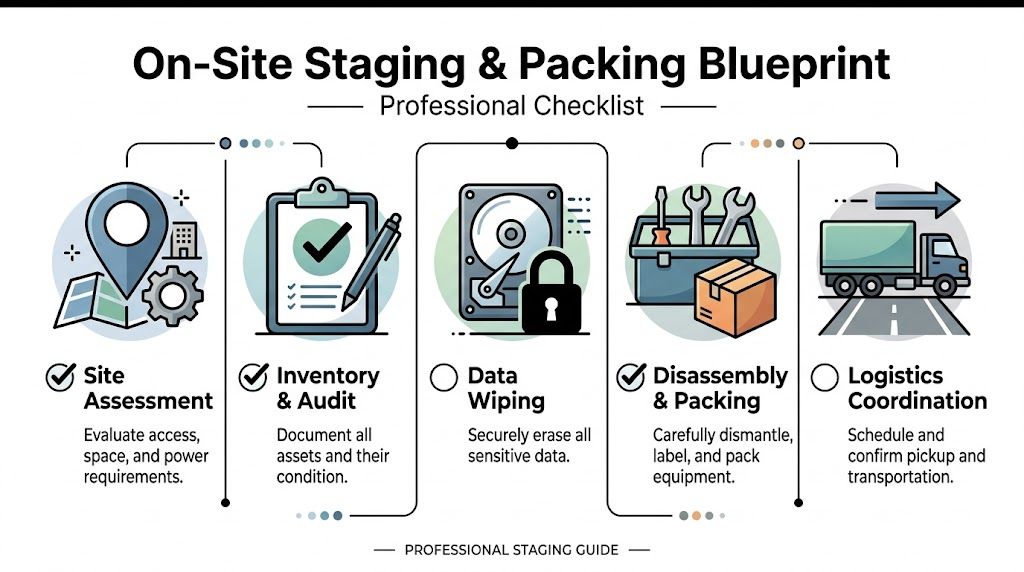
Use a five-part packing workflow
Site assessment
Walk the route before the workday starts. Measure doors if rack gear or larger hardware is involved. Confirm whether elevators, service corridors, or carts are available.
Inventory and audit
Create a removal list before anything is packed. Include asset type, serial number when available, physical condition, and intended disposition path if already known.
Data handling decision
Mark which items are candidates for wiping and reuse, and which media should go directly to destruction because it’s obsolete, failed, or physically compromised.
Disassembly and packing
Disconnect cables cleanly. Bag or label accessories if they matter for remarketing or redeployment. Use sturdy boxes, bins, or carts that won’t collapse halfway through a service corridor.
Pickup handoff
Have one final count ready at the moment of transfer. The handoff should be a controlled moment, not a rough estimate made in the hallway.
Pack for custody first, transport second. If a box can open easily, mix device classes, or lose its label, it’s not ready.
What works and what doesn’t
Here’s the trade-off airport teams face:
| Approach | What works | What fails |
|---|---|---|
| Pre-staged pickup | Shorter on-site time, cleaner custody record | Requires planning and local coordination |
| Same-day scramble | Feels faster at first | Creates miscounts, delays, and loose hardware |
| Mixed asset piles | Saves space temporarily | Complicates audit, wiping, and resale decisions |
If you need a commercial pickup process that supports de-installation and bulk equipment removal, this service overview is relevant: https://atlantacomputerrecycling.com/commercial-computer-pickup/
Airport projects reward preparation. If the equipment is sorted, labeled, and staged before the truck arrives, the rest of the job gets easier fast.
Ensuring Bulletproof Data Security and HIPAA Compliance
The biggest mistake in airport IT disposal isn’t poor packing. It’s weak data handling.
At a property tied to travel, healthcare-adjacent services, payment systems, logistics, and high employee turnover, retired devices often contain more sensitive information than teams realize. That includes cached credentials, saved browser data, local exports, scanned IDs, support tickets, financial files, and remnants of regulated records.

ATL’s operations team uses a unified data platform, real-time dashboards, and machine learning across multiple operational areas, according to Government Technology's report on ATL's Databricks and Power BI deployment. That same lesson applies to ITAD. Security only holds when every asset is tracked and every disposition action is verifiable.
Wiping versus shredding
A risk-aware disposal program uses both methods. The right choice depends on the media, its condition, and whether the device has reuse value.
| Method | Best fit | Trade-off |
|---|---|---|
| DoD 5220.22-M 3-pass wiping | Functional drives slated for reuse or remarketing | Requires the media to be readable and the process to be documented |
| Physical shredding | Failed, obsolete, or non-functional media | Destroys reuse value but removes uncertainty |
If a drive can’t be reliably accessed, don’t force a software-only solution. If a drive still has value and can be wiped properly, shredding everything by default can waste recoverable assets.
HIPAA needs proof, not intention
Healthcare groups, airport clinics, benefits administrators, hospitality operators, and contractors supporting medical or employee health workflows should assume that some retired devices may hold protected information. In practice, that means your disposal process has to produce evidence.
A defensible HIPAA-oriented checklist includes:
- Documented inventory of devices and storage media
- Controlled chain of custody from removal through final disposition
- Clear method selection for each media type
- Certificates and disposition records retained by your organization
- Named internal ownership for approval and signoff
If you can’t show where a drive went, when it changed hands, and how it was destroyed or wiped, your process isn’t complete.
Zero-trust handling inside the project
For airport-site decommissioning, I recommend a zero-trust posture. Don’t assume a device is harmless because it’s old. Don’t assume a quick reimage erased everything. Don’t assume a closet was locked the whole time.
Use these rules:
- Keep storage media under tighter control than general peripherals.
- Separate reusable devices from destruction-bound media as early as possible.
- Avoid overnight holding unless the space is explicitly approved and secured.
- Reconcile counts at every major handoff.
If your organization is formalizing broader governance around disposal, vendor review, and audit readiness, a resource on IT compliance consulting services can help frame the policy side that sits around the physical work.
For healthcare-related disposition needs in Atlanta, this page is also directly relevant: https://atlantacomputerrecycling.com/hipaa-compliant-electronics-recycling-atlanta-ga/
A strong process doesn’t rely on trust in memory or good intentions. It relies on tracking, controlled custody, and documented destruction.
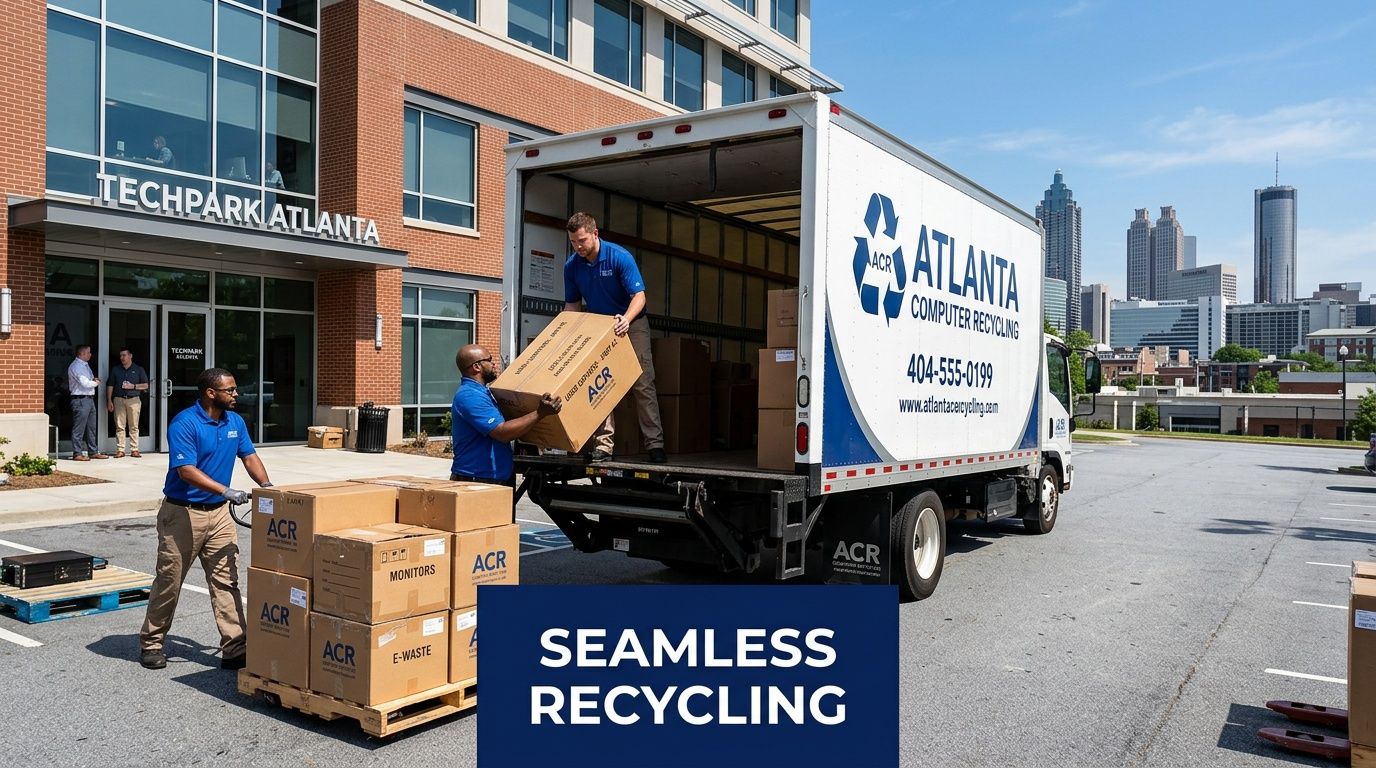
Executing a Seamless Pickup with Atlanta Computer Recycling
Once the inventory is prepared, the staging area is secured, and the destruction method is defined, the pickup itself should feel uneventful. That’s the standard. If pickup day turns into an improvisation exercise, the planning upstream wasn’t tight enough.
What a clean engagement looks like
A commercial ITAD engagement should move through a defined sequence.
Initial scoping
The first conversation should establish asset types, volume, pickup environment, building restrictions, and whether de-installation is required. For airport-adjacent work, this also means confirming access realities early instead of discovering them after scheduling.
Project coordination
Next comes the operating plan. That includes pickup timing, on-site contacts, loading method, packaging expectations, and any special handling for drives, servers, or network equipment.
On-site execution
On pickup day, the team should arrive with the right labor and equipment for the path inside the facility. Assets should move from the staging area to the vehicle with minimal extra handling.
Post-pickup processing
After removal, the project isn’t done. Media needs to move through the agreed destruction path, reusable equipment has to be evaluated properly, and final records need to close the chain.
What clients should expect on pickup day
The best pickups are quiet and controlled. No debate about counts. No wandering around looking for the right door. No mixing of retired equipment with items that are staying in service.
Here’s the practical client-side role:
- Have the final inventory ready
- Keep one authorized contact available
- Protect the staging area until transfer
- Separate excluded items before arrival
- Flag anything that needs special handling
Smooth pickup day starts the night before, when the site is already organized and no one is making disposal decisions in real time.
Documentation closes the loop
A lot of teams focus heavily on removal and forget that documentation is what proves the job was done correctly.
The records that matter most are usually:
| Document | Why it matters |
|---|---|
| Asset inventory record | Shows what left your control |
| Chain of custody documentation | Shows who handled material and when |
| Certificate of destruction | Confirms media destruction where applicable |
| Recycling documentation | Supports environmental and internal reporting |
If you’re planning a business pickup in metro Atlanta, this service page covers the operational side of that process: https://atlantacomputerrecycling.com/it-equipment-pickup-atlanta-ga/
The key point is simple. A smooth pickup doesn’t mean “fast no matter what.”” It means controlled, documented, and non-disruptive. At an airport location, that’s what competent execution looks like.
From Complex Challenge to Solved Problem
Businesses operating in and around hartsfield-jackson atlanta international airport face a real guidance gap. While ATL supports business growth, there’s still a lack of specific guidance on compliant e-waste disposal and IT asset management for organizations working in that environment, as discussed in The Atlanta Voice coverage of ATL's economic impact and business ecosystem.
That gap matters because airport-site disposal isn’t generic. It combines access control, operational timing, sensitive data handling, and audit-grade documentation in one project. If any one of those pieces is weak, the whole job becomes harder than it needs to be.
The playbook that works
The strongest airport ITAD projects usually share the same characteristics:
- They start with permissions, not pickup dates.
- They use controlled staging, not scattered equipment piles.
- They make an explicit destruction decision for each class of media.
- They close with documentation, not verbal confirmation.
Teams that follow that discipline don’t eliminate complexity. They contain it.
What to carry forward
If you’re managing retired equipment near ATL, the practical standard is straightforward. Know who controls access. Stage assets before the service window. Keep custody tight. Demand documentation that proves what happened to every device and drive.
That turns a messy disposal event into a managed operational task.
Airport environments punish casual planning. They reward preparation, clear roles, and a disposal partner that understands secure removal in active commercial settings. That’s the difference between a delayed project with loose ends and a clean closeout that satisfies operations, security, and compliance at the same time.
If your team needs a secure, well-documented way to remove retired IT equipment in the Atlanta area, Atlanta Computer Recycling can help you plan the project from pickup logistics through final data destruction and recycling documentation. Reach out early, especially for airport-adjacent locations, so access, staging, and compliance requirements are handled before old equipment becomes a security problem.