Georgia Gwinnett County Electronics Recycling & ITAD Guide


A lot of Gwinnett IT managers are dealing with the same scene. Retired laptops are stacked in a storage room, a few old switches are still mounted in a closet because nobody wants to touch them, and decommissioned drives are sitting in banker boxes waiting for someone to decide what “proper disposal” means.
That backlog is not harmless. It creates data exposure, audit headaches, and operational drag. In georgia gwinnett county, those problems are showing up more often because local organizations are expanding, relocating, refreshing infrastructure, and retiring equipment faster than their disposal processes can keep up.
This guide is built for commercial teams. If you manage IT for a healthcare group, school, an enterprise office, warehouse operation, municipal contractor, or data-heavy business in Gwinnett, the practical question is simple: how do you remove old equipment without creating a security, compliance, or environmental problem? The answer is not a one-line recycling tip. It is a disciplined ITAD process.
The E-Waste Challenge in Gwinnett's Booming Economy
The pile of old equipment in the corner starts with a reasonable decision. Your team refreshes desktops. A branch closes. The server room gets reworked. A firewall replacement happens on a weekend, and the retired hardware gets moved “temporarily” into storage.
Then temporary turns into a quarter, then a year.
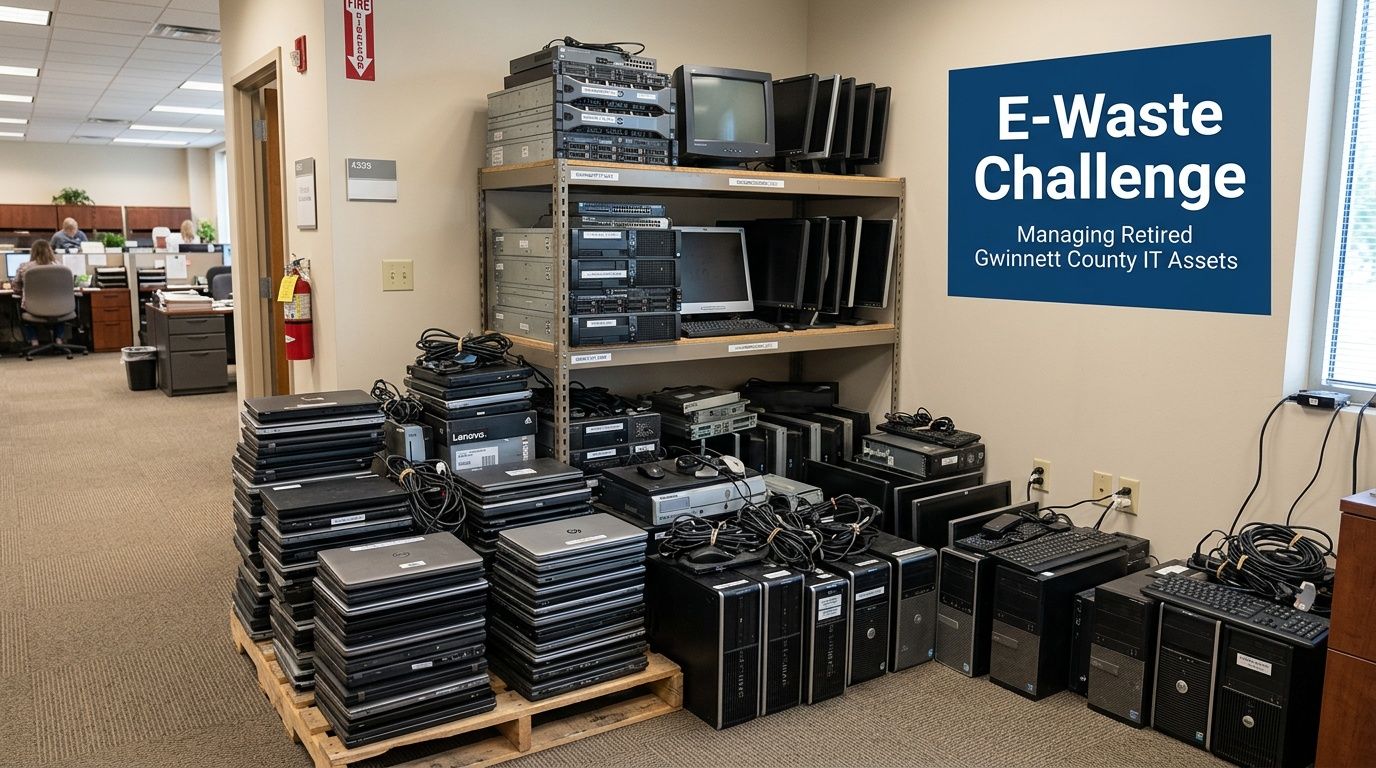
Growth creates equipment turnover
Gwinnett is not a static market. By the 2020 Census, Gwinnett County's population hit 957,062, and recent estimates for 2026 project it will exceed 1,037,000, according to the Gwinnett County overview. That growth supports more offices, more users, more endpoints, and more refresh cycles.
For business IT teams, that means e-waste is not an occasional event. It is a repeating operational issue.
Common triggers include:
- Office moves: furniture gets planned first, old IT gets dealt with last.
- Server refreshes: racks are upgraded, but retired hardware stays on-site because nobody wants to risk mishandling drives.
- Mergers and consolidations: duplicate equipment accumulates fast.
- Lifecycle replacements: laptops, monitors, docks, phones, and networking gear all hit end of life on different schedules.
Why internal storage is a bad long-term plan
Storing old equipment feels safer than disposing of it incorrectly. In practice, it often creates a slower, messier risk.
A closet full of retired devices can mean:
- Unknown data exposure on old hard drives, SSDs, and backup media
- Incomplete asset records when audit season arrives
- Lost space in offices, MDF rooms, and storage areas
- Informal disposal decisions by facilities staff or office managers who are not trained for IT asset disposition
Practical takeaway: If your team cannot state what data-bearing devices are in storage, who last handled them, and what destruction method will be used, the project is already overdue.
What works and what does not
What works is treating e-waste as part of infrastructure management, not janitorial cleanup. Mature teams build retirement into the lifecycle. They identify data-bearing assets early, separate reusable gear from scrap, and require documented disposition.
What does not work is letting old equipment pile up until a lease expiration, renovation, or compliance review forces a rushed decision.
In georgia gwinnett county, business growth creates the hardware backlog. A disciplined ITAD process is what keeps that backlog from turning into a liability. This situation leads to liability.
Navigating Gwinnett County E-Waste Regulations
The first compliance mistake many businesses make is assuming their disposal options look like a household cleanup day. They do not.
Residential recycling programs and commercial IT asset disposition serve different purposes. If your company is retiring servers, switches, workstations, access points, printers, or storage media, you need a business process with accountability, documentation, and chain of custody.
Residential options are not business ITAD
Local community recycling efforts are useful for residents. They are not a substitute for commercial disposal of corporate equipment that may contain business records, credentials, regulated data, or internal configurations.
A business needs more than a drop-off location. It needs answers to basic control questions:
| Question | Why it matters |
|---|---|
| Who handled the assets? | Establishes chain of custody |
| Were data-bearing devices identified? | Prevents hidden exposure |
| How was data destroyed? | Supports compliance and audit defense |
| Where did the equipment go afterward? | Confirms responsible downstream handling |
That is why commercial teams need a provider that understands universal waste handling and can align pickup, processing, and documentation with business obligations. A useful starting point is this overview of universal waste requirements for electronics.
Generator responsibility is the core issue
For a business, disposal responsibility does not end when equipment leaves the building. That is the point many teams miss.
If your organization generated the retired equipment, you still need to know:
- What category of waste you created
- Whether any components require special handling
- Whether data destruction was completed
- Whether your vendor can document final disposition
If any part of that chain is weak, your organization carries the risk.
The practical line between cleanup and compliance
There is a major difference between “getting rid of old electronics” and running a compliant commercial disposition project.
The first is informal. The second is controlled.
A compliant business project includes:
- Asset review so the team knows what is being removed.
- Segregation of data-bearing devices from non-data items.
- Secure pickup and transport instead of ad hoc disposal.
- Documented downstream processing for recycling, reuse, or destruction.
- Records retention for procurement, legal, and audit needs.
Tip: If a vendor cannot explain their chain of custody in plain language, do not hand them your retired drives, network gear, or backup appliances.
What businesses in Gwinnett should do next
The strongest approach is simple and repeatable.
- Create one retirement policy: IT, facilities, legal, and compliance should not be improvising separately.
- Use an approved vendor list: avoid one-off disposal decisions during moves or office cleanouts.
- Separate residential thinking from commercial risk: business assets need business controls.
- Require documentation every time: no exceptions for “small batches.”
Most e-waste problems in Gwinnett are not caused by bad intentions. They come from treating commercial hardware like ordinary clutter. This situation leads to liability.
Secure Data Destruction and Industry Compliance
The hardware is not the main risk. The data is.
A retired laptop is a data container. So is a server, a SAN shelf, a firewall, a copier drive, an SSD in a conference room PC, or an old backup appliance that everyone forgot was still in use three years ago. Once you look at end-of-life equipment that way, secure ITAD stops being a recycling decision and becomes a risk management decision.
Wiping and shredding are not interchangeable
Teams often ask which is better: data wiping or physical destruction. The right answer depends on the media, the condition of the device, and the compliance posture of the organization.
Use this simple comparison:
| Method | Best use case | Trade-off |
|---|---|---|
| Data wiping | Functional drives that can be overwritten and verified | Preserves possible reuse value, but only works when the media is operational |
| Physical shredding | Failed, obsolete, or high-sensitivity media | Highest level of finality, but the asset is destroyed |
| Degaussing | Certain magnetic media in specialized workflows | Effective in the right scenario, but not a universal answer for all modern media |
The whiteboard analogy helps. Wiping is like cleaning a whiteboard thoroughly until the prior writing is gone and the surface can be used again. Shredding is like feeding the whiteboard into an industrial shredder. One preserves the object. The other eliminates it.
For many organizations, both methods belong in the same program. Functional drives may be wiped to a recognized standard. Damaged or non-functional media should be physically destroyed.
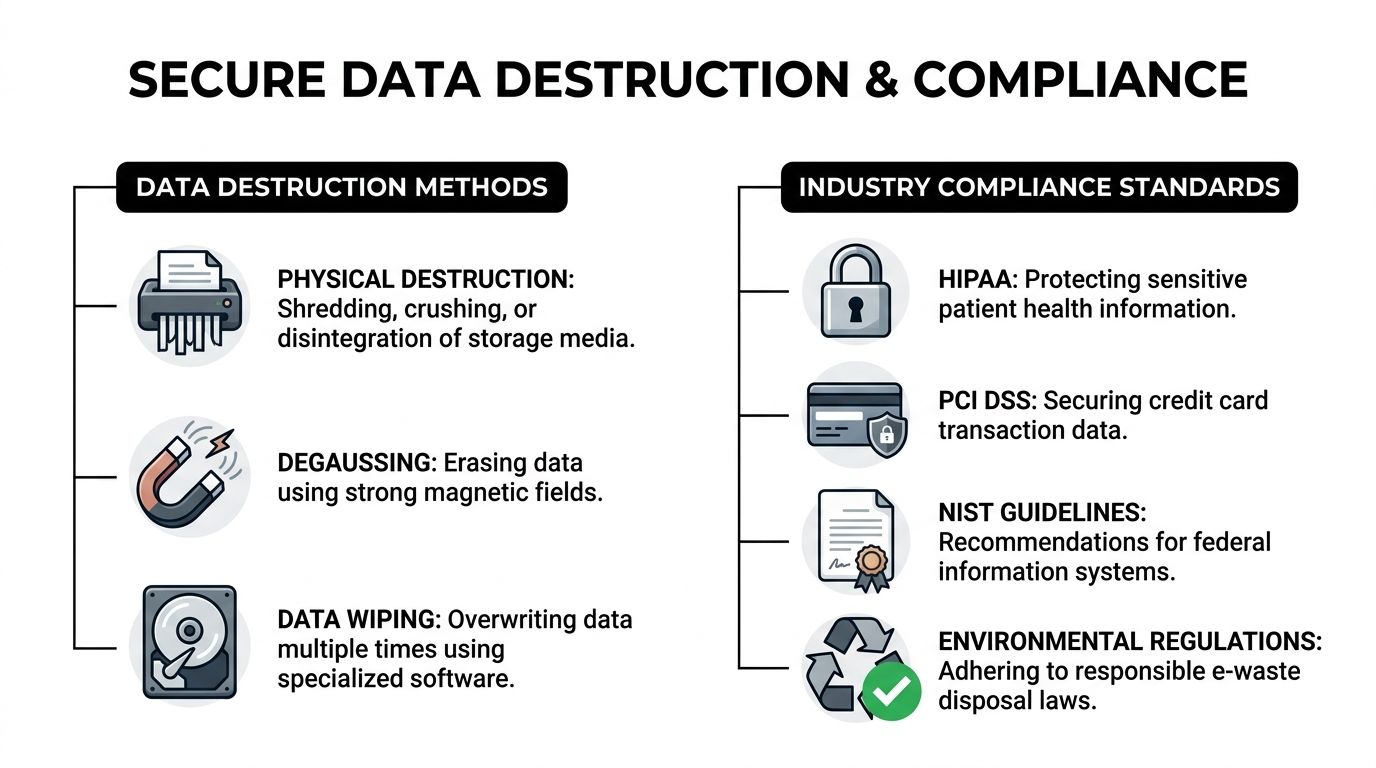
Regulated environments in Gwinnett have less room for error
In Gwinnett, this issue is especially sharp for healthcare and education. Gwinnett County's high uninsured rates and diverse population create significant HIPAA compliance risks for local healthcare providers and schools during IT upgrades, and outdated IT infrastructure raises the chance of data security problems during disposal, according to Gwinnett Coalition's health equity coverage.
That local context matters. If a clinic, school system, behavioral health provider, or administrative office is refreshing equipment, the disposal project may involve:
- Patient records
- Student data
- Insurance information
- Payment records
- User credentials
- Internal communications and stored documents
In those settings, end-of-life handling cannot be delegated casually.
Compliance is not limited to one industry
HIPAA gets the most attention because the consequences of mishandled health data are obvious. But the same disposal discipline matters in other environments.
Consider how this plays out:
- Healthcare organizations: old workstations, nurse station PCs, imaging support devices, and storage arrays can all retain protected data.
- Finance and professional services: devices may contain tax records, account information, contracts, or privileged communications.
- Retail and hospitality: point-of-sale systems and back-office equipment may involve cardholder data considerations under PCI DSS.
- Public companies and controlled enterprises: retained records can create legal and governance issues tied to SOX and internal retention policies.
- Schools and colleges: retired student devices and staff systems often carry a mix of personal and administrative information.
A common failure point is assuming that a device is “just hardware” because it no longer boots, no longer belongs to an employee, or has been sitting disconnected for months. In practice, those are often the devices that get mishandled.
What strong data destruction looks like
A solid process has a few visible traits.
Clear intake controls
Before removal, someone identifies what is data-bearing and what is not. That sounds basic, yet many projects fail at this point.
Teams should flag:
- desktops and laptops
- servers and storage arrays
- backup appliances
- copier and printer drives
- loose drives, SSDs, and tapes
- firewalls and network appliances with retained configs
Standardized destruction decisions
Not every asset needs the same treatment. The policy should answer when to wipe, when to shred, and when to escalate for special handling.
That keeps teams from making inconsistent decisions during a rushed office cleanout.
Documentation that can survive an audit
If legal, compliance, or procurement asks six months later what happened to a set of retired drives, “we think they were recycled” is not an answer. You need records.
Documented services are important here. Commercial teams looking for a tighter process should review secure workflows such as business data destruction and ITAD handling.
Key point: The best data destruction process is not the most dramatic one. It is the one your organization can apply consistently, document clearly, and defend under review.
What does not work
Three approaches fail repeatedly:
- Informal wiping by internal staff with no verification trail.
- Bulk removal without device-level review, which mixes harmless equipment with sensitive media.
- Delayed action, where retired devices sit in storage until nobody remembers what is on them.
Secure destruction only works when it is deliberate. In georgia gwinnett county, where healthcare, schools, enterprises, and public-facing operations are all refreshing infrastructure, that discipline is not optional.
Full-Spectrum ITAD Services for Gwinnett Businesses
Business IT disposal tends to break down at the same point. The organization knows the equipment has to go, but the project includes too many moving parts for a simple recycling run. There may be a server room to dismantle, inventory to reconcile, drives to destroy, loading docks to coordinate, and internal stakeholders who all want different documentation.
In these situations, thorough ITAD is important. Not as a buzzword. As a service model that handles the entire retirement event from physical removal through final disposition.
Why Gwinnett organizations need a full-service approach
Gwinnett County's own Information Technology Services structure is a useful model. The county manages the full IT asset lifecycle, from procurement through retirement, to support nearly a million residents, as described by Gwinnett County Infrastructure and Operations. Large private organizations face the same reality. Retirement is part of infrastructure management, not a side task.
For commercial teams, the strongest ITAD partner handles more than pickup. They should be able to support projects such as Gwinnett business electronics recycling and ITAD logistics, including staged removals and secure downstream processing.
What a complete service catalog should include
A practical commercial ITAD program includes several distinct services.
On-site de-installation
This matters when equipment is still mounted, cabled, or integrated into the room.
Examples include:
- removing rack servers and switches
- disconnecting UPS-connected systems
- taking down wall-mounted displays or conference hardware
- clearing network closets and branch office telecom gear
This reduces the chance that internal staff remove hardware hastily, damage remaining equipment, or break chain of custody before the project even begins.
Packing and secure transport
Good logistics are not glamorous, but bad logistics ruin projects.
A competent team should know how to:
- separate data-bearing devices from low-risk peripherals
- palletize or containerize bulk equipment
- label items clearly for tracking
- move assets securely off-site without forcing your IT staff to become movers
Data destruction workflow
The service should define how functional drives are wiped and how failed or obsolete media are physically destroyed. That decision should not be improvised in the parking lot.
Recycling and reuse management
Not every retired asset belongs in the shred stream. Some items can be remarketed or reused if policy allows and the device condition supports it. Others should go directly into certified recycling channels.
The trade-off is straightforward. Reuse can preserve value and reduce waste. Destruction provides finality. A strong ITAD provider helps the client choose based on risk, not guesswork.
Who benefits most from this model
Different organizations in Gwinnett face different versions of the same problem.
- Healthcare groups: need disciplined chain of custody and strong handling for patient-facing systems.
- School districts and colleges: often move large batches of laptops, classroom devices, and lab equipment in seasonal waves.
- Corporate offices: deal with relocations, lease exits, and hardware refreshes across multiple departments.
- Warehouses and logistics operators: retire handhelds, workstations, scanners, and network equipment that may be spread across operational sites.
- Data centers and high-density IT rooms: require coordinated decommissioning, not just pickup.
- Government contractors and public sector departments: need clear documentation and process consistency.
Accepted equipment categories
A commercial ITAD project often includes more than the obvious items. Typical accepted categories include:
- Servers and blades
- Desktop computers
- Laptops and docking stations
- Monitors and display panels
- Network switches and routers
- Firewalls and security appliances
- Storage arrays and loose drives
- Telecom equipment
- Printers, copiers, and MFPs
- Battery backups and related rack hardware
- Cables, peripherals, and mixed IT room contents
Some projects are clean and uniform, such as a batch of identical laptops. Others are messy, with old racks, random peripherals, dead drives, and unmarked equipment from acquisitions or office consolidations.
A strong provider can handle both.
Operational advice: Ask whether the vendor is comfortable with mixed-load pickups. Many real-world Gwinnett projects are not neatly sorted in advance.
Small office cleanout versus full decommissioning
These are not the same job.
A small office cleanout may involve end-user devices, monitors, and a few network components. Speed and minimal disruption matter most.
A data center or server room decommissioning usually requires:
| Project type | Primary challenge | Service emphasis |
|—|—|
| Small office cleanout | Fast removal with limited business interruption | Packing, pickup, data-bearing device control |
| Multi-site refresh | Coordination across departments or locations | Scheduling, standard process, documentation |
| Server room decommission | Technical removal and sensitive media handling | De-installation, chain of custody, destruction |
| Lease exit or closure | Hard deadline and facility constraints | Timed logistics, loading coordination, rapid clearance |
What works in one setting often fails in another. A box truck and a generic recycler may be enough for old keyboards. It is not enough for a rack teardown with sensitive storage media and a firm vacate date.
The best commercial ITAD programs are flexible where they should be and rigid where they must be. Flexible on scheduling, scope, and site conditions. Rigid on chain of custody, data destruction, and documentation.
Your Step-by-Step Guide to Working with ACR
Most IT teams delay disposal projects because they expect friction. They assume the process will require too much internal prep, too many emails, or too much disruption to daily operations.
A good ITAD workflow should feel the opposite. Structured, predictable, and easy to hand off.
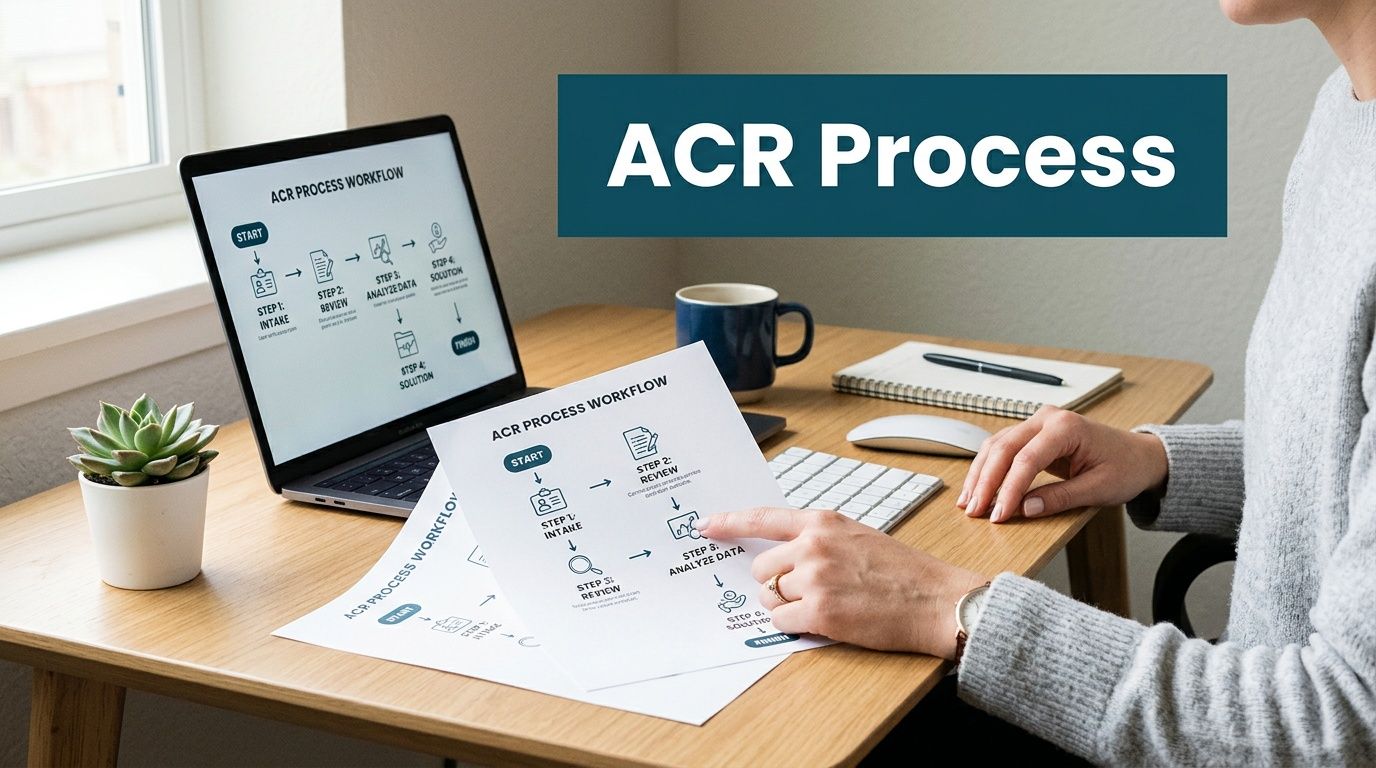
Step 1 through Step 2
Start with scope, not with a perfect spreadsheet.
Initial contact and needs assessment
The first conversation should clarify a few basics:
- what types of equipment you have
- whether any media contains sensitive data
- whether items are loose, boxed, palletized, or still installed
- whether this is a one-time cleanout or part of a broader refresh
Do not wait until everything is fully inventoried before reaching out. A rough asset picture is enough to start planning.
Scheduling pickup and site logistics
Recent assessments in Gwinnett have identified public transportation deficits as a barrier to resource access, according to the Gwinnett County community health assessment. For commercial IT disposition, that is a reminder that logistics matter. On-site packing and pickup reduce disruption and remove the need for your staff to improvise transport.
Questions that should be settled early include:
- building access hours
- elevator or loading dock restrictions
- whether certificates of insurance are required
- if equipment needs de-installation before removal
- who signs off on pickup day
For a fuller view of the customer flow, this outline of how the ITAD process works is a helpful reference.
Step 3 through Step 5
Execution matters more than promises.
On-site handling
When the pickup team arrives, the process should be controlled. Equipment gets identified, staged, packed if needed, and removed with attention to chain of custody.
This point emphasizes the value of experienced crews. They know how to work around active offices, avoid disrupting live equipment, and keep data-bearing assets separated.
Secure off-site processing
Once equipment leaves the site, proper disposition work begins. Functional media may be wiped to policy. Failed or obsolete media moves to physical destruction. Non-data equipment is sorted for reuse or recycling based on condition and client requirements.
What should not happen is ambiguity. Your team should know which path each asset category follows.
Final documentation
This closes the loop.
A finished project should produce documentation that supports internal records and external audits. Depending on scope, that may include pickup records, destruction confirmation, and disposition details.
Keep this simple: If your procurement or compliance team asks for proof later, you should be able to hand them one clean packet, not reconstruct events from email threads.
How to prepare internally
You do not need a massive prep project. A few internal steps make the engagement smoother:
- Name one owner on your side for scheduling and approvals.
- Flag high-risk devices such as loose drives, backup media, and storage arrays.
- Separate live from retired gear so nobody grabs the wrong equipment.
- Confirm access details with facilities before pickup day.
- Decide your destruction policy in advance for wipe versus shred decisions.
The simplest ITAD projects are not the smallest ones. They are the ones where everyone knows who is doing what, and the handoff happens cleanly.
Real-World Scenarios in Gwinnett County
The easiest way to judge an ITAD plan is to test it against ordinary Gwinnett situations. Not idealized ones. Real ones, with deadlines, mixed equipment, and nervous stakeholders.
A Lawrenceville clinic with aging workstations
A midsize clinic replaces front-desk PCs, provider laptops, and a small batch of back-office machines. The equipment is old, several devices no longer boot, and the practice manager wants everything gone quickly.
The wrong move is sending the pile out as generic e-waste. The right move is identifying which devices are data-bearing, separating failed drives from functional systems, and using a documented destruction path that supports HIPAA-sensitive operations.
In healthcare, the hardest part is rarely loading the equipment. It is proving later that patient information was handled correctly.
A Peachtree Corners office move with a rack to clear
A technology firm relocates to a smaller footprint. The desktop equipment is easy. The problem is the single rack in the old office that contains legacy switches, a firewall, a NAS unit, and patchwork hardware from prior upgrades.
In this situation, partial decommissioning often goes sideways. Internal staff are busy with the move. Facilities wants the room empty. Nobody wants responsibility for old drives or appliance configs.
A disciplined team treats the rack as a controlled retirement project. De-installation happens on-site, the media path is defined before removal, and the office gets cleared without leaving stray hardware behind for the last week of the lease.
A school summer refresh with mixed-condition devices
A district-level IT team rotates out a large batch of student and staff equipment over the summer. Some laptops are functional. Others are damaged, missing chargers, or tagged inconsistently. Timing matters because classrooms need to be reset before the next term.
What works here is volume handling with clear sorting rules. Functional devices can move through approved wipe and reuse or recycling channels. Damaged units and failed media go directly into the destruction path. Pickup and packaging have to be efficient because school teams do not have time to become warehouse operators for a month.
School IT rule of thumb: Summer refreshes succeed when the vendor can handle mixed batches without demanding perfect pre-sorting from district staff.
The county transportation model shows the same pattern
Gwinnett County's Transportation Department upgraded its network with standardized Cisco hardware, a project covered by Route Fifty's report on the transportation IT network upgrade. That kind of refresh naturally leaves retired traffic control servers and switches behind. It is a strong example of why on-site de-installation and NIST 800-88 compliant destruction matter during infrastructure upgrades.
The lesson carries across industries. Whether the equipment sits in a clinic, office, school, or control environment, retirement is not just removal. It is controlled disposition.
Partnering for a Secure and Sustainable Gwinnett
Gwinnett's scale and pace create a steady stream of retired technology. That is the operational reality. The business decision is whether those assets leave your environment through a controlled process or become a slow-building source of security and compliance risk.
The strongest organizations treat ITAD as part of governance. They do not wait for a lease exit, audit request, or storage-room overflow to force action. They define handling rules, require chain of custody, and choose vendors that can support both data protection and responsible recycling. For teams thinking beyond disposal, circular economy planning matters too. This overview of electronics and circular economy practices is a useful lens.
There is also a broader business angle. Companies that want to stand out locally should pay attention to practical digital visibility, not just operations. These local SEO lead generation tactics offer useful ideas for service businesses trying to reach nearby buyers more effectively.
In georgia gwinnett county, secure and sustainable IT disposition is not a side task. It is part of running a disciplined business.
Frequently Asked Questions
What are the typical costs for business pickup
Costs vary by project scope, equipment type, access conditions, and whether the job includes de-installation, packing, or data destruction. A small office cleanout is different from a server room decommission. The fastest way to get an accurate answer is to provide an equipment list and site details for review.
Do you accept e-waste from residents
This guide is focused on commercial services. Many business ITAD providers work only with organizations and refer residential customers to other local drop-off options. That distinction matters because commercial projects usually require chain of custody, secure logistics, and compliance documentation.
What happens to our equipment after pickup
A proper process sorts assets by type and condition. Data-bearing devices move through an approved destruction path, which may include wiping or physical shredding. Non-data equipment is evaluated for reuse or recycling. The important point is that the process is documented.
Do we need to inventory everything first
No. A rough list is enough to begin. For complex projects, the vendor can help refine scope during planning or on-site review.
What if some devices are broken
Broken devices are common. In many cases, failed or obsolete media should go directly to physical destruction rather than software wiping.
If your organization needs a clean, secure way to retire IT equipment in Gwinnett, contact Atlanta Computer Recycling. They provide business-to-business electronics recycling, secure data destruction, pickup, de-installation, and ITAD support for offices, schools, healthcare groups, government entities, and data center projects across metro Atlanta.