Brookhaven Electronics Recycling: Secure Data Destruction


The request usually starts the same way. An IT manager in Brookhaven has a locked storage room full of retired laptops, dead monitors, old switches, and a stack of servers nobody wants to touch because nobody wants to own the risk.
That risk isn't just clutter. Some of those devices still hold protected data, some are waiting on sign-off from finance, and some should never be hauled to a public drop-off in the first place. For a business, brookhaven electronics recycling isn't a household chore. It's an IT asset disposition problem with legal, operational, and environmental consequences.
Public information around Brookhaven recycling tends to focus on residents. Businesses need something different: secure pickup, documented handling, and data destruction that stands up in an audit.
Beyond the Drop-Off Bin Your Commercial Recycling Strategy
Most businesses don't have a recycling problem. They have a control problem.
A resident drop-off model works when someone is bringing in a few household items. It doesn't work well when your organization is retiring workstations across three floors, pulling drives from medical devices, or decommissioning a server rack after a cloud migration.

Why business recycling is different
Existing information on brookhaven electronics recycling largely centers on residential drop-off services, leaving a clear gap for companies that need bulk handling, on-site pickup, and HIPAA-conscious data destruction for servers, laptops, and network gear, as noted by Reworx's Brookhaven recycling page.
That gap matters because commercial equipment creates different demands:
- Volume changes everything. A few desktops fit in personal vehicles. A room of mixed IT assets needs carts, manifests, labor, and a loading plan.
- Data-bearing devices need special handling. Desktops, laptops, SAN gear, copiers, and firewalls can all store sensitive information.
- Downtime has a cost. If your team spends half a day hauling equipment, tagging pallets, and figuring out elevator access, that's time pulled away from production work.
- Auditability matters. You need to know what left the building, who handled it, and what happened to it afterward.
A lot of organizations first search for a simple disposal option. That's reasonable for small quantities, and a basic electronics disposal drop off can fit a limited need. But once equipment belongs to a hospital, school district, municipality, law office, or multi-site company, the standard changes.
What works and what doesn't
Here's the practical split.
| Approach | Good fit | Main weakness |
|---|---|---|
| Residential-style drop-off | A few non-sensitive items | No built-in chain of custody for business IT |
| DIY staff handling | Very small office cleanouts | Internal labor, transport risk, inconsistent documentation |
| Commercial ITAD process | Bulk pickups and regulated data | Requires planning, but gives control |
Businesses shouldn't treat retired hardware like office junk. The moment a device can hold credentials, patient data, student records, or internal files, disposal becomes a security function.
The strongest commercial recycling plans don't begin at the loading dock. They begin with internal ownership. Someone in IT, facilities, compliance, or operations has to define what is leaving, what data may be present, and what proof the organization needs when the job is over.
Preparing Your IT Assets for Secure Disposition
A clean pickup starts before the truck arrives.
In Brookhaven, a joint recycling event in 2024 served 240 participants and diverted 23.2 tons, or 46,423 pounds, of materials from landfills and water systems, according to the City of Brookhaven Household Hazardous Waste Program. A business cleanout usually involves denser, more complex equipment than a household event, which is why inventory discipline matters even more.
Build the inventory before you move anything
The first mistake I see is physical consolidation without documentation. People stack equipment in a conference room and call that “ready.” It isn't.
Practical rule: Make the list first. Move equipment second.
Your inventory doesn't need to be fancy, but it does need to be useful. A spreadsheet is enough if it captures the details that affect handling and data security.
Include:
- Asset type such as laptop, desktop, server, firewall, switch, UPS, monitor, or printer
- Manufacturer and model so the recycler knows what labor and downstream options may apply
- Serial number or asset tag when available
- Data-bearing status so drives, SSDs, and embedded storage aren't mixed with non-data equipment
- Condition such as working, failed, damaged, incomplete, or locked
- Location including floor, closet, server room, remote office, or storage cage
Separate by handling requirement
Don't build one giant pile.
Create practical groups inside your facility:
- Reusable IT equipment that may still have value after testing.
- End-of-life devices that need dismantling or commodity recovery.
- Media and sensitive storage that require wiping or physical destruction.
- Non-IT electronics that may need separate acceptance review.
This saves time on pickup day and reduces the chance that a drive disappears inside a box of cables.
Flag the devices that actually store data
IT managers usually catch laptops and servers. They sometimes miss printers, copiers, phones, and network appliances.
If your team needs a refresher on drive sanitization concepts before scheduling disposition, this guide on how to wipe a computer hard drive is a useful starting point.
Use that review to mark assets in plain language:
- Wipe for reuse
- Shred media
- Hold for internal approval
- No storage present
Prepare the pickup area like a controlled handoff
The best staging area is secure, accessible, and boring. You don't want assets scattered across departments.
A good staging area should be:
- Locked or supervised
- Close to an elevator, dock, or ground-level exit
- Clear enough for carts and pallet movement
- Known to facilities and security staff
A detailed inventory shortens the project twice. It cuts sorting time before pickup, and it cuts reconciliation time after the assets leave.
Ensuring Total Data Destruction and Regulatory Compliance
A Brookhaven medical office replaces twenty laptops, a few aging servers, and two multifunction copiers. The equipment is easy to remove. Exposure starts if one SSD, copier drive, or backup tape leaves the building without a documented destruction process.
For commercial electronics recycling, that is the standard to focus on. Brookhaven businesses in healthcare, legal, finance, education, and local government do not just need a recycler. They need an ITAD process that stands up to HIPAA reviews, client confidentiality requirements, internal audits, and insurer questions after the equipment is gone.
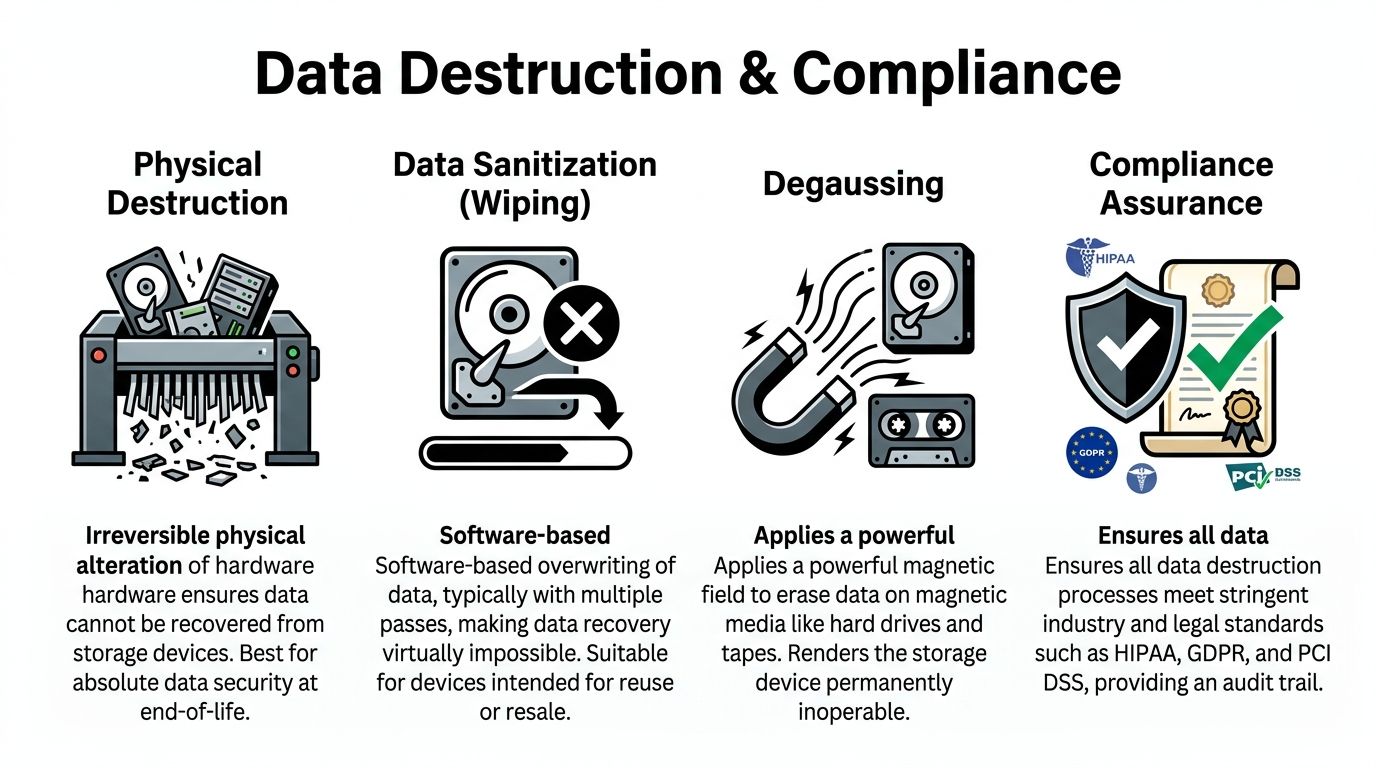
Wiping and shredding solve different problems
Software wiping works for functioning drives that can still be reused after sanitization. In practice, that means a controlled overwrite process, verification, and a record showing which device was wiped and under what standard.
Physical shredding fits failed drives, obsolete media, damaged devices, and any situation where reuse creates more risk than value. I usually recommend shredding when the device cannot be reliably sanitized, when the hardware has little resale value, or when policy requires destruction over remarketing.
Degaussing still has a place for certain magnetic media. It does not apply to every storage type, and it typically destroys reuse value. That trade-off matters if your organization is trying to balance security with asset recovery.
Vendor screening matters more than marketing claims
The biggest mistake I see is assuming any company that collects e-waste can handle regulated data. Those are different services.
A recycler can have a legitimate environmental downstream and still fall short on data handling, documentation, or chain of custody. The U.S. EPA's Electronics Donation and Recycling guidance points organizations toward using certified recyclers because certifications help verify how materials and sensitive devices are managed. For a Brookhaven business, that means asking harder questions before pickup day. Who performs sanitization. When does chain of custody start. Do you get asset-level reporting or only a generic weight ticket.
If the answer is vague, the risk stays with your company.
Chain of custody is what your auditor will ask for
A defensible chain of custody documents each transfer from your office to final destruction or final recycling. That record should match the actual assets removed, not just the total number of pallets loaded onto a truck.
A sound process usually includes:
- Pickup documentation matched to your inventory
- Serialized tracking for data-bearing devices where required
- Secure containers or pallet control during transport
- Verified destruction or sanitization records tied back to the original assets
- Final disposition reporting for audit files and vendor oversight
That level of control is especially important for organizations that already manage privacy obligations elsewhere in the business. Teams reviewing client confidentiality, records retention, and SRA/GDPR compliance often find that retired hardware belongs in the same governance process.
The certificate matters because memory fades and staff changes
Six months after a cleanup, the desktop support lead may be gone, the office manager may not remember what was removed, and the auditor may still want proof. That is why the certificate is more than a courtesy document.
A proper Certificate of Data Destruction should identify what was destroyed or sanitized, how it was handled, and when the work was completed. If you want a practical example of what that record should include, review this certificate of destruction form.
Brookhaven companies that handle ITAD well do one thing consistently. They keep records strong enough to prove that every sensitive device reached its documented end of life.
Streamlining On-Site De-Installation and Pickup Logistics
The best pickup is the one your staff barely feels.
When companies try to handle commercial electronics disposal like a weekend office cleanup, the same problems show up every time. Equipment sits in hallways. Nobody knows who approved removal of the rack-mounted gear. Facilities and IT point at each other when the freight elevator is blocked. Then someone asks a desktop tech to move a UPS that should've been handled by a trained crew.
What a professional pickup looks like
Brookhaven, NY's experience with e-waste mandates shows that these programs can shift from revenue generators to municipal cost burdens, as described in the town's local solid waste management plan. For businesses, the lesson is straightforward. Public systems aren't built around your internal logistics, your uptime window, or your chain-of-custody requirements.
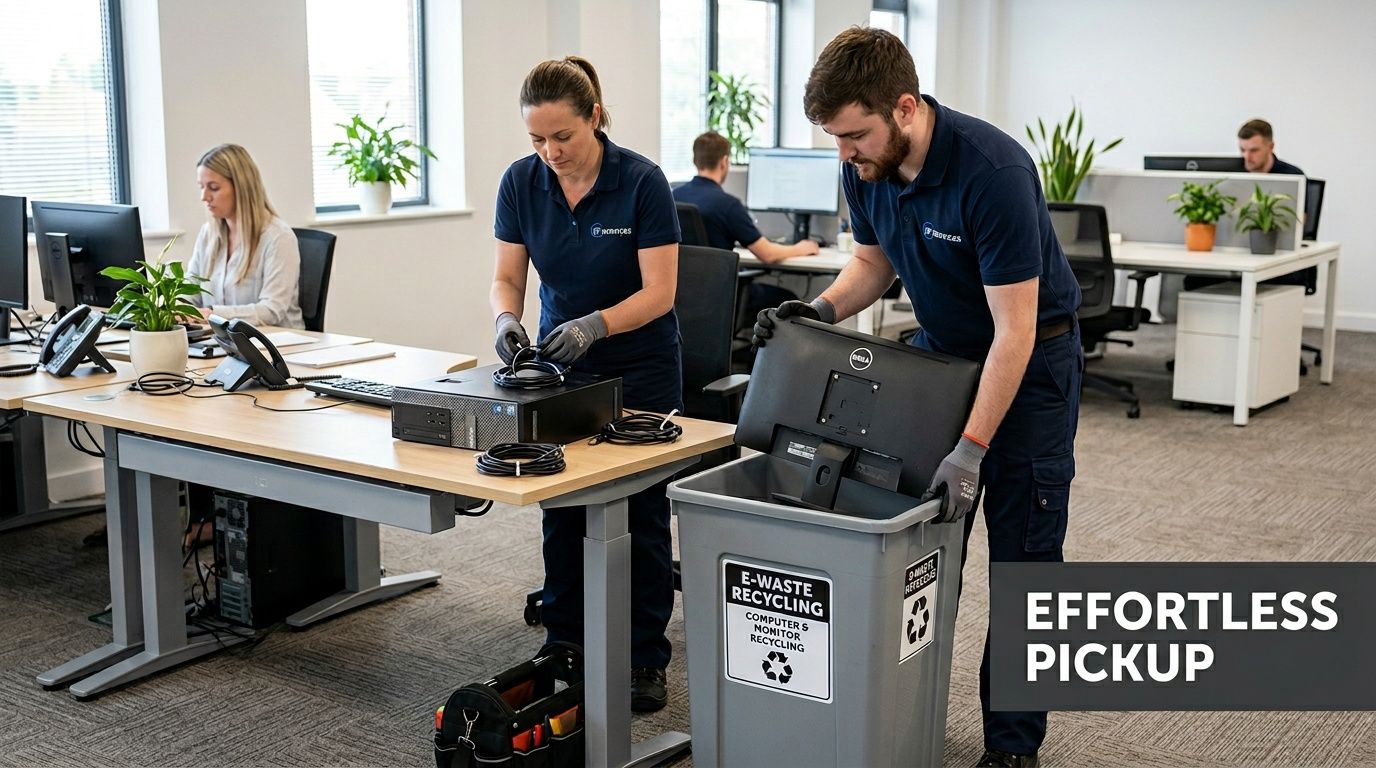
A commercial pickup should account for the realities inside your building:
- Server room de-installation when equipment is still mounted
- Office floor collection for desktops, docking stations, and monitors
- Packing and palletizing for transport security
- Dock coordination with facilities or property management
- Limited business disruption for active departments
Compare the two paths
| Option | What your team handles | Common friction |
|---|---|---|
| DIY transport | Sorting, lifting, loading, driving, records | Labor drain, inconsistent security, vehicle limits |
| Municipal-style event | Packaging and delivery to event site | Timing restrictions, public process, no custom de-install |
| Commercial on-site pickup | Internal approvals and access | Requires scheduling, but offloads the physical work |
Information that makes pickup day smoother
A good recycler can only plan around what you disclose. The more accurate your intake details are, the less likely you are to hit delays.
Provide:
- Approximate equipment categories rather than vague descriptions like “miscellaneous electronics”
- Building access constraints such as loading dock hours, badging, elevators, stairs, or after-hours entry
- Sensitive areas including labs, records rooms, IDF closets, or active data centers
- Whether de-installation is needed or if everything is already disconnected
- Any oversized or awkward items such as rack units, large printers, or battery backups
The unique nature of a dedicated IT equipment pickup in Atlanta GA sets it apart from general recycling. The service isn't just transport. It's labor, handling discipline, and project coordination.
What doesn't work well
Three approaches usually create avoidable problems.
- Late internal approvals. Assets get staged, then held for finance or security sign-off and the project stalls.
- Mixed piles. Cables, drives, monitors, and rack gear all get thrown together, which slows removal and increases error risk.
- Underreporting the scope. Saying “a few items” when multiple rooms of gear are present creates scheduling issues and weakens chain-of-custody discipline.
The smoothest pickups happen when IT, facilities, and security all know the date, the access plan, and which equipment is authorized to leave.
Understanding the Journey to Certified Recycling
A Brookhaven IT manager signs off on a pickup, the truck leaves, and the real risk control work starts. If the downstream process is weak, a clean loading dock departure can still end in poor data handling, missing records, or material sent through scrap channels you would never approve.
That is why commercial electronics recycling has to be judged after pickup, not just at pickup. The UN's Global E-waste Monitor 2024 found that global e-waste volumes continue to rise while formally documented recycling still lags far behind. For a business handling regulated data, that gap matters. It separates documented ITAD from informal disposal.
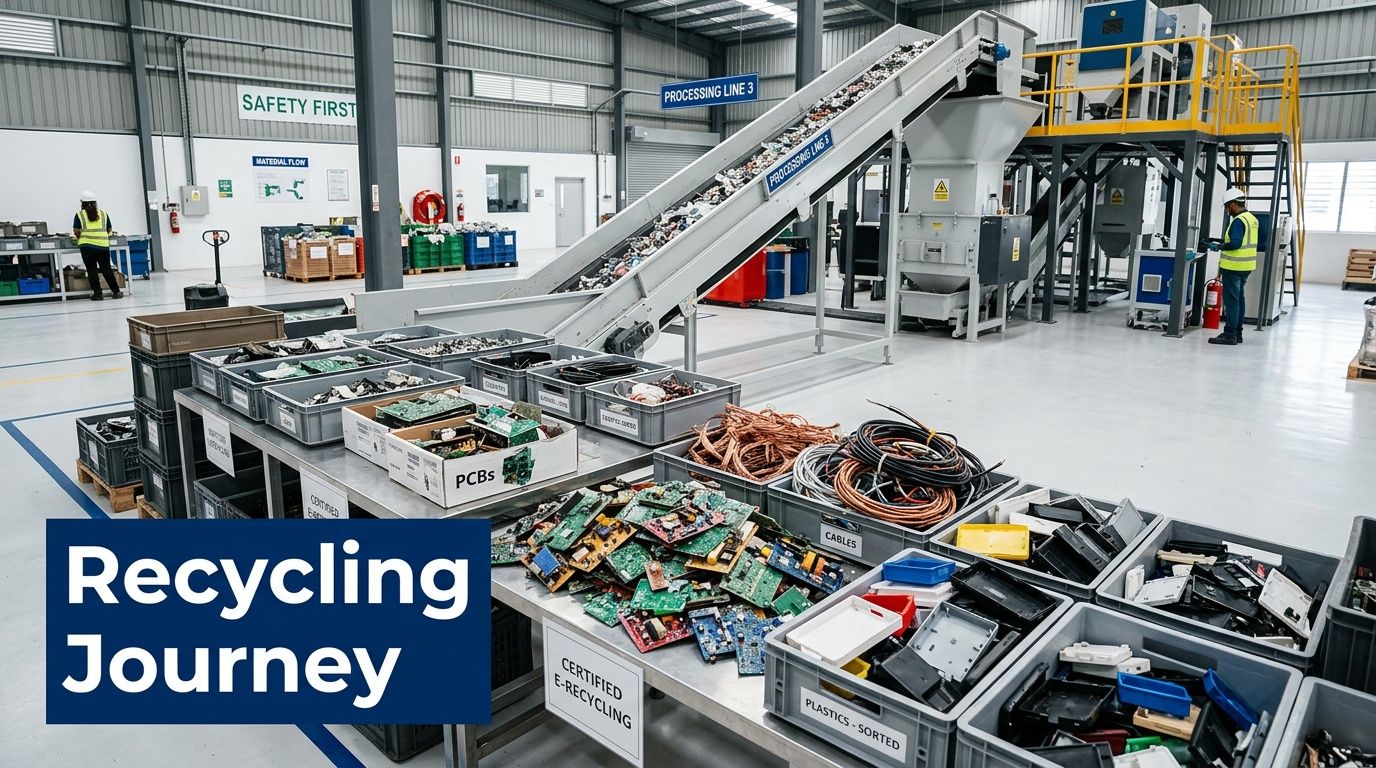
First stop is audit and sorting
At a qualified processor, inbound material is checked against the shipment record and sorted by asset type, condition, and handling requirement. This process dictates whether chain of custody either stays intact or starts to weaken.
The best processors separate equipment into practical downstream paths such as:
- Reuse after verified data sanitization and testing
- Parts recovery for repairable equipment
- Material recycling for end-of-life assets
- Controlled processing for batteries, mercury lamps, and other regulated components
Reuse usually delivers the best environmental result and, in some cases, the best financial result. It only works when the device passes testing and the data sanitization record is complete. If either piece is missing, recycling is the safer path.
What a typical asset path looks like
A retired business laptop often goes through intake reconciliation, media verification, functional testing, and grading. If it qualifies for reuse, it is sanitized, documented, and prepared for resale or redeployment through approved channels. If it fails testing or has no practical resale value, it is dismantled so metals, boards, plastics, and batteries can be routed correctly.
A failed server drive follows a tighter path. It is identified as data-bearing media, destroyed under the required process, recorded on the destruction log, and only then moved into commodity recovery.
Good downstream controls answer two business questions clearly. Was the data destroyed the right way, and can the recycler prove where the material went?
Why certification matters downstream
For Brookhaven businesses, especially healthcare groups, law offices, and firms with bulk IT turnover, certification is not a marketing extra. It is how you verify that HIPAA-sensitive devices, retired workstations, and failed storage media were handled under a documented process instead of a loose scrap workflow.
A certified recycler should be able to show how equipment is tracked, how hazardous components are contained, which downstream vendors receive the material, and what documentation the client gets at the end. That documentation is what supports internal audits, insurer questions, and vendor reviews months later.
If you want a plain-English explanation of the downstream process, this walkthrough of what happens to recycled electronics gives a useful overview.
The short version is simple. Pickup solves the logistics problem. Certified downstream processing solves the liability problem.
Your Brookhaven Electronics Recycling Questions Answered
Business clients usually ask practical questions, not philosophical ones. They want to know what gets accepted, how the project is priced, how long it takes, and what proof they receive when it's done.
What kinds of business equipment are usually accepted
Most commercial ITAD programs can handle standard office and infrastructure hardware.
That often includes:
- Laptops and desktops
- Servers and storage equipment
- Switches, routers, and firewalls
- Monitors and docking stations
- Phones and related peripherals
- Cables, boards, and mixed IT accessories
Specialty equipment should be reviewed in advance. Medical devices, lab systems, large printers, batteries, and non-IT electrical equipment may require separate handling rules.
Is pickup always free
Not always.
Pricing depends on a few real-world factors:
- Whether the equipment has reuse value
- How much labor is required for de-installation
- Whether there are stairs, dock limits, or difficult access conditions
- How much material is low-value scrap versus reusable hardware
- Whether shredding or other special services are needed
For some projects, asset value offsets the logistics. For others, labor and destruction requirements drive the cost.
How long does a typical project take
Simple office pickups can move quickly once the asset list and access details are confirmed. More complex jobs take longer, especially when there are multiple departments, active server rooms, or internal approval bottlenecks.
The timeline usually depends less on the recycler than on:
- Inventory accuracy
- Access coordination
- Department sign-off
- Data destruction instructions
- How organized the staged equipment is
Can we witness hard drive destruction
Often, yes, if that requirement is discussed early.
Organizations with strict compliance expectations sometimes want witnessed destruction, serial tracking, or site-specific documentation. Those requests need to be built into the work order before pickup day so the handling process matches your internal controls.
What documents should we expect afterward
At minimum, businesses should expect records that support chain of custody and confirm the disposition path for sensitive assets.
Look for:
- Pickup confirmation
- Asset reconciliation, where applicable
- Data destruction documentation
- Final recycling or disposition summary
What's the biggest mistake Brookhaven businesses make
They wait too long and let equipment pile up without ownership.
Once that happens, inventories are incomplete, departments forget what's theirs, and old devices start moving around informally. The safest time to plan electronics disposition is before the storage room becomes a liability.
If you're managing bulk brookhaven electronics recycling for an office, school, healthcare facility, or data center, Atlanta Computer Recycling provides B2B pickup, de-installation, secure data destruction, and responsible downstream recycling across the Atlanta metro area. Reach out when you need a practical ITAD partner that can help you clear space, protect data, and document the job correctly from pickup through final disposition.