Dunwoody computer recycling: Secure IT Asset Disposition & Data Protection


For any business in Dunwoody, that closet full of old IT gear is more than just clutter. It’s a ticking clock. Every retired server, laptop, and desktop is a potential liability, holding sensitive data and representing a risk you can't afford to ignore. This is where smart, professional computer recycling comes in—it’s not just about disposal, it's a critical business process for protecting your data, ensuring environmental compliance, and avoiding major financial headaches.
Why Computer Recycling Is a Smart Business Move in Dunwoody

As an IT manager, compliance officer, or business owner, you understand the risk posed by retired IT hardware. Those old machines are loaded with proprietary corporate data, client lists, and financial records. Improper disposal is a direct path to a data breach.
Consider a healthcare provider in the Perimeter Center area upgrading its patient management systems. Its legacy servers and workstations contain protected health information (PHI), governed by strict HIPAA regulations. Disposing of those devices improperly—such as through an uncertified recycler—could result in a severe data breach, leading to crippling fines and irreversible reputational damage. This is a real-world challenge businesses face with every technology refresh cycle.
The Growing Challenge of Electronic Waste
The scale of e-waste is staggering. In 2022, the world generated a mind-boggling 62 million tonnes of electronic waste, an 82% increase from 2010. Alarmingly, only 22.3% was properly collected and recycled, with the remainder contributing to environmental pollution.
This is precisely why professional Dunwoody computer recycling has become an essential business function, not an optional "green" initiative.
A planned IT Asset Disposition (ITAD) strategy transforms a potential risk into a controlled, documented process. It’s about protecting your business first, while also doing what's right for the environment.
More Than Just "Going Green"
While environmental stewardship is important, the primary drivers for commercial computer recycling are security and compliance. Partnering with a certified service like Atlanta Computer Recycling provides a secure, accountable process that solves core business problems.
Here’s what that looks like in practice:
- Data Security Assurance: We permanently destroy your company’s sensitive data using methods that meet DoD 5220.22-M standards, such as multi-pass data wiping or physical hard drive shredding.
- Compliance and Audit Trails: You receive official Certificates of Recycling and Data Destruction. This documentation is crucial for proving compliance during audits related to HIPAA, SOX, or GDPR.
- Resource and Space Optimization: Clearing out retired equipment frees up valuable office or data center real estate for productive use.
- Brand Protection: Demonstrating responsible data handling and environmental commitment builds trust with clients, partners, and the community.
Ultimately, professional ITAD is about mitigating risk, meeting legal obligations, and operating a more efficient, responsible business. For a closer look at the consequences of improper disposal, review our guide on the environmental impact of electronic waste.
Preparing Your IT Assets for a Seamless Recycling Pickup
A smooth Dunwoody computer recycling project begins long before our truck arrives. Proper asset preparation is the foundational step in securing your data, streamlining logistics, and ensuring a robust chain of custody. Bypassing this stage can lead to confusion, delays, and security gaps.
The process hinges on a clear and detailed inventory. You cannot protect what you do not track. This involves more than a simple device count; it requires a specific log of every asset designated for disposition.
Building Your Asset Inventory
Using a spreadsheet or your existing asset management software, document each item slated for recycling. For a comprehensive audit trail, log the following key details for every piece of hardware.
- Asset Type: Desktop, laptop, server, switch, or firewall.
- Manufacturer and Model: e.g., Dell Latitude 7420 or Cisco Catalyst 9300.
- Serial Number: This unique identifier is essential for tracking each device from your facility to its final disposition.
- Physical Location: Note the office, server rack, or storage room where the asset is currently located.
- Data-Bearing Status: Clearly identify whether the device contains a hard drive or SSD.
This inventory forms the basis of your chain-of-custody documentation, creating a definitive record that links every asset from your control to its final recycling or destruction.
A Real-World Scenario in Dunwoody
Imagine a financial services firm in Dunwoody consolidating two office floors. They have a diverse range of equipment: high-performance workstations, back-office desktops, rack-mounted servers, and legacy VoIP phones.
The IT team creates a detailed inventory, tagging each device. During this process, they segregate assets into two categories:
- Assets for Redeployment: Newer laptops and monitors suitable for use in other departments are set aside.
- Assets for Recycling: All older desktops, servers, non-functional networking gear, and—most importantly—every hard drive containing sensitive client financial data are designated for pickup.
By sorting these items before scheduling the service, the firm ensures valuable equipment is not accidentally discarded and that every data-bearing device is accounted for on the recycling manifest. This is a critical risk management step.
Getting the Equipment Ready for Pickup
Once your inventory is finalized and assets are sorted, a few physical preparations can significantly improve the efficiency of the on-site collection.
Disconnecting all peripherals and power cords in advance is highly beneficial. If your team has the expertise, safely de-installing servers from racks can also expedite the process, though our team at Atlanta Computer Recycling is equipped to handle de-installation for you.
The effort invested in organization directly translates to a more secure and accountable recycling outcome. Upfront preparation eliminates ambiguity and ensures a seamless chain of custody.
Finally, consolidate all prepped assets in a secure, accessible location, such as a vacant office or a designated area near your loading dock. This minimizes disruption to your daily operations and allows our pickup crew to work efficiently. For more strategies on managing large-scale clear-outs, see our guide on commercial and office computer recycling. Following these steps sets the stage for a successful and fully documented ITAD project.
Choosing the Right Data Destruction Method for Your Business
You've inventoried your IT assets. Now, you must address the critical question of data disposition. For any business, data security is paramount. A single misstep can compromise client information, damage your reputation, and expose your organization to significant liability. Simply deleting files is insufficient, as the data remains recoverable.
The decision comes down to two professional-grade methods: software-based data wiping or physical hardware destruction. The appropriate choice depends on device type, condition, and your organization's specific compliance requirements. The first step is to determine if an asset contains sensitive data.
This decision tree can guide your initial assessment.
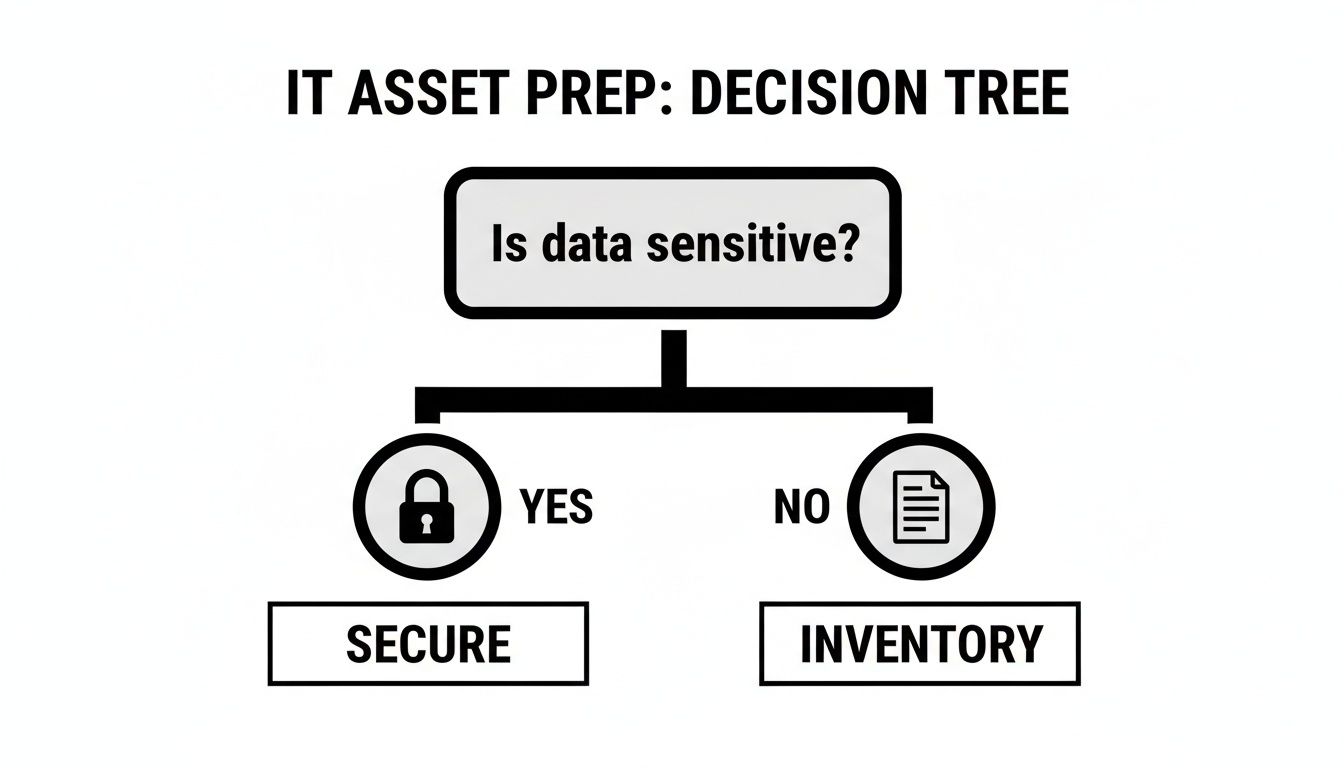
As illustrated, the process bifurcates immediately. Assets containing sensitive data require secure handling, while non-sensitive items can proceed to inventory for reuse or recycling.
The Gold Standard: Data Wiping
For functional hard drives (HDDs and SSDs) that may be reused or resold, the industry standard is secure data wiping. We utilize software that meets the DoD 5220.22-M 3-pass standard. This process overwrites every sector of the drive with random data multiple times, rendering the original information forensically unrecoverable.
The process includes:
- Pass 1: Writes a pattern of zeros across the entire drive.
- Pass 2: Writes the complement pattern (ones).
- Pass 3: Writes random characters and verifies the overwrite.
This method completely sanitizes the drive, making it ideal for companies looking to recover value from newer equipment while ensuring absolute data security. This service is a core component of our Dunwoody computer recycling process for all viable data-bearing devices.
When Physical Destruction Is the Only Answer
In certain situations, data wiping is not feasible. For these cases, physical shredding is the only method to guarantee 100% data elimination. Shredding is necessary under several key circumstances.
- Failed or Damaged Drives: If a hard drive is non-functional, wiping software cannot access it. Shredding is the only way to destroy the data.
- Strict Compliance Mandates: Industries like healthcare (HIPAA) or finance often have internal policies or regulatory requirements mandating physical destruction for all data-bearing media.
- End-of-Life Media: For obsolete, low-value drives or other media like backup tapes, shredding is the most efficient and cost-effective method of data destruction.
Our industrial shredders grind hard drives, tapes, and mobile devices into small, irreparable pieces of metal and plastic, making data recovery physically impossible. Learn more about our process in the guide to secure data destruction.
Wiping vs. Shredding: Making the Right Call
The choice between wiping and shredding depends on your specific needs, balancing security, compliance, and potential asset value. This comparison can help guide your decision.
Choosing Your Data Destruction Method: Wiping vs. Shredding
| Feature | DoD 5220.22-M Data Wiping | Physical Hard Drive Shredding |
|---|---|---|
| Best For | Functional HDDs & SSDs with resale or reuse potential. | Failed, damaged, or obsolete drives; strict compliance needs. |
| Asset Value | Preserves the hard drive for remarketing or redeployment. | Destroys the drive, eliminating any resale value. |
| Verification | Generates a software-based report for each drive. | Provides a Certificate of Destruction for the entire batch. |
| Security Level | Data is forensically unrecoverable. | Data is physically impossible to recover. |
| Cost | Generally more labor-intensive per drive. | Often more cost-effective for large volumes of old drives. |
| Environmental | Promotes reuse, aligning with circular economy principles. | Materials are recycled after shredding, but reuse isn't possible. |
The optimal strategy often involves a hybrid approach: wiping reusable assets and shredding non-functional or highly sensitive ones.
Consider a law firm in Dunwoody upgrading 50 laptops. Approximately 40 are newer, functional models. For these, a certified DoD wipe is ideal, securing the data while allowing the firm to recover asset value.
The remaining 10 laptops are older or have non-operational hard drives. For these, physical shredding is the correct and most secure path, neutralizing the risk associated with the non-functional hardware.
Your data destruction strategy must align with both your operational requirements and legal obligations. A hybrid approach is typically the most effective and efficient solution.
Remember, data protection extends beyond end-of-life hardware. Implementing robust cybersecurity solutions is critical for safeguarding information throughout its lifecycle. A certified partner can guide you through these options and provide the chain-of-custody documentation required for compliance.
What to Expect During the On-Site Pickup Process

When transferring custody of sensitive IT assets, transparency and professionalism are paramount. Our process is designed to be efficient and minimally disruptive, ensuring complete confidence from the moment our logistics team arrives at your Dunwoody office.
You can expect our uniformed crew to arrive on schedule, equipped with everything needed to handle your equipment safely, including pallet jacks, heavy-duty bins, and specialized tools for on-site de-installations.
Arrival and On-Site Coordination
Upon arrival, our team lead will check in with your designated point of contact—be it an IT manager, facilities coordinator, or compliance officer. We will review the asset list, confirm the scope of work, and identify the location of all equipment.
This initial coordination is crucial for ensuring every item on your manifest is accounted for and for finalizing a removal plan that minimizes disruption to your business operations. We work according to your schedule.
Professional De-installation and Secure Packing
Our technicians are trained to professionally de-install servers, switches, and other sensitive equipment directly from data center racks. This is a core part of our Dunwoody computer recycling service, freeing up your internal IT staff and preventing potential damage to your infrastructure.
Once disconnected, each asset is handled with care and packed for transport in secure, durable containers. We pay special attention to hard drives and other data-bearing devices, ensuring they are protected and segregated from the start.
The moment an asset is logged and placed onto our pallets, our liability begins. This marks the first official transfer of responsibility in the chain-of-custody process.
This documented handoff is a critical component of your audit trail. You can learn more about how we manage diverse business environments in our guide on commercial computer pickup services.
A University Lab Clear-Out: An Example in Action
Consider a local university near Dunwoody that needed to decommission an entire computer lab between semesters. They had 150 desktops, monitors, and networking gear to be removed on a tight deadline before new equipment arrived.
Our team coordinated with the university's facilities department to schedule the pickup during a low-traffic period. On the scheduled day, our crew systematically disconnected each workstation, secured them on pallets, and proceeded to the communications closet to de-install the legacy switches and routers.
Within hours, the lab was cleared. Before departure, our team lead provided the university’s IT director with the initial chain-of-custody paperwork—a signed and dated manifest detailing the total number of pallets and major asset types removed. This document served as the university's official receipt, confirming the assets were securely in our possession and providing the concrete documentation needed for internal asset management and compliance.
Making Sense of Your Recycling and Data Destruction Certificates
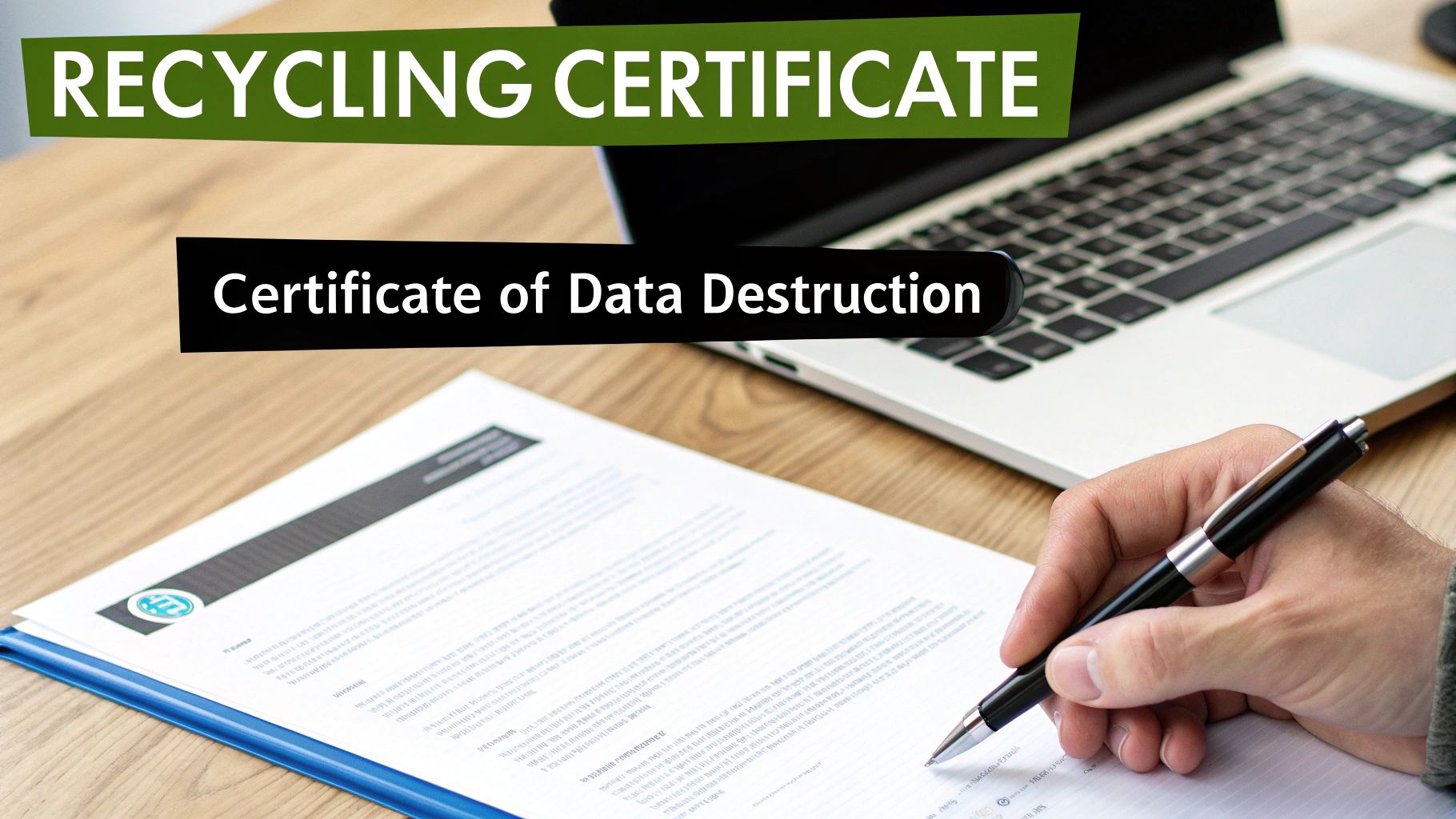
After your IT assets have been removed, the final and most critical step is receiving the official documentation. These certificates are more than just receipts; they are your legal proof of due diligence for both data security and environmental compliance.
This paperwork serves as your defense in the event of an audit or inquiry. Without a verifiable audit trail, your organization remains exposed to potential liability. These documents provide the definitive answer regarding the disposition of each asset.
The Certificate of Data Destruction Explained
The Certificate of Data Destruction (CoDD) is your guarantee that all sensitive information has been irretrievably eliminated. For any business governed by regulations like HIPAA, SOX, or GDPR, this document is non-negotiable. It formally closes the loop on data liability for the processed assets.
A legitimate CoDD is a detailed record that completes the chain of custody.
Key elements on your certificate should include:
- Unique Serial Numbers: The document must list the specific serial numbers of the hard drives or devices processed, linking the destruction event directly to your initial inventory.
- Method of Destruction: It will clearly state how the data was destroyed—whether via DoD 5220.22-M wiping, physical shredding, or another compliant method.
- Date of Destruction: This pinpoints the exact date the process was completed.
- Authorized Signature: A representative from our company signs the certificate, attesting to the successful destruction.
This level of detail provides the granular proof required to satisfy internal and external audits with confidence.
Understanding the Certificate of Recycling
While the CoDD addresses data security, the Certificate of Recycling covers your environmental obligations. This document confirms that your non-data-bearing electronics and the post-shredding materials were processed in an environmentally responsible manner, compliant with all local, state, and federal regulations. It is your proof that no equipment was sent to a landfill.
This certificate also serves as a valuable asset for your company's corporate social responsibility (CSR) reporting, demonstrating a tangible commitment to sustainability.
The Certificate of Data Destruction covers your security liability, while the Certificate of Recycling covers your environmental liability. A comprehensive Dunwoody computer recycling project requires both.
A Real-World Compliance Scenario
Imagine a government contractor in Dunwoody decommissioning a small data center. Their contract requires absolute proof of secure data destruction for every retired server to close out the project. A simple invoice is insufficient.
They need a Certificate of Data Destruction that itemizes the serial numbers of every server hard drive that was shredded. This document serves as the legal evidence they submit to the government agency, proving they have met their contractual obligations and releasing them from future liability. Failure to provide this documentation would constitute a breach of contract, resulting in significant penalties.
The global e-waste problem is growing. Of the 62 million tonnes of e-waste generated in 2022, less than 25% was properly recycled. This rate is projected to fall to 20% by 2030, while waste volume is expected to increase by 33%. For Dunwoody-based organizations, especially in healthcare and the public sector, Atlanta Computer Recycling's certified documentation is essential for ensuring compliance and responsible disposal. You can learn more about these global trends in the latest e-waste monitor report.
Ultimately, these certificates close the loop on your IT asset disposition process, transforming the physical act of recycling into a documented, defensible business practice and protecting your organization from all angles.
Your Dunwoody Computer Recycling Questions Answered
When retiring IT equipment, Dunwoody businesses often have questions about cost, data security, and logistics. Below are straightforward answers to the most common inquiries we receive.
What Does Professional Computer Recycling Typically Cost?
For most businesses, the service is often free. The value recovered from remarketing modern office computers, laptops, and servers typically offsets the costs of logistics, labor, and certified data destruction.
However, a fee may apply in specific situations:
- Older, Bulky Gear: Legacy items like CRT monitors contain hazardous materials and incur a small recycling fee to cover safe processing costs.
- Consumer Electronics: Items with low recoverable value, such as office TVs, printers, and copiers, may have a modest fee based on weight or size.
- Very Small Pickups: For pickups of only a few items, a trip charge may be necessary to cover logistics costs.
We provide clear, upfront quotes before scheduling any service, ensuring full transparency. Having an inventory of your equipment ready when you call will help us provide the most accurate estimate.
What Types of Equipment Do You Accept?
We specialize in business-grade IT hardware and can handle nearly any electronic asset a Dunwoody company would retire during a technology refresh or office move.
This includes:
- Computers: Desktops, towers, and all-in-one PCs.
- Laptops: All brands, along with their chargers and docking stations.
- Servers: Both rack-mounted and tower servers.
- Networking Gear: Switches, routers, firewalls, and modems.
- Hard Drives: Internal and external hard drives (HDDs) and solid-state drives (SSDs).
- Mobile Devices: Corporate cell phones and tablets.
- Telecom Equipment: VoIP phones and business phone systems.
Our focus is on commercial IT assets; we generally do not accept household appliances. For questions about specific devices, please see our guide on where you can recycle electronics in the Atlanta area.
How Can We Be Sure Our Data Is Completely Destroyed?
Our entire process is built to provide absolute confidence in data security. We offer two industry-standard methods of data destruction, backed by certified documentation for your compliance records.
For functional hard drives, our standard, no-cost procedure is a DoD 5220.22-M 3-pass data wipe, which renders data forensically unrecoverable. For failed drives or when required by your company policy, we offer physical shredding, which grinds the drive into small metal fragments.
Your Certificate of Data Destruction is your official proof of compliance. It lists the serial numbers of every drive we process and confirms the destruction method, giving you a clear audit trail that closes the loop on data liability.
Do We Need to Wipe Hard Drives Before You Pick Them Up?
No, and we recommend that you let us handle it. In-house data wiping consumes valuable IT staff time and often lacks the independent, third-party verification required for compliance audits.
When we perform the data sanitization, you receive an official Certificate of Data Destruction. This document is a more powerful compliance tool than an internal log, as it formally transfers the data liability from your organization to ours and provides a defensible record of secure, professional handling.
Ready to clear out your outdated IT equipment the right way? Contact Atlanta Computer Recycling today for a no-obligation quote. See how our professional Dunwoody computer recycling services can protect your business and help you reclaim valuable office space.
Get started by visiting us at https://atlantacomputerrecycling.com.