E-waste Recycle Near Me: Secure ITAD & Data Destruction

Your search for e-waste recycle near me probably started the same way most commercial cleanouts do. A storage room filled with retired laptops. A server closet with gear nobody wants to touch because it still might hold patient records, student data, payroll files, or archived email. A pending office move, refresh cycle, or decommissioning project that suddenly turns old hardware into a compliance issue.
That’s where business recycling stops looking anything like consumer recycling.
Most search results for e-waste recycle near me point to public drop-off sites, weekend events, or retail take-back programs. Those can work for a broken printer from home. They don’t solve chain of custody for a hospital, district-wide pickup for a school system, or secure de-installation for a data center. They also don’t tell you much about DoD 5220.22-M wiping, physical shredding, audit trails, or what your legal team will ask for after the equipment leaves your building.
Your Guide to Commercial E-Waste Recycling in Atlanta
An Atlanta IT manager usually isn’t looking for a place to drop off two keyboards and an old monitor. The primary problem is bulk equipment tied to risk.
That can mean end-of-life servers in a colocation cage, desktop replacements spread across several departments, or carts of old laptops sitting in a school district warehouse. In healthcare, it can mean devices that touched protected information. In government and education, it can mean records retention, procurement rules, and internal audit requirements all landing on one disposal project.
Why generic search results fall short
Most content around e-waste recycle near me is written for households. It centers on public convenience, not business controls.
Commercial projects need a different standard:
- Data security first: Data-bearing devices can’t be treated like mixed office scrap.
- Compliance evidence: Your team needs records that stand up to internal review.
- Operational planning: Pickup windows, loading access, and de-installation matter.
- Scalability: One closet cleanout is different from a campus refresh or hospital relocation.
That gap is real. Existing guides heavily favor residential drop-off advice and often skip the secure ITAD requirements that matter in regulated environments, including DoD 5220.22-M 3-pass wiping, physical destruction for failed media, and the compliance exposure that can include fines up to $57,317 per violation in the cited guidance from the University of Tennessee recycling content analysis context at UT Public Drop-Off guidance.
What a business actually needs
A usable commercial process starts with inventory, then chain of custody, then secure disposition. That sounds simple, but most disposal problems happen because one of those steps gets skipped.
Practical rule: If a vendor talks mostly about “recycling” and barely talks about serialized tracking, data destruction, and documentation, keep looking.
Local visibility also matters. If you’re comparing providers, the same habits that help customers find a business also help you evaluate whether that business is active, responsive, and clearly scoped. A practical reference on optimizing their Google Business Profile is useful for understanding what a well-managed local service footprint should look like.
For a commercial-only process built around business pickup, secure handling, and bulk electronics workflows, this page on commercial e-waste recycling in Atlanta is the kind of service model Atlanta organizations should be comparing against.
Preparing Your IT Assets for Secure Disposition
A disposal project usually starts the same way. An IT manager has equipment spread across offices, storage rooms, nurse stations, labs, classrooms, or a server room. Some assets are in the CMDB. Some are sitting on a shelf with no ticket, no owner, and no clear status. If pickup gets scheduled before that gets cleaned up, the risk is not theoretical. Assets get missed, chain of custody gets messy, and the final paperwork takes longer to reconcile.
For Atlanta businesses, hospitals, and schools, preparation is what separates a controlled ITAD event from a rushed cleanout.
Build the inventory before anything moves
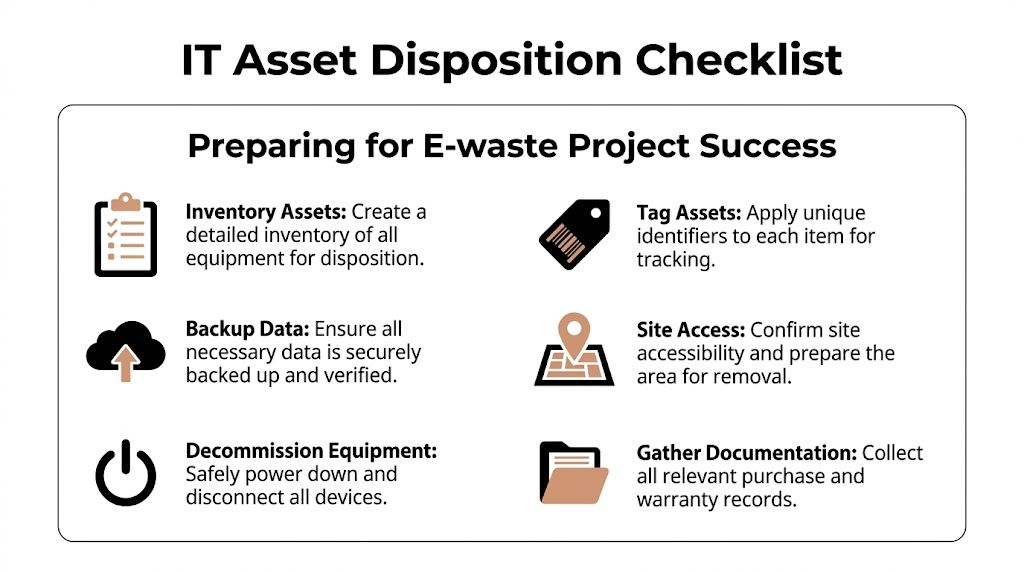
Start with a working asset list tied to the physical locations where equipment sits. That list does not need to be perfect on day one, but it needs enough detail for your team and the ITAD vendor to match what was approved for release against what is collected.
Capture serial numbers when available. For loose drives, record the drive label and capacity. For servers, switches, firewalls, copiers, and storage gear, note the model, current location, and status. Mark whether the asset is retired, pending approval, still in service, leased, or owned by another business unit.
This is standard ITAD practice because the inventory drives everything that follows. Pickup scope, labor planning, serialized reporting, and final reconciliation all depend on it.
Sort by handling requirements
Do not group everything as obsolete electronics.
Group assets by what the vendor must do with them.
Data-bearing devices
Desktops, laptops, servers, hard drives, SSDs, backup appliances, storage arrays, copiers with internal drives, and many security appliances.Non-data-bearing equipment
Monitors, keyboards, mice, cables, docks, power supplies, and standard peripherals.Special handling items
Batteries, damaged systems, swollen battery devices, broken screens, and equipment with physical damage that affects safe transport.
This sorting step helps in two ways. Your internal team knows what needs review before release, and the ITAD vendor can quote labor, packing, and downstream processing with fewer surprises.
Prepare the equipment for pickup day
Good staging saves time and avoids mistakes. In Atlanta office towers, medical campuses, and school districts, site access often creates more delay than the recycling work itself.
Use a staging checklist including the basics:
- Consolidate retired equipment into a secure, accessible area when possible.
- Leave asset tags and serial labels in place.
- Confirm that needed data backups or migrations are complete before release.
- Identify site constraints such as loading docks, freight elevators, badge access, security desk procedures, and limited pickup windows.
- Flag exceptions early, including rack-mounted gear, locked rooms, failed drives, and devices that still need de-installation.
Scattered assets are the ones that get missed.
If your team wants a clear internal standard before handoff, this guide on how to wipe a computer hard drive helps align IT staff on what sanitization should cover before equipment leaves the building.
Pull in the departments that control release
IT usually owns the project, but IT rarely controls every part of it.
Procurement may need to confirm ownership or lease status. Compliance or legal may need retention approval. Facilities controls dock access and building rules. Department managers often know where retired devices have been parked for months. In hospitals and schools, that local knowledge matters because equipment tends to move between rooms and departments faster than records get updated.
A short internal notice works well. Ask each department to identify retired equipment, confirm whether any device still supports an active process, and assign one contact for coordination. That approach also fits standard vendor management best practices because the handoff goes better when every stakeholder knows the scope, timing, and release authority.
The goal is simple. By the time the truck arrives, your team should know what is leaving, where it is located, and who approved it for disposition.
How to Vet and Select an Atlanta ITAD Vendor
The wrong recycler sounds easy to work with at the beginning. They say yes to everything, avoid specifics, and promise fast pickup without asking many questions. That’s not a good sign.
A qualified ITAD vendor should make the process more disciplined, not more vague.
Start with the regulatory reality
Businesses can’t assume the state will close the gap for them. Globally, only 22.3% of the 62 million tonnes of e-waste generated in 2022 was formally recycled, leaving US$62 billion in recoverable resources unaccounted for, according to the UN Global E-waste Monitor 2024. The same source notes that the US recycling rate is around 25%, only 25 states have dedicated e-waste laws, and Georgia is not one of them. That puts more responsibility on the business to choose a vendor that can document responsible downstream processing and keep assets out of the 78% that is mismanaged globally.
Questions worth asking before pickup
Ask direct questions and listen for direct answers.
Data handling
- How do you distinguish wiping from shredding?
- Which media types do you wipe, and which do you physically destroy?
- Can you provide serialized reporting for drives and systems?
Chain of custody
- How are assets tagged at pickup?
- Do you reconcile collected items against my inventory?
- What documentation do I receive after processing?
Downstream controls
- Do you use certified downstream partners?
- Can you explain where materials go after initial processing?
- How do you handle reuse versus commodity recycling?
Operational fit
- Do you provide on-site de-installation for rack equipment?
- Can you work around hospital, school, or government access procedures?
- How do you handle mixed loads with monitors, drives, servers, and batteries?
A vendor that can’t answer these questions cleanly usually can’t support an audit cleanly either.
What good vendor due diligence looks like
Vendor evaluation in ITAD isn’t very different from strong vendor governance in facilities, maintenance, or construction. The basics still apply: scope clarity, documented responsibilities, proof of performance, and clear escalation paths. This article on vendor management best practices is useful because it frames the due diligence habits that carry over well to recycling and disposition projects.
Here’s a quick review table you can use internally:
| Area | What to look for | Red flag |
|---|---|---|
| Data destruction | Clear wipe and shred criteria | “We erase everything” with no method |
| Documentation | Serialized reports and destruction records | Only a generic receipt |
| Pickup execution | On-site packing and de-installation options | Customer expected to prep everything |
| Downstream process | Specific explanation of reuse and recycling path | Vague “eco-friendly” language |
| Compliance fit | Familiarity with HIPAA and institutional requirements | No understanding of regulated workflows |
One practical benchmark
A business-facing vendor should inspect the project before pricing complex work. If the request includes multiple floors, server racks, after-hours access, or a mix of reusable and non-reusable equipment, a serious provider will ask operational questions up front.
One example of the kind of commercial service profile to compare against is this electronic waste recycling company page, which outlines business pickup and IT equipment handling rather than consumer drop-off.
If the proposal is short on process language and long on marketing language, assume you’ll be filling in the gaps yourself later.
Red flags that usually lead to problems
Some warning signs show up early:
- No mention of certifications or downstream accountability
- No distinction between data-bearing and non-data-bearing assets
- No written scope for pickup, labor, packaging, or reporting
- Pressure to move quickly before your inventory is ready
- No discussion of who signs custody at the dock or loading area
The best commercial recycler won’t just remove equipment. They’ll reduce uncertainty.
Ensuring Secure Data Destruction and Compliance
A hospital in Atlanta replaces a radiology workstation, a school district pulls old laptop carts out of service, or a law firm retires a file server. In each case, the first question is the same. Where is the data, and how will you prove it was destroyed?
For commercial e-waste projects, security and compliance set the process. Recycling happens after those controls are documented.
Choose the destruction method by media condition
A working drive and a failed drive should not go through the same workflow. That is where Atlanta businesses get into trouble. They approve a blanket instruction, then find out later that half the assets were suitable for sanitization and the rest needed physical destruction.
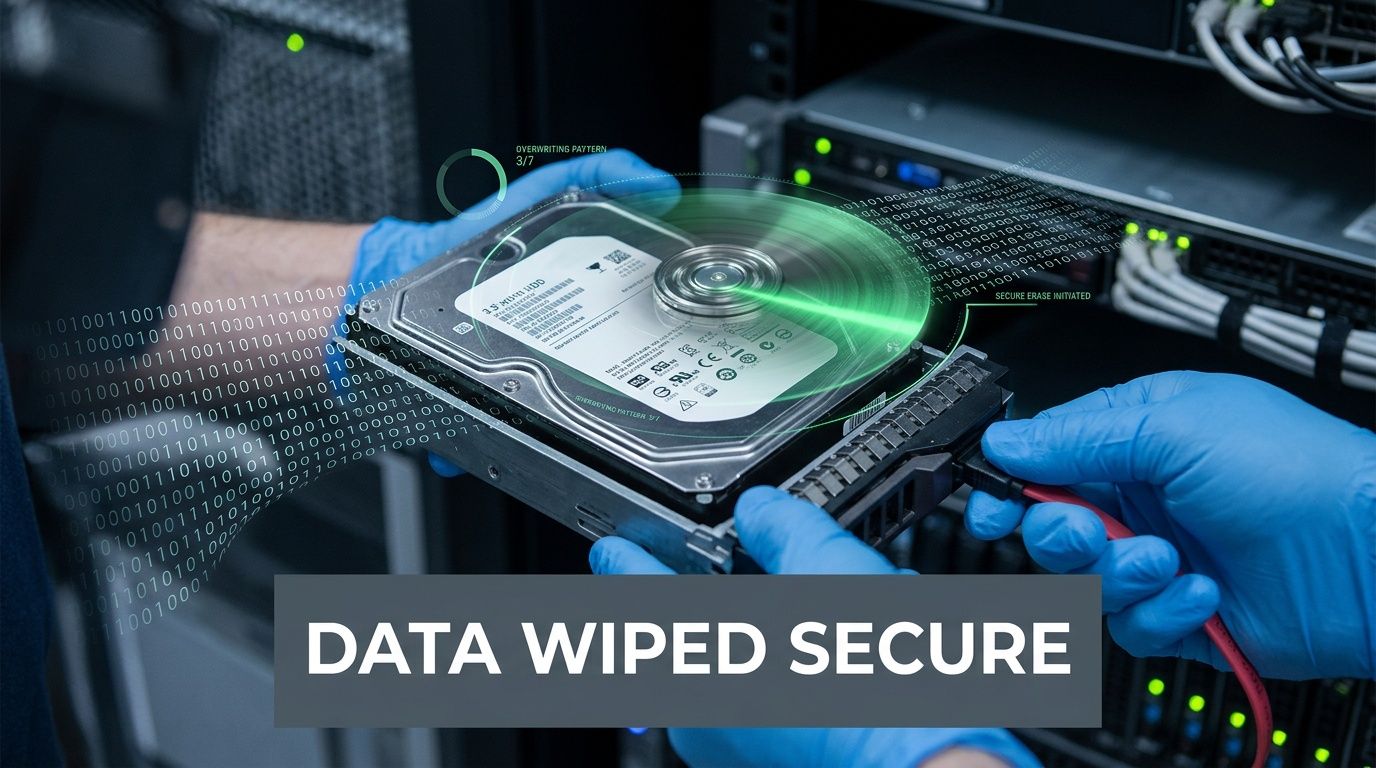
Software wiping fits assets that still function and may have resale or redeployment value. It gives IT managers a way to destroy data while preserving equipment value for remarketing or internal reuse. The trade-off is straightforward. A wipe only works if the media is readable, the process is logged correctly, and the result is tied back to the specific asset.
Physical destruction fits failed drives, damaged solid-state media, backup tapes, and loose drives with no reuse value. If the device cannot be reliably accessed or verified, shredding closes the gap. For healthcare systems, financial institutions, and public agencies, that decision often comes down to policy as much as device condition.
A practical way to separate wipe versus shred
Use this standard:
| Asset condition or requirement | Better method |
|---|---|
| Functional laptop or desktop headed for reuse | Software wiping |
| Server drive that failed diagnostics | Physical destruction |
| Loose drives with unknown history | Physical destruction |
| End-of-life media with no remarketing value | Physical destruction |
| Working equipment that needs audit records before resale | Software wiping |
That split matters in real projects. An Atlanta school system may wipe student laptops headed to a secondary market but shred loose drives pulled from old storage closets. A hospital may authorize wiping for reusable endpoints and require destruction for failed drives from imaging systems. A business with mixed equipment usually needs both methods on the same pickup.
Compliance depends on evidence
HIPAA, FACTA, GLBA, and internal retention policies all point to the same operational requirement. You need records that show what happened to each data-bearing asset.
A verbal assurance is useless during an audit, an insurance claim, or a post-incident review. The file your team keeps should show the asset identity, the destruction method, the processing date, and the party that handled the work. For many organizations, that record starts with a completed certificate of destruction form for retired IT assets, then extends to serialized inventory and chain-of-custody reporting.
If your compliance officer asks for proof six months later, your vendor should be able to produce it without rebuilding the story from memory.
Chain of custody is part of data destruction
Data security does not start at the shredder. It starts the moment equipment leaves a user, a closet, a rack, or a nurse station.
For Atlanta businesses, hospitals, and schools, chain of custody usually breaks in ordinary places. Equipment gets staged in an unsecured room. Loose drives travel in open bins. A pickup receipt lists "electronics" instead of serial-tracked media. None of that holds up well if a device goes missing.
A controlled process assigns custody at each handoff, identifies data-bearing assets separately from general e-waste, and keeps the documentation aligned with the actual load. That matters more on multi-floor office cleanouts, campus pickups, and hospital refreshes where equipment moves through several hands before processing.
“Destroyed” only means something if your records show what left the site, how it was processed, and when that work was completed.
Low-cost disposal options create avoidable risk
Mail-back kits and generic recycling programs can work for small, low-risk items. They are a poor fit for many commercial ITAD projects, especially where regulated data, serialized reporting, or mixed media types are involved.
The common failure points are predictable. Media gets packed without proper segregation. Non-working drives are treated like standard scrap. Reporting is too general for audit use. As noted earlier, lower-control recycling options have a weaker track record on verified destruction and breach prevention.
That is why experienced IT managers set the method before pickup, not after the load reaches a warehouse.
Match policy to the asset, not the other way around
The goal is not to shred everything. It is not to wipe everything either. The right process matches the asset’s condition, the organization’s risk tolerance, and the documentation standard your team has to meet.
In practice, that means setting categories in advance. Reusable systems get sanitized and logged. Failed media gets destroyed. Loose drives get isolated from bulk equipment. High-risk departments such as HR, finance, patient care, and legal records get tighter handling rules than a pallet of old monitors.
That level of planning is what turns e-waste disposal into a controlled ITAD process instead of a disposal event.
Scheduling On-Site De-installation and Pickup Logistics
The day of pickup should feel controlled. If it feels improvised, something was missed.
For a standard business project, the crew arrives with the asset list, confirms access, and starts reconciling what’s staged against what’s being removed. For larger jobs, the process starts earlier with a walkthrough, building access rules, and labor planning for server rooms or multiple departments.
What pickup day should look like
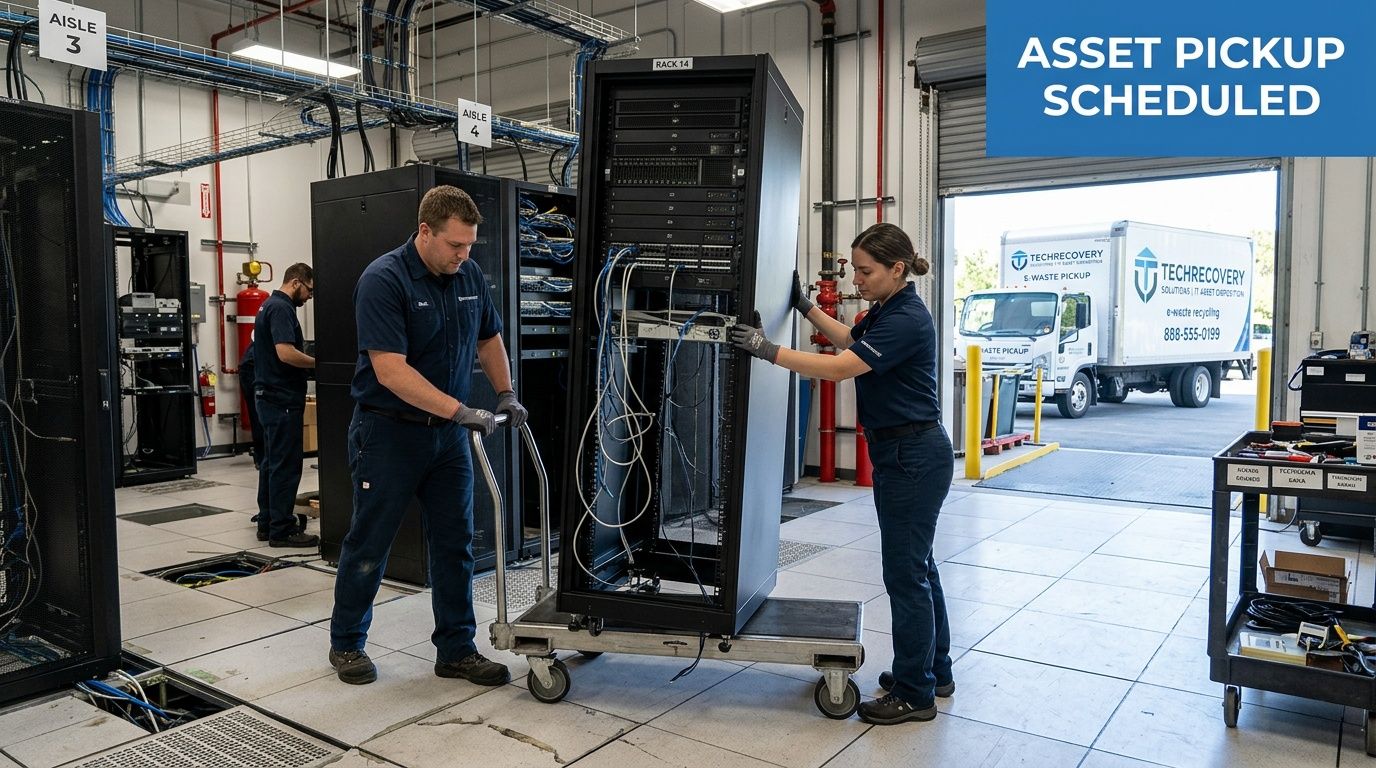
A professional team usually follows a predictable sequence:
Check-in and site review
Security, dock access, freight paths, and any restricted areas are confirmed.Asset verification
Equipment is matched to your prepared list, with exceptions noted before loading.Packing and protection
Loose drives, laptops, and smaller devices are secured separately from bulky peripherals.De-installation if needed
Rack equipment is unracked, disconnected, and removed in an orderly way.Custody handoff
Your designated staff member signs off on what left the site.
Why logistics quality affects security
Good logistics aren’t just about convenience. They affect data risk, office disruption, and material recovery.
Verified collection benchmarks show that professional recyclers use route optimization to reduce fuel consumption by up to 25%, deploy small fleets for on-site de-installation, and in high-volume scenarios such as data centers can complete coordinated decommissioning in under 48 hours with zero data breach incidents in the cited benchmark source. The same source says structured programs achieve over 90% material purity compared with 60% in informal settings, which improves downstream recovery, according to the TreePeople e-waste collection guide.
What changes for larger projects
A data center move or multi-floor office cleanout adds more moving parts.
- Racked gear needs labor planning: Unracking isn’t the same as loading loose desktops.
- Access windows narrow: Healthcare and government sites often limit work hours.
- Mixed assets complicate flow: Drives, batteries, monitors, and cable loads need separate handling.
- Business continuity matters: Active equipment nearby may still be in service.
Bulk removal works best when the pickup team and your IT lead agree on staging, order of removal, and signoff authority before the truck arrives.
If your project includes physical removal of equipment from offices, server rooms, or warehouse areas, this page on IT equipment pickup in Atlanta reflects the kind of pickup and removal scope commercial clients should confirm in advance.
A practical expectation
Your staff shouldn’t have to guess what’s happening during the pickup. You should know who is touching the equipment, where it’s going next, and what paperwork follows. Clear execution on the floor is usually the best indicator that the back-end process is disciplined too.
Managing Documentation Costs and Timelines
The truck leaving your site is only half the project. The other half is administrative closure.
That’s where many businesses get tripped up. They schedule removal, clear the space, and then realize they still need documentation for audit files, internal approvals, insurance records, or legal review.

Why documentation is non-negotiable
Commercial e-waste handling is more formal now because the consequences of weak oversight are already well established. Historically, in 1998, only 11.5% of 20 million retired US computers were recycled. Today, global formal recycling still sits at 22.3%, and documentation has become central to proving responsible handling in a market where 78% of e-waste is mismanaged globally, as summarized in the historical overview at Ewaste Collective’s EPA facts page.
For a business, that translates to one practical rule: if you can’t document the disposition, you can’t prove the disposition.
What records you should expect
The exact packet varies by vendor and project type, but most organizations should expect some combination of the following:
- Pickup receipt or bill of lading showing what left the site
- Inventory reconciliation for serialized or tagged assets
- Data destruction record for wiped or shredded media
- Certificate of Destruction for compliance files
- Final disposition summary showing reuse, recycling, or destruction path
A generic “we picked up electronics” receipt isn’t enough for regulated industries.
How pricing is usually structured
Costs depend more on labor, handling complexity, and downstream difficulty than on the phrase “electronics recycling.”
A few common pricing models show up in commercial work:
| Pricing model | Best for | Watch for |
|---|---|---|
| Per-item | Standard office equipment loads | Different rates for specialty items |
| Per-pound | Mixed commodity loads | Hard to forecast if inventory is weak |
| Flat project fee | De-installation and large cleanouts | Scope creep if labor isn’t defined |
Some services may be bundled. Others won’t be.
For example, a quote may separate:
- on-site labor,
- packing materials,
- de-installation,
- specialty handling,
- and documentation beyond a basic receipt.
If a proposal looks unusually cheap, check what isn’t included.
Timelines depend on scope clarity
The fastest projects are usually the best prepared ones.
A straightforward office pickup can move quickly when assets are staged and access is clear. A hospital, school district, or data center project usually takes longer because approvals, site rules, and equipment spread add coordination steps. The timeline also stretches if your internal team hasn’t finalized which assets are approved for release.
What works: assign one internal owner who can approve scope changes, answer access questions, and receive final documents.
Build your internal closeout checklist
Before you consider the project complete, confirm:
- The inventory matches what was removed
- Destruction records are received and stored
- Any reusable assets were handled according to policy
- Accounting and procurement are notified if needed
- Compliance or legal has the final file
The importance of that final step is often underestimated. Six months later, nobody remembers the pickup details. They remember whether the paperwork is easy to produce.
Frequently Asked Questions for Atlanta Businesses
Can a business recover value from old IT equipment?
Yes, sometimes. The key variable is condition.
Functional laptops, desktops, and some network gear may be suitable for reuse or remarketing after proper data sanitization. Broken, obsolete, or heavily damaged equipment usually moves straight into recycling. A good vendor should explain the trade-off clearly instead of promising value on everything.
Should we always recycle, or should we consider reuse first?
For working assets, reuse deserves a serious look. If a system can be sanitized and redeployed, donated through an approved channel, or remarketed, that often aligns better with both sustainability and cost control than immediate destruction.
The important part is policy. Your organization should decide in advance which asset classes are eligible for reuse and which always require destruction.
What types of equipment typically belong in a commercial ITAD project?
Most business projects include a mix of:
- User devices: desktops, laptops, tablets, thin clients
- Infrastructure equipment: servers, switches, firewalls, rack gear
- Peripherals: monitors, docks, keyboards, cables, UPS units
- Loose media: hard drives, SSDs, backup media, removable storage
Special handling may apply to batteries, damaged devices, and equipment with physical defects.
Do we need on-site de-installation, or can we stage everything ourselves?
It depends on the equipment and your internal labor capacity.
If the assets are already disconnected and consolidated, a standard pickup may be enough. If equipment is still mounted, powered, or spread across server rooms and offices, on-site de-installation usually saves time and lowers the chance of accidental disruption.
What should we tell departments before a pickup?
Ask them to do three things:
- Confirm the equipment is approved for release.
- Verify needed data has been retained.
- Identify anything unusual, such as leased assets, broken drives, or devices in restricted areas.
That simple internal step prevents most day-of surprises.
How should hospitals and schools approach e-waste differently?
They usually need tighter controls around records, access, and accountability.
Hospitals often prioritize documented destruction for anything that may contain protected information. Schools and universities usually deal with larger distributed fleets and more varied storage locations. In both cases, the disposal workflow should match the organization’s policy, not just the recycler’s convenience.
What makes a provider fit for Atlanta commercial work?
Look for a company that understands loading docks, multi-site pickups, server room removal, and the compliance expectations common in healthcare, education, government, and enterprise IT. Residential drop-off experience isn’t the same thing.
How far in advance should we schedule?
As early as you can once the asset list is stable.
Even when a recycler can move quickly, your own internal steps usually take longer than expected. Inventory review, departmental signoff, backup confirmation, and site coordination tend to determine the timeline.
If your organization needs a business-focused partner for secure pickup, data destruction, and documented IT asset disposition, Atlanta Computer Recycling handles commercial electronics recycling across the Atlanta metro area for offices, hospitals, schools, government sites, and data centers.