A Business Guide to Secure Hard Disk Disposal

Secure hard disk disposal is the process of ensuring that data on your company's retired hard drives is completely unrecoverable before the hardware is recycled or destroyed. For any business, this isn't just an IT task; it's a critical component of corporate risk management. It demands certified data sanitization or physical destruction to prevent data breaches and maintain compliance with industry regulations.
Frankly, it's a non-negotiable part of modern IT asset management and a basic element of corporate responsibility.
Why Data Disposal Is a Critical Business Function
Consider the storage closets and data centers in your facility. They are likely filled with ticking time bombs: old computers, retired servers, and stacks of forgotten hard drives. Each device is a potential liability, holding everything from customer financial details and employee records to your most valuable proprietary information.
Treating secure hard disk disposal as a low-priority IT task is a serious miscalculation. It's a fundamental pillar of your company's entire risk management, compliance, and brand protection strategy.
A single overlooked drive can unravel years of hard-earned customer trust. The consequences of inadequate disposal aren't hypothetical—they are severe and financially devastating.
- Financial Penalties: A healthcare provider disposing of a server without wiping patient data could face millions in HIPAA fines.
- Reputational Damage: A financial firm that improperly disposes of a drive could trigger SEC violations and legal battles, branding them as untrustworthy for years.
- Loss of Intellectual Property: Your most valuable trade secrets, R&D data, and strategic plans could easily end up in the hands of competitors.
A formal, documented disposal process transforms this vulnerability into a strength. It shifts your organization from a reactive, "hope for the best" mindset to a proactive data defense strategy, ensuring no readable information ever leaves your control.
The Escalating Stakes of Data Security
The importance of data security cannot be overstated, especially when you consider the intense measures required for data center security. That diligence must extend through the entire lifecycle of an asset, right up to its final destruction. When a drive is retired, your security protocols must be just as stringent as when it was active.
The market reflects this growing urgency. The global hard drive destruction service market was valued at a significant USD 1.65 billion in 2024 and is projected to hit USD 5.05 billion by 2035. This surge is fueled by stricter regulations and the harsh reality that data breach fines averaged $4.45 million in 2023.
Safeguarding Your Business Future
Ultimately, a robust disposal strategy is about more than just dodging risks—it’s a powerful statement about your commitment to data privacy and corporate responsibility.
When you partner with a certified specialist, you turn a major security headache into a streamlined, compliant, and responsible process. Our guide on old hard drive disposal offers more practical insights for building out your strategy. This ensures your data disposal plan isn't just airtight, but a verifiable asset to your entire business.
Comparing Your Data Destruction Options
Deciding how to dispose of a hard drive isn't a one-size-fits-all decision for your business. As an IT or operations manager, you must weigh your company's security policies, the type of media, and whether the hardware has residual value. The right choice protects your data and bottom line; the wrong one can be a costly mistake.
It truly is that black and white. One overlooked drive can create a massive corporate liability.
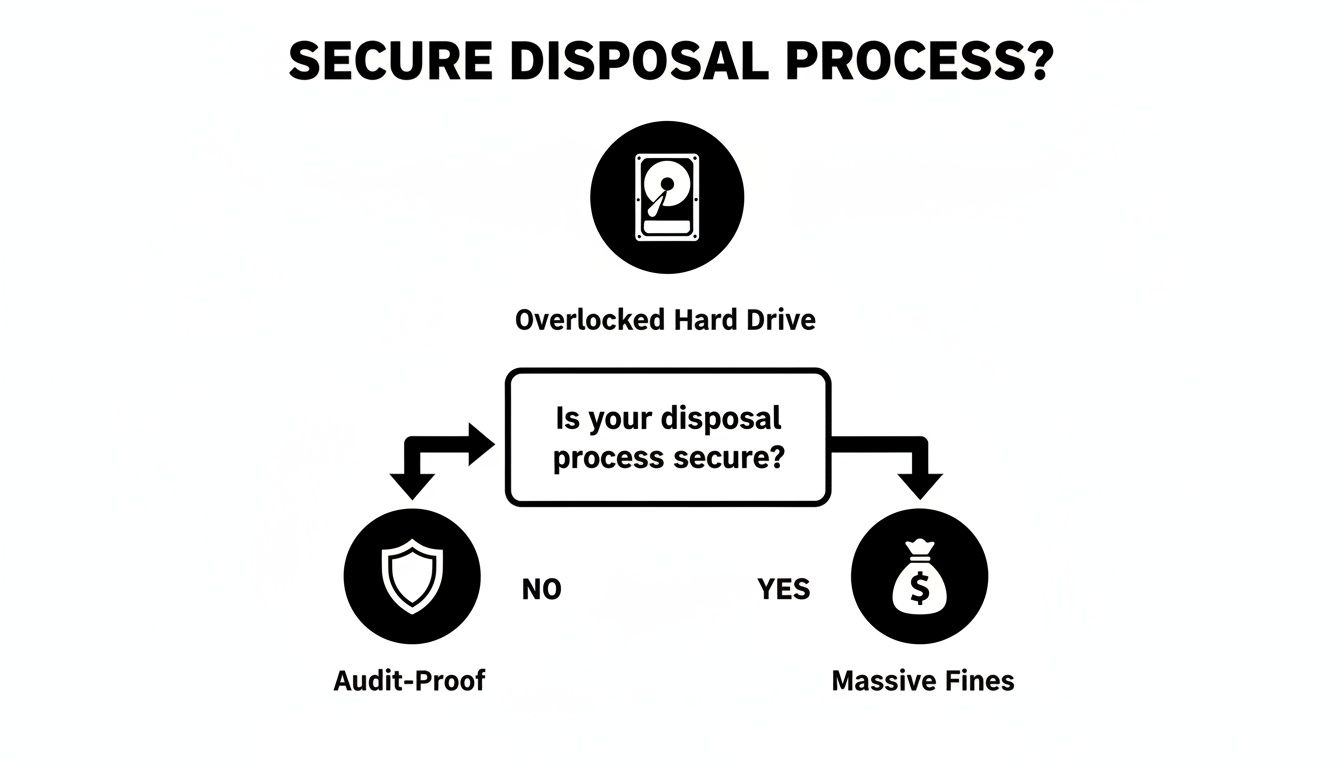
As you can see, a defined, secure process isn't just about best practices—it's the only way to build a defensible, audit-proof trail for your retired IT assets.
Software Wiping: The Go-To for Asset Reuse
Software-based data destruction, or "wiping," is far more thorough than a standard format. Instead of just removing pointers to your files, professional wiping software overwrites every sector of a hard drive with random data, effectively burying the original information.
This is your best option when you plan to reuse, redeploy, or resell hardware. For example, if you're refreshing a department's laptops for resale, secure wiping is the ideal solution. It completely sanitizes the drive of company data while keeping the hardware functional, maximizing your return on investment.
Modern wiping tools follow strict protocols, with NIST 800-88 being the current industry gold standard. While the older DoD 5220.22-M 3-pass wipe is still known, NIST guidelines are what auditors and regulators look for today, covering everything from traditional Hard Disk Drives (HDDs) to Solid-State Drives (SSDs).
Degaussing: For End-of-Life Magnetic Media
Degaussing is a more final approach. A degausser is a powerful machine that exposes a drive to an intense magnetic field. For traditional HDDs and magnetic tapes, this scrambles the data on the platters instantly and permanently.
The drive is now completely free of data, but it is also rendered useless. The magnetic pulse destroys the delicate firmware the drive needs to operate. It is an excellent solution for end-of-life magnetic media that contained highly sensitive information.
However, there is a critical limitation: degaussing has zero effect on Solid-State Drives (SSDs). SSDs use flash memory, not magnetic platters, making them immune. Attempting to degauss an SSD is ineffective and creates a false sense of security.
Physical Shredding: When There's No Room for Doubt
When data is so sensitive that even a minuscule chance of recovery is unacceptable, physical destruction is the only answer. This is the final word in secure hard disk disposal, providing an absolute guarantee that the data is gone forever. It's often the mandated method for regulated industries like healthcare (HIPAA) and finance.
An industrial shredder doesn't just damage the drive; it pulverizes it into a pile of tiny, mangled fragments. Reassembly is impossible. It’s effective on all media types—HDDs, SSDs, flash drives, and more.
If you’re still weighing your options and asset reuse is a priority, our guide on how to wipe a hard drive for your business digs deeper into the software-based methods.
Comparing Hard Drive Destruction Methods
To make the decision clearer for your business, it helps to see the methods side-by-side. Each has a specific application, and understanding the pros and cons is key to building a smart, cost-effective disposal policy.
| Method | How It Works | Best For | Pros | Cons |
|---|---|---|---|---|
| Secure Overwrite | Software writes patterns of random data over every sector of the drive. | Functional HDDs and SSDs slated for reuse, resale, or donation. | Preserves hardware value; eco-friendly; verifiable with software logs. | Time-consuming for large batches; ineffective on damaged drives. |
| Crypto-Erase | Instantly changes the internal encryption key on self-encrypting drives (SEDs). | Modern SSDs and HDDs that are self-encrypting. | Extremely fast (seconds); highly secure; leaves drive reusable. | Only works on SEDs; requires specific hardware/software commands. |
| Degaussing | An intense magnetic field scrambles the magnetic data on platters. | End-of-life magnetic HDDs and backup tapes. | Very fast; extremely effective for magnetic media. | Renders the drive unusable; does not work on SSDs. |
| Shredding | A machine physically grinds the media into small, irrecoverable fragments. | All media types (HDDs, SSDs, tapes) at end-of-life, especially with critical data. | Highest level of security; provides visual proof of destruction. | Completely destroys the asset; creates e-waste if not recycled properly. |
Ultimately, most organizations benefit from a blended approach. Functional, newer devices are wiped to recoup value, while older or faulty drives holding sensitive data are sent to the shredder. This strategy maximizes security without creating unnecessary e-waste or leaving money on the table.
Building a Bulletproof IT Asset Disposition Policy
Improvising the disposal of old hard drives is a guaranteed path to a data breach. Without a documented, repeatable process, you are gambling with your company's most sensitive information. A formal IT Asset Disposition (ITAD) policy isn't just corporate paperwork; it’s your best defense against crippling fines and reputational damage.
This policy acts as a clear playbook for every stakeholder. It eliminates guesswork, defines responsibilities, and creates a solid audit trail that proves your commitment to secure hard disk disposal.
Defining Data-Bearing Assets and Scope
First, your policy must explicitly define what it covers. A common mistake is focusing only on obvious assets like hard drives from desktops and servers. Your policy must be much broader, encompassing any device capable of storing company data.
Your scope should specifically include:
- HDDs and SSDs: From servers, laptops, and desktops.
- External Media: USB flash drives, external hard drives, and SD cards.
- Network Equipment: Routers, switches, and firewalls often have onboard storage.
- Mobile Devices: Company-issued smartphones and tablets.
By creating an exhaustive list, you ensure no device slips through the cracks. This definition lays the groundwork for all subsequent procedures, making it clear when the ITAD policy applies.
Your policy’s strength is in the details. Vague language like "old equipment" is a liability. Get specific and define clear triggers, such as "any data-bearing asset that is faulty, has reached a 5-year service life, or is being replaced during a tech refresh."
Assigning Clear Roles and Responsibilities
A policy without owners is merely a document. To be effective, you must assign clear roles. Who identifies assets for disposal? Who executes the data destruction? Who manages the vendor relationship and the final documentation?
Typical responsibilities break down as follows:
- Department Managers: Responsible for notifying IT when an employee leaves or equipment is no longer needed.
- IT Department: Owns the technical execution, from inventorying assets to performing data erasure or overseeing the physical destruction process.
- Facilities/Operations Team: Manages the physical logistics, including secure storage of retired equipment and scheduling pickups with the disposal vendor.
- Compliance/Legal Officer: Reviews the policy for alignment with regulations like HIPAA or GDPR and provides final sign-off on documentation.
This division of labor creates natural checks and balances, preventing a single point of failure and ensuring every step is handled by the appropriate team, which tightens overall security. For businesses looking to simplify, professional IT asset disposal services can manage most of this process.
Establishing a Secure Chain of Custody
The chain of custody is your auditable proof of compliance. It's the chronological paper trail documenting an asset’s entire journey from the moment it's decommissioned to its final destruction. This is arguably the most critical part of a defensible ITAD policy.
Your policy must enforce a strict, documented process for this journey.
- Initial Logging: When a device is decommissioned, its serial number, asset tag, and former user must be logged. A photo provides an additional layer of verification.
- Secure Transit: The asset must be moved immediately to a designated, locked storage area with restricted access.
- Vendor Handover: When your disposal vendor arrives, every asset must be scanned and reconciled against your log before leaving your premises.
- Final Certification: The process is not complete until you have a signed Certificate of Destruction from your vendor. This document should itemize every serial number and confirm the date and method of destruction. It is your final, legally binding proof.
This meticulous tracking ensures no device can be lost or stolen, effectively closing the loop on your data security risks.
Navigating Data Disposal Compliance Requirements
Let's be direct—for most businesses, the driver for a formal secure hard disk disposal process is compliance. Getting this wrong isn't a minor oversight; it's a direct threat to your bottom line and your brand. Regulations like the Health Insurance Portability and Accountability Act (HIPAA) are not suggestions. They are legally binding mandates that specify exactly how you must protect and ultimately destroy sensitive data.
Ignoring these rules can result in crippling fines, litigation, and a complete loss of customer trust. A single, carelessly discarded hard drive containing electronic Protected Health Information (ePHI) can trigger a data breach costing millions. The goal isn't just to wipe a drive; it's to create an unimpeachable, auditable trail that proves due diligence.
HIPAA and the Mandate for Data Destruction
If your organization is a healthcare provider or a business associate, HIPAA governs all data handling. The rules are unambiguous: you must implement safeguards to prevent unauthorized access to ePHI on any media, especially during hardware retirement. This includes drives in servers, desktops, medical devices, and even office copiers.
For disposal, HIPAA demands that ePHI be rendered "unreadable, indecipherable, and otherwise cannot be reconstructed." There is no room for interpretation.
For healthcare providers and their associates, these steps are non-negotiable:
- Physical Destruction is the Gold Standard: While wiping a drive to NIST standards can be compliant, physically shredding it is the most foolproof method to meet HIPAA's stringent requirements. It leaves zero doubt.
- Business Associate Agreements (BAAs) are a Must: You must have a BAA in place with any third-party vendor handling your ePHI, including your disposal partner. This legally binds them to the same high standards you follow.
- Document Everything: Your process requires a clear paper trail. This means maintaining detailed logs of all disposed assets and, most importantly, securing a formal Certificate of Destruction.
That certificate is your ultimate legal shield. It’s tangible proof that you took every necessary step to protect patient data. To understand what this crucial document entails, you can view a sample Certificate of Destruction and see how it builds an auditable record of your compliance.
The Shift From DoD Wipes to NIST Guidelines
For years, the Department of Defense standard, DoD 5220.22-M, was the accepted benchmark for data wiping. Its three-pass overwrite method was considered the best practice for software-based sanitization. However, as technology has evolved, so have the standards.
Today, the industry's gold standard is NIST Special Publication 800-88, the "Guidelines for Media Sanitization." This framework from the National Institute of Standards and Technology provides a more modern, risk-based approach to data destruction.
NIST 800-88 is not just an update; it's a complete paradigm shift. It is designed for modern storage like SSDs, which the DoD standard never anticipated. It also introduces clear terms like 'Clear,' 'Purge,' and 'Destroy' to help businesses match the sanitization method to data sensitivity.
Here’s why aligning your corporate policy with this shift is critical:
- It Covers Modern Tech: NIST 800-88 provides specific guidance for sanitizing SSDs, mobile devices, and other flash-based media that operate differently from traditional magnetic hard drives.
- It Demands Verification: A core principle of the NIST framework is verification. It is not enough to simply run the software; you must be able to prove the erasure was successful.
- It’s What Auditors Look For: Modern compliance auditors and regulators expect adherence to NIST 800-88. Relying on an outdated standard can be a major red flag during a security assessment.
While a DoD wipe may still be adequate for older HDDs, aligning your data disposal policy with NIST 800-88 guidelines ensures it is current, defensible, and prepared for today’s technology and regulatory scrutiny.
How to Choose the Right Secure Disposal Partner
Selecting a third-party vendor for your secure hard disk disposal is the most critical decision in this process. You are not just hiring a logistics company; you are entrusting them with your company's most sensitive data. The right partner becomes an extension of your security team, while the wrong one can become your greatest liability.
Making the right choice requires due diligence. Look beyond the price quote and investigate their certifications, processes, and the guarantees they offer. This is not the place to cut corners—the cost of a certified, professional service is a strategic investment in risk mitigation that pales in comparison to the astronomical cost of a data breach.

Look for Gold-Standard Certifications
Certifications are your most reliable filter. They provide independent, third-party validation that a vendor adheres to strict standards for data security and environmental responsibility. Without them, you are simply taking a company at its word—a risk no business can afford.
Two certifications are non-negotiable when vetting a disposal partner:
- NAID AAA Certification: This is the gold standard for data destruction security. It signifies that the vendor has passed rigorous, unannounced audits of their hiring practices, operational security, and destruction processes. A NAID AAA certified partner guarantees a secure chain of custody from the moment your assets leave your facility.
- R2 (Responsible Recycling) Certification: This certification focuses on environmental stewardship. An R2 certified recycler has demonstrated that they handle e-waste safely and ethically, ensuring your old hardware does not end up in a landfill.
If a potential vendor cannot provide these credentials, they should not be on your shortlist. It is that simple.
On-Site vs. Off-Site Destruction: What to Choose
A reputable partner should offer a choice between on-site and off-site destruction and help you determine which best fits your business needs.
On-site destruction brings a mobile shredding truck directly to your facility. You can witness your hard drives being destroyed, offering ultimate peace of mind and the tightest possible chain of custody. This is the preferred method for healthcare, finance, and other industries with stringent compliance mandates.
Off-site destruction involves your assets being securely locked, sealed, and transported to the vendor's facility for destruction. While it requires trust in their transport security, it is often a more cost-effective option for large volumes. With a NAID AAA certified vendor, this process is designed to be as secure as on-site services.
Your decision should be based on your company's risk tolerance and regulatory requirements. For the most sensitive data, witnessing the destruction on-site provides an irrefutable audit trail that cannot be questioned.
Scrutinize the Chain of Custody and Reporting
A legitimate, documented chain of custody is non-negotiable. Your vendor must provide a detailed, unbroken paper trail that follows every asset from your facility to its final destruction.
Ask potential partners to walk you through their process step-by-step. What does their documentation include?
- Serialized Inventory: They should scan and log the serial number of every drive before it is moved.
- Secure Transport: Assets must travel in locked, GPS-tracked vehicles operated by fully background-checked employees.
- Detailed Reporting: Upon completion, you should receive a comprehensive report listing every serial number.
- Certificate of Destruction: This is the final, essential document. It is your legal proof that the job was completed, confirming the date, method, and a full list of destroyed assets.
It’s no surprise that commercial enterprises dominate the hard disk destruction market—they understand the stakes. Businesses have the resources and the critical need to prevent data breaches, especially with 50 million metric tons of e-waste generated globally each year. When you need a reliable partner for these critical tasks, look for a proven electronic waste recycling company with the right certifications. This detailed reporting isn't just paperwork; it's your best defense in an audit and your absolute proof of due diligence.
Common Questions About Hard Disk Disposal
Even with a solid plan, specific questions often arise when it is time to dispose of old hard drives. Addressing these details is the difference between a secure process and a potential liability.
Here are some of the most common questions from IT managers and business owners, with straightforward answers for a commercial context.
Is Wiping a Hard Drive Good Enough for Compliance?
The answer depends on your specific business requirements and data sensitivity.
For many commercial applications, a professional software wipe meeting a standard like NIST 800-88 is sufficient, especially if you plan to reuse or resell the hardware to recover value. It renders the data unrecoverable by normal means while preserving the drive's functionality.
However, for organizations handling highly sensitive information—such as healthcare records, financial data, or proprietary intellectual property—physical destruction is the only acceptable method. Shredding a drive provides absolute certainty, leaving no ambiguity and zero chance of data recovery.
What Is a Certificate of Destruction?
A Certificate of Destruction is your official, legally defensible proof that your company's data was properly and permanently destroyed. It is more than a receipt; it is the document that closes the loop on your audit trail and demonstrates due diligence.
A legitimate certificate from a certified partner will always include specific, verifiable details:
- A Complete List of Serial Numbers: Every device destroyed is itemized.
- The Method of Destruction: It will clearly state if the drives were wiped, degaussed, or physically shredded.
- Chain of Custody Information: Tracks key dates, locations, and personnel who handled the assets.
- An Official Vendor Signature: A final sign-off confirming the job was completed to agreed-upon standards.
In the event of an audit or a breach investigation, this document is your first line of defense.
Simply put, a Certificate of Destruction shifts the liability for secure disposal from your organization to your certified vendor. It's an indispensable part of any sound IT Asset Disposition strategy, closing the loop on your equipment's lifecycle.
What Happens to Drives After Shredding?
Once a hard drive is shredded into fragments, it is not sent to a landfill. That would be a significant waste of resources.
Instead, a responsible recycler transports the shredded material to a certified downstream facility. There, a sophisticated sorting process separates valuable commodities like aluminum, steel, and trace precious metals. These recovered materials are then reintroduced into the manufacturing supply chain for use in new products. This process combines absolute data security with environmental responsibility.
To get a broader perspective on handling old gear, it's also helpful to understand how to safely dispose of outdated technology.
Is On-Site or Off-Site Destruction Better?
The choice between on-site and off-site destruction depends on your organization's risk tolerance, budget, and security requirements.
On-site shredding, where a mobile destruction truck comes to your facility, offers maximum transparency and security. You can witness the destruction of your drives firsthand. This is the preferred option for industries with strict compliance mandates, such as healthcare, finance, or government contracting.
Off-site destruction, where assets are securely transported to the vendor's facility, is often more cost-effective, particularly for large-scale projects. When you partner with a NAID AAA Certified company, their secure transport protocols and facility are so rigorously audited that the process is considered as secure as on-site destruction.
Ready to implement a secure, compliant, and hassle-free disposal strategy for your business? The experts at Atlanta Computer Recycling provide certified on-site and off-site data destruction services tailored to meet your company's specific needs. Protect your sensitive data and ensure peace of mind by partnering with a trusted leader in ITAD. https://atlantacomputerrecycling.com