Roswell computer recycling: Secure Data & ITAD Solutions for Your Business


For any business in Roswell, managing retired IT equipment is far more than a logistical task—it's a critical security and financial decision. A strategic plan for Roswell computer recycling is non-negotiable for protecting your company from data breaches and the steep regulatory fines that follow. This isn't just about environmental responsibility; it’s a core component of modern corporate risk management.
Why Smart Roswell Computer Recycling Is a Business Imperative
As your Roswell business evolves and technology advances, that collection of outdated servers, desktops, and laptops becomes a silent threat. Each device is a potential liability, holding sensitive customer data, proprietary financial records, or confidential employee information. Disposing of them improperly or handing them to an unvetted recycler opens your business to unacceptable risk. This is where professional IT Asset Disposition (ITAD) turns that liability into a secure, compliant process.
This isn't just a hypothetical problem. Picture a local healthcare provider in Roswell upgrading its patient check-in systems. If those old hard drives are improperly wiped, they could easily fall into the wrong hands, exposing patient data and triggering a HIPAA violation with fines that can stretch into the millions. Or imagine a financial services firm facing devastating brand damage because client information from old company laptops surfaced on a secondary market.
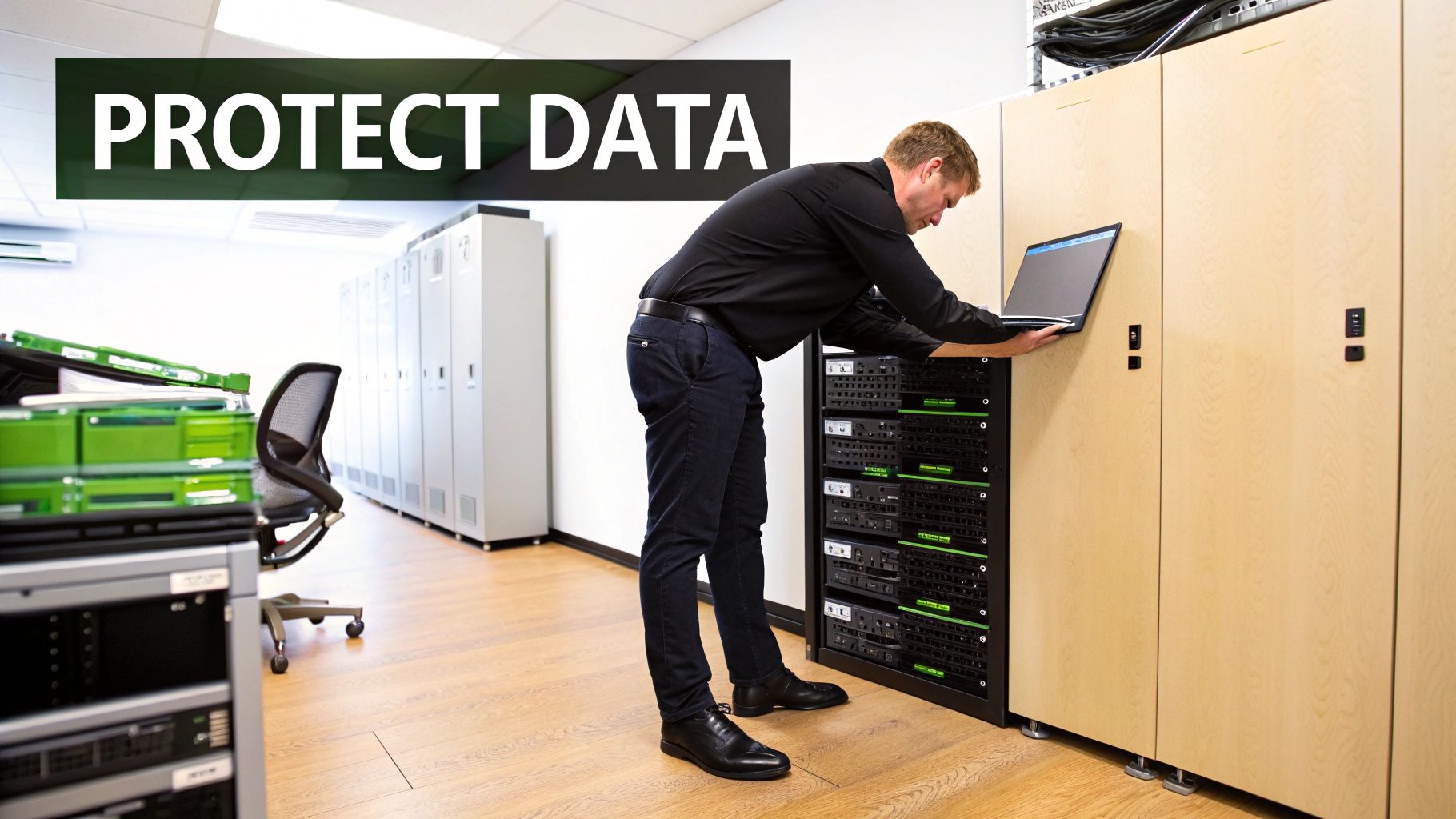
Beyond the Dumpster: The Real Costs of Negligence
Ignoring proper ITAD protocols opens the door to major consequences that impact your bottom line, reputation, and legal standing. The true cost of negligence is a multi-faceted business risk.
- Data Breach Vulnerabilities: Retired hard drives are treasure troves for cybercriminals. Without certified data destruction, you are essentially leaving your company's most sensitive data exposed. A single breach can lead to lawsuits, customer exodus, and irreparable harm to your brand.
- Steep Compliance Penalties: Regulations like HIPAA for healthcare, GLBA for financial institutions, and FACTA for consumer information all carry severe penalties for data mismanagement. A documented, certified recycling process is your best defense during an audit.
- Brand and Reputation Damage: In today's market, news of a data leak spreads instantly. The long-term cost of rebuilding customer trust often far exceeds the initial financial penalty of a compliance violation.
The core issue is that retired IT equipment is not just clutter; it's a dormant archive of your company's most sensitive information. Treating it as such isn't optional—it's a fundamental business necessity.
The Environmental and Economic Imperative
The global scale of electronic waste is staggering, presenting both a challenge and an opportunity for businesses. In 2022, the world generated a shocking 62 million tonnes of e-waste—an 82% jump from 2010. This number is projected to hit 82 million tonnes by 2030, yet recycling rates are failing to keep up, leaving billions in valuable, recoverable resources buried in landfills.
For Roswell businesses, this highlights a dual responsibility. Partnering with a certified recycler ensures that hazardous materials like lead and mercury are kept out of our local landfills, protecting community health. It also supports a circular economy where valuable materials are recovered and reused. This commitment to sustainability can be a powerful differentiator for your brand and a key part of your Corporate Social Responsibility (CSR) reporting.
You can learn more by exploring the broader environmental impact of electronic waste. Choosing a professional partner for Roswell computer recycling is a strategic decision that protects your data, ensures compliance, and strengthens your company's position as a responsible corporate citizen.
Your Pre-Recycling Playbook for IT Assets
A successful IT recycling project doesn't start when the truck arrives—it begins with a clear, organized internal plan. Before scheduling a pickup for your Roswell computer recycling initiative, implementing a preparatory workflow will save you time, guarantee airtight security, and minimize operational disruption.
Think of this as your internal playbook for IT asset disposition. This process transforms a storage room of retired equipment into a well-documented collection of assets ready for secure processing. Skipping this step can lead to overlooking devices with sensitive data or creating logistical bottlenecks that impact your team's productivity.
Start with a Thorough Asset Inventory
First, you need to know exactly what you have. A comprehensive inventory is the foundation of your entire ITAD project, providing the clarity needed for security assessments and logistical planning. A simple spreadsheet or your existing asset management software is all you need.
Physically audit your facility and log every piece of equipment destined for disposal. For each item—be it a server, desktop, laptop, or network switch—capture these key details:
- Asset Type: (e.g., Dell Latitude 7400 Laptop, HP ProLiant Server)
- Serial Number: This is non-negotiable for establishing a verifiable chain of custody.
- Physical Location: (e.g., Marketing Dept, Storage Closet B)
- General Condition: (e.g., Working, Non-working, Missing parts)
This process does more than just count machines; it forces an accountability check on every device, ensuring nothing gets left behind. Uncatalogued legacy equipment can often hide in plain sight, posing a hidden risk.
A meticulous inventory isn't just for logistics; it's your first line of defense in data security. An uncatalogued hard drive is a potential data breach waiting to happen. Documenting every serial number ensures you can track each asset from your office right through to its final certificate of destruction.
Segregate Assets by Sensitivity and Potential
Not all IT equipment carries the same level of risk or value. Once your inventory is complete, the next strategic move is to physically sort the assets based on data sensitivity and potential for reuse. This streamlines the entire disposition process.
Create designated, clearly labeled areas in your office or storage space. Simple visual cues like colored tape or signs can effectively mark different zones.
Here's a quick look at how you can categorize your IT equipment to prioritize what matters most.
IT Asset Inventory and Segregation Plan
| Asset Type | Key Action Item | Data Security Level | Best Practice Tip |
|---|---|---|---|
| Servers, Executive Laptops | Isolate in a secure, locked area | High | These get top priority for certified data destruction. |
| Employee Workstations | Stage together for bulk processing | Medium | Still require full data wiping but less stringent access control. |
| Peripherals (Keyboards, Mice) | Consolidate for simple bulk recycling | None | No data risk here, making them the easiest to handle. |
| Newer, Functional Gear | Set aside for value assessment | Varies | These might have remarketing value that can offset your costs. |
Organizing your assets this way before pickup doesn't just improve efficiency—it ensures your most sensitive devices receive the immediate, focused attention they require.
Coordinate with Department Heads
Finally, smooth logistics depend on clear internal communication. An ITAD project can disrupt daily operations if departments are not properly briefed.
Before moving equipment, communicate with all department heads. Provide a clear timeline and explain what you need from their teams. For instance, notify the marketing department that their old workstations will be collected on a specific afternoon and require all personal files to be removed by that morning.
This proactive communication prevents surprises and turns the collection process into a coordinated effort rather than a chaotic scramble. For a deeper dive into managing the entire process, our guide on professional IT asset disposal is an excellent resource. This preparation makes the final pickup fast, efficient, and minimally disruptive for your business.
Choosing the Right Data Destruction Method
Once your retired IT assets are inventoried and segregated, you face the most critical decision in the entire process: how to completely and permanently destroy the sensitive data on every device. For any Roswell business handling client information, employee records, or proprietary trade secrets, this is an absolute necessity.
The method you choose is your primary defense against a potential data breach and the key to maintaining compliance with industry regulations.
Many assume that hitting "delete" or reformatting a hard drive is sufficient. It is not. These actions merely remove the pointers to the data, leaving the actual files intact and easily recoverable with off-the-shelf software. True data destruction must be irreversible.
To clarify the workflow, we've outlined how the preparation process flows, from initial inventory to final documentation.
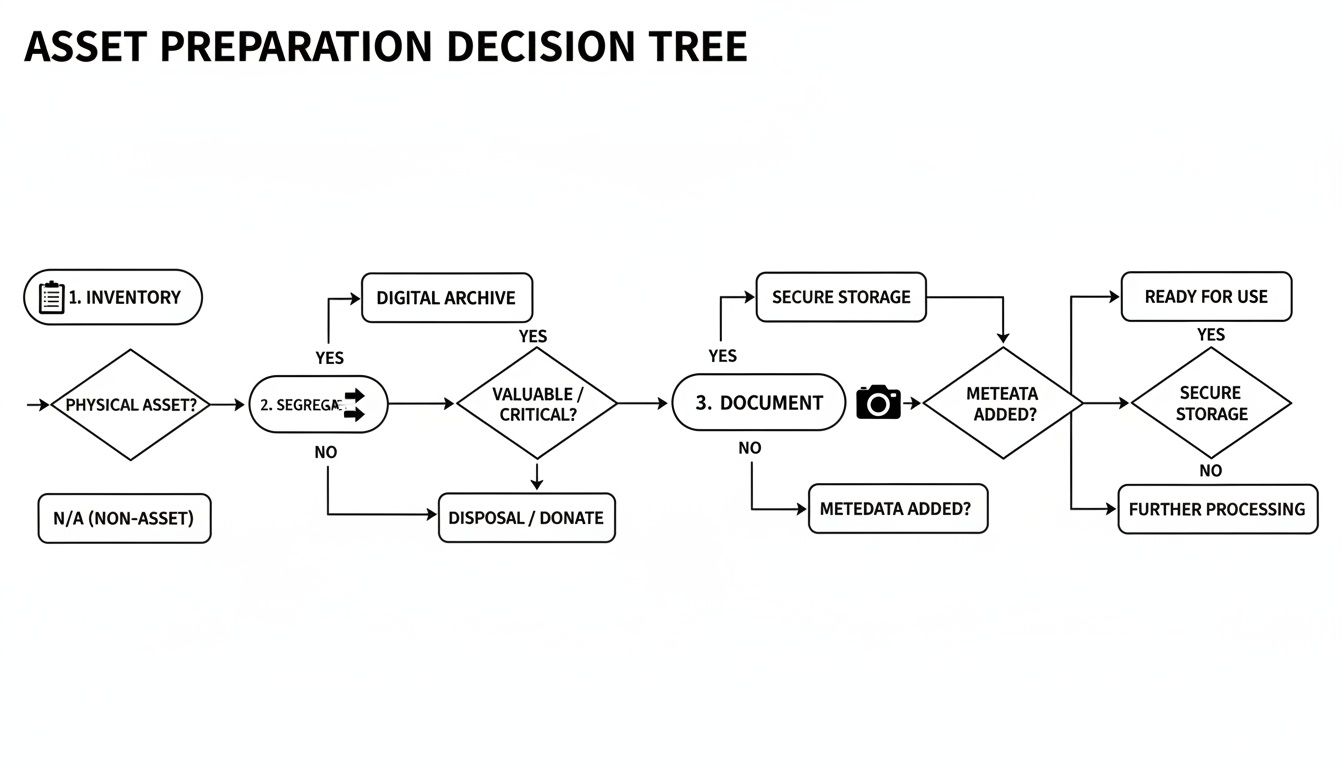
This map shows how proper preparation—inventory, sorting, and internal coordination—sets the stage for a secure and compliant recycling outcome. It is the foundation that ensures every asset is tracked and processed correctly.
Software-Based Data Wiping
For most functional hard drives (both HDD and SSD) from laptops, desktops, and servers, software-based data wiping is the industry-standard solution. This method uses specialized programs to overwrite every sector of the drive with random characters, effectively burying the original data until it becomes impossible to recover.
The gold standard is the DoD 5220.22-M 3-pass wipe. This protocol, originally defined by the U.S. Department of Defense, involves overwriting the drive three distinct times:
- Pass 1: Writes a single character across the entire drive.
- Pass 2: Writes the complement of that character.
- Pass 3: Writes random characters and then verifies the overwrite was successful.
This layered approach ensures that even the most sophisticated recovery tools are defeated. It’s the recognized method for meeting stringent compliance standards, including HIPAA for healthcare and GLBA for financial institutions. For a closer look at the technical specifications, our guide to secure data destruction provides further detail.
A key business advantage of a DoD 3-pass wipe is the audit trail it creates. You receive a certificate of data destruction that lists the serial numbers of every wiped drive, giving you the physical proof required to demonstrate compliance.
When to Use Physical Shredding
While effective, software wiping only works on functional drives. For certain assets, a more direct approach is necessary. That's where physical shredding comes in. This process feeds hard drives into an industrial shredder that pulverizes them into small, twisted pieces of metal.
Shredding offers the ultimate guarantee, making data recovery physically impossible. This method is the best choice in several specific scenarios:
- Failed or Non-Functional Drives: If a drive cannot be powered on or read by wiping software, there is no way to verify data removal. Shredding is the only secure option.
- End-of-Life SSDs: Certain solid-state drives utilize wear-leveling technology that can make it difficult to verify a 100% complete software wipe. Shredding eliminates this uncertainty.
- Highest Security Demands: For businesses handling extremely sensitive R&D, government contracts, or adhering to an internal policy that demands the highest level of security, physical destruction provides a level of certainty that software alone cannot match.
For instance, a Roswell-based law firm retiring a server containing decades of confidential case files would be a prime candidate for on-site shredding. We could bring the shredder directly to their office, allowing them to witness the destruction of the drives before the equipment leaves their control, ensuring an unbroken chain of custody and immediate, visible proof.
Ultimately, the choice between wiping and shredding depends on the condition of your hardware and your organization's risk tolerance.
How On-Site Logistics and Pickup Actually Work
The prospect of removing hundreds of workstations or decommissioning a server rack can be a major challenge for any IT department. It sounds complicated, disruptive, and like a logistical nightmare. However, a professional Roswell computer recycling pickup is a smooth and organized service, designed to integrate seamlessly with your business operations.
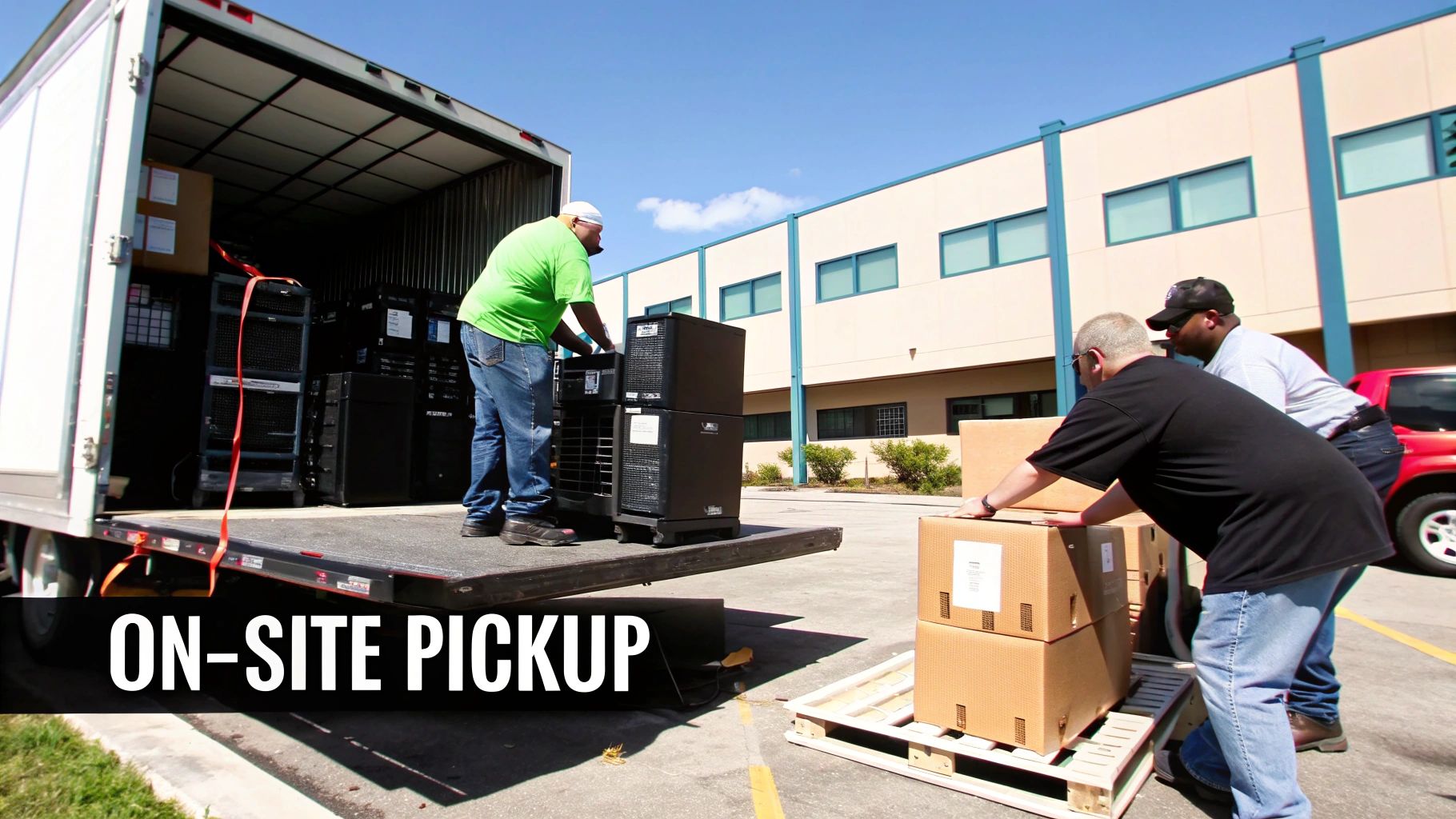
This is not a simple haul-away service. It is a coordinated operation with skilled technicians who manage everything from de-installing desktops to securely palletizing equipment, all while your business continues to run with minimal interruption.
From First Call to Flawless Execution
The process begins with a simple consultation. Once you provide an overview of your inventory, a logistics coordinator will work with you to schedule the ideal date and time for pickup. For a school, this might be during a holiday break. For a busy hospital, we might plan for an off-peak weekend to ensure zero impact on patient care. The goal is always to minimize disruption.
Before arrival, our team confirms the exact scope of the project. We identify any equipment that requires on-site de-installation—such as servers that must be carefully un-racked or workstations still connected at employee desks.
A Look at the On-Site Process
When our pickup team arrives, they operate from a clear, pre-defined plan. These are not just movers; they are technicians trained to handle sensitive IT assets with precision and care.
- De-installation and Disconnection: For equipment still in use, our technicians will professionally disconnect and remove every device. In a data center, this means properly powering down servers, sliding them from racks, and managing the associated cabling.
- Secure Consolidation: All equipment is moved to a central staging area. Here, assets are sorted, and any device containing data is prepared for secure transport.
- Professional Palletizing: To ensure safe transit, assets are carefully stacked and secured on pallets. Everything is then shrink-wrapped to prevent shifting and protect it from the elements, maintaining a solid chain of custody from your facility to ours.
The professionalism of the on-site crew reflects the security of the entire process. A team that works efficiently, uses the correct equipment like pallet jacks and lift gates, and maintains a clean workspace is the hallmark of a reputable ITAD partner.
Case Study: A Roswell Medical Clinic Upgrade
Consider a medical clinic in Roswell needing to replace 100 workstations across its facility. The challenge is immense: the project must be completed without canceling patient appointments or disrupting access to critical electronic health records. A haphazard approach would cause chaos.
A professional recycling partner would schedule the pickup for a Saturday. The technical team would arrive and systematically disconnect the old PCs, staging them in a designated area. Simultaneously, another part of the team would palletize the collected equipment, cross-referencing every serial number against the clinic's inventory list. By day's end, all old equipment is securely loaded and removed, leaving the space clear for the new systems to be installed on Sunday.
The demand for this structured, responsible recycling is growing. The global electronic waste recycling market hit USD 70.1 billion in 2024 and is projected to reach USD 251.9 billion by 2034. This growth is driven by businesses that refuse to compromise on secure and sustainable disposal.
Ultimately, on-site logistics should feel less like a disruption and more like a well-oiled machine. A skilled team can de-install and remove a massive amount of equipment in just a few hours. For more details on how we manage pickups for businesses of all sizes, take a look at our guide on commercial computer pickup services.
Decoding Your Certificates and Compliance Paperwork
Once your IT equipment has been removed from your facility, the job isn't finished. The next step is the most important part of your Roswell computer recycling project: receiving the documentation that proves everything was handled securely and responsibly.
These documents are more than just receipts; they are your legal safeguard and the final, critical link in your chain of custody.
Without this official documentation, you have no verifiable proof that your company's sensitive data was destroyed or that your assets were recycled in compliance with environmental laws. For any business in Roswell, this paper trail is non-negotiable for satisfying auditors, internal stakeholders, and regulatory bodies. It’s what transforms a potential liability into a documented, compliant success.
The Certificate of Data Destruction: Your Legal Shield
The first and most critical document you will receive is the Certificate of Data Destruction. This is your official, auditable proof that every data-bearing device you entrusted to us has been permanently sanitized, rendering the information on it completely unrecoverable.
If your organization handles any sensitive information—from patient records to proprietary financial data—this certificate is an absolute requirement.
A legitimate certificate is highly detailed and should never be a generic statement. To be a valid compliance tool, it must include:
- A Unique Serialized Number: For easy tracking and reference in your records.
- Your Company's Information: It should clearly state your business name and address.
- The Service Provider's Details: It must identify the certified vendor who performed the destruction.
- A Detailed Asset List: This is crucial. The certificate must list the individual serial numbers of every hard drive or data device that was processed.
- The Destruction Method: It needs to specify how the data was destroyed—for example, "DoD 5220.22-M 3-pass wipe" or "Physical Shredding."
- Date of Destruction: The date the service was completed provides a clear timeline for your records.
- An Authorized Signature: A signature from a representative of the recycling partner validates the document's authenticity.
This certificate is your front-line defense in a compliance audit. If a regulator ever questions how you disposed of a specific server or laptop, this document, cross-referenced with your initial inventory, provides undeniable proof of secure and responsible action.
The Certificate of Recycling: Your Environmental Commitment
While the Certificate of Data Destruction addresses your security obligations, the Certificate of Recycling covers your environmental responsibilities. This document confirms that all non-data-bearing assets—as well as the raw materials from shredded devices—have been processed in an environmentally sound manner, adhering to all local, state, and federal regulations.
It serves as your official record that your old IT equipment did not end up in a landfill, where toxic materials like lead and mercury could harm the local environment. For businesses focused on corporate social responsibility (CSR), this certificate is a tangible asset that demonstrates a real commitment to sustainability.
Why This Paperwork Matters Globally and Locally
The need for meticulous documentation is underscored by a stark global reality. Europe is leading the world with a 42.8% e-waste recycling rate. Meanwhile, in 2022, the USA produced a staggering 6.92 million tonnes of e-waste with a dismal 15% recycling rate. These figures, highlighted in these global e-waste statistics and trends, show the massive gap between e-waste generation and responsible processing. It’s a powerful reminder of why working with certified partners who provide proof of compliance is so important.
For your Roswell business, these certificates do more than just check a box. They provide peace of mind and officially close the loop on your IT asset disposition process. This complete documentation ensures you are fully protected from both a data security and an environmental standpoint. You can learn more about what makes a document legally sound in our detailed guide on the Certificate of Destruction.
Got Questions? Here Are Some Straightforward Answers
Even the most well-structured plan can raise last-minute questions. We've found that IT managers and business owners in Roswell want clear, direct answers to ensure their Roswell computer recycling project is handled correctly.
Here are answers to the most common questions we receive from businesses like yours, designed to provide the clarity you need to move forward.
What Kind of Business Equipment Do You Take?
Our services are focused exclusively on commercial IT hardware. Our entire process is built around the specific security and logistical needs of businesses, healthcare facilities, schools, and government agencies.
We accept the full range of corporate IT assets, including:
- Desktops, laptops, and workstations
- Servers, server racks, and all data center hardware
- Networking gear like switches, routers, and firewalls
- LCD monitors, keyboards, mice, and all associated cables
It’s important to note what we don't take. Our specialized data security protocols are not designed for consumer electronics, so we cannot accept items like old CRT monitors, televisions, or home appliances. This sharp focus ensures we provide the highest level of security and compliance for your business's critical assets.
Are There Any Costs for Recycling or Data Destruction?
This is a primary concern for every IT manager, and the answer is refreshingly simple for most companies. For the vast majority of our commercial clients in the Roswell area with a sufficient volume of equipment, our core services are completely free of charge.
This includes pickup, transportation, and our standard DoD 5220.22-M data wiping at no cost. We can offer this because the value recovered from reusable components and raw materials typically covers our operational expenses.
Fees only apply for specialized, add-on services. For instance, if your compliance policy requires on-site hard drive shredding for an additional layer of security, or if you need a team for extensive de-installation work, we will provide a clear, itemized quote upfront. We believe in total transparency—no hidden fees, no surprises.
The fact that responsible IT recycling can be provided at no cost is a game-changer for many businesses. It removes the financial barrier, making it simple to protect company data and meet sustainability goals without impacting your budget.
How Do We Get a Pickup on the Schedule?
Scheduling a pickup for your Roswell office is a quick and straightforward process. It begins when you contact our logistics team with a general estimate of your inventory. You don't need a perfect, itemized list to start—an approximation like, "We have around 50 desktops, 15 laptops, and a couple of server racks" is enough.
From there, our team will coordinate with you to schedule a date and time that aligns with your operational needs. We understand you have a business to run, so we offer flexible scheduling to work around your operating hours and minimize disruption.
For larger projects, such as a full office cleanout or data center decommissioning, we recommend contacting us a couple of weeks in advance. This lead time allows us to allocate the necessary resources for a perfectly executed pickup.
What Does the Timeline Look Like from Start to Finish?
Understanding the timeline from pickup to final documentation is key for your internal reporting and compliance records. The on-site pickup is the fastest part of the process, typically completed in just a few hours, depending on the volume of equipment.
Once your assets arrive at our secure facility, our standard processing begins. This includes detailed inventory logging, data destruction, and sorting hardware for recycling or refurbishment. This entire stage generally takes about 5 to 10 business days.
After we have confirmed that every data-bearing device has been sanitized or physically destroyed, we issue your official documentation. You can expect your Certificate of Data Destruction and Certificate of Recycling to be delivered to your inbox within 2-3 weeks of the original pickup date. This provides you with a complete, auditable record and officially closes out your IT asset disposal project.
Ready to manage your company's retired IT equipment the right way? Atlanta Computer Recycling provides secure, compliant, and cost-effective e-waste solutions for businesses across the Roswell area. Ensure your data is destroyed and your hardware is responsibly recycled. Schedule your free business pickup today!