Lawrenceville IT Decommissioning: Secure & Compliant

Your storage room is probably telling the story already. Retired laptops on a shelf. A stack of monitors near Facilities. A few old switches nobody wants to unplug because they might still connect something important. Maybe a server closet cleanup got delayed after an office move, an EHR upgrade, or a campus lab refresh.
That’s normal in lawrenceville. What isn’t safe is treating that pile like a junk removal problem.
For a business manager handling a first major decommissioning, the significant risks aren’t the visible ones. They sit in forgotten hard drives, undocumented serial numbers, and rushed pickups that leave you without proof of what left the building, where it went, or how the data was destroyed. In education, healthcare, and government, that gap becomes a compliance issue fast.
Why Lawrenceville Businesses Need a Formal IT Disposal Plan
A Lawrenceville school replaces a computer lab over summer break. A clinic upgrades endpoints after an EHR change. A county office retires network gear during a building move. The project looks routine until someone asks for the drive counts, serial numbers, and destruction records. That is usually the point where an informal disposal process starts to break down.

Growth changes the risk profile
Lawrenceville’s business activity now includes more schools, healthcare operations, municipal functions, and mixed-use office space. In practice, that means more shared devices, more storage media leaving service, and more retirements happening in batches instead of one machine at a time.
That shift matters most for education, healthcare, and government. Those sectors do not just need equipment removed. They need records that show what was retired, how data was destroyed, who handled the assets, and whether anything still had resale value. Generic e-waste advice rarely addresses that level of control.
I see the same pattern on first large decommissioning projects. The organization has a clear process for buying equipment, deploying it, and supporting users. End-of-life handling is treated as a facilities task or a recycling pickup. That leaves a gap between operational reality and compliance requirements.
A formal IT disposal plan closes that gap by assigning responsibility before the first asset is touched. IT identifies what is in scope. Compliance or legal defines destruction and retention requirements. Facilities controls access, staging, and pickup logistics. Finance can then reconcile write-offs and any value recovery against an actual asset record.
What ad hoc disposal gets wrong
Informal disposal usually fails in ordinary, expensive ways:
- Retired assets stay in place too long: Devices remain in closets, storage rooms, and satellite offices after replacement.
- Departments work from different lists: IT tracks one set of assets, Facilities moves another, and nobody has a final reconciled count.
- Media risk is handled inconsistently: A wiped laptop, an unwiped server, and loose backup media end up in the same load.
- Documentation stops at removal: The equipment is gone, but the organization cannot show final disposition by serial number.
Practical rule: If you cannot tie each retired asset to a serial number, location, custodian, data-destruction method, and final disposition, the project is not controlled well enough for audit or legal review.
The trade-off is straightforward. A formal plan takes more time up front, usually from IT, compliance, and operations. An improvised process looks faster, but it creates rework, weakens chain-of-custody evidence, and increases the chance that usable equipment gets scrapped or sensitive media leaves the building without the right controls.
Lawrenceville organizations need a process built for local operating conditions
In Lawrenceville, this is most critical for organizations with frequent refresh cycles, distributed departments, and public-facing accountability. School systems and colleges rotate labs, classroom devices, and staff laptops. Healthcare groups replace workstations, mobile carts, and imaging-adjacent systems under tight privacy requirements. Government offices often retire equipment in waves tied to budget cycles, relocation projects, or infrastructure upgrades.
Those are operational realities, not edge cases. They require a repeatable disposal process that can handle volume, document exceptions, and stand up to questions from leadership, auditors, or regulators.
For many organizations across the area, a regional B2B model works better than piecing together one-off pickups or using consumer drop-off options. This overview of commercial electronics recycling services in Gwinnett County reflects the scope Lawrenceville businesses usually need when the job involves inventory control, secure handling, and documented disposition rather than simple trash removal.
Preparing Your IT Assets for Secure Decommissioning
A Lawrenceville school can retire 300 student laptops in a week. A medical practice might pull exam-room PCs and a few imaging-adjacent workstations on a tighter privacy timetable. A county office may need to clear a floor before a relocation date. In each case, the decommissioning project goes wrong the same way: assets are identified too late, storage media is missed, and pickup day turns into a scramble.
Preparation prevents that.
Start with an inventory your vendor can use
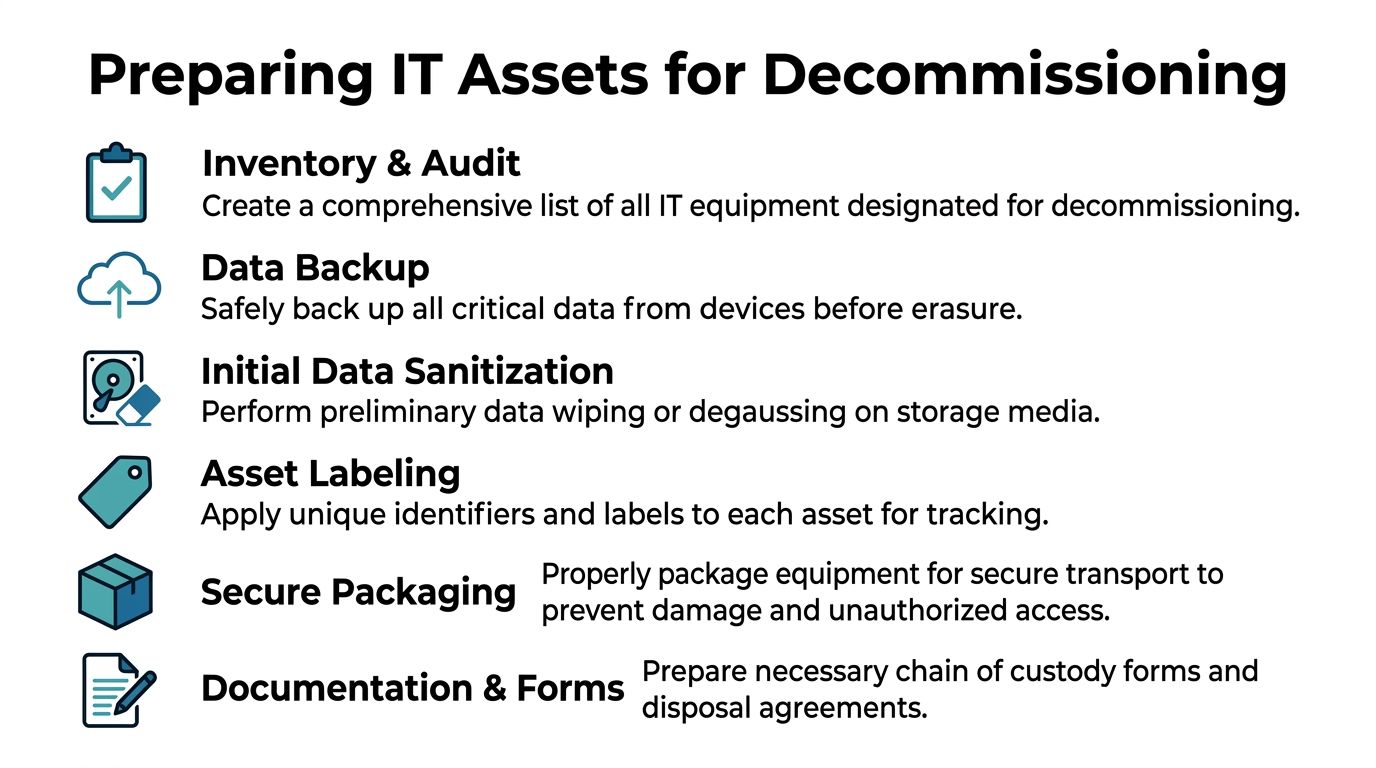
A rough device count is not enough for secure decommissioning. Your inventory needs to support custody, data destruction, value recovery, and exception handling from the first day of the project.
At minimum, record:
- Asset identity: Serial number, internal asset tag, manufacturer, model
- Device type: Laptop, desktop, server, SAN component, firewall, switch, UPS, phone system component
- Physical location: Building, room, closet, rack position, floor, or department
- Condition notes: Functional, damaged, obsolete, missing components, unknown status
- Storage media presence: HDD, SSD, flash media, backup tape, embedded storage
- Disposition intent: Reuse, wipe and resell, shred media, recycle, hold for legal review
The storage-media field gets missed often, especially in education and municipal environments where devices move between departments over time. That omission creates risk fast. A retired chassis with an overlooked SSD is no longer a simple recycling item. It is a data-handling problem.
Build the staging plan before anyone starts unplugging equipment
Once the inventory is underway, decide where each retired asset will go and who can touch it. That matters just as much as the final destruction method.
Move what you can into one secured staging area. For assets that must stay in service until cutover, mark them in the inventory for removal on service day and leave clear visual labels on the equipment. This helps avoid the common mistake of pulling the wrong device from a classroom, clinic, or shared office.
A workable staging plan usually includes these controls:
- Separate retired assets from active equipment. Prevent accidental reuse or reconnection.
- Group by sensitivity. Devices from HR, student records, patient intake, finance, and public safety functions should not be mixed with ordinary office endpoints.
- Keep related parts together when they affect disposition. Rails, caddies, power supplies, docking stations, and specialty adapters can affect resale, recycling, and identification.
- Limit access to the staging area. Use a locked room with a sign-in process, not a hallway or open loading area.
Good staging reduces confusion on pickup day. It also gives your IT team time to catch exceptions before they become custody gaps.
Confirm backups, migrations, and shutdown dependencies
Retiring the hardware is the easy part. Retiring it without breaking a business process is harder.
Before sanitization or removal starts, confirm that each system has been backed up or migrated and that the business owner has signed off. Older devices in healthcare and government settings often hold local files, scan caches, exported reports, or archived email that never made it to central storage. In schools, lab machines and front-office systems can have local admin changes or small data stores no one documented well.
Check dependencies too. A server may be scheduled for disposal but still support badge access, print queues, an old database, or a department-specific application. If those ties are not identified early, your disposal project becomes an outage.
Label every unit for custody and exceptions
If a pallet leaves the building as "old IT equipment," you have already made documentation harder than it needs to be. Each asset should carry a unique identifier that matches the inventory and disposition decision.
Use barcodes if you have them. If you do not, use a consistent internal labeling method and keep it simple enough that operations staff can follow it without guessing.
Before pickup, document exceptions such as:
- Missing drives
- Damaged drive bays
- Locked BIOS states
- Unknown passwords
- Broken screens or housings
- Equipment left in place until final cutover
- Assets on legal hold or pending internal approval
Photos help in rack environments and shared spaces. They give your team a reference point if there is a dispute about what was removed, what stayed in place, or whether a component was already missing.
If your staff is still removing drives manually during prep, this guide on how to remove a hard drive from a laptop can help standardize the task. Use one documented process for media removal, or leave drives in place for controlled downstream handling. Do not let technicians make that decision ad hoc at the cart.
Decide disposition before the truck arrives
Some equipment still has reuse value. Some should go straight to shredding or commodity recycling. The decision needs to be made before pickup, not during loading.
Functional laptops, desktops, and some network hardware may justify wiping and remarketing if your policy allows it. Failed drives, obsolete media, damaged storage, and certain regulated devices often belong in the destruction stream. Lawrenceville organizations in healthcare, education, and government usually need more than a blanket rule because the same project can include low-risk office peripherals, student devices, systems with protected data, and infrastructure hardware from secured areas.
Record that decision in the inventory for each asset class. Clear disposition instructions keep the project moving and reduce the chance that a reusable device is destroyed unnecessarily or a high-risk device is handled too loosely.
Choosing Your Data Destruction Method DoD Wiping vs Physical Shredding
A Lawrenceville school district retiring student laptops, a medical practice replacing exam-room PCs, and a city office clearing out old file servers can all face the same question on pickup day. Which assets can be sanitized and reused, and which ones should be destroyed outright?
That decision shapes cost, audit exposure, and residual data risk.
Most Lawrenceville organizations should expect to use both wiping and physical shredding in the same project. The error is treating every drive like it belongs in one stream. Education, healthcare, and government environments usually hold a mix of routine office data, regulated records, and systems from restricted areas. Your destruction method should reflect that reality.
What wiping does well
DoD 5220.22-M wiping refers to a software overwrite process applied to readable media. In ITAD projects, it fits working drives that still have resale or redeployment value after sanitization. If your policy allows reuse, wiping can protect data and preserve asset value at the same time.
As noted earlier, many decommissioning programs now evaluate wiping against current sanitization expectations such as NIST 800-88, especially for organizations with tighter documentation requirements. For a Lawrenceville business manager, the practical question is simple. Can this specific media type be reliably sanitized, verified, and approved for downstream reuse under your policy?
Wiping usually fits when:
- The drive is healthy and readable.
- The device still has reuse or remarketing value.
- Your policy permits overwrite-based sanitization for that media type.
- The vendor can produce device-level reporting that shows the wipe succeeded.
What shredding does better
Physical shredding is the cleaner choice for drives that are failed, unstable, obsolete, or tied to high-sensitivity workloads. It also makes sense when your internal policy does not allow reuse of certain media, even if the hardware still works.
I usually recommend that healthcare clinics, school systems, and public entities in Lawrenceville identify these categories before pickup: failed storage, loose drives with unclear history, media from restricted departments, and assets tied to regulated data sets. Those items create the most argument later if the destruction path was left open to interpretation.
If a drive cannot be read consistently, software wiping turns into a gamble. Physical destruction removes that uncertainty.
Data Destruction Methods Compared Wiping vs. Shredding
| Factor | DoD 5220.22-M Wiping | Physical Shredding |
|---|---|---|
| Primary outcome | Sanitizes functional media for possible reuse | Destroys media outright |
| Best fit | Working HDDs and some reusable storage assets | Failed drives, obsolete media, highly sensitive assets |
| Value recovery | Better potential because media may remain usable | Little to no reuse value from the media itself |
| Operational speed | Depends on drive health, capacity, and queue | Often simpler once media is identified for destruction |
| Verification need | Requires documented process and result reporting | Requires documented custody and destruction records |
| Policy alignment | Useful where overwrite-based sanitization is acceptable | Useful where destruction is the only approved path |
| Risk trade-off | Preserves value but relies on successful sanitization | Sacrifices value for stronger physical finality |
How to choose in a Lawrenceville project
For a first major decommissioning, ask four operational questions and answer them before equipment leaves the building.
What kind of media are you dealing with
A typical Lawrenceville project rarely involves one neat device category. You may have healthy SATA drives from admin desktops, failed SSDs from clinical workstations, encrypted laptops used by faculty, backup media from older systems, and loose drives sitting in a cabinet from past upgrades.
Classify media by condition and sensitivity first. Device type matters less than whether the storage is readable, what data it held, and whether your policy allows that media back into circulation.
What does your compliance posture require
A private business may permit wiping for some assets and require destruction for others. A healthcare provider may set stricter rules for systems that handled protected health information. A school or public agency may have retention, procurement, or records rules that make physical destruction the safer path for selected media.
Vendor review also needs to go beyond marketing language. If your team is comparing controls, reporting, and audit readiness, this guide on understanding what is SOC compliant helps clarify the terms many providers use during security reviews.
Is asset recovery worth preserving
If equipment is current, functional, and allowed to be resold or redeployed, wiping may produce a better financial result. If it is old, damaged, unsupported, or too sensitive to release, shredding is usually the cleaner operational decision.
That choice belongs to the business, compliance, and IT stakeholders together because cost recovery, policy enforcement, and risk tolerance all affect the outcome.
Can the provider prove the result
The method only holds up if the record does. Your vendor should be able to match each serial-numbered asset or media item to its final disposition, whether that means successful wipe reporting or documented physical destruction.
If you need a plain-language reference for drive disposal options, this overview of how to destroy old hard drives is a useful baseline.
What works and what doesn’t
What works:
- Assigning destruction methods by media condition, sensitivity, and policy requirements
- Using wiping for healthy reusable drives that pass verification
- Using shredding for failed, unclear, or higher-risk media
- Resolving exceptions before the decommissioning team starts loading equipment
What doesn’t:
- Sending every asset through one method because it feels simpler
- Assuming encryption eliminates disposal risk
- Letting unreadable or untested drives move off-site without a clear destruction decision
- Allowing finance, IT, and compliance to apply different rules to the same asset class
Ensuring Compliance and a Secure Chain of Custody
At 4:45 p.m. on pickup day, a Lawrenceville school or clinic does not need another verbal assurance that everything is handled. It needs records that hold up after the equipment leaves the building. For first-time decommissioning projects, that is usually the point managers underestimate.
What chain of custody means in practice
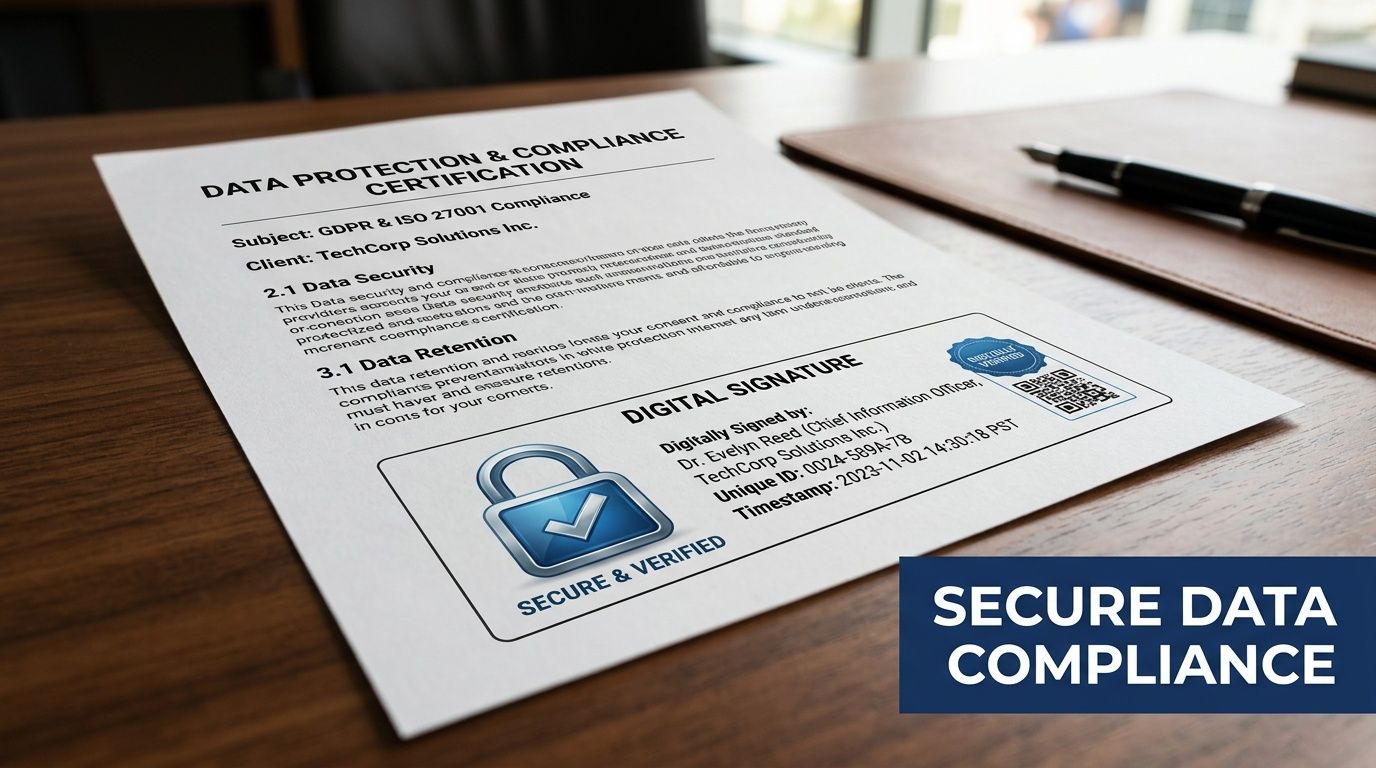
Chain of custody is the documented history of each asset from handoff through final disposition. The record should show who handled it, when custody changed, how it was packaged or secured, and what happened at the end.
For Lawrenceville organizations with distributed environments, that level of proof matters. Education teams cycle devices across classrooms and labs. Healthcare groups may retire equipment from exam rooms, nurse stations, and back-office spaces. Government offices often answer to stricter retention and accountability standards. In all three sectors, a loose asset trail creates audit exposure fast.
The standard is simple. If your compliance lead, superintendent, privacy officer, or city administrator asks where a specific laptop, server, or failed drive went, your team should be able to answer from the project file, not from memory.
Why documentation standards need to be higher
Lawrenceville’s growth puts more pressure on IT lifecycle controls than generic e-waste advice usually acknowledges. Schools, healthcare providers, and public entities are refreshing equipment more often, but many still rely on disposal processes built for occasional office cleanouts. That gap is where chain-of-custody failures show up.
A missing laptop should trigger more than an inventory correction if it once stored student records, employee files, patient data, or internal government information. At that point, the issue reaches policy enforcement, incident response, and legal defensibility.
That is why serialized documentation matters. Asset class summaries are not enough for regulated environments.
What healthcare and public sector teams should require
For healthcare organizations, do not stop at a vendor saying they are HIPAA compliant. Ask how custody is documented, whether they will sign a Business Associate Agreement when required, and how exception handling is recorded.
Public agencies and school systems should apply the same discipline. If a drive arrives damaged, the record should show that wiping was not possible and that physical destruction was used instead. If a workstation is missing a hard drive at pickup, that exception needs its own entry. If pallets are consolidated during transport, the serialized asset record still has to stay intact.
Look for these controls:
- Serialized certificates: Each document should tie final disposition to specific assets or media.
- Custody timestamps: Pickup, transfer, receipt, processing, and destruction should be traceable.
- Exception records: Missing tags, failed drives, and scope changes should be documented clearly.
- Record retention: Your team should know who stores the files, in what format, and for how long.
- Control environment evidence: Larger organizations may also ask questions related to understanding what is SOC compliant when they evaluate vendor processes and internal safeguards.
This sample certificate of destruction form for serialized disposal records shows the level of detail worth reviewing before you approve a provider.
Proof is where informal disposal fails
Teams can usually box equipment and get it out of a room. The harder part is preserving evidence that stands up later.
I see this problem most often in first-time projects where operations, IT, and compliance assume disposal is finished once the truck departs. It is not. The project is only defensible when the paperwork matches the asset list, the custody log explains every exception, and the final disposition records are easy to retrieve months later.
That discipline protects Lawrenceville organizations far better than a generic recycling receipt ever will.
Managing On-Site De-Installation and Pickup in Lawrenceville
The service day shouldn’t feel chaotic. If the planning was done properly, on-site execution is systematic and boring in the best possible way.
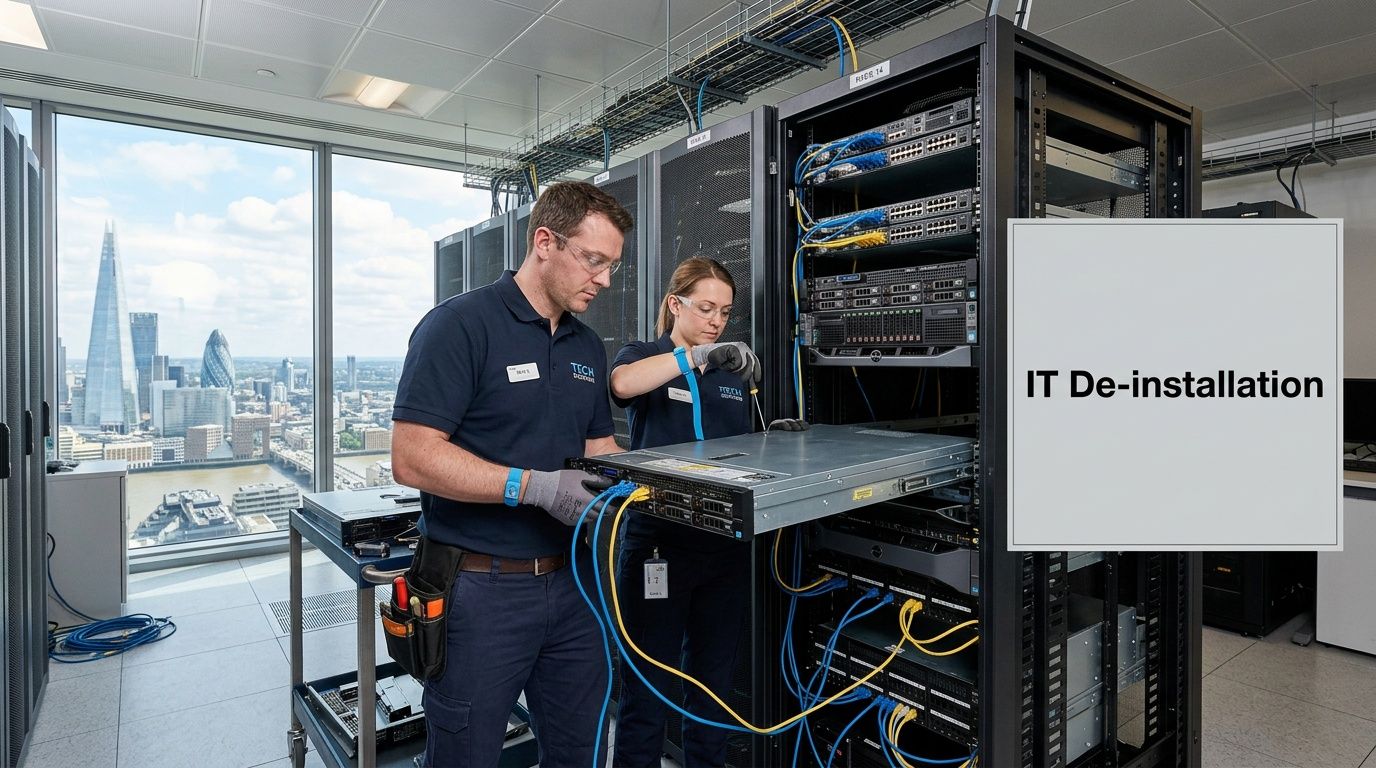
What a well-run pickup day looks like
A typical lawrenceville project starts before the truck arrives. Building access is confirmed. Loading paths are reviewed. The staging area is ready. The asset list is in hand, not buried in someone’s inbox.
Then the crew works through the site in a defined sequence:
- Check-in and scope confirmation: The on-site lead verifies what is being removed and what is staying.
- Asset verification: Devices are matched against the prepared inventory.
- De-installation: Racks, servers, network gear, and endpoints are disconnected methodically.
- Packaging and segregation: Reuse candidates, media for destruction, and scrap streams are separated.
- Loadout with records: The removed assets are documented as they leave custody.
That order matters. Good teams don’t unplug first and count later.
Live environments require restraint
Many first-time clients worry most about disruption, and for good reason. In mixed-use server rooms and office closets, retired equipment often sits inches away from active systems.
Professional de-installation in a live environment depends on discipline. The techs should know exactly which units are approved for removal, which cables can be touched, and when business operations create blackout windows. If your clinic opens at a certain hour or your campus lab has a fixed class schedule, that needs to be part of the work plan.
The smoothest removals happen when the client marks the boundaries clearly. “Take everything in this room” is rarely a safe instruction.
What affects the quote
Managers often ask for a flat answer on cost before they’ve defined the scope. That rarely works because project variables are real.
Pricing usually changes based on:
| Project factor | Why it changes the work |
|---|---|
| Volume of equipment | More assets mean more labor, handling, and transport planning |
| Device mix | Loose laptops are different from rack-mounted servers and UPS systems |
| Access conditions | Elevators, loading docks, stairs, security check-in, and parking all affect labor |
| Requested data services | On-site shredding, wiping, or detailed serialized reporting may change the scope |
| Timing constraints | After-hours or phased projects require more coordination |
For organizations that want a preview of how commercial pickups are typically structured, this page on IT equipment pickup in Atlanta reflects the type of operational considerations that usually shape scheduling and service scope.
The final walkthrough matters
Before the crew leaves, someone from your side should confirm that the agreed equipment is gone and the site condition is acceptable. In larger decommissioning work, final cleanup is an explicit phase of the project, and landlord or facilities expectations should be addressed as part of the closeout process.
This isn’t cosmetic. Leaving debris, rails, cabling waste, or orphaned components behind creates confusion later. A final walkthrough turns removal into closure.
Partnering for Sustainable and Secure IT Management
A Lawrenceville school district replaces classroom devices over summer break. A medical practice retires imaging workstations after a system upgrade. A county office closes a records room and sends old desktops out the door. In each case, the disposal vendor is being trusted with regulated data, documented custody, and a site that still has to operate the next morning.
That is why vendor selection is not a recycling decision. It is a risk decision.
For Lawrenceville organizations in education, healthcare, and government, a good ITAD partner should fit into the same control structure used for any other sensitive operational vendor. The provider needs to handle data-bearing assets correctly, document what happened to each device, and support the reporting your leadership, compliance team, or auditors may ask for later. If a vendor cannot explain its process in plain terms, that is a warning sign.
A practical partner relationship usually includes four things:
Clear scope before pickup
The provider should confirm what is in scope, what is excluded, who signs off on the inventory, and what documentation you will receive at closeout. This avoids disputes after equipment leaves the site and helps facilities, IT, and compliance teams work from the same list.
Services that match sector risk
A Lawrenceville medical group may need serialized destruction records for drives tied to patient data. A school system may care more about phased pickups that match campus schedules and summer turnover. A local government department may need stricter witness, access, and chain-of-custody controls. One process does not fit every environment.
Practical value recovery decisions
Some assets still have remarketing value. Others cost more to process than they will ever return. A credible ITAD partner explains that trade-off directly so you can decide whether resale, redeployment, or destruction makes financial and compliance sense for each asset class.
Documented environmental handling
Sustainability claims should be supported by downstream process controls, not marketing language. Ask where equipment goes, how reusable assets are separated from scrap, and whether hazardous components are handled through qualified recycling channels. The goal is to reduce landfill waste without creating a data or compliance problem.
The strongest relationships are repeatable, not one-off. If your organization expects ongoing refresh cycles, site consolidations, lab upgrades, or server retirements, use the first project to set a standard. Get the inventory format right. Set custody expectations. Define what acceptable reporting looks like. That gives your Lawrenceville team a process it can use again without rebuilding it from scratch each time.
For many managers, that shift is a significant turning point. You stop treating retired equipment as leftover property and start treating it as part of IT governance.
Frequently Asked Questions About IT Disposal in Lawrenceville
What equipment can a commercial ITAD provider usually take
Most commercial providers handle business electronics such as laptops, desktops, servers, storage devices, switches, routers, firewalls, monitors, phones, and related IT gear. Data-bearing devices need special handling because they require documented sanitization or destruction.
Consumer household items are often outside the scope of a B2B service model.
How is pricing usually structured
Pricing usually depends on the project itself, not a single universal rate. Volume, device mix, access conditions, labor required for de-installation, data destruction method, and reporting requirements all affect the quote.
If some assets still have reuse value, that may also change the economics of the project.
How long does an IT decommissioning project take
The timeline depends on complexity. A straightforward office pickup can move quickly once the inventory and approvals are ready. A multi-room server and storage retirement takes longer because migration status, access windows, and custody documentation all need to line up.
For larger decommissioning efforts, planning and execution are usually phased rather than handled as a one-day event.
Can small and mid-sized organizations use the same process as larger institutions
Yes. The controls scale well. A medical office with a few dozen devices still needs inventory, custody records, and data destruction proof. A college or public agency runs the same principles at a larger volume and with more stakeholders.
Should our team wipe devices before pickup
Sometimes yes, sometimes no. If your internal team has a documented, validated process, pre-wiping may make sense for certain assets. But many organizations are better served by leaving the devices intact and requiring controlled sanitization or shredding under a documented chain of custody. The wrong approach is partial wiping with no verifiable record.
If you’re planning a lawrenceville office cleanout, server retirement, school refresh, or healthcare equipment decommissioning, Atlanta Computer Recycling can help you scope the project, choose the right data destruction path, and build the documentation needed for a secure, compliant outcome.