A Guide to IT Asset Tracking Software

IT asset tracking software serves as a real-time, centralized command center for your company’s entire technology portfolio. It automatically discovers, monitors, and manages every piece of hardware and software your business owns—from servers in the data center to the laptops your remote team relies on. It provides a single source of truth for your IT environment, enabling strategic decision-making and risk mitigation.
Why IT Asset Tracking Is a Business Necessity
Attempting to manage a growing inventory of laptops, servers, and software licenses with a spreadsheet is a significant operational risk. For many businesses, IT assets represent a substantial, unmanaged investment. Some devices are critical workhorses, others sit unused while depreciating, and a few inevitably disappear—all while incurring costs. This lack of oversight is not just an IT department issue; it's a direct threat to your bottom line.
Modern it asset tracking software replaces this chaos with control. It moves far beyond static spreadsheets to deliver a live, automated view of the entire technology lifecycle. This transition is fundamental, empowering your organization to manage technology proactively, from procurement to secure retirement.
The Real-World Risks of Poor Asset Tracking
Without a clear, accurate inventory of your IT assets, your company is exposed to tangible threats that directly impact financial performance. These are not minor oversights; they are significant liabilities.
Consider what is at stake:
- Financial Waste: Paying for software licenses or support contracts on "ghost assets"—devices that are lost, stolen, or underutilized—is a common and preventable expense. It is not unusual for a significant percentage of a company's IT assets to become unaccounted for over their lifecycle.
- Security Vulnerabilities: Every unmonitored laptop or server is a potential entry point for a data breach. Without complete visibility, ensuring every device receives critical security patches is nearly impossible, leaving your corporate defenses dangerously exposed.
- Compliance Gaps: Regulations like HIPAA and SOX demand strict accounting of every device that handles sensitive data. An inability to produce a detailed audit trail for an asset, especially during its disposal, can result in substantial fines and severe reputational damage.
A robust IT asset tracking system is the foundation of a secure and compliant business operation. It provides the unbroken chain of custody necessary to prove every device was managed responsibly, from deployment through data destruction.
Moving from Reactive to Strategic Management
The objective is to shift from reactive problem-solving to strategic planning. A powerful software platform enables this by integrating directly with core business workflows, including IT Asset Disposition (ITAD).
When a device reaches its end-of-life, the software flags it, tracks its transfer to a certified disposal partner, and logs the final certificate of data destruction. You can learn more about building a strong foundation in our guide on IT asset management best practices. This integrated process provides undeniable proof that your company’s technology and data are handled securely, enabling a more intelligent and defensible asset management strategy.
Core Features of Modern Asset Tracking Platforms
When evaluating IT asset tracking software, it's crucial to look beyond technical specifications. The true value lies in solving expensive, real-world business problems. A strong platform doesn't just inventory your assets; it actively manages them, helps predict operational issues, and protects your financial interests.
By leveraging advanced analytics, these platforms create a foundation for intelligent, data-driven inventory management across the enterprise. Static inventory spreadsheets are transformed into a dynamic system that empowers managers to make better financial and security decisions daily.
Automated Inventory Discovery and Real-Time Tracking
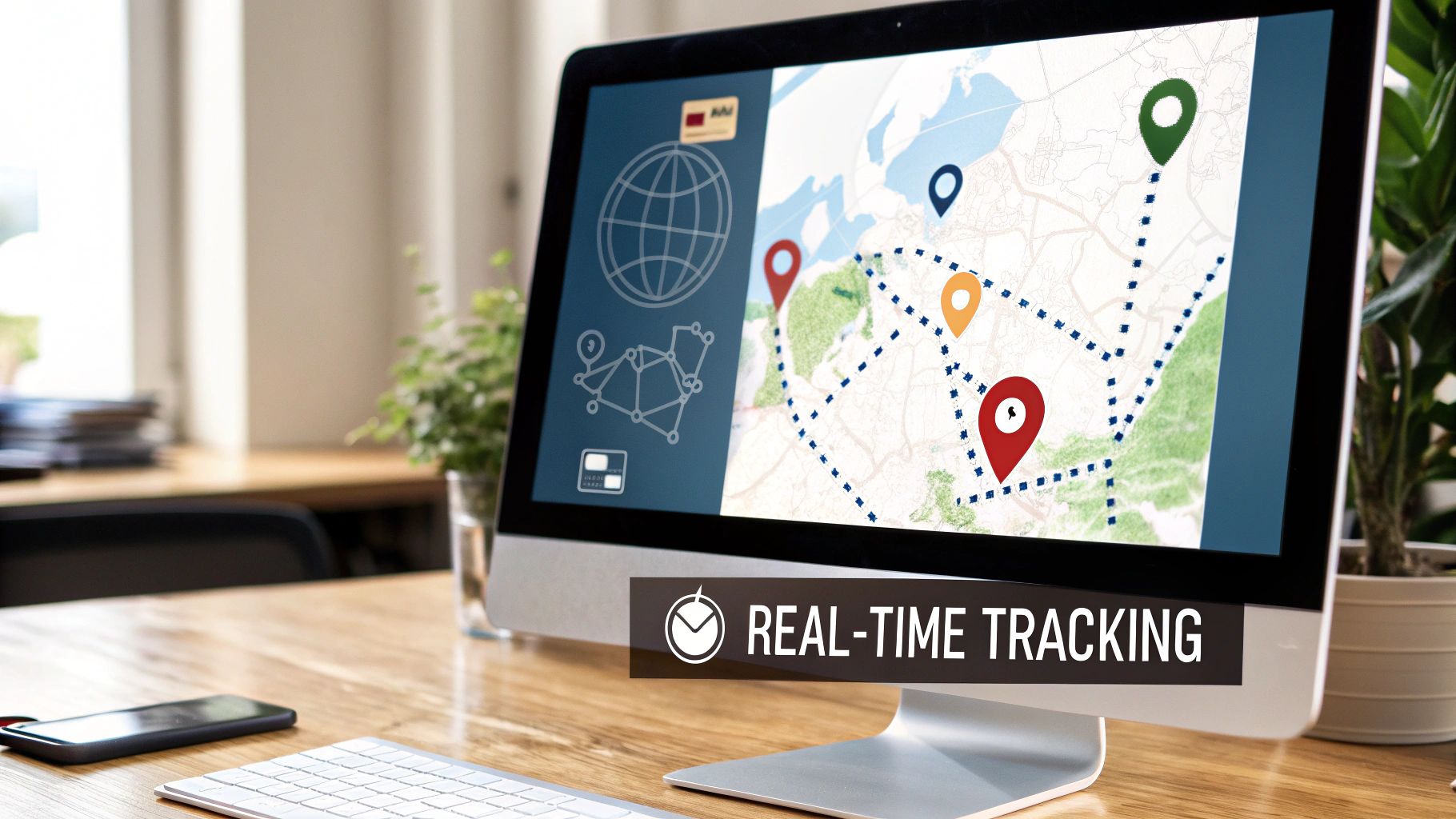
The cornerstone of any effective system is its ability to automatically discover and catalog every device on your network. This automated discovery capability eliminates the time-consuming and error-prone task of manual audits. The software scans your environment and captures detailed information for every laptop, server, printer, and mobile device it finds.
Once discovered, these assets are tracked in real time. For instance, if a critical server is moved to the wrong rack during maintenance, real-time tracking can pinpoint its exact location, preventing a potential data breach or costly operational disruption.
Comprehensive Lifecycle Management
Every piece of hardware follows a lifecycle, from procurement to retirement. An effective tracking platform manages this entire journey, providing critical alerts and insights at each stage. This is analogous to an automated system that monitors the age, warranty status, and performance health of every device.
This lifecycle approach addresses several key business challenges:
- Warranty Expiration: The system flags devices nearing their warranty end date, enabling you to schedule replacements before a failure impacts productivity.
- Lease Management: It monitors hardware lease agreements, ensuring timely returns and preventing expensive penalties.
- End-of-Life Planning: It identifies aging equipment that poses a security risk or performance bottleneck, facilitating proactive budget and technology refresh planning.
When an asset reaches its end-of-life, the same system initiates the first step in your ITAD process, a crucial component of maintaining comprehensive data security.
Lifecycle management transforms asset tracking from a reactive, record-keeping task into a strategic, predictive function. It helps maximize the value of your IT investments while minimizing unexpected costs and risks.
Software License Management and Compliance
Overspending on unused software licenses is a significant and often hidden drain on corporate resources. IT asset tracking software audits the software installed on every device and reconciles it with your purchased licenses. This feature exposes both over-licensing (paying for unused seats) and under-licensing (a major compliance risk that can lead to severe fines).
Optimizing your software portfolio frees up capital for strategic initiatives. This functionality is in high demand, with the market projected to grow at a compound annual growth rate (CAGR) of 15% from 2026 to 2033, and cloud-based solutions holding a dominant 63% market share.
Maintenance Scheduling and Robust Reporting
Finally, these platforms automate maintenance scheduling to ensure hardware operates at peak performance. You can establish recurring tasks for server updates, equipment calibration, and other essential maintenance, with the system logging every action to build a complete service history for each asset.
This data feeds into powerful reporting dashboards. With a few clicks, you can generate reports on asset depreciation, total cost of ownership, compliance status, and maintenance history—the precise data executives need to approve budgets and assess the health of the company’s technology infrastructure.
To summarize, here is how these core features directly address the daily challenges businesses face.
Essential Features of Modern IT Asset Tracking Software
| Feature | Core Functionality | Business Benefit |
|---|---|---|
| Automated Discovery | Scans the network to find and identify all connected hardware and software assets automatically. | Eliminates manual, error-prone audits and provides a complete, up-to-date inventory. |
| Real-Time Tracking | Uses GPS, RFID, or network data to monitor the physical location and status of assets continuously. | Prevents asset loss or theft, improves security response, and simplifies physical audits. |
| Lifecycle Management | Tracks an asset from procurement and deployment to maintenance, retirement, and disposal. | Maximizes ROI, prevents warranty lapses, and ensures timely and secure asset retirement. |
| Software License Management | Audits installed software against purchase records to identify over-licensed or non-compliant instances. | Reduces software spending by eliminating unused licenses and avoids costly legal fines for non-compliance. |
| Maintenance Scheduling | Automates the creation and tracking of preventive maintenance tasks and service histories. | Improves equipment reliability, reduces unexpected downtime, and extends the useful life of assets. |
| Reporting & Analytics | Consolidates asset data into customizable dashboards and reports on cost, compliance, and performance. | Provides clear, data-backed insights for strategic planning, budgeting, and decision-making. |
Ultimately, these features work in concert to create a single, reliable source of truth for your entire IT infrastructure, transforming a potential liability into a well-managed strategic advantage.
The Strategic Business Benefits of Centralized Tracking
Beyond operational details, the true power of IT asset tracking software lies in its impact on the business as a whole. Implementing a centralized system is not just another IT project; it is a strategic initiative that yields significant returns in cost savings, security, and operational efficiency. It transforms the IT function from a reactive cost center into a proactive organizational asset that creates tangible value.
The most immediate benefit is hard cost savings. A surprising amount of capital is wasted on "ghost assets"—devices that are lost, stolen, or unused but still incur software license and support costs. Industry studies indicate that companies can overspend by as much as 30% on software alone due to a lack of inventory visibility.
A centralized platform exposes this waste. It instantly identifies underutilized computers that can be redeployed to new hires, avoiding unnecessary purchases. It also provides the concrete data needed to eliminate overspending on redundant software licenses.
Fortifying Your Security Defenses
In today's threat landscape, a single unpatched laptop can serve as the entry point for a major data breach. Any unmanaged device is an open door for an attack. If you lack a complete inventory, you cannot ensure every asset receives critical security updates, leaving dangerous vulnerabilities in your corporate defenses.
This is where IT asset tracking software becomes an indispensable tool for your security team. It monitors every device on the network, closing these gaps and enabling your team to:
- Identify and Remediate Vulnerabilities: Quickly locate every machine running an outdated, unsupported operating system or software that attackers commonly target.
- Respond Instantly to Threats: If a laptop is lost or stolen, you can immediately identify the device, assess the data it could access, and take action to lock or wipe it remotely.
- Enforce Security Policies: Ensure every asset has required security tools—such as antivirus and encryption—installed and functioning correctly.
This proactive approach elevates security from a guessing game to a structured, defensible strategy. Complete visibility enables comprehensive protection.
An accurate, real-time asset inventory is the bedrock of modern cybersecurity. It ensures no device is left unmanaged, converting unknown risks into monitored components of your security framework.
Mastering Regulatory Compliance and Audits
For businesses in regulated industries like healthcare or finance, demonstrating compliance with standards like HIPAA or SOX is a constant pressure. Auditors require a clear, unbroken history for every device that handles sensitive data—a standard that spreadsheets cannot meet.
A dedicated asset tracking system is essential for this purpose. It creates a detailed, time-stamped audit trail for every asset, from deployment to disposal. This log tracks every user, location change, and software update. To learn more about that critical final step, check out our guide on secure IT asset disposal.
When auditors arrive, you can generate a report in seconds showing a server's precise location history, who had access to it, and how its data was verifiably destroyed. This not only reduces the time and stress of an audit but also dramatically lowers the risk of substantial non-compliance penalties. You are not just tracking assets—you are building a robust compliance program.
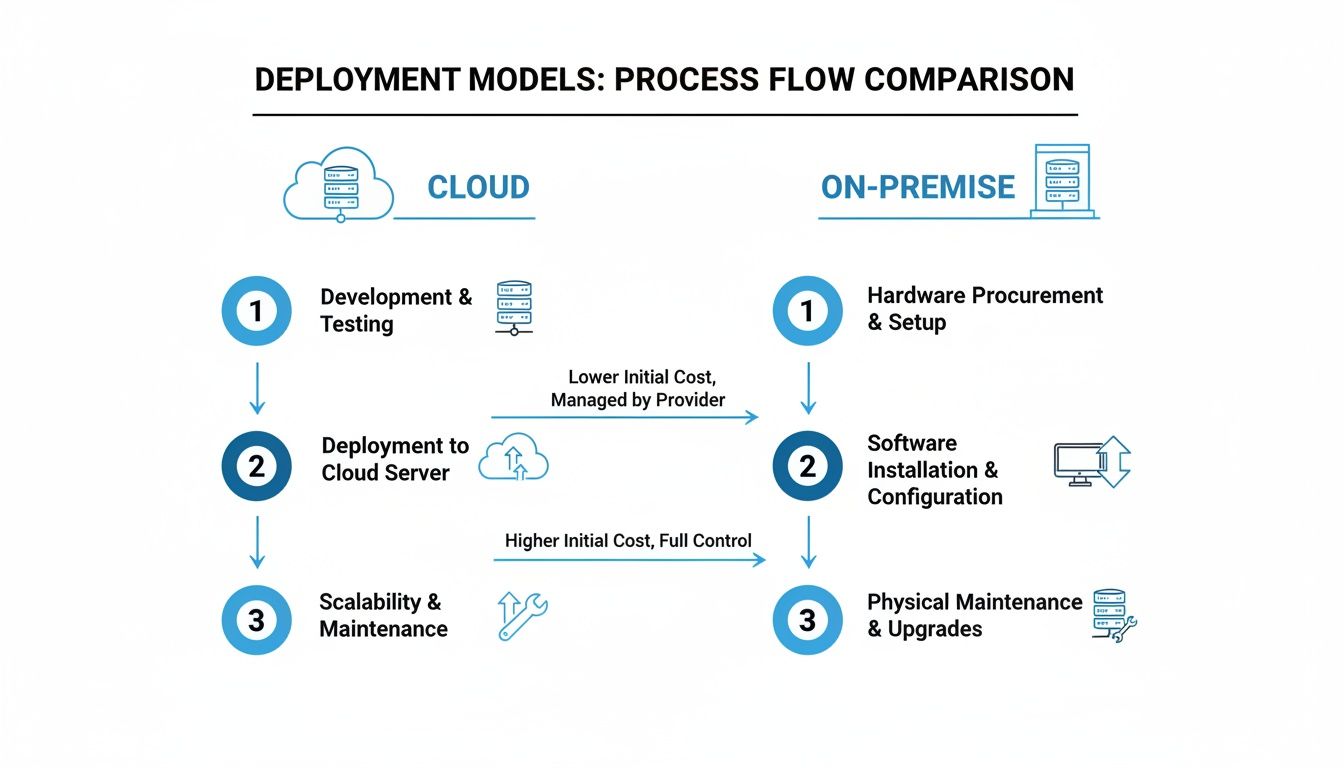
Choosing Your Deployment Model: Cloud vs. On-Premise
Selecting the right IT asset tracking software involves more than comparing features; it requires a strategic decision about where your data resides and who manages the underlying infrastructure. The choice typically comes down to two models: a cloud-based service, known as Software-as-a-Service (SaaS), or a traditional on-premise installation. Understanding the fundamental differences between cloud and on-premise is the first step toward making the optimal decision for your business.
The decision can be compared to renting a fully serviced office (cloud) versus owning and managing your own building (on-premise). Neither is inherently superior, but one will align far better with your company’s specific needs, budget, and internal IT capabilities.
This choice impacts everything from initial investment and ongoing maintenance to scalability and data control. A project like a data center migration, for instance, is approached very differently depending on whether core systems are hosted internally or by a third party. If you are planning a move, our data center migration checklist offers valuable guidance.
The Flexibility of Cloud-Based (SaaS) Solutions
Cloud-based IT asset tracking software has become the standard for most businesses due to its clear advantages. In this model, the software vendor manages all hosting, maintenance, and updates on their servers. You access the service through a web browser, similar to platforms like Salesforce or Office 365, offloading the infrastructure burden.
The benefits of a SaaS model are significant:
- Lower Upfront Costs: Avoid major capital expenditures on new servers and infrastructure. Instead, you pay a predictable subscription fee, simplifying budgeting.
- Rapid Deployment: Implementation takes hours or days, not months. There is no hardware to install or complex software to configure on your end.
- Hands-Off Maintenance: The vendor handles all security patches, feature updates, and server upkeep, freeing your IT team for strategic projects.
- Location Independence: Your team can access the platform from anywhere with an internet connection, essential for managing assets across multiple sites or supporting a remote workforce.
The Control of On-Premise Deployments
While the cloud offers convenience, an on-premise solution delivers something many organizations require: absolute control. With this model, you purchase a software license and install it on your own servers within your data center. Your IT team is responsible for all aspects of hardware, software, security, and backups.
This approach is often the only viable option for businesses with specific operational or regulatory requirements.
On-premise solutions are the standard for organizations in highly regulated fields like finance, healthcare, or government. Strict data sovereignty and compliance rules often demand that all sensitive information stays behind their own firewalls, period.
The primary advantages of an on-premise deployment include:
- Complete Data Control: Your asset data never leaves your network. This provides final authority over security and privacy, a non-negotiable requirement for many compliance frameworks.
- Deep Customization: Owning the environment provides greater freedom to customize the software and integrate it with legacy systems that may not be compatible with standard cloud platforms.
The market has clearly shifted toward the cloud. Today, the software segment commands over 47% of the revenue share, with cloud-based deployments leading the charge at nearly 62% in 2024, thanks to powerful integrations. However, the absolute need for control in certain sectors ensures that on-premise remains a vital and necessary choice.
Integrating Asset Tracking with Your ITAD Strategy
The true power of IT asset tracking software is demonstrated at the end of a device's lifecycle. This is where meticulous lifecycle management connects directly to the secure, compliant disposal of your hardware, forming the critical first step in a responsible IT Asset Disposition (ITAD) process. When executed correctly, this integration creates a seamless, auditable trail from device deployment to final destruction.
This integration transforms a once-disjointed, manual task into a verified, automated workflow. It provides leadership with the definitive proof required to demonstrate that every retired asset—and the sensitive data it contained—was handled securely and in accordance with company policy and legal regulations.
From Retirement Flag to Final Certificate
The process can be visualized as a digitally verified chain of custody for your retiring assets. The journey begins the moment a device is flagged for retirement in your tracking system. This single action initiates a clear, step-by-step sequence of events that eliminates ambiguity and guesswork.
This digital handoff is paramount, ensuring that accountability for a device is never in question as it moves from your facility to a disposition partner.
The process typically unfolds in these key stages:
- Flagging for Retirement: The software identifies a device reaching its end-of-life—based on age, performance, or warranty status—and designates it for disposal.
- Tracking Off-Site Movement: As the asset is prepared for collection, its status is updated. Every scan and location change is logged during transit to the ITAD facility.
- Recording the Final State: Once the asset is processed, the ITAD partner updates its final status in your system, confirming whether it was refurbished, recycled, or its data-bearing components were physically destroyed.
- Logging Proof of Destruction: A certificate of data destruction is uploaded and permanently linked to the asset’s record, closing the loop on its lifecycle history.
This workflow is precisely how asset tracking software bridges the operational gap between your internal team and your ITAD partner's secure facility.
This end-to-end visibility ensures no asset is lost during its final, most critical phase.
Creating an Unbroken Chain of Custody for Compliance
For any organization handling sensitive information, particularly under regulations like HIPAA, an unbroken chain of custody is a legal mandate, not an option. Failure to prove a device was managed securely throughout its lifecycle can result in severe penalties. IT asset tracking software is the tool that constructs this legally defensible record.
The detailed, time-stamped logs from your tracking software are your best defense in a compliance audit. They provide impartial, verifiable evidence that your organization followed a strict, documented process for protecting data on every retired asset.
This audit trail distinguishes professional ITAD from simple e-waste hauling. For example, when a hospital retires a server containing patient records, the software provides a log showing its secure transport to a certified vendor. The final certificate of destruction in the system then proves the data was sanitized to NIST standards, satisfying HIPAA's stringent requirements.
The Role of Your ITAD Partner
The success of this entire process depends on selecting an ITAD partner capable of integrating with your systems. A qualified partner like Atlanta Computer Recycling operates within this framework to provide the final, crucial updates to your asset records. We confirm receipt of the hardware, perform the specified data destruction, and provide the official documentation needed to close out each asset’s lifecycle permanently.
This partnership is what transforms your IT asset tracking software into a complete, end-to-end management solution. You gain full visibility not only while assets are in use but all the way through their secure and environmentally sound retirement.
For a deeper understanding of this critical business function, you can learn more about what IT asset disposition entails in our detailed guide. Ultimately, this integration delivers peace of mind, ensuring your data security and compliance obligations are met at every stage.
A Practical Checklist for Selecting the Right Partner
Choosing the right IT asset tracking software is a long-term investment, not a simple purchase. To find a partner who can genuinely support your business goals, you must look beyond basic feature and price comparisons. A structured evaluation will help you select a platform that meets today's needs and can adapt to future requirements.
The process begins by assessing how the tool will integrate into your existing operational ecosystem. A platform that operates in a silo is a liability, not an asset. You need software that connects with the systems your teams already use daily.
Evaluating Technical and Operational Fit
Before committing, you must confirm the software can integrate smoothly with your core operational tools. Ask direct questions about its ability to connect with your helpdesk, ERP, and other management systems. Strong integrations prevent data silos and create a single source of truth across all departments.
Key areas to investigate include:
- Integration Capabilities: Does the software offer pre-built connectors for systems like ServiceNow, Jira, or your company's ERP? If not, what is the quality of their API support for custom integrations?
- Scalability and Performance: Will the platform support your business as it grows? Request case studies or performance data from companies of a similar or larger scale.
- Vendor Support and Training: What level of support is included in the service agreement? Is training hands-on and tailored to your team, or is it a library of generic videos? Quality support is critical for successful implementation.
When evaluating vendors, always ask to speak with current customers in your industry. A reference from a company facing the same security, compliance, and operational hurdles as you is worth far more than a generic testimonial on a website.
Avoiding Common Implementation Pitfalls
Even the best software will fail if the implementation is poorly managed. Success depends as much on your internal processes as it does on the vendor's technology. Understanding common stumbling blocks allows you to create a clear roadmap for a smooth rollout.
The global asset tracking market is projected to more than double, growing from USD 21.15 billion in 2025 to USD 48.44 billion by 2031. While high upfront costs can be a barrier, a poorly planned implementation is often a much more expensive mistake. You can learn more about these market dynamics and the rapid rise of AI in asset management as leaders adopt more data-driven strategies by reading the full research about asset tracking market growth and trends.
To ensure your investment delivers value, be aware of these frequent missteps:
- Poor Data Migration Planning: Do not underestimate the effort required to clean and import existing asset data. A "garbage in, garbage out" approach will undermine the system's accuracy from the start.
- Inadequate Employee Training: If your team does not understand how or why to use the new system, they will revert to old habits. Invest in comprehensive training that demonstrates how the tool simplifies their daily work.
- Failing to Define Policies First: Before deploying any software, your organization must have clear, documented policies for asset lifecycle management. The software is a tool to enforce your policies—it cannot create them for you.
Answering Your Top Questions About IT Asset Tracking
Even with a clear need, adopting a new IT asset tracking system raises practical questions. Here are answers to some of the most common inquiries from business leaders and IT managers.
How Long Does This Actually Take to Set Up?
The implementation timeline depends on your company's size and the complexity of your IT environment. For a medium-sized business using a cloud-based solution, you can be operational in just a few weeks.
Key factors influencing the timeline include:
- The quality of your current asset data (clean data accelerates the process).
- The number of required system integrations.
- The time allocated for proper team training.
To avoid being overwhelmed, consider a phased rollout. Begin with a single department or asset type to refine processes before a company-wide deployment.
Is This Really Affordable for a Mid-Sized Business?
Yes, particularly with modern cloud-based (SaaS) options. Instead of a large upfront capital expenditure, you pay a predictable monthly or annual fee, typically based on the number of assets being tracked.
When evaluating the cost, remember to consider the return on investment. The savings from eliminating "ghost assets," reducing over-licensing of software, and avoiding steep compliance fines often mean the system pays for itself over time.
How Does It Keep Our Data Safe When We Get Rid of Old Gear?
This is a core strength of the software. It creates a complete, unbroken chain of custody for every device. From the moment an asset is flagged for disposal until it arrives at a certified ITAD partner, every movement and status change is logged.
When the system is integrated with your disposal vendor, final reports appear directly in your dashboard. You receive confirmation of data destruction—whether through DoD-standard wiping or physical shredding. This provides a clear, auditable trail proving you have met your data security and compliance obligations.
A secure ITAD process is the final, critical step in the asset lifecycle. Atlanta Computer Recycling works in tandem with your tracking system, providing certified data destruction and responsible electronics recycling. We ensure your end-of-life equipment is handled securely, keeping you in full compliance. Visit Atlanta Computer Recycling to learn how we protect your business data.