How to Erase a Hard Drive Securely for Your Business


Think dragging corporate files to the trash bin or running a quick format on a server drive gets the job done? Think again. That's not data erasure—it's just hiding the data. To truly protect your business and meet compliance standards, you must either overwrite every single sector of the drive with random data using specialized software or physically destroy the drive itself. For any business, there's no other way.
The Hidden Dangers of Improper Hard Drive Disposal
That stack of old office computers and servers piling up in the storage closet isn't just taking up space—it's a ticking time bomb of a security liability. It’s a common, and dangerous, mistake for businesses to believe a standard format is enough to wipe a drive clean. This couldn't be further from the truth, and it creates a false sense of security that can lead to catastrophic data breaches when those devices eventually get recycled, sold, or tossed out.
Here’s a real-world scenario we've seen play out: a healthcare provider decommissions a dozen old workstations. Their IT team runs a "quick format" on the drives and sends them off to a local electronics recycler, thinking they’ve done their due diligence. A year later, they're hit with a massive HIPAA fine. Why? A security researcher bought one of those exact drives online and, using basic data recovery software, pulled thousands of patient records right off it. The provider's reputation was shattered, and the financial hit was devastating.
The Illusion of Deleting Files
The problem comes down to a fundamental misunderstanding of how "deleting" works. When you delete a file or format a drive, the operating system doesn't actually wipe the data. It just removes the "pointer" from the file index, which basically tells the computer that the space is now available for new information. All the ones and zeroes that make up your sensitive corporate files? They're still there, perfectly intact and just waiting for someone to piece them back together.
This is exactly why a professional, secure data destruction strategy is non-negotiable for any modern business. One slip-up can lead to massive risks:
- Data Breaches: Recovered data can expose everything from customer lists and financial records to employee PII and priceless intellectual property.
- Compliance Violations: Regulations like HIPAA, GDPR, and SOX have iron-clad rules for data disposal. Getting it wrong can lead to crippling fines.
- Reputational Damage: A public data breach can instantly destroy the trust you've spent years building with your customers.
The Scale of the Problem
Even with all the tools and knowledge available today, it’s shocking how many discarded hard drives still contain easily recoverable data. A well-known 2011 study drove this point home when researchers bought used hard drives and discovered that over 67% of them still held personally identifiable information, including credit card numbers and medical records. It’s a widespread issue.
To fully grasp how bad this can get, you have to consider what hackers can learn about your broader digital footprint. A single discarded hard drive can provide the keys to the kingdom, turning what seemed like a simple asset disposal into a major security incident.
Understanding the entire lifecycle of your electronics is critical. It helps to see a detailed breakdown of what happens to recycled electronics to really appreciate why a certified, secure process is so vital at every single step. This knowledge changes how you think about erasing a hard drive—it stops being a routine IT task and becomes what it truly is: a critical piece of your company's risk management strategy.
Selecting the Right Data Erasure Method for Your Business
Choosing how to erase a hard drive isn't just a minor IT task—it's a critical business decision. The method you pick depends entirely on your goals, balancing security needs, the future value of the hardware, and strict compliance rules. Getting this choice wrong can be just as damaging as not erasing the drives at all.
There are three main ways to handle professional data erasure, and each one fits a different business scenario. Your company's data disposition policy should spell out exactly when to use each, making sure every retiring asset is handled correctly and without guesswork.
To figure out the best path for your old equipment, it helps to map out the process. This simple decision tree shows you the first questions to ask the moment a hard drive is ready for retirement.
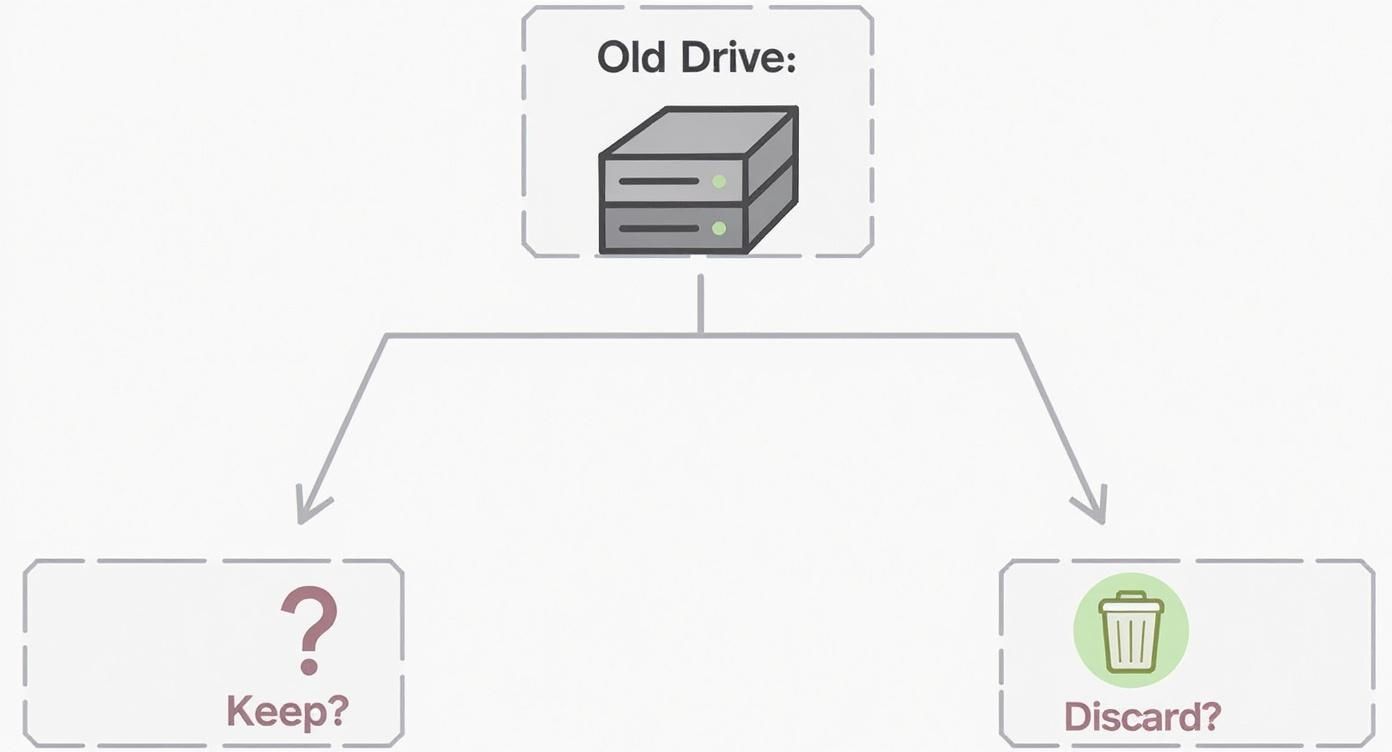
The flowchart gets right to the point: deciding whether to keep or get rid of the physical drive is the first and most important step. It dictates everything that follows.
Before we dive into the methods, here’s a quick comparison to help you see the big picture.
Comparing Data Erasure Methods for Business Needs
| Method | Best For | Security Level | Drive Reusability | Compliance Suitability |
|---|---|---|---|---|
| Software Overwriting | Reusing, remarketing, or donating functional hardware | High | Yes | Good for most standards; may require multi-pass |
| Cryptographic Erase | Rapidly sanitizing modern SSDs and Self-Encrypting Drives (SEDs) | Very High | Yes | Excellent for NIST 800-88 and enterprise environments |
| Physical Destruction | End-of-life, damaged, or highly sensitive drives; when reuse isn't needed | Absolute | No | The gold standard for HIPAA, DoD, and high-security needs |
Each approach has its place. Your job as a business leader or IT professional is to align the method with the data's sensitivity and the asset's lifecycle plan.
Method 1: Software-Based Data Overwriting
Software-based erasure is the go-to method for businesses that plan to reuse, donate, or resell their hardware. It's a workhorse solution. The process uses specialized software to write patterns of ones, zeros, or random data over every single sector of the drive, effectively burying the original information under layers of new, meaningless data.
While a single-pass overwrite is often enough for modern hard drives (HDDs), many organizations run multiple passes to satisfy tough government or industry regulations. For example, the well-known DoD 5220.22-M standard from the U.S. Department of Defense calls for a three-pass approach.
Consider a school district upgrading a computer lab. The old machines still work perfectly and are headed to another school. A thorough software wipe is the perfect solution here—it ensures all student data is gone for good, but the computers are left completely usable for the next user.
Method 2: Cryptographic Erase for Modern Drives
Modern technology has given us a much faster, incredibly secure option for certain drives. Cryptographic Erase (CE) is a feature built right into Self-Encrypting Drives (SEDs), which are now standard in most enterprise-grade laptops, servers, and SSDs.
These drives encrypt everything by default using an internal media encryption key. The magic of CE is how simple it is: the command just deletes that key.
Without the key, the encrypted data on the drive becomes permanently inaccessible—it's nothing more than a jumble of useless digital noise. The whole process is nearly instant, taking seconds instead of the hours a multi-pass software wipe can take.
This is ideal for a fast-paced hardware refresh in a corporate office. As employees get new laptops, the IT team can hit the old SEDs with a CE command, instantly sanitizing them for redeployment or resale without any serious downtime.
Method 3: Physical Destruction, the Final Option
When a drive contains extremely sensitive data, is too old to be useful, or has failed completely, physical destruction is the only guaranteed path. This involves industrial processes that ensure the data is 100% irrecoverable.
There are two primary ways this is done professionally:
- Degaussing: This uses an incredibly powerful magnetic field to scramble the magnetic domains on the platters of a traditional HDD, completely obliterating the data. It's fast and effective but makes the drive totally unusable.
- Shredding: The drive is fed into an industrial shredder that grinds it into small, mangled metal fragments. This is the ultimate form of data destruction, and it works for both HDDs and modern SSDs.
Picture a hospital decommissioning a server that held patient medical records. Because of HIPAA rules and the sheer sensitivity of that data, the risk of even a fragment of information surviving is unacceptable. The only correct move is to have the drives physically shredded and get a Certificate of Destruction as proof.
Choosing the right approach is the foundation to properly dispose of computer equipment. For most organizations, creating a tiered policy that uses all three methods based on the specific situation is the smartest way to manage risk, protect data, and get the most value from your assets.
Kicking Off a Software-Based Data Wipe
When your business plans to reuse, donate, or resell old hardware, a software-based data wipe is the correct method. This approach completely sanitizes the drive, wiping it clean of all sensitive information while keeping the physical hardware intact for its next life.
This isn't as simple as hitting "format." It's a deliberate process that demands the right tools, a solid understanding of the hardware you're dealing with, and a careful, methodical approach. Getting this right is a core competency for any IT department serious about their IT Asset Disposition (ITAD) policy.
At its core, a software wipe overwrites every single sector of a hard drive with random data, effectively burying the original information so deep it's unrecoverable. Professional-grade tools like Blancco or the open-source classic Darik's Boot and Nuke (DBAN) are built for exactly this. These programs don't run from within Windows or macOS; they operate from bootable media, like a USB drive, giving them direct, low-level access to the drive.
Getting Ready for a Secure Wipe
Before you even think about starting the wipe, preparation is everything. The biggest risk here isn’t a software bug—it's human error. Wiping the wrong drive can be a catastrophic, resume-generating event.
To avoid disaster, physically isolate the drive you intend to wipe. The best-case scenario is to perform the wipe on a dedicated, air-gapped workstation that's completely disconnected from your network. If you have to wipe the drive in its original machine, take a moment to physically unplug all other drives. Yes, all of them. That simple step can save you from a world of hurt.
Next, you'll create your bootable media. This just means downloading the software's ISO file and using a tool like Rufus or balenaEtcher to write it to a USB stick. That USB drive is now your key to booting the computer directly into the data destruction software, bypassing the main operating system entirely.
Once booted, you'll see a control screen where your tech selects the target drive and the specific wipe method, giving one final confirmation before the irreversible process begins.
Picking the Right Erasure Standard
The software will ask you to choose a sanitization standard. This isn't just a technical detail; it's a decision directly tied to your company's security policies and compliance needs.
You'll typically see a few common options:
- DoD 5220.22-M: This is the famous 3-pass standard that was once the benchmark for the U.S. Department of Defense. It overwrites data with specific characters and verifies the final pass.
- NIST SP 800-88 Purge: This is the current gold standard from the National Institute of Standards and Technology. Instead of mandating a set number of passes, it focuses on verifying that the data is gone. For most business needs today, a NIST Purge-compliant method is the way to go.
- Single Pass (Zeros or Random): For most modern HDDs, a single, thorough pass of writing zeros or random data is more than enough to make the original data unrecoverable by any software means. It's also the fastest option.
For a closer look at these methods, check out our complete guide on how to properly wipe a computer hard drive, which breaks down what you need for different business scenarios.
The Big Difference: HDDs vs. SSDs
This is where many IT teams make a critical error. The overwriting techniques that work perfectly for traditional spinning hard drives (HDDs) are completely ineffective and can even damage modern Solid-State Drives (SSDs). This is a crucial point your business can't afford to get wrong.
HDDs are simple in this regard; they store data magnetically, and new data physically replaces the old. SSDs are far more complex. They use flash memory managed by wear-leveling algorithms designed to spread write operations across all memory cells, extending the drive's lifespan.
When you run a standard overwrite tool on an SSD, the drive's controller intercepts the command. It doesn't overwrite the old data. Instead, it just marks the original block as "invalid" and writes the new data to a completely different, fresh location. Your sensitive corporate data is left untouched and could easily be recovered.
Worse yet, running multiple overwrite passes on an SSD not only fails to erase the data but also chews through the drive's limited write cycles, degrading its health for no reason.
The Right Way to Wipe an SSD: ATA Secure Erase
The correct—and only truly secure—method for sanitizing an SSD is to use the ATA Secure Erase command. This is a powerful function built directly into the firmware of nearly every modern SSD and SATA hard drive.
When you issue this command, the SSD's own controller triggers a hardware-level process. It sends a voltage spike to all NAND flash blocks at once, resetting every single memory cell back to its factory state. This instantly and completely vaporizes all data, including data in the hidden, over-provisioned areas that software tools can't even see.
Executing this command usually requires specific software that can trigger it (most professional erasure suites can) or finding the option in the computer's BIOS/UEFI. It's the most efficient, effective, and manufacturer-approved way to ensure you properly erase a solid-state drive, protecting your data without harming the hardware.
Verifying Erasure for Compliance and Audits
Running the wipe is only half the job. In the business world, especially in regulated industries, if you can't prove a hard drive was erased, you might as well have not done it at all. The erasure itself is tactical; the proof of erasure is strategic. It’s the bedrock of your compliance and risk management efforts.
This is where professional-grade data erasure moves beyond a simple IT task and becomes a legal safeguard. When you use business-class sanitization tools, the process ends by generating a detailed, tamper-proof report. This isn't just a pop-up saying "complete"—it's a critical piece of auditable evidence.
These reports are your legal proof that data was properly destroyed. It’s the document you hand to auditors, regulators, or legal counsel if a security incident ever comes into question. It’s your best defense against claims of negligence and the crippling penalties that follow.
Building an Unbreakable Chain of Custody
A single erasure report is powerful, but its true value is unlocked when it’s part of a larger documentation process called a chain of custody. This is a chronological paper trail tracking every single data-bearing asset from the moment it leaves an employee’s desk to its final disposition.
Think of it like evidence in a legal case—you have to account for every step to prove nothing was lost or tampered with. Your chain of custody log must include:
- Asset Identification: The unique serial number, asset tag, and make/model of the drive or device.
- Custodial Transfer: A record of who handled the asset and when, including names, dates, and signatures.
- Erasure Details: The specific method used (e.g., NIST 800-88 Purge), the software version, the date and time of erasure, and the technician's name.
- Final Disposition: A clear statement on what happened next. Was the asset redeployed, sold, donated, or physically destroyed?
This meticulous record-keeping is non-negotiable for any organization subject to regulations like HIPAA or GDPR. For businesses navigating strict data privacy rules, verifying hard drive erasure is a core component of broader solutions for compliance and liability control.
Connecting Documentation to Compliance Mandates
The demand for verifiable data erasure has grown so much it’s fueling major market expansion. The global market for hard disk eraser solutions was recently valued at USD 1.2 billion and is projected to more than double to USD 2.4 billion by 2033, driven almost entirely by companies needing to comply with regulations like GDPR, HIPAA, and CCPA.
This isn't just about following rules; it's about active defense. When an auditor asks how you protect customer data at its end-of-life, you don't give them a verbal explanation—you hand them a complete file of erasure reports and chain-of-custody logs.
This documentation directly addresses key principles within major data privacy laws. For example:
- GDPR's "Right to be Forgotten": Your erasure certificate is tangible proof you honored a customer's request to permanently delete their personal data.
- HIPAA's Security Rule: Verifiable disposal of electronic protected health information (ePHI) is a specific requirement. A detailed log and certificate are essential for proving compliance.
Ultimately, the goal is to create a complete, auditable record for every single asset. For equipment that is physically destroyed, this process culminates in receiving a formal Certificate of Destruction. This legal document is the final word, transferring liability and closing the loop on your asset's lifecycle. We provide a detailed explanation of why a certificate of destruction for hard drives is so critical for business protection.
When Your Business Should Hire a Certified ITAD Service
Attempting to manage data destruction in-house might seem like a cost-saving measure, but this logic often fails under scrutiny. The reality is, what works for a handful of old PCs becomes a logistical nightmare and a massive security risk when you're decommissioning an entire office.
This is the tipping point where partnering with a certified IT Asset Disposition (ITAD) vendor isn't just a convenience—it becomes a strategic necessity. A professional service brings a level of security, efficiency, and liability protection that your internal IT team, already juggling a dozen other priorities, simply can't match.
Key Triggers for Outsourcing Data Destruction
Knowing when to call in the experts is one of the most important decisions you can make to protect your business. Certain situations demand a professional, auditable process that goes beyond what any in-house team can realistically handle.
Here are the most common signs that it's time to bring in a certified partner:
- Large-Scale Hardware Refreshes: Are you swapping out dozens, or even hundreds, of computers? The sheer volume of drives makes an internal project totally impractical and dangerously prone to human error.
- Data Center Decommissioning: Shutting down a data center is a massive undertaking. We're talking about securely processing potentially thousands of high-capacity drives, which requires industrial-grade equipment, specialized logistics, and a rock-solid chain of custody.
- Operating in Regulated Industries: If your business is in healthcare (HIPAA), finance (SOX), or any field that handles sensitive personal information (GDPR, CCPA), the rules for data disposal are ironclad. Certified vendors live and breathe these standards.
- Lack of Internal Expertise: Your IT team is great, but do they know the specific commands for an ATA Secure Erase on a modern SSD? Or how to properly wipe a complex server array? If not, the risk of an incomplete data wipe is just too high.
The Value Beyond Convenience
Bringing in a professional service like Atlanta Computer Recycling is about so much more than just getting old equipment out the door. It directly strengthens your company’s security and protects your bottom line. To get a better sense of the big picture, our guide explains in detail what IT Asset Disposition truly entails and why it's a critical business function.
The real value of a certified ITAD partner is risk transference. The moment they take possession of your assets, they also take on the liability for making sure every single byte of data is destroyed according to legal and industry standards.
This partnership also gives you access to services that are simply out of reach for most companies. On-site physical shredding, for example, lets you witness the destruction of your most sensitive hard drives firsthand—the ultimate peace of mind.
Most importantly, a certified vendor provides a legally binding Certificate of Destruction for every asset they process. This document is your official, auditable proof that you did everything right, and it's your best defense if a security audit or legal challenge ever comes your way.
Your Hard Drive Erasure Questions Answered
Even with a solid plan, you're bound to run into questions when it's time to actually erase a hard drive. Getting the right answers is what separates a secure, compliant process from a costly mistake. Let’s walk through the most common questions we hear from businesses building their data destruction strategy.
Is Formatting a Hard Drive the Same as Erasing It?
Not even close. This is one of the most dangerous misconceptions in business IT.
Formatting a drive is like removing the table of contents from a book—all the chapters are still there, you just made it harder to find them. The actual data remains on the drive, easily recoverable with off-the-shelf software.
Secure erasure, or wiping, is a totally different beast. It’s the process of overwriting every single sector of that drive with random data, effectively shredding the original information into oblivion. For any business that takes security and compliance seriously, formatting is never an acceptable data destruction method.
How Is Erasing an SSD Different from an HDD?
This is a critical distinction that trips up a lot of IT teams. The traditional overwriting software that works perfectly for old-school spinning hard disk drives (HDDs) is not only useless for modern Solid State Drives (SSDs), but it can actually damage them.
The culprit is a technology called wear-leveling. SSDs use it to distribute writes across all their memory cells to extend the drive's life. When you try to overwrite a specific block, the SSD's controller might just redirect that write to a new, less-used block, leaving the original data completely untouched and recoverable.
The only way to securely wipe an SSD is to use its built-in ATA Secure Erase command. This is a firmware-level function that tells the drive to reset all of its memory cells at once, returning it to its original factory state. This isn't something you can do with just any tool—it requires professional software or an experienced ITAD partner to execute correctly.
Why Does My Business Need a Certificate of Destruction?
Think of a Certificate of Destruction (CoD) as your "get out of jail free" card in a data breach audit. It’s far more than a simple receipt; it's a legally binding document that provides auditable proof that your data-bearing assets were properly and permanently destroyed.
A legitimate CoD isn't just a piece of paper. It must include:
- Unique Serial Numbers for every single drive that was destroyed.
- The Method of Destruction used (e.g., physical shredding, NIST 800-88 Purge).
- A Clear Chain of Custody, detailing who handled the assets and when.
If regulators ever come knocking after a breach, this certificate is your first and best line of defense. It proves you did your due diligence and followed a secure, documented process.
Should We Handle Data Erasure In-House or Outsource It?
Wiping a handful of drives in-house might seem like a quick way to save a few bucks. But when you factor in the man-hours, the verification process, and the massive risk if something goes wrong, the math changes quickly. An in-house process also lacks the crucial third-party validation that regulators and clients look for.
For any large-scale project—like a hardware refresh, office move, or data center decommissioning—outsourcing to a certified ITAD partner is the smarter business decision. You’re not just handing off a task; you're effectively transferring the liability for data destruction to an insured expert. They bring the right tools, the certified expertise, and the bulletproof documentation you need to prove compliance without a shadow of a doubt.
When your Atlanta-based business needs absolute certainty that its data is destroyed securely and in compliance with all regulations, the experts at Atlanta Computer Recycling are ready to help. We provide certified, auditable data destruction services tailored to your specific needs. Contact us today to secure your retired IT assets at https://atlantacomputerrecycling.com.