How to Delete a Hard Drive for Your Business


When retiring old IT assets, your company has two compliant options for data sanitization: using specialized software to completely overwrite the data, or physically destroying the drive so nothing can ever be recovered. Simply formatting a drive or dragging files to the trash is not enough. That sensitive corporate, financial, and customer information is still there and surprisingly easy for a determined actor to retrieve.
Why Secure Data Destruction Is a Business Imperative
Improperly disposing of old hard drives isn't just a simple IT oversight—it's a direct threat to your company’s security, reputation, and bottom line. Every retired server, laptop, or desktop holds a detailed history of your business: customer lists, financial records, employee data, and trade secrets.
When these devices are discarded or resold without professional data sanitization, they become a goldmine for data thieves. The consequences of such a lapse are not hypothetical; they are a clear and present danger to your organization's operational stability.
The High Cost of an Oversight
The risks of inadequate hard drive deletion extend far beyond a single data breach. For any business, the potential fallout can be catastrophic and multifaceted.
Here’s what’s really at stake:
- Severe Data Breaches: A single improperly discarded hard drive can expose thousands of confidential records, triggering a full-blown security crisis and legal liability.
- Hefty Regulatory Fines: Failing to comply with data protection laws like HIPAA, GDPR, or FACTA can lead to fines climbing into the millions of dollars. A single procedural error is all it takes to attract regulatory scrutiny.
- Lasting Brand Damage: Customer trust is hard-won and easily lost. News of a data breach can permanently tarnish your brand reputation and drive customers directly to your competitors.
A core part of secure data management is understanding and following robust UK data retention policies. These regulations don't just dictate how long to keep data, but also mandate when and how it must be securely destroyed.
Data Security as a Business Strategy
The constant stream of data breach headlines has made secure hard drive deletion a top priority for forward-thinking organizations. In the United States alone, thousands of reported breaches have impacted over a billion individuals. These aren't just statistics; they represent tangible business risk, which is why more companies are turning to professional hard drive destruction services instead of relying on unreliable DIY methods.
It's time to stop thinking of data destruction as a cleanup task and start treating it as a core component of your risk management strategy. It’s a crucial part of your company's security posture and a key element of a complete IT asset lifecycle plan. To get the full picture on managing tech from purchase to disposal, you can explore our guide on what is IT asset disposition here: https://atlantacomputerrecycling.com/what-is-it-asset-disposition/.
Ultimately, partnering with a certified expert like Atlanta Computer Recycling is about more than just disposing of old equipment. It’s about ensuring every single drive is handled according to industry best practices, giving you peace of mind and a defensible, auditable trail that insulates your business from risk.
Choosing Your Method: Software Wiping vs. Physical Destruction
When it comes to permanent data removal from a hard drive, businesses have two primary paths: wiping it clean with certified software or physically destroying it. This is not just a technical choice—it's a strategic business decision that impacts your security posture, your budget, and the potential for asset value recovery.
The two approaches, physical destruction and digital erasure, cover every scenario your business will encounter. In fact, digital wiping is on track to capture approximately 40% of the market share in the coming years. Why? It's cost-effective, environmentally responsible, and ideal for businesses looking to reuse or resell their IT equipment.
The Case for Software Data Wiping
Software wiping, or data erasure, uses specialized programs to overwrite every bit of data on a hard drive with random, meaningless characters. This process is repeated multiple times, effectively destroying the original data and rendering it completely unrecoverable.
This is the optimal route when you plan to redeploy, sell, or donate your computers. Wiping preserves the hardware's value while ensuring the data is forensically unrecoverable. It transforms a potential security liability into a reusable asset.
The industry gold standard for this is the DoD 5220.22-M 3-pass wipe. This method overwrites the entire drive three separate times, providing a robust level of data sanitization that satisfies most industry compliance requirements.
Key Takeaway: Software wiping is an essential tool for effective IT asset lifecycle management. It allows you to securely erase data, maximize the value of your hardware portfolio, and reduce e-waste.
When to Opt for Physical Destruction
For some data and some devices, "forensically unrecoverable" isn't enough. For drives that are old, damaged, or contained mission-critical intellectual property, physical destruction is the only way to guarantee 100% certainty that the data is gone forever. This is the complete and total obliteration of the storage media.
This is not a DIY task. Professional services use specialized industrial equipment for two primary techniques:
- Shredding: Massive industrial shredders pulverize hard drives, SSDs, and other media, turning them into a pile of tiny metal and plastic fragments. It’s the most common and verifiable method, providing clear, visual proof of destruction.
- Degaussing: This technique subjects the drive to an extremely powerful magnetic field, instantly scrambling the magnetic data on the platters. The drive is rendered useless and completely unreadable.
This is the only acceptable option for organizations in high-stakes sectors like healthcare (HIPAA compliance), finance, or defense. For them, the absolute certainty that comes from knowing a drive is physically annihilated is non-negotiable. To understand this process better, you can learn more about professional hard drive destruction services and the secure chain of custody they provide.
Software Wiping vs. Physical Destruction: A Comparison for Businesses
Choosing the right method requires a clear-eyed assessment of your business goals, data sensitivity, and hardware condition. This table breaks down the key differences to simplify your decision.
| Feature | Software Wiping (e.g., DoD 3-Pass) | Physical Destruction (e.g., Shredding) |
|---|---|---|
| Primary Use Case | Redeploying, reselling, or donating functional hardware. | End-of-life, damaged, or obsolete drives containing highly sensitive data. |
| Hardware Viability | The drive remains physically intact and fully functional. | The drive is completely destroyed and cannot be reused. |
| Verification Method | A digital certificate is generated confirming successful erasure. | A Certificate of Destruction is issued, often with visual proof. |
| Environmental Impact | Promotes reuse and reduces e-waste, supporting sustainability goals. | Creates e-waste that must be responsibly recycled. |
| Best For | ITAD programs, equipment leases, and circular economy initiatives. | Healthcare, finance, government, and legal sectors with zero-risk tolerance. |
Ultimately, many organizations find a hybrid approach works best—wiping newer, functional equipment for resale while shredding older, obsolete drives from the server room.
A partner like Atlanta Computer Recycling can help you develop this strategy. We assess your inventory and recommend the most secure and cost-effective solution, whether that’s certified on-site software wiping or dispatching our mobile shredder to your location.
Implementing a Professional Data Wiping Process
When your business plans to reuse hardware, a professional data wiping process isn't just a good idea—it's absolutely critical for security and compliance. This goes far beyond running a freeware tool. It requires a structured, enterprise-level workflow designed to eliminate risk and generate a bulletproof audit trail.
A systematic approach is the only way to be certain that data from a previous user, client, or project doesn't surface on a repurposed machine. It’s about protecting your company from data leaks and ensuring you meet your data governance obligations.
Starting with a Complete Inventory
The first step in any professional data wiping engagement is a comprehensive asset inventory. You cannot secure what you do not track. This means creating a detailed manifest of every single drive slated for sanitization.
This inventory must capture key details for each asset:
- Serial Number: The unique identifier for the hard drive or SSD.
- Asset Tag: Your company’s internal tracking number for the device.
- Make and Model: Specifics like a Seagate BarraCuda or Samsung 870 EVO.
- Capacity: The size of the drive (e.g., 1TB, 4TB).
- Intended Disposition: A notation indicating whether the drive will be reused internally, sold, or donated.
This log is the foundation of your entire audit trail. For large-scale projects like a data center migration or an enterprise-wide hardware refresh, this process is non-negotiable. When decommissioning multiple servers, for instance, a meticulous inventory is the first step in a much larger project. Our server decommissioning checklist provides a complete framework for managing these initiatives securely and efficiently.
Selecting the Right Wiping Standard
Once your inventory is complete, the next critical decision is choosing the appropriate data erasure standard. The sensitivity of the information on the drive should dictate the wiping protocol. For most business applications, the DoD 5220.22-M 3-pass wipe is the industry standard, offering a thorough and widely accepted level of data destruction.
However, for highly sensitive financial records or protected health information (PHI), you may need to escalate to a more intensive 7-pass method. The key is to align the wiping protocol with your company's risk tolerance and compliance mandates. Using certified software is crucial, as it guarantees the chosen standard is executed perfectly across the entire drive, including hidden or remapped sectors.
This infographic provides a high-level comparison of the two main approaches to hard drive data disposal.
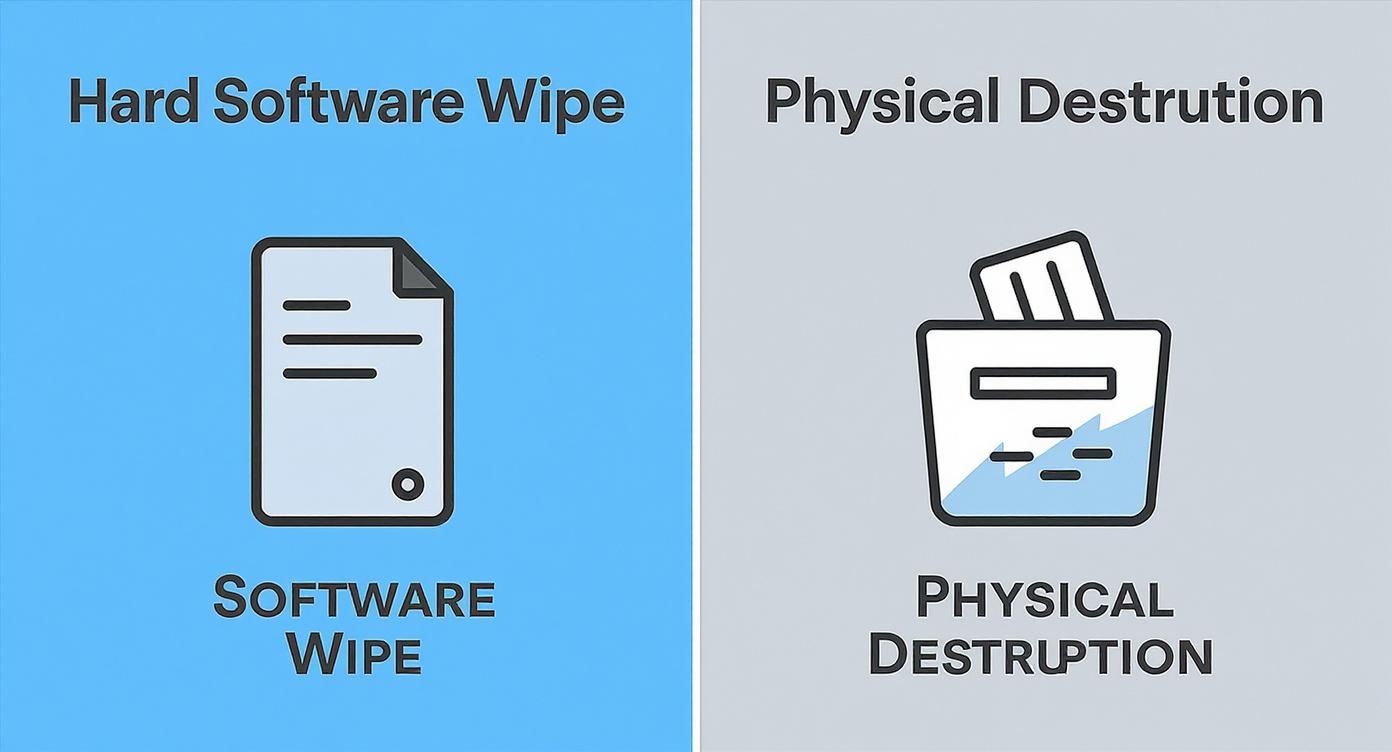
As shown, software wiping preserves the asset for reuse, while physical destruction provides ultimate certainty by eliminating the asset itself.
The Critical Step: Verification and Certification
A step often missed by amateurs but fundamental to professional services is verification. After the wiping software completes its passes, it must perform a final read of the entire drive to confirm that every sector contains only overwritten, randomized data. A successful verification is the only proof that the data is truly unrecoverable.
Without this step, you are merely assuming the wipe was successful. A momentary power interruption or a failing drive sector could have halted the process, leaving fragments of sensitive data intact.
The Bottom Line: A data wipe is not complete until it has been independently verified. This isn't just a best practice; it's the only way to be certain that the sanitization was 100% effective.
Upon successful verification, the software generates a Certificate of Data Destruction. This digital document is your tangible proof of compliance. It links the drive's serial number from your inventory to the specific wiping standard used, the date and time of completion, and the verification status. These certificates are indispensable for satisfying internal and external audits and proving due diligence.
Partnering with a service provider like Atlanta Computer Recycling automates this entire workflow. We handle the inventory, execute certified wipes, and provide the detailed documentation you need, delivering a fully auditable and risk-free solution for your IT asset disposition program.
When Physical Destruction Is the Only Answer
Software wiping is an excellent solution for hard drives you intend to redeploy or resell. However, for certain data and devices, there is zero room for error. When hard drives are at their end-of-life, are physically damaged, or contain your organization's most critical intellectual property, physical destruction is the only method that ensures 100% data irretrievability.
This is not about manual destruction in a workshop. This refers to a precise, industrial process engineered for absolute certainty. It is the definitive solution for any organization handling sensitive information where even a fractional chance of a data leak is an unacceptable business risk.
Understanding Professional Shredding
The industry-standard method for physical destruction—and the most visually definitive—is industrial shredding. This involves powerful machines designed to pulverize hard drives, solid-state drives (SSDs), and other media into tiny, unrecognizable pieces of metal and plastic.
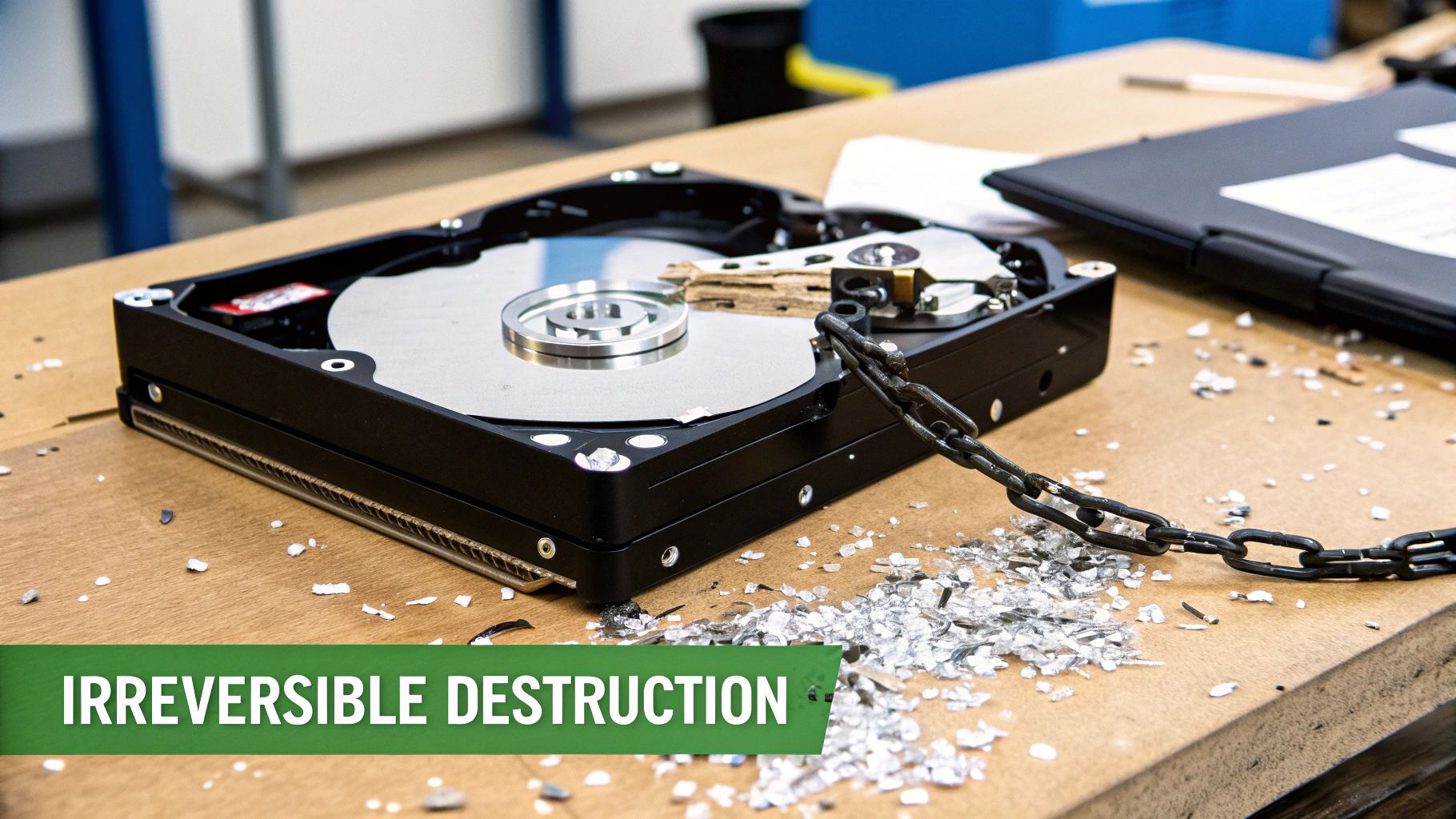
The process is designed to completely obliterate the data-bearing platters. Once a drive passes through an industrial shredder, reassembly is impossible, and data recovery from the resulting fragments is a practical impossibility. This is the gold standard for permanent data elimination.
Consider a healthcare provider retiring servers that stored thousands of patient records. Under HIPAA, they are legally obligated to render that protected health information (PHI) completely unrecoverable. For them, professional, on-site shredding is not just a best practice; it's a critical compliance requirement.
How Degaussing Works
Another highly effective method is degaussing. Instead of physical force, degaussing uses a powerful magnetic field to instantly and permanently erase the data on a drive's platters. A professional degausser emits a magnetic pulse so strong it completely scrambles the magnetic orientation where data was written.
The result is a drive that appears physically intact but is functionally useless. The data is eradicated, and the process often destroys the drive's firmware, preventing it from ever spinning up again. Degaussing is highly effective for traditional hard drives (HDDs) and serves as a rapid, clean method for sanitizing media before recycling.
The Critical Role of a Secure Chain of Custody
Knowing how to delete a hard drive is only half the battle. Your business must also be able to prove it was done correctly. This is where a secure chain of custody is essential—it’s the documented audit trail that follows your hard drives from the moment they leave your possession to their final destruction. This is a non-negotiable component of any professional ITAD service.
A proper chain of custody includes:
- On-Site Collection: A technician inventories and secures the drives at your facility, logging every serial number.
- Secure Transport: Assets are moved in a locked, GPS-tracked vehicle directly to the destruction facility.
- Witnessed Destruction: Many services, particularly on-site shredding, allow you to witness the process for ultimate verification.
- Certificate of Destruction: Upon completion, you receive a formal certificate listing every destroyed drive by serial number. This is your official proof of compliance.
This transparent, documented process transforms a simple disposal task into a defensible security procedure. For businesses in the Atlanta area, engaging a trusted local partner is critical. You can learn more about finding a verified expert to shred hard drives near you to ensure your data is handled with a secure, local chain of custody. Working with a specialist like Atlanta Computer Recycling provides this verifiable security, making compliance straightforward and worry-free.
Maintaining a Compliant Audit Trail
Data erasure is just the first step. For any business subject to data protection regulations, the ongoing challenge is proving that you executed the process correctly. A comprehensive audit trail is your primary tool for this, transforming a routine IT task into a legally defensible business practice. Without this documentation, your organization is exposed during an audit, with no means of demonstrating compliance.
A rock-solid audit trail is your defense against the significant legal and financial repercussions of non-compliance. Regulations like HIPAA, GDPR, and FACTA don't just require you to destroy data; they demand verifiable proof of that destruction. Failure to provide this proof can result in penalties as severe as those for an actual data breach.
The Role of the Certificate of Destruction
The cornerstone of any compliant audit trail is the Certificate of Destruction. This is not merely a receipt. It is a formal, legally recognized document that serves as undeniable proof that specific hard drives were securely and permanently destroyed. It is the final, authoritative record that closes the lifecycle of an IT asset.
Think of this document as your primary defense in an audit. If a regulator inquires about servers that once stored thousands of patient records, presenting a detailed certificate immediately demonstrates that you fulfilled your due diligence and complied with HIPAA's stringent data privacy rules. You can learn about the specific elements that make a certificate legally sound in our detailed guide to a certificate of destruction for hard drives.
For a certificate to withstand scrutiny, it must contain specific, verifiable information.
Key Elements of a Compliant Data Destruction Certificate
A Certificate of Destruction is a legal document that validates your compliance. To be effective, it must contain several key pieces of information that create an unbroken, verifiable record of the asset's destruction.
| Element | Description | Why It's Critical |
|---|---|---|
| Unique Serial Numbers | A complete list of every individual hard drive's serial number. | Provides an exact, one-to-one link between the assets you retired and the assets that were destroyed. |
| Method of Destruction | A clear statement of the method used (e.g., shredding, degaussing). | Confirms that the destruction method met the required security standard for the data's sensitivity level. |
| Chain of Custody Details | Names of individuals and dates for collection, transport, and final destruction. | Creates an unbroken, accountable record of who handled the assets and when, preventing loss or tampering. |
| Authorized Signatures | Signatures from both your organization and the certified ITAD provider. | Serves as a legal attestation that both parties witnessed and verified the secure disposition of the assets. |
Without these details, the certificate loses its evidentiary value, leaving your organization unable to prove compliance during an audit.
Tracking Every Step with a Chain of Custody Log
Before a certificate can be issued, a meticulous chain of custody log must be maintained. This log is a chronological paper trail tracking each hard drive from the moment it leaves your control to its final disposition. It records every handoff, ensuring no device is lost or mishandled.
The process is analogous to handling evidence in a legal case. The log must account for every movement, from pickup in your server room to secure transport and final destruction at a certified facility. Any gap in this chain represents a security vulnerability and undermines the integrity of the entire process.
For any compliant data destruction process, the audit trail is non-negotiable. It’s the official story of an asset’s end-of-life journey, and it needs to be flawless, complete, and verifiable from start to finish.
This principle of documented, auditable deletion extends beyond physical hardware. To maintain a truly compliant audit trail for all data destruction, it's essential to consider not only physical drives but also the systematic deletion of digital records, including processes like managing an Airtable Automation Delete Record process. The core concept remains the same: create a verifiable record of every deletion.
This is where a certified ITAD partner like Atlanta Computer Recycling provides immense value. We manage the entire documentation process for you—from creating the initial inventory and maintaining a secure chain of custody to providing a serialized, legally sound Certificate of Destruction. Our service is designed to make compliant documentation a seamless, integrated part of your IT asset disposal program, giving you the peace of mind that comes with a complete and defensible audit trail.
Your Hard Drive Deletion Questions Answered
When it comes to corporate data destruction, questions are inevitable. IT managers, compliance officers, and business owners all require certainty that they are making the right decisions to protect their organization. Here are the answers to the most common questions we encounter.
Our goal is to provide the clarity your business needs to move from uncertainty to a solid, secure plan for end-of-life data management.
Is Formatting a Hard Drive Enough to Securely Delete Data?
No, not even close. Formatting a drive is like removing the table of contents from a book. All the pages and the information on them remain intact and accessible.
Formatting merely marks the space as "available" for new data in the operating system's file table. The original files can be easily recovered with widely available software tools. For any business data, relying on a simple format constitutes a significant security risk. You must either overwrite the data with professional software or physically destroy the drive.
What Is the Difference Between Degaussing and Shredding?
Both are methods of physical destruction, but they operate on different principles. The appropriate choice depends on the type of storage media being destroyed.
- Degaussing uses an intense magnetic field to scramble the data on a hard drive's magnetic platters. It is extremely fast and effective for traditional hard disk drives (HDDs). However, it is completely ineffective on Solid-State Drives (SSDs), as they do not use magnetic storage.
- Shredding is a mechanical process where a machine physically grinds the drive into small, destroyed pieces of metal and plastic. This is the universal solution, as it works on all media types—HDDs, SSDs, flash drives, and backup tapes. It is the most versatile and foolproof method of physical destruction.
When your business is disposing of a mixed inventory of IT assets, shredding is almost always the recommended solution. It ensures complete and compliant destruction across every type of media without requiring sorting.
Should We Choose On-Site or Off-Site Destruction Services?
This decision typically depends on your company's security policies, compliance requirements, and risk tolerance. When working with a certified provider, both are secure options, but they cater to different needs.
On-site destruction involves a mobile shredding truck visiting your facility. Your team can witness the entire process, providing an unbroken chain of custody from your data center to the shredder. This is often a mandatory requirement for organizations governed by strict regulations like HIPAA and offers the highest level of assurance.
Off-site destruction involves a certified team securely transporting your assets in locked containers to their secure facility for destruction. This can be more logistically efficient and cost-effective for very large volumes of media. Provided there is a documented chain of custody and you receive a formal Certificate of Destruction, it is a perfectly secure and standard industry practice.
Navigating these choices is simpler with an expert partner. Atlanta Computer Recycling provides both on-site and off-site NAID AAA Certified data destruction services tailored to your business needs, ensuring your data is handled securely, compliantly, and responsibly every step of the way. Visit us at https://atlantacomputerrecycling.com to learn more.