How to Completely Wipe Out a Hard Drive for Business

Before your business gets rid of old computers, it's critical to understand one thing: simply deleting files or formatting a drive just doesn't cut it. This is a common mistake that leaves sensitive data wide open for recovery, creating a massive—and completely avoidable—security risk. Learning how to completely wipe out a hard drive isn’t just an IT task; it’s an essential security measure for any modern business.
Why Dragging Files to the Trash Is a Major Business Risk
So many businesses think that moving files to the recycle bin and hitting "empty" is the end of the story. It couldn't be further from the truth.
When you "delete" a file, the operating system doesn't actually erase the data. All it does is remove the pointer that tells your computer where to find it. The ones and zeros that make up your sensitive information are still sitting there on the drive.
Think of it like ripping the table of contents out of a book. The chapters are all still there, you just made it a little harder to find them. Your "deleted" files—full of client records, financial statements, and internal plans—remain perfectly intact on the hard drive's sectors.
The Illusion of a Clean Slate
This lingering data, often called data remanence, is shockingly easy to get back using widely available data recovery software. A discarded or resold computer can quickly become a goldmine for anyone with bad intentions. In fact, numerous studies have shown that sensitive data can be recovered from a huge percentage of secondhand drives sold online.
The core problem is data remanence—the residual data that stays on a drive even after you try to delete it. Simple file deletion fails to address this. To truly protect your information, you need proper data sanitization methods that make the data gone for good.
This isn't just a theoretical problem. The risks of improper data disposal have very real consequences that can hit your operations, reputation, and bottom line.
The True Costs of Inadequate Data Disposal
Failing to properly sanitize old hard drives exposes your business to threats that go far beyond a minor inconvenience. A single data breach can have a devastating, long-lasting impact, especially for businesses that handle any kind of sensitive information.
Here are the primary risks you’re up against:
- Data Breaches and Reputational Damage: Imagine your customer lists, employee PII, or trade secrets getting out. The trust you've spent years building with clients and partners can be destroyed in an instant.
- Compliance Violations and Hefty Fines: Regulations like HIPAA, GDPR, and CCPA have strict rules for data disposal. Getting it wrong can lead to severe financial penalties that are far more expensive than professional data destruction services.
- Competitive Disadvantage: If your strategic plans, R&D data, or internal financials fall into a competitor's hands, it could give them an unfair and damaging advantage.
Knowing how to dispose of old computers safely is a cornerstone of modern business security. It's a proactive step that protects your assets and ensures you meet your legal and ethical duties to your clients and employees.
Software Wiping for Reusable and Leased Hardware

When your business is returning leased equipment, repurposing workstations for new employees, or reselling old assets, physical destruction is often overkill. In these cases, you need a way to completely wipe out a hard drive without actually destroying the hardware.
This is where professional software wiping comes in.
It’s a process that goes far beyond a simple "format." Think of it as digital shredding. Specialized software systematically overwrites every single sector of the drive with layers of meaningless, random characters. This process replaces your sensitive data with gibberish, making the original information practically impossible to recover.
Understanding Data Wiping Standards
Not all data erasure software is created equal. To ensure real security and compliance, businesses need to use tools that follow recognized data sanitization standards. These standards are the rulebook, dictating how many times a drive gets overwritten (the "passes") and what kind of data is used to do it.
Two of the most trusted standards in the industry are:
- DoD 5220.22-M: This is the classic. Originally developed by the U.S. Department of Defense, it’s a 3-pass overwrite process. It first writes a character, then its complement, and finally a string of random characters across the entire drive. For years, it has been the benchmark for secure data erasure.
- NIST 800-88: This is the modern framework from the National Institute of Standards and Technology. The "Purge" method is more adaptive, recommending specific techniques for different storage types—like using ATA Secure Erase for SSDs, which is often faster and more effective than traditional overwrite methods. You can dive deeper into how these standards apply to your business by exploring resources on the NIST 800-88 guidelines.
So which one is right for you? It really depends on your industry's compliance rules and your own internal security policies. For most businesses, a DoD 3-pass wipe is a proven, defensible method that stands up to scrutiny.
To help you visualize the differences, here's a quick comparison of the most common standards businesses rely on.
Comparing Common Data Wiping Standards
This table breaks down the key features of popular data wiping standards, helping you choose the right level of security for your needs.
| Standard Name | Number of Passes | Overwrite Pattern | Best For |
|---|---|---|---|
| DoD 5220.22-M | 3 Passes | Writes a character, its complement, then random data. | General business use, meeting a widely recognized and defensible standard. |
| NIST SP 800-88 | Varies (often 1 pass) | Uses built-in device commands (e.g., ATA Secure Erase). | Modern drives (especially SSDs) where firmware-level commands are more effective. |
| Gutmann Method | 35 Passes | A complex series of overwrites with different patterns. | Extreme security needs; often considered overkill for modern drives. |
| Schneier Method | 7 Passes | Combines random characters with specific byte patterns. | High-security environments requiring more than the DoD standard. |
Ultimately, choosing a standard is about balancing security with efficiency. While a 35-pass method is incredibly thorough, a NIST or DoD-compliant wipe is more than sufficient for the vast majority of corporate data sanitization needs.
How This Works in the Real World
Picture a financial services firm at the end of a three-year lease for 100 office computers. Before those machines go back, the IT manager has to guarantee that zero client financial data remains. Just formatting the drives isn't an option—it's a clear violation of regulations like GLBA.
Here, the firm would use a certified software solution that performs a DoD-compliant wipe on every single machine. Crucially, that software also generates a detailed audit trail. This documentation provides a permanent record with drive serial numbers and wipe verification, proving the company did its due diligence.
Key Takeaway: The real value of professional software wiping isn’t just in erasing the data—it's in the verifiable proof it provides. A certificate of data destruction is your evidence that you followed the rules.
The demand for these secure services is soaring. The global market for hard drive destruction services, which includes professional wiping, is projected to jump from USD 1.65 billion in 2024 to USD 5.05 billion by 2035. This massive growth shows just how seriously businesses are taking certified data sanitization. You can read the full market analysis on Spherical Insights for more details.
Using Degaussing for High-Security Data Erasure
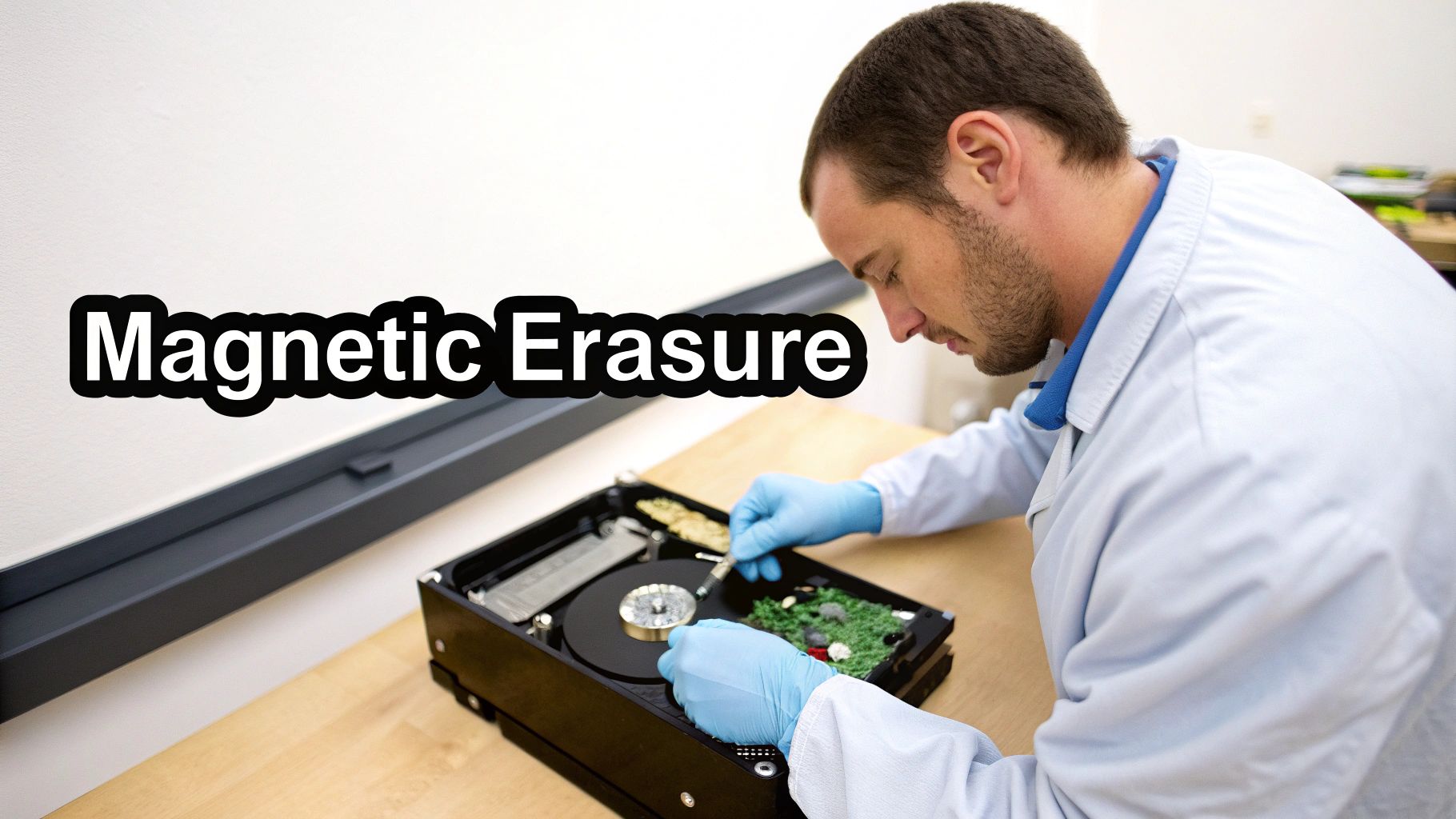
When software wiping just won't cut it for strict compliance needs, you need a method that leaves zero doubt. That’s where degaussing comes in. For traditional hard disk drives (HDDs), this is the ultimate "reset button."
Degaussing blasts a hard drive with an incredibly powerful magnetic field. This intense energy completely and permanently scrambles the magnetic platters where your data lives. The result isn't just a wiped drive—it's a drive rendered totally useless, with its contents reduced to random magnetic noise.
For any organization handling highly sensitive information in sectors like finance, healthcare, or government, this process provides an instant, irreversible way to neutralize data before the hardware is recycled or destroyed.
The Critical HDD vs. SSD Distinction
Here's something you absolutely have to get right: degaussing is only effective on traditional, spinning-platter Hard Disk Drives (HDDs). That’s because HDDs store data magnetically, which is exactly what a degausser targets.
But what about Solid-State Drives (SSDs)? Degaussing is completely useless on them.
SSDs rely on flash memory (NAND flash chips), which isn't magnetic. Hitting an SSD with a degausser won’t touch the data, though it will probably fry the drive’s electronics. This leaves the data intact but inaccessible without specialized forensic tools—a huge security risk.
Key Takeaway: Degaussing is a specialist's tool for HDDs. Using it on an SSD creates a false sense of security and fails to erase the data. For SSDs, you must stick with methods like cryptographic erasure or physical destruction.
This distinction is precisely why a one-size-fits-all data destruction strategy is so dangerous. You have to match the method to the media.
Degaussing in a Regulated Environment
Let's imagine a hospital system is upgrading its entire server infrastructure. They're left with hundreds of old HDDs loaded with patient records, all protected under strict HIPAA rules. Standard wiping might be enough, but the hospital’s risk policy demands absolute certainty.
This is a perfect scenario for degaussing. Each HDD is passed through the degausser, neutralizing the data in seconds. After that, the sanitized drives are sent off for physical shredding.
This two-step process—degaussing then shredding—creates a bulletproof, multi-layered security protocol. It ensures compliance and protects patient privacy beyond any doubt. The demand for such robust methods is growing fast; the global data destruction service market, valued at USD 12 billion in 2024, is expected to skyrocket to USD 39.3 billion by 2035. You can discover more insights about these market trends on Research Nester.
When Degaussing Is the Right Choice
So, when should your business seriously consider degaussing to completely wipe out a hard drive? It’s the go-to solution in a few key situations.
- Meeting High-Security Mandates: For classified government data or top-secret corporate R&D, degaussing delivers a level of assurance that software just can't match.
- Compliance with Industry Regulations: In sectors like healthcare (HIPAA) or finance (GLBA), it's an incredibly effective way to make sensitive data completely irretrievable.
- Rapid Sanitization of Bulk HDDs: A degausser can sanitize a drive in just a few seconds, making it hyper-efficient for large-scale projects involving hundreds or even thousands of HDDs.
Working with a certified vendor is non-negotiable. Professional hard drive destruction services not only have the proper, high-powered equipment but also provide the secure chain of custody and documentation you need to prove you’ve met your compliance obligations.
Physical Destruction: The Only 100% Guarantee
When you need to be absolutely, positively sure that data can never be recovered, software wipes and degaussing just don't cut it. For any organization with a zero-tolerance policy for data breaches, physical destruction is the only real answer. This is the gold standard for completely wiping a hard drive, leaving zero doubt and providing a 100% guarantee of data eradication.
This isn’t about taking a hammer to an old drive in the back of the office. We're talking about professional, industrial-grade machinery that makes data recovery a physical impossibility. For law firms retiring old case files or government contractors decommissioning classified projects, this approach is non-negotiable.
Beyond Repair: Industrial Shredding and Crushing
The most common and effective method by far is industrial shredding. Think of a woodchipper, but for technology. These high-torque shredders grab hard drives and pulverize them into tiny, confetti-like pieces of metal and plastic. The resulting fragments are often just a few millimeters wide and are all mixed together, making it impossible to reassemble the platters or read a single byte of data.
Another option is crushing, where a machine uses immense hydraulic pressure to bend, break, and shatter the drive's internal parts. While it gets the job done, shredding is widely considered more thorough because it completely obliterates the data-holding platters into thousands of pieces.
This level of destruction is especially important for modern SSDs, which can be resistant to other erasure methods like degaussing.
Here’s a look at an industrial shredder making short work of a hard drive.
As you can see, the drive isn't just damaged—it's reduced to a pile of unrecognizable scrap. No data is surviving that.
The Power of a Certificate of Destruction
For any business, the most critical part of this process is the paperwork you get afterward. When you work with a certified data destruction company, you receive a Certificate of Destruction. This is so much more than just a receipt.
It’s your legal proof of compliance. This official document formally records:
- What was destroyed: Often listing the serial numbers for each individual drive.
- How it was destroyed: Detailing the specific method used, like shredding.
- When and where it happened: Providing a clear, documented timeline.
- A secure chain of custody: Confirming the media was securely handled from the moment it left your hands until its destruction.
If your business ever faces a compliance audit under regulations like HIPAA, GDPR, or FACTA, a Certificate of Destruction is your ironclad defense. It serves as indisputable evidence that you met your legal duty to protect sensitive information, effectively transferring liability and giving you total peace of mind.
It’s no surprise that the market for this service is booming. The global market for destruction equipment hit USD 2.69 billion in 2024 and is expected to climb to USD 4.23 billion by 2032, all thanks to tightening data privacy laws. You can discover more insights about the hard drive destruction market to see just how critical this has become.
Why DIY Destruction Is a Business Liability
It can be tempting to try and save a few bucks with an in-house approach—drilling holes in a drive or going at it with a sledgehammer. But these methods are a massive liability. They almost always leave large fragments of the magnetic platters intact, and a determined person with forensic recovery tools could still potentially pull data from those pieces.
Even more importantly, DIY destruction leaves you with no audit trail. You have no certificate, no proof of secure handling, and no legal defense if your disposal methods are ever questioned. The minimal cost savings simply aren't worth the enormous compliance and reputational risks.
Partnering with a professional service that can shred hard drives near you ensures the job is done right, the first time. Many certified vendors even offer on-site shredding, allowing you to witness the destruction yourself for an added layer of security. It's the only way to be certain your data is gone forever—and to have the paperwork to prove it.
How to Choose a Data Destruction Partner
Picking a partner to handle your hard drive destruction is a huge decision. It's not just about logistics; you're handing over your company’s sensitive data, and that requires a serious level of trust. A great partner operates like an extension of your own security team. The wrong one? They can open you up to the very risks you're trying to eliminate.
Before you let anyone near your retired IT assets, you need a rock-solid vetting process. This goes way beyond a simple price quote. You need to dig into their certifications, their security procedures, and their commitment to doing things the right way—both for your data and for the environment. The goal is to find a vendor who not only destroys the data but also hands you an ironclad audit trail.
This simple decision tree can help you figure out the best path for your hardware before you even start making calls.
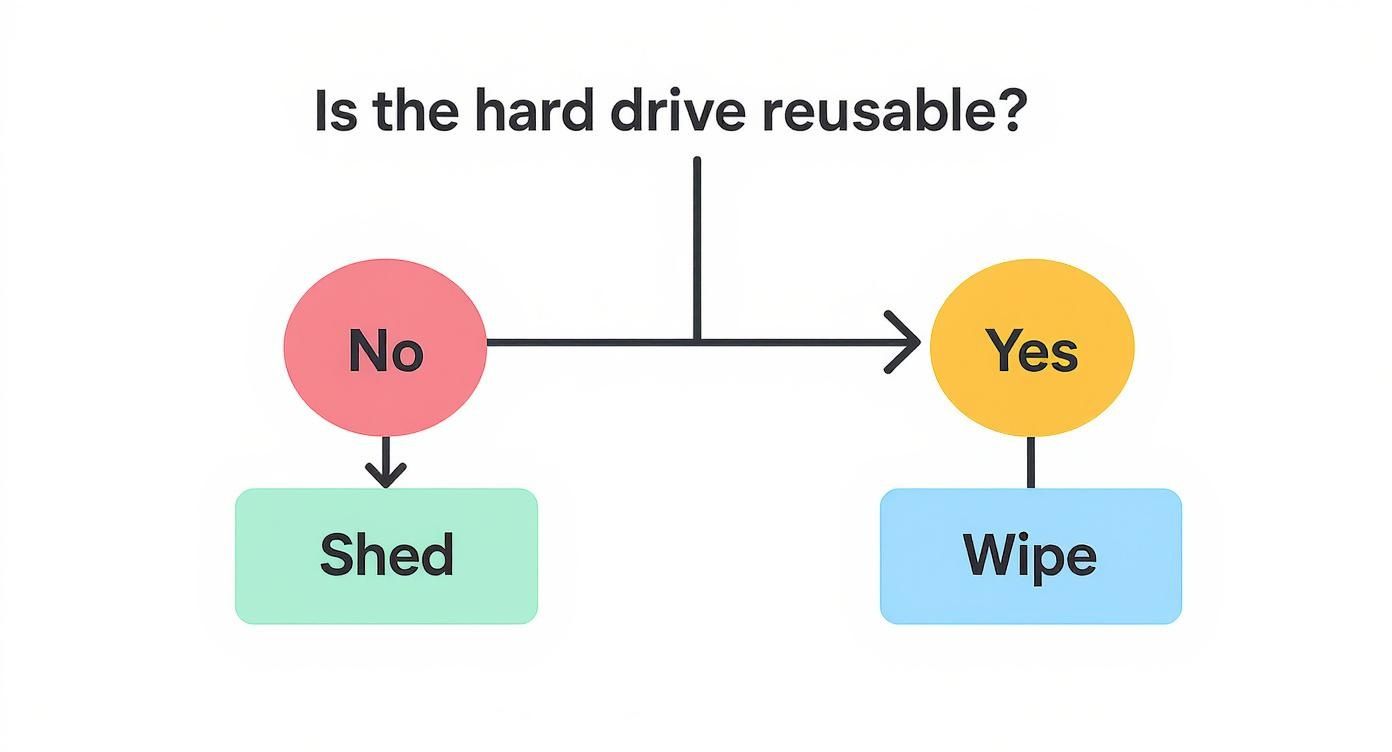
This visual is a great starting point. It helps you decide between wiping a drive for reuse or physically destroying it for good—which is the first question any potential partner is going to ask.
Key Certifications to Look For
Certifications are your first line of defense. They’re independent proof that a vendor has been audited and meets strict industry standards for security and operations. Don't just take their word for it; always ask to see the proof.
-
NAID AAA Certification: This is the gold standard for data destruction. It verifies everything from hiring practices and operational security to the destruction process itself. A NAID AAA certified company is subject to regular, unannounced audits to keep them honest.
-
R2 or e-Stewards Certification: These are all about responsible electronics recycling. They guarantee that after your drives are turned into tiny metal bits, the e-waste is handled in an environmentally safe and ethical way. No toxic materials ending up in a landfill.
A vendor without these might dangle a lower price, but they simply can't offer the same level of verified security and compliance.
The Importance of a Secure Chain of Custody
From the second your hard drives leave your building, you need to know exactly where they are and who’s touching them. This is the chain of custody, and it's non-negotiable.
A reputable partner will have a clearly documented process that includes:
- Secure, locked containers for transport.
- GPS-tracked vehicles to monitor the journey.
- Screened, uniformed employees handling your assets.
- Secure, access-controlled facilities with 24/7 surveillance.
Any break in this chain is a security hole. If a vendor uses a random third-party courier without proper security protocols, your data is vulnerable before it even gets to the shredder. Always ask a potential partner to walk you through their chain of custody, step by step.
Actionable Questions to Ask Potential Vendors
When you're ready to talk to potential vendors, go in prepared with a specific list of questions. Their answers will tell you everything you need to know about their professionalism and their commitment to security.
Think of it as an interview for a critical role on your team. I've put together a quick checklist to help you make sure you’re making the right choice.
Vendor Vetting Checklist
| Criteria | What to Ask / Look For | Why It Matters |
|---|---|---|
| On-Site Services | "Can you perform the shredding on-site at our location?" | On-site destruction lets you witness the process firsthand, offering the highest level of assurance that your data is truly gone. |
| Employee Screening | "What kind of background checks and drug screens do your employees undergo?" | The people handling your data are your biggest potential vulnerability. You need to know they are thoroughly vetted and trustworthy. |
| Asset Tracking | "How do you track our individual assets from pickup to destruction?" | A top-tier vendor should provide serialized tracking for each drive, which is essential for a detailed Certificate of Destruction. |
| Recycling Policy | "What happens to the shredded material after it's destroyed?" | A responsible partner ensures all e-waste is recycled in compliance with environmental regulations, protecting your corporate reputation. |
Finding reliable e-waste recycling companies that also specialize in secure data destruction means you can knock out both your security and corporate social responsibility goals at once. Taking a little extra time to ask these questions upfront will save you from major headaches and liabilities down the road.
Common Questions About Wiping Hard Drives
Even with a solid plan, you're bound to have questions when it’s time to completely wipe out a hard drive. Getting the details right isn't just a technicality—it's essential for security and compliance. Here are some straightforward answers to the things IT managers and business owners ask us most often.
Getting these things right is what keeps your organization protected.
What Is the Difference Between Wiping an HDD and an SSD?
When you’re dealing with a traditional Hard Disk Drive (HDD), the concept is pretty simple. Wiping software overwrites the magnetic platters with junk data, essentially scribbling over whatever was there before. Because HDDs store data in a predictable, linear fashion, this method works incredibly well.
Solid-State Drives (SSDs), on the other hand, are a whole different ballgame. They use sophisticated flash memory and wear-leveling algorithms that intentionally scatter data across memory cells to prevent any single part from wearing out. This is great for the drive's lifespan, but it means fragments of old data can be left behind in places standard wiping software can't reach.
To properly sanitize an SSD, you need to use a command like ATA Secure Erase or NVMe Format. These commands are built right into the drive's firmware. When triggered, they force an internal reset of all the memory cells back to their factory state. It's a far more definitive approach than just a software overwrite. For SSDs with highly sensitive data, physical destruction is the only 100% foolproof guarantee.
Is It Safe to Destroy a Hard Drive Ourselves?
The DIY approach might seem like a good way to save a few bucks, but for a business, it’s a huge liability. Drilling holes, taking a hammer to a drive, or using other homespun methods simply isn't secure. Data recovery pros can often pull information from the remaining platter fragments, leaving your company completely exposed.
But the bigger issue is the lack of documentation.
The single most important piece of the puzzle for any business is the Certificate of Destruction. This legal document, issued by a certified data destruction vendor, is your official proof of compliance with regulations like HIPAA or GDPR. Without it, you have no way to defend your company's actions in an audit.
Using a professional service ensures the job is done right and gives you the official paperwork you need to stay protected.
How Do I Know the Data Is Actually Gone?
Verification is a non-negotiable step in any legitimate data destruction process. You should never have to just take someone's word for it.
- For software wiping, a reputable program will always run a verification pass after the overwrite is complete. The software rereads the entire drive to confirm that no original data is left and then generates a detailed report for your records.
- For physical destruction, your ultimate proof is the Certificate of Destruction. This document is a legally binding record of the secure disposal, effectively transferring the liability from your organization to the vendor.
This certificate should detail exactly what was destroyed (including serial numbers), the date of destruction, and the method used. It's an indispensable part of your audit trail, proving you’ve met your data protection obligations.
What Is a Certificate of Destruction and Why Is It So Important?
A Certificate of Destruction is a formal document from a certified data destruction company that confirms your media has been securely and permanently destroyed. Think of it as more than just a receipt—it's a critical legal instrument for your business.
This document will typically include:
- A unique serial number for tracking
- Transfer of custody details, noting the pickup date and location
- An itemized list of the destroyed media, often with individual serial numbers
- The exact destruction method used (e.g., shredding, degaussing)
- A statement confirming the process complies with all relevant regulations
For any business handling sensitive information, this certificate is your primary legal safeguard. If you’re ever audited or face a legal inquiry, it’s the definitive proof that you took the proper, documented steps to protect that data. It’s the final, crucial step that closes the loop on your IT asset management.
When it comes to protecting your business's sensitive data, there's no room for error. Atlanta Computer Recycling provides certified, compliant, and secure data destruction services for businesses across the Atlanta metro area. Whether you need on-site shredding or certified software wiping, our team ensures your data is gone for good and provides the official documentation you need for total peace of mind.
Secure your company’s future by responsibly disposing of its past. Learn more about our ITAD and data destruction solutions at https://atlantacomputerrecycling.com.