Gwinnett County IT Recycling | Secure & Compliant Disposal


The first sign that a Gwinnett County IT recycling project is overdue is often not a budget line. It is a room.
A storage closet fills up with retired desktops, dead laptops, loose hard drives, old network switches, and a few servers nobody wants to touch because nobody is fully sure what data is still on them. Facilities wants the space back. IT wants the risk gone. Finance wants a clean answer on cost. Leadership wants assurance that nothing leaves the building in a sloppy or noncompliant way.
That is a common starting point for business managers in Gwinnett County. The good news is that the process is manageable when you treat it like an operational project instead of a junk removal task.
Why Smart IT Asset Disposal Matters in Gwinnett County
Gwinnett County is not a sleepy back-office market anymore. It is a large, active business environment with 979,864 residents, median household income of $87,890, and 404,763 total jobs, which is why commercial offices, healthcare systems, schools, and public agencies generate a steady stream of retired technology that has to be handled correctly (Niche profile for Gwinnett County).
That scale changes the stakes. Informal disposal methods that might have slipped by years ago do not hold up well in a county with dense commercial activity, distributed campuses, and more regulated data.
The primary risk is not the scrap value
Most organizations initially think about clutter and hauling. The larger issue is data exposure. Data destruction is where the true risk resides.
A desktop sitting unplugged in a closet still has a drive. A failed server still has storage media. A copier or firewall may also retain data. If those assets move without documentation, your organization loses control before the truck ever leaves the parking lot.
Three problems often show up together:
- Security exposure that starts with overlooked drives, removable media, and undocumented handoffs.
- Compliance trouble when regulated data exists on retired assets from clinics, HR systems, finance workstations, or student devices.
- Operational drag because old equipment spreads across offices, storage rooms, and server spaces instead of being staged and removed in one controlled event.
Gwinnett growth makes ad hoc disposal weaker
Gwinnett County businesses operate in a fast-moving metro environment. New offices open. Departments consolidate. Schools refresh labs. Healthcare providers replace endpoints. Server rooms get reworked after migrations.
That is why a professional ITAD process matters. It gives you a chain of custody, defined handling methods, and a final record of what happened to each category of asset.
Tip: If your current process depends on one employee “knowing what’s in the room,” you do not have a process. You have a memory risk.
There is also an environmental responsibility component. Electronics contain recoverable materials and should move through a reuse-first or certified recycling path rather than informal disposal. Teams looking at the broader environmental impact of electronic waste usually realize quickly that secure disposal and sustainable disposal should be planned together, not separately.
What works and what does not
A practical standard works better than good intentions.
| What works | What usually fails |
|---|---|
| Central inventory | “We’ll sort it out on pickup day” |
| Staged equipment by location or department | Mixed piles of random gear |
| Defined data destruction method | Guessing which assets need wiping or shredding |
| Pickup with documentation | Untracked internal transfers |
| Final destruction records | Verbal confirmation only |
In Gwinnett County, smart IT asset disposal is now basic business hygiene. It protects data, reduces disruption, and keeps your team from turning old hardware into a recurring problem.
Preparing Your IT Assets for Secure Recycling
The smoothest projects are the ones that are organized before pickup is scheduled. You do not need a perfect CMDB. You need a usable working inventory and a clean staging plan.
Start with a practical inventory
For a first project, build a simple spreadsheet. Keep it clear enough that operations, IT, and the pickup team can all use it.
Capture these fields:
- Asset type such as desktop, laptop, server, switch, firewall, printer, monitor, UPS, or loose hard drive.
- Manufacturer and model when visible.
- Serial number or asset tag if available.
- Physical location such as Building A, second floor, closet 2B, or server room rack position.
- Condition like working, unknown, failed, or physically damaged.
- Data status with a plain note such as contains drive, drive removed, no storage, or needs physical destruction.
- Power adapter or accessories if they matter for resale or redeployment.
- Point of contact for each department if equipment is spread out.
Do not stall the project because some fields are missing. A partial inventory is far better than none. What matters is that your team can account for what is leaving the site.
Consolidate before the truck arrives
Scattered assets create delays. They also increase the chance that someone forgets a closet, a lab cabinet, or a stack of devices under a counter in a branch office.
Create one staging area when possible. If your campus is large, create one per building. Keep pathways clear and separate equipment that is ready to move from equipment still in use.
A good staging area has three zones:
- Reusable equipment that appears functional and complete.
- Recycling-only equipment that is obsolete, incomplete, broken, or low value.
- Media for destruction including loose hard drives, failed SSDs, backup devices, and anything your policy says should be shredded.
Key takeaway: The pickup team should not have to guess which pile contains regulated media.
Remove confusion before it becomes a chain-of-custody problem
Many organizations ask whether they should remove hard drives in advance. Sometimes yes. Sometimes no.
If your internal policy requires drive removal before assets leave user space, follow it consistently. If not, keep the machine intact and document that the asset contains storage media for sanitization or destruction. Randomly removing some drives but not others creates more tracking issues than it solves.
If your staff does remove drives from laptops, use a clear internal reference for removing a hard drive from a laptop so the work is done safely and the device is not damaged unnecessarily.
Quick Guide to Accepted Equipment
| Accepted Items | Items Requiring Special Handling or Not Accepted |
|---|---|
| Desktop computers | Loose batteries that need separate handling |
| Laptops | Damaged or swollen batteries |
| Servers | Hazardous materials stored with electronics |
| Network switches and routers | Non-IT bulky waste |
| Firewalls and telecom gear | Furniture mixed into IT loads |
| Monitors | Toner, chemicals, or lab materials |
| Docking stations and peripherals | Assets still under legal hold or pending investigation |
| Hard drives and SSDs | Equipment not yet approved for release by your internal owner |
| Rack equipment | Devices still tied to active production services |
| Cables and power supplies | Anything your policy classifies for separate secure handling |
This table is intentionally conservative. Final acceptance always depends on the actual load and condition of the equipment.
Common prep mistakes
A few habits create unnecessary friction:
- No owner assigned: Someone needs authority to sign off on what leaves.
- Mixing live and retired gear: Staff grab the wrong monitor or dock when piles are mixed.
- Skipping room-by-room checks: Forgotten branch inventory causes repeat pickups.
- Ignoring nontraditional data devices: Printers, appliances, and telecom hardware can store data too.
The best prep work is boring. That is a compliment. Boring projects move faster, document better, and expose fewer surprises.
Scheduling Your Pickup and Understanding On-Site Services
Once your equipment is staged and your inventory is usable, the pickup conversation becomes straightforward. The goal is to match the service level to the job, not to overcomplicate a simple load or underestimate a complex one.
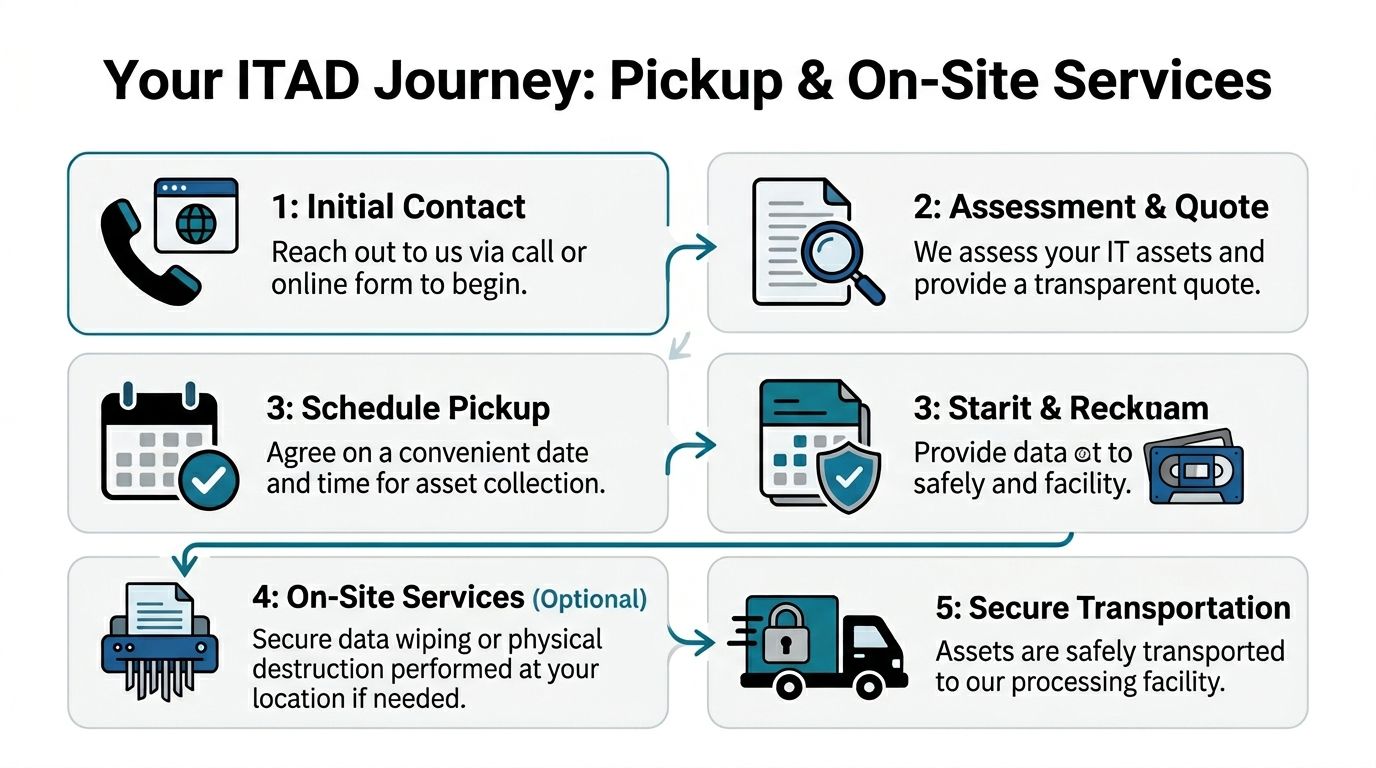
Gwinnett’s continued growth has increased demand for secure IT asset disposition tied to office expansions, data center decommissions, and regulated e-waste handling for hospitals, schools, and government environments (Georgia Encyclopedia on Gwinnett County). That means pickup planning matters more than many managers expect.
What to have ready when you request service
You do not need a perfect procurement history. You do need enough information for the provider to scope labor, equipment, and transportation correctly.
Have these details ready:
- Your inventory list
- Pickup address and building access notes
- Whether there are stairs, elevators, loading docks, or security check-in requirements
- A rough description of asset volume
- Whether any drives require on-site destruction
- Whether equipment is already palletized or still spread across rooms
- Any scheduling restrictions such as clinic hours, school calendars, or blackout dates
If you are handling a larger office clear-out or server room project, it helps to review the scope against a dedicated IT equipment pickup service in Atlanta so the labor plan matches the job.
Pickup versus on-site services
These are not the same thing, and business managers should understand the trade-off.
Straight pickup
This is the simpler model. Your team stages the equipment. The crew arrives, verifies the load, secures it for transport, and removes it.
This works best when:
- the assets are already consolidated
- the environment is low complexity
- there is little or no de-installation needed
- internal staff has already disconnected systems
On-site service
This is the better fit when equipment is still in racks, under desks, across several floors, or inside active environments that need controlled handling.
On-site services can include:
- de-installation
- asset tagging
- packing
- palletizing
- media segregation
- chain-of-custody handling for drives and sensitive equipment
Tip: If your internal team is asking, “Can we just have maintenance move it all downstairs first,” that is usually the moment to pause and clarify responsibility. Improvised moves create broken equipment and bad records.
What a well-run pickup day looks like
A solid pickup should feel organized, not dramatic.
The sequence is usually simple:
- Site contact meets the crew.
- Access and scope are confirmed.
- Assets are matched to the approved load.
- Equipment is packed or removed in an order that limits disruption.
- Sensitive media is handled according to the agreed method.
- The load leaves with documentation.
For active offices, schools, and care environments, quiet execution matters. The best crews move efficiently, respect access rules, and avoid turning your hallways into a temporary warehouse.
Ensuring Total Data Destruction and Regulatory Compliance
If you only focus on one part of a Gwinnett County electronics recycling project, focus on this one. Asset removal is visible. Data destruction is where the true risk sits.
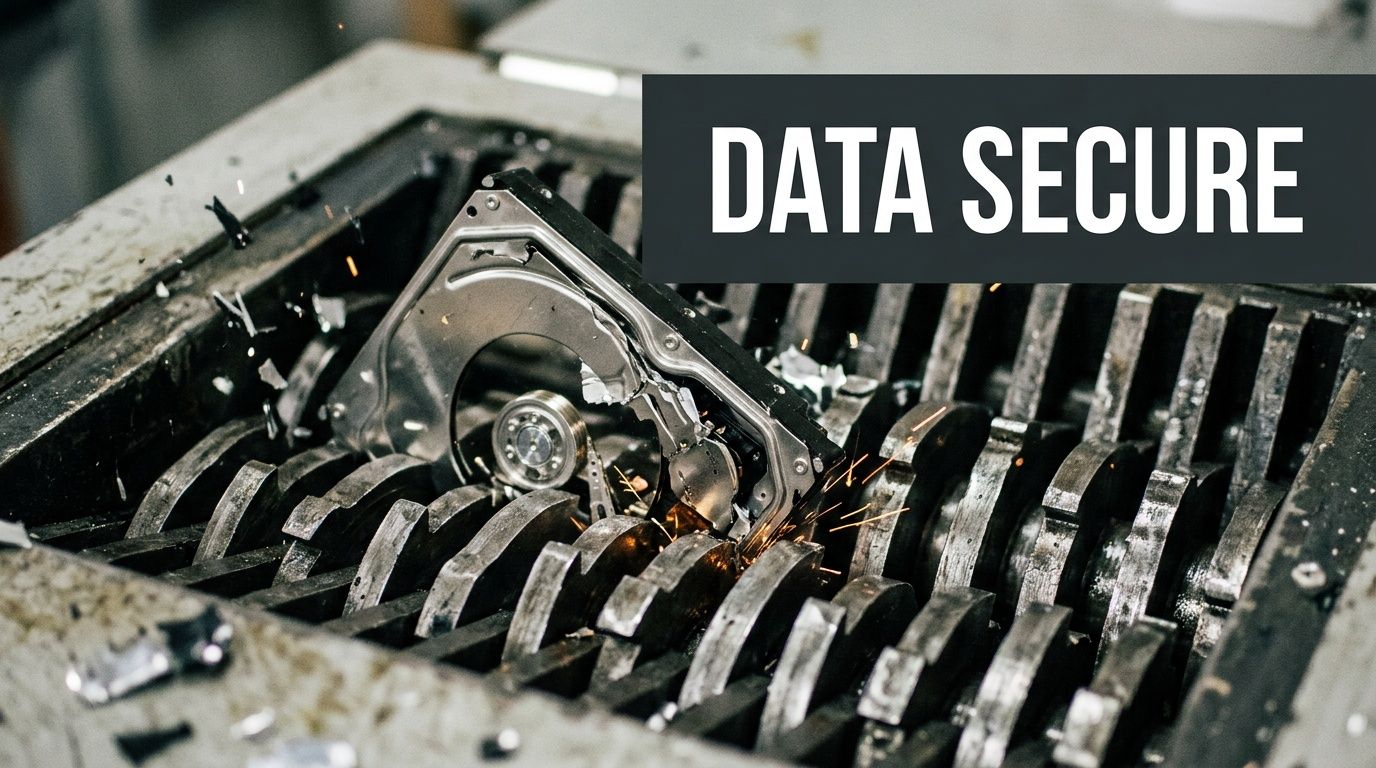
In commercial ITAD, there are two core paths. One is software-based wiping for reusable drives. The other is physical destruction for obsolete, failed, or non-functional media. In Gwinnett County, accepted practice includes DoD 5220.22-M 3-pass wiping and physical shredding for HIPAA-compliant destruction of computers, servers, and data center gear, with the goal of forensically unrecoverable erasure (Agrius ITAD guidance).
Wiping and shredding are different tools
Managers often ask which method is “better.” The right answer depends on the media condition, your compliance posture, and whether remarketing is possible.
Software wiping
Use wiping when the drive is functional and eligible for reuse or resale. The process overwrites the data, verifies the wipe, and preserves the hardware’s downstream value.
This route is useful when:
- systems are newer
- drives are readable
- the organization wants value recovery
- policy allows sanitized media to move into reuse channels
Physical shredding
Use shredding when the media is dead, damaged, obsolete, highly sensitive, or not worth preserving.
This route is the stronger fit when:
- drives fail testing
- chain-of-custody tolerance is low
- policy requires destruction
- the media category is not suitable for remarketing
A mature ITAD program uses both methods. It does not force every drive into one path.
Compliance is procedural, not just technical
HIPAA, FACTA, SOX, and internal retention policies all push organizations toward documented control. The sanitization method matters, but so does the evidence trail.
A compliant workflow often includes:
- inventory or serial-level identification
- documented custody from pickup through processing
- defined sanitization or destruction method
- verification
- final reporting
A lot of breach risk starts before destruction. If your broader cyber program needs tightening, practical website security best practices are worth reviewing alongside hardware disposal policy because both disciplines depend on the same principle: reduce exposure before it turns into an incident.
Key takeaway: You do not prove compliance by saying drives were destroyed. You prove it by documenting which assets were handled, how they were handled, and when.
What the certificate does
Many first-time clients think a certificate of destruction is just a receipt. It is more important than that.
A proper certificate supports your audit trail. It helps your compliance team show that retired media did not disappear into a disposal stream. It also creates a defensible record if questions arise later about a decommissioned asset.
The certificate should align with your internal records and should be retained according to your policy. Teams that need to understand what belongs in that record can review a typical certificate of destruction form and compare it to their own audit requirements.
What works versus what fails
Here is the blunt version.
| Strong practice | Weak practice |
|---|---|
| Approving a destruction method before pickup | Deciding after the assets are already in transit |
| Tracking devices that contain data | Treating all electronics as generic scrap |
| Separating reusable gear from destroy-only media | Throwing everything into one bulk lot |
| Retaining final destruction records | Relying on email summaries or verbal updates |
| Matching policy to asset type | Applying one blanket rule without checking what the equipment contains |
Questions business managers should ask
If you are overseeing your first project, ask these directly:
- Which assets will be wiped, and which will be shredded?
- How are failed drives handled?
- What is the chain of custody from pickup to final disposition?
- What reporting will we receive at closeout?
- What internal records should we keep with the certificate?
Those questions are not administrative overhead. They are the difference between clean closeout and avoidable uncertainty.
Sample Workflows for Gwinnett Hospitals Schools and Data Centers
Abstract advice only goes so far. Most business managers want to know what the project looks like in an environment like theirs.
Gwinnett County has a real guidance gap around secure ITAD for healthcare organizations under population pressure, and that gap extends into other sectors as equipment refresh cycles and higher-tech facilities expand across the county. The same local discussion also notes that innovation activity in places like Peachtree Corners brings more advanced equipment into circulation, which raises the bar for proper wiping or shredding when systems are retired (Gwinnett Coalition health equity discussion).
Hospital workflow
A hospital project often starts with a move, renovation, wing closure, or endpoint refresh. The business manager is not just trying to remove equipment. The manager is trying to avoid breaking clinical operations while controlling protected data.
What the workflow looks like
The hospital identifies retired assets by room and function. That usually includes nursing station desktops, back-office laptops, label printers, carts, old monitors, and a set of drives or small servers from local systems.
The best first move is to split the load into two categories:
- assets from active patient-care zones
- assets from administrative areas
That distinction helps with pickup timing and access rules. Clinical areas may require tighter movement windows, escorts, or after-hours work.
What usually works
A good hospital workflow includes a designated project owner from IT, plus one facilities or department contact who can confirm room access. Devices are tagged or listed before they move. Loose drives are never mixed with generic recycling.
For highly sensitive media, teams often choose the more conservative destruction path. For standard endpoint fleets that are still functional, wiping may be acceptable when policy supports it.
The handoff point matters. Once the equipment leaves a controlled clinical area, the recordkeeping should already be in place. Hospitals get into trouble when carts of retired devices sit unlogged in hallways or unsecured staging rooms.
Tip: In healthcare environments, speed matters less than control. A slightly slower, fully documented removal is better than a fast but messy one.
What fails
What fails is informal accumulation. A few laptops from one unit. A printer from another. A server shelf nobody remembers. That pattern creates blind spots, and blind spots are where compliance headaches start.
School workflow
A school district or private school refresh has a different rhythm. The volume is high, but the process is often calendar-driven.
Summer is the obvious window. Labs close. Staff can access classrooms. Carts and charging systems can be moved with less disruption.
What the workflow looks like
The district starts with a list by campus or building. Student laptops, classroom desktops, library machines, smart accessories, and networking gear are grouped by site. Condition matters because some devices may still have reuse value while others belong in recycling.
Collection points are set at each campus. Devices are counted and stacked in a way that keeps one school from being mixed into another school’s load. If the district expects internal audit questions later, keeping campus-level separation is worth the effort.
A strong workflow also checks for non-obvious storage media. Some older education devices and peripherals hold more data than staff expect.
What usually works
School projects benefit from standardization. One inventory template. One staging checklist. One sign-off method. One point person per campus.
The practical goal is consistency, not perfection. If every school uses a different naming convention or packing method, the central office spends the whole project translating one building’s process into another’s.
Districts also do better when they avoid asking teachers to decide what is recyclable, what is reusable, and what requires destruction. Those decisions belong to IT and administration, not classroom staff.
What fails
What fails is mixing e-waste cleanup with general summer cleanout. Once old projectors, broken furniture, paper files, and miscellaneous storage all get lumped together, the IT disposal stream becomes harder to secure and document.
Data center workflow
This is the most technical scenario, and the one where weak planning gets expensive fastest. A data center project may involve a dedicated room in a headquarters building or a medium-sized facility with racks, servers, storage, and network infrastructure.
For decommissioning projects in the 10 to 20 rack range with 200 to 500 devices, structured execution matters. In that category, properly planned jobs can achieve 95 to 99% asset recovery or reuse and divert 90%+ from landfills when certified recyclers are used (Synetic Technologies guidance on decommissioning best practices). That kind of outcome does not happen because the hardware is valuable by default. It happens because the project is organized.
Teams planning this type of work often need a more specialized data center decommissioning process in Atlanta than a normal office pickup.
What the workflow looks like
The workflow begins with a facility walkthrough and inventory. Rack positions, server counts, storage arrays, network gear, and loose spares are documented. Migration status is checked before anything is powered down.
Then the project moves through a controlled sequence:
- confirm what is live and what is cleared for retirement
- back up or migrate any remaining data
- power down in an approved order
- disconnect and unrack equipment
- separate reusable systems from destroy-only media
- pack and transport with custody documentation
- close the site with final reporting
What usually works
Good data center jobs are disciplined. Cable chaos is reduced before removal begins. Teams identify dependencies early. Storage media is never left as an afterthought.
Business managers should insist on a shutdown plan that operations, security, and facilities all understand. The project should not rely on one engineer’s memory of which rack still supports a forgotten app.
What fails
Failure often starts with incomplete inventory or unclear ownership. One team thinks the migration is complete. Another team still needs a device. Then the de-racking crew is standing in front of a server nobody wants to authorize.
That is avoidable. A decommissioning project succeeds when technical sign-off happens before physical removal, not during it.
Navigating Pricing and Maximizing Your ITAD Value
Most organizations ask about price too late and frame the question too narrowly. The useful question is not “What does pickup cost?” It is “What is the total business outcome of handling this equipment correctly?”
What affects pricing
Commercial IT recycling and ITAD pricing often moves on a few variables:
- Asset mix: Newer laptops and servers do not price the same way as obsolete CRTs, broken printers, or mixed scrap.
- Volume: A consolidated bulk load is easier to service than small, repeated pickups.
- Labor complexity: De-installation, stairs, multi-floor collections, and rack work add time.
- Data destruction requirements: On-site destruction and special custody handling can change the scope.
- Logistics: Access constraints, scheduling limits, and distance all affect efficiency.
That is why a clean inventory saves money. It helps the provider separate labor-heavy work from standard collection and identify which items may have recoverable value.
Value recovery changes the economics
This is the part many first-time clients miss.
A good ITAD project is not only about disposal. It is also about value recovery. Functional laptops, recent servers, some networking gear, and complete business systems may be suitable for refurbishment or resale. That recovered value can offset the cost of handling older equipment that has little or no downstream value.
For medium-sized decommissioning projects, strong planning can support 95 to 99% asset recovery or reuse and 90%+ landfill diversion when certified recyclers are involved, as noted earlier in the decommissioning guidance. That outcome improves both sustainability and project economics.
How to think about return
Use a simple decision lens:
| Question | Why it matters |
|---|---|
| Is the equipment functional? | Functional assets may support remarketing |
| Is the equipment complete? | Missing drives, bezels, rails, or power supplies can reduce value |
| Is destruction required? | Destroy-only media removes reuse potential |
| Is the load well organized? | Better organization reduces labor overhead |
| Can pickups be consolidated? | Fewer touchpoints often mean better efficiency |
Key takeaway: The cheapest quote is not always the lowest-risk option, and the highest quote is not always the best value. The right choice balances security, documentation, labor, and any recoverable asset value.
What business managers should do
Ask for a scope-based view of the project. Separate the questions of transport, labor, sanitization, destruction, and possible remarketing. When those pieces are visible, pricing becomes easier to evaluate and defend internally.
Your Partner for Sustainable and Secure IT Management in Gwinnett
A successful Gwinnett County IT recycling project is built on four things. Control, documentation, data security, and efficient execution.
If you have obsolete desktops in storage, a school refresh coming up, a hospital department move, or a server room that needs to be cleared out, the best next step is to stop treating retired electronics as leftover clutter. Treat them as managed assets until final disposition is complete.
That approach protects your organization in practical ways. It reduces internal confusion, gives compliance teams the records they need, and keeps reusable equipment in circulation instead of sending everything into the scrap stream.
The same disciplined thinking applies outside IT operations too. If your organization also wants to strengthen its market presence in the area, these digital marketing strategies for local businesses are a useful example of how local execution improves outcomes when the plan is developed for the specific market instead of copied from generic advice.
The challenging part is often not the recycling itself. It is getting the first project organized. Once that happens, the model becomes repeatable.
If your organization needs a clear, compliant path for retiring computers, servers, laptops, hard drives, or full data center equipment, contact Atlanta Computer Recycling for a no-obligation consultation. The team can help you plan inventory, pickup, secure data destruction, and final documentation so your first Gwinnett County electronics recycling project runs cleanly from start to finish.