What to Do with Old Desktop Computers: A Guide for Businesses

Every IT manager faces the same recurring challenge: a growing inventory of retired desktop computers. Figuring out what to do with old desktop computer assets is more than just a storage problem; it's a critical issue involving data security, environmental compliance, and financial responsibility for your organization. Simply stockpiling outdated hardware in a server room or storage closet creates unnecessary risk, while improper disposal can lead to severe data breaches and costly regulatory penalties.
This guide moves beyond generic advice to provide a strategic framework for businesses, government agencies, and educational institutions. We will explore several creative repurposing ideas suitable for small-scale, non-critical applications, but more importantly, we will highlight why a professional IT Asset Disposition (ITAD) strategy is the only viable solution for managing equipment at scale. Our focus is on secure, compliant, and value-driven pathways, from certified data destruction and recycling to strategic redeployment for specific internal projects.
Each option is presented with practical insights tailored for commercial and institutional environments, helping you make informed decisions that align with your operational goals and compliance obligations, whether that involves HIPAA, chain-of-custody documentation, or internal asset management protocols. This list will help you protect your organization's data, reputation, and bottom line by outlining a clear, secure disposition strategy for every retired desktop in your inventory.
1. Internal File Server / NAS (Network Attached Storage)
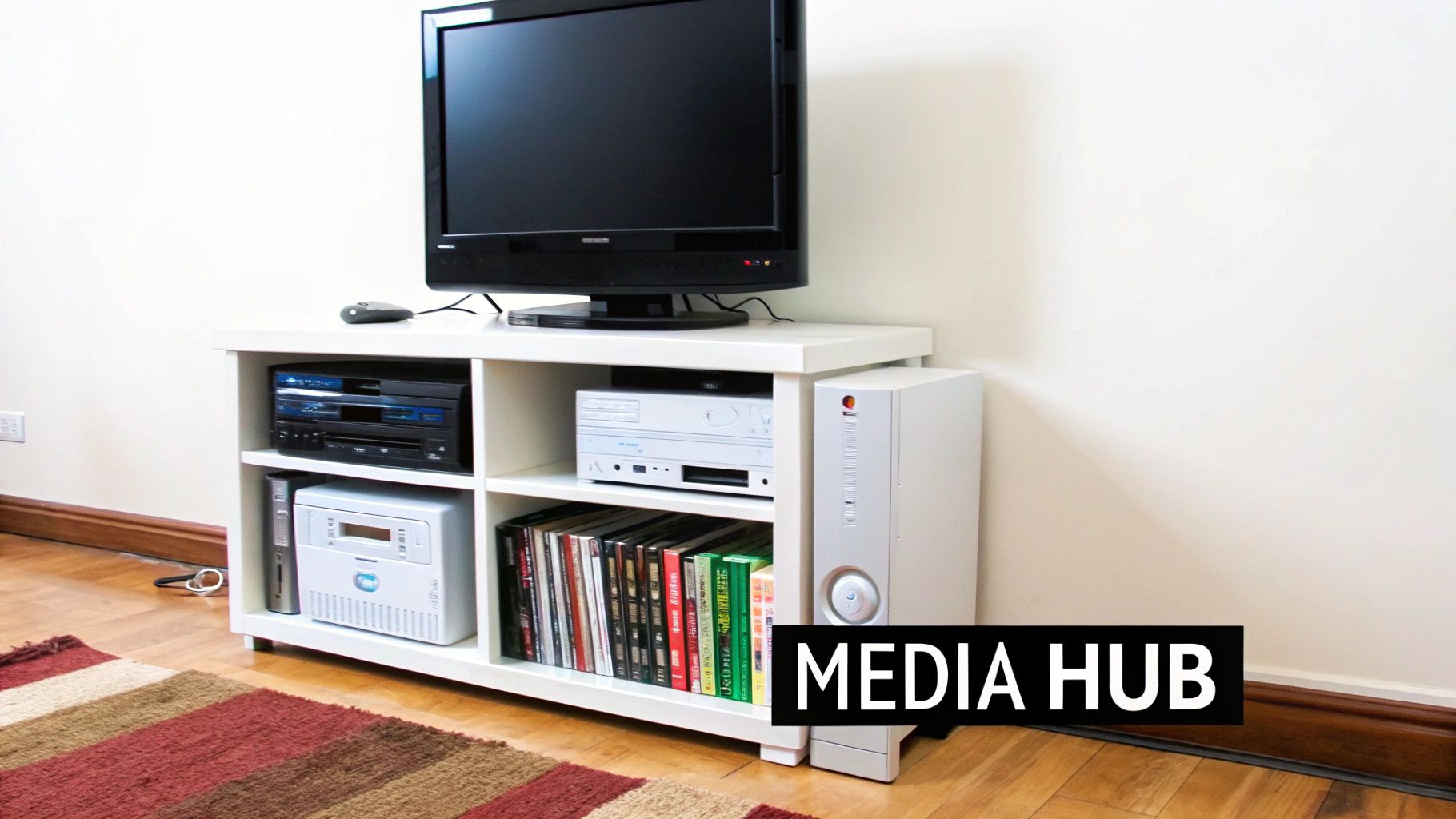
For IT departments with surplus desktops that are still functional but no longer meet enterprise performance standards, converting one into a Network Attached Storage (NAS) or file server can be a high-value internal project. This process transforms a single retired asset into a centralized data repository for a specific department, a test environment, or a non-critical file-sharing hub. Instead of being decommissioned, the old desktop becomes a dedicated server accessible across your local network.
Why Choose This Option?
This approach offers a cost-effective way to create a supplementary storage solution without new hardware investment. It’s ideal for storing training videos, archival documents, or large project files that need to be shared among a team. It also serves as an excellent proof-of-concept platform for testing network storage configurations before committing to a commercial NAS solution.
Key Insight: Deploying a repurposed desktop as a NAS provides a low-risk environment for junior IT staff to gain hands-on experience with server administration, network protocols, and data management principles.
Implementation and Best Practices
To begin, the first critical step is ensuring the old hard drive is completely wiped to remove all sensitive corporate data. For guidance on secure data sanitization methods, find out more about how to completely delete hard drive data. After sanitization, install a dedicated NAS operating system like TrueNAS or OpenMediaVault.
Consider these practical tips for a successful deployment:
- Optimize Hardware: For the best performance, install the NAS operating system on a small, fast Solid-State Drive (SSD) and use larger, traditional Hard Disk Drives (HDDs) for mass storage.
- Establish Security Protocols: Configure user permissions and access controls meticulously. If remote access is needed, implement it through a secure VPN to protect the network.
- Automate Backups: Implement a regular, automated backup schedule for the data stored on the NAS to another device or cloud service to prevent data loss.
- Monitor System Health: Use the OS tools to monitor drive health (S.M.A.R.T. status), CPU temperature, and network traffic to ensure reliability.
2. Retro Gaming Console for Employee Break Rooms
For organizations looking for a creative and engaging use for a single retired computer, transforming an old desktop into a dedicated retro gaming console is a surprisingly practical option. This project converts an outdated PC into a powerful emulation station capable of playing thousands of classic video games. It’s an excellent way to furnish a common area, break room, or innovation lab with a unique, team-building amenity at virtually no cost. Instead of disposal, the old computer becomes a nostalgic entertainment hub.

Why Choose This Option?
This approach provides a significant boost to employee morale and corporate culture without requiring a budget for new equipment. An emulation station can serve as a centerpiece for social interaction, helping to foster a more relaxed and collaborative environment. It’s also a low-risk, high-reward project for IT departments to showcase their skills in repurposing technology creatively, demonstrating resourcefulness and innovation.
Key Insight: Deploying a retro gaming machine is a tangible investment in company culture. It provides a non-work-related activity that encourages team members to connect, de-stress, and recharge, which can lead to increased productivity and job satisfaction.
Implementation and Best Practices
The first step, as with any repurposing project, is to perform a certified data wipe on the hard drive to eliminate all sensitive company information. Once the system is clean, you can install a user-friendly emulation operating system like Batocera, which is designed to boot directly into a gaming interface.
Consider these practical tips for a successful deployment:
- Start Simple: Begin by configuring emulators for popular, less-demanding systems like the NES and SNES to learn the software before moving to more complex consoles.
- Invest in Quality Controllers: Use reliable USB controllers or purchase adapters to use original console controllers. This greatly enhances the authenticity and enjoyment of the gaming experience.
- Organize Your Library: Use the software's built-in "scraper" tools to download game art, descriptions, and metadata. A well-organized library is far more accessible and appealing to users.
- Enhance Visuals: Experiment with shader packs and video settings to replicate the look of old CRT monitors or to upscale graphics for modern HD and 4K displays.
3. Linux Learning/Development Server
For organizations looking to upskill their IT teams or provide safe environments for software development, an old desktop computer can be transformed into a dedicated Linux server. This repurposing creates a sandboxed system where staff can learn system administration, experiment with different distributions, and develop applications without impacting the production network. It is an excellent way to turn a decommissioned asset into a valuable, hands-on training tool.
Why Choose This Option?
This approach provides a no-cost platform for professional development, allowing junior IT staff to practice command-line skills, server configuration, and network security in a controlled setting. It fosters innovation by giving developers a dedicated space to test new code or deploy containerized applications using Docker or Kubernetes. For any institution, from tech companies to universities, this is a highly effective method for internal training and R&D.
Key Insight: A repurposed Linux server acts as a zero-risk training ground. It allows staff to make mistakes, learn recovery processes, and master complex configurations, which directly translates into a more skilled and resilient IT department.
Implementation and Best Practices
Before repurposing, it is essential to follow a secure decommissioning process to ensure all previous data is irrecoverably destroyed. After a thorough wipe, install a Linux distribution suited to your goals, such as Ubuntu Server for its broad support or CentOS for an environment that mirrors enterprise systems. Check out a professional server decommissioning checklist to ensure all security and operational steps are covered.
Consider these practical tips for a successful deployment:
- Choose the Right Distribution: Start with user-friendly options like Ubuntu or Linux Mint for beginners, or opt for Fedora or CentOS for staff training on Red Hat-based enterprise systems.
- Isolate the Network: Initially, keep the machine on a separate VLAN or isolated network segment to prevent any experimental configurations from affecting your primary business operations.
- Establish a Learning Path: Guide staff by providing clear objectives, such as setting up a web server (LAMP stack), configuring a firewall, or writing basic shell scripts.
- Promote Collaboration: Encourage users to document their processes and share their learnings with the team, building a collaborative knowledge base around the platform.
4. Local IoT / Smart Office Hub
For organizations managing building facilities or looking to create sophisticated test environments, an old desktop computer can be repurposed into a powerful, local smart automation hub. This project converts a retired PC into a centralized server for controlling and automating Internet of Things (IoT) devices such as lighting, HVAC systems, security cameras, and environmental sensors. Using open-source platforms like Home Assistant or Node-RED, this approach provides a robust, non-cloud-dependent alternative for managing smart technology.
Why Choose This Option?
This is a cost-effective way to pilot or expand an existing building automation system without investing in proprietary commercial hardware. It is ideal for creating a localized, secure control network for a specific lab, office wing, or conference room. For IT teams, it offers a practical environment to develop skills in IoT integration, network security, and automation scripting, which are increasingly relevant in modern enterprise infrastructure management.
Key Insight: A repurposed desktop as an automation server centralizes control and data processing locally, enhancing security and privacy by minimizing reliance on third-party cloud services for managing sensitive operational technology.
Implementation and Best practices
To start, ensure the desktop's storage is securely wiped to eliminate all previous data. Next, install a lightweight Linux distribution followed by your chosen automation software, such as Home Assistant, which can manage hundreds of devices simultaneously. This creates a dedicated appliance for your automation tasks.
Follow these best practices for a successful deployment:
- Isolate the Network: Place the automation server and all connected IoT devices on a separate VLAN or dedicated network segment to protect your primary corporate network from potential vulnerabilities.
- Start Small and Scale: Begin by integrating a few non-critical devices, like smart lighting or temperature sensors, to learn the platform's workflow and scripting logic before connecting more complex systems.
- Prioritize System Redundancy: For critical automations, implement backup power (UPS) for the server and use communication protocols (like Zigbee or Z-Wave) that create resilient mesh networks.
- Document Everything: Maintain detailed documentation for all automation rules, device integrations, and network configurations. This is crucial for troubleshooting, maintenance, and knowledge transfer among team members.
5. R&D Blockchain Node
For organizations with surplus desktops, particularly those with capable graphics processing units (GPUs), repurposing one for blockchain participation presents a unique R&D opportunity. This involves converting an old machine into a cryptocurrency mining rig or a dedicated network node. The desktop’s computational power is used to validate transactions or secure a blockchain network, potentially supporting a specific blockchain ecosystem as an educational project.
Why Choose This Option?
This approach transforms a depreciated asset into a research tool. It is particularly relevant for IT departments exploring blockchain technology or seeking innovative ways to understand its operational demands. Running a full node can also offer educational value, providing firsthand experience with decentralized network infrastructure, security, and maintenance without significant capital investment. It’s an effective, low-risk way to engage with emerging technologies.
Key Insight: Utilizing an old desktop for node operation can serve as a practical, hands-on R&D project for an IT team, offering valuable insights into blockchain performance, energy consumption, and network security in a controlled environment.
Implementation and Best Practices
Before starting, it is crucial to calculate the operational costs, as electricity can be significant. After confirming viability, the next step involves selecting the appropriate software and blockchain network. For example, less resource-intensive cryptocurrencies can be mined with older CPUs, while running a validation node for a Proof-of-Stake network like Ethereum is also feasible.
Consider these practical tips for a successful deployment:
- Analyze Profitability: Use online calculators to estimate potential earnings based on the desktop's hardware, your electricity rates, and current cryptocurrency market values. Profitability for single, older machines is unlikely.
- Ensure Adequate Cooling: Mining is hardware-intensive and generates significant heat. Implement enhanced cooling solutions and monitor component temperatures closely to prevent hardware failure.
- Join a Mining Pool: For Proof-of-Work mining, joining a pool combines your computational power with other miners, leading to more consistent and predictable payouts.
- Prioritize Security: Keep all mining software, operating systems, and digital wallets updated. Isolate the mining machine from the primary corporate network to mitigate security risks.
If the hardware is too outdated for this use case, responsible disposal becomes the priority. Find out more about professional disposal of computers near me to ensure compliance and security.
6. Dedicated Internal Web Server
For organizations seeking maximum control over their web presence or a sandboxed environment for development, a single old desktop can be repurposed into a dedicated internal web server. This transforms a decommissioned asset into a self-hosted platform for internal wikis, developer sandboxes, or small-scale web applications. Instead of relying on third-party hosting providers, the retired computer becomes an in-house server, offering unparalleled flexibility and a hands-on learning opportunity for technical teams.
Why Choose This Option?
This approach provides a no-cost infrastructure for hosting internal resources or testing web applications before a public launch. It is an excellent solution for development teams needing a dedicated server to experiment with configurations without impacting production systems. Furthermore, hosting an internal knowledge base or a project management tool on a repurposed desktop keeps sensitive company data entirely within the local network.
Key Insight: Repurposing a desktop as a web server offers a practical, low-stakes environment for IT staff to master server management, from configuring Apache or Nginx to implementing security protocols and managing DNS settings.
Implementation and Best Practices
The process begins with installing a stable, lightweight server operating system, such as a minimal install of Ubuntu Server or CentOS. From there, you can install web server software like Apache or Nginx. Because the machine will be exposed to network traffic, understanding how to secure web applications is a critical step to prevent unauthorized access and protect your network integrity.
Follow these tips for a robust setup:
- Implement Strong Security: A properly configured firewall is non-negotiable. Use tools like UFW (Uncomplicated Firewall) and regularly monitor server logs for suspicious activity.
- Ensure Reliable Connectivity: Assign a static IP address to the server on your local network to ensure consistent access. Keep this server for internal use only; avoid public-facing roles.
- Automate Data Backups: Regularly back up all website files and databases to a separate storage device or a secure cloud location to prevent data loss.
- Monitor Performance: Keep an eye on CPU usage, memory, and disk space to ensure the hardware can handle the server load without performance degradation. For larger-scale e-waste projects, explore options for an electronic recycling free pick up.
7. Non-Critical Surveillance Monitoring System
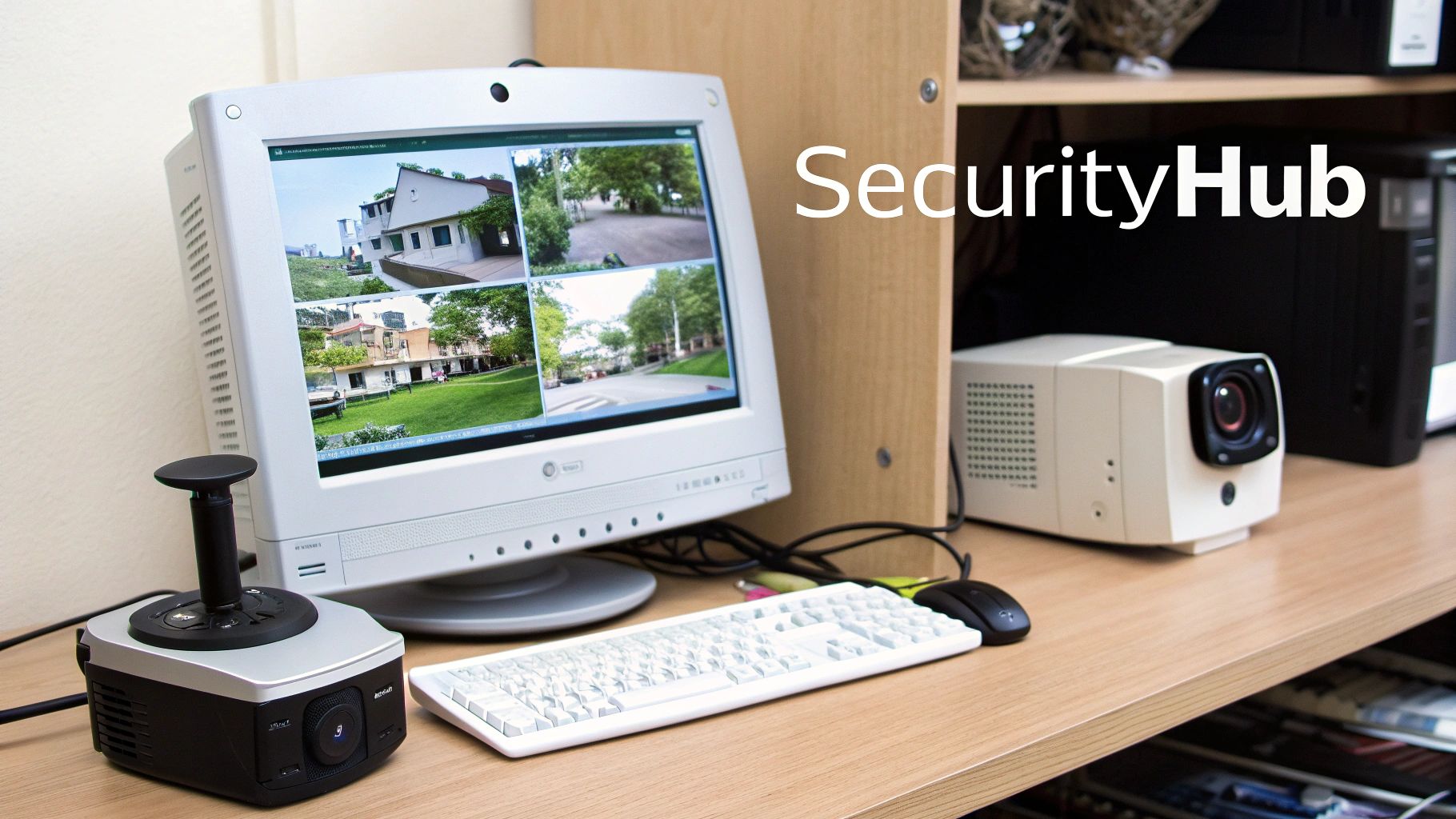
For organizations looking to enhance physical security without a significant capital investment, a retired desktop can be repurposed into a dedicated surveillance hub. This approach transforms an otherwise obsolete asset into a centralized Network Video Recorder (NVR) that processes, records, and manages feeds from IP cameras across a facility. The old desktop becomes the brain of a robust, locally-hosted security system, ideal for monitoring specific, non-critical areas like storage closets or testing labs.
Why Choose This Option?
This is a highly cost-effective method for deploying or expanding a surveillance network, avoiding the recurring subscription fees associated with many cloud-based services. It provides complete control over video footage, ensuring that data remains on-premise, which is a critical consideration for compliance in sectors like healthcare or finance. Furthermore, it offers a scalable solution that can grow with your organization's security needs.
Key Insight: Repurposing a desktop as an NVR creates an air-gapped or network-isolated security system, significantly reducing the attack surface and mitigating the risks associated with third-party cloud vulnerabilities.
Implementation and Best Practices
The first step is to secure the hardware by wiping any previous corporate data. Once sanitized, install dedicated NVR software; open-source options like Zoneminder or Frigate offer powerful features, while commercial software like Blue Iris provides a user-friendly interface for Windows-based systems. A Linux distribution is often recommended for stability and performance.
Consider these practical tips for a successful deployment:
- Prioritize Storage Capacity: Install large-capacity hard drives (HDDs) to store extended periods of footage. For data integrity and fault tolerance, configure the drives in a RAID 1 or RAID 5 array.
- Secure the Network: Isolate the NVR and cameras on a separate VLAN to prevent unauthorized access. If remote viewing is necessary, implement a secure VPN connection rather than opening ports directly to the internet.
- Optimize Recording: Configure motion detection to trigger recording. This drastically reduces storage consumption and makes it easier to review relevant security events.
- Establish a Retention Policy: Automate the deletion of old footage according to your organization's data retention policies to manage storage space and comply with privacy regulations.
Partner with Experts for Secure and Compliant IT Asset Disposition
We've explored a variety of creative applications for a single old desktop computer, from building an internal file server to setting up a surveillance station. For small-scale, internal projects, these can be excellent ways to extend the life of aging hardware. However, for IT managers, system administrators, and organizations, the question of what to do with old desktop computer fleets involves a completely different set of challenges and risks. Managing the disposition of dozens, hundreds, or even thousands of machines is not a DIY project; it's a critical business function with significant security, compliance, and logistical implications.
The core takeaway for any organization, whether it's a hospital managing HIPAA data or a corporation refreshing its employee workstations, is that the value of the data on old desktops far exceeds the residual value of the hardware itself. A single data breach resulting from improper disposal can lead to catastrophic financial penalties, reputational damage, and legal liability that dwarf any potential savings from ad-hoc repurposing efforts.
From Individual Projects to Institutional Strategy
Transitioning from a one-off repurposing mindset to a scalable IT Asset Disposition (ITAD) strategy is essential for responsible management. This shift requires a focus on a different set of priorities:
- Data Security: Moving beyond simple file deletion to implementing certified, auditable data destruction methods. This includes cryptographic erasure, DoD-compliant multi-pass wipes, and physical shredding of storage media to render data completely irrecoverable.
- Regulatory Compliance: Adhering to industry-specific regulations like HIPAA, Sarbanes-Oxley (SOX), and Gramm-Leach-Bliley (GLBA). Proper ITAD provides the necessary documentation, such as Certificates of Data Destruction and detailed asset tracking reports, to satisfy audit requirements.
- Environmental Responsibility: Ensuring that e-waste is handled in accordance with federal and state regulations, avoiding illegal dumping and environmental harm. Partnering with a certified recycler like an R2 or e-Stewards certified facility guarantees that hazardous materials are managed safely and responsibly.
- Logistical Efficiency: Outsourcing the labor-intensive process of de-installation, asset tagging, packing, and secure transportation. A professional ITAD partner manages the entire workflow, freeing up your internal IT team to focus on core business operations rather than equipment disposal.
The True Cost of Improper Disposal
The decision of what to do with an old desktop computer at an organizational level is fundamentally a risk management calculation. The potential costs of a data breach, compliance violations, or negative publicity from environmental negligence are immense. A single lost hard drive containing sensitive customer or patient information can trigger a cascade of negative consequences.
A proactive, documented, and certified disposition process is not an expense; it is an investment in your organization's security posture and long-term reputation. It transforms a potential liability into a managed, compliant, and secure end-of-life process for your IT assets.
By engaging with a specialist, you are not merely getting rid of old equipment. You are acquiring a documented chain of custody, auditable proof of data destruction, and the assurance that your organization has met its legal and ethical obligations. This professional approach protects your data, your customers, and your brand. The right partner turns the complex problem of retiring technology into a streamlined and secure solution.
Don't let your outdated equipment become a modern-day liability. For businesses, healthcare organizations, and educational institutions in the Atlanta metro area, Atlanta Computer Recycling provides a comprehensive, secure, and compliant solution for your IT asset disposition needs. Schedule your free consultation or pickup today at Atlanta Computer Recycling to ensure your old desktops are handled professionally.