A Business Leader’s Guide to Secure Data Destruction

Secure data destruction isn't just about deleting files. For a business, it's the certified, irreversible process of destroying data on retired hard drives, SSDs, servers, and other digital media. This isn't a cleanup task—it's a critical risk management function that prevents sensitive company, employee, and customer information from falling into the wrong hands after your IT assets are decommissioned.
Why Secure Data Destruction Is a Core Business Strategy
Treating data destruction as a simple IT chore is a costly mistake. It is a vital component of your company's risk management framework, financial health, and brand protection strategy.
Every server, laptop, or mobile device your business retires holds a history—customer lists, financial records, employee data, and trade secrets. If that "ghost data" remains, it becomes a massive, often overlooked liability.
When a company fails to properly sanitize or destroy these assets, the fallout can be devastating. A single improperly discarded hard drive can trigger a data breach, exposing the business to significant regulatory fines, legal action, and lasting reputational damage. The threat isn't a hypothetical what-if; it's a direct operational and financial risk.
The Financial Fallout of Inaction
Skipping professional data destruction is a gamble no business can afford to take. The costs tied to a data breach are escalating, turning what seems like an operational afterthought into a major financial vulnerability.
Here's what your business is up against:
- Ransomware Attacks: Cybercriminals target discarded hardware for credentials they can use to launch ransomware attacks, halting your operations and demanding a hefty payout.
- Data Breach Costs: The price of a single breach includes forensic investigations, credit monitoring for affected customers, public relations damage control, and staggering regulatory penalties.
- Loss of Customer Trust: The most damaging cost is the long-term erosion of customer confidence. Once your brand is linked to a data leak, winning back that trust is an uphill battle.
The explosive growth of the secure data destruction market tells the story. In the last year, the market grew from $3.35 billion to $3.7 billion, fueled by the rising cost of data breaches, which now average $4.45 million globally. You can learn more about the market forces driving secure disposal from this business research report.
From IT Task to Business Imperative
A formal data destruction program is non-negotiable for protecting your bottom line and is a key part of the entire IT asset disposition lifecycle. It transforms retired hardware from a potential liability into a securely managed, auditable component of your asset management plan.
By implementing a clear, verifiable process, you build a defensible position against compliance audits and demonstrate due diligence in protecting sensitive information. For a deeper look into this process, check out our guide on what IT asset disposition entails. This strategic shift ensures your company's most valuable asset—its data—is protected from creation to its final, secure destruction.
Crafting Your Data Destruction Policy From Scratch
A reactive approach to data destruction is a recipe for disaster. Waiting until a server is decommissioned or an office is moving to figure things out is how devices—and the sensitive data on them—slip through the cracks.
A strong, proactive secure data destruction program is built on the foundation of a clear, actionable, and consistently enforced written policy. This document becomes your company’s single source of truth for handling data-bearing assets at their end-of-life. It removes guesswork from the process and ensures every employee, from IT technicians to department heads, understands their role in protecting corporate information.
Defining Your Data and Who Owns It
The first step is to classify the information your company handles. Not all data is created equal, and your destruction methods must reflect that. A tiered approach ensures you apply the highest level of security to your most critical assets without overcomplicating processes.
Start by creating simple, clear categories. For example:
- Public Data: Information meant for public release, like marketing materials or press releases. These require minimal destruction protocols.
- Internal Data: Business-sensitive information not for public release, such as operational documents or internal memos.
- Confidential Data: Information that could cause tangible damage if disclosed, including employee PII or non-public financial reports.
- Restricted Data: Your most sensitive information. If customer financial records, healthcare data (PHI), or proprietary trade secrets are exposed, it could cause severe financial or reputational harm.
Once data is classified, assign clear ownership. Each department head should be responsible for the data their team creates. The IT department, in turn, is responsible for executing the secure destruction of the media where that data resides. This creates a natural system of checks and balances.
If you're not convinced, this flow chart shows just how quickly things can escalate. A weak or nonexistent policy is the first step toward a data breach, ransomware, and ultimately, serious brand damage.
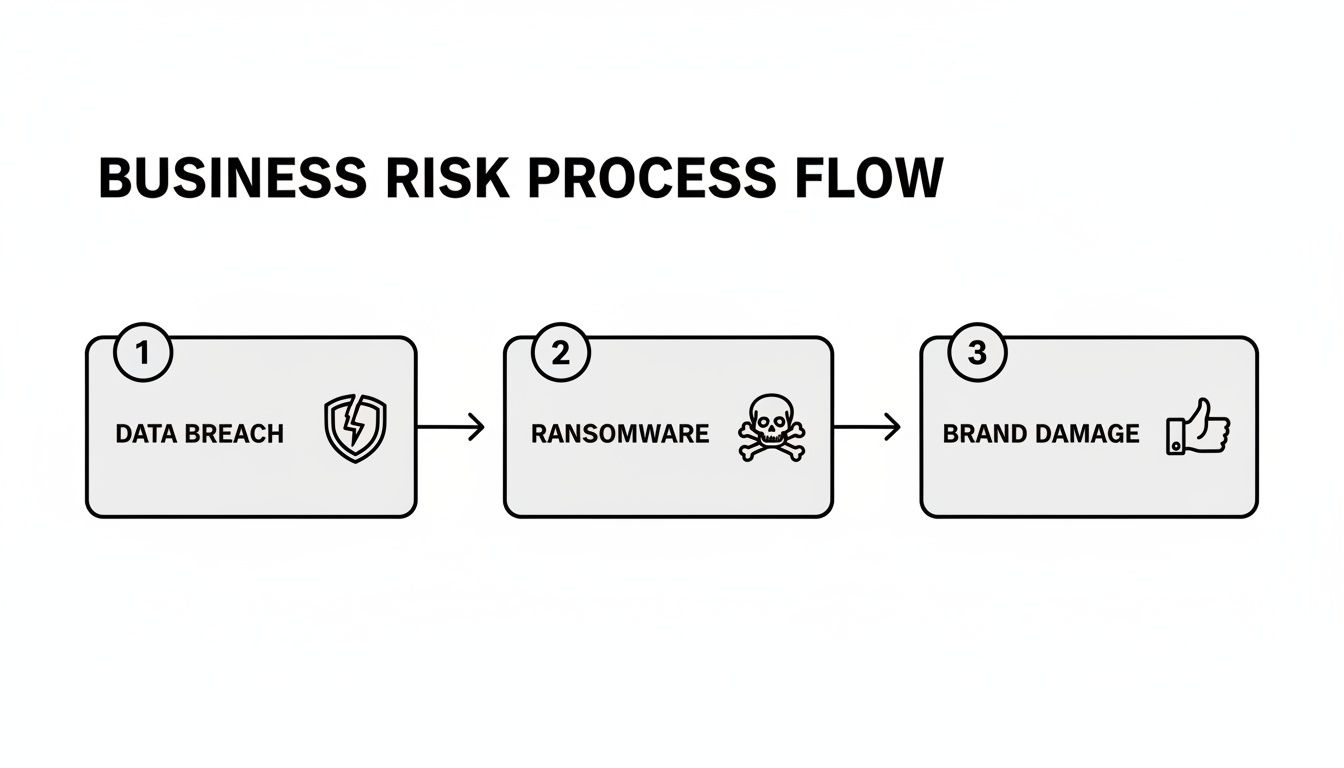
As you can see, a single gap in your process can escalate into major operational and reputational consequences for the entire business.
Integrating with IT Asset Management
Your data destruction policy cannot exist in a silo. It must be woven directly into your broader IT Asset Management (ITAM) procedures. This creates a closed-loop system of accountability, from the moment an asset is purchased to the day it's destroyed.
When a new laptop or server is acquired, it's tagged and tracked. When it's retired, that same tracking system should automatically trigger your data destruction protocol. This integration is key to creating an auditable trail. You should be able to look up any asset by its serial number and see its entire lifecycle, culminating in a signed Certificate of Destruction. For more on this, check out these IT asset management best practices for a solid roadmap.
A robust policy explicitly states the approved methods of destruction for each data classification and media type. For instance, it might mandate that all laptops containing ‘Restricted’ data must have their solid-state drives (SSDs) physically shredded, while servers with ‘Confidential’ data can undergo a NIST 800-88 Purge wipe if they are slated for resale.
Key Clauses for Your Policy Document
To make your policy truly effective, include specific clauses that leave no room for interpretation. Your document should clearly spell out the following:
- Scope and Applicability: Define exactly which assets are covered (e.g., servers, laptops, mobile phones, backup tapes) and who the policy applies to (all employees, contractors, third parties).
- Roles and Responsibilities: Name the specific job titles (e.g., Data Owner, IT Asset Manager, CIO) responsible for enforcing the policy, carrying out the destruction, and reviewing its effectiveness.
- Approved Destruction Methods: Specify the exact sanitization standards (e.g., NIST 800-88 Purge) and physical destruction methods (e.g., shredding to a 2mm particle size) your organization approves.
- Chain of Custody Requirements: Detail the procedures for securely storing and transporting assets marked for destruction. There can be no security gaps from an employee’s desk to the shredder.
- Documentation and Verification: Mandate the collection of a Certificate of Destruction for every single disposed asset. Specify what information it must contain, like serial numbers and the destruction method used.
- Policy Review and Updates: Set a firm schedule (e.g., annually) to review and update the policy. This keeps you current with new technologies and changing regulations.
By building a policy with this level of detail, you create more than just a document—you build a resilient operational framework for secure data destruction.
Choosing Your Method: Wiping vs. Shredding
Once you have a solid policy, the operational work begins. How will your business actually destroy the data on those retired assets? This isn't just a technical detail—it's a critical business decision that directly impacts your security, budget, and compliance obligations.
The two primary methods are digital wiping (sanitization) and physical shredding. Each has its place, and the right choice depends on the end-of-life plan for the equipment.
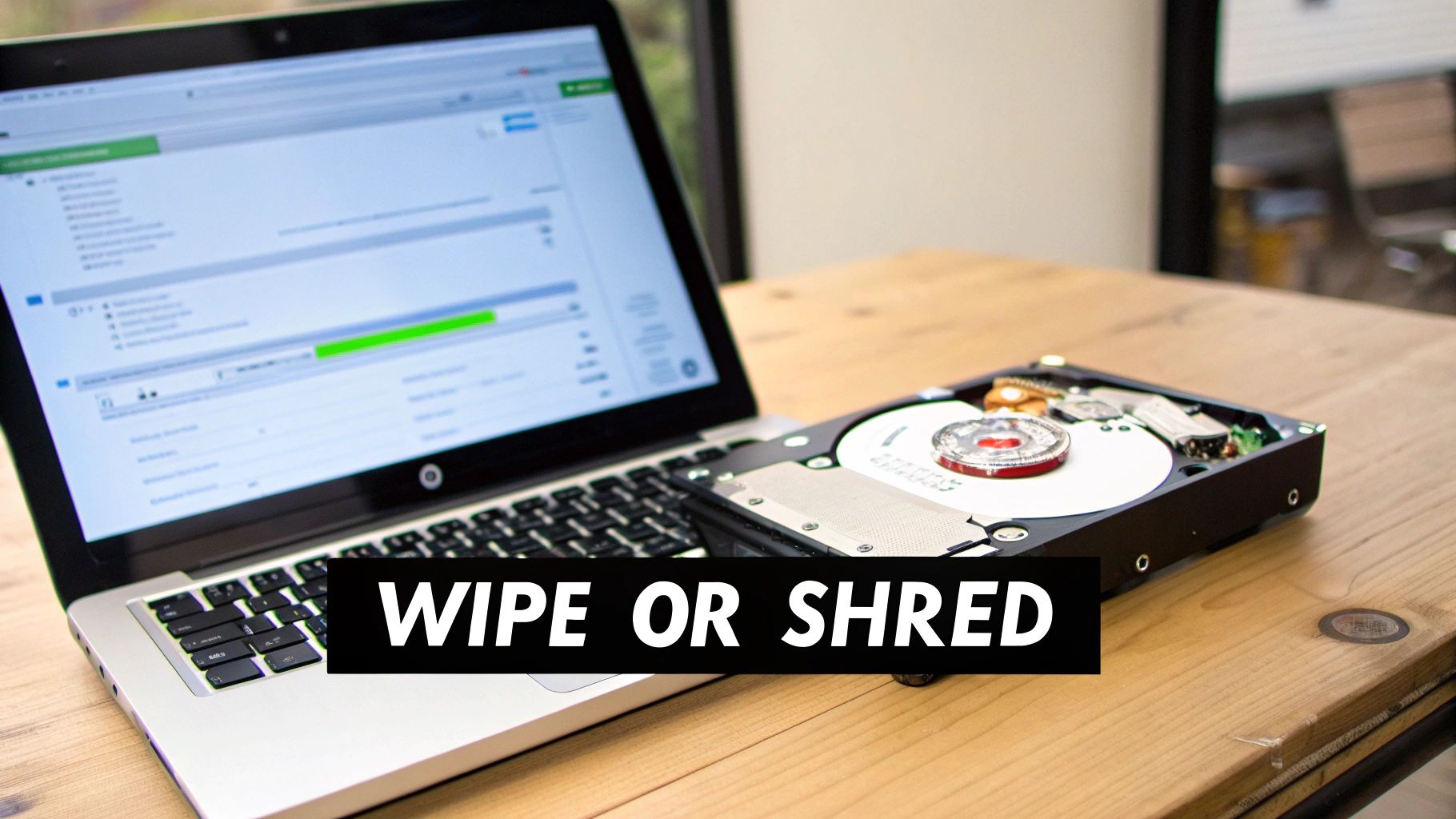
So, what is the plan for that stack of laptops? Does your business want to resell them and recover value? Or are they so old that their only worth is as scrap metal? Your answer points you to the right method.
When Data Wiping Is the Smart Move
Data wiping, or sanitization, goes far beyond hitting "delete" or formatting a drive. It uses specialized software to systematically overwrite every sector of a storage device with new data, making the original information practically impossible to recover.
The gold standard for this is the NIST 800-88 guideline. The "Purge" method defined in this standard is designed to stop even a forensic lab from recovering old files from a drive.
Wiping makes the most sense when you want to keep the hardware intact. It’s the perfect choice if:
- You plan to resell or redeploy assets. Got a batch of three-year-old laptops that still have market value? Wiping lets you sanitize them for resale, turning old equipment into a revenue stream.
- The equipment will be donated. Donating old computers to a local school is a great CSR initiative, but only if you’ve securely removed corporate data first. Wiping makes this a safe and responsible option.
- Your company has sustainability goals. The greenest form of recycling is reuse. Wiping extends the life of IT assets, supporting a circular economy and minimizing e-waste.
If your IT team handles this in-house, they need the right tools and expertise. Our guide on how to properly wipe a computer hard drive breaks down the technical details.
Why Physical Shredding Is the Ultimate Guarantee
While wiping is effective for functional hardware, some situations demand a more final solution. Physical destruction—shredding, crushing, or degaussing—obliterates the storage media, leaving nothing behind but fragments.
It is the only way to be 100% certain your data is gone forever. You cannot recover data from a device that no longer exists in one piece. When deciding how to securely destroy data on server hardware, where drives contain immense amounts of sensitive information, this certainty is paramount.
To help clarify the decision, here’s a quick comparison for IT managers trying to weigh their options.
Data Wiping vs Physical Shredding A Comparison for IT Managers
| Factor | Data Wiping (e.g., NIST 800-88 Purge) | Physical Shredding |
|---|---|---|
| Security Level | High. Renders data unrecoverable by lab techniques. | Absolute. Data is physically destroyed and irrecoverable. |
| Asset Value Recovery | Excellent. Preserves the hardware for resale, donation, or redeployment. | None. The hardware is destroyed and has only scrap value. |
| Best For | Functional laptops, servers, and PCs with resale value. | Non-working drives, SSDs, and highly sensitive data. |
| Compliance | Meets most compliance standards (HIPAA, PCI) when documented. | The preferred method for the highest security needs (DoD, NSA). |
| Cost | Lower per-unit cost if reusing assets. Can be labor-intensive. | Higher per-unit cost but provides absolute certainty. |
| Proof of Destruction | A software-generated certificate of sanitization. | A physical certificate of destruction, often with video proof. |
Ultimately, shredding is the go-to method for any asset that cannot be reused or contains data so sensitive that even the slightest risk is unacceptable.
For businesses in highly regulated industries like healthcare (HIPAA) or finance, physical destruction is often the default choice. The absolute certainty it provides is essential for demonstrating due diligence and avoiding catastrophic compliance failures.
Shredding becomes non-negotiable when:
- The hard drives are dead or obsolete. You cannot run wiping software on a drive that won’t spin up. For failed or legacy drives, shredding is the only secure path forward.
- You are dealing with Solid-State Drives (SSDs). Wiping software can struggle with the way SSDs store data, sometimes leaving fragments behind. Physical shredding is the only universally accepted method for guaranteeing data removal from an SSD.
- Your data is classified as highly sensitive. If a drive held top-secret trade secrets, patient health information (PHI), or financial records, shredding eliminates all risk.
- You need undeniable proof. A certificate of destruction paired with a pile of metal shavings is irrefutable proof for auditors and stakeholders that the data is gone for good.
On-Site vs Off-Site Destruction Logistics
Choosing between wiping and shredding is just the first step. The next logistical question is: where will the destruction happen? Deciding between on-site service at your facility or off-site at a certified plant will directly shape your security, workflow, and audit trail.
This isn't just about convenience—it's a critical risk management call. Each path has clear benefits suited for different business needs, from handling classified government contracts to decommissioning a data center. The right choice hinges on your company’s risk tolerance, compliance mandates, and operational realities.
The Case for On-Site Destruction: Maximum Security and Witnessed Execution
For many organizations, especially in healthcare, finance, or government, letting data-bearing assets leave the building intact is a non-starter. On-site destruction brings the entire operation to your doorstep, delivering the highest level of security and transparency. A mobile shredding truck, equipped with industrial-grade shredders, arrives at your location to physically destroy hard drives while you watch.
This hands-on approach offers major advantages:
- Unbroken Chain of Custody: Your assets never leave your secure perimeter before they're destroyed. This completely eliminates in-transit risks and creates the shortest, most defensible chain of custody possible.
- Direct Verification: Your team can personally witness the entire process, from serial number scanning to the final shred. That firsthand proof is invaluable for both internal stakeholders and external auditors.
- Immediate Peace of Mind: There's no waiting period. You receive a certificate of destruction on the spot, confirming your data is gone for good.
On-site shredding is the gold standard for any business handling highly sensitive data under strict regulations like HIPAA. The ability to witness the process provides undeniable proof of due diligence. Looking into a provider that offers on-site shredding near you is a smart move for any business that requires this level of control.
When Off-Site Destruction Makes Sense: Efficiency and Scalability
While on-site offers unbeatable security, it isn't always the most practical or cost-effective option. Off-site destruction involves a certified vendor securely picking up your assets, transporting them in a GPS-tracked vehicle to their secure facility, and destroying them under constant video surveillance.
This method excels in large-scale projects where logistics are the primary challenge.
Real-World Scenario: A large corporation is decommissioning an entire data center with hundreds of servers and thousands of hard drives. Attempting to shred everything on-site would be a massive operational disruption. An off-site service allows the vendor to efficiently pack, palletize, and remove everything in one go, minimizing impact on your business operations.
Off-site destruction is the ideal fit for situations like:
- Large-Scale IT Refreshes: When swapping out hundreds or even thousands of employee laptops, off-site services can handle the volume without congesting your facility or tying up your staff.
- Office Decommissioning or Moves: During an office move, your team is focused on the new space. A trusted partner can seamlessly handle the secure removal and destruction of all retired tech from the old location.
- Cost-Effectiveness at Scale: For bulk disposals, off-site processing is almost always more economical. The vendor leverages the efficiencies of their own facility to process a high volume of assets at a lower per-unit cost.
The key to successful off-site destruction is a bulletproof chain of custody. Your partner must provide meticulous asset tracking from the moment they take possession, ensuring every single device is accounted for right up to its certified destruction. This detailed paper trail is what gives you the auditable proof you need to satisfy compliance.
Don't Skip the Paperwork: Verifying Destruction and Ensuring Compliance
Once your drives are wiped or shredded, the job is not complete. Without proper documentation, all that effort is just a claim—not a verifiable fact. This final step is what elevates your disposal process from a simple task to a rock-solid, auditable part of your risk management strategy.
This documentation is your legal proof of due diligence. It is the official record that closes the loop on an asset's life, providing concrete evidence that you took every necessary step to protect the sensitive data it held. If an auditor comes knocking or you face a security incident investigation, these documents are your first line of defense.
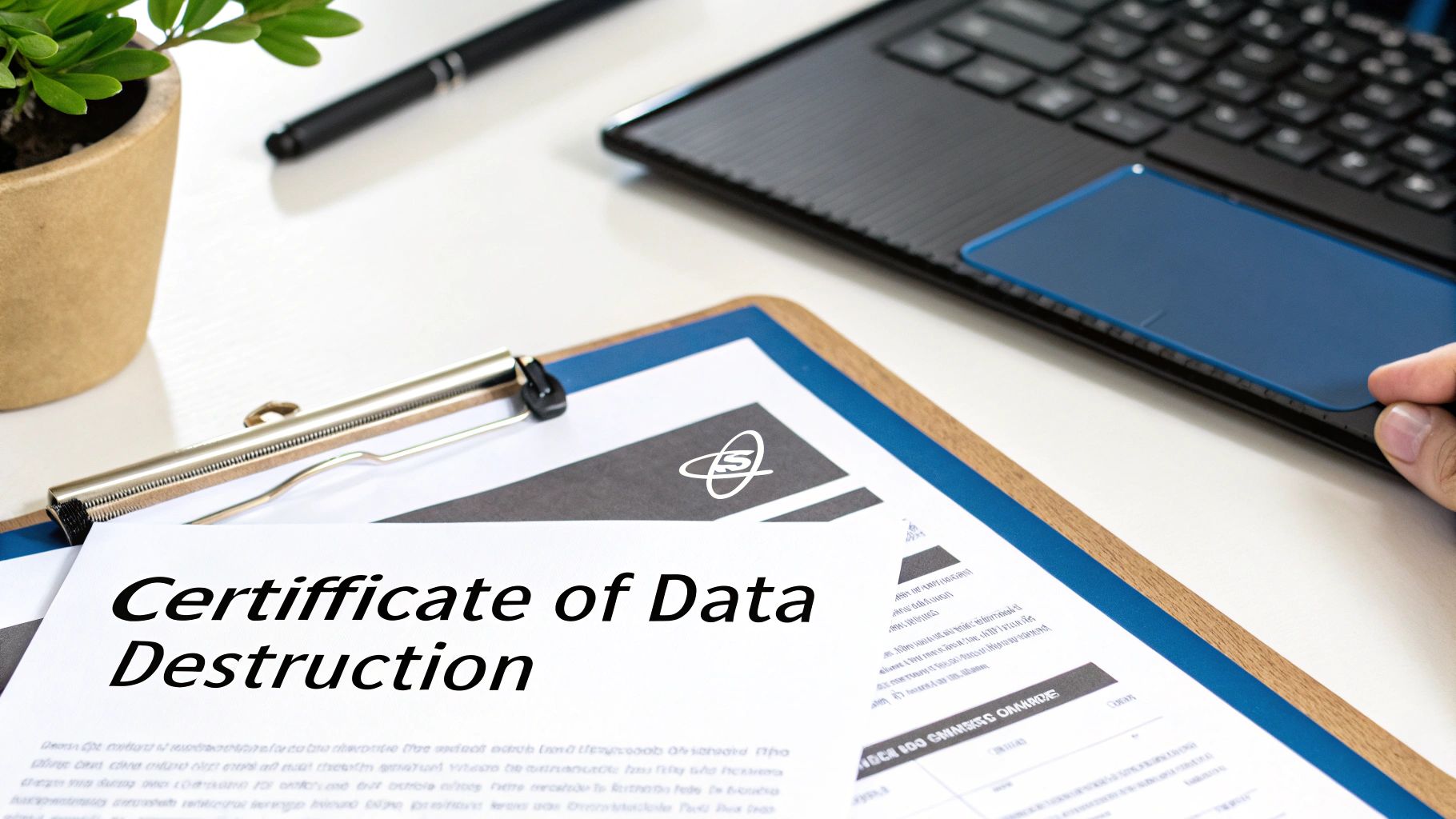
What a Real Certificate of Data Destruction Looks Like
The cornerstone of this process is the Certificate of Data Destruction (CoDD). A legitimate CoDD is more than a simple receipt; it's a detailed legal document with specific, verifiable information about the destruction event. A generic certificate stating "100 hard drives destroyed" is worthless from an audit perspective.
A compliant certificate creates an unbreakable link between a specific asset and its final disposition. To be considered valid and defensible in an audit, your CoDD must include:
- Unique Serial Numbers: A complete list of the serial numbers for every single hard drive, SSD, or device that was destroyed. This is non-negotiable for a clean audit trail.
- Method of Destruction: The document must be specific. Was it "Physical Shredding to 2mm particle size" or a "NIST 800-88 Purge"? Details matter.
- Chain of Custody Details: It should reference who handled the assets and when, from your facility to the vendor's.
- Dates and Locations: The exact date and location where the destruction occurred—whether at your facility or their secure plant.
- Authorized Signatures: Signatures from authorized personnel at both your company and the destruction vendor, confirming the record's accuracy.
You can get a better sense of what a compliant document includes by reviewing the key elements of a certificate of destruction. Ensure your vendor provides this level of detail.
Why Documentation is Everything for Compliance
In today's regulatory landscape, simply stating "we deleted it" is insufficient. Regulations like HIPAA, GDPR, and PCI-DSS demand that organizations prove they have securely disposed of sensitive data. The CoDD, supported by detailed asset reports, provides that proof.
For a healthcare organization, a HIPAA violation can lead to crippling fines. A detailed destruction certificate proves that Protected Health Information (PHI) on old patient monitors or retired servers was properly and permanently destroyed, satisfying any auditor's inquiries.
In a world where your data is always a target, solid documentation is your shield. It proves you have a systematic, professional approach to data security that provides tangible evidence of your commitment to protecting sensitive information.
Closing the Loop on Your IT Asset Lifecycle
This final documentation step ties everything back to your IT Asset Management (ITAM) system. The serial numbers on the CoDD should be used to update your asset inventory, officially marking those devices as "destroyed" and closing their records permanently.
This creates a complete, end-to-end history for every asset your company has ever owned. You can trace a server from its purchase order, through years of service, to the exact date it was turned into tiny metal fragments—all backed by signed, verifiable paperwork.
This level of rigor is especially critical given the constant threat of cyberattacks. Ransomware remains a massive problem, with over 76% of organizations targeted in the last year alone. The financial fallout is staggering, with the average cost of a ransomware breach now at $5.13 million. Even paying the ransom doesn't guarantee you'll get your data back, which underscores the absolute necessity of securing all data, especially on end-of-life assets that could otherwise become a forgotten backdoor for attackers.
Frequently Asked Questions About Data Destruction
Even with a solid plan, questions arise when implementing a secure data destruction strategy. Most business leaders and IT managers encounter the same practical hurdles. Getting clear, straightforward answers is what separates a confident decision from a risky guess.
Here are some of the most common questions we hear from businesses navigating IT asset disposition and data security.
What Is the Difference Between DoD 5220.22-M and NIST 800-88 Standards
This is a frequent point of confusion, as both terms are often used interchangeably. The biggest difference is their age and applicability to modern hardware.
DoD 5220.22-M is an older standard, originally designed for wiping magnetic hard disk drives (HDDs). It is known for its three-pass overwriting process. While effective for that specific technology, it is outdated for modern hardware, especially Solid-State Drives (SSDs).
NIST 800-88 is the modern gold standard. It is a flexible, risk-based framework that adapts to the type of media being sanitized. It provides several options:
- Clear: A basic software-based wipe.
- Purge: An advanced sanitization method that makes data recovery practically impossible, even with laboratory equipment.
- Destroy: Physical destruction, which renders the media unusable and the data permanently gone.
For any business today, NIST 800-88 is the recommended framework. It is the only standard that properly addresses the full range of modern devices, from SSDs to mobile phones, where the older DoD method is inadequate.
Can Solid-State Drives (SSDs) Be Securely Wiped
The short answer is no, not with traditional wiping software designed for HDDs. SSDs are complex due to wear-leveling and over-provisioned space. An overwriting program cannot guarantee it hits every block where data might be stored, leaving data fragments behind—a significant security risk.
NIST recommends two primary methods for handling SSDs:
- Cryptographic Erase (Crypto-Erase): This method deletes the drive's internal encryption key, instantly rendering all data unreadable. It is fast and effective but requires the drive to have supported hardware encryption from the factory.
- Physical Destruction: This is the ultimate failsafe. Shredding the drive into small fragments is the only method that guarantees 100% data elimination from an SSD, every time.
For any drive holding sensitive or regulated data, physical destruction is the most defensible and foolproof method. It is the only way to be absolutely certain the data on an SSD is permanently gone.
How Do I Vet a Data Destruction Vendor
Choosing the right partner is critical. A reputable vendor will be transparent about their processes and credentials.
Look for key certifications like NAID AAA or R2 (Responsible Recycling). These certifications require vendors to follow strict security protocols, conduct background checks on all employees, and maintain a documented chain of custody. Ask to see a sample Certificate of Destruction to ensure it lists individual asset serial numbers. It's also wise to verify their insurance and inquire about the physical security at their facility, such as 24/7 surveillance and access controls.
While we're on the topic of digital data, many related questions pop up about personal security; this guide to remove personal information from the internet offers some practical steps on that front.
Should We Remove Hard Drives Before a Vendor Arrives
This decision depends on your company's internal risk tolerance. For industries with extreme security requirements, having your own IT team pull and secure all drives before the vendor arrives provides maximum control.
However, a certified ITAD partner with trained, background-checked technicians can handle this process for you. They can remove drives from servers, laptops, and desktops on-site as part of their service. For large projects, this is typically more efficient and maintains a tight, documented chain of custody from start to finish without tying up your internal team.
Ready to implement a secure, compliant, and efficient data destruction program for your business? Atlanta Computer Recycling offers certified on-site and off-site services tailored to protect your company's sensitive information. Contact us today to see how we can help you manage your end-of-life IT assets with confidence.
Learn more at https://atlantacomputerrecycling.com.