How to Wipe Out Hard Drives: A Secure Guide for Businesses

To securely wipe a hard drive, simply deleting files or reformatting is insufficient. These actions are like removing a book's table of contents—the data remains accessible. True data sanitization requires specialized software to overwrite every sector with random data, rendering the original information completely irrecoverable.
Why Secure Data Destruction is a Business Imperative
That decommissioned server in your storage closet isn't just an obsolete asset; it's a significant liability. For any business, knowing how to wipe out a hard drive correctly isn't just an IT task—it's a critical component of risk management and brand protection.
A single discarded device falling into the wrong hands can trigger a catastrophic data breach. The consequences are severe: loss of customer trust, damage to your reputation, and substantial compliance penalties.
This guide provides business leaders and IT managers with a clear framework for developing a robust data destruction strategy. We will outline the certified methods that ensure your sensitive corporate information is permanently eliminated, safeguarding your organization from foundational risks.
The Real Risks of Improper Asset Disposal
Every retired piece of IT equipment—from an employee's laptop to a data center server—contains a digital ghost of your company's operations. This "data remanence" is a valuable target for malicious actors.
Here is a summary of what is at stake:
- Customer and Employee Data: Names, addresses, social security numbers, and other personally identifiable information (PII).
- Financial Records: Corporate budgets, payroll information, and confidential client invoices.
- Intellectual Property: Trade secrets, proprietary product designs, and strategic business plans.
- Login Credentials: Cached passwords that could provide an attacker with a backdoor into your active network.
To fully understand the vulnerabilities posed by retired hardware, conducting a comprehensive cybersecurity risk assessment is an essential first step. It clarifies why secure old hard drive disposal is non-negotiable for modern enterprises.
A Growing Market Driven by Necessity
The intense focus on data security is not a passing trend; it is a significant economic driver. The global market for hard drive destruction services, currently valued at approximately USD 1.65 billion, is projected to reach USD 5.05 billion. This explosive growth is fueled by escalating security threats and stringent regulatory requirements.
This trend is a clear signal that modern businesses are finally treating data protection with the seriousness it demands.
For a business, data destruction is not an expense—it's an investment in risk mitigation. Failing to securely wipe a hard drive is equivalent to leaving the keys to your entire company on an old desk for anyone to find.
Using Software to Wipe Drives for Reuse
When an IT asset retains operational value, physical destruction is an unnecessary financial loss. Software-based data wiping is the optimal solution for hard drives intended for resale, donation, or internal redeployment. This process is not a simple file deletion or format; it is a methodical overwriting of every disk sector with random data, ensuring the original information is completely unrecoverable.
For any business, this approach supports not only data security but also sustainability and asset value recovery. The global data wipe software market, valued at USD 1.4 billion, is projected to grow to USD 3.5 billion. This reflects a strategic shift from costly physical destruction toward more efficient and secure logical sanitization methods.
The decision-making process, guided by industry standards like NIST SP 800-88, begins with a critical question: what is the media type? The answer dictates whether the appropriate sanitization method is Clear, Purge, or Destroy.
Understanding Overwrite Standards
At its core, software wiping is defined by the overwrite process. Different standards specify the number of times a drive is overwritten, known as "passes." While legacy standards like DoD 5220.22-M required multiple passes, modern drive technology has advanced to where a single, thorough pass is often sufficient for complete sanitization.
Key methods every business must understand include:
- Single-Pass Overwrite (Write Zero): A fast and effective method that overwrites the drive with zeros. It is sufficient for most general business data and ideal for preparing large batches of computers for internal redeployment.
- Multi-Pass Overwrites (DoD 5220.22-M): This legacy standard, involving three or more passes, was developed for high-security government applications. While often excessive for modern drives, it remains a trusted option for organizations requiring an added layer of documented due diligence for compliance.
- NIST SP 800-88 Rev. 1: This is the current benchmark for data sanitization. It focuses on selecting the appropriate technique—Clear, Purge, or Destroy—based on media type and data sensitivity. For most hard drives destined for reuse, the "Purge" method is the standard, as it renders data unrecoverable even with advanced forensic tools.
The appropriate standard depends on your organization's risk tolerance and compliance requirements. A single pass is adequate for general office equipment. However, for devices that handled sensitive financial or proprietary data, adhering to NIST Purge guidelines is the only prudent course of action.
The goal of software wiping isn't just to delete data, but to prove it was done correctly. Without certified proof, from a compliance standpoint, the wipe might as well have never happened.
The Non-Negotiable Certificate of Erasure
Upon completion of the wipe, the final and most critical step is generating a Certificate of Erasure. This document serves as the official, auditable record for the newly sanitized drive.
A compliant certificate must include:
- The unique serial number of the hard drive
- The specific sanitization method used (e.g., NIST 800-88 Purge)
- The date and time of process completion
- Confirmation of 100% successful execution
This certificate is your defense in an audit and proof of compliance with regulations like HIPAA or GDPR. It closes the data-bearing lifecycle of the asset, establishing an unbroken and defensible chain of custody.
For a detailed walkthrough of the process, our guide on https://atlantacomputerrecycling.com/how-to-erase-a-hard-drive/ offers further information. To maximize asset value, learning how to securely repurpose your old laptop is a logical next step—but only after a verified data wipe.
Physical Destruction for Absolute Data Security
In certain scenarios, software-based wiping does not provide a sufficient level of security. When dealing with retired servers containing patient health information (PHI), confidential financial records, or proprietary intellectual property, any risk of data recovery is unacceptable. For this class of data, physical destruction is the only acceptable endpoint.
This is the definitive method to permanently obliterate a hard drive and eliminate all associated liability. This involves precise, industrial processes designed to render storage media completely irrecoverable, representing the gold standard for organizations where compliance and absolute security are non-negotiable.
The demand for these definitive solutions is expanding rapidly. The global data destruction market was recently valued at USD 12 billion and is projected to reach USD 39.3 billion. With North America comprising 38% of the market, it is clear that strict data privacy laws like HIPAA are compelling businesses to adopt foolproof destruction methods.
The Power of Industrial Shredding
Industrial shredding utilizes high-torque machinery equipped with powerful steel cutters to pulverize hard drives into small, confetti-like fragments. The objective is not merely to damage the drive but to annihilate the magnetic platters or flash memory chips where data resides.
The benefits are clear and absolute:
- Irreversibility: Once a drive is shredded, data recovery is physically impossible. The data is permanently gone.
- Media Agnostic: Shredding is effective for all media types, including Hard Disk Drives (HDDs), Solid State Drives (SSDs), backup tapes, and optical discs.
- Visual Confirmation: Witnessing the destruction process provides undeniable verification that assets have been destroyed.
For large-scale decommissioning projects, such as a data center refresh, engaging a professional service for on-site or off-site hard drive destruction is the most secure and efficient solution.
Understanding Degaussing for Magnetic Media
Degaussing is another powerful destruction method that employs a machine to generate an intense magnetic field, instantly neutralizing the magnetic charge on a traditional hard drive's platters. This process scrambles the underlying magnetic pattern, sanitizing data far more reliably than software overwrites.
While fast and effective for magnetic media like HDDs and tapes, degaussing has a critical limitation:
Degaussing is completely ineffective on Solid State Drives (SSDs). SSDs store data on non-magnetic flash memory chips. Applying a magnetic field does not affect the stored data, making this method a major security vulnerability when used on SSDs.
As SSDs become the standard, it is crucial to recognize that shredding is the only physical destruction method that is universally effective across a mixed-asset environment.
The Non-Negotiable Chain of Custody
Physical destruction involves more than the final act of shredding. The entire process, from asset collection to final disposition, must be meticulously tracked and documented. This is the chain of custody.
A secure chain of custody protocol includes:
- Asset Tagging: Each device is inventoried and tagged with a unique serial number before being moved.
- Secure Transport: Assets are transported in locked, GPS-tracked vehicles to a secure facility.
- Documented Destruction: The time, date, destruction method, and personnel involved are recorded for each asset.
The process concludes with the issuance of a Certificate of Destruction. This legally binding document serves as your official, auditable proof of compliant data destruction. For businesses operating under regulations like HIPAA or Sarbanes-Oxley, this certificate is indispensable for demonstrating due diligence and mitigating risk during an audit.
Choosing Your Strategy: Wipe or Shred
Determining how to manage end-of-life hard drives is a business decision, not merely a technical one. The choice between software wiping and physical shredding requires a strategic evaluation of asset value, data sensitivity, and specific compliance obligations.
This decision balances risk mitigation against potential financial return for each asset. Before selecting a method, ask key questions: Does the hardware retain significant value? Are we bound by regulations like HIPAA or GDPR that mandate data be unrecoverable? The answers will inform a data destruction policy that is both effective and defensible.
This flowchart illustrates the decision-making process for high-sensitivity data, highlighting when physical destruction becomes the only secure option.
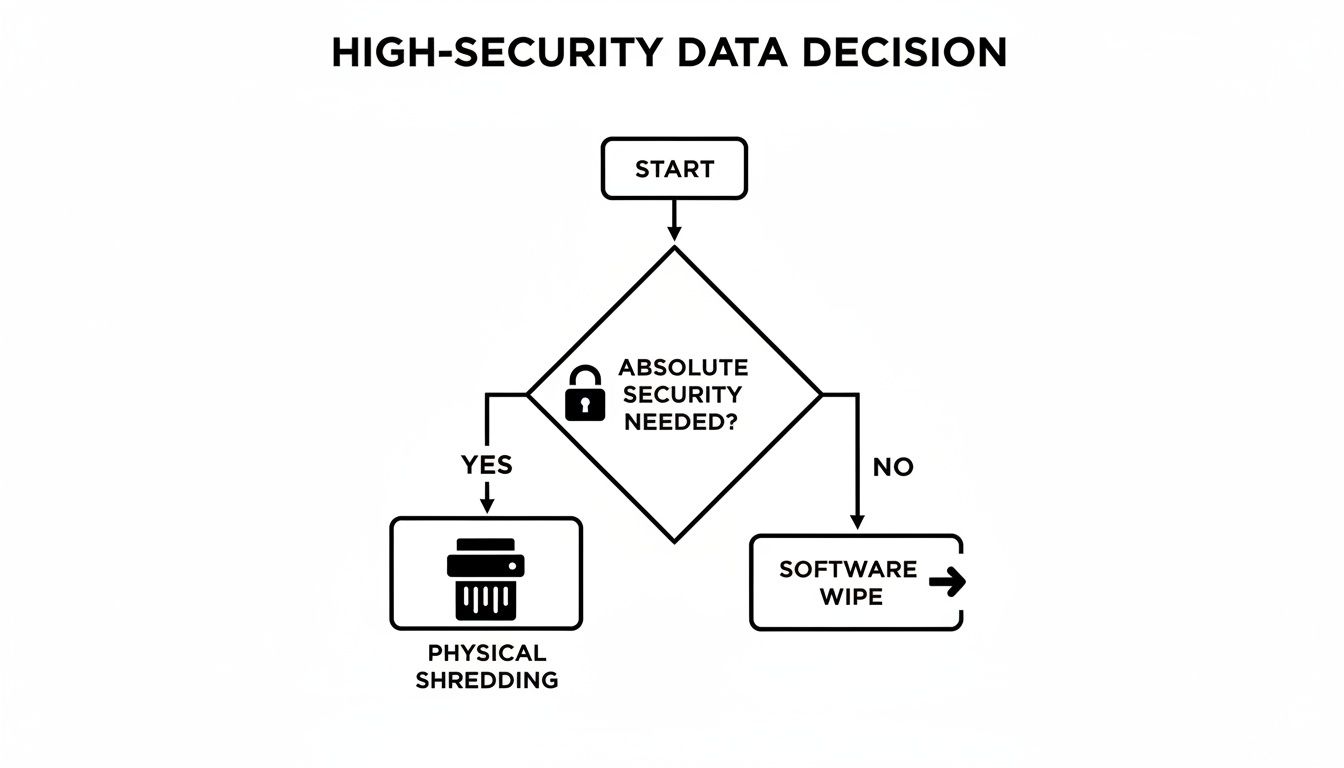
As the decision tree indicates, for high-stakes scenarios where security is paramount, shredding is non-negotiable. It is the only method that completely eliminates all risk.
Weighing the Key Decision Factors
A one-size-fits-all approach to data destruction is inefficient and risky. It can lead to unnecessary costs or expose your organization to significant vulnerabilities. Different scenarios demand different strategies.
Consider these two common business cases:
- The Marketing Agency: A design firm is decommissioning three-year-old laptops. The hardware is functional and has resale value. The hard drives contain project files and client lists—sensitive, but not regulated by specific federal data laws.
- The Law Firm: A legal practice is retiring a server that stored confidential case files and client financial records. The hardware is obsolete, and the data is protected by attorney-client privilege.
For the marketing agency, software wiping is the optimal strategy. It sanitizes the drives while preserving the laptops' value for resale, generating a return for the IT budget.
For the law firm, physical destruction is the only responsible choice. The risk of data recovery, however small, represents an unacceptable liability. Certified shredding is mandatory.
Choosing your destruction method is an exercise in risk management. The value of the hardware should never outweigh the potential cost of a data breach. If there's any doubt about the data's sensitivity, always default to the more secure option.
Data Destruction Method Decision Matrix
To standardize this process, use the following matrix to guide your decisions for every IT asset your organization retires.
| Decision Factor | Choose Software Wiping If… | Choose Physical Destruction If… |
|---|---|---|
| Asset Value | The hardware has high resale or redeployment value. Your goal is to maximize your return on investment. | The hardware is obsolete, non-functional, or has minimal market value. The primary goal is risk elimination. |
| Data Sensitivity | The data is standard corporate information not subject to specific, strict regulations like HIPAA or CMMC. | The data includes PII, PHI, financial records, or intellectual property. Data recovery is not an option. |
| Compliance Needs | You require a Certificate of Erasure for audit trails but aren't mandated to physically destroy media. | You operate under HIPAA, FACTA, GDPR, or other regulations that imply or require physical destruction for end-of-life media. |
| Budget & Logistics | You have the resources to manage the wiping process and want to generate revenue from old assets. | Your budget prioritizes guaranteed security over asset recovery. For large volumes, finding a service to shred hard drives near me is often the most efficient path. |
By applying this logic, you create a clear, repeatable process for every piece of hardware your organization retires. This practical approach empowers your IT team to make smart, defensible choices every time, protecting both your data and your bottom line.
Handling SSDs and Other Storage Media
Your company’s data resides on more than just traditional spinning hard drives. A modern IT infrastructure includes a mix of storage technologies, each with unique requirements for secure data destruction. Assuming a single sanitization method is effective for all media is a common and dangerous oversight.
Solid State Drives (SSDs) are a prime example. Now standard in business laptops and increasingly common in servers, they pose a unique challenge. Software overwriting methods that are effective for HDDs are unreliable and often completely ineffective on SSDs.
The Unique Challenge of Wiping SSDs
SSDs use flash memory and employ complex firmware-level features like wear-leveling and over-provisioning to manage data and extend the drive's lifespan. These algorithms constantly move data in the background to distribute write cycles evenly across memory cells.
This internal data shuffling means that when a software tool issues an overwrite command to a specific logical block, the SSD's firmware may redirect that command to a different physical location. The original data can be left untouched in a reserved area. The software will report a successful wipe, while your sensitive information remains recoverable.
Relying on traditional DoD-style overwrites for an SSD is a critical mistake. It gives you a false sense of security while your data remains vulnerable. The drive's own internal logic is working against the very process you’re using to secure it.
The only reliable software-based method to sanitize an SSD is by using its built-in security protocol: the ATA Secure Erase command. This firmware-level command triggers an internal process that resets all storage cells to a clean state, bypassing the wear-leveling algorithms that interfere with external software. When executed correctly, this makes the data forensically unrecoverable.
Addressing Your Broader IT Asset Portfolio
A comprehensive IT Asset Disposition (ITAD) program must address all storage media, not just HDDs and SSDs. Disposing of old media in a standard e-waste stream is a direct violation of most data privacy regulations.
A breakdown of handling other common storage types:
- Backup Tapes (LTO, DLT): As magnetic media, the most effective destruction method is degaussing. An industrial degausser generates a powerful magnetic field that permanently scrambles all recorded information. Shredding is also a compliant option.
- Optical Discs (CDs, DVDs, Blu-ray): These media store data in physically etched layers, rendering degaussing useless. The only method to ensure complete data destruction is physical shredding into unreadable fragments.
- Mobile Phones and Tablets: Corporate mobile devices contain a wealth of sensitive data. As they use flash memory, proper sanitization requires a factory reset to erase cryptographic keys, followed by physical shredding to destroy the memory chips.
The complexity of managing a diverse asset inventory is why partnering with a certified ITAD provider is a strategic decision. An expert partner ensures every device is handled according to industry best practices, providing a compliant and secure end-of-life process.
When to Partner with a Professional Destruction Service
While a DIY approach to wiping hard drives may seem cost-effective, this calculation ignores the significant risk of improper execution. For most businesses, particularly those handling sensitive or regulated data, attempting this in-house introduces unacceptable liability.
The decision to engage a certified data destruction partner is a function of risk management, not just cost.
Professional services become a necessity when certain conditions are met. If your organization is subject to strict regulations like HIPAA or FACTA, the consequences of non-compliance are too severe to risk. A single error can lead to crippling fines and irreparable damage to your reputation.
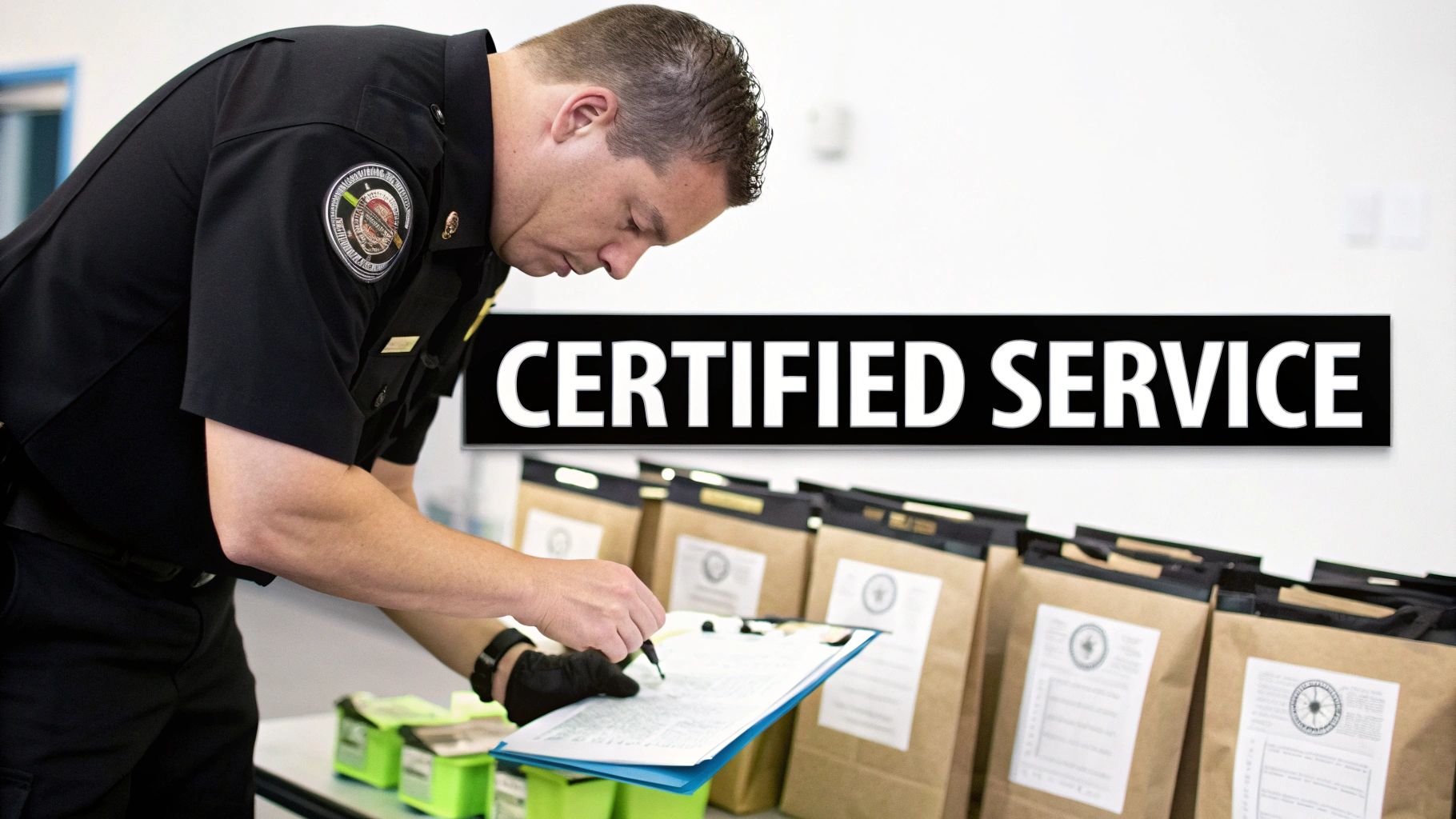
Key Indicators for Calling in the Experts
Asset volume is another critical factor. While your IT team might manage a few laptops, a data center decommission or a company-wide hardware refresh involving hundreds of devices presents immense logistical challenges. The processes of tracking, sanitizing, and documenting each asset at scale are prone to critical errors.
Consider professional services if you meet these criteria:
- You Have Strict Compliance Mandates: You operate in healthcare, finance, or government sectors where auditable, certified proof of destruction is a legal requirement.
- You're Dealing with a High Volume of Assets: Retiring dozens or hundreds of devices requires an efficient, error-proof process that internal teams are not equipped to handle.
- Your Team Lacks Internal Expertise: Your staff lacks the specialized training and certified tools required to guarantee data is forensically unrecoverable.
- You Need an Unbroken Chain of Custody: Your security policy requires documented proof of every step, from secure transport to final destruction.
Bringing in a certified specialist isn’t an expense; it’s an insurance policy. You’re effectively transferring the liability for proper data destruction from your team to a guaranteed, auditable process, backed by a Certificate of Destruction.
Ultimately, using professional hard drive destruction services eliminates all doubt. On-site services, featuring mobile shredding trucks at your facility, provide complete transparency. You can witness the destruction firsthand, ensuring an unbroken chain of custody and receiving the auditable proof necessary to satisfy any compliance auditor.
Clearing Up Common Questions About Wiping Hard Drives
Regarding end-of-life data management, several misconceptions persist. Here are clear answers to common questions from a business perspective.
Is Formatting a Hard Drive the Same as Wiping It?
No. Formatting a drive is analogous to removing a book's table of contents. The data itself remains on the drive and is easily recoverable with basic software tools.
A secure wipe is an active process that overwrites every sector of the drive with random data, often in multiple passes. This procedure doesn't just hide the old data—it permanently destroys it, rendering it impossible to recover. For any business, understanding this distinction is fundamental to data security.
Can Data Be Recovered After a Drive Is Professionally Shredded?
Absolutely not. Industrial shredders do not merely bend or break a drive; they pulverize it into tiny fragments of metal and plastic. This process is one of complete physical annihilation.
There is nothing left from which to recover data. This is why shredding is the gold standard for organizations with zero tolerance for risk, particularly those governed by compliance standards like HIPAA. It provides absolute certainty.
What Is a Certificate of Destruction and Why Do I Need One?
A Certificate of Destruction is the official, legal document verifying that your data-bearing assets were destroyed securely and in accordance with all applicable regulations. It provides a complete audit trail, detailing what was destroyed (including serial numbers), the method used, and the date of destruction.
For any business, this certificate is a critical compliance tool. In the event of an audit or legal inquiry, it serves as concrete evidence that you fulfilled your due diligence in protecting sensitive information. Without it, your organization has no verifiable proof of compliance.
When your business requires guaranteed, compliant data destruction, DIY methods introduce unacceptable risk. Atlanta Computer Recycling provides certified hard drive wiping and shredding services that protect your organization from liability and ensure you meet all regulatory demands.
Secure your business data today with our certified destruction services.