Gwinnett County in GA Business ITAD Solutions

Your team just approved a floor expansion in Gwinnett. New staff are coming in, old laptops are piling up, the server room has gear from two refresh cycles ago, and someone is asking whether the retired firewall appliances can go to the same place as broken monitors.
That is the point where routine IT support turns into IT asset disposition risk.
In gwinnett county in ga, growth is good for business, but it also creates a steady stream of retired technology that cannot be handled casually. Offices expand. Clinics open satellite locations. Schools swap device fleets. Public agencies retire infrastructure. Every one of those moves creates a compliance question, a logistics problem, and a data security obligation.
The Challenge of Growth in Gwinnett County for Businesses
A familiar scene plays out in fast-growing organizations. The help desk closes tickets all day, but a significant headache sits in a locked closet. Stacks of desktops. Old switches. Storage arrays nobody wants to touch because they might still contain production data.

That situation is not random. It matches the pace of the county around you. Gwinnett County has experienced explosive population growth, transforming from a rural area into one of the nation's fastest-growing counties. It grew over 1,300% since 1970 and is projected to reach 1,037,017 residents by 2026 according to Gwinnett County demographic history and projections.
What growth looks like inside an IT department
Growth rarely arrives as a neat capital plan. It usually shows up as:
- More endpoints: New hires need laptops, docks, monitors, and phones.
- Faster refresh cycles: Aging systems get pulled early because support demands rise.
- Temporary storage: Retired assets sit longer than intended because nobody owns final disposition.
- Mixed ownership: Corporate devices, leased equipment, and department-bought hardware get blended together.
An IT manager in Norcross, Duluth, Lawrenceville, or Suwanee feels the same pressure. In nearby business corridors such as Norcross commercial service areas, that pressure often builds until a move, audit, or consolidation forces action.
Where businesses get stuck
The hard part is not identifying obsolete equipment. The hard part is deciding what to do next without creating new problems.
A lot of teams delay disposition because every option seems risky:
| Situation | What seems easy | What usually goes wrong |
|---|---|---|
| Office refresh | Stack old gear in storage | Inventory control breaks down |
| Clinic relocation | Let facilities move everything | Chain of custody gets blurred |
| Server retirement | Send equipment out quickly | Data destruction proof is missing |
| Department cleanup | Mix scrap with reusable assets | Value recovery gets lost |
Practical takeaway: The longer retired equipment sits in place, the more likely your records, custody trail, and internal accountability drift apart.
That is the hidden cost of operating in a fast-moving county. Business growth creates more technology. More technology creates more end-of-life decisions. If those decisions are postponed, risk compounds in storage rooms, branch offices, and back hallways long before anyone calls it an ITAD project.
Understanding Your E-Waste Risks and Compliance Duties
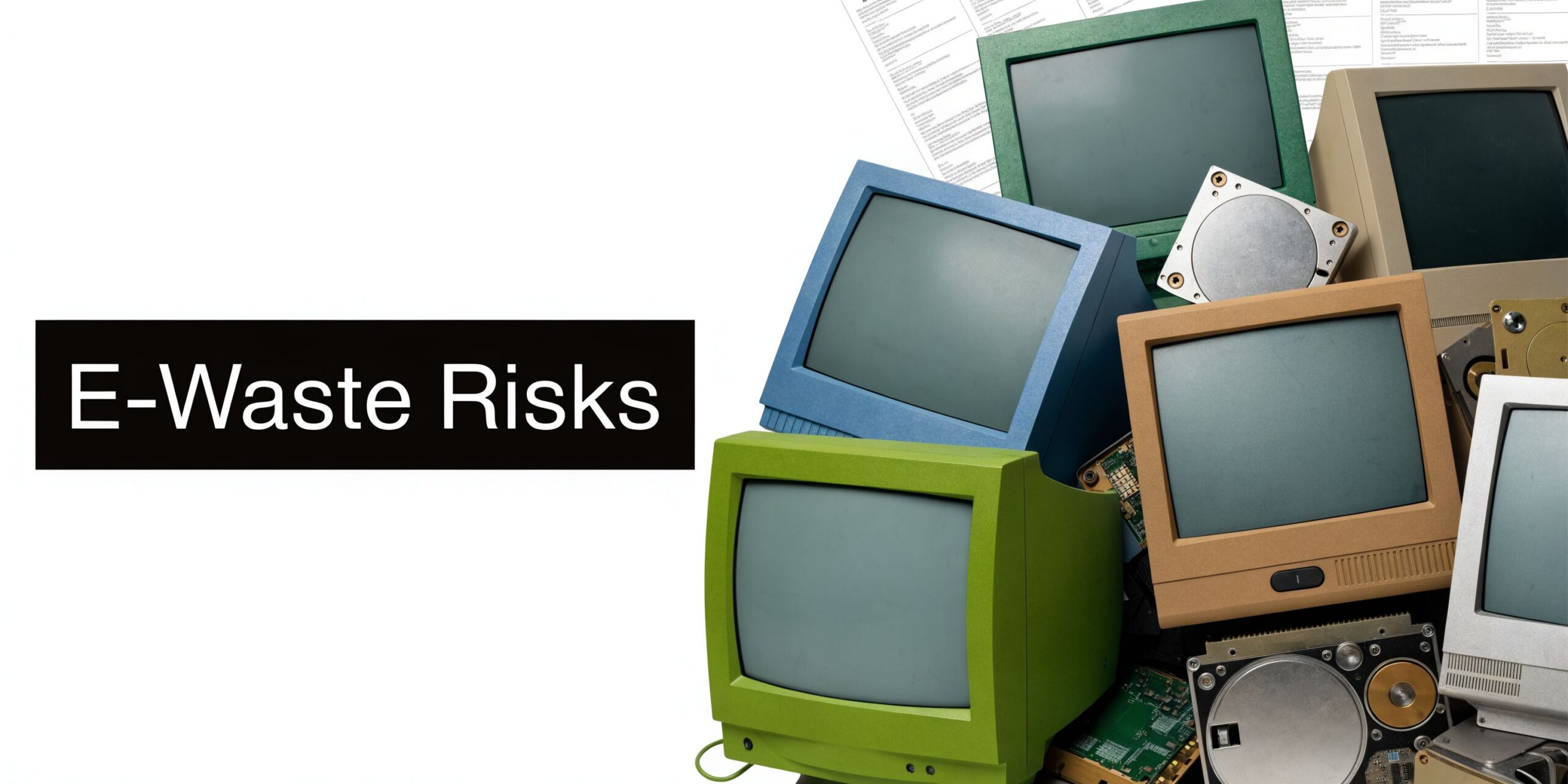
Improper disposal is not just a sustainability mistake. It is a security control failure.
If a retired laptop, server, NAS unit, copier hard drive, or firewall leaves your control without verified sanitization, your organization has lost confidence in what happened to the data. From a practitioner’s standpoint, that is the core issue. Once custody becomes uncertain, every downstream assurance becomes weaker.
The risks are different for business equipment
Consumer recycling advice does not go far enough for commercial environments. Business devices often carry:
- Credential artifacts: saved sessions, cached passwords, browser tokens
- Operational records: contracts, HR files, accounting exports, internal reports
- System configurations: VPN profiles, network diagrams, appliance settings
- Protected health information: patient schedules, scans, billing records, archived communications
Healthcare organizations in Gwinnett have an especially narrow margin for error. Gwinnett County has the highest number of uninsured residents in Georgia and faces health disparities, making HIPAA compliance during medical IT equipment disposal critical. The area's rapid healthcare growth, including Intuitive Surgical's $600 million investment, will increase the volume of e-waste containing sensitive patient data, as noted by the Gwinnett Coalition health equity overview.
That matters because stressed clinics and growing practices often focus on care delivery first and retired equipment second. The devices still need a defensible process.
The terms that matter in practice
A few ITAD terms get thrown around loosely. They should be handled precisely.
Chain of custody
Chain of custody means you can show who controlled an asset from pickup through final disposition. In real operations, that includes asset lists, serialized tracking where available, pickup records, and documented transfer points.
Without chain of custody, you are relying on trust instead of records.
Data wiping
A DoD 5220.22-M 3-pass wipe is a recognized sanitization approach for devices that are still functional and appropriate for erasure. It is useful when the goal is to preserve reuse value while still documenting data destruction.
It is not a magic phrase. It only works when the drive is readable, the process is completed successfully, and the asset is tracked to the final report.
Physical shredding
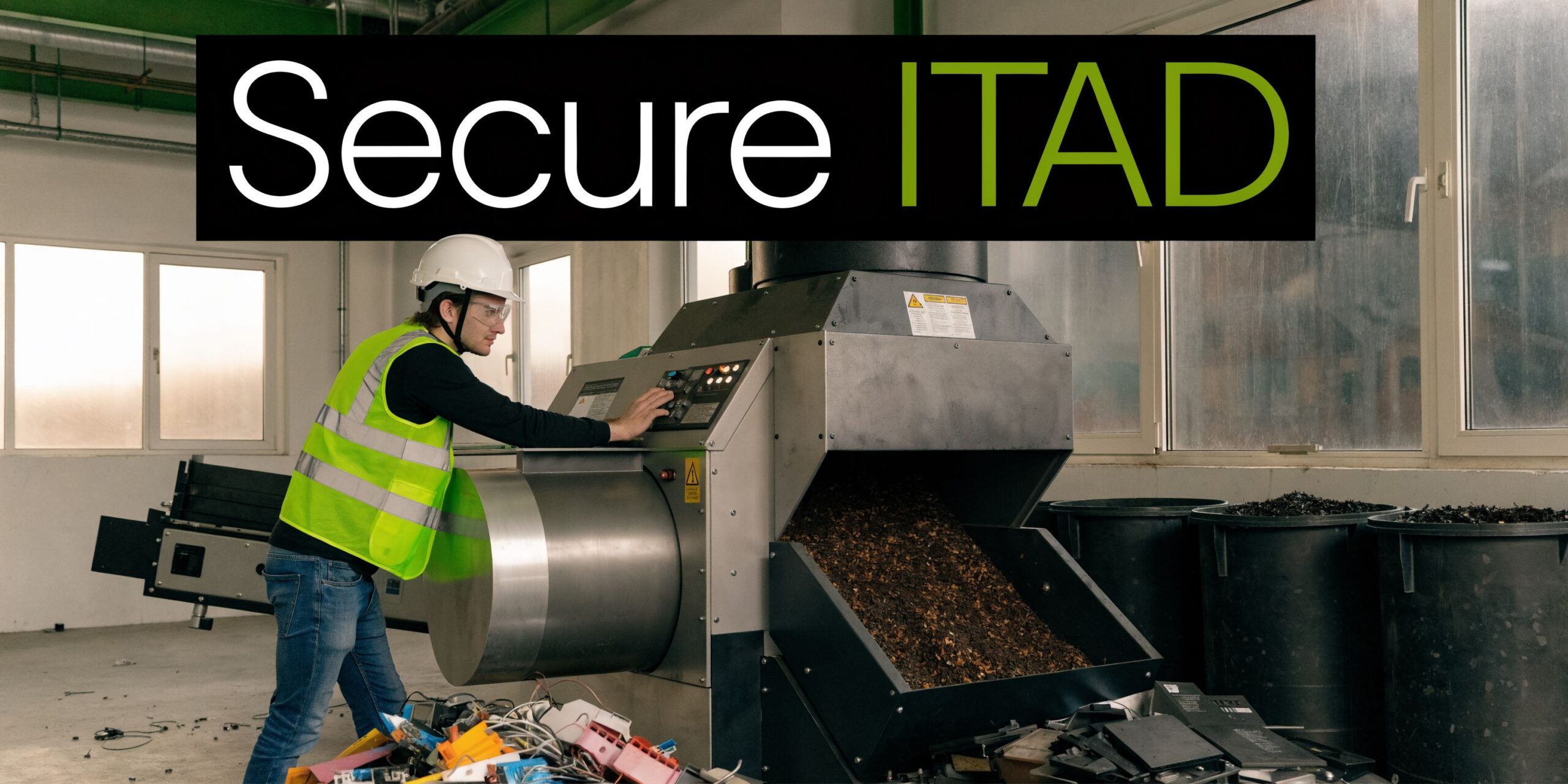
When media is failed, damaged, obsolete, or too sensitive to remarket, physical shredding is the better option. That applies often to failed hard drives, certain SSD scenarios, backup media, and gear pulled from highly regulated environments.
Tip: If your team cannot confidently power a device on, verify its media state, and document sanitization, default to a destruction path that removes doubt.
For teams reviewing downstream handling standards, this overview of business universal waste responsibilities is a useful baseline.
What does not work
The weak patterns are consistent across companies:
- Ad hoc cleanouts run by facilities without IT oversight.
- One-day purge events where inventory is incomplete.
- Donation-first thinking before data destruction is confirmed.
- Loading devices into personal or untracked vehicles because it feels faster.
Fast is good only when controls stay intact. If not, you trade a storage problem for a compliance problem.
Navigating Gwinnett County E-Waste Regulations
Most Gwinnett businesses do not need a complicated legal lecture. They need a practical answer to a simple question. Can public recycling options handle commercial, data-bearing equipment safely? In most cases, no.
The county’s planning direction makes the expectation clear. Gwinnett County's 2045 Unified Plan highlights its leadership in sustainable infrastructure, including a WaterFirst certification since 2003. This focus on environmental stewardship creates a regulatory and cultural expectation for businesses to pursue responsible e-waste disposal, with certified recyclers helping meet these goals, according to the Gwinnett County sustainable infrastructure plan.
What county-minded sustainability means for business IT
For a business, sustainability is not just about keeping electronics out of landfill streams. It also means using a process that separates reusable assets from scrap, handles batteries and peripheral waste correctly, and documents the outcome.
That has three operational implications:
- You need a commercial process, not a household drop-off mindset.
- You need records that satisfy internal audit and external scrutiny.
- You need a vendor workflow that can handle data-bearing assets, not just materials.
A municipal convenience option may be fine for a single broken keyboard. It is not a serious answer for pallets of laptops, rack servers, or storage appliances from a branch shutdown.
A useful way to evaluate your options
Use this decision view when comparing disposal paths:
| Option | Good for | Weak point |
|---|---|---|
| Public drop-off | Small residential-style loads | No business-grade custody or reporting |
| Internal haul-away | Quick building cleanup | IT oversight often gets lost |
| Specialized ITAD provider | Data-bearing, bulk, regulated equipment | Requires planning and scheduling |
The mistake I see most often is assuming all recycling channels are equivalent. They are not. The issue is not whether somebody will take the equipment. The issue is whether the process stands up after the fact.
Questions worth asking before anything leaves your site
- Who inventories the assets before removal?
- How is pickup documented?
- What happens to drives that fail wiping?
- What report do you receive after completion?
- Can the provider separate reuse from destruction by policy rather than guesswork?
For teams that want a broader operational baseline, this business guide to e-waste recycling in Atlanta gives useful context for how commercial programs differ from public-facing recycling options.
Key takeaway: In gwinnett county in ga, the right question is not “Where can I drop this off?” It is “What process protects my business if someone asks for proof later?”
Secure ITAD Solutions for Gwinnett’s Key Industries
Different sectors retire different equipment, but the pattern is the same. The more critical the operation, the less room there is for improvisation.
Healthcare organizations
Hospitals, outpatient clinics, imaging centers, and specialty practices often hold onto old equipment longer than they should because retirement feels risky. That caution is understandable. A retired workstation may still contain local patient files. A decommissioned server may still hold archived records or credential stores. Even networked medical equipment can carry configuration data that should not leave the building unmanaged.
For healthcare, the strongest workflow usually includes on-site segregation of assets into three groups:
- systems suitable for wiping and remarketing
- devices requiring drive removal and destruction
- specialized equipment that needs manual review before transport
That approach reduces confusion on pickup day. It also keeps clinical operations from mixing regulated equipment with general office scrap. If your organization needs a closer compliance reference point, this page on HIPAA-compliant electronics recycling in Atlanta covers the controls healthcare teams typically look for.
School districts and higher education
Schools face a different problem. Volume is spread across campuses, closets, media centers, labs, and admin buildings. One site may have Chromebooks, another has old teacher laptops, and a third still has networking gear from a prior vendor standard.
What works for education is a staged collection model. Pull inventory by campus, identify data-bearing devices first, then schedule collection in waves that match the academic calendar. Summer and holiday breaks are often the cleanest windows for removal because they reduce disruption and make room-level access easier.
What does not work is treating every site as a separate mini-project. That creates inconsistent documentation and missed assets.
Data centers and enterprise server environments
The county itself illustrates why data center ITAD matters. Gwinnett County's ITS division manages large-scale data center operations. With industry benchmarks showing 20-30% server refresh rates annually due to virtualization, a mid-sized county can generate 10-15 tons of e-waste, necessitating certified partners for secure decommissioning and data wiping, based on Gwinnett County ITS infrastructure and operations information.
That aligns with what enterprise teams deal with during hardware refreshes. Blade systems age out. SAN shelves get replaced. Top-of-rack switches are pulled during modernization. The challenge is not only removal. It is sequencing.
A clean server decommissioning job usually requires coordination across:
- infrastructure
- security
- facilities
- project management
- the downstream ITAD team
Rack-by-rack removals fail when one side is thinking about uptime and the other is thinking about scrap. Teams planning facility changes should also understand broader challenges in data center construction, because buildouts and decommissions often collide around power, staging space, access, and timing.
Government and public sector offices
Government offices typically have strict custody expectations and mixed asset classes. Desktops, patrol laptops, printers, evidence-adjacent storage, conference room systems, and telecom gear all move on different replacement timelines.
The best public-sector ITAD plans are conservative. They rely on documented pickup, direct reconciliation against internal inventory, and clear separation between reusable devices and media destined for destruction.
Field note: If a project includes servers, storage, and endpoint devices in the same move, assign different handling rules before pickup day. Mixed handling causes most of the confusion.
A Recommended ITAD Workflow for Gwinnett Businesses
Most failed ITAD projects do not fail at destruction. They fail earlier, during planning, inventory, and pickup control.
A workable process in gwinnett county in ga has to account for site access, busy roads, building schedules, and the fact that many organizations do not have spare staff to manage a multi-day hardware exit. Public transportation deficiencies in Gwinnett County create logistical barriers for businesses needing to transport bulk e-waste for recycling. This makes on-site pickup services essential for ensuring secure and timely disposition, especially for organizations without their own logistics capabilities, as described in the Gwinnett community assessment on access barriers.
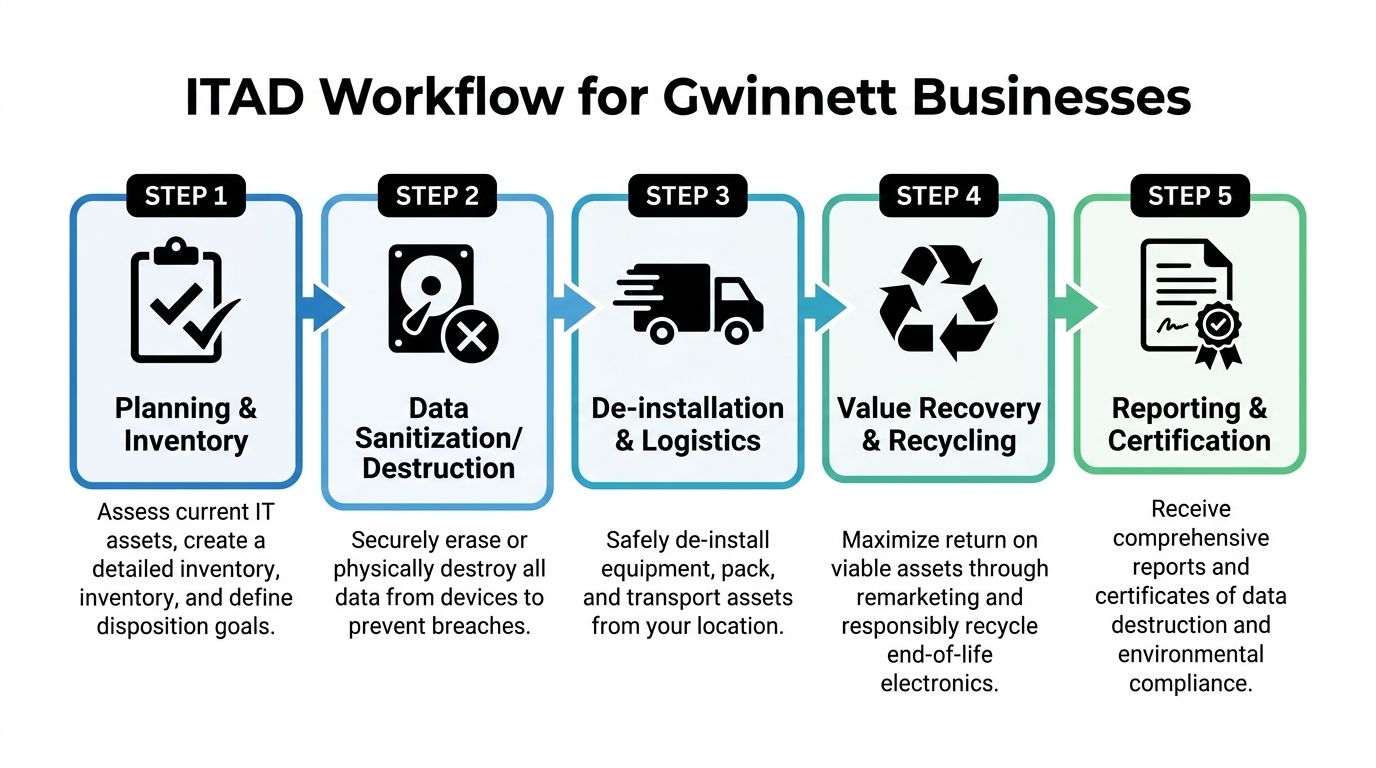
Phase one planning and inventory
Start before the first cart rolls.
Build a disposition list that includes desktops, laptops, servers, switches, firewalls, storage, printers, dock stations, and loose drives. If the asset has ever touched your network or stored user data, flag it for controlled handling.
A simple planning checklist works well:
- Identify scope: One office, multiple sites, or a data center room.
- Mark sensitive assets: Servers, storage arrays, copiers, medical devices, loose media.
- Set business rules: Wipe for reuse, shred on failure, destroy specific classes automatically.
- Confirm access windows: Loading docks, freight elevators, clinic off-hours, school breaks.
Do not wait until pickup day to ask whether the old copier has a hard drive. That question should be answered in inventory review.
Phase two de-installation and secure logistics
Many internal projects break down at this stage. Equipment gets unplugged without labeling. Rails disappear. Loose drives get separated from hosts. One team packs gear while another updates a spreadsheet later from memory.
Use a controlled removal process instead.
What good de-installation looks like
| Task | Good practice | Bad practice |
|---|---|---|
| Rack removal | Label by rack and unit position | Pull and stack in mixed piles |
| Endpoint collection | Match devices to location lists | Sweep floors at the end |
| Drive handling | Separate and document failed media | Toss loose drives into generic bins |
| Transport | Load into tracked pickup workflow | Use unverified ad hoc hauling |
For office settings, rolling carts, serialized labels, and room-by-room signoff keep projects organized. For server environments, rack elevation references and pre-approved pull sequences avoid confusion.
Tip: If your facilities team is managing access, keep IT present during removal of any data-bearing device. Facilities can open doors. IT should control disposition decisions.
Phase three sanitization destruction and downstream processing
Once assets leave service, the decision tree should already be set.
Some devices should be wiped because reuse is appropriate and media condition supports it. Others should move directly to physical destruction. The right choice depends on asset condition, data sensitivity, and internal policy.
A solid downstream process should produce:
- Asset reporting tied back to the pickup scope
- Data destruction records for wiped or shredded media
- Recycling documentation for end-of-life materials
- Clear exception handling for damaged or unidentified equipment
Phase four reporting and closure
Do not treat reports as paperwork. Treat them as the final control.
Your closeout package should let you answer these questions quickly:
- What was picked up?
- Which assets were wiped?
- Which media was physically destroyed?
- Which items were recycled?
- Are there any exceptions that need follow-up?
If the provider cannot produce clear completion records, the project is not really closed.
How Atlanta Computer Recycling Serves Gwinnett County
For commercial organizations in Gwinnett, the strongest partner is the one that removes operational friction while preserving control. That means handling the entire chain, not just the recycling endpoint.
Atlanta Computer Recycling fits that model because the service aligns with the exact pain points businesses in this county face. Growing offices need pickups that do not interrupt workdays. Healthcare organizations need HIPAA-aware handling for data-bearing devices. Schools need bulk removals that match campus schedules. Public agencies need custody and reporting they can defend later. Data center teams need disciplined de-installation, transport, wiping, and destruction.
What matters most is the combination of services. On-site de-installation keeps internal staff from improvising removals. Fleet pickup solves the practical logistics issue that many organizations run into when they do not have the vehicles, labor, or custody process to move bulk equipment securely. DoD 5220.22-M wiping supports reusable assets, while physical shredding covers failed or sensitive media. Certified recycling closes the loop for end-of-life hardware.
That mix is especially useful in gwinnett county in ga because projects here are rarely one-dimensional. A single engagement may involve user devices from an office refresh, old network gear from a branch move, and retired servers from a small server room. Handling all three under one controlled workflow reduces handoffs and gaps.
Businesses that want a local service overview can review Gwinnett County commercial ITAD support to see how these projects are typically handled across the county.
Frequently Asked Questions About Business E-Waste Recycling
Can we include employee-owned devices in a company recycling project
Yes, but only if you set policy first. Separate corporate-owned assets from employee-owned devices in writing, and decide whether personal devices will receive the same wipe or destruction standards. Do not mix them into the main inventory without approval.
What equipment usually gets missed during cleanouts
Loose hard drives, backup media, copier drives, old firewall appliances, wireless controllers, phones in storage, and AV gear in conference rooms. Server projects also miss rails, transceivers, and small network devices unless someone checks racks carefully.
Should we wipe everything or shred everything
Neither extreme is always right. Wiping is appropriate for functional devices when reuse is allowed and documented. Shredding is better for failed media, highly sensitive environments, or assets your policy says must be destroyed.
What documentation should an IT manager expect
Expect an inventory-based pickup record, chain-of-custody support, and final reporting that identifies what was wiped, destroyed, and recycled. If exceptions exist, they should be listed clearly rather than buried.
Can facilities manage the project without IT
Facilities should support access, loading, and scheduling. IT should still control asset classification, data decisions, and final reconciliation. When facilities runs the whole process alone, the project often moves faster at first and becomes harder to defend later.
What is the best time to schedule a business pickup
Schedule around your least disruptive operating window. For offices, that may be after a refresh or move. For schools, breaks are usually best. For healthcare, after-hours or phased pickups often work better than a full-site sweep.
If your organization in Gwinnett needs a secure, practical way to retire laptops, servers, network gear, or full data center equipment, Atlanta Computer Recycling provides business-focused ITAD and electronics recycling with pickup, de-installation, data destruction, and responsible downstream processing. For IT managers who need a process they can run, that kind of end-to-end support is the difference between a cleanup and a controlled disposition program.