Secure Gwinnett IT Recycling | Data Destruction Experts

Your first major gwinnett decommissioning project usually does not start in the data center. It starts in a locked room that slowly turned into overflow storage.
There are retired laptops on a shelf, a few rack servers waiting for approval, network switches nobody wants to unplug during business hours, and a stack of drives that “were already wiped” but never documented. Meanwhile, leadership wants the space back, compliance wants proof, and your team still has day jobs.
That is the primary challenge. Not just getting rid of equipment, but doing it without exposing data, missing assets, or interrupting clinical staff, teachers, finance teams, or county operations. In gwinnett, that pressure is higher because the local business mix includes healthcare, education, government, and growing commercial offices that cannot afford sloppy chain-of-custody or vague disposal records.
Why Gwinnett Businesses Need a Secure IT Disposal Plan
Gwinnett has changed fast. Gwinnett County's population has surged to become Georgia's second-most populous, growing from just over 72,000 residents in 1970 to nearly one million by 2023. This explosive growth has fueled a dynamic business environment, increasing the demand for compliant, scalable IT asset disposition services to manage the ever-growing volume of electronic waste (Gwinnett County population history).
That growth shows up in IT rooms and storage closets. A medical office in Duluth upgrades exam-room workstations. A school system in Lawrenceville rotates out old desktops. A county contractor in Norcross retires networking gear after a refresh. The hardware piles up fast, but the risk does not sit in plain sight.
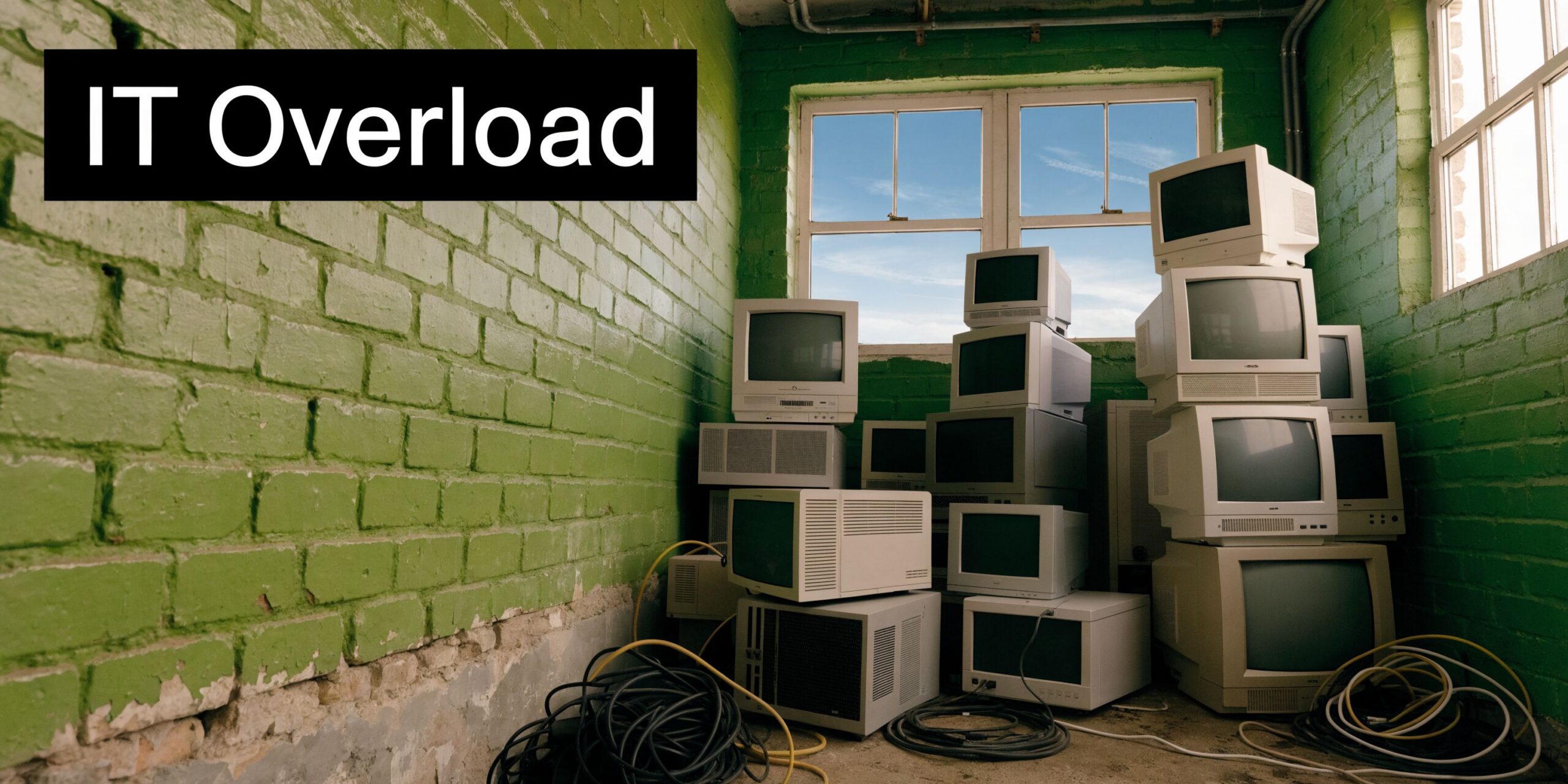
The equipment is old, but the liability is current
Most first-time decommissioning mistakes happen because teams treat disposal like junk removal. It is not.
A retired server can still hold protected data. A mislabeled drive can break your audit trail. A closet full of mixed equipment can hide devices that should have been tracked, wiped, redeployed, or physically destroyed. In gwinnett, that matters most for organizations handling patient files, student records, financial data, or public records.
What works is a controlled process with three priorities:
- Asset accountability: Every device gets identified before it moves.
- Data security: No assumption that “deleted” means destroyed.
- Operational continuity: Pickup and removal happen around the business, not against it.
What does not work is the common shortcut list. Sending staff to load personal vehicles, relying on a basic format, or letting departments clean out closets without central oversight usually creates more work later.
Gwinnett requires local judgment, not generic advice
A suburban county this large has different facility types and different constraints. A specialty clinic has one set of risks. A school district has another. A municipal office has its own chain-of-custody expectations. Even logistics vary by building layout, loading access, and scheduling windows.
That is why local planning matters. If you are managing equipment at multiple facilities, it helps to think in terms of zones, pickup windows, and documented handoffs. For teams operating around Peachtree Corners and Norcross, this kind of local service footprint matters in practice, especially when secure pickups need to stay close to business operations, as shown in this Norcross service area page.
Practical rule: If a device ever touched sensitive data, treat disposition as a security project first and a recycling project second.
Building Your Decommissioning Blueprint
The safest gwinnett decommissioning projects do not begin with trucks. They begin with a spreadsheet, a walk-through, and a few hard questions.
A typical data center decommissioning project for a medium-sized facility spans 3-4 months, with the initial planning and assessment phase taking 2-4 weeks. A common pitfall during this phase is an incomplete asset inventory, which industry reports show can lead to 20-30% of assets being overlooked (data center decommissioning best practices).
For a first project, that overlooked-asset problem is the one to fear most. It is how old backup appliances stay in a rack, how desktops remain under desks after pickup day, and how a drive in a drawer becomes an audit problem months later.
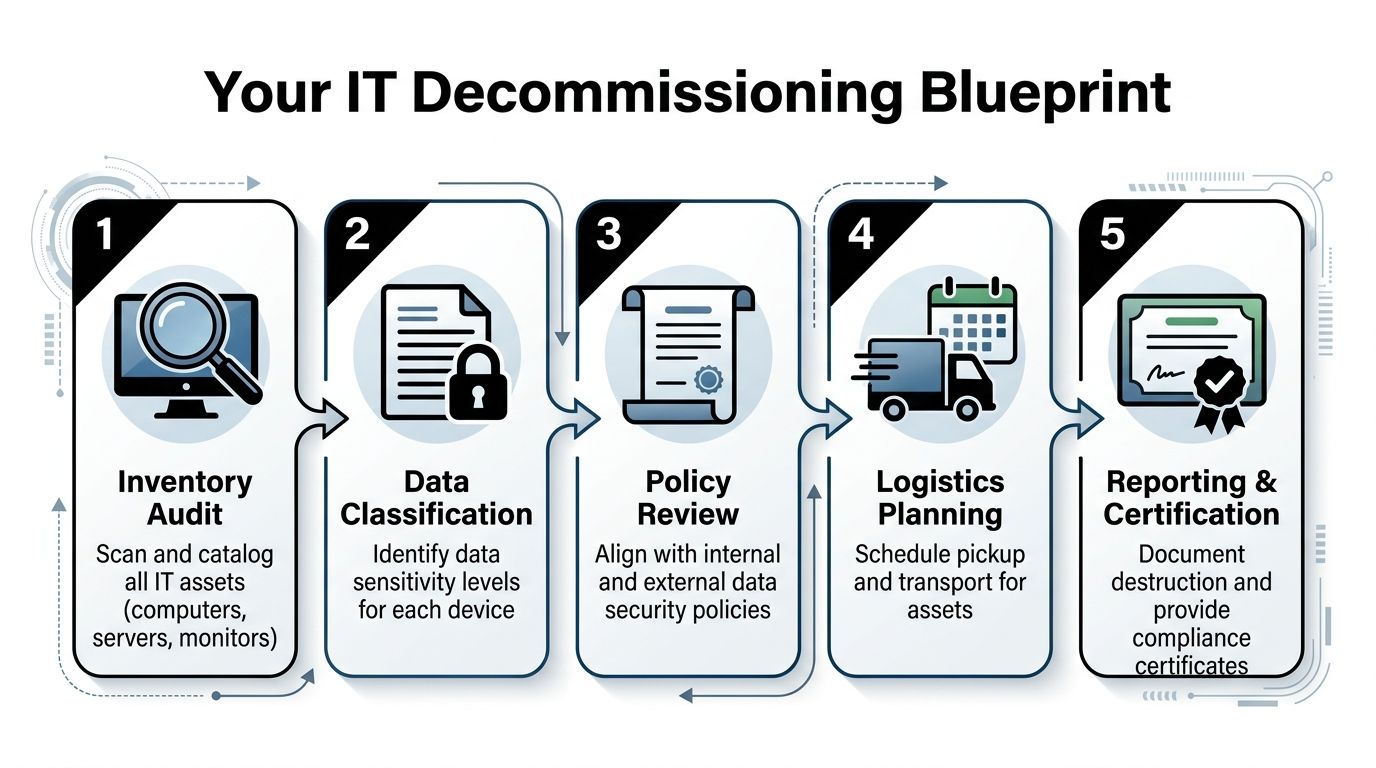
Start with an inventory that can survive an audit
Do not build a list that only helps your internal team. Build one that still makes sense after equipment changes hands.
Capture at least these fields for every asset:
- Unique identifier: Serial number, asset tag, or both.
- Device type: Laptop, desktop, server, firewall, switch, storage array, monitor, printer.
- Current location: Building, floor, closet, rack, room number, or department.
- Data status: Contains data, likely contains data, no storage media, unknown.
- Disposition path: Reuse, wipe and resell, shred, recycle, hold for review.
If you have multiple sites, assign one person to sign off on each location’s list. That single step prevents the common “we thought Facilities got that room” problem.
Classify risk before you schedule removal
Not every device needs the same handling. A monitor is not a file server. A switch is not a physician laptop. Your blueprint should separate low-risk hardware from anything that stores regulated or confidential information.
Use a simple decision model:
| Asset type | Main concern | Best next step |
|---|---|---|
| Servers and storage | Unknown residual data | Audit drives, define wipe or shred path |
| Staff laptops | User data and credentials | Verify custody, wipe or shred drives |
| Network gear | Configuration data | Review before release |
| Monitors and peripherals | Environmental handling | Recycle through approved channel |
That risk sorting also helps coordinate with office closure work. If your project overlaps with furniture removal, cable pulls, or space reconfiguration, a resource on professional office decommissioning can help facilities and IT stay aligned instead of tripping over each other’s schedules.
Review policy before anything leaves the building
Most delays happen because the technical team is ready and the compliance side is not. Get answers to these early:
- Are you subject to HIPAA or public-sector records requirements?
- Do you need on-site sanitization for specific media?
- Who approves destruction versus reuse?
- What documentation must be retained internally?
For larger server and rack retirements, this server decommissioning checklist is a practical reference because it forces the team to think through dependencies, data handling, and signoff order before de-racking starts.
Tip: Treat “unknown” data status as high risk until proven otherwise. That assumption prevents rushed decisions on old drives and mixed equipment lots.
Ensuring Total Data Destruction and Compliance
Most organizations worry about pickup, pallets, and downtime. They should worry first about media.
The dangerous assumption is that if a machine is old, broken, or no longer connected, the data problem is gone. It is not. The storage media is what matters, and the right destruction method depends on whether the drive is functional, reusable, encrypted, damaged, or obsolete.
Why DIY wipes fail in real environments
A lot of first-time projects begin with a plan to “just wipe everything in-house.” On paper, that sounds efficient. In practice, it creates blind spots.
While DIY drive wipes are common, professional ITAD benchmarks show that up to 25% of enterprise hard drives fail initial sanitization tests due to bad sectors. In contrast, certified physical destruction via shredding to <2mm particles offers 100% compliance and data irrecoverability, a critical safeguard for Gwinnett healthcare and financial firms (server decommissioning checklist benchmarks).
That single fact changes the decision tree. If a drive fails a sanitization test, you do not have a wiping project anymore. You have a destruction project.
Wiping and shredding are not competing methods
They solve different problems.
Software wiping makes sense when media is healthy and you want the option of reuse or remarketing. In commercial ITAD, that usually means a documented overwrite process and verification. For organizations that still require it operationally, Atlanta Computer Recycling documents DoD 5220.22-M 3-pass wiping and also handles physical destruction when media is obsolete or non-functional. That distinction matters because one method preserves asset value, while the other prioritizes finality. The practical service details are laid out on their secure data destruction page.
Physical shredding is the better call when any of these apply:
- Drive health is questionable: Bad sectors, read failures, or intermittent access.
- Chain-of-custody tolerance is low: Healthcare, finance, legal, or public-sector records.
- Media has no reuse value: Old, failed, damaged, or unsupported drives.
- You need the clearest audit position: Destruction is easier to defend than assumption-based wiping.
The compliance standard is proof
Formatting a drive is not proof. Deleting partitions is not proof. A sticky note saying “wiped” is not proof.
Auditors and internal risk teams look for process evidence. They want to know who handled the media, what method was used, and how the organization can show the result later. That is why documented verification matters more than the claim that an internal technician ran a tool.
Key takeaway: If your team cannot produce a credible record of sanitization or destruction for a specific serial number, act as if the data still exists.
For gwinnett healthcare groups, school systems, and financial offices, the safe rule is simple. Reusable media gets verified sanitization. Failed or high-risk media gets shredding. Everything gets documented.
Streamlining Pickup and Logistics for Your Gwinnett Office
The physical side of a gwinnett decommissioning project often creates the most internal resistance. Staff worry about noise, blocked hallways, downtime, and a pickup crew that needs constant supervision.
That is avoidable if the logistics are structured before arrival.
Community health assessments in Gwinnett highlight transportation barriers as a significant challenge for residents accessing services. For businesses, this same local logistical complexity makes on-site e-waste pickup services essential, eliminating the need for companies to manage their own transport and ensuring operations continue without disruption (Gwinnett ecosystem map and transportation barriers).
What a low-disruption pickup looks like
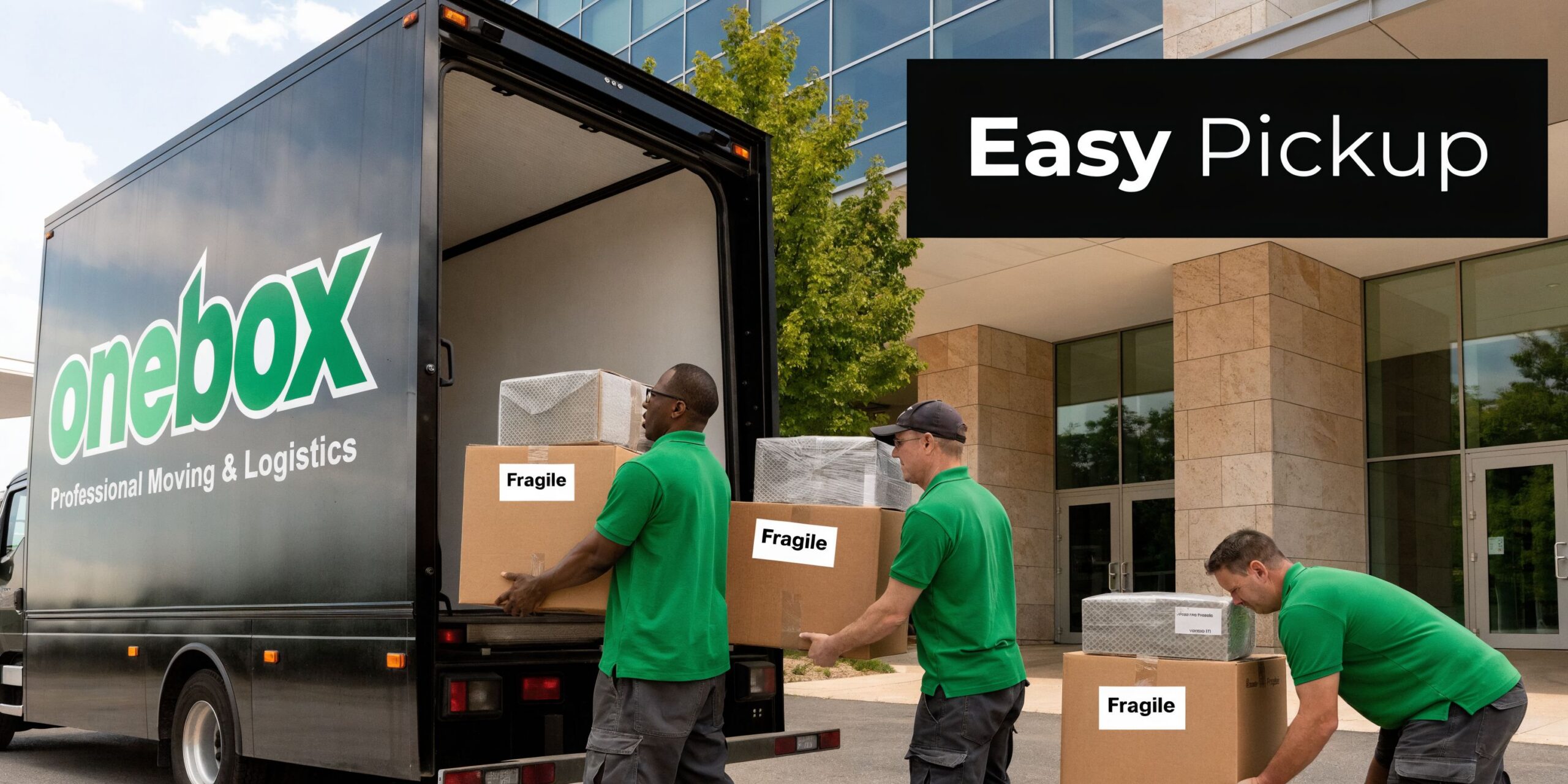
The best pickup day is uneventful. Staff keep working. Reception does not field complaints. The IT team is not walking equipment to the curb.
A clean process usually follows this sequence:
- Confirm scope in advance. Final asset list, building access notes, loading instructions, and any media that needs separate handling.
- Stage only what makes sense. Small office lots may be boxed ahead of time. Active environments often leave equipment in place until the pickup team is on site.
- Handle de-installation professionally. Rack gear, workstations, loose drives, and peripherals need different packing and movement.
- Document handoff at the moment of removal. Chain-of-custody becomes physically significant here, not just administratively.
Keep your staff out of the transport business
One of the most common mistakes is turning internal employees into movers. That creates risk on several fronts. Equipment damage. Lost drives. Incomplete counts. Unclear custody.
What works better is on-site pickup with a team that can pack, label, and remove mixed equipment in one pass. That includes office gear, server room hardware, and scattered devices from branch locations if needed. A practical example of that operating model is this IT equipment pickup service in Atlanta, which shows the kind of handoff process gwinnett companies should expect.
Schedule around the business, not against it
Every facility has a bad window. For a clinic, it may be patient hours. For a school, arrival and dismissal. For finance, month-end close. For government, public-facing service hours.
Build your pickup plan around those realities:
- Choose low-traffic windows: Early morning, after-hours, or staggered room-by-room removal.
- Separate active from retired equipment: Avoid accidental removal of live assets.
- Reserve loading access: Do not leave truck access to chance.
- Assign one site lead: The pickup crew needs one decision-maker, not five.
Tip: If your site has multiple closets, cubicles, and storage points, walk the route the day before. That one habit prevents surprise delays on pickup day.
Finalizing Your Project with Auditable Documentation
The project is not finished when the last pallet leaves your building. It is finished when your records can answer hard questions months later without guesswork. Many internal teams feel relief too early at this point. Equipment is gone, space is cleared, and everyone moves on. Then procurement asks what was retired. Compliance asks for proof of destruction. Finance asks what happened to serial-tagged assets. If the paper trail is weak, the project reopens.
The paperwork that protects you later
For a gwinnett organization, the useful documentation is not decorative. It is operational evidence.
Keep these records tied to the project file:
- Asset inventory records: What was collected and from where.
- Chain-of-custody documentation: When equipment changed hands and under whose control.
- Data destruction records: Which media was wiped, which was shredded, and what verification exists.
- Recycling documentation: Confirmation that downstream disposition followed compliant channels.
A sample format helps teams know what “good” looks like before they start filing. This certificate of destruction sample is useful because it shows the level of detail organizations should expect, not just a vague one-page acknowledgment.
Documentation also supports your sustainability position
There is a business reason to care about environmental handling beyond compliance. It aligns disposal decisions with local priorities.
Gwinnett County's strategic plans emphasize sustainability and community health through initiatives like Harvest Gwinnett. Partnering with a certified e-waste recycler ensures that business IT disposal aligns with these local goals, diverting tons of e-waste from landfills and enabling the recovery of valuable materials, thereby supporting a circular economy within the metro Atlanta area (Gwinnett strategic plan executive summary).
For internal stakeholders, that means your decommissioning file can do double duty. It shows legal care around data and environmental care around material disposition.
Practical view: Good documentation shortens future projects. Once legal, compliance, IT, and facilities trust the record set, approvals move faster next time.
Close the loop with internal signoff
Before you archive the project, get final acknowledgment from the right owners. Usually that means IT, compliance or privacy, and sometimes finance or facilities.
That final signoff matters because it turns decommissioning from an informal cleanup effort into a completed business process. In gwinnett organizations with multiple departments and multiple sites, that distinction prevents old questions from resurfacing every quarter.
Common Questions About IT Recycling in Gwinnett
Is pickup free for businesses in gwinnett
It depends on the equipment mix, volume, labor involved, and whether the project includes de-installation, packing, drive shredding, or a larger server room teardown.
A small pallet of low-value scrap is different from a coordinated office refresh with reusable assets and documented data destruction. The right way to estimate cost is to build the scope first, then price the labor, logistics, and media handling around the actual project.
What items are usually accepted
Most commercial ITAD programs take common business electronics such as computers, laptops, servers, network gear, monitors, storage devices, and related peripherals.
Some projects also include mixed back-office electronics from office closures or refresh cycles. The important point is to separate data-bearing devices from non-data equipment early, because the handling path is different even when pickup happens at the same time.
What should not be mixed into the load without review
Do not assume every item in an office closet belongs in the same pickup stream.
Set aside anything that may require a specific decision first, such as old backup media, loose hard drives, specialty medical devices, or equipment that might still be assigned to an employee or department. Unknown devices slow the job and create chain-of-custody questions.
Should drives be removed before pickup
Sometimes yes, sometimes no.
If your policy requires separate media handling, remove and label drives before the rest of the asset leaves the building. If the project includes de-installation and documented custody by the pickup team, keeping drives in place can reduce mix-ups because the device and media stay matched until intake and processing.
Is software wiping enough
Sometimes. Not always.
Healthy drives with reuse value may be suitable for verified wiping. Failed, obsolete, or high-risk media usually belongs in a physical destruction stream. The correct method depends on drive condition, policy requirements, and how strong your proof needs to be after the fact.
How far in advance should we plan
For a regular office equipment pickup, planning can be straightforward if your inventory is ready and internal approvals are lined up.
For multi-site projects, healthcare environments, schools, or server decommissioning, give yourself more runway. The time is not just for scheduling. It is for inventory cleanup, decision-making, and getting legal, compliance, and operations aligned before removal day.
What is the biggest mistake first-time project owners make
They underestimate how many decisions are hidden inside “just recycle this stuff.”
The project usually includes inventory, policy review, data classification, pickup sequencing, custody documentation, and final records retention. If you treat it like junk hauling, the weak spots show up later.
What should we do before requesting a quote
Three things help immediately:
- Count the asset types: Even a rough count by category is useful.
- Flag media-bearing devices: Servers, laptops, desktops, SAN gear, loose drives.
- Note site conditions: Stairs, elevators, loading dock access, rack de-installation, after-hours restrictions.
That gives the recycler enough context to scope the project accurately and keeps your internal stakeholders from getting surprised.
What does success look like
Success is boring in the best way.
The equipment leaves without disrupting the office. Data-bearing media follows the right destruction path. The inventory reconciles. Documentation lands in the project file. Nobody has to reconstruct what happened later.
If you are planning a gwinnett office cleanout, server retirement, clinic refresh, or multi-site IT decommissioning, Atlanta Computer Recycling is a practical place to start. Share your asset types, locations, and any data-destruction requirements, and the next step can be scoped around security, compliance, and minimal disruption to your staff.