Your 2026 Guide to Commercial E-Recycling: Secure IT Asset Disposition (ITAD)


When your company's IT manager or facilities director searches for "e-recycle near me," it’s not just about clearing out a storage closet. It’s the critical first step in a process known as IT Asset Disposition (ITAD). For any modern business, this isn't a task—it's a strategic operation essential for security, compliance, and financial prudence.
Properly managing the lifecycle of your technology assets is a core business function. How you retire old electronics is every bit as important as how you deploy new ones.
Why 'E-Recycle Near Me' Is a Strategic Search for Your Business

For IT directors, operations managers, and data center supervisors, that simple search phrase carries significant weight. It's the starting point for solving problems that extend far beyond office clutter. Letting obsolete servers, laptops, and networking gear accumulate isn't just inefficient; it’s a silent financial drain and a ticking security time bomb.
Those retired devices occupy valuable real estate and depreciate daily, losing any potential resale or recovery value. More importantly, every forgotten hard drive is a potential data breach waiting to happen, threatening your company’s reputation and bottom line.
The Pitfalls of Residential or Uncertified Solutions
It can be tempting to consider a quick drop-off at a local electronics drive or to call a generic "junk hauler." This approach is a non-starter for any business serious about its responsibilities.
Consumer-focused e-waste events are not equipped to handle commercial volume, nor do they provide the certified documentation required to prove compliance and secure data destruction. This is a critical distinction that protects your business from liability.
This issue is growing. The world generates a staggering 50 million metric tons of e-waste each year, yet only 12.5% of it is properly recycled. With public recycling events being scaled back—like the planned absence of manufacturer events in DC for 2026—the onus falls squarely on businesses to partner with professional ITAD specialists.
Moving Beyond Disposal to Strategic Disposition
The fundamental difference between casual disposal and professional ITAD comes down to two words: accountability and security. A certified ITAD partner doesn't just haul away old equipment. They execute a secure, documented process from the moment your assets leave your facility to their final, compliant disposition.
This distinction is absolutely critical for:
- Healthcare Organizations: Facing severe HIPAA penalties, proper e-recycling isn't a choice; it's a mandatory compliance activity.
- Financial Institutions & Law Firms: Protecting sensitive client data is paramount to maintaining trust, reputation, and regulatory standing.
- Data Center Operators: Decommissioning requires a partner capable of securely and efficiently managing enormous volumes of equipment and data.
- Any Business With Customer Data: From retail to manufacturing, protecting stakeholder information is a fundamental business obligation.
When you engage a professional ITAD provider, you're not just recycling—you're purchasing a liability transfer. You are entrusting a certified expert to securely manage your assets and provide the documentation to prove it.
For businesses looking for an ITAD partner, the key is to find a local expert you can trust. You can find out more about what to look for by exploring our guide on finding computer recycling near you.
How to Select the Right Commercial E-Recycling Partner

Choosing an IT Asset Disposition (ITAD) partner is about much more than just getting old electronics out of your office. Your business data, reputation, and legal standing are on the line, making this one of the most critical vendor decisions you'll make.
A quick search for "e-recycle near me" will yield plenty of options, but they are not created equal. The objective isn't to find the cheapest hauler; it's to find a partner who operates as a seamless extension of your own IT and compliance teams.
Making the wrong choice can lead to staggering data breach fines, environmental penalties, and irreparable damage to your brand. The right partner, however, delivers total peace of mind with an ironclad process and the documentation to back it up.
Look Beyond the Website for Proof of Certification
Certifications are your first and most important line of defense. They provide third-party validation of a company's claims regarding security, environmental practices, and safety. A professional e-recycler will proudly provide copies of their current certifications upon request.
Two credentials stand out as the gold standard in the ITAD industry:
- R2v3 (Responsible Recycling): This comprehensive standard covers everything from data security protocols and chain-of-custody tracking to the downstream management of hazardous materials. An R2v3 certified facility undergoes rigorous, ongoing audits to prove its processes are secure and environmentally sound.
- e-Stewards: Developed by the Basel Action Network, the e-Stewards certification places a heavy emphasis on preventing the illegal export of hazardous e-waste to developing nations. It signifies a profound commitment to ethical, global environmental stewardship.
Finding a partner with either R2v3 or e-Stewards certification is non-negotiable for any business that is serious about security and compliance. It's the baseline that separates true ITAD professionals from simple scrap haulers.
Without these, you have no real way to verify their processes. A certified partner has already made a significant investment to prove they operate responsibly, giving you confidence they can protect your company. To learn more, see our guide on what makes a trustworthy electronic waste recycling company.
Ask the Hard Questions About Data Destruction
Let's be clear: the most critical service you're procuring is the guaranteed destruction of your sensitive company data. You need absolute certainty that the information on every hard drive, server, and mobile device is irretrievably destroyed.
Here's what you must ask any potential partner:
- Can you provide a full, serialized chain-of-custody report? This isn't a simple receipt. It's a detailed legal document that tracks every single asset by serial number from the moment it leaves your facility to its final destruction. It's your tangible proof of compliance.
- What is your process for drives that fail or cannot be wiped? Some drives are dead on arrival or can't be sanitized with software. The only secure answer is physical destruction. A professional will immediately describe their industrial shredding or pulverizing process for such cases.
- Which data destruction standards do you adhere to? Look for specific, verifiable standards like NIST 800-88 or DoD 5220.22-M. These are government-recognized benchmarks for media sanitization.
A vague answer on any of these points is a major red flag.
A true ITAD professional will walk you through their different data destruction options, helping you choose the right level of security for your business needs—not just what's cheapest. To help you understand the differences, here’s a breakdown of common methods.
Comparing Data Destruction Methods For Business Compliance
| Destruction Method | Process Overview | Security Level | Best For | Compliance Suitability (e.g., HIPAA, GDPR) |
|---|---|---|---|---|
| Data Wiping (NIST 800-88 Purge) | Software-based process overwrites every sector of a drive with random data, making original data unrecoverable by software tools. | High | Reusable assets, leased equipment returns, standard corporate data. | Suitable for most compliance needs if audited and verified. |
| Degaussing | Exposes magnetic drives (HDDs, tapes) to a powerful magnetic field, scrambling the stored data and making the drive unusable. | Very High | End-of-life magnetic media where reuse is not required. | Excellent for HIPAA, GDPR, etc., but doesn't work on SSDs. |
| Shredding/Physical Destruction | The drive is physically destroyed in an industrial shredder, reducing it to small, un-reassemblable fragments of metal and plastic. | Maximum | Failed drives, SSDs, end-of-life devices with highly sensitive data (e.g., trade secrets, PHI). | The gold standard. Required for many high-security and government compliance frameworks. |
While wiping is a secure option for assets you intend to remarket, physical destruction is the only way to be 100% certain that data can never be recovered. For devices containing patient health information, financial records, or proprietary trade secrets, shredding is often the only acceptable and compliant path.
Preparing Your IT Assets For a Secure Pickup
You've researched "e-recycle near me," vetted your options, and selected a certified partner. Now, the focus shifts to internal preparation. A smooth, secure pickup is the result of smart prep work by your team.
This groundwork ensures minimal disruption to your daily operations and guarantees every asset is accounted for, creating a seamless handoff to your e-recycling partner. This is a vital part of the IT Asset Disposition (ITAD) process, bridging your internal records with the final compliance documentation you'll receive. For businesses in regulated industries like healthcare or finance, this step is non-negotiable.
Create a Master Inventory List
Before a single server is unplugged, your team must create a master inventory list. This is the foundational document for the entire disposition project and your primary tool for verification.
A solid inventory list should capture these essentials for each device:
- Asset Type: (e.g., Laptop, Server, Switch, Monitor)
- Manufacturer and Model: (e.g., Dell Latitude 7420, Cisco Catalyst 9300)
- Serial Number: This is the most critical piece of information for tracking.
- Internal Asset Tag: Your company’s own unique ID for the equipment.
This document serves a dual purpose. It allows you to check every device against the final Certificate of Destruction, ensuring nothing is missed. It also gives your recycler a clear scope of work, helping them plan for the right truck, equipment, and technicians.
Segregate and Secure Your Assets
Not all electronics are created equal, especially regarding the data they hold. Your next step is to physically separate equipment based on its data sensitivity. This simple risk management strategy is highly effective.
For instance, a retired server that held customer financial records requires a higher level of security than a pallet of old keyboards. Your team should create distinct, clearly defined groups. A common-sense approach is to separate devices containing PII (Personally Identifiable Information) or PHI (Protected Health Information) from non-data-bearing assets.
As a best practice, physically label these groups. Clear signs like "For Data Wipe and Resale" versus "For Physical Shredding Only" prevent costly mix-ups on pickup day and ensure your security policies are followed precisely.
This simple act of sorting makes the process more efficient and secure for everyone. When our team arrives, we can immediately identify which assets must be placed in locked containers for direct transport to the shredder. To dive deeper into the specifics of data removal, check out our guide on how to properly wipe a computer hard drive.
Designate a Smart Staging Area
The final piece of internal preparation is establishing a designated staging area. This is a secure, central location where all prepped assets can be consolidated before your partner arrives.
An ideal staging area is:
- Secure: A room with controlled access, like a locked storage closet or a monitored part of your warehouse.
- Accessible: Close to a loading dock or ground-floor exit to facilitate the efficient movement of heavy bins and pallets.
- Organized: The space should be large enough to hold all assets without being cluttered, allowing the pickup team to work safely and efficiently.
A well-planned staging area eliminates last-minute chaos. It ensures that when your e-recycling partner arrives, the job is straightforward: verify the inventory, load the equipment, and depart—all with minimal interruption to your business operations.
What To Expect During On-Site Decommissioning And Pickup
Once your equipment is sorted and staged, the pickup day arrives. Understanding what happens when your e-recycling partner is on-site helps ensure a smooth process with minimal disruption to your business.
This is not a simple junk removal service; it's a precise, secure logistics operation designed to transfer your assets from your facility to a certified processing plant without any security gaps. For businesses that found us by searching "e-recycle near me," this is the moment you see the value of a professional service firsthand.
This simple workflow shows how your prep work directly leads to a smooth pickup.
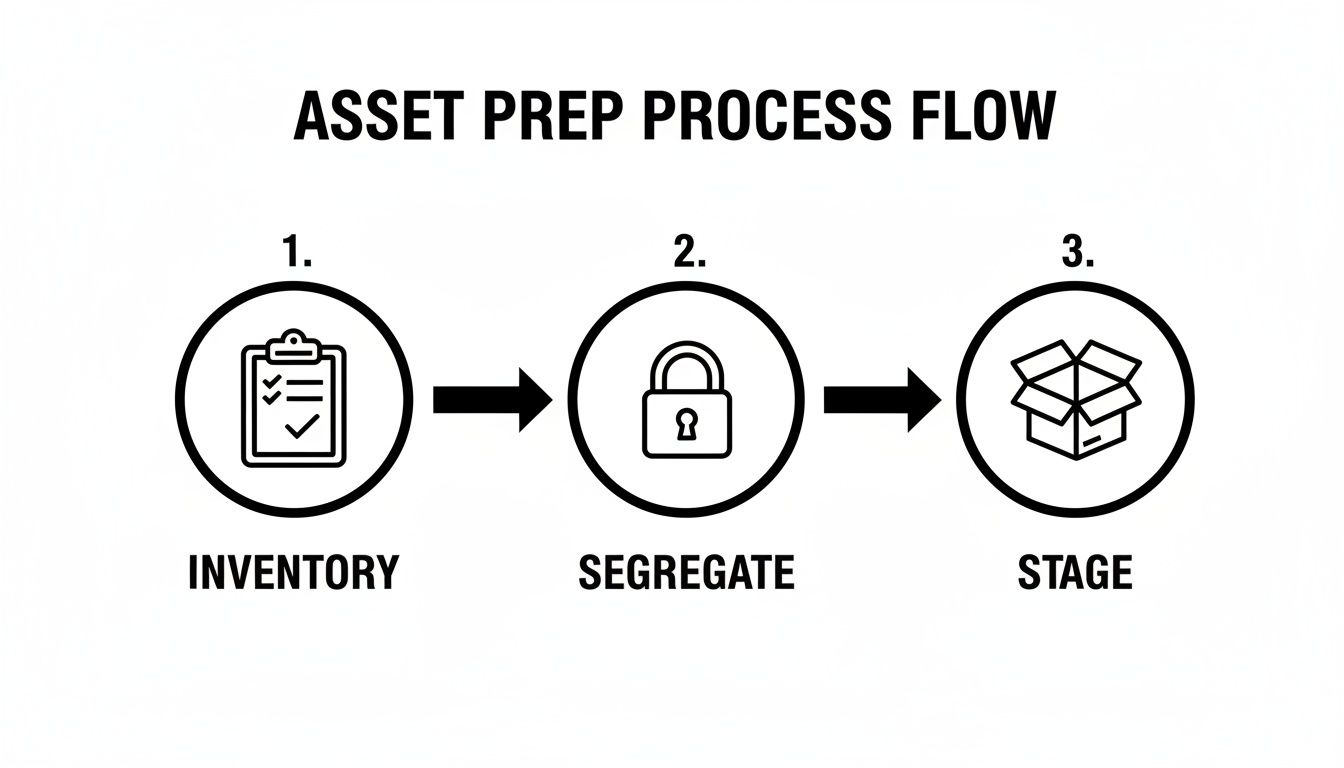
When you've already inventoried, segregated, and staged your gear, our team can work faster and more securely on-site.
The Arrival And Initial Walkthrough
A professional e-recycling crew will arrive in a secure, company-branded truck. These vehicles are often GPS-tracked, adding another layer of security to the chain of custody from the moment we are on-site. The team will be uniformed and equipped with all necessary tools—dollies, pallet jacks, and secure, lockable bins.
The team lead will check in with your designated point of contact and conduct a brief walkthrough of your staging area to confirm the scope of work. This is your opportunity to provide any final instructions, such as identifying assets that require on-site hard drive shredding versus those slated for off-site data wiping.
A key sign of a professional operation is respect for your workspace. Our technicians operate safely and efficiently, taking care to protect your floors, walls, and doorways while moving heavy equipment.
This initial walkthrough aligns all parties before any assets are moved, preventing mix-ups and ensuring the entire pickup runs like clockwork.
Secure Packing And Inventory Verification
With the plan confirmed, our technicians begin the asset collection process. For a standard office cleanout, we carefully load laptops, desktops, and monitors into large, durable bins. For a data center decommissioning, the job is more involved, including disconnecting servers and preparing them for transport.
This is where your master inventory list becomes critical. As we load your assets, our team performs a scan-out process.
- Scanning Asset Tags: Technicians use barcode scanners to capture the serial number or your internal asset tag on each device.
- Inventory Cross-Reference: This scanned list is cross-referenced against the inventory you provided. This dual-verification is crucial for an ironclad chain of custody.
- Securing High-Risk Assets: Any devices you’ve flagged for physical destruction are often placed into separately locked containers on-site before ever leaving your building.
This methodical approach ensures every single device is accounted for. To see how this service can be arranged, you can learn more about our commercial computer pickup process.
Loading And Final Sign-Off
After all assets are packed and verified, the team loads everything securely onto the truck. Pallets are shrink-wrapped to prevent shifting in transit, and bins are stacked safely. The crew will perform a final sweep of the staging area to ensure nothing was missed.
Before departing, we will provide you with a Bill of Lading or a pickup receipt. This document serves as the initial transfer of custody. It will detail the date, location, and a general count of the items removed (e.g., three pallets of mixed IT equipment, one bin of hard drives).
This document is the first official record for your compliance file. Retain it for your records.
Verifying Compliance With Chain Of Custody Documentation
Once our truck leaves your facility, the job is far from over. For your business, the process only truly concludes when you have the official documentation in hand. This paperwork is your ironclad proof that you’ve met all compliance obligations and shielded your company from risk.
This final step is the most critical for your legal and security posture. Your documentation serves as the official audit trail, confirming secure data destruction and proving you followed every rule. Without it, you have no verifiable evidence that your old IT assets were handled correctly.
The Two Documents That Matter Most
When you work with a certified e-recycler, you should always receive two key documents after your assets have been processed. These aren't just receipts—they are the legal instruments that transfer liability from your company and confirm exactly what services were performed.
One certifies the data was destroyed, while the other certifies the physical hardware was ethically recycled.
- Certificate of Data Destruction (CoD): This is the single most important document for proving data security compliance. It confirms that all data on your devices has been permanently destroyed according to established standards like NIST 800-88.
- Certificate of Recycling (CoR): This document verifies that the physical components of your electronics were processed in an environmentally compliant manner, keeping hazardous e-waste out of landfills.
Together, these certificates provide a complete, documented story of your company's commitment to both data privacy and environmental responsibility. They are the essential output of any professional IT Asset Disposition (ITAD) process.
Deconstructing The Certificate Of Data Destruction
A legitimate Certificate of Data Destruction is much more than a simple confirmation page. It has to contain specific, verifiable details that tie directly back to the inventory you created before we ever showed up. A vague or generic certificate is a major red flag that offers little to no real legal protection.
Here's what a comprehensive CoD must include:
- Your company's full legal name and the physical address where the assets were collected.
- The ITAD vendor's information, including their name, address, and contact details.
- The exact method of destruction, such as "NIST 800-88 Purge" or "Physical Shredding."
- A serialized inventory list. This is the crucial part. The certificate has to list the individual serial number of every single drive, server, or device that was destroyed.
A CoD without individual serial numbers is practically useless in an audit. The ability to trace a specific laptop from your office directly to its certified destruction is the cornerstone of a defensible compliance strategy.
This level of detail is non-negotiable. It proves that your specific hard drives were destroyed, not just a random batch of equipment. To see what this looks like in practice, you can review the information needed for a Certificate of Destruction form and understand why every field matters.
Understanding Chain Of Custody
The principle that holds all of this together is the chain of custody. This is simply the unbroken, documented trail that follows your IT assets from the moment they leave your control to their final destruction. A professional provider maintains this chain meticulously at every single stage.
Imagine a hospital needs to retire 50 laptops loaded with patient health information (PHI).
First, the hospital's IT team creates an inventory list with the serial number of each laptop. When our team arrives, we scan each of those serial numbers on-site and provide a Bill of Lading confirming the pickup of 50 units.
Next, the laptops travel in a secure, GPS-tracked vehicle to our certified facility. There, the hard drives are removed, and their serial numbers are logged again before being physically shredded into pieces.
Finally, the hospital receives a Certificate of Data Destruction that lists the serial numbers of all 50 destroyed drives, matching their original inventory perfectly.
This end-to-end documentation creates an airtight legal shield. If that hospital ever faces a HIPAA audit, they can produce the paperwork and prove, without a doubt, that they took every required step to protect patient data. This is what you're really paying for when you choose a professional e-recycling partner.
Your Top Commercial E-Recycling Questions, Answered
Once you’ve started looking for a partner, the real questions begin to surface. It’s completely normal to have concerns about cost, data security, and logistics—after all, you're protecting your company’s assets and reputation. We hear these questions all the time, so let's clear up some of the most common ones we get from businesses just like yours.
What Is The Real Cost Of Commercial E-Recycling And Are There Hidden Fees?
The short answer is: it depends. The cost of a commercial project is shaped by the type and volume of your equipment, the services you need, and any logistical challenges—like our team needing to navigate multiple floors without an elevator.
In many cases, we can offer free pickups for qualifying loads, especially those with high-value equipment. Think newer servers, networking switches, and modern laptops that still have life in them and can be remarketed.
You'll typically see costs associated with a few specific things:
- Specialized Services: If you need on-site hard drive shredding, we have to bring a specialized shredding truck to your facility, which comes with a service fee.
- Low-Value or Hazardous Items: Older gear with no resale value, like bulky CRT monitors filled with leaded glass, has a real cost for safe disposal.
- Complex Logistics: Projects that demand a lot of manual labor, such as decommissioning equipment spread across a large campus or in a building without easy access, may include logistical fees.
The best way to avoid surprises is to insist on a detailed, itemized quote upfront. A transparent partner will break down every line item and explain any potential charges. Be sure to ask about the price difference between data wiping and physical shredding so you can make the right call for your budget and security needs.
How Do I Know My Company’s Sensitive Data Is Truly Destroyed?
This is easily the most critical question, and the answer comes down to one word: proof. A legitimate IT Asset Disposition (ITAD) partner will give you multiple layers of assurance that your data is gone for good.
First, they should offer destruction methods that meet established government and industry standards. This includes software-based wiping that follows protocols like NIST 800-88 or the DoD 5220.22-M 3-pass method. For absolute certainty, physical shredding should always be an option.
The ultimate proof, however, is the documentation you receive after the service is complete. You must get a serialized Certificate of Data Destruction that lists every single hard drive or data-bearing device by its unique serial number.
This document is your legal proof of due diligence. If you're ever in a HIPAA or financial audit, that serialized certificate is what proves you took every required step to protect your data. If a provider only gives you a generic certificate without that detail, they can't offer the auditable security your business needs.
We Only Have A Dozen Old Laptops. Is That Enough For A Commercial Pickup?
This is a situation many small businesses find themselves in. Whether a small batch of equipment qualifies for a free pickup really depends on its value.
Most commercial e-recyclers have a minimum threshold to make a pickup worthwhile. For instance, a full pallet of recent-model servers would almost certainly qualify for a free pickup, but a handful of 10-year-old desktops likely wouldn't.
That doesn't mean you're out of options. Many providers, including us, are happy to service smaller businesses for a reasonable pickup or service fee. The most important thing is to always use a certified commercial service, even for a small amount of gear. The data security and compliance risks from a dozen laptops are just as real as from a hundred, and only a professional service can provide the secure handling and documentation you need.
What Is The Difference Between R2 And E-Stewards Certification?
Seeing R2 or e-Stewards certification is your first sign that you're dealing with a quality, ethical operation. Both are the gold standard in the ITAD world, verifying that a recycler follows strict rules for data security, environmental safety, and worker health.
The main differences are in their origin and specific focus:
- e-Stewards: This certification was created by the Basel Action Network, an environmental non-profit. Its cornerstone is a strict, foundational ban on exporting hazardous e-waste to developing countries.
- R2 (currently R2v3): Developed by a group that included the EPA, R2 is more common. It also has tough standards but allows for some international trade of materials under rigorous, auditable controls.
For your business, the key takeaway is that a partner with either certification has proven they do things the right way. It’s the certification itself that matters.
For businesses curious about the circular economy and value recovery, the market for refurbished iPhones offers a great example of how functional assets can be given a second life. This is a core part of the "reuse" pillar of responsible recycling.
At Atlanta Computer Recycling, we know every business is different. If you have questions about your specific IT assets or just need some guidance on the best way forward, our team is here to help. Contact us today to get a clear, straightforward quote for your commercial e-recycling needs. Learn more at https://atlantacomputerrecycling.com.