How to Wipe a Hard Drive for Secure IT Decommissioning

Let’s be clear: dragging files to the trash bin achieves nothing for data security. To properly wipe a hard drive for business purposes, you need a verifiable process that overwrites every sector, rendering the original data unrecoverable. This process, known as data sanitization, is the only way to ensure your company's sensitive information is permanently destroyed before an IT asset is reused, resold, or recycled.
Why Secure Data Wiping Is So Critical for Your Business
When your company is retiring old IT assets, the stakes are incredibly high. A single server hard drive or an old company laptop can hold years of confidential business plans, customer data, and employee PII. If that equipment isn't properly sanitized, it's a significant security risk and a potential compliance violation.
Simply performing a quick format or deleting files leaves behind a ghost of the original data—a concept called data remanence.
This leftover data can be pieced back together with readily available software, turning a decommissioned computer into a massive liability. For any business, but especially those in heavily regulated fields like healthcare or finance, the fallout from a data breach can be catastrophic.
The Real-World Risks of Cutting Corners
This isn't a theoretical problem. Imagine an old office PC is sold or donated. If its hard drive wasn't securely wiped, it could still contain thousands of files with employee records, client financial data, or your company's proprietary trade secrets. That's a disaster waiting to happen. In the wrong hands, that information could lead to identity theft, corporate espionage, or a major compliance breach. The severe repercussions of a business data breach make it crystal clear: you absolutely must have a secure process to wipe every drive before it leaves your control.
For IT managers and business leaders, the consequences of improper data disposal are severe:
- Massive Fines: Non-compliance with regulations like HIPAA or GDPR can trigger fines that run into the millions.
- Brand Damage: A public data breach shatters customer trust and can cause irreparable harm to your company's reputation.
- Legal Liability: Your company could face crippling lawsuits from customers or employees whose data was exposed.
More Than Just Deleting Files—It’s Foundational Security
Viewing data wiping as just another end-of-life IT task is a huge mistake. It’s a core component of your company's risk management and cybersecurity strategy. Proper data destruction isn't about clearing space; it's about protecting your organization's most valuable asset—its information.
For any organization managing sensitive data, a documented and verifiable data destruction process is non-negotiable. It’s the final, crucial step in the IT asset lifecycle that closes the loop on security and compliance.
This is exactly why professional, verifiable methods are essential. Attempting to handle data sanitization with an internal, ad-hoc process invites human error and leaves you with significant gaps in your audit trail.
Partnering with a specialist for secure data destruction ensures every single drive is handled according to industry-best practices. It transforms a potential liability into a documented, secure, and completed task, safeguarding your business from future threats.
Choosing the Right Data Destruction Method
When it's time to retire a hard drive, choosing the right data destruction method is a critical business decision. It’s not a one-size-fits-all situation—the best approach depends on the type of media, your compliance requirements, and whether you plan to reuse the hardware.
Let's break down the three core approaches: software-based overwriting, cryptographic erasure, and physical destruction. The goal is to match the right tool to the right job to ensure your business data is permanently and verifiably gone.
Software-Based Overwriting: The Standard for Reusable Assets
For any drives your business plans to redeploy, donate, or resell, software overwriting is the industry standard. This technique uses specialized programs to write new patterns of ones and zeros over every sector of the drive, effectively destroying the original data under layers of digital noise.
This is a proven and highly effective method for traditional Hard Disk Drives (HDDs). For added security, the process can be run multiple times. A "multi-pass" wipe, like the well-known DoD 5220.22-M 3-pass standard, remains a trusted benchmark for organizations that require a high degree of assurance for compliance.
A word of caution: software wiping is not as reliable for Solid-State Drives (SSDs). Due to SSD architecture features like wear-leveling and over-provisioning, standard overwriting tools can miss fragments of data, leaving a potential security hole. For SSDs, a different method is required.
Cryptographic Erasure: The Modern Fix for SSDs
Cryptographic erasure (or crypto-erase) is the go-to solution for sanitizing modern drives, especially SSDs. Nearly all modern drives are self-encrypting (SEDs), and this technique leverages that capability. Instead of overwriting terabytes of data, it simply destroys the unique encryption key that makes the data readable.
Think of it as locking a vault and then vaporizing the only key. The scrambled, encrypted data is still technically there, but without the key, it’s permanent gibberish. This process is incredibly fast—often taking just seconds—and is recognized by NIST as a legitimate form of data purging.
The biggest wins for cryptographic erasure are its speed and its effectiveness on modern hardware. If you're decommissioning hundreds of newer laptops with SSDs, it can slash the time and labor required compared to running multi-pass software overwrites on each machine.
This makes it a perfect choice for businesses refreshing large fleets of newer equipment, allowing for secure and rapid turnover of assets destined for reuse.
Physical Destruction: The Final Answer for End-of-Life Hardware
When a drive is failed, at the end of its useful life, or holds extremely sensitive information, physical destruction is the only way to be 100% certain the data is unrecoverable. You simply can't retrieve data from a drive that’s been pulverized into a pile of metal fragments. It completely eliminates any chance of data remanence.
This is the ultimate guarantee. Physical destruction is often a strict requirement for compliance mandates like HIPAA, especially for failed drives that can’t be sanitized through software. The main methods include:
- Shredding: An industrial shredder grinds hard drives into small, irregular pieces, making data recovery physically impossible.
- Degaussing: A powerful magnetic field scrambles the magnetic platters inside an HDD, instantly wiping them clean. Note that this method is completely ineffective on SSDs.
For a deeper dive into certified and compliant options, professional vendors provide detailed information on their hard drive destruction services, ensuring you receive a complete audit trail for your records.
To help you decide on the right path for your retired assets, the flowchart below walks you through the key questions.
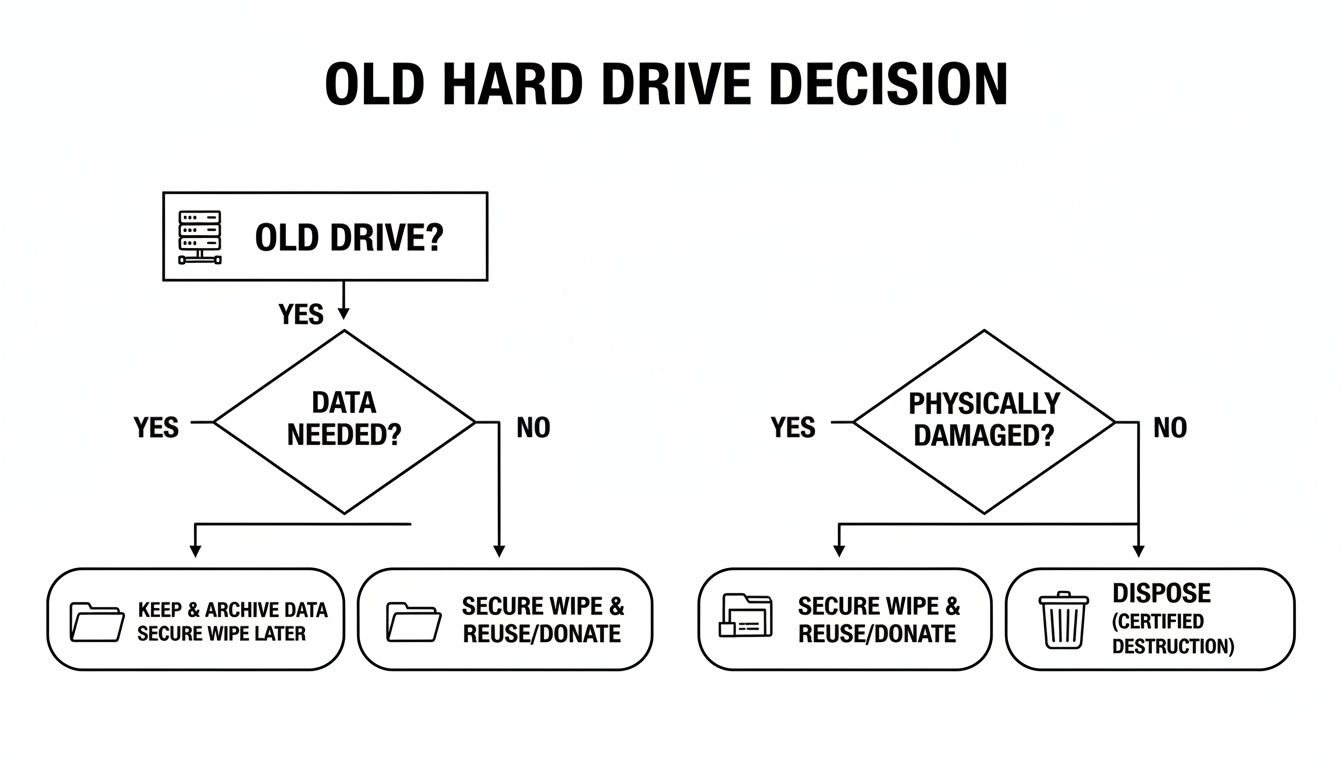
As the decision tree shows, the first step is always determining if the drive will be reused or disposed of. That single choice will guide you toward the right sanitization path every time.
Choosing the right data destruction method comes down to balancing security, cost, and asset value. Here's a quick comparison to help you match the technique to your specific needs.
Comparison of Hard Drive Wiping Methods
| Method | Best For | Security Level | Verification | HIPAA/GDPR Suitable |
|---|---|---|---|---|
| Software Overwrite | Reusable HDDs, low-risk data | High | Software-generated certificate | Yes, with proper passes (e.g., 3-pass) |
| Cryptographic Erase | Reusable SSDs & modern SEDs | Very High | Instantaneous via firmware | Yes, NIST 800-88 approved |
| Degaussing | End-of-life HDDs & magnetic tapes | Complete | Visual/field strength check | Yes, for magnetic media only |
| Physical Shredding | All end-of-life or failed drives | Absolute | Certificate of Destruction | Yes, the highest standard |
Ultimately, the goal is an unbroken chain of custody and a verifiable audit trail. Whether you're wiping a drive for donation or shredding it to meet compliance, making an informed choice is the best defense against a data breach.
Understanding Data Overwriting Standards for Compliance
When your business needs to prove that sensitive data has been properly destroyed, simply running a wiping tool isn't enough. You must follow established industry standards. These protocols are the foundation of compliance, providing a verifiable and defensible process for data sanitization that will stand up to an audit.
Two names dominate the conversation around software-based wiping: DoD 5220.22-M and NIST 800-88. They might sound technical, but they represent different philosophies for making data unrecoverable. Choosing the right one comes down to your specific compliance needs and the type of hardware you’re retiring.
The DoD Standard: A Legacy of High Assurance
The DoD 5220.22-M standard is perhaps the most recognized data wiping protocol in the world. Originally developed by the U.S. Department of Defense, it is famous for its "3-pass" method. Each "pass" is a complete overwrite of the hard drive with a specific pattern.
Here's how that process usually breaks down:
- Pass 1: Writes a pattern of zeros across the entire drive.
- Pass 2: Writes a pattern of ones across the entire drive.
- Pass 3: Writes a random pattern of characters and then verifies the write.
This multi-pass approach was designed for older magnetic hard disk drives (HDDs) where data could sometimes leave a faint magnetic "ghost" known as remanence. By overwriting the drive multiple times, the DoD standard made it practically impossible to recover the original information, even with advanced lab equipment.
For many organizations, the DoD 3-pass standard is still the go-to benchmark. Its long history and association with military-grade security provide a high level of assurance that satisfies stringent internal policies and older compliance regulations.
The sheer volume of data needing secure disposal has fueled a massive industry. In fact, the global data destruction services market is projected to jump from $10.17 billion to $26.08 billion by 2032. Professional partners meet this demand by offering services that adhere to these proven methods. For example, some vendors provide free hard drive wiping using the DoD 5220.22-M 3-pass standard, a military-grade method that overwrites data three times to render it irrecoverable—a process that goes far beyond what basic software tools can do. You can learn more about the growth of the data destruction market and what’s driving it.
NIST 800-88: The Modern Approach
While the DoD standard is still widely respected, technology has evolved. The National Institute of Standards and Technology (NIST) published Special Publication 800-88, which has become the modern authority on data sanitization. The key difference? For today’s hard drive technology, NIST states that a single, secure overwriting pass is sufficient to completely sanitize a drive.
This is because modern HDDs are much more precise and have a higher data density, eliminating the risk of magnetic remanence that the DoD’s multi-pass method was designed to combat. The NIST guidelines offer a practical framework, breaking data destruction into three actions:
- Clear: A single overwriting pass, perfect for protecting data against simple, software-based recovery attempts.
- Purge: More advanced sanitization like ATA Secure Erase or cryptographic erasure, which protects against laboratory-grade attacks.
- Destroy: Physical destruction, which makes the media completely unusable.
For most business scenarios with functional HDDs, the NIST "Clear" method (a single pass) is more than sufficient and significantly faster than a 3-pass wipe. However, when dealing with highly sensitive data or strict compliance mandates, many organizations still fall back on the DoD method or choose a professional partner for their IT asset disposal to ensure maximum defensibility.
Managing a Bulk Hard Drive Decommissioning Project
Wiping one hard drive is simple. Securely decommissioning an entire office worth of computers, however, is a complex logistical challenge that demands a precise, documented plan. For any IT manager overseeing a large-scale hardware refresh or office move, a structured approach is the only way to prevent security gaps, maintain control, and prove compliance from start to finish.
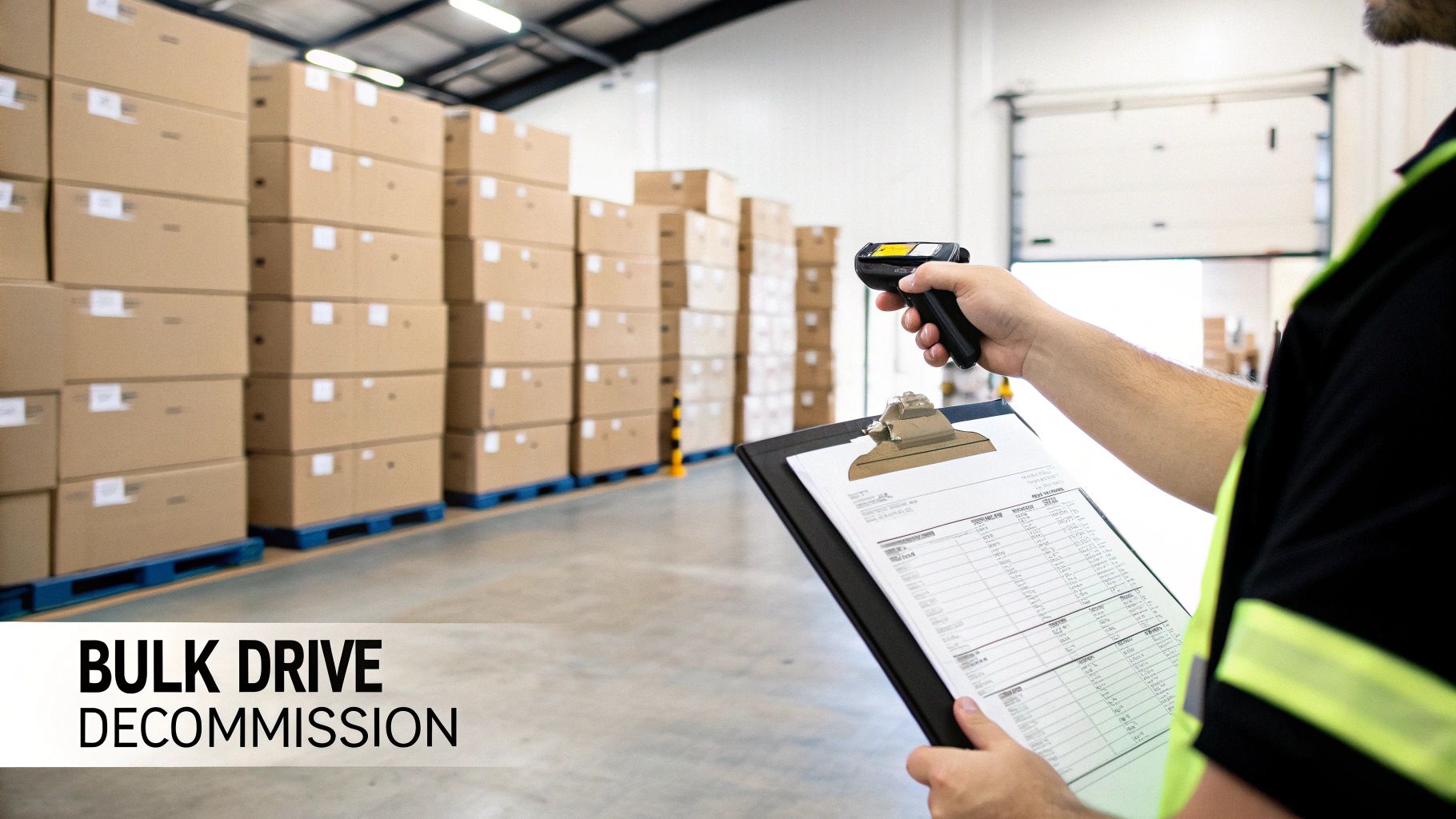
The real work begins long before the first drive is touched. A successful decommissioning hinges on meticulous inventory management—not just counting machines, but creating a detailed asset list that becomes the foundation for your entire audit trail.
Establishing the Foundational Asset Inventory
Your first step is to build a comprehensive inventory of every single asset slated for retirement. This is the bedrock of a defensible chain of custody. Each entry must be detailed enough to eliminate any ambiguity down the line.
At a minimum, your inventory log should capture:
- Asset Type: (e.g., Dell OptiPlex 7080 Desktop, HP EliteBook 840 G7 Laptop)
- Manufacturer Serial Number: The unique identifier from the factory.
- Internal Asset Tag: Your company's own tracking number.
- Hard Drive Serial Number: This is critical for tying the Certificate of Destruction back to the specific media.
- Physical Location: (e.g., Building A, Floor 3, User: J. Smith)
This detailed record is your master document. It ensures nothing gets lost and tracks each asset from a user's desk to its final, documented destruction.
Designing an Unbreakable Chain of Custody
With your inventory locked in, the next step is establishing a rock-solid chain of custody. This is the documented, chronological paper trail showing who handled each asset, where it went, and when. It’s your proof that no device was lost, stolen, or improperly accessed during the process.
If you're managing this in-house, it means designating secure, locked storage areas for retired equipment and maintaining strict sign-in/sign-out logs. Every person who moves or handles the assets must be recorded. It’s a labor-intensive process that requires constant vigilance.
A single broken link in the chain of custody can invalidate your entire compliance effort. If an auditor can't trace a hard drive's journey from its workstation to its final destruction report, they will assume the data was compromised.
This is often the point where many businesses realize they need a professional ITAD partner. A specialized vendor takes this entire logistical burden off your shoulders. They use secure, GPS-tracked vehicles and background-checked personnel to manage the process, providing a guaranteed, unbroken chain of custody backed by formal documentation.
Handling Mixed Media and Non-Functional Drives
No large-scale project is ever uniform. You'll inevitably encounter a mix of hardware that requires different disposal methods, and your project plan must account for this reality.
For instance, you might be dealing with:
- Newer laptops with SSDs that are perfect for a quick cryptographic erase.
- Older servers with traditional HDDs that require a DoD 3-pass software wipe.
- Failed drives that won't power on, making software wipes impossible.
For those non-functional drives, software is useless. The only compliant solution is physical destruction. This reality is driving a major market shift, with physical destruction becoming the fastest-growing segment for businesses needing irrecoverable data disposal to meet strict GDPR, CCPA, and HIPAA regulations. As noted in industry analysis on the rise of data destruction services, this trend is accelerating.
Working with an ITAD vendor removes the guesswork. They can efficiently sort mixed assets, apply the correct sanitization method to each device, and shred the failed drives—all while providing a consolidated report. This frees up your internal team from managing a complex, multi-faceted operation, so they can focus on their core responsibilities. You can see how a professional partner handles the entire process by learning more about their commercial computer pickup services.
Creating an Audit-Proof Trail with Certified Documentation
In the world of IT risk management, a core principle holds true: if it isn’t documented, it never happened. After you’ve securely wiped a drive, the job isn’t done. The final, and arguably most critical, step is generating the proof of destruction.
This isn’t just about having a paper trail for internal records. It’s about building a defensible audit log that will satisfy regulators, legal teams, and your own CISO. Without it, your entire data destruction effort is merely a claim—unverifiable and, from a compliance perspective, incomplete.
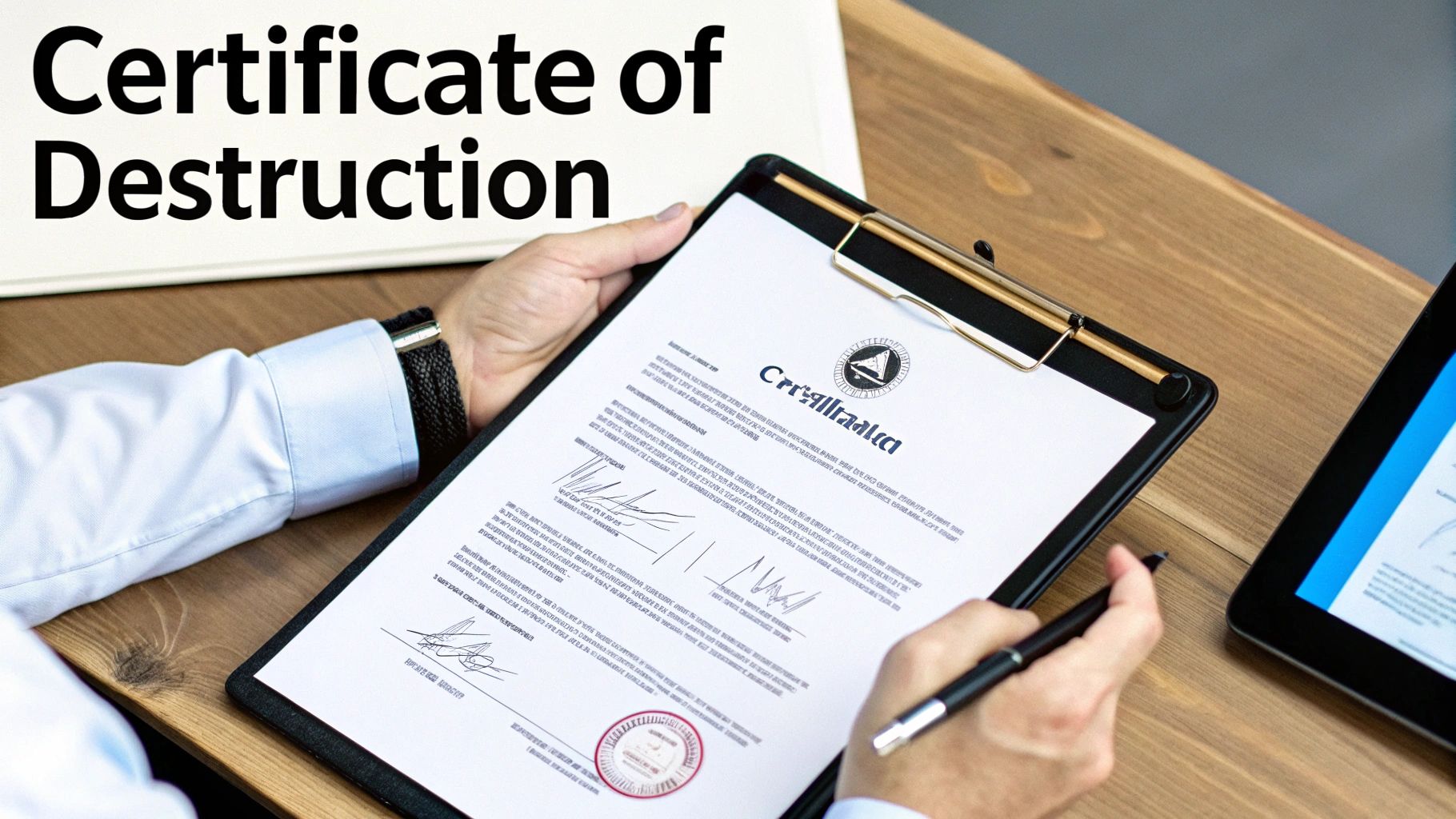
The linchpin of this entire process is the Certificate of Data Destruction (CoD). This is the formal document that serves as your official, legally recognized proof that media was sanitized or destroyed according to specific, verifiable standards. It’s the final step that closes the loop on an asset's lifecycle and, more importantly, transfers liability away from your organization.
What a Valid Certificate Must Contain
A generic invoice or a simple spreadsheet of serial numbers won't hold up in an audit. A legitimate CoD is a detailed, specific document that provides a clear, unambiguous record of the entire process.
To be considered valid and defensible, your certificate must include these key pieces of information:
- Unique Serial Numbers: Every single drive must be listed by its manufacturer serial number. This directly links the physical asset to the certificate.
- Method of Destruction: The document has to state exactly what was done—for example, "DoD 5220.22-M 3-Pass Overwrite" or "Physical Shredding to 2mm particle size." Vague terms are a red flag for auditors.
- Date and Location: It must specify precisely when and where the destruction took place, which is vital for maintaining a solid chain of custody.
- Authorized Signatures: The certificate should be signed by an authorized representative from the vendor, attesting that the work was completed as described.
This level of detail is non-negotiable. It’s the difference between hoping the data is gone and having proof that it is.
The Burden of In-House Documentation vs. Professional Reporting
Trying to create and manage all this documentation in-house is a significant undertaking. Your team would be responsible for generating a report for every drive, ensuring every serial number is logged without error, and then securely storing those records for years in case of an audit. It's not just time-consuming; it's a process riddled with opportunities for human error. A single mistyped serial number or a misplaced file could create a serious compliance headache down the road.
The real value of a professional ITAD partner isn't just their shredder or wiping software; it's their ability to provide certified, audit-proof reporting as a core part of their service. They take on the documentation burden, giving you complete peace of mind.
This is exactly where partnering with a specialized vendor pays for itself. A professional ITAD service already has the systems in place to generate serialized, compliant Certificates of Destruction automatically. Their entire workflow is built around accountability, from the moment an asset is scanned to the final report.
They deliver a clear, unbroken, and defensible audit trail that stands up to the scrutiny of even the toughest auditors. You can see what goes into a legally sound certificate of destruction for hard drives and understand why it’s so critical for your compliance posture.
Ultimately, that certified document transforms the abstract act of data wiping into a tangible, provable event. It’s the final piece of the puzzle that protects your business, proves due diligence, and lets you decommission assets with total confidence.
Common Questions About Wiping Hard Drives
Even with a solid plan, a few practical questions always come up during an IT decommissioning project. Here are some direct answers to the questions we frequently hear from IT managers and business leaders navigating the complexities of secure data destruction.
Can I Wipe an SSD the Same Way as a Traditional HDD?
No, and attempting to do so is a common mistake. Wiping a Solid-State Drive (SSD) with traditional software used for spinning hard drives is ineffective and can leave data behind. SSDs use wear-leveling and other data management techniques that can leave fragments of your information in hidden areas the software cannot reach.
For SSDs, the most reliable methods are built directly into the drive's firmware:
- ATA Secure Erase: This command instructs the drive to reset all its storage cells to their original factory state, effectively purging all data.
- Cryptographic Erase: If the drive uses built-in encryption, this is the fastest method. It simply destroys the internal encryption key, instantly rendering all data on the drive unreadable.
If an SSD is damaged, won't power on, or doesn't support these features, physical destruction is the only guaranteed way to ensure complete data sanitization.
What Is the Real Difference Between a 1-Pass and 3-Pass Wipe?
The main difference lies in thoroughness and historical context. A 1-pass wipe overwrites your entire drive once with a single pattern, like all zeros. A 3-pass wipe, such as the DoD 5220.22-M standard, does this three times with different patterns and adds a verification step at the end.
Historically, multiple passes were crucial for older magnetic hard drives to combat data "ghosting" or remanence. Today, however, modern standards like NIST 800-88 confirm that a single, secure pass is more than sufficient for current high-density drives.
That said, the 3-pass method remains a trusted option for many organizations. It is often required to satisfy older compliance frameworks or for businesses that want the maximum assurance that their data has been irretrievably destroyed.
When Should We Choose On-Site Versus Off-Site Data Destruction?
This decision really boils down to your company's risk tolerance and compliance mandates.
On-site destruction is the superior choice for highly sensitive data, such as patient records in healthcare or financial data. A vendor brings a mobile shredder or wiping station to your facility, eliminating all transportation risks and providing an unbroken chain of custody. You can witness the destruction of your drives firsthand.
Off-site services can be more cost-effective and efficient, especially for lower-risk assets or when decommissioning a large volume of equipment. It is a perfectly secure option when working with a certified vendor who provides secure, documented logistics like locked trucks, GPS tracking, and audited facility access. The choice ultimately hinges on whether your security policy can tolerate any risk of data exposure during transit.
Is Data Truly Unrecoverable After a DoD 3-Pass Wipe?
Yes. For all practical purposes, data is completely unrecoverable after a properly executed DoD 3-pass wipe. The process of overwriting every single sector multiple times with different patterns effectively destroys the original information, putting it far beyond the reach of any commercial or even forensic recovery tools.
While there are theoretical discussions about recovering data from much older drives using state-sponsored lab techniques, it’s not considered a realistic threat for modern hardware. A successful 3-pass wipe meets tough government and military standards for a reason—it provides a very high level of confidence that your information has been permanently destroyed.
Managing IT asset disposition requires a partner you can trust to handle your data securely and responsibly. At Atlanta Computer Recycling, we provide certified data destruction services tailored for businesses, healthcare facilities, and schools across the Atlanta area. Whether you need on-site shredding or certified wiping, we ensure your compliance needs are met with a fully documented process.
Secure your assets and protect your data by visiting https://atlantacomputerrecycling.com to schedule your free pickup and consultation today.