How Do I Wipe a Computer Hard Drive Securely for My Business

When it comes time to upgrade your company’s laptops or decommission a server, what's your plan for the old hard drives? For many businesses, it’s a quick format or a drag-and-drop to the recycling bin. But that's a dangerous—and potentially very expensive—assumption.
Securely wiping a hard drive means using a method that completely overwrites the existing data, rendering it totally unrecoverable. Just hitting 'delete' or running a factory reset doesn't meet business-grade security standards. Those actions only remove the pointers to the files, leaving the actual data sitting on the drive, ready to be retrieved with basic recovery software. For any business, this isn't just an IT task; it’s a critical security protocol with significant financial and legal implications.
Why Simply Deleting Files Is a Major Business Risk
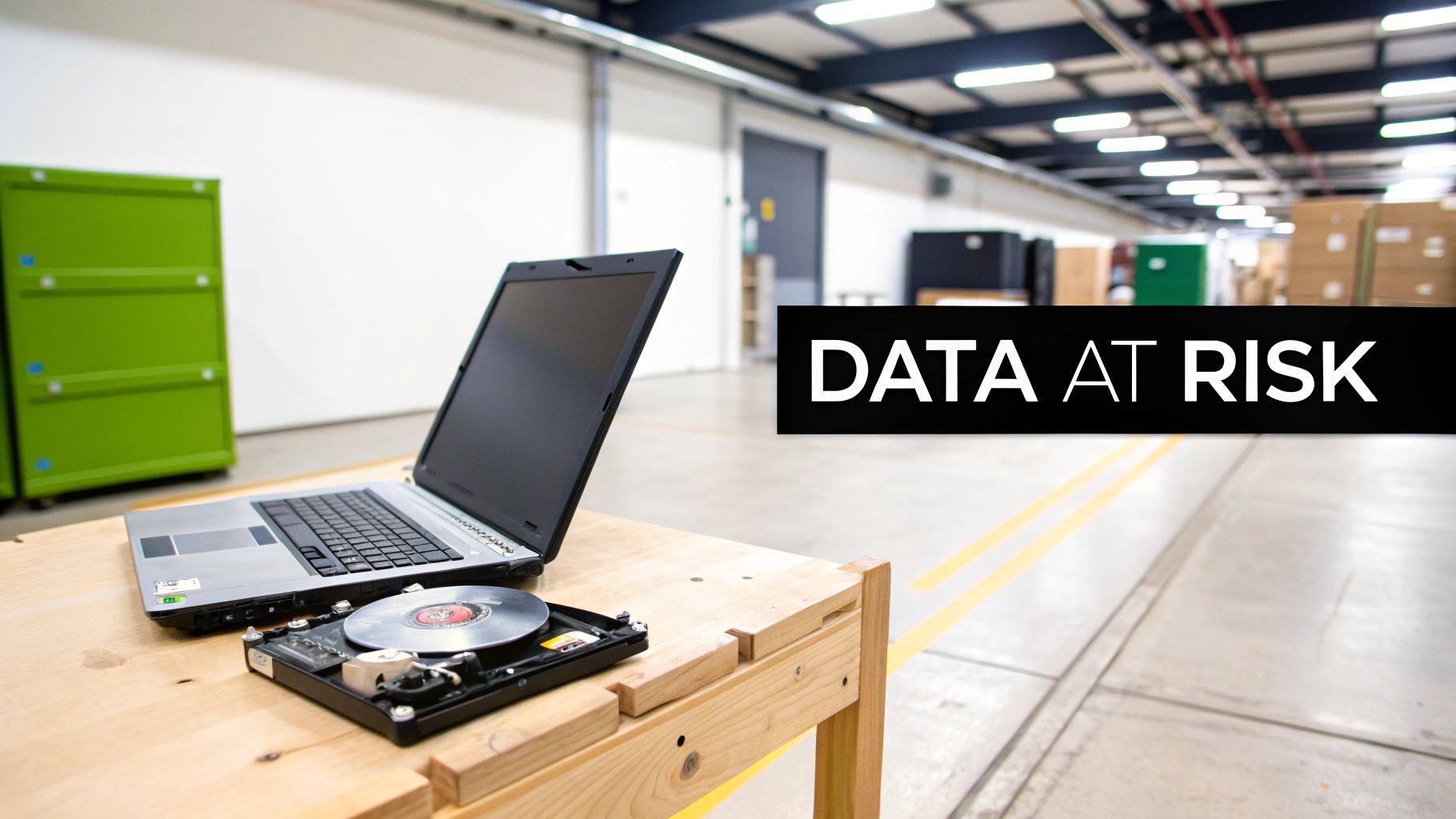
Think of those retired devices as containers holding your company's most sensitive information. Believing a simple file deletion is enough to protect your business is a high-stakes gamble with your reputation and bottom line.
In practice, standard deletion doesn't actually erase a thing. It's like ripping the table of contents out of a book—the chapters are all still there, just unlisted. Anyone with the right tools can flip through the pages and find exactly what they're looking for. For a business, this recoverable data is a liability waiting to happen.
The Real Cost of Negligence
Improper data disposal isn't a minor slip-up; it's a direct threat to your financial stability and your hard-earned reputation. Every single retired computer can hold a toxic mix of confidential information. If that data gets out, it could trigger a catastrophic breach.
This sensitive data includes:
- Personally Identifiable Information (PII) for both your customers and employees.
- Proprietary intellectual property like your product designs or strategic roadmaps.
- Confidential financial records, including payroll data, client invoices, and banking details.
The consequences are severe. With the average cost of a data breach now hitting $4.88 million globally, the need for proper hard drive sanitization is undeniable. This isn't a hypothetical problem—it's a real-world risk with a multi-million dollar price tag.
Securely wiping a hard drive isn't just about deleting files; it's about permanently destroying data to shield your business from legal penalties, financial loss, and irreversible brand damage.
More Than Just an IT Chore
Treating hard drive wiping as a simple cleanup task is a fundamental mistake. For any business handling sensitive information, secure data sanitization is a non-negotiable part of a comprehensive data security strategy. It's worth exploring broader data security measures to see how this fits into the bigger picture.
Without a certified and documented process, your organization is exposed and vulnerable to compliance failures under regulations like HIPAA, GDPR, or CCPA. For businesses, knowing how to properly wipe a computer hard drive is the first line of defense in managing IT asset lifecycle risks. Handling your old hard drive disposal correctly is essential to protecting your assets and your reputation from the moment a device is taken out of service.
Comparing Your Data Destruction Options
When it's time to retire a computer, choosing how to wipe its hard drive is a serious business decision. You're balancing security, cost, and whether that hardware has a second life ahead of it. The right call depends entirely on if the drive will be reused, resold, or if the data is so sensitive it needs to be completely annihilated to meet compliance standards.
Understanding these methods is the first step toward a defensible and secure IT asset disposition (ITAD) plan. Let's walk through the three main approaches businesses use today.
Software-Based Wiping
For drives you plan to reuse, software-based wiping is the go-to method. It uses specialized software to write over every single sector of a hard drive with random data, essentially burying the original information for good. Think of it like painting over a wall with a few thick coats of primer—the old color is gone forever.
This process can be a single pass (writing all zeros or random data) or multiple passes. While you may have heard of the DoD 5220.22-M 3-pass standard, for most business needs today, modern standards like NIST 800-88 Clear often just require a single, verified pass to get the job done right.
This is an incredibly common approach. In fact, the market for disk wiping software was valued at around $1.4 billion and is expected to hit roughly $3.2 billion by 2033, a clear sign that businesses are taking certified data erasure seriously. You can find more insights on this growing market over at MarketIntelo.com.
Professional erasure software provides a clear, auditable trail, which is exactly what you need to prove compliance. The interface below shows how these tools confirm a successful wipe and generate reports.
Cryptographic Erase
With modern Solid State Drives (SSDs), traditional software overwriting can be slow and cause needless wear on the drive. A much better way to handle them is Cryptographic Erase (CE). This feature is built right into most modern self-encrypting drives (SEDs).
Here's how it works: the drive is always encrypted with a media encryption key stored on the drive itself. A Cryptographic Erase simply deletes that key. Instantly, all the data becomes a meaningless scramble of digital gibberish, completely and permanently unrecoverable.
The process is nearly instantaneous, making it the preferred method for wiping large numbers of SSDs quickly and securely. It’s the digital equivalent of destroying the only key to a vault, leaving the contents locked away forever.
This method is incredibly secure and is fully recognized by the NIST 800-88 standard as a legitimate form of data purging. It's the perfect solution when you're refreshing a fleet of newer laptops or servers packed with SSDs.
Physical Destruction
Sometimes, there's no room for error. When a hard drive is at the end of its life, has failed, or held extremely sensitive data, the only way to guarantee 100% data elimination is to physically destroy it. This is the final word in data security.
In a business environment, this typically happens one of two ways:
- Degaussing: This uses an incredibly powerful magnet to scramble the magnetic field on a traditional HDD's platters, rendering the data unreadable. Just remember, degaussing is useless on SSDs since they use flash memory, not magnetic storage.
- Shredding: The drive is fed into an industrial shredder that grinds it into small, coin-sized pieces. This utterly demolishes the platters and internal chips, making data recovery physically impossible.
Physical destruction is your ultimate failsafe. It's often required for government agencies and healthcare organizations handling classified information or protected health information (PHI). For any business that needs to meet the absolute highest security standards, professional hard drive destruction services offer a certified and documented process that leaves no doubt. It’s the best way to get total peace of mind when data sensitivity is your top priority.
Comparison of Hard Drive Wiping Methods for Businesses
Choosing the right data destruction method is a strategic decision. To make it easier, we've broken down the three primary options and how they stack up against key business needs like security, hardware reuse, and compliance.
| Method | Best For | Security Level | Allows Reuse? | Compliance Suitability |
|---|---|---|---|---|
| Software Overwrite | Reusing or reselling HDDs | High (When verified) | Yes | Good for most standards (NIST 800-88 Clear) |
| Cryptographic Erase | Rapidly wiping modern SSDs for reuse | Very High | Yes | Excellent for NIST 800-88 Purge |
| Physical Destruction | End-of-life drives, failed drives, or highly sensitive data | Absolute (100% Data Elimination) | No | Highest level for HIPAA, DoD, GDPR |
Ultimately, the best method depends on your specific situation. If you're looking to recover value from your assets, software-based wiping or CE are great choices. But when data absolutely cannot fall into the wrong hands, nothing beats the finality of physical destruction.
Building an In-House Data Wiping Workflow
Taking data destruction in-house is a serious commitment. It's far more than just clicking "erase" on a piece of software; it's about building a rock-solid, repeatable, and auditable process that will hold up under any kind of scrutiny. A well-designed workflow is your best defense against both costly data breaches and compliance headaches.
To execute this successfully, your team needs more than just technical skill. It takes a meticulous, process-driven approach to tracking, executing, and verifying every single asset you retire. The goal is simple: build a system that guarantees security and gives you the documentation to prove it.
Asset Inventory and Triage
Before you can wipe a drive, you must know exactly what you're dealing with. The very first step in any secure workflow is creating a detailed inventory of every asset headed for retirement. Think of this less as a list and more as the foundation for your entire chain of custody.
For every asset, you need to log the key details:
- Serial Number: The device's unique identifier.
- Asset Tag: Your internal tracking number.
- Drive Type: Is it a classic spinning hard drive (HDD) or a modern solid-state drive (SSD)? This detail alone will dictate your wiping method.
- Data Sensitivity: Was this drive holding sensitive customer PII, patient PHI, or other regulated data?
- Intended Outcome: Is the drive slated for internal reuse, resale, or destruction?
This triage stage is non-negotiable. An SSD full of patient records demands a completely different handling process than an old HDD from a marketing PC. Getting this right at the start prevents massive mistakes down the line and ensures every drive gets the proper level of sanitization. Strong documentation here is a cornerstone of smart IT asset lifecycle management. For a deeper dive into building out your strategy, check out our guide on IT asset management best practices.
Establishing a Secure Wiping Station
Your IT team needs a dedicated, isolated environment to wipe hard drives effectively. Trying to sanitize drives on your live corporate network is an unnecessary risk. A compromised machine could potentially monitor the process or, even worse, interfere with the wipe itself.
The solution is to set up a standalone workstation or server that’s completely disconnected from your main network. This "wiping station" should be loaded with professional-grade, certified erasure software. Do not use freeware or the basic utilities built into an operating system—they simply don't provide the verification and reporting you absolutely need for business compliance.
A dedicated, air-gapped wiping station is your best practice. It isolates the entire process from external threats and ensures the integrity of your data destruction. It’s a controlled environment where your team can work without worrying about outside interference.
This setup ensures the job is done securely from start to finish.
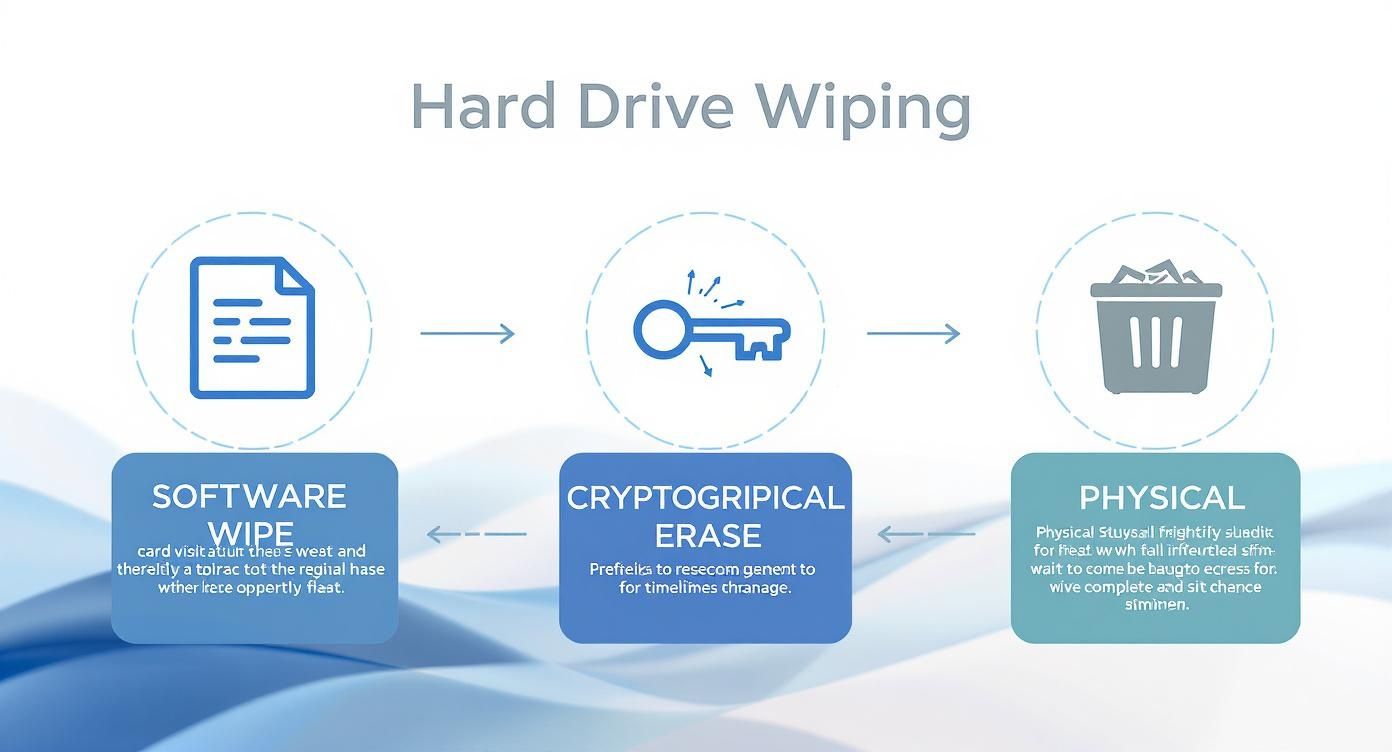
As you can see, the right method—whether it's software, cryptographic, or physical—is all about the drive type and what you plan to do with it next.
Verification and Documentation: The Final Proof
Here's the most critical part of any in-house workflow: it’s not the wipe that matters most, it’s the proof. Every single sanitization you perform has to be verified and documented. This is where professional erasure software shines, as it automatically generates a tamper-proof Certificate of Erasure for each drive it processes.
This certificate is your key to proving compliance. It must include:
- Device and drive serial numbers.
- The exact erasure standard used (e.g., NIST 800-88 Clear).
- The date, time, and final status (success/failure) of the wipe.
- The name or signature of the technician who performed the work.
These certificates need to be archived and kept safe. If an auditor comes knocking, this documentation is the non-negotiable evidence that proves you followed a secure, deliberate process. Without that paper trail, from a legal and compliance standpoint, the wipe never even happened.
The Critical Role of Compliance and Documentation
Securely wiping a computer hard drive is only half the battle. For any business, the real victory lies in proving you did it correctly. This is where meticulous documentation becomes your most powerful defense, transforming a routine IT task into a verifiable, auditable corporate asset.
Without a paper trail, you leave your organization dangerously exposed. Imagine facing an audit after a hardware refresh. An auditor won't just take your word that sensitive data was handled properly; they will demand irrefutable proof for every single device.
Navigating the Regulatory Minefield
In today's business climate, compliance isn't optional. Regulations like HIPAA for healthcare, GDPR for personal data in the EU, and CCPA in California all have strict rules about the data lifecycle, including its final destruction. A failure to comply isn't just a slap on the wrist; it can lead to crippling financial penalties.
These laws require you to not only protect data but also to prove you had a secure process for destroying it when it was no longer needed. This is why your documentation strategy must be airtight. It serves as tangible evidence that you have met your legal and ethical obligations to protect customer and employee information.
The financial stakes are incredibly high. For instance, Morgan Stanley faced a staggering $155 million total liability after failing to properly wipe hard drives containing personally identifiable information (PII). This incident is a powerful cautionary tale about the severe consequences of inadequate data handling protocols.
The Anatomy of an Ironclad Certificate
The cornerstone of your compliance defense is the Certificate of Destruction or Certificate of Erasure. This isn't just a simple receipt; it’s a detailed legal document that chronicles the end-of-life story for each individual hard drive.
To be considered valid during an audit, this certificate must contain specific, non-negotiable details:
- Unique Serial Numbers for both the parent device (e.g., laptop) and the hard drive itself.
- Asset Tag Information that ties the device back to your internal inventory system.
- The Specific Method of Sanitization Used, such as "NIST 800-88 Purge via Cryptographic Erase" or "Physical Shredding."
- The Final Status of the Wipe, confirming a successful and verified outcome.
- Date, Time, and Technician Identity, establishing a clear timeline and accountability.
This level of detail is what separates a defensible process from a risky one. You can learn more about what a robust Certificate of Destruction should include to ensure it meets auditor expectations.
Think of your documentation as an insurance policy. You hope you never need it, but if a data breach or audit ever occurs, that complete paper trail will be the single most important asset you have to defend your company’s actions and reputation.
For organizations needing to demonstrate robust security, understanding and implementing a comprehensive SOC 2 Controls List is fundamental. Proper data destruction documentation is a key control that proves your commitment to security and operational integrity. It shifts your posture from reactive to proactive, ensuring you’re always prepared to validate your data disposal practices.
When Should You Call a Professional ITAD Service?
Trying to manage data destruction in-house can feel like a smart way to save money, but it often opens a can of worms filled with hidden risks and complexities. For most businesses, the time, training, and liability involved in a DIY approach just don't make sense. Knowing when to call in a professional IT Asset Disposition (ITAD) partner isn't admitting defeat—it's a strategic move.
The decision usually boils down to a few key factors. If your team isn't specifically trained in data sanitization standards, or if you lack the budget for certified erasure software and dedicated hardware, a professional service is the far safer choice. The second the process feels more like a burden than a routine task, it's time to get an expert involved.
Clear Signs It's Time to Outsource
Some situations almost always call for professional help. Trying to handle these internally can quickly swamp your IT department, leading to expensive mistakes and glaring security holes. You should be seriously considering a partner when you're facing a large project or have strict regulatory requirements to meet.
Keep an eye out for these common triggers:
- Large-Scale Hardware Refreshes: Decommissioning dozens—or even hundreds—of computers at once is a logistical challenge. A professional ITAD partner can manage the entire workflow, from inventory and secure collection to final destruction, ensuring no device slips through the cracks.
- Strict Regulatory Requirements: If your business operates in healthcare (HIPAA), finance, or handles data under GDPR, the compliance stakes are sky-high. A certified vendor provides the documentation and proof of sanitization that will stand up to an audit.
- Data Center Decommissioning: Shutting down a data center is far more complex than unplugging a few servers. A specialized partner can execute a coordinated plan for removing assets, destroying data, and recycling everything responsibly on a tight deadline.
- Lack of Internal Resources: Your IT team is already busy with core operational duties. Pulling them off these responsibilities for a complex, time-consuming disposal project is a recipe for disruption and potential errors.
This is exactly where a service like Atlanta Computer Recycling comes in, offering structured and secure processes built to handle these complex scenarios.
On-Site vs. Off-Site Destruction Services
Once you've decided to work with a vendor, you generally have two choices: on-site or off-site destruction. The right fit really depends on your company's security needs, budget, and whether you need to witness the destruction firsthand.
On-Site Destruction is the gold standard for maximum security and peace of mind. A mobile shredding truck comes right to your facility, and you can physically watch your hard drives be destroyed. This is the top choice for organizations with hyper-sensitive data, such as law firms, hospitals, and government agencies. It completely eliminates any chain-of-custody risk during transport.
Off-Site Destruction, on the other hand, is a very secure and cost-effective option, especially for large volumes of drives. Your assets are transported in locked, secure containers to a specialized facility. Any reputable vendor will provide you with detailed chain-of-custody documentation, tracking your assets from the moment they leave your building to their certified destruction.
Making the call to outsource isn't about losing control. It's about gaining guaranteed security and compliance. A professional partner brings the expertise, equipment, and auditable proof that shields your business from the serious fallout of improper data disposal.
For any business weighing the options, looking into professional hard drive destruction services can bring much-needed clarity. By bringing in an expert, you transfer the risk and ensure the job of wiping every computer hard drive is done right, every single time.
A Few Common Questions About Wiping Hard Drives
Even with a solid plan, you’re bound to run into a few specific questions when it’s time to actually wipe those drives. Getting the wrong answer can lead to some expensive, compliance-related headaches down the road.
Let's clear up some of the most common issues that IT managers and business owners face.
Can't I Just Smash a Hard Drive with a Hammer?
While it may seem satisfying, smashing a hard drive with a hammer is not a secure business data disposal method.
It’s a common myth that physical force will destroy the data. The reality is that the magnetic platters inside a traditional HDD—the component that actually holds your data—are incredibly resilient and can often survive surprisingly intact.
A determined data thief with forensic tools could potentially recover information from those surviving platter fragments. That's why this "method" fails to meet any compliance standard like HIPAA or GDPR, and it certainly provides no auditable proof of destruction. Real security comes from professional shredding, which grinds the platters into tiny, unrecoverable pieces.
How Is Wiping an SSD Different from an HDD?
The underlying technology in these two drive types is completely different, which means your wiping strategy must be as well. You cannot use the same method for both and expect a secure outcome.
With traditional Hard Disk Drives (HDDs), a multi-pass software overwrite is the standard. It works by writing random patterns of data over the drive's magnetic platters repeatedly, effectively burying the original files.
However, this process is unreliable on a Solid State Drive (SSD). Features like wear-leveling and over-provisioning mean data can be left behind in areas of the drive that overwrite software cannot access.
For SSDs, you must use one of these two methods:
- Cryptographic Erase (CE): This is the fastest and most efficient solution. It deletes the drive's internal encryption key, which instantly turns all stored data into unreadable nonsense.
- Manufacturer's Secure Erase Utility: Most SSD manufacturers provide their own software tools designed to reset the drive's cells to their original factory state.
When you absolutely cannot take any chances with an SSD, especially with compliance on the line, physical shredding is the only way to be 100% sure.
For any business, understanding the difference between wiping an HDD and an SSD is non-negotiable. Using the wrong method on an SSD gives you a false sense of security and leaves your organization completely exposed.
Does a Factory Reset Securely Erase Business Data?
Absolutely not. A "Factory Reset" is a consumer-grade feature, designed for convenience, not enterprise-level security. Its purpose is to restore the operating system to a clean state, but it does not securely wipe the underlying data on the hard drive.
Most of the time, a reset simply removes the pointers that tell the computer where the files are located. The actual data is left intact, easily recoverable with widely available software. Critically, a factory reset provides no Certificate of Erasure or any other auditable proof, making it completely useless for business asset disposal.
What Is a Chain of Custody and Why Does It Matter?
A chain of custody is the logistical record for your retired hard drives. It's a critical document that creates an unbroken, chronological record of your assets from the second they leave your control until they are finally destroyed. It's an essential component when working with an ITAD vendor.
This document meticulously tracks every handoff—who picked up the assets, when they were transported, how they were secured in transit, and who performed the final data sanitization or physical destruction. If you ever face a compliance audit, that chain of custody is your proof that you performed your due diligence and maintained tight security over your sensitive data at every step.
Navigating the rules of data destruction can feel like a minefield, but you don't have to figure it all out on your own. For businesses in the Atlanta metro area, Atlanta Computer Recycling offers secure, compliant, and fully documented IT asset disposition services. We make sure your data is gone for good, giving you the peace of mind—and the paperwork—you need.
Contact us today to schedule a pickup and secure your company’s data.